Introduction
Business Process Management Suite (BPMS) is a set of software tools that help you map out, run, and improve your daily office work. Think of it as a master blueprint for your business. Instead of hoping that a new employee remembers to ask for three different signatures on an invoice, a BPMS automatically sends that invoice to the right people in the right order. It takes the “guessing” out of work.
These suites are very important because they help a business grow without getting messy. They stop people from wasting time on phone calls to ask “What do I do next?” Key real-world uses include opening new bank accounts, handling insurance claims, or managing how a company hires and trains new staff. When you are looking for a tool like this, you should look for a simple way to draw your processes, a way to connect with the programs you already use, and clear charts that show you where work is slowing down.
Best for: Large companies that have complicated rules, banks, healthcare providers, and government offices. It is great for Operations Managers, Compliance Officers, and IT teams who need to organize thousands of moving parts.
Not ideal for: A tiny business with only two or three people who talk to each other all day. If your work changes every single hour and there is no “standard” way to do things, a BPM suite might feel too stiff or heavy for you.
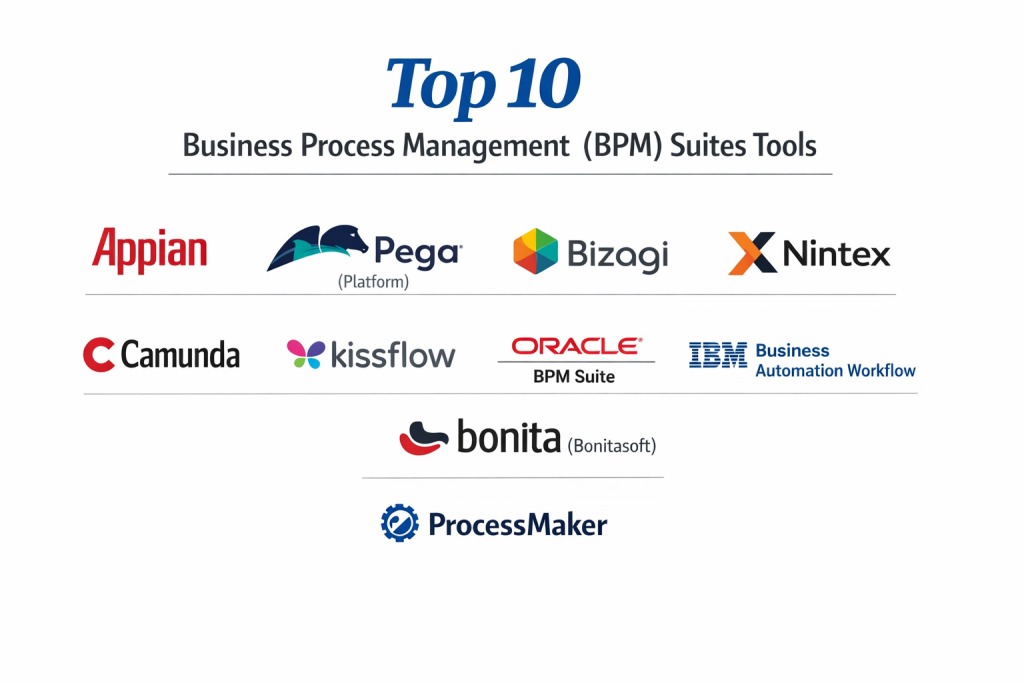
Top 10 Business Process Management (BPM) Suites Tools
1 — Appian
Appian is famous for being a “low-code” leader. This means it is designed for people who want to build powerful business apps and organize work very quickly without having to be a computer scientist.
- Key features:
- Visual Workflow Modeler: You can draw your business steps like a flowchart on a whiteboard.
- Data Fabric: It lets you see information from all your different folders and databases in one single list.
- Process Mining: The tool looks at your old work logs to find where you are losing time or money.
- Unified AI: It can read documents and make simple choices for you using basic “brains.”
- Mobile Ready: Anything you build for the office works on a phone or tablet right away.
- Case Management: It can handle long tasks that take weeks to finish, like a legal case.
- Pros:
- It is very fast to set up; you can go from an idea to a working system in just a few weeks.
- It is excellent at bringing humans and robots together in the same workflow.
- Cons:
- It can be quite expensive, especially for smaller companies that are just starting out.
- Because it does so much, it can take a little while to learn where every button is hidden.
- Security & compliance: Very high level; it meets SOC 2, HIPAA, GDPR, and even high-level military safety rules (FedRAMP).
- Support & community: Great support for big businesses, plus a very active online group where people share tips and tricks.
2 — Pega (Platform)
Pega is a heavy-duty tool made for the biggest companies in the world. It is built to handle extremely complex rules and millions of tasks without ever slowing down.
- Key features:
- Situational Layer Cake: A unique way to organize rules so they work differently in different countries or offices.
- GenAI Blueprint: It uses smart technology to help you design your business processes just by talking to it.
- Customer Decision Hub: It helps you decide the best thing to say to a customer based on their history.
- Robotic Automation: It has built-in robots that can do the typing for you on old computer screens.
- Auto-Healing: If a business rule changes, Pega helps update all your active tasks so they don’t break.
- Industry Frameworks: It comes with pre-made setups for banks, insurance, and healthcare.
- Pros:
- It is incredibly strong; it can manage the work of a global bank with tens of thousands of workers.
- It is very good at “thinking” and choosing the best path for a task to take.
- Cons:
- It is very technical; you usually need to hire a special Pega expert to set it up for you.
- The cost is very high, making it a “premium only” choice for large enterprises.
- Security & compliance: Top-tier security; it is trusted by global governments and follows ISO 27001, HIPAA, and GDPR.
- Support & community: High-level professional support and a dedicated “Pega Academy” for training.
3 — Bizagi
Bizagi focuses on “modeling” your work. They believe that if you can draw your process clearly, the computer should be able to run it perfectly. It is very popular for its friendly look and feel.
- Key features:
- Bizagi Modeler: A very easy-to-use tool for drawing your business maps for free.
- Low-Code Automation: You can turn your drawings into real working programs with very little typing.
- Cloud-First: It is built to live on the internet so your team can work from anywhere.
- Integration Connectors: It has “plugs” for common tools like Excel, SAP, and Salesforce.
- Contextual Experience: It shows workers only the information they need for the specific task they are doing.
- Simulation: It can “test run” your process to see how it might work before you show it to your employees.
- Pros:
- The “Modeler” part is free and very easy for beginners to start using today.
- It encourages a “start small, grow big” way of working that is less scary for mid-sized companies.
- Cons:
- Some of the more advanced features can feel a bit clunky compared to Appian or Pega.
- The pricing for the full “run” version can jump up quite quickly as you add more users.
- Security & compliance: Includes SSO (Single Sign-On), encryption, SOC 2, and GDPR compliance.
- Support & community: They have a very large community of millions of users and good video tutorials.
4 — Nintex
Nintex is the tool for people who already use Microsoft tools like SharePoint and Office 365. It is built to sit right inside those programs and make them more powerful.
- Key features:
- Nintex Promapp: A simple way to write down your procedures so everyone knows the rules.
- Drag-and-Drop Workflow: No coding needed to move a document from a folder to an approval step.
- Nintex Forms: Build pretty digital forms to replace messy paper forms in the office.
- DocGen: Automatically create a professional PDF or Word document once a task is done.
- Mobile App: Let workers sign documents or check tasks from their phones while in the field.
- Process Analytics: Clear charts that show you who is working hard and who is stuck.
- Pros:
- It is the easiest tool for regular office workers who are not “tech experts.”
- It works perfectly with Microsoft SharePoint, making it a natural choice for many offices.
- Cons:
- If you don’t use Microsoft tools, Nintex loses some of its magic.
- It is not quite as powerful for “high-end” complex math or very difficult data rules.
- Security & compliance: Very safe; it follows SOC 2 Type II and HIPAA rules for protecting data.
- Support & community: Very friendly support and a large group of “Nintex Vanguards” who help other users.
5 — Camunda
Camunda is the favorite of computer programmers. It is “open-source,” which means developers can see the code and change it to fit their needs perfectly.
- Key features:
- BPMN 2.0 Standard: It uses the world’s standard “language” for drawing business processes.
- DMN (Decision Tables): An easy way to set up “If/Then” rules in a simple table.
- Developer Friendly: It works with popular programming languages like Java, Python, and C#.
- Orchestration: It can manage work between humans, old computer systems, and modern AI.
- Cockpit: A control room for developers to see if any tasks are “stuck” and fix them manually.
- Optimize: A tool for business bosses to see the data without needing to know the code.
- Pros:
- It is extremely flexible; if you can think of it, a programmer can build it in Camunda.
- It is very fast and can handle thousands of tasks every second.
- Cons:
- It is not for “regular” office workers; you really need a programmer to set it up and change it.
- The “free” version is good, but the “Enterprise” version with all the safety features costs a lot.
- Security & compliance: GDPR compliant, supports SSO and strong encryption; enterprise version is SOC 2 certified.
- Support & community: A huge community of developers on GitHub and very detailed technical books.
6 — Kissflow
Kissflow is designed to be as simple as an app on your phone. It is made for “citizen developers”—regular people who want to fix their own office problems without asking the IT department.
- Key features:
- Unified Platform: It handles simple tasks, big processes, and projects all in one place.
- No-Code Builder: You click and point to build your workflow; no typing required.
- Dynamic Routing: It can change the path of a task based on how much money is being spent.
- Reporting & Dashboards: Simple colored charts that tell you the health of your team.
- Contextual Collaboration: You can chat with your coworkers right inside the task you are doing.
- Zapier Integration: It can connect to over 4,000 other small apps like Slack or Gmail.
- Pros:
- It is very pretty and simple; your team will actually enjoy using it.
- It is much cheaper than the big tools like Pega, making it great for middle-sized businesses.
- Cons:
- It might struggle with very large, extremely complicated business rules.
- It is not as good at “high-end” document reading compared to Kofax or Appian.
- Security & compliance: SOC 2, GDPR, and ISO 27001 compliant.
- Support & community: Good online chat support and a simple help center with many articles.
7 — Oracle (BPM Suite)
Oracle is a name everyone knows. Their BPM suite is built to work with their famous databases and their large “Cloud” system that many big companies already use.
- Key features:
- Process Composer: A web-based tool for business analysts to draw their workflows.
- Business Rules Engine: A powerful way to manage complex math and logic for big decisions.
- BPM Workspace: A personalized inbox for every worker to see what they need to do today.
- Native Integration: It plugs directly into Oracle Financials and HR software.
- Simulation & Analytics: Predict how a change in your staff might speed up your work.
- Adaptive Case Management: For work that doesn’t follow a straight line, like a doctor’s visit.
- Pros:
- If your company already uses Oracle for your money or your people, this fits right in.
- It is very stable and can be used by the world’s biggest companies without breaking.
- Cons:
- The screen looks a bit old-fashioned compared to newer tools like Kissflow.
- It is very hard to set up and usually requires a team of expensive consultants.
- Security & compliance: Very high; ISO, SOC, HIPAA, and GDPR certified through the Oracle Cloud.
- Support & community: Massive global support and professional training available everywhere.
8 — IBM (Business Automation Workflow)
IBM has been helping businesses run for a long time. Their tool is designed to combine “workflow” (the steps) with “content” (the documents) in one big package.
- Key features:
- Integrated Content Management: It stores your documents right where the work is happening.
- Low-Code Tools: Simple tools for business users to build their own screens.
- Intelligent Automation: It uses IBM “Watson” (their famous AI) to help read documents.
- Dashboards: See your business performance in real-time across the whole company.
- Federated Worklist: One inbox that shows you tasks from many different IBM systems at once.
- Flexible Deployment: You can run it on your own computers or in the IBM cloud.
- Pros:
- It is excellent for “paper-heavy” jobs like processing mortgage applications.
- It is very reliable and has been tested by thousands of big companies over many years.
- Cons:
- It can feel very “heavy” and slow to set up compared to modern cloud apps.
- The cost is high and usually involves complex licensing rules.
- Security & compliance: Meets all major global standards, including SOC 1/2, HIPAA, and GDPR.
- Support & community: Very professional enterprise support and a huge library of technical help.
9 — Bonita (Bonitasoft)
Bonita is another tool that programmers love. It uses a “low-code” approach but keeps things open so that developers can add their own code whenever they want.
- Key features:
- Bonita Studio: A desktop tool for drawing and building your business applications.
- Extensible Connectors: You can build your own “plugs” to connect to any weird software you have.
- UI Designer: A tool to build custom screens that look exactly how your workers want them.
- Separation of Concerns: It keeps the “logic” separate from the “look,” which developers like.
- Open Source Version: A free version that is very powerful for people who want to try it out.
- Continuous Integration: Tools to help developers update the system without stopping the work.
- Pros:
- It is a great middle-ground between “easy to draw” and “powerful to code.”
- The community version is one of the best free BPM tools available for small projects.
- Cons:
- It still requires some technical skill; a regular manager might find it a bit difficult to finish a project alone.
- The professional support costs money, and it can be expensive for a small team.
- Security & compliance: Supports SSO, encryption, and is GDPR compliant; professional version adds more audit logs.
- Support & community: Very strong community of developers and a good “Bonita Academy.”
10 — ProcessMaker
ProcessMaker is a modern, light tool that focuses on being “API-first.” This means it is built specifically to talk to other software very easily.
- Key features:
- BPMN 2.0 Designer: Drag-and-drop workflow drawing that follows the world rules.
- Screen Builder: Create clean, simple forms for people to fill out on their computers or phones.
- AI-Assisted Design: It helps you build your workflows faster by making suggestions.
- Open APIs: Every single thing in the tool can be controlled by other software if you want.
- Business Activity Monitoring: Real-time alerts if a task is taking too long.
- Multi-language Support: It is very easy to use in many different countries and languages.
- Pros:
- It feels very modern and “fast” compared to the old tools from IBM or Oracle.
- It is great for companies that use a lot of different modern web apps and need them to talk to each other.
- Cons:
- It might not be as good for very old, “legacy” computer systems that don’t have modern plugs.
- Some of the more advanced reporting features are only in the most expensive version.
- Security & compliance: SOC 2 Type II certified and GDPR compliant.
- Support & community: Good online documentation and a responsive support team for enterprise customers.
Comparison Table
| Tool Name | Best For | Platform(s) Supported | Standout Feature | Rating (Gartner) |
| Appian | Fast Low-Code Apps | Cloud / Mobile | Data Fabric Layer | 4.6 / 5 |
| Pega | Massive Enterprise Logic | Cloud / On-Prem | Situational Layer Cake | 4.4 / 5 |
| Bizagi | Visual Modeling & Growth | Cloud / Windows | Free Modeler Tool | 4.5 / 5 |
| Nintex | Microsoft Office Users | O365 / SharePoint | Native MS Integration | 4.4 / 5 |
| Camunda | Software Developers | Cloud / Hybrid | Coder-friendly Engine | 4.7 / 5 |
| Kissflow | Simple SMB Processes | Web / Mobile | Simple App-like UI | 4.3 / 5 |
| Oracle BPM | Current Oracle Users | Cloud / Hybrid | Deep Financial Link | 4.1 / 5 |
| IBM Workflow | Document-Heavy Work | Cloud / On-Prem | IBM Watson AI Link | 4.2 / 5 |
| Bonita | Technical Teams | Cloud / Desktop | Developer Flexibility | 4.4 / 5 |
| ProcessMaker | Modern Web Integration | Web / Cloud | API-First Design | 4.3 / 5 |
Evaluation & Scoring of BPM Suites
How do we decide which tool is actually “the best”? We use a scoring system that looks at the things that matter most to a real office.
| Category | Weight | Evaluation Criteria |
| Core Features | 25% | Workflow drawing, rules management, and form building. |
| Ease of Use | 15% | Can a regular person build a task without calling IT? |
| Integrations | 15% | Does it talk to Excel, SAP, Salesforce, and Gmail? |
| Security & Compliance | 10% | HIPAA, GDPR, SOC 2, and encryption standards. |
| Performance | 10% | Does it stay fast when 1,000 people use it at once? |
| Support & Community | 10% | How easy is it to find training and fast help? |
| Price / Value | 15% | Is the cost fair for what you are getting? |
Which BPM Suite Tool Is Right for You?
Choosing a tool is like choosing a car; a race car is great for speed, but a truck is better for moving boxes.
Solo Users and Very Small Businesses
If you are working by yourself or have a tiny team, you probably don’t need a full BPM Suite. Instead, look at simple task managers. However, if you really want to map your work, Bizagi Modeler is free and a great place to start drawing.
Small to Mid-Market Companies (SMB)
If you have a growing team and want something pretty and easy, Kissflow is your best choice. If your office already pays for Microsoft 365, Nintex is the natural pick because it fits right into what you already have.
Mid-Market to Large Enterprise
For companies that need a balance of power and speed, Appian is the leader. It allows you to build very complex systems without needing a year of development time. If you have a large team of programmers who want to build something unique, Camunda or Bonita are the best options.
Global Enterprises and Regulated Industries
If you are a global bank or a massive insurance company with very strict rules, Pega is the heavy hitter. It handles the most complex logic better than anyone else. If you are already deeply invested in Oracle or IBM for your other business needs, staying with their BPM tools will make integration much easier.
Frequently Asked Questions (FAQs)
1. What is the difference between BPM and RPA?
BPM manages the “big picture” of a process (like moving a document from person A to person B). RPA (Robotic Process Automation) handles the “small tasks” like a robot typing data from a paper into a computer. They often work together.
2. Do I need to know how to code to use these tools?
Most modern BPM tools (like Appian or Kissflow) are “Low-Code” or “No-Code,” meaning you just drag and drop boxes. However, for very complex systems, a little bit of technical knowledge still helps.
3. How much does a BPM Suite cost?
The price varies a lot. Some are free for one person, while others can cost thousands of dollars every month for a large company. Usually, you pay for the number of people using it or the number of tasks the tool finishes.
4. Is my data safe in a BPM Suite?
Yes, most top-tier tools (like those in our list) use very strong “locks” (encryption) and follow global safety rules like GDPR and HIPAA to keep your business secrets safe.
5. How long does it take to set up?
A simple process can be set up in a few days. A massive system for a whole company can take three to six months to build, test, and show to the employees.
6. Can I use these tools on my phone?
Yes, most modern suites like Appian, ProcessMaker, and Nintex have very good phone apps so you can approve tasks while you are traveling or away from your desk.
7. Can BPM help with human error?
Absolutely. By forcing everyone to follow the same digital steps, you stop people from forgetting to check a box or skipping an important safety step.
8. What is “Process Mining”?
It is a “smart” feature where the software looks at your computer logs to tell you exactly how you are actually working, which is often different from how you think you are working.
9. Why not just use email to manage work?
Email is a “black hole.” You can’t see which tasks are stuck, you can’t get reports on how fast people are working, and it is very easy to lose an important message in a busy inbox.
10. What is the biggest mistake when starting BPM?
Trying to automate a process that is already broken. You should always simplify and fix your manual steps on paper before you try to teach them to a computer.
Conclusion
In the end, choosing a Business Process Management Suite is about finding the right partner for your company’s growth. If you want to move fast and have a modern feel, Appian and Kissflow are fantastic. If you need a technical engine that your programmers can control, Camunda is the way to go. If you are a giant company with global rules, Pega is the strongest choice.
Remember, the goal of these tools is to give you more time. By letting the software handle the “who does what next,” you and your team can focus on the real work—helping your customers and growing your business. Start by drawing your most annoying process on a piece of paper, and you’ll quickly see which tool feels like the right fit for your needs.