Introduction
Business Intelligence (BI) for finance refers to the technology and practices used to collect, integrate, analyze, and present financial data. In the past, finance teams relied heavily on static spreadsheets and manual data entry, which often led to errors and delayed reporting. Modern BI tools change this by connecting directly to ERP systems, bank feeds, and CRM platforms to provide a “single source of truth.” These tools allow financial professionals to visualize complex data through interactive dashboards, perform predictive modeling, and automate the grueling process of month-end closing. By turning raw numbers into actionable insights, BI empowers finance departments to move from basic bookkeeping to strategic business partnership.
The importance of BI in finance cannot be overstated in an era of market volatility. It allows for real-time monitoring of liquidity, automated expense management, and deeper insights into profitability by product or region. Key real-world use cases include cash flow forecasting to ensure operational stability, variance analysis to compare actual spend against budgets, and “what-if” scenario planning to prepare for economic shifts. When choosing a tool, finance users should look for strong data integration capabilities, robust security (due to the sensitive nature of the data), ease of use for non-technical staff, and the ability to handle large volumes of data without lagging.
Key Real-World Use Cases
- Real-Time Cash Flow Monitoring: Companies use BI dashboards to see their instant cash position across multiple global entities, helping treasury teams make better investment decisions.
- Profitability Analysis: Finance leaders drill down into data to see which specific customers or product lines are driving the most margin, allowing them to shift resources effectively.
- Budgeting and Forecasting: Instead of annual static budgets, BI tools enable “rolling forecasts” that adjust based on live sales data and market trends.
- Regulatory Compliance: Automating the collection of data for tax filings and audit logs ensures that companies remain compliant with international standards like IFRS or GAAP.
- Operational Expense (OpEx) Control: BI tools flag unusual spending patterns or budget overruns in real-time, allowing department heads to correct course before the end of the quarter.
What to Look For (Evaluation Criteria)
- Direct Data Connectors: The tool must easily connect to your existing ERP (like SAP or Oracle) and accounting software (like QuickBooks or Xero).
- Financial Modeling Depth: Look for the ability to handle complex calculations, such as multi-currency consolidations and depreciation schedules.
- Self-Service Capabilities: Financial analysts should be able to create their own reports without needing to wait for the IT department to write SQL code.
- Data Security: Because financial data is highly sensitive, features like Row-Level Security (RLS) and SOC 2 compliance are non-negotiable.
- Speed to Insight: The platform should be able to process millions of rows of transactions and update dashboards in seconds, not minutes.
Best for: CFOs, Financial Planning & Analysis (FP&A) managers, Controllers, and Accountants in mid-to-large enterprises and high-growth startups. It is essential for industries with high transaction volumes like E-commerce, SaaS, and Manufacturing.
Not ideal for: Early-stage solo entrepreneurs or very small businesses with simple revenue streams. For these users, a standard accounting software package with built-in basic reporting is usually sufficient and more cost-effective.
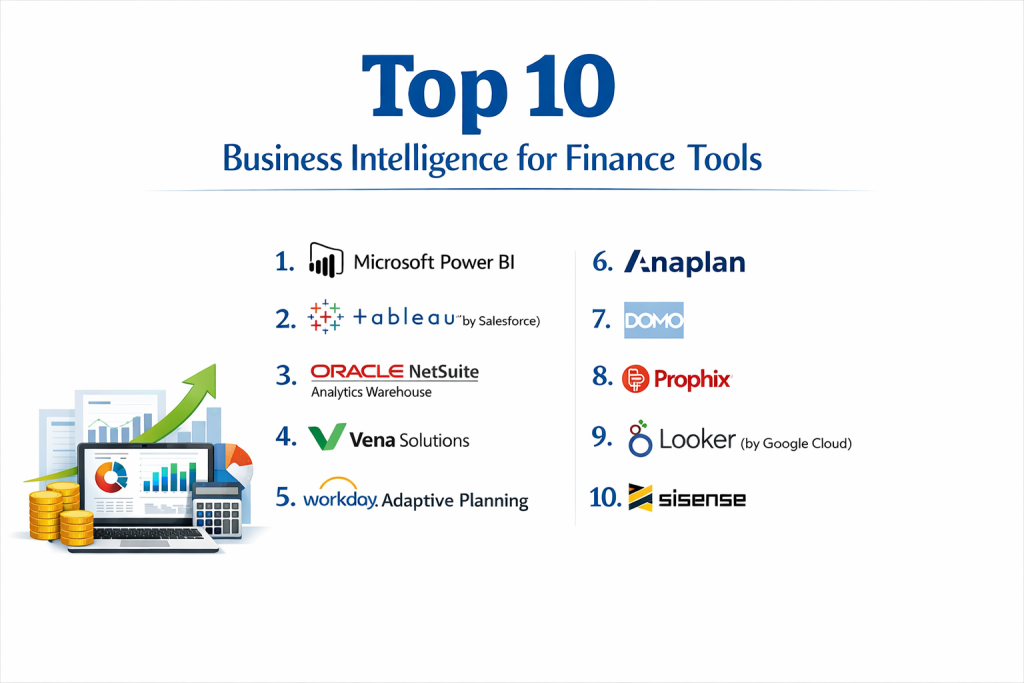
Top 10 Business Intelligence for Finance Tools
1 — Microsoft Power BI
Microsoft Power BI is arguably the most dominant force in the BI world. It is a cloud-based service that transforms data into rich visuals, making it a natural choice for finance teams already comfortable within the Microsoft ecosystem.
- Key features:
- Native integration with Excel, allowing for familiar data manipulation.
- Power Query for advanced data cleaning and transformation.
- DAX (Data Analysis Expressions) for complex financial calculations.
- Massive library of visual templates for balance sheets and P&Ls.
- Automated data refreshing from cloud and on-premises sources.
- AI-powered insights for trend detection and forecasting.
- Pros:
- Incredible value for money, especially for companies already paying for Office 365.
- The largest user community in the world, making it easy to find help and templates.
- Cons:
- The DAX language has a very steep learning curve for advanced modeling.
- Performance can slow down significantly when handling extremely large, unoptimized datasets.
- Security & compliance: SOC 2 Type II, ISO 27001, HIPAA, GDPR, and Row-Level Security.
- Support & community: Massive documentation library, community forums with millions of users, and extensive third-party training courses.
2 — Tableau (by Salesforce)
Tableau is renowned for its superior data visualization capabilities. It allows finance professionals to explore data through a highly interactive “drag-and-drop” interface, making it perfect for storytelling during board meetings.
- Key features:
- Highly flexible “VizQL” engine for creating custom data visualizations.
- Tableau Prep for advanced data cleaning and joining.
- Strong “Ask Data” feature allowing for natural language queries.
- Robust mobile app for viewing financial dashboards on the go.
- Ability to handle massive datasets from Hadoop, AWS, or Snowflake.
- Advanced mapping for geographic spend and revenue analysis.
- Pros:
- Unrivaled for creating beautiful, board-room-ready presentations.
- Extremely powerful for “exploratory” analysis where you don’t know what you’re looking for yet.
- Cons:
- Significantly more expensive than Power BI on a per-user basis.
- Can be overkill for simple financial reporting like P&L tracking.
- Security & compliance: SOC 2, SOC 3, ISO 27001, GDPR, and HIPAA.
- Support & community: Very strong community (Tableau Public), global user groups, and premium enterprise support tiers.
3 — Oracle NetSuite Analytics Warehouse
Designed specifically for companies using NetSuite ERP, this tool provides a pre-built data warehouse and BI solution that eliminates the need for manual data mapping.
- Key features:
- Pre-built data pipelines from NetSuite directly into the BI engine.
- Out-of-the-box financial KPIs and dashboard templates.
- Machine learning for predictive revenue and expense modeling.
- Multi-subsidiary and multi-currency consolidation.
- Advanced “Data Workbook” for pivot-table style analysis.
- Historical data snapshots for point-in-time comparisons.
- Pros:
- Reduces implementation time by weeks because the data mapping is already done.
- Seamlessly handles the complexities of global financial structures (multiple currencies/tax laws).
- Cons:
- Only available to Oracle NetSuite customers, making it a “walled garden” solution.
- Customizing data sources outside of NetSuite can be technically challenging.
- Security & compliance: SOC 1, SOC 2, PCI DSS, and ISO 27001.
- Support & community: Enterprise-grade support from Oracle and a large network of NetSuite consultants.
4 — Vena Solutions
Vena is a dedicated FP&A (Financial Planning and Analysis) platform that uses Microsoft Excel as its primary interface but backs it with a powerful, secure database.
- Key features:
- “Excel-first” interface that preserves your existing formulas and logic.
- Centralized database that prevents “version control” issues with spreadsheets.
- Workflow automation for budgeting and month-end closing cycles.
- Audit trails that show exactly who changed which cell and when.
- Detailed variance analysis and scenario modeling.
- Pre-built connectors to major ERPs and HRIS systems.
- Pros:
- Almost zero learning curve for finance teams who already love Excel.
- Combines the flexibility of a spreadsheet with the security of an enterprise BI tool.
- Cons:
- Because it relies on Excel, it lacks the advanced “modern” visuals of Tableau.
- Not a general-purpose BI tool; it is strictly focused on finance and planning.
- Security & compliance: SOC 1 Type II, SOC 2 Type II, and GDPR.
- Support & community: High-touch customer success model and dedicated implementation specialists.
5 — Workday Adaptive Planning
Widely recognized as a leader in the “Strategic Corporate Performance Management” space, Workday Adaptive Planning is built for high-speed budgeting and forecasting.
- Key features:
- “Elastic Hypercube” technology for lightning-fast calculations.
- Self-service reporting for non-finance department heads.
- Automated board reporting and management books.
- Specialized modules for workforce planning and sales forecasting.
- Seamless integration with Workday ERP and other major systems.
- Drag-and-drop interface for creating complex financial models.
- Pros:
- Exceptional for “What-if” scenario planning at a massive scale.
- Very intuitive for non-finance users, which helps with company-wide budget participation.
- Cons:
- Implementation can be a major undertaking for smaller finance teams.
- The licensing costs are geared toward mid-market and enterprise budgets.
- Security & compliance: SOC 2 Type II, ISO 27001, GDPR, and HIPAA.
- Support & community: Extensive user conferences (Workday Rising) and robust enterprise support.
6 — Anaplan
Anaplan is an enterprise-grade platform for “Connected Planning.” It is designed to link financial plans directly to operational data across the entire company.
- Key features:
- “Honeycomb” architecture for real-time data updates across all models.
- Ability to handle multi-dimensional data (e.g., SKU by region by currency).
- Advanced forecasting using proprietary “Plan IQ” (AI/ML).
- Highly customizable modeling environment for unique business logic.
- In-memory processing for handling massive, complex datasets.
- Collaborative workflows for large global finance teams.
- Pros:
- Unrivaled for large-scale, complex organizations with many moving parts.
- “Connected” nature means a change in sales projections instantly updates the cash flow forecast.
- Cons:
- Requires “Model Builders” (specialized staff) to maintain and update the system.
- Not an out-of-the-box solution; it requires a heavy initial build-out.
- Security & compliance: SOC 1, SOC 2 Type II, ISO 27001, and HIPAA.
- Support & community: “Anaplan Academy” for certification and a strong partner ecosystem.
7 — Domo
Domo is a cloud-native BI platform that excels at data integration and mobile accessibility. It is designed to get data into the hands of decision-makers as quickly as possible.
- Key features:
- Over 1,000+ pre-built data connectors for almost any cloud service.
- “Magic ETL” for visual, code-free data transformation.
- “Beast Mode” for creating custom metrics and calculations.
- Built-in collaboration tools (Buzz) for discussing data inside the app.
- Real-time alerts sent to your phone when financial KPIs hit a certain threshold.
- Highly flexible dashboarding for “at-a-glance” financial health.
- Pros:
- Incredibly fast to implement if you have data spread across many different cloud apps.
- One of the best mobile experiences in the BI market.
- Cons:
- The “all-in-one” pricing can be confusing and expensive for small teams.
- Less focus on deep, structured “FP&A” workflows compared to Vena or Workday.
- Security & compliance: SOC 2 Type II, ISO 27001, GDPR, and HIPAA.
- Support & community: 24/7 technical support and a robust online knowledge base.
8 — Prophix
Prophix is a mid-market leader focused specifically on automating financial processes like budgeting, forecasting, and consolidation.
- Key features:
- Automated financial consolidation for multi-entity businesses.
- “Financial Planning & Analysis” workflows with built-in task management.
- AI “Insights” that flag anomalies in your transactions.
- Self-service report writer for non-technical users.
- Integration with virtually any ERP via a robust API.
- Specific modules for Capex and Personnel planning.
- Pros:
- Provides a very “complete” finance solution without the complexity of Anaplan.
- Excellent balance of automation and user-friendliness for mid-sized teams.
- Cons:
- The reporting interface is not as visually stunning as Tableau.
- Can feel a bit “rigid” if you have a very unconventional business model.
- Security & compliance: SOC 2 Type II, ISO 27001, and GDPR.
- Support & community: High customer satisfaction scores and a dedicated “Prophix Academy.”
9 — Looker (by Google Cloud)
Looker is a modern BI platform that uses a unique modeling language called LookML. It is designed for companies that want a highly governed, centralized data model.
- Key features:
- LookML: A centralized language to define your financial metrics once and use them everywhere.
- Direct connection to the database (no “data extraction” required).
- Deep integration with Google BigQuery and the Google Cloud ecosystem.
- Ability to embed financial dashboards directly into other internal apps.
- Robust version control using Git for your data models.
- Modern, “web-first” interface that is very fast and responsive.
- Pros:
- Eliminates “metric drift” (where two people have different numbers for the same KPI).
- Extremely powerful for companies with large, clean data warehouses.
- Cons:
- Requires someone who can write LookML (similar to SQL) to set up.
- Not ideal for “quick and dirty” ad-hoc analysis compared to Excel or Power BI.
- Security & compliance: SOC 2 Type II, ISO 27001, GDPR, and HIPAA.
- Support & community: 24/7 chat support and extensive technical documentation via Google Cloud.
10 — Sisense
Sisense is known for its ability to handle complex data and its “AI-everywhere” approach. It is often used to embed analytics directly into financial service products.
- Key features:
- “ElastiCube” technology for high-speed analysis of disparate datasets.
- Built-in AI for “Natural Language Query” and “Automated Insights.”
- Ability to combine data from web apps, Excel, and SQL databases effortlessly.
- Highly customizable “White-Label” dashboards for client reporting.
- Robust API for developers to build custom financial applications.
- In-chip processing for massive performance gains.
- Pros:
- Excellent for “non-technical” users once the initial data cubes are built.
- Can handle complex data mashups that would break other tools.
- Cons:
- The initial setup and “Cube” architecture require a technical data engineer.
- The pricing is opaque and generally starts at a premium level.
- Security & compliance: SOC 2 Type II, ISO 27001, and HIPAA.
- Support & community: Strong professional services team and an active community forum.
Comparison Table
| Tool Name | Best For | Platform(s) Supported | Standout Feature | Rating (Gartner) |
| Microsoft Power BI | MS Ecosystem Users | Windows, Cloud, Mobile | Excel Native Integration | 4.4 / 5 |
| Tableau | Visual Storytelling | Windows, Mac, Cloud | Advanced Viz Engine | 4.3 / 5 |
| Oracle NetSuite | NetSuite ERP Users | Cloud / Web | Pre-built ERP Connectors | 4.2 / 5 |
| Vena Solutions | Excel-based FP&A | Cloud (Excel Front-end) | Excel Interface + Database | 4.6 / 5 |
| Workday Adaptive | Enterprise Planning | Cloud / Web | Elastic Hypercube Calc | 4.7 / 5 |
| Anaplan | Complex Orgs | Cloud / Web | Connected Planning Logic | 4.5 / 5 |
| Domo | Real-time / Mobile | Cloud / Web | 1,000+ Data Connectors | 4.4 / 5 |
| Prophix | Mid-Market Finance | Cloud / Web | Automated Consolidation | 4.5 / 5 |
| Looker | Data Governance | Cloud / Web | LookML Central Metrics | 4.4 / 5 |
| Sisense | Complex Data Mashups | Cloud / Hybrid | ElastiCube Performance | 4.3 / 5 |
Evaluation & Scoring of Business Intelligence for Finance
| Criteria | Weight | Evaluation Rationale |
| Core Features | 25% | Capacity for multi-currency, consolidation, and scenario modeling. |
| Ease of Use | 15% | Can a standard CPA or Finance Analyst operate it without IT help? |
| Integrations | 15% | Breadth of pre-built connectors to ERPs and bank feeds. |
| Security & Compliance | 10% | Presence of SOC 2, RLS, and strict audit logs. |
| Performance | 10% | Speed of large dataset processing and dashboard loading. |
| Support & Community | 10% | Availability of 24/7 help and user templates. |
| Price / Value | 15% | ROI based on time saved in the month-end close. |
Which Business Intelligence for Finance Tool Is Right for You?
Small to Mid-Market vs. Enterprise
For small and mid-market firms, the priority is usually speed and cost. Power BI is almost unbeatable here if you are already on Microsoft 365. If you are a finance team that refuses to leave Excel, Vena Solutions offers the best path to “enterprise-grade” planning without learning a new tool. Large enterprises with global footprints and thousands of employees need the “heavy lifting” capabilities of Anaplan or Workday Adaptive Planning to ensure that every department’s budget is aligned.
Budget and Value
If you are budget-conscious, Power BI is the clear winner at roughly $10-$20 per user. However, value is not just about the monthly fee. If your team spends 40 hours a month manually merging spreadsheets, a $50,000 implementation of Prophix or Domo might pay for itself in less than a year through labor savings alone.
Technical Depth vs. Simplicity
If you have a dedicated “Data Finance” team that can write SQL or Python, Looker and Sisense provide incredible power to build custom tools. If your team is mostly made up of accountants who want a “plug-and-play” experience, On-top of ERP solutions like Oracle NetSuite Analytics or user-friendly portals like Domo are better choices.
Integration and Scalability Needs
If your financial data is currently “stuck” in 20 different cloud apps (Stripe, Shopify, Salesforce, etc.), Domo is the best at pulling it all together quickly. If you plan to grow from 100 to 1,000 employees, Anaplan offers the best “scalability” because its architecture can handle almost infinite complexity as your business model evolves.
Security and Compliance Requirements
Every tool on this list is secure, but for those in highly regulated industries like Banking or Healthcare, the “governed” approach of Looker (where metrics are locked down) or the deep audit trails of Vena and Workday provide the extra level of protection needed for strict external audits.
Frequently Asked Questions (FAQs)
What is the difference between BI and Accounting software?
Accounting software (like QuickBooks) records transactions. BI software analyzes those transactions over time, compares them to budgets, and predicts future trends.
Do I need a data warehouse for BI for finance?
Not necessarily. Tools like Power BI and Domo can connect directly to your apps. However, larger companies usually find a data warehouse (like Snowflake) makes the BI tool run much faster.
Is Power BI better than Excel for finance?
They are better together. Excel is great for one-off calculations; Power BI is superior for automated, real-time dashboards and handling data that is too large for a spreadsheet.
How long does it take to implement a finance BI tool?
A simple Power BI dashboard can be live in a day. A full enterprise rollout of Anaplan or Workday can take 3 to 9 months depending on the complexity of your data.
What is “Single Source of Truth”?
It means all departments are looking at the same numbers. BI for finance ensures that Sales, Marketing, and Finance aren’t arguing over which revenue report is “correct.”
Can BI tools help with month-end close?
Yes. By automating data collection and reconciliation, BI tools can reduce the month-end close process from weeks to just a few days.
Are these tools secure enough for bank data?
Yes. Modern BI tools use the same level of encryption as banks and comply with international standards like SOC 2 and ISO 27001.
Do I need to know how to code to use BI?
Most modern tools are “low-code” or “no-code,” meaning you use drag-and-drop interfaces. However, knowing basic SQL or DAX can help you perform much more advanced analysis.
Can BI help with tax preparation?
While they aren’t tax software, they make it easy to generate the specific “P&L by Category” reports that your tax accountant needs.
What is the biggest mistake in BI for finance?
The biggest mistake is “Dirty Data.” If your accounting team hasn’t categorized expenses correctly in the ERP, the BI tool will simply visualize those errors (Garbage In, Garbage Out).
Conclusion
Business Intelligence for finance has shifted from a luxury for the Fortune 500 to a survival requirement for companies of all sizes. The ability to pivot based on real-time data rather than last month’s PDF report is the difference between thriving and failing in a modern economy.
When making your final choice, remember that the “best” tool is the one that fits your current data maturity. If you are just starting to move away from manual work, Microsoft Power BI or Domo offer the easiest entry points. If you are a complex, global organization looking to link every dollar of spend to a strategic goal, the “Connected Planning” power of Anaplan or Workday Adaptive is where you should look. Regardless of the tool, the goal remains the same: spend less time gathering data and more time using it to drive the business forward.