Introduction
Business Continuity Planning (BCP) tools are specialized software platforms designed to help organizations identify potential threats and create a framework for resilience. Unlike a standard document stored on a hard drive, these tools provide a living, breathing ecosystem where companies can map out critical business processes, assess risks, and document the exact steps needed to keep operations running during a crisis. These platforms move beyond simple “emergency response” by focusing on the long-term recovery of essential functions, such as IT infrastructure, supply chain logistics, and human resources. By centralizing this data, BCP tools ensure that when a disaster strikes—be it a cyberattack, a natural disaster, or a global pandemic—the organization isn’t starting from scratch but following a pre-validated, data-driven roadmap.
The importance of these tools has never been more apparent. In a global economy characterized by “just-in-time” delivery and 24/7 digital availability, even a few hours of downtime can result in millions of dollars in lost revenue and permanent damage to customer trust. BCP tools automate the most complex parts of resilience, such as performing a Business Impact Analysis (BIA) and a Risk Assessment (RA). They provide a “single source of truth” that remains accessible even if the primary corporate network is compromised. Furthermore, for industries like finance, healthcare, and energy, having a robust, software-managed BCP is often a strict regulatory requirement to meet ISO 22301 standards or federal mandates.
Key Real-World Use Cases
Business continuity tools are the silent guardians of organizational stability across several critical scenarios:
- IT Disaster Recovery: Mapping every software application to its underlying server and defining the Maximum Tolerable Downtime (MTD) for each.
- Supply Chain Resilience: Identifying “single points of failure” in the vendor network and documenting alternative suppliers for critical components.
- Workforce Relocation: Providing clear instructions and communication channels for employees to move to secondary work sites if a main office becomes inaccessible.
- Regulatory Auditing: Generating comprehensive reports instantly to prove to stakeholders or government bodies that the company meets resilience standards.
What to Look For (Evaluation Criteria)
When selecting a BCP tool, look for these foundational elements to ensure long-term success:
- Ease of Data Collection: Does the tool make it easy for department heads to input their process data without needing an engineering degree?
- BIA Automation: Can the system automatically calculate recovery time objectives (RTOs) based on the financial and operational impact data provided?
- Dependency Mapping: Does the tool visually show how one process (e.g., “Payroll”) depends on others (e.g., “Internal Servers”)?
- Mobile Accessibility: In a crisis, can you access your plans and contact lists from a mobile device outside the company network?
- Integration Engine: Does it sync with your HRIS, CMDB, and emergency notification systems to keep data fresh?
Best for:
- Business Continuity Managers and Risk Officers: Who need to oversee complex, organization-wide resilience strategies.
- IT Directors: Specifically those focused on disaster recovery and infrastructure redundancy.
- Regulated Enterprises: Banks, hospitals, and utilities that must demonstrate compliance with ISO or federal safety standards.
- Large Mid-Market Firms: Growing companies that have outgrown manual spreadsheets and need a centralized, scalable solution.
Not ideal for:
- Small Startups (Under 20 People): At this scale, a well-documented shared folder and a clear communication protocol on Slack are often sufficient.
- Solo Practitioners: Unless you are a BCP consultant managing multiple clients, these tools offer more overhead than a solo business requires.
- Low-Risk Industries: Businesses that can afford several days of downtime without significant financial or legal impact may find the ROI of BCP software hard to justify.
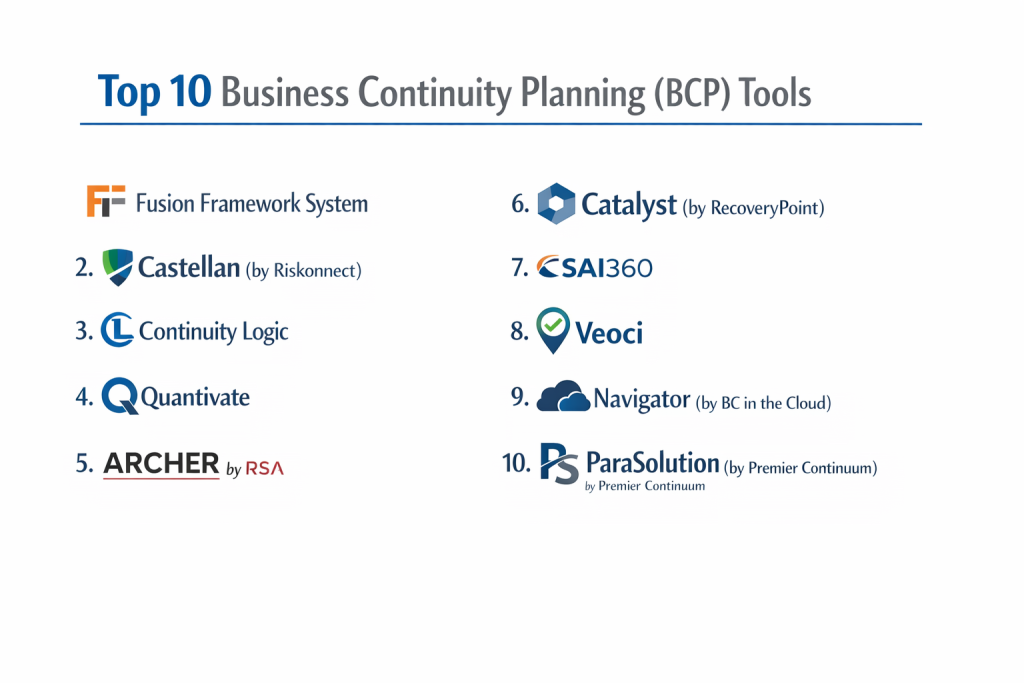
Top 10 Business Continuity Planning (BCP) Tools
1 — Fusion Framework System
Built on the Salesforce Lightning platform, Fusion Risk Management offers one of the most powerful and flexible ecosystems for business continuity. It is widely considered the “gold standard” for large-scale enterprise resilience.
Key features:
- Dynamic dependency mapping that visualizes the relationship between people, processes, and technology.
- Integrated Business Impact Analysis (BIA) and Risk Assessment (RA) modules.
- Real-time scenario testing and “what-if” modeling for various disaster types.
- Automated plan maintenance workflows that nudge department heads to update data.
- Seamless integration with Salesforce’s world-class security and reporting infrastructure.
Pros:
- Unrivaled scalability; if your company grows, Fusion can handle the complexity.
- The “Visual Interactive Map” allows leaders to see exactly where a disruption will hit hardest.
Cons:
- The system is highly complex and requires significant training for administrators.
- Pricing is at the top end of the market, making it inaccessible for many smaller firms.
Security & compliance: SOC 2 Type II, ISO 27001, GDPR, and HIPAA compliant via Salesforce infrastructure.
Support & community: Extensive “Fusion University” training, a dedicated customer success manager, and an active user group.
2 — Castellan (by Riskonnect)
Castellan (which recently merged into Riskonnect) offers a comprehensive suite that balances powerful enterprise features with a surprisingly modern and clean user interface.
Key features:
- Agile BIA tools that guide users through the impact analysis process with intuitive questions.
- Integrated emergency notification system to bridge the gap between “planning” and “response.”
- Operational resilience dashboards that track real-time threat levels against company assets.
- Automated plan generation that converts raw data into professional, audit-ready PDF documents.
- Robust compliance tracking for ISO 22301 and other global standards.
Pros:
- One of the best balances between “feature depth” and “user experience” on the market.
- The integrated notification tool means you don’t have to buy a separate platform for mass alerts.
Cons:
- Post-merger integration with Riskonnect can lead to some navigation inconsistencies between modules.
- Customizing advanced reports can sometimes require professional services.
Security & compliance: SOC 2 Type II, ISO 27001, and GDPR compliant.
Support & community: High-quality webinars, a robust knowledge base, and 24/7 technical support for high-priority incidents.
3 — Continuity Logic
Continuity Logic focuses on “Operational Resilience,” moving beyond traditional BCP to help companies maintain services through any kind of disruption, including third-party failures.
Key features:
- Sophisticated “Service-Level” mapping that focuses on customer outcomes rather than just internal tasks.
- Automated data harvesting from external systems to minimize manual entry.
- Risk-based BIA that prioritizes processes based on actual threat probability.
- Integrated Disaster Recovery (DR) module for technical infrastructure.
- Highly configurable dashboards for executive-level visibility.
Pros:
- Excellent for companies that want a “Forward-Looking” resilience strategy rather than a “Check-the-box” approach.
- Very strong at identifying hidden risks within the vendor and supply chain ecosystem.
Cons:
- The platform has a steeper learning curve for users who are new to BCP concepts.
- Initial setup and configuration can be time-consuming compared to “plug-and-play” rivals.
Security & compliance: SOC 2 Type II and ISO 27001.
Support & community: Dedicated onboarding teams and a professional services arm for bespoke configurations.
4 — Quantivate
Quantivate provides a GRC (Governance, Risk, and Compliance) suite where Business Continuity is a core, integrated module. It is a favorite for the banking and credit union sectors.
Key features:
- Pre-built templates specifically designed for financial services compliance (FFIEC, NCUA).
- Integrated risk management that links BCP directly to the overall corporate risk register.
- Cloud-based plan storage that ensures documents are available even during a local outage.
- Automated review cycles that ensure plans are tested and updated annually.
- Easy-to-use “Tabletop Exercise” manager for recording and analyzing safety drills.
Pros:
- The best choice for financial institutions that need to pass specific regulatory exams.
- Modular design allows you to start with BCP and add Vendor Management or Audit later.
Cons:
- The interface can feel a bit more “tabular” and less visual than modern competitors.
- Less focused on the “Response” side (emergency alerts) than some other suites.
Security & compliance: SOC 2 Type II, HIPAA, and SSAE 18 compliant.
Support & community: Excellent customer service with deep domain expertise in financial regulations.
5 — Archer (by RSA)
Archer is a massive GRC powerhouse. Its Business Continuity module is designed for “Mega-Enterprises” that need to coordinate resilience across tens of thousands of employees.
Key features:
- Highly granular permissions and organizational hierarchies for complex global structures.
- Deep integration with IT security data to identify cyber-related continuity risks.
- Comprehensive Business Impact Analysis that can handle thousands of concurrent assessments.
- Automated incident management that triggers specific BCP tasks based on the alert type.
- Centralized repository for all recovery strategies and exercise results.
Pros:
- Unbeatable for sheer scale and the ability to customize almost every data field.
- Integrates perfectly with other Archer modules like Third-Party Risk and Policy Management.
Cons:
- Requires a dedicated internal team to manage and maintain the platform.
- Extremely high total cost of ownership (TCO) including licensing and consultant fees.
Security & compliance: ISO 27001, FedRAMP (select versions), and SOC 2.
Support & community: Global support network and an enormous library of pre-built “on-demand” applications.
6 — Catalyst (by RecoveryPoint)
Catalyst is designed to be the “easiest to use” enterprise BCP software. It focuses on removing the friction from the planning process so that managers actually complete their assessments.
Key features:
- Progress trackers that show admins exactly which department heads haven’t finished their BIAs.
- Interactive “Guidance Text” throughout the platform to help non-experts answer BCP questions.
- Automated plan versioning and history tracking for audit purposes.
- Simplified dependency mapping that uses a “Drag and Drop” interface.
- Integrated mass notification system for emergency communication.
Pros:
- Highest user adoption rates among non-BCP professionals due to its simple interface.
- Very fast implementation; many firms can go live with their first plans in under 30 days.
Cons:
- May lack the “ultra-deep” customization options that a massive global bank might require.
- Reporting is solid but less visually complex than Fusion or Continuity Logic.
Security & compliance: SOC 2 Type II and HIPAA compliant.
Support & community: Responsive chat support and a streamlined onboarding program.
7 — SAI360
SAI360 offers an Ethics, Compliance, and Risk platform that includes a robust Business Continuity module. It focuses on the “Human Factor” of resilience and corporate integrity.
Key features:
- Unified platform for EHS (Environment, Health, and Safety) and BCP.
- Learning management integration to train employees on their roles during a crisis.
- Risk intelligence feeds that provide early warnings for global disruptions.
- Automated BIA workflows with conditional logic (asks different questions based on the process).
- Centralized dashboard for tracking “Resilience Health” across multiple regions.
Pros:
- Great for organizations that want to combine “Safety training” with “Crisis planning.”
- Very strong international support with a presence in every major global market.
Cons:
- The interface can feel a bit disjointed because it covers so many different GRC areas.
- Getting the most out of the tool requires buying into the larger SAI360 ecosystem.
Security & compliance: ISO 27001, SOC 2, and GDPR compliant.
Support & community: Extensive library of thought leadership and professional advisory services.
8 — Veoci
Veoci is a “Crisis Management First” platform that has built out excellent BCP capabilities. It is designed for the modern, mobile workforce that needs to collaborate in real-time.
Key features:
- “Virtual Command Center” where teams can chat and update tasks during an active incident.
- Digitized BCP playbooks that can be activated with a single click.
- Form-based BIA collection that looks and feels like a modern web survey.
- Visual GIS (Geographic Information System) mapping to see where assets are during a storm.
- Flexible “No-Code” architecture that allows you to build custom tracking apps.
Pros:
- The best platform for “Active Response”—it doesn’t just store plans; it executes them.
- Highly collaborative; it feels more like a modern work tool than a legacy database.
Cons:
- The “Traditional BCP” reporting (like formal PDF plan books) can be less rigid than Quantivate or Archer.
- Requires a more “hands-on” approach during a crisis to manage the digital command center.
Security & compliance: SOC 2 Type II, HIPAA, and CJIS compliant.
Support & community: High-touch implementation and a very proactive customer success team.
9 — Navigator (by BC in the Cloud)
BC in the Cloud (Navigator) provides a streamlined, cloud-native experience that focuses on the core pillars of BCP and Disaster Recovery without unnecessary complexity.
Key features:
- Simplified BIA engine that focuses on the “Big Three”: RTO, RPO, and MTD.
- Integrated contact management that automatically updates from your HR system.
- “Test Manager” module for scheduling and documenting tabletop exercises.
- Automated notification engine for both email and SMS alerts.
- Cost-effective per-user pricing for small and medium enterprises.
Pros:
- Very intuitive for companies that are moving their first BCP away from Excel.
- Strong technical support from people who are actual BCP practitioners.
Cons:
- Lacks some of the AI-driven predictive analytics found in OnSolve or Fusion.
- The visual mapping of dependencies is less “high-def” than premium rivals.
Security & compliance: SOC 2 Type II and standard data encryption.
Support & community: Practical training sessions and a very direct line to technical experts.
10 — ParaSolution (by Premier Continuum)
ParaSolution is a comprehensive, ISO 22301-aligned BCP tool that is widely used in Canada and the UK. It is known for its rigorous adherence to international continuity standards.
Key features:
- Step-by-step ISO 22301 compliance wizard to guide you through certification.
- Multilingual support (English, French, Spanish) for global teams.
- Advanced dependency analysis that highlights the “weakest links” in your recovery chain.
- Integrated emergency communication via voice, SMS, and email.
- Flexible dashboarding that can be customized for different “Stakeholder Personas.”
Pros:
- The best choice for organizations specifically aiming for ISO 22301 certification.
- Very high scores for “Customer Service” and “Ease of Implementation” on review sites.
Cons:
- Its brand presence in the US market is smaller than Everbridge or Fusion.
- The mobile app is functional but slightly less feature-rich than the desktop version.
Security & compliance: SOC 2 Type II, ISO 27001, and GDPR compliant.
Support & community: Personalized onboarding and a very knowledgeable consulting arm.
Comparison Table
| Tool Name | Best For | Platform(s) Supported | Standout Feature | Rating |
| Fusion Framework | Large Enterprises | Web / App / Salesforce | Dependency Graphing | N/A |
| Castellan | Balanced Modern UI | Web / Mobile | Integrated Notifications | N/A |
| Continuity Logic | Service Resilience | Web / Mobile | External Data Harvesting | N/A |
| Quantivate | Banking/Credit Unions | Web | FFIEC/NCUA Templates | N/A |
| Archer | Global Mega-Corp | Web / Mobile | GRC Ecosystem Depth | N/A |
| Catalyst | Ease of Use | Web / App | Non-Expert Guidance | N/A |
| SAI360 | Ethics & Safety | Web / Mobile | Training & BCP Sync | N/A |
| Veoci | Active Response | Web / App | Virtual Command Center | N/A |
| Navigator | Moving from Excel | Web | Practitioner-Led Support | N/A |
| ParaSolution | ISO 22301 Compliance | Web / Mobile | Standard Alignment Wizard | N/A |
Evaluation & Scoring of BCP Tools
| Criterion | Weight | Evaluation Focus |
| Core Features | 25% | BIA engine, Risk Assessment, and Dependency Mapping. |
| Ease of Use | 15% | Can a department head use it without training? |
| Integrations | 15% | Does it connect to HRIS, CMDB, and Active Directory? |
| Security & Compliance | 10% | SOC 2, ISO 27001, HIPAA, and audit readiness. |
| Performance | 10% | Speed of the interface and mobile sync reliability. |
| Support | 10% | Quality of documentation and 24/7 technical help. |
| Price / Value | 15% | Scalability of cost versus features provided. |
Which BCP Tool Is Right for You?
Solo Users vs SMB vs Mid-Market vs Enterprise
If you are an SMB, avoid the complex suites. Navigator or the entry-tier of Catalyst will provide the structure you need without the “feature bloat” that confuses small teams. Mid-Market firms should prioritize Castellan or Veoci, as they offer a modern experience that scales well. Enterprise giants with global compliance needs should stick with Fusion Framework or Archer, as these are the only tools capable of managing the massive amounts of data generated by 10,000+ employees.
Budget-Conscious vs Premium Solutions
If budget is the primary concern, Navigator offers one of the best price-to-feature ratios. If you are looking for a “premium” solution that acts as a true strategic partner, Fusion and Continuity Logic are the top choices. These systems are expensive but can save millions by identifying a single critical vulnerability in your supply chain before it causes a shutdown.
Feature Depth vs Ease of Use
For those who want “Feature Depth”—meaning you want to track server rack locations, manage insurance claims, and write custom code for workflows—Archer and Fusion are the leaders. However, if your main goal is “Ease of Use” so your managers actually want to finish their BIAs, Catalyst and Donesafe are significantly more approachable for the average employee.
Integration and Scalability Needs
If your BCP data needs to flow into an SAP or Workday environment to stay current, prioritize Fusion Framework or Castellan, which have robust API libraries. If you are a smaller company that uses Microsoft 365 or Google Workspace, Veoci has the best modern integrations to keep safety and planning in the daily conversation.
Security and Compliance Requirements
Companies in the financial sector must prioritize Quantivate or ParaSolution for their specific regulatory templates. For healthcare providers, ensure the platform is HIPAA compliant—a strength for Veoci and Castellan. If you are a global firm, SAI360 and ParaSolution offer the best peace of mind for international data residency laws.
Frequently Asked Questions (FAQs)
What is a Business Impact Analysis (BIA)?
A BIA is the process of determining which business functions are most critical and how much downtime they can withstand before the company suffers permanent harm.
Can BCP tools work offline?
Most professional tools allow you to download PDF versions of your plans or use a mobile app that caches data locally, ensuring you have access even if the cellular network is spotty.
What is the difference between BCP and Disaster Recovery (DR)?
BCP covers the entire business (people, processes, buildings). DR is a subset of BCP that focuses specifically on restoring IT systems and data.
Do these tools integrate with emergency notification systems?
Yes, tools like Castellan and Fusion often have built-in notification engines or sync with third-party tools like Everbridge to alert staff during a crisis.
How often should a BCP be updated?
Industry best practice is to update the plan annually or whenever there is a significant change in the business, such as a new office opening or a major system migration.
How long does it take to set up BCP software?
Simple tools can be live in 30 days. Enterprise suites for global organizations can take 6 to 12 months to fully configure and integrate with all internal data sources.
What is an RTO and RPO?
RTO (Recovery Time Objective) is how quickly you need a system back up. RPO (Recovery Point Objective) is how much data you can afford to lose (e.g., 4 hours of transactions).
Can these tools help with ISO 22301 certification?
Yes, platforms like ParaSolution and Castellan are built specifically to mirror the ISO 22301 standard, making the audit process much smoother.
Do I need a consultant to implement these?
For simple tools, no. For enterprise platforms like Archer or Fusion, having a BCP consultant to help with data mapping and strategy is highly recommended.
What is a Tabletop Exercise?
It is a meeting where team members walk through a simulated disaster scenario using their BCP to identify gaps and improve the plan before a real crisis occurs.
Conclusion
In conclusion, the “best” business continuity planning tool is the one that successfully bridges the gap between a “plan on a shelf” and a “plan in action.” A sophisticated system with a thousand features is a waste of investment if your department managers find it too difficult to update. If your priority is user adoption and speed, Catalyst and Navigator are excellent choices. If you are a global enterprise managing a complex, high-risk infrastructure, the industrial-strength capabilities of Fusion Framework or Archer are essential.
Ultimately, choosing a BCP platform is about shifting your organization from a state of “Hope” to a state of “Readiness.” By putting your resilience data into a centralized, digital ecosystem, you gain the visibility needed to protect your revenue, your reputation, and your people. Start by identifying your most critical recovery objectives, run a pilot with a single department, and choose the partner that gives you the most confidence that your business will survive whatever the future holds.