Introduction
Bug tracking tools, often called issue trackers or defect management systems, are software applications designed to help development teams log, organize, assign, prioritize, and monitor the resolution of software bugs and issues. Think of it as a centralized command center where every problem—from a critical crash to a minor typo—is recorded, given a unique ID, and tracked through a clear workflow until it’s fixed.
This software is critically important because software development is a complex team sport. Without a system, bugs get lost in email threads, chat messages, or forgotten spreadsheets. Critical issues slip through the cracks, developers duplicate work, and there’s no accountability or historical record. A bug tracker brings order, transparency, and efficiency. It ensures nothing is forgotten, helps prioritize what matters most, provides a clear audit trail for compliance, and is essential for agile and DevOps practices where rapid iteration and quality are paramount.
Key real-world use cases include: A QA tester logging a bug with screenshots and steps to reproduce for a developer. A product manager prioritizing the backlog of bugs before the next sprint. A customer support agent submitting a user-reported issue directly into the engineering workflow. A development team linking a code commit to a bug ticket to show it’s been resolved. An open-source project managing contributions and issues from a global community.
When choosing a tool, users should prioritize several key criteria. Core Workflow Customization is essential—can you tailor states, statuses, and transitions to match your team’s process? Integration Capability is the lifeblood; it must connect with your version control (GitHub, GitLab), CI/CD pipelines, and project management tools. Reporting and Dashboarding provides visibility into team velocity and bug trends. Ease of Use and Onboarding affects adoption by non-technical stakeholders (like support or product). Finally, consider scalability for large teams, security features, and the tool’s pricing model (per-user vs. flat fee).
Best for: These tools are fundamental for Software Developers, QA Engineers, DevOps teams, Product Managers, and Technical Project Managers. They are essential for any organization that develops software—from tech startups and SaaS companies to large enterprises with internal IT departments and game development studios. Agile, Scrum, and Kanban teams rely on them as a core part of their workflow.
Not ideal for: Teams that don’t develop software or digital products. A marketing team managing campaign tasks is better served by a general project management tool. Very small, informal projects with a single developer might initially manage bugs in a shared document or a simple board in Trello. However, as soon as collaboration, history, or complexity grows, a dedicated bug tracker becomes necessary.
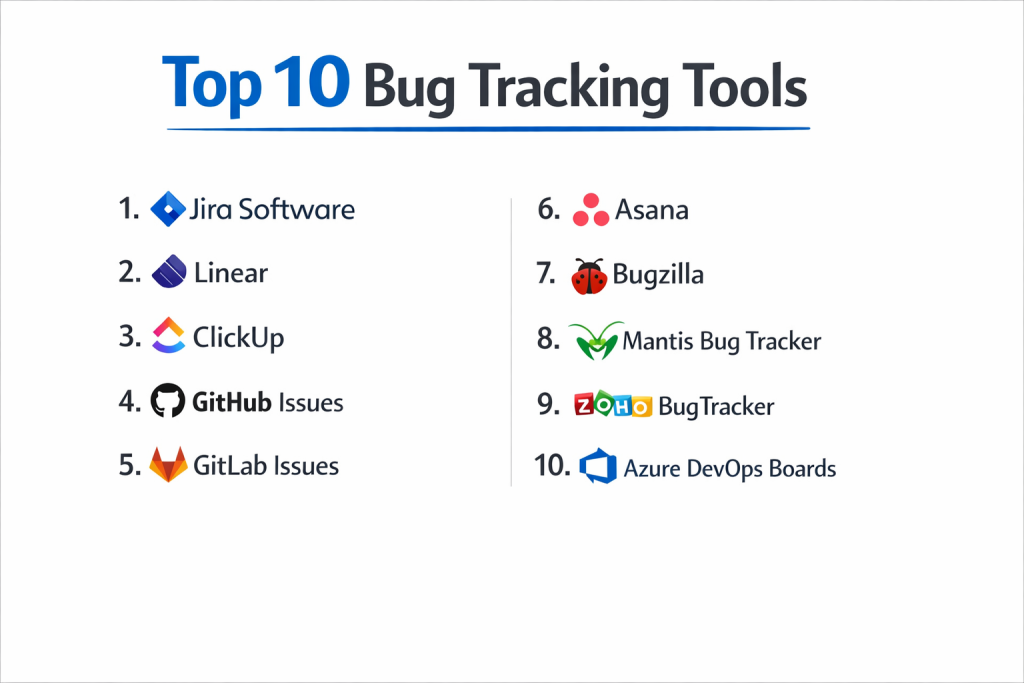
Top 10 Bug Tracking Tools
1 — Jira Software (by Atlassian)
Jira is the undisputed market leader in bug and issue tracking, especially for agile software teams. It started as a bug tracker and evolved into a powerful, highly customizable work management platform for all kinds of software development workflows.
Key features:
- Highly Customizable Workflows: Design complex, state-based workflows (e.g., Open -> In Progress -> In Review -> Done) with rules, conditions, and validations.
- Native Agile Support: Built-in Scrum and Kanban boards with backlog grooming, sprint planning, and velocity charts.
- Deep Developer Tool Integration: First-class integration with Bitbucket, GitHub, and GitLab for linking commits and branches to issues.
- Powerful Query Language (JQL): Jira Query Language allows for incredibly detailed and saved searches/filters beyond basic filtering.
- Extensive Marketplace (Atlassian Marketplace): Over 3,000 apps and integrations to extend functionality (time tracking, advanced reporting, etc.).
- Roadmaps and Advanced Reporting: Tools for project timelines and a wide array of reports for burndown, burnup, and cumulative flow.
Pros:
- Unmatched Customization and Power: Can be molded to fit virtually any software development process, no matter how complex.
- Industry Standard Ecosystem: Its dominance means most developers have used it, and it integrates with nearly every other tool in the dev ecosystem.
Cons:
- Complex and Can Be Bloated: Notorious for being overwhelming for new users and small teams. Can feel slow and cumbersome if not well-maintained.
- Cost at Scale: While a small team can start affordably, per-user pricing can become very expensive for large enterprises.
Security & compliance: Offers enterprise-grade security with SAML/SSO, data residency options, and compliance with standards like SOC 2, ISO 27001, and GDPR. Atlassian Cloud has strong security posture.
Support & community: Vast knowledge base, community forums, and paid support tiers. The sheer size of its user community means most problems have been solved online.
2 — Linear
Linear is a modern, streamlined issue tracking tool built for software startups and high-velocity product teams. It prioritizes speed, keyboard shortcuts, and a beautiful, minimal interface that cuts through the clutter of traditional tools.
Key features:
- Blazing Fast Performance & UI: Engineered for speed with instant search, minimal loading times, and extensive keyboard navigation.
- Streamlined for Product Cycles: Intuitive workflows for managing cycles (similar to sprints), backlogs, and project timelines.
- GitHub & GitLab Sync: Deep, bi-directional sync where issues created in Linear appear in GitHub/GitLab and vice-versa. Status updates automatically.
- Built-in Triage & Workflow Automation: Automated issue triage, status updates, and assignment based on custom rules.
- Focus on Developer Experience: Clean API, Slack integration for updates, and a design that reduces friction for engineers.
- Project & Roadmap Views: Simple but effective timeline views for tracking projects and milestones.
Pros:
- Unparalleled Speed and UX: Developers love it for removing the frustration and slowness often associated with Jira. It feels like a modern, native app.
- Seamless Git Integration: The sync with GitHub/GitLab is arguably the best in class, creating a unified workflow for code and issues.
Cons:
- Less Customization: Intentionally less flexible than Jira. It enforces a cleaner but more opinionated workflow, which may not suit highly complex, enterprise processes.
- Smaller Ecosystem: Lacks the massive marketplace of integrations that Jira has, though it covers all essential dev tools.
Security & compliance: A modern cloud platform with strong security practices, SOC 2 Type II compliance, SSO, and granular permissions.
Support & community: Known for excellent, responsive support. Its community is growing rapidly among tech startups and product-focused teams.
3 — ClickUp
ClickUp is an all-in-one productivity platform that includes robust bug and issue tracking capabilities. It’s designed for teams that want to manage bugs alongside tasks, docs, goals, and chat in a single, highly customizable workspace.
Key features:
- Fully Customizable Hierarchy: Organize work in Spaces, Folders, Lists, and Tasks. Bug tracking can be its own List with custom statuses and fields.
- Multiple Views: View bugs as a List, on a Kanban Board, in a Gantt Chart (timeline), or in a Calendar view.
- Built-in Docs & Chat: Create wikis, SOPs, and collaborate in real-time within the same platform where you track bugs.
- Automations: Set up “if-this-then-that” rules to automate status changes, assignments, and notifications.
- Native Time Tracking & Goals: Track time spent on bugs and align bug-fixing work with broader team goals.
- Extensive Template Library: Pre-built templates for bug tracking, sprint management, and QA testing.
Pros:
- All-in-One Flexibility: Excellent for teams that want to consolidate multiple tools (project management, docs, goals) into one platform, reducing context switching.
- High Customizability at a Great Price: Offers Jira-like customization for workflows and fields at a very competitive price point, often with more features per dollar.
Cons:
- Can Feel Overwhelming: The sheer number of features and customization options can be daunting and lead to a cluttered interface if not set up carefully.
- Performance with Scale: Some users report slower performance when workspaces become very large and complex.
Security & compliance: Enterprise-grade security with SOC 2 compliance, SSO, and advanced permissions. GDPR and data privacy tools are included.
Support & community: Strong knowledge base, 24/7 live chat support, and a large, active user community.
4 — GitHub Issues
GitHub Issues is the native issue tracker built directly into the GitHub platform. It is the default and most seamless choice for development teams that already host their code on GitHub and want a lightweight, code-centric tracking system.
Key features:
- Tight Integration with Code: Issues are tied directly to repositories. Easily reference issues in commit messages (#123) and link pull requests that close them.
- Project Boards (Kanban): Create project boards to visually track issues across multiple repositories in a Kanban-style workflow.
- Issue Templates: Standardize bug reports and feature requests with customizable templates to ensure all necessary info is provided.
- Labels and Milestones: Organize and filter issues using labels and group them into milestones (releases/sprints).
- Community and Open Source Friendly: The standard for open-source projects, allowing contributors worldwide to report and discuss issues.
- Simple and Focused: Intentionally lightweight compared to full-scale project management tools.
Pros:
- Zero-Friction for GitHub-Centric Teams: The integration is perfect—no sync needed, minimal context switching between code and tickets.
- Lightweight and Code-First: Embraces a developer-centric, minimalist philosophy that many engineers prefer for its simplicity.
Cons:
- Limited Workflow and Reporting: Lacks the advanced workflow automation, custom fields, and in-depth reporting of dedicated bug tracking platforms.
- Part of GitHub: Only makes sense if GitHub is your source control provider. Not suitable for teams using GitLab, Bitbucket, or other VCS.
Security & compliance: Inherits GitHub’s robust security model. Features for private repositories, vulnerability reporting, and compliance are part of the broader GitHub platform.
Support & community: Supported by GitHub’s resources and one of the largest developer communities in the world.
5 — GitLab Issues
GitLab Issues is the integrated issue tracking system within the GitLab DevOps platform. It is designed for teams following a full DevOps lifecycle who want issues, code, CI/CD pipelines, and security scans all within a single, unified application.
Key features:
- Part of the End-to-End DevOps Platform: Issues live alongside Git repos, CI/CD pipelines, container registry, and security tools in one interface.
- Issue Boards: Visual Kanban boards that can be scoped to milestones, labels, or epics.
- Linked to CI/CD: Automatically create issues from failed pipeline jobs or security vulnerabilities detected in scans.
- Epics and Milestones: Organize large initiatives with epics and track progress against release milestones.
- Time Tracking: Simple built-in time tracking for estimating and logging work on issues.
- Design Management: Attach design files (Figma, etc.) directly to issues for better collaboration between design and development.
Pros:
- Unified DevOps Experience: The killer feature for GitLab users. The tight coupling between issues and the entire software delivery pipeline is incredibly powerful.
- Strong for Security and Compliance: Issues generated automatically from security scans create a direct audit trail for remediation.
Cons:
- Platform Lock-in: Like GitHub Issues, its value is maximal only within the GitLab ecosystem.
- Can Be Monolithic: The all-in-one platform can feel heavy if you only need a subset of its features, like basic bug tracking.
Security & compliance: As a comprehensive DevOps platform, it offers strong security controls, compliance features, and is common in regulated industries.
Support & community: Strong enterprise support options and a large open-source community centered around the GitLab platform.
6 — Asana
Asana is a versatile work management platform that many teams adapt for bug tracking. It excels for cross-functional teams where product, engineering, and QA need to collaborate in a less technical, more project-oriented interface.
Key features:
- Intuitive Task and Project Management: Clean interface for creating tasks (bugs), organizing them into projects, and using custom fields for priority, severity, etc.
- Multiple Views: List, Board, Timeline, and Calendar views to visualize the bug backlog and workflow.
- Automation Rules: Simple rule builder to automate assignments, due dates, and status changes.
- Portfolios and Goals: Track the status of multiple bug-squashing projects (Portfolios) and align work with strategic goals.
- Forms: Create structured bug report forms that non-technical team members or users can submit, which automatically create tasks in a project.
- Strong for Non-Engineering Stakeholders: Much easier for product managers, designers, and execs to understand than engineering-heavy tools.
Pros:
- Excellent for Cross-Functional Collaboration: Lowers the barrier to entry for non-developers to participate in the bug tracking process.
- Beautiful and Intuitive UI: Renowned for its user-friendly design that promotes adoption across an entire organization.
Cons:
- Not Purpose-Built for Software Bugs: Lacks deep developer integrations (like native commit linking) and advanced technical workflows out of the box.
- Can Get Expensive: Premium features like portfolios, advanced search, and custom fields are on higher-tier plans.
Security & compliance: Enterprise-grade security with SOC 2, ISO 27001, and GDPR compliance. Offers SSO and SAML.
Support & community: Great knowledge base (Asana Academy), community forum, and support options.
7 — Bugzilla
Bugzilla is a powerful, open-source bug tracking system originally developed by the Mozilla project. It is a veteran in the space, known for its robustness, detailed workflow, and being free to use and self-host.
Key features:
- Advanced Query and Reporting: Extremely powerful search system for slicing and dicing bug data in complex ways.
- Comprehensive Email Integration: Heavily relies on email for notifications and updates, which can be configured in great detail.
- Fine-Grained Permissions: Granular control over who can see or edit specific bugs and fields.
- Time Tracking and Estimation: Built-in fields for time tracking and effort estimation.
- Self-Hosted and Open Source: Full control over your data and infrastructure. No per-user fees.
- Highly Configurable: Can be tailored to complex development processes, though it requires technical expertise.
Pros:
- Powerful and Free (Open Source): For teams with the ability to self-host and maintain it, it offers tremendous capability at zero licensing cost.
- Battle-Tested and Scalable: Used for decades by massive projects like Mozilla Firefox and the Linux kernel. Handles huge volumes of issues.
Cons:
- Dated User Interface: The UI is famously old-fashioned and not intuitive for modern users, hindering adoption.
- High Administrative Overhead: Requires server maintenance, updates, and configuration, which demands dedicated IT resources.
Security & compliance: Security depends on your hosting and configuration. As open-source software, you are responsible for securing your own instance and ensuring compliance.
Support & community: Reliant on community documentation, forums, and mailing lists. No official commercial support.
8 — Mantis Bug Tracker
MantisBT is another popular, open-source bug tracking tool. It is known for being simpler and easier to set up and use than Bugzilla, while still offering a solid feature set for small to medium-sized teams.
Key features:
- Simple and Clean Interface: Easier to navigate than Bugzilla, with a more modern feel.
- Custom Fields and Workflows: Supports customization of fields and basic status workflows.
- Email Notifications: Comprehensive email integration for updates.
- Roadmap and Changelog: Basic tools for planning releases and generating changelogs from resolved issues.
- Plugin System: Extend functionality through a variety of community-developed plugins.
- Self-Hosted or Cloud Option: Can be installed on your own server or used via a hosted service.
Pros:
- Lightweight and Manageable: A great balance of features and simplicity for teams that find Bugzilla too heavy but need more than a spreadsheet.
- Low Cost of Entry: The open-source version is free, and hosting it is relatively straightforward.
Cons:
- Limited Advanced Features: Lacks the deep reporting, agile project management, and sophisticated integrations of commercial cloud platforms.
- Community-Driven Development: Development pace and plugin quality depend on the community.
Security & compliance: Similar to Bugzilla; security is self-managed. The core software is generally secure, but the hosting environment is your responsibility.
Support & community: Primarily community-supported via forums and documentation.
9 — Zoho BugTracker (part of Zoho Projects)
Zoho BugTracker is a module within Zoho Projects, a comprehensive project management suite. It’s a strong option for businesses already using Zoho’s ecosystem (CRM, Desk, etc.) and those looking for an integrated, affordable solution.
Key features:
- Integrated with Zoho Projects: Bugs are tracked within projects, linked to tasks, milestones, and timelines.
- Customizable Workflows and Fields: Define bug statuses, severity, and custom data fields.
- Bug Submission Forms: Create public or private forms for customers or internal teams to submit bugs.
- Time Tracking and Reporting: Log time against bugs and generate reports on bug resolution trends.
- Baselines and Comparisons: Take “snapshots” of your application to compare against new bugs.
- Part of Zoho’s Suite: Connects with Zoho CRM, Zoho Desk (support), and other apps.
Pros:
- Excellent Value within Zoho Ecosystem: Very cost-effective, especially for teams already using Zoho apps, providing a unified experience.
- Good Balance of Features: Offers a solid set of bug tracking features without overwhelming complexity.
Cons:
- Ecosystem-Centric: Best for teams committed to Zoho’s suite. Integrations with non-Zoho developer tools may be less robust.
- Not a Standalone Powerhouse: While capable, it may not satisfy the advanced needs of large, complex engineering organizations.
Security & compliance: As part of Zoho’s cloud, it benefits from their security infrastructure, compliance certifications, and data privacy controls.
Support & community: Good customer support and extensive help documentation. Strong user base among SMBs.
10 — Azure DevOps Boards (by Microsoft)
Azure DevOps Boards is the work tracking component of Microsoft’s Azure DevOps services. It’s a powerful, enterprise-grade tool for teams deeply integrated with the Microsoft ecosystem (Azure, Visual Studio, .NET) or those requiring on-premise deployment.
Key features:
- Agile Planning Tools: Full suite for backlog management, sprint planning, task boards, and capacity planning.
- Customizable Work Item Types: Define and track not just bugs, but also epics, features, user stories, and tasks.
- Integration with Azure DevOps Pipelines: Direct link between work items (bugs) and CI/CD build and release pipelines.
- Powerful Querying and Charts: Create custom queries and build dashboards with configurable charts and widgets.
- On-Premise (Azure DevOps Server) or Cloud: Offers deployment flexibility for enterprises with strict data residency requirements.
- Traceability: Full traceability from requirement (user story) to code commit to build to deployment.
Pros:
- Enterprise-Grade and Flexible: Highly scalable and customizable, suitable for the largest organizations with complex compliance needs.
- Deep Microsoft Ecosystem Integration: The natural choice for teams using Visual Studio, .NET, and Azure cloud services.
Cons:
- Steep Learning Curve and Complexity: Can be as complex and daunting as Jira, with a similarly dense interface.
- Less Popular in Non-Microsoft Stacks: While it supports all tech stacks, its adoption is highest in Microsoft-centric environments.
Security & compliance: Top-tier enterprise security, with options for private clouds, on-premise deployment, and compliance with standards like FedRAMP and HIPAA.
Support & community: Backed by Microsoft enterprise support. Has a large community, particularly among enterprise .NET developers.
Comparison Table
| Tool Name | Best For | Platform(s) Supported | Standout Feature |
|---|---|---|---|
| Jira Software | Large, complex agile teams needing maximum customization and a vast ecosystem. | Cloud, Server, Data Center | Market-leading power, customization (JQL, workflows), and app marketplace. |
| Linear | High-velocity startups and product teams prioritizing speed, UX, and Git sync. | Cloud | Blazing-fast performance and seamless GitHub/GitLab integration. |
| ClickUp | Teams wanting bug tracking inside a customizable, all-in-one productivity platform. | Cloud | All-in-one flexibility (tasks, docs, goals) with high customizability. |
| GitHub Issues | Teams that host code on GitHub and want a lightweight, code-centric issue tracker. | Cloud | Zero-friction integration with GitHub repositories and pull requests. |
| GitLab Issues | Teams following a full DevOps lifecycle within the GitLab platform. | Cloud, Self-Managed | Unified experience with Git, CI/CD, security, and issues in one app. |
| Asana | Cross-functional teams where non-developers need to actively participate in bug tracking. | Cloud | Intuitive, beautiful UI that excels at cross-team collaboration. |
| Bugzilla | Large, tech-savvy teams or open-source projects needing a free, powerful, self-hosted system. | Self-Hosted | Open-source, battle-tested, and highly scalable for complex queries. |
| MantisBT | Small to medium teams seeking a simpler, free, open-source bug tracker. | Cloud, Self-Hosted | Lightweight, open-source balance of features and manageability. |
| Zoho BugTracker | SMBs already using Zoho apps wanting an integrated, affordable bug tracking solution. | Cloud | Great value and seamless integration within the Zoho business suite. |
| Azure DevOps Boards | Enterprise teams in the Microsoft ecosystem or with strict on-premise requirements. | Cloud, Self-Hosted | Enterprise scale, deep Azure/Visual Studio integration, and deployment flexibility. |
Evaluation & Scoring of Bug Tracking Tools
To make an objective decision, use this weighted scoring rubric. Score each tool from 1 (Poor) to 5 (Excellent) for each criterion. Multiply the score by the weight to calculate the weighted score. The tool with the highest total represents the best technical and cultural fit for your team.
| Criteria | Weight | What to Look For | Score (1-5) | Weighted Score |
|---|---|---|---|---|
| Core Features | 25% | Custom workflows, fields, search/query power, agile/scrum support, reporting & dashboards. | ||
| Ease of Use | 15% | Intuitiveness for developers, QA, and non-technical stakeholders. Onboarding speed and UI clarity. | ||
| Integrations & Ecosystem | 15% | Native integrations with your Git provider (GitHub/GitLab), CI/CD tools, chat apps (Slack), and other dev tools. | ||
| Security & Compliance | 10% | Data security, SSO/SAML, compliance certifications (SOC 2), and deployment options (cloud/on-prem). | ||
| Performance & Reliability | 10% | Tool speed, uptime, and ability to handle your team’s volume of issues without lag. | ||
| Support & Community | 10% | Quality of documentation, responsiveness of support, and size/helpfulness of the user community. | ||
| Price / Value | 15% | Total cost relative to features, team size, and the efficiency gains the tool provides. | ||
| TOTAL | 100% | FINAL SCORE |
Which Bug Tracking Tool Is Right for You?
Your choice depends on your team’s size, workflow, tech stack, and culture. Follow this guide to find your match.
- By Team Size & Workflow:
- Startup / Small High-Velocity Team: Prioritize speed and simplicity. Linear is ideal. GitHub Issues or GitLab Issues are perfect if you live in those platforms.
- Mid-Market / Growing Agile Team: Need more structure and scaling. Jira is the safe, powerful choice. ClickUp offers great all-in-one value.
- Large Enterprise / Complex Process: Need governance, scale, and compliance. Jira (Data Center) or Azure DevOps Boards are enterprise standards.
- By Your Tech Stack & Ecosystem:
- GitHub-Centric: Use GitHub Issues for simplicity or Linear for a supercharged experience.
- GitLab-Centric: Use GitLab Issues. It’s the unified choice.
- Microsoft / .NET / Azure Shop: Azure DevOps Boards is the native, powerful path.
- Best-of-Breed Integrators: Jira has the largest ecosystem of integrations with everything.
- Zoho Business Suite Users: Zoho BugTracker provides seamless integration.
- By Budget & Resources:
- Low/No Budget, Technical Team: Self-host Bugzilla or MantisBT (free, but with admin overhead).
- Value-Conscious SMB: Zoho BugTracker, ClickUp, or lower tiers of Jira offer strong features per dollar.
- Premium/Enterprise Budget: Jira, Linear (for premium UX), and Azure DevOps offer top-tier features and support.
- By Team Culture:
- Developer-Led, Speed-Focused: Choose Linear or GitHub Issues.
- Process-Rigid, Compliance-Focused: Choose Jira or Azure DevOps Boards.
- Cross-Functional & Collaborative: Choose Asana or ClickUp to include product, marketing, and support easily.
- By Security & Deployment Needs:
- Must be Self-Hosted/On-Premise: Bugzilla, MantisBT, Jira Server/Data Center, GitLab Self-Managed, Azure DevOps Server.
- Require Enterprise Certifications: Jira Cloud, Azure DevOps, GitLab.com have robust compliance portfolios.
- Cloud-First & Simple: Linear, ClickUp, Asana, Zoho are modern SaaS platforms.
Frequently Asked Questions (FAQs)
1. What’s the difference between a bug tracker and a project management tool?
A bug tracker is specialized for the lifecycle of software defects (reporting, triage, fixing, verifying). A project management tool (like Asana, Trello) is general-purpose for managing tasks of any kind. Many tools (like Jira, ClickUp) now blend both.
2. Do we really need a dedicated tool? Can’t we use spreadsheets or Trello?
For anything beyond a trivial solo project, yes. Spreadsheets lack workflow, notifications, audit trails, and integration with code. Trello boards can work for very small teams but quickly become chaotic without structure and scale poorly.
3. How do we structure our bug workflow?
A common simple workflow: New -> Triaged (prioritized) -> In Progress -> In Review (QA) -> Done. Tools like Jira let you customize this heavily with extra steps like “In Testing” or “Ready for Deploy.”
4. Should customers have access to the bug tracker?
Usually not directly. Use a customer-facing portal (like Zendesk) or a simplified form (like in Asana or Zoho) that feeds into the internal engineering tracker. This keeps internal workflow secure and organized.
5. How do we link bugs to code changes?
This is a key feature. Look for integration with your Git provider (GitHub, GitLab). Developers include the bug ticket number (e.g., “Fixes #123”) in their commit message or pull request, and the tool automatically links them.
6. What is “bug triage” and who does it?
Triage is the process of reviewing newly submitted bugs: confirming they are reproducible, assigning priority/severity, and routing them to the right developer or team. This is often done by a lead developer, QA lead, or product manager.
7. How much historical data should we keep?
Indefinitely. Historical bug data is invaluable. It helps identify bug-prone areas of code, track regressions, and provides context for why past decisions were made. Ensure your tool has good archiving or search for old issues.
8. Can we import bugs from our old system?
Most professional tools offer import tools or APIs to migrate data from spreadsheets, other bug trackers, or project management apps. This is a key consideration during switching.
9. What’s the biggest mistake teams make?
Over-engineering the workflow at the start. Start simple with a basic workflow (To Do, Doing, Done). Add complexity (statuses, fields, rules) only when you have a clear, painful problem to solve.
10. How do we ensure everyone actually uses the tool?
Make it the single source of truth. Enforce that all work, including bugs from support and ideas from product, goes through it. Integrate it with daily tools (Slack for notifications, Git for commits) to make it indispensable.
Conclusion
Choosing the right bug tracking tool is a foundational decision that shapes your team’s efficiency, communication, and product quality. The landscape offers solutions for every philosophy, from the minimalist speed of Linear to the enterprise power of Jira and Azure DevOps. The critical insight is that there is no universal “best” tool—only the best tool for your team’s specific context, constraints, and culture.
For the fast-moving startup, a tool that disappears into the workflow is key. For the scaling enterprise, governance and integration depth are non-negotiable. Your choice must balance the need for structure with the desire for speed, and the requirements of developers with the needs of the broader product team.
Ultimately, an effective bug tracker is more than a log of problems—it’s the heartbeat of your software development process. It transforms chaos into clarity, provides a shared language for quality, and creates a living record of your product’s evolution. By carefully evaluating your team’s workflow, stack, and ambitions, you can select a system that not only tracks bugs but actively helps you build better software, faster. Start with your team’s biggest pain point, and let the solution to that guide your choice.