Introduction
Bookkeeping tools are software applications designed to record, organize, and manage a business’s daily financial transactions. At its core, bookkeeping is the systematic logging of income and expenses, but modern tools transform this from a manual ledger task into a streamlined, digital process. They automate data entry through bank feeds, generate invoices, track payments, manage payroll, and produce essential financial reports.
This software is vital because accurate bookkeeping is the foundation of a healthy business. It provides a clear, real-time picture of financial health, ensuring you know your exact profit, cash flow, and outstanding obligations. Proper bookkeeping is non-negotiable for filing accurate tax returns, securing loans, attracting investors, and making informed strategic decisions. Mistakes or neglect can lead to severe penalties, cash flow crises, and business failure.
Key real-world use cases include: A freelancer tracking project income and deductible expenses. A retail store managing daily sales, inventory costs, and supplier payments. A consulting firm invoicing clients, tracking billable hours, and reconciling corporate credit cards. A restaurant managing food costs, payroll for staff, and sales tax remittance. Essentially, any entity that needs to track money moving in and out benefits from these tools.
When choosing a tool, users should evaluate several key criteria. Core functionality is essential—does it handle invoicing, expense tracking, bank reconciliation, and reporting seamlessly? Automation saves time; look for features like rule-based transaction categorization and receipt capture. Ease of use is critical for adoption; the interface should be intuitive for non-accountants. Scalability ensures the tool grows with your business, adding features like inventory or multi-user access as needed. Finally, consider integration with your other systems (like point-of-sale or payment processors) and the quality of customer support.
Best for: These tools benefit virtually every business owner, freelancer, and nonprofit organizer. They are especially crucial for small to medium-sized business owners, startup founders, and solopreneurs who manage their own finances without a dedicated accountant on staff. Industries with frequent transactions, like retail, hospitality, and professional services, gain immense value from the organization and automation provided.
Not ideal for: Large enterprises with highly complex, multi-national operations typically require full-scale Enterprise Resource Planning systems with integrated financial modules. Individuals managing only personal finances would find business-focused bookkeeping software overkill; a personal budgeting app is more suitable. Additionally, businesses that operate on a pure cash basis with extremely low transaction volume (e.g., a hobbyist selling a few items a year) might manage with simple spreadsheets.
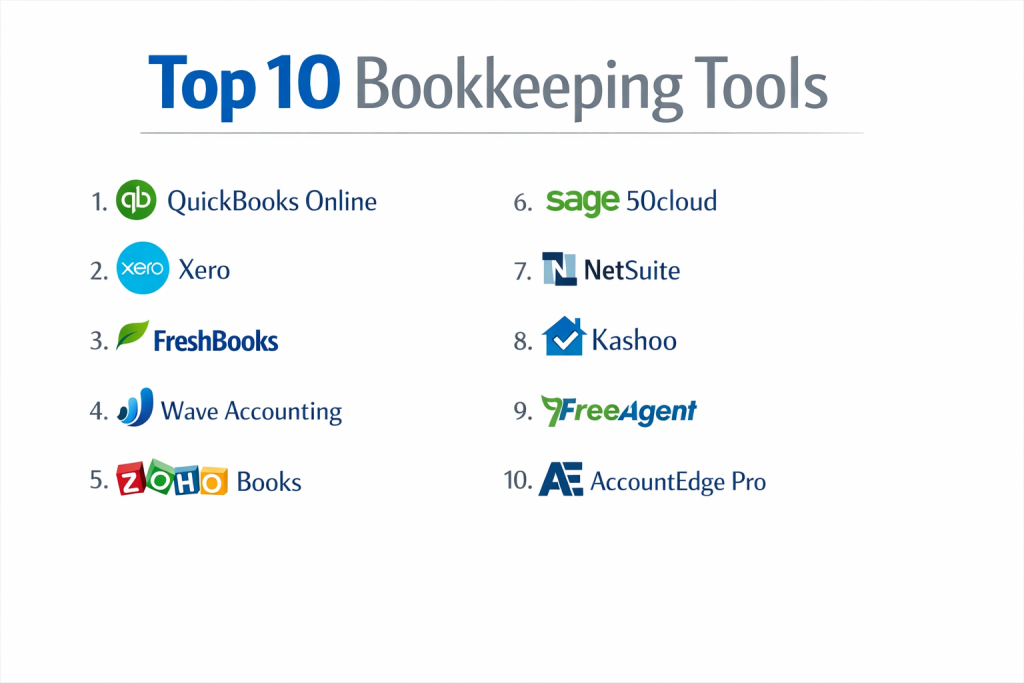
Top 10 Bookkeeping Tools
1 — QuickBooks Online
QuickBooks Online is the most widely used cloud-based bookkeeping software in the world. It is designed for small to medium-sized businesses, freelancers, and their accountants, offering a comprehensive suite of features that cover core financial tracking, invoicing, and reporting.
Key features:
- Automated Bank Feeds: Connects directly to bank and credit card accounts to import and categorize transactions automatically.
- Invoicing & Payments: Create and send professional invoices, accept online payments (ACH, credit card), and track invoice status.
- Expense Tracking: Capture receipts via mobile app, match to bank transactions, and track mileage.
- Financial Reporting: Generates standard reports (Profit & Loss, Balance Sheet, Cash Flow) and allows for customization.
- Payroll Integration: Offers integrated, full-service payroll to run payroll and file taxes directly within the platform.
- Tax Preparation Tools: Tracks sales tax, categorizes expenses for tax deductions, and facilitates data export to tax preparers.
- Accountant Collaboration: Provides a dedicated portal for accountants to access the client’s books with custom permissions.
Pros:
- Extensive Ecosystem: Has the largest network of third-party app integrations and a vast community of proficient accountants and bookkeepers.
- Feature Depth for SMBs: Offers an unmatched breadth of features tailored to the needs of growing small businesses, from basic bookkeeping to advanced inventory and project tracking.
Cons:
- Pricing Complexity: Costs can add up quickly with added users, advanced features, and payroll, making the total price higher than initially perceived.
- Steep Learning Curve: The sheer number of features can feel overwhelming for complete beginners, often requiring a learning period or professional setup help.
Security & compliance: Employs bank-level encryption (256-bit SSL), multi-factor authentication, and regular security audits. It is SOC 1, SOC 2, and SOC 3 compliant. The platform includes features to assist with data privacy regulations.
Support & community: Offers 24/7 phone and chat support, an extensive online help center, and video tutorials. It boasts the largest user and professional (QuickBooks ProAdvisor) community for peer advice.
2 — Xero
Xero is a modern, intuitive cloud accounting platform known for its clean design and strong collaborative features. It is particularly popular with growing small businesses, tech-savvy entrepreneurs, and their advisors who value real-time access and automation.
Key features:
- Beautiful Dashboard: Presents a clear, graphical overview of cash flow, invoices, and bills due.
- Unlimited Users: Includes unlimited users in all pricing plans, facilitating collaboration with team members and advisors.
- Automated Bank Reconciliation: Strong bank feed connections with smart, rule-based transaction matching and categorization.
- Robust Inventory Management: Tracks inventory levels, cost of goods sold, and integrates with e-commerce platforms.
- Project Tracking: Allows tracking of time and expenses for individual jobs or projects to monitor profitability.
- Hubdoc Integration: Built-in tool for automated capture and data extraction from bills, receipts, and invoices.
- Strong Third-Party App Marketplace: Deep integrations with over 1,000 business apps, including popular payment gateways and CRM tools.
Pros:
- Superior Collaboration: The standard inclusion of unlimited users makes it ideal for businesses with multiple internal stakeholders or external advisors needing access.
- User-Friendly Interface: Often praised for its intuitive, clean, and modern design, which reduces the initial learning barrier.
Cons:
- Limited U.S. Payroll: Its integrated payroll solution is not available in all U.S. states, often necessitating a third-party payroll app.
- Phone Support Limitations: Primary support is via email and chat; live phone support can be less accessible than some competitors.
Security & compliance: Uses enterprise-grade security with multiple layers of protection, including data encryption, secure data centers, and 2FA. It is ISO 27001 certified and undergoes regular SOC 2 audits.
Support & community: Provides 24/7 online support (email/chat), a comprehensive knowledge base, and webinars. Has a very active global online community forum.
3 — FreshBooks
FreshBooks started as an invoicing specialist and has evolved into a full-featured bookkeeping solution with a relentless focus on simplicity and exceptional customer experience. It is ideal for service-based businesses, freelancers, and solopreneurs whose primary needs are client billing and time tracking.
Key features:
- Best-in-Class Invoicing: Highly customizable, professional invoices with options for retainers, payment schedules, and automatic late payment reminders.
- Time Tracking: Integrated time tracker (web and mobile) that easily converts time entries into invoices.
- Client Portal: Provides clients with a branded portal to view estimates, invoices, and make payments, reducing back-and-forth communication.
- Expense Management: Easy receipt capture via mobile app and simple expense categorization.
- Project Collaboration: Tools to communicate with clients and share files within the context of a specific project.
- Profitability Reporting: Clear reports on profit by client or project, helping to identify the most valuable work.
- Payment Processing: Accepts credit card and ACH payments online directly through invoices.
Pros:
- Unmatched User Experience: Renowned for its intuitive, straightforward interface that makes financial tasks feel simple and approachable for non-accountants.
- Client-Focused Features: Its suite of tools (portals, proposals, time tracking) is perfectly tailored for businesses that bill clients for time or projects.
Cons:
- Limited Double-Entry Features: While it handles double-entry accounting, its presentation and depth are simplified, which can frustrate users with formal accounting knowledge.
- Higher Cost per User: Pricing is based on the number of billable clients, and adding team members incurs an additional per-user fee.
Security & compliance: Implements data encryption, secure data centers, and regular backups. It is SOC 2 Type II compliant and adheres to GDPR principles.
Support & community: Offers award-winning, responsive customer support via email and phone. Has a rich help center with articles and tutorials, but a smaller third-party app ecosystem than larger platforms.
4 — Wave Accounting
Wave is a completely free, ad-supported bookkeeping and invoicing platform. It is designed for micro-businesses, freelancers, and sole proprietors with straightforward financial needs and very tight budgets.
Key features:
- 100% Free Core Accounting: Invoicing, expense tracking, income/expense reporting, and unlimited bank connections are completely free.
- Receipt Scanning: Use the mobile app to snap pictures of receipts for easy expense logging.
- Basic Invoicing: Create and send unlimited invoices with professional templates.
- Financial Reports: Generate standard reports like Profit & Loss, Balance Sheet, and Sales Tax reports.
- Paid Add-Ons: Offers optional, paid services for payroll (in certain states/provinces) and credit card/payment processing.
- Personal Finance Integration: Allows connection of personal accounts for a holistic financial view (a unique feature).
Pros:
- Unbeatable Price: The core feature set is genuinely free, making it a zero-risk starting point for new businesses.
- Simplicity and Accessibility: Extremely easy to set up and use for basic income and expense tracking without any accounting complexity.
Cons:
- Limited Features and Scalability: Lacks advanced features like inventory tracking, project costing, or time tracking. Can become inadequate as a business grows.
- Ad-Supported Interface: The user experience includes advertisements for Wave’s own paid services and partners, which some users find distracting.
Security & compliance: Uses 256-bit encryption and secure servers. Bank connections are read-only via trusted partners like Plaid. It is PCI-DSS Level 1 certified for payment processing. Specific SOC reports are not a highlight.
Support & community: Customer support is primarily via email and an automated help center. There is no phone support. A user community exists but is less formalized than with paid platforms.
5 — Zoho Books
Zoho Books is part of the extensive Zoho ecosystem of business applications. It is a powerful, affordable bookkeeping tool ideal for small businesses that already use or plan to use other Zoho apps (like CRM, Inventory, or Projects) and desire deep, native integration.
Key features:
- Deep Zoho Ecosystem Integration: Seamlessly connects with Zoho CRM, Inventory, Expense, and Projects for a unified business management suite.
- Automated Workflows: Set up “blueprints” to automate multi-step processes like purchase order approval or payment reminders.
- Client Portal: Includes a portal for clients to view transactions, pay invoices, and communicate.
- Inventory Management: Robust tracking of stock levels, serial numbers, and automated reordering.
- Time Tracking & Project Billing: Track time against projects and convert directly to invoices.
- Customizable Templates: Highly customizable invoices, estimates, and purchase orders.
- Multi-Currency & Multi-Language: Strong support for businesses dealing with international clients.
Pros:
- Excellent Value in Ecosystem: If you use multiple Zoho apps, the integration is seamless and the combined cost is very competitive.
- Strong Automation: Its workflow automation tools (“blueprints”) are more advanced than many competitors at its price point.
Cons:
- Best Within Zoho World: While it integrates with other apps, its full potential is unlocked within the Zoho ecosystem.
- Interface Can Feel Dense: The sheer number of options and settings can make the interface feel busy compared to more minimalist tools.
Security & compliance: Adheres to strict security protocols with SSL encryption, 2FA, and role-based access. It is SOC 2 Type II and ISO 27001 certified, with GDPR compliance tools.
Support & community: Offers 24/5 email and phone support, an extensive knowledge base, and an active user community forum.
6 — Sage 50cloud
Sage 50cloud (formerly Peachtree) is a hybrid desktop-cloud accounting solution. It is designed for established small to medium-sized businesses, especially in manufacturing, distribution, and construction, that need advanced, industry-specific features and prefer a desktop application’s feel.
Key features:
- Advanced Inventory Management: Sophisticated tracking with lot/ serial numbers, assembly builds, and multiple pricing levels.
- In-Depth Job Costing: Detailed tracking of costs (labor, materials, overhead) for individual jobs or projects to ensure profitability.
- Robust Reporting: Highly customizable financial and operational reports with deep drill-down capabilities.
- Industry-Specific Features: Offers tools tailored for specific verticals like construction or non-profits.
- Hybrid Model: Desktop software for power and speed, with optional cloud access for remote data entry and collaboration.
- Strong Security & User Permissions: Granular user role definitions to control access to sensitive financial data.
Pros:
- Powerful for Complex Needs: Unmatched depth for inventory, job costing, and reporting for businesses beyond basic bookkeeping.
- Desktop Reliability: Offers the performance and data control of a locally installed application, which some users and industries prefer.
Cons:
- Higher Cost & Complexity: Significantly more expensive than pure cloud options and requires more accounting knowledge to use effectively.
- Less Modern & Mobile: The user interface feels dated compared to cloud-native tools, and mobile access is more limited.
Security & compliance: Provides strong data security within the application. Compliance depends heavily on user setup and internal controls. Cloud-connected features use standard encryption.
Support & community: Support is offered via phone and online, often through a network of Sage consultants and partners. Has a dedicated user base but a less vibrant open community than cloud-first tools.
7 — NetSuite
NetSuite is a full-scale, cloud-based Enterprise Resource Planning system with a built-in financial management / bookkeeping core. It is designed for fast-growing mid-market companies and enterprises that need a single, unified system to manage accounting, CRM, inventory, e-commerce, and more.
Key features:
- Unified Business Suite: A single database for financials, customer relationships, order management, and inventory.
- Real-Time Financial Consolidation: Automatically consolidates financials from multiple subsidiaries, currencies, and legal entities.
- Advanced Revenue Management: Automates complex revenue recognition rules (ASC 606) for subscription and contract-based businesses.
- Scalable Customization: Highly customizable through scripting and workflows to meet precise business processes.
- Powerful Analytics & Dashboards: Real-time, role-based business intelligence and reporting.
- Global Compliance Tools: Built-in features for multi-country tax compliance, including VAT and GST.
Pros:
- Single Source of Truth: Eliminates data silos by integrating all core business operations into one system, providing unparalleled data consistency.
- Built to Scale: The platform is engineered to support businesses from $5 million to billions in revenue without needing to switch systems.
Cons:
- Very High Cost: Licensing, implementation, and annual maintenance are significant investments, putting it out of reach for most small businesses.
- Complex Implementation: Requires lengthy, expert-led implementation (often 6+ months) and dedicated administrative resources.
Security & compliance: Enterprise-grade security with SOC 1, SOC 2, and ISO 27001 certifications. Offers robust data encryption, SSO, and detailed audit trails.
Support & community: Support is provided through NetSuite’s account managers and partner network. A large ecosystem of implementation partners and a user community exists, but engagement is more formal and partner-driven.
8 — Kashoo
Kashoo is a simple, cloud-based bookkeeping tool that emphasizes ease of use and straightforward double-entry accounting. It is ideal for very small businesses, sole proprietors, and new business owners who want correct accounting without complexity.
Key features:
- Truly Simple Double-Entry: Implements proper double-entry accounting in a way that is easy to understand and visualize.
- Smart Inbox: A unified inbox for bills, receipts, and invoices that can be processed and categorized in one place.
- Straightforward Invoicing: Create and send simple invoices and track their status.
- Basic Income/Expense Tracking: Clear categorization of transactions with insightful summaries.
- Easy Bank Reconciliation: Simple, one-screen reconciliation process.
- Useful Financial Reports: Generates essential reports like Profit & Loss and Balance Sheet.
Pros:
- Simplicity Without Sacrificing Accuracy: Makes proper accounting principles accessible to users with no formal training.
- Flat-Rate, Affordable Pricing: One simple price includes all features and unlimited users, offering great predictability.
Cons:
- Very Limited Feature Set: Lacks advanced features like payroll, inventory, time tracking, or a large app ecosystem.
- Not for Growing Businesses: Can quickly become inadequate for businesses that need to track projects, manage inventory, or scale operations.
Security & compliance: Uses bank-level 256-bit SSL encryption and secure data centers. Privacy Shield and GDPR compliant. Does not heavily market advanced SOC certifications.
Support & community: Offers U.S./Canada-based phone and email support. Has a helpful knowledge base but a very small third-party integration ecosystem and user community.
9 — FreeAgent
FreeAgent is a cloud accounting platform built specifically for freelancers, contractors, and small service-based businesses, particularly popular in the UK. It excels at making tax estimation and filing straightforward.
Key features:
- Freelancer-Friendly Dashboard: Presents key info like tax timeline, money due in/out, and profitability at a glance.
- Automatic Tax Estimation: Continuously estimates income tax and VAT liability based on real-time data.
- Time Tracking & Invoicing: Track time and easily convert to invoices, with options for recurring invoices.
- Expense Management: Capture receipts and categorize expenses, with smart suggestions for categories.
- Project Profitability: See the real-time profit or loss status of each project.
- Direct Bank Feeds: Connects to major UK banks for automatic transaction import.
Pros:
- Tax-Focused Design: Its intuitive tax forecasting and submission tools significantly reduce the stress of tax season for sole traders and micro-businesses.
- Ideal for Project-Based Work: The entire workflow, from time entry to project profit reporting, is tailored for freelancers and consultants.
Cons:
- Regional Focus: While available in the US, its strongest features and bank integrations are optimized for the UK market.
- Limited for Product Businesses: Lacks robust inventory management features needed by businesses that sell physical goods.
Security & compliance: Uses 256-bit SSL encryption and is ISO 27001 certified. It is compliant with Making Tax Digital (MTD) for VAT in the UK and follows GDPR.
Support & community: Provides email support and an extensive online help center. Has an active user community, especially among UK freelancers and accountants.
10 — AccountEdge Pro
AccountEdge Pro is a powerful, one-time-purchase desktop accounting software for Mac and Windows. It is designed for small business owners who prefer to own their software outright, have complex needs (like advanced inventory), and do not require cloud collaboration.
Key features:
- One-Time Purchase: Pay once for the software license, with optional annual support plans (no monthly subscription).
- Advanced Desktop Features: Includes powerful inventory, job costing, time billing, and payroll features out of the box.
- Detailed Reporting: Extremely customizable report writer for creating virtually any financial or operational report.
- Network-Compatible: Can be installed on a local network for multi-user access (additional licenses required).
- Data Portability: You own and control your data file, stored locally on your computer or server.
- Mobile Companion Apps: Offers apps for basic tasks like invoicing and expense entry that sync with the desktop.
Pros:
- Cost-Effective Long-Term: The one-time fee can be cheaper than monthly subscriptions over several years.
- Powerful & Self-Contained: Offers advanced features comparable to Sage 50cloud without an ongoing high subscription cost.
Cons:
- No True Real-Time Cloud Access: Syncing with mobile apps is not the same as a live, always-in-sync cloud database, limiting remote collaboration.
- User-Responsible Maintenance: The owner is responsible for data backups, updates, and security of the local machine/server.
Security & compliance: Security is managed by the user/company, as data resides on local machines. No third-party SOC compliance is provided.
Support & community: Support is offered via phone and email, primarily through purchased support plans. Has a small but dedicated user community.
Comparison Table
| Tool Name | Best For | Platform(s) Supported | Standout Feature | Rating |
|---|---|---|---|---|
| QuickBooks Online | Small to medium-sized businesses needing depth and a vast ecosystem. | Cloud, Web, iOS, Android | Largest network of integrations and accounting professionals. | N/A |
| Xero | Growing SMBs and collaborative teams valuing design and unlimited users. | Cloud, Web, iOS, Android | Unlimited users on all plans and a clean, modern interface. | N/A |
| FreshBooks | Service-based businesses & freelancers prioritizing invoicing and client experience. | Cloud, Web, iOS, Android | Exceptional user experience and client-facing tools. | N/A |
| Wave Accounting | Micro-businesses, solopreneurs, and startups on an extremely tight budget. | Cloud, Web, iOS, Android | 100% free core accounting and invoicing. | N/A |
| Zoho Books | Small businesses invested in or planning to use the Zoho app ecosystem. | Cloud, Web, iOS, Android | Deep, native integration with the full Zoho suite. | N/A |
| Sage 50cloud | Established SMBs in industries needing advanced inventory and job costing. | Desktop (Hybrid Cloud), Windows | Powerful, industry-specific features for complex operations. | N/A |
| NetSuite | Fast-growing mid-market to enterprise companies needing a unified ERP. | Cloud, Web | Single, unified system for entire business operations (ERP). | N/A |
| Kashoo | Sole proprietors and very small businesses wanting simple, accurate accounting. | Cloud, Web, iOS | Truly simple double-entry accounting explained clearly. | N/A |
| FreeAgent | UK-based freelancers, contractors, and micro-businesses focused on tax. | Cloud, Web, iOS, Android | Automated tax estimation and submission tools. | N/A |
| AccountEdge Pro | Small business owners who prefer desktop software and a one-time purchase. | Desktop (Mac/Windows), Mobile Apps | One-time license fee with powerful built-in features. | N/A |
Evaluation & Scoring of Bookkeeping Tools
Use the following weighted scoring rubric to systematically evaluate and compare tools. For each criterion, assign a score from 1 (Poor) to 5 (Excellent). Multiply the score by the weight to get the weighted score. The tool with the highest final score represents the best overall fit for your defined priorities.
| Criteria | Weight | What to Look For | Score (1-5) | Weighted Score |
|---|---|---|---|---|
| Core Features | 25% | Does it have the specific features you need (invoicing, expense tracking, inventory, payroll, reporting)? How robust and capable are those features? | ||
| Ease of Use | 15% | Is the interface intuitive and easy to navigate for you and your team? How steep is the learning curve? | ||
| Integrations & Ecosystem | 15% | Does it connect to your bank, payment processor, CRM, e-commerce platform, or other essential business apps? | ||
| Security & Compliance | 10% | What security certifications does it hold (SOC 2, ISO 27001)? Does it support data encryption, 2FA, and role-based access? | ||
| Performance & Reliability | 10% | Is the platform consistently fast and available (high uptime)? Does it handle your transaction volume smoothly? | ||
| Support & Community | 10% | Quality of customer support (phone, chat, email). Availability of helpful documentation, tutorials, and a user community. | ||
| Price / Value | 15% | Total cost relative to the features provided. Consider subscription fees, per-user costs, add-ons, and long-term value. | ||
| TOTAL | 100% | FINAL SCORE |
Which Bookkeeping Tool Is Right for You?
Choosing the best tool depends on aligning the software’s strengths with your business’s unique profile. Here’s a practical guide to navigate the decision:
- By User Type & Company Size:
- Solo Users / Freelancers: Prioritize simplicity and cost. FreshBooks is excellent for time-based billing. Wave is ideal if your budget is zero. Kashoo is perfect for learning proper accounting easily.
- Small Businesses (SMBs): You need a balance of power and usability. QuickBooks Online is the safe, feature-rich market leader. Xero is a fantastic alternative with better collaboration. Zoho Books shines if you use other Zoho apps.
- Mid-Market & Growing Companies: Scalability and advanced features become critical. Sage 50cloud handles complex inventory/jobs. NetSuite is the answer when you need a full ERP to unify all business data.
- Enterprises: Your needs typically demand an ERP. NetSuite or similar large-scale solutions (like SAP Business One) are the standard, chosen for global compliance, consolidation, and deep customization.
- By Budget Priority:
- Budget-Conscious (Free/Low Cost): Wave (free core) and Zoho Books (low-cost tiers) are top contenders.
- Value-Oriented (Mid-Range): QuickBooks Online, Xero, and FreshBooks offer strong features for a moderate monthly fee.
- Premium/High Investment: Sage 50cloud (for advanced desktop features) and NetSuite (for a full cloud ERP) command higher prices for their specialized power.
- By Feature Priority:
- Maximum Feature Depth: QuickBooks Online and Sage 50cloud offer the deepest SMB-focused feature sets. NetSuite provides enterprise-level depth.
- Balanced Power & Simplicity: Xero and FreshBooks strive to offer capable features in a user-friendly package.
- Utmost Simplicity: Kashoo and Wave focus on doing core bookkeeping simply and well.
- By Integration & Scalability Need: If you rely on many other apps (Shopify, Square, Salesforce), QuickBooks Online and Xero have the largest marketplaces. If you plan to stay within one vendor’s ecosystem, Zoho Books or NetSuite are compelling. Consider not just what you need today, but what you’ll need in 2-3 years.
- By Security & Compliance Requirement: Businesses handling sensitive data or in regulated industries should prioritize tools with clear SOC 2 Type II or ISO 27001 certifications (QuickBooks, Xero, NetSuite). For UK businesses, MTD for VAT compliance is a must (FreeAgent, Xero are strong here).
Frequently Asked Questions (FAQs)
1. What’s the difference between bookkeeping and accounting software?
Bookkeeping software focuses on the daily recording of transactions (data entry, invoicing, reconciliation). Accounting software includes these features but adds more on top, like advanced financial analysis, complex reporting, tax strategy tools, and often integrates deeper with audit and compliance processes. Many modern tools blend both.
2. Can I use bookkeeping software without any accounting knowledge?
Yes, most modern cloud tools are designed for business owners, not accountants. They use plain language, guided setup, and automation (like bank feeds) to simplify the process. However, understanding basic concepts like income, expenses, and how invoices affect your cash flow is very helpful.
3. Is cloud-based or desktop software better?
Cloud software offers access anywhere, automatic updates, easier collaboration, and included security. Desktop software (like Sage 50cloud) can offer more power and speed for a one-time fee, but you manage updates, backups, and lack real-time remote access. Cloud is generally recommended for most modern small businesses.
4. How much does bookkeeping software cost?
Costs range from free (Wave) to $10-$70 per month for core SMB platforms (QuickBooks, Xero, FreshBooks). Advanced desktop software like Sage 50cloud can cost several hundred dollars upfront plus annual fees. Enterprise ERP systems like NetSuite start in the thousands per month.
5. How do I get my old data into a new system?
Most vendors offer data migration services or provide tools to import lists (customers, vendors, chart of accounts) from spreadsheets. Transaction history can be trickier; sometimes, you start fresh from a specific date and keep old records archived in the previous system or as PDFs.
6. Is my financial data safe in the cloud?
Reputable cloud providers invest heavily in security—often more than a small business can afford independently. Look for providers with SOC 2 certifications, bank-level encryption, and secure data centers. Your data is likely safer in a professional cloud than on a single office computer prone to failure or theft.
7. What happens if I outgrow my software?
You can usually export your data (customers, items, chart of accounts) to migrate to a more powerful system. This process can be complex, so it’s wise to choose a scalable platform from the start. Moving from QuickBooks to NetSuite, for example, is a common growth path.
8. Do I still need an accountant if I use this software?
Yes, software is a tool, not a replacement for professional advice. An accountant or bookkeeper uses the data from your software to provide tax planning, ensure compliance, offer strategic financial advice, and handle complex year-end adjustments. The software makes collaboration with them far more efficient.
9. What’s the biggest mistake people make when choosing?
Choosing based solely on price or a single feature. The biggest cost is your time. A slightly more expensive tool that automates tasks and is easy to use will save you money in the long run compared to a frustrating, manual “cheap” option.
10. How do I start? What’s the first step?
Start by listing your non-negotiable needs (e.g., “must track inventory,” “must send recurring invoices”). Then, sign up for free trials of the 2-3 tools that seem to best match your list. Enter some real data and try to run through your common tasks. The tool that feels most intuitive for your workflow is often the right choice.
Conclusion
Selecting the right bookkeeping tool is one of the most impactful decisions you can make for the operational and financial health of your business. The key insight from exploring these top options is that there is no single “best” software for everyone. The ideal choice is a strategic fit, tailored to your business’s size, industry, complexity, and growth trajectory.
For solopreneurs, simplicity and cost are king. Small businesses must balance powerful features with ease of use. Growing companies need to prioritize scalability and integration, while larger organizations require the comprehensive power of an ERP. Your decision should be guided by a clear understanding of your core workflows, your team’s expertise, and your plans for the future.
Remember that the goal is not just to record transactions, but to gain clarity. The right tool transforms raw data into actionable insights, saving you time, reducing stress, and providing the confidence that comes from having accurate, up-to-date financial information at your fingertips. Take a methodical approach: define your needs, test top contenders, and invest in the platform that not only meets your requirements today but will also be a reliable partner as your business evolves. Your bookkeeping software is the foundation of your financial story—choose the one that helps you write it clearly and successfully.