Introduction
Billing & Invoicing Software refers to a suite of digital tools designed to automate the process of requesting payment from customers for goods or services rendered. At its core, this software replaces manual paper-based billing or static Word templates with dynamic, cloud-based systems that generate professional invoices, track payment statuses, and facilitate digital transactions. These platforms act as the financial interface between a business and its clientele, ensuring that the “Revenue” side of the balance sheet is managed with precision. By integrating with payment gateways and bank accounts, these tools turn the often-ignored task of “sending a bill” into a strategic operation that optimizes cash flow and reduces the time between a sale and the receipt of funds.
The importance of professional billing software lies in its ability to eliminate human error and project a polished brand image. Modern commerce moves at a speed that manual ledger-keeping simply cannot match. Key real-world use cases include setting up recurring subscriptions for SaaS companies, managing complex hourly billables for law firms or consultants, and handling multi-currency global sales for e-commerce brands. When evaluating these tools, users should look for automation capabilities, payment gateway diversity, tax compliance features, and the quality of the customer-facing payment portal.
Best for: Freelancers, small business owners, agency founders, and finance teams in mid-to-large enterprises. It is essential for any professional service provider, subscription-based business, or merchant who needs to track billable time and collect payments digitally.
Not ideal for: Micro-businesses with a very small, static client base that prefer physical cash transactions, or specialized retail environments where a physical Point of Sale (POS) system is more relevant than a dedicated invoicing platform.
Key Real-World Use Cases
- Recurring Subscription Management: Automatically charging a client’s credit card every month for a membership or software license without manual intervention.
- Professional Services Billables: Converting tracked hours and project expenses directly into a detailed, itemized invoice for a client.
- Global E-commerce: Issuing tax-compliant invoices in multiple languages and currencies to satisfy international tax regulations.
- Late Payment Follow-ups: Setting up “automated dunning” sequences that politely remind clients of overdue balances at specific intervals (e.g., 3, 7, and 15 days past due).
What to Look For (Evaluation Criteria)
- Ease of Use: Can you generate an invoice in under 60 seconds? The interface should be intuitive for both you and your client.
- Payment Flexibility: Does it support ACH, Credit Cards, PayPal, and international wire transfers?
- Automation Depth: Look for features like “auto-billing,” recurring invoices, and automatic payment reconciliation.
- Reporting & Analytics: Does the software provide a dashboard for “Accounts Receivable Aging” to show who owes you money and for how long?
- Integration Ecosystem: The ability to sync data with your CRM (like Salesforce) or your accounting software (like QuickBooks) is vital for scaling.
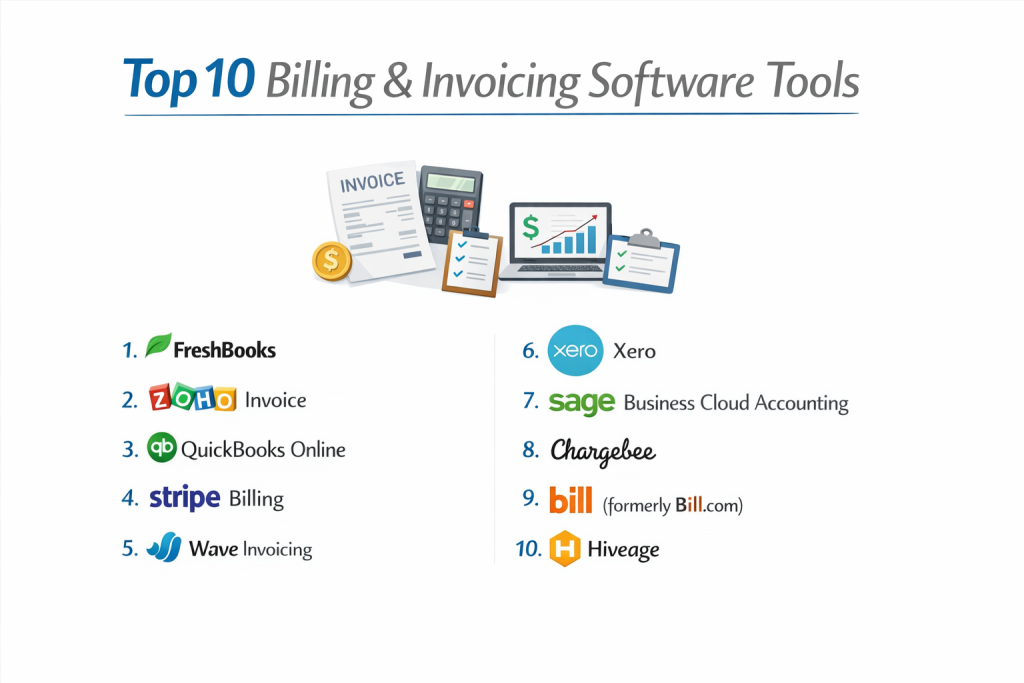
Top 10 Billing & Invoicing Software Tools
1 — FreshBooks
FreshBooks is a premier invoicing solution tailored for small business owners and freelancers who need a balance between powerful features and an easy-to-use interface.
- Key features:
- Professional Invoice Templates: Highly customizable designs that reflect your brand.
- Automated Recurring Billing: Set and forget billing for long-term clients.
- Time Tracking: Built-in timer that syncs directly to invoices.
- Direct Credit Card Payments: Accept payments directly through the invoice via FreshBooks Payments.
- Client Portal: A secure area where clients can view history and pay online.
- Pros:
- Exceptionally user-friendly for non-accountants.
- Excellent mobile app for managing billing on the go.
- Cons:
- The number of clients you can bill is limited on lower-tier plans.
- Advanced reporting is reserved for higher-priced versions.
- Security & compliance: 256-bit SSL encryption, SOC 2 Type II, GDPR compliant.
- Support & community: Award-winning phone and email support, extensive help center, and a vibrant blog community.
2 — Zoho Invoice
Zoho Invoice is a completely free solution for small businesses, providing a surprisingly robust set of tools without the monthly subscription fee.
- Key features:
- End-to-End Tracking: Monitor the lifecycle of an invoice from “draft” to “paid.”
- Customer Portal: Allows clients to accept estimates and make payments in one place.
- Multi-Currency Support: Bill clients in their local currency with automatic exchange rates.
- Expense Tracking: Capture receipts and bill them back to specific projects.
- Workflow Automation: Send automated thank-you notes or payment reminders.
- Pros:
- Free for small businesses with limited annual revenue.
- Seamless integration with the broader Zoho ecosystem (CRM, Projects).
- Cons:
- Limited customization for invoice templates compared to premium competitors.
- Not designed for massive enterprises with complex accounting needs.
- Security & compliance: Two-factor authentication (2FA), data encryption, GDPR compliant.
- Support & community: High-quality documentation, email support, and a massive global user forum.
3 — QuickBooks Online
As the industry standard for accounting, QuickBooks Online offers an invoicing module that is deeply integrated with total financial management.
- Key features:
- Progress Invoicing: Bill clients as you complete different phases of a project.
- Smart Invoicing: Shows you when a client has viewed the invoice.
- Batch Invoicing: Send multiple invoices to different customers at once.
- Inventory Tracking: Automatically adjust stock levels as you invoice for products.
- Accounting Sync: Every invoice automatically updates your profit and loss statements.
- Pros:
- Most accountants prefer this platform, making tax season much easier.
- Robust reporting that provides a 360-degree view of business health.
- Cons:
- Steeper learning curve for those with zero accounting knowledge.
- Can become expensive as you add more users or features.
- Security & compliance: SOC 2, AES 256-bit encryption, HIPAA (available), GDPR.
- Support & community: 24/7 chat support, local QuickBooks ProAdvisors, and a massive marketplace of integrations.
4 — Stripe Billing
Stripe Billing is the go-to choice for software companies and subscription-based businesses that require a “developer-first” API-driven approach.
- Key features:
- Subscription Logic: Handles complex billing cycles (monthly, tiered, usage-based).
- Smart Retries: Uses machine learning to retry failed credit card payments at optimal times.
- Global Tax: Automatically calculates and collects sales tax, VAT, and GST.
- Invoicing API: Allows for deep customization of the billing experience within your own app.
- Hosted Invoices: Professional invoices hosted on Stripe’s high-conversion servers.
- Pros:
- Unrivaled for technical scalability and complex billing models.
- Best-in-class security and global payment coverage.
- Cons:
- Requires some technical knowledge or developer help to fully utilize.
- Not a standalone accounting software; strictly focused on billing/payments.
- Security & compliance: PCI DSS Level 1, SOC 1 & 2, GDPR, PSD2 compliant.
- Support & community: Extensive developer documentation, 24/7 technical support, and a massive developer community.
5 — Wave Invoicing
Wave is a unique, cloud-based platform that offers its invoicing and accounting software for free, making it a favorite for micro-businesses and side hustlers.
- Key features:
- Unlimited Invoicing: No caps on the number of invoices or clients.
- Wave Payments: Integrated processing for credit cards and bank transfers (pay-per-use).
- Recurring Billing: Automated invoices for repeat customers.
- Dashboard View: Quick overview of unpaid invoices and total cash flow.
- Mobile Receipts: Free app to scan receipts and track business expenses.
- Pros:
- Truly free software with no hidden monthly subscription for invoicing.
- Very clean, modern interface that is easy for beginners to navigate.
- Cons:
- Limited customer support (mostly self-service or chat for paying users).
- Lacks advanced time-tracking or project management features.
- Security & compliance: 256-bit encryption, PCI Level 1, GDPR.
- Support & community: Help center, community forum, and chat-based support for users with active payment processing.
6 — Xero
Xero is a powerful accounting alternative to QuickBooks, popular for its beautiful design and extensive marketplace of over 1,000 integrations.
- Key features:
- Online Invoicing: Send invoices with a “Pay Now” button for instant settlement.
- Automatic Reminders: Gently nudge customers to pay overdue bills.
- Bulk Invoicing: Create and send dozens of invoices simultaneously.
- Mobile App: Reconcile bank statements and send invoices from a phone.
- Quotes to Invoices: Convert approved estimates into invoices with one click.
- Pros:
- Unlimited users on all plans, unlike many competitors who charge per user.
- Exceptional ecosystem of third-party apps to customize the workflow.
- Cons:
- Lower-tier plans have strict limits on the number of invoices you can send.
- Bank reconciliation can occasionally be finicky with smaller banks.
- Security & compliance: ISO 27001, SOC 2, GDPR, MFA.
- Support & community: 24/7 online support, Xero Central knowledge base, and a dedicated network of “Xero Partners.”
7 — Sage Business Cloud Accounting
Sage is a legacy financial brand that offers a modern cloud solution designed for growing businesses that need stability and deep reporting.
- Key features:
- Invoice Tracking: Real-time updates on whether an invoice is sent, viewed, or paid.
- Quotes & Estimates: Professional documents that convert to invoices seamlessly.
- Cash Flow Forecasting: Predictive tools to see future financial health based on billing.
- Multi-Currency: Handle global business with ease.
- Mobile Accounting: Full-featured app for managing accounts on the move.
- Pros:
- Highly reliable and trusted by financial professionals worldwide.
- Strong emphasis on inventory management and stock-based invoicing.
- Cons:
- The user interface is more traditional and less “snappy” than modern SaaS tools.
- The setup process can be more time-consuming than FreshBooks or Wave.
- Security & compliance: SOC 1 & 2, GDPR, HIPAA (in some regions).
- Support & community: Excellent phone support, live chat, and a deep repository of training videos.
8 — Chargebee
Chargebee is a specialized billing platform focused on “Revenue Operations,” primarily serving fast-growing SaaS and subscription businesses.
- Key features:
- Flexible Pricing Models: Support for flat fee, per-unit, or usage-based billing.
- Revenue Recognition: Automated accounting for subscription revenue.
- Dunning Management: Advanced strategies to recover failed payments.
- Tax Automation: Integration with Avalara for real-time tax calculation.
- Trial Management: Automates the transition from free trial to paid user.
- Pros:
- Built specifically for the “Subscription Economy.”
- Superior automation for complex mid-market revenue workflows.
- Cons:
- Can be very expensive as your revenue scales.
- Overly complex for a simple freelancer who just needs to send a monthly bill.
- Security & compliance: PCI Level 1, SOC 1 & 2, ISO 27001, GDPR.
- Support & community: Dedicated account managers for enterprise, 24/7 technical support, and “Chargebee Academy.”
9 — Bill (formerly Bill.com)
Bill specializes in “Accounts Payable and Receivable” automation, making it a favorite for mid-market companies looking to digitize their back office.
- Key features:
- Automated Data Entry: Uses AI to read and process incoming invoices.
- Custom Approval Workflows: Route invoices through different managers for sign-off.
- White-Label Invoicing: High-level professional invoices for B2B transactions.
- International Payments: Send and receive funds in over 130 countries.
- Document Storage: Centralized cloud storage for all financial records.
- Pros:
- Excellent for companies with a high volume of B2B transactions.
- Dramatically reduces manual data entry time for finance teams.
- Cons:
- Pricing is per-user and per-transaction, which can add up quickly.
- Not a full accounting software; requires integration with a ledger.
- Security & compliance: SOC 1 & 2, PCI DSS, GDPR.
- Support & community: Robust chat and email support, webinars, and a specialized “Accountant Program.”
10 — Hiveage
Hiveage is a powerful, streamlined invoicing tool designed for agencies and freelancers who need a no-nonsense way to manage multiple team members and projects.
- Key features:
- Detailed Estimates: Comprehensive quotes that include terms and conditions.
- Time & Expense Tracking: Log billables and receipts directly in the tool.
- Team Management: Set different access levels for staff members.
- Finance Reports: Simple, clean reports on income, taxes, and aging receivables.
- Payment Integration: Connects with over a dozen global gateways (Stripe, Braintree, etc.).
- Pros:
- Very affordable pricing for small teams.
- Extremely clean interface that is easy to master in an afternoon.
- Cons:
- Lacks the deep “accounting” features of a platform like Xero.
- Limited inventory management capabilities.
- Security & compliance: SSL encryption, GDPR compliant.
- Support & community: Responsive email support and a clear, well-written help center.
Comparison Table
| Tool Name | Best For | Platform(s) Supported | Standout Feature | Rating (Gartner) |
| FreshBooks | Freelancers & Agencies | Web / Mobile | Time-to-Invoice Sync | 4.5 / 5 |
| Zoho Invoice | Micro SMB (Budget) | Web / Mobile | 100% Free Tier | 4.6 / 5 |
| QuickBooks | Accountants’ Choice | Web / Mobile | Deep Accounting Sync | 4.3 / 5 |
| Stripe Billing | SaaS & Developers | API / Web | Machine Learning Retries | 4.4 / 5 |
| Wave Invoicing | Free / Side Hustles | Web / Mobile | Unlimited Invoicing Free | 4.4 / 5 |
| Xero | Modern SMBs | Web / Mobile | Unlimited Users | 4.3 / 5 |
| Sage Accounting | Inventory-Heavy SMB | Web / Mobile | Cash Flow Forecasting | 4.2 / 5 |
| Chargebee | SaaS Subscriptions | Web / API | RevOps Automation | 4.5 / 5 |
| Bill | Mid-Market B2B | Web / Mobile | Approval Workflows | 4.4 / 5 |
| Hiveage | Small Agencies | Web / Mobile | Project/Team Focus | N/A |
Evaluation & Scoring of Billing & Invoicing Software
| Category | Weight | Evaluation Logic |
| Core Features | 25% | Recurring billing, multi-currency, and template quality. |
| Ease of Use | 15% | Training time required and mobile app functionality. |
| Integrations | 15% | Depth of the app marketplace and API quality. |
| Security & Compliance | 10% | Encryption standards and global tax compliance. |
| Performance | 10% | Uptime, loading speed, and payment processing stability. |
| Support & Community | 10% | Availability of human help and quality of documentation. |
| Price / Value | 15% | Feature set relative to monthly cost and user limits. |
Which Billing & Invoicing Software Tool Is Right for You?
Solo Users vs SMB vs Mid-Market vs Enterprise
If you are a Solo User or freelancer, FreshBooks or Wave are the logical starting points. They prioritize the “billable hour” and quick invoice generation. For an SMB with a growing team, Xero or Zoho Invoice provide better collaboration tools and integration with CRMs. Mid-Market firms with complex approval hierarchies and high-volume B2B payments should look at Bill or Sage. Finally, Enterprises and complex SaaS platforms will benefit most from Chargebee or Stripe Billing, which can handle the intricacies of revenue recognition and global tax law.
Budget-conscious vs Premium Solutions
For the Budget-conscious, Zoho Invoice and Wave are unbeatable since they offer a high level of functionality for free. However, if you are looking for Premium Solutions that offer “all-in-one” financial management, QuickBooks Online and Chargebee provide a level of data depth that justifies their higher monthly price by potentially saving thousands in tax errors and lost revenue.
Feature Depth vs Ease of Use
If you need Ease of Use above all else—meaning you want to spend more time on your craft and less on your books—FreshBooks is the gold standard. If you need Feature Depth, such as detailed inventory tracking, progress billing for construction, or complex SaaS subscription tiers, you should steer toward Sage, QuickBooks, or Chargebee.
Integration and Scalability Needs
For those with high Integration Needs, Xero has the most expansive marketplace, allowing you to connect almost any business tool. Regarding Scalability, Stripe Billing is designed to grow from your first dollar to your first billion, providing the technical infrastructure that powers global giants.
Security and Compliance Requirements
If you operate in a highly regulated industry or have high Security Requirements, QuickBooks and Xero are the safest bets due to their extensive certifications and history of reliability. For those concerned with Global Tax Compliance, Stripe and Chargebee have the most advanced automated tax engines to keep you out of trouble with international authorities.
Frequently Asked Questions (FAQs)
1. Is “free” invoicing software really free?
Yes, tools like Wave and Zoho Invoice are free. However, they make money through “interchange fees” when your clients pay via credit card, or by selling add-on services like payroll.
2. What is the difference between billing software and accounting software?
Billing software focuses strictly on getting paid (sending invoices). Accounting software handles the entire financial record, including bills you owe (accounts payable), payroll, and tax prep.
3. Can I still use these tools if my client wants to pay by paper check?
Yes. All these tools allow you to “Mark as Paid” manually when a check arrives, though they encourage digital payments for faster reconciliation.
4. How does “automated dunning” work?
Dunning is the process of following up on failed or late payments. The software automatically sends emails to the client on your behalf until the balance is settled.
5. Do I need a developer to set up Stripe Billing?
While Stripe offers “no-code” payment links, to get the most out of their advanced billing features, a developer is typically needed to integrate the API into your website.
6. Can I bill in different languages?
Yes, most top-tier platforms like FreshBooks and Zoho allow you to translate invoice labels into the client’s native language.
7. Is my data safe in the cloud?
Modern providers use bank-level 256-bit encryption. It is often much safer than keeping financial records on a local hard drive that could crash or be stolen.
8. What is “Progress Billing”?
This allows you to invoice for a percentage of a large project. For example, a contractor might bill 25% at the start, 50% at the midpoint, and the final 25% at completion.
9. Can these tools help with sales tax?
Yes. Many integrate with tax engines that automatically calculate the correct local sales tax based on the client’s zip code or country.
10. How long does it take to switch from one tool to another?
Most platforms allow you to export your client list and open invoices as a CSV file, making the migration to a new tool possible within a few hours.
Conclusion
The “right” Billing & Invoicing Software is the one that removes friction from your workflow and makes it as easy as possible for your clients to pay you. In 2026, the technology has reached a point where manual invoicing is no longer just a chore—it is a competitive disadvantage.
For freelancers, the simplicity of FreshBooks remains unmatched. For cost-sensitive startups, Zoho Invoice is a gift. For complex software companies, the power of Stripe and Chargebee is essential. By selecting a tool that aligns with your specific industry and growth stage, you aren’t just buying software; you are building a faster, more reliable engine for your company’s revenue.