Introduction
Automated Machine Learning (AutoML) platforms represent a seismic shift in how businesses interact with data. Traditionally, creating a predictive model was a grueling, manual process involving data scientists who spent 80% of their time cleaning “messy” data and the rest of their time testing complex mathematical algorithms. AutoML platforms automate the end-to-end process of applying machine learning to real-world problems. They handle everything from raw data ingestion and feature engineering (creating new data variables) to model selection, hyperparameter tuning, and deployment. By “automating the science,” these platforms allow organizations to scale their AI efforts without exponentially increasing their headcount.
The importance of AutoML cannot be overstated. In a world where data is generated at an unfathomable rate, the bottleneck is no longer having data, but having the expertise to interpret it. AutoML democratizes AI, moving it out of the exclusive realm of PhDs and into the hands of business analysts, marketers, and operations managers. This speed-to-market allows companies to react to changing consumer behaviors in real-time, optimize supply chains with surgical precision, and uncover hidden risks before they become catastrophes.
Key Real-World Use Cases
- Dynamic Pricing in E-commerce: Automatically adjusting prices based on competitor data, stock levels, and consumer demand patterns to maximize profit.
- Predictive Maintenance in Manufacturing: Using sensor data from factory floors to predict when a turbine or motor will fail, preventing millions in downtime costs.
- Credit Risk Assessment: Helping financial institutions analyze thousands of non-traditional data points to determine the creditworthiness of loan applicants instantly.
- Personalized Marketing & Churn Prediction: Identifying which customers are likely to leave a subscription service and automatically triggering a personalized retention offer.
- Medical Image Analysis: Assisting radiologists by pre-screening thousands of X-rays or MRIs to highlight potential anomalies that require human attention.
What to Look For (Evaluation Criteria)
When evaluating an AutoML platform, looking past the marketing jargon is essential. A truly effective tool should be judged on these specific pillars:
- Transparency and “Glass-Box” Modeling: Can you see the math behind the curtain? “Black-box” AI is a risk. Look for platforms that provide detailed model documentation and global/local explanations for every prediction.
- Breadth of Automation: Does the tool only select algorithms, or does it also handle feature engineering, data cleaning, and deployment? A comprehensive tool covers the entire “pipeline.”
- Deployment Flexibility: Once a model is built, how do you use it? The best platforms offer one-click deployment via APIs, exportable code (Python/Java), or integration with existing BI tools like Power BI.
- Governance and Bias Detection: High-quality tools include “Guardrails” to detect if a model is biased against certain demographics or if the data is “leaking” information from the future into the past.
- Scalability: Can the tool handle a spreadsheet with 1,000 rows as easily as a database with 100 million rows? Infrastructure support for Spark or GPU acceleration is critical for large-scale operations.
Best for:
AutoML tools are a perfect match for Business Analysts who understand the “why” of the business but not the “how” of the code. They are indispensable for Mid-Market Companies that need to compete with industry giants but lack the budget for massive data science teams. Furthermore, Enterprise Data Science Teams use them as “productivity multipliers” to automate the tedious parts of their workflow, allowing them to focus on high-level strategy.
Not ideal for:
These platforms may not be necessary for organizations with highly static business models where a simple rules-based system (if X, then Y) is sufficient. They are also not a fit for Academic Researchers developing entirely new mathematical architectures or Edge-Case AI (like self-driving cars) where every millisecond of custom-coded optimization is a life-or-death requirement.
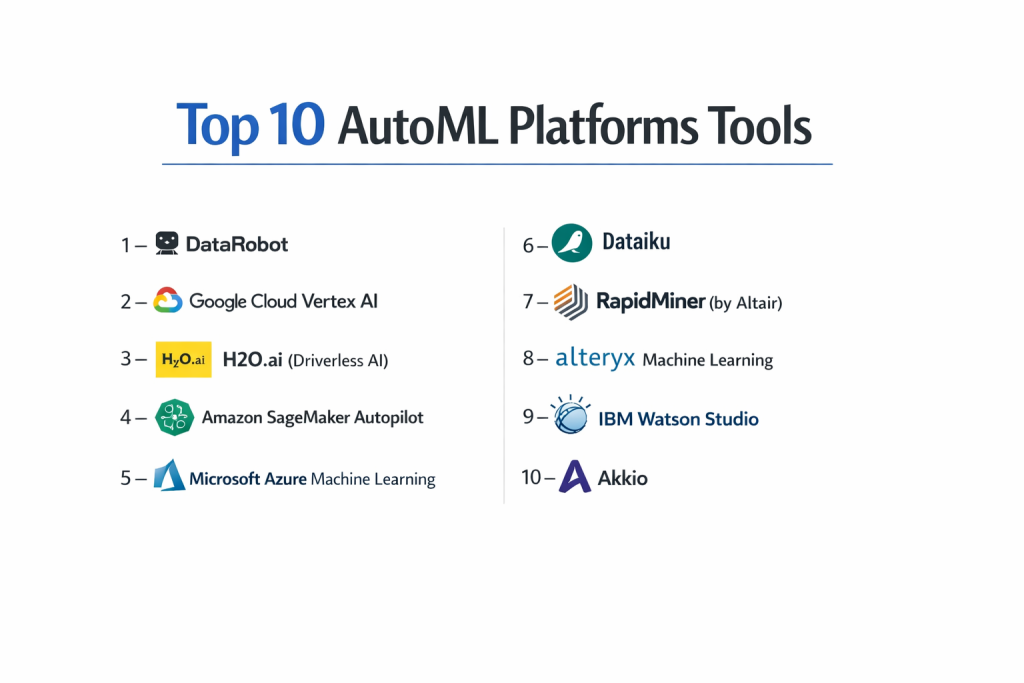
Top 10 AutoML Platforms Tools
1 — DataRobot
DataRobot is widely considered the pioneer of the AutoML category. It provides a highly polished, enterprise-grade environment that focuses heavily on business ROI and organizational governance. It is designed to turn data into a factory-like production line for AI models.
- Key features:
- Automated Leaderboard: Simultaneously tests hundreds of models and ranks them by accuracy.
- Feature Engineering: Automatically creates new variables from your data to improve model performance.
- AI Guardrails: Built-in checks to prevent “overfitting” and data leakage.
- No-Code App Builder: Allows users to turn a finished model into a visual application for business users.
- MLOps Suite: Full lifecycle management for monitoring and retraining models in production.
- Text and Image Support: Handles unstructured data just as easily as spreadsheets.
- Pros:
- Extremely high level of automation that requires zero coding to get expert results.
- Best-in-class documentation and “Explainable AI” features that satisfy regulators.
- Cons:
- One of the most expensive solutions, often out of reach for smaller startups.
- The platform is so broad that it can take time to learn where everything is located.
- Security & compliance: Enterprise-grade security including SOC 2 Type II, ISO 27001, HIPAA, and GDPR. Supports VPC and on-premise deployment.
- Support & community: High-touch enterprise support, dedicated “Success Managers,” and the DataRobot University for certification.
2 — Google Cloud Vertex AI (AutoML)
Google Vertex AI is a unified platform that brings together all of Google’s legacy AutoML services. It leverages Google’s internal research, such as Neural Architecture Search, to build models that often outperform those built by humans.
- Key features:
- Neural Architecture Search (NAS): Automatically designs the best neural network structure for your specific data.
- Multi-Modal Support: Handles Tabular, Image, Text, and Video data within a single interface.
- BigQuery Integration: Allows you to build models directly on top of your Google data warehouse.
- Explainable AI: Provides visual heatmaps to show which parts of an image or data row influenced a decision.
- Edge Deployment: Models can be exported to run on mobile devices or IoT hardware.
- Pros:
- Incredible accuracy, especially for computer vision and natural language tasks.
- Highly scalable, backed by the same infrastructure that powers Google Search.
- Cons:
- The Google Cloud Console is famously complex and can be intimidating for non-technical users.
- Costs can be unpredictable if you leave large training jobs running by mistake.
- Security & compliance: Full cloud security suite including FedRAMP High, HIPAA, GDPR, and SOC 1/2/3.
- Support & community: Extensive documentation and a massive global network of Google Cloud partners.
3 — H2O.ai (Driverless AI)
H2O.ai is the choice for many “power users” and expert data scientists. Its Driverless AI platform focuses on high-performance computing and “Kaggle-winning” automated recipes.
- Key features:
- Genetic Algorithms: Uses evolutionary math to find the best data transformations automatically.
- Mojo/Pojo Export: Compiles models into tiny, ultra-fast files that can run in any Java or Python environment.
- Time-Series Recipes: Highly specialized automation for forecasting (e.g., predicting energy demand).
- Bring Your Own Recipe: Allows experts to upload their own custom math to be used by the automation engine.
- Automatic Report Generation: Creates a 100+ page PDF explaining every single step the tool took.
- Pros:
- Unmatched speed, particularly when using GPU acceleration (NVIDIA).
- Produces some of the most “lightweight” and fast-scoring models in the industry.
- Cons:
- The interface is much more technical and “data-heavy” than Akkio or DataRobot.
- Requires a solid understanding of machine learning concepts to get the best value.
- Security & compliance: SOC 2 Type II, HIPAA, and GDPR compliant. Often deployed in high-security “air-gapped” environments.
- Support & community: Strong community of data scientists and a very helpful “H2O Wave” framework for building AI apps.
4 — Amazon SageMaker Autopilot
Amazon’s AutoML offering is built directly into the SageMaker ecosystem. Its biggest differentiator is that it is a “white-box” tool—it generates the actual Python code it used to build the model, giving you full control.
- Key features:
- Code Generation: Automatically writes a Jupyter Notebook showing the exact steps taken.
- SageMaker Canvas: A separate, purely visual “no-code” interface for business users.
- Leaderboard Model Selection: Ranks the top 250 models and lets you pick the winner.
- Managed Spot Training: Uses Amazon’s spare computer capacity to lower training costs by up to 90%.
- Integration with AWS DataZone: Easily find and use data from across your entire company.
- Pros:
- Excellent for developers who want automation but need to verify the code for security or audit reasons.
- Cost-effective for companies already heavily invested in the AWS cloud.
- Cons:
- The “autopilot” mode still feels like it was designed by engineers for engineers.
- AWS IAM (identity management) can make setting up permissions a nightmare.
- Security & compliance: Highly regulated; supports FedRAMP, HIPAA, GDPR, and FIPS.
- Support & community: Extensive AWS support plans and a massive library of “re-Invent” training videos.
5 — Microsoft Azure Machine Learning
Azure AutoML is particularly well-suited for organizations that rely on the Microsoft stack. It bridges the gap between the Excel user and the data scientist through a very polished, visual workflow.
- Key features:
- Visual Designer: A drag-and-drop canvas for building complex data pipelines.
- Responsible AI Dashboard: Automated tools to check for model bias, errors, and fairness.
- Power BI Integration: Models can be published directly into Power BI reports for business users.
- Support for Open Source: Seamlessly uses popular libraries like PyTorch and Scikit-learn.
- Managed Compute: Automatically spins up and down virtual machines to save costs.
- Pros:*
- The absolute best integration with existing Microsoft products (Excel, SQL Server, Power BI).
- Very strong focus on “Responsible AI” and ethical model building.
- Cons:
- The Azure portal can be sluggish and over-complicated with too many menus.
- Some features are only available in certain regions, which can be frustrating.
- Security & compliance: Industry leader in compliance; ISO 27001, SOC 1/2/3, and HIPAA.
- Support & community: Backed by Microsoft’s global enterprise support and Premier Support contracts.
6 — Dataiku
Dataiku is the “operating system” for collaborative data science. It is built to allow a diverse team—coders, analysts, and managers—to work on the same project simultaneously.
- Key features:
- Visual Flow: A map that shows the entire life of a project from raw data to finished model.
- Code-Choice: Users can switch between visual “drag-and-drop” and Python/SQL/R code at any step.
- Automation Recipes: Pre-built “blocks” for cleaning data, joining tables, and building models.
- Scenario Manager: Automatically triggers model retraining when new data arrives.
- Wiki & Discussions: Built-in team communication tools to document why decisions were made.
- Pros:
- The best tool for breaking down “silos” between technical and non-technical teams.
- Highly flexible; it doesn’t care if your data is on Amazon, Google, or your own servers.
- Cons:
- The licensing model is very expensive and geared toward large teams.
- Can be “overkill” for a single analyst who just needs to build one simple model.
- Security & compliance: Strong role-based access control (RBAC), audit logs, and SOC 2 compliance.
- Support & community: Very active “Dataiku Academy” and a vibrant user community with local “user groups.”
7 — RapidMiner (by Altair)
Recently acquired by Altair, RapidMiner remains a favorite for its visual-first approach. It is widely used in academia and industrial settings where understanding the “flow” of data is critical.
- Key features:
- Auto Model: A step-by-step wizard that asks you business questions to guide the model building.
- 1,500+ Operators: A massive library of drag-and-drop functions for every data task imaginable.
- Wisdom of Crowds: Provides “pro-active” recommendations based on what other successful users did.
- Turbo Prep: A specific tool for visual, interactive data cleaning that feels like an “Excel on steroids.”
- GenAI Integration: New features for building LLM-based applications and AI agents.
- Pros:
- Extremely stable and mature; it has been refined over nearly two decades.
- The visual logic makes it very easy to debug why a model isn’t performing well.
- Cons:
- The desktop application can be very “heavy” and slow down older computers.
- The transition between the desktop version and the cloud version can sometimes be confusing.
- Security & compliance: SOC 2, GDPR, and robust integration with enterprise SSO systems.
- Support & community: One of the oldest and most helpful communities in the data world.
8 — Alteryx Machine Learning
Alteryx is the dominant force in “Data Blending.” Its machine learning extension allows people who are already experts in Alteryx workflows to add predictive power without learning new software.
- Key features:
- Assisted Modeling: A “guided” experience that teaches the user the basics of data science as they build.
- Education Mode: Explains why a certain algorithm (like a Random Forest) was chosen.
- Unrivaled Data Prep: Hundreds of tools to clean, join, and reshape data from any source.
- One-Click Export: Send results directly to Tableau or Power BI.
- Governance: Centrally manage who can build and see models across the whole company.
- Pros:
- If you already use Alteryx for data cleaning, the learning curve is nearly zero.
- Excellent for business users who want to understand the “logic” but don’t want to code.
- Cons:
- Very high cost per user, which can make it hard to justify for small teams.
- Performance can lag when dealing with billions of rows compared to cloud-native tools.
- Security & compliance: Trusted by 19 of the top 20 global banks; extremely high security standards.
- Support & community: The “Alteryx Community” is legendary for its helpfulness and “Maverick” certification program.
9 — IBM Watson Studio (AutoAI)
IBM Watson Studio uses its “AutoAI” engine to bring high-level automation to the enterprise. It is particularly focused on “Trustworthy AI”—ensuring that every model is fair, safe, and explainable.
- Key features:
- Pipeline Generation: Automatically creates several different “candidate” pipelines for the user to compare.
- Bias Detection: Continuously monitors models for unfairness against protected groups.
- Decision Optimization: Goes beyond “predicting” to “prescribing” (telling you what action to take).
- Natural Language Processing: Best-in-class tools for analyzing text in over 20 languages.
- Hybrid Cloud: Run your AI on IBM Cloud, Amazon, or your own private data center.
- Pros:
- The strongest focus on ethics, fairness, and regulatory compliance.
- Integrates with IBM Guardium for top-tier data security and monitoring.
- Cons:
- The interface can feel “heavy” and corporate compared to modern web-first tools.
- Requires a complex setup process that often involves IBM consultants.
- Security & compliance: Meets the highest global standards for government and military security.
- Support & community: Excellent professional services and a vast library of technical “Redbooks.”
10 — Akkio
Akkio is a modern, web-first platform designed for speed. It is built for the “citizen data scientist” who needs to go from a CSV file to a working prediction in under 10 minutes.
- Key features:
- Chat Data Prep: Use a natural language chatbot (like ChatGPT) to clean and transform your data.
- Generative Reports: Automatically creates a dashboard of charts and insights for your project.
- Forecasting and Lead Scoring: Specialized templates for the most common marketing and sales tasks.
- One-Click API: Instantly creates a web link so your other apps can use the model.
- Modern UI: A clean, fast interface that requires zero training to understand.
- Pros:
- The fastest “time-to-value” of any tool on this list.
- Very affordable pricing that starts for small teams and grows with usage.
- Cons:
- Lacks the deep mathematical customization required for complex scientific research.
- Currently focused mostly on “Tabular” (spreadsheet) data rather than video.
- Security & compliance: SOC 2 Type II and GDPR compliant. Uses AWS and Google Cloud for infrastructure security.
- Support & community: Fast, modern live chat support and a growing library of video tutorials.
Comparison Table
| Tool Name | Best For | Platform(s) Supported | Standout Feature | Rating |
| DataRobot | Enterprise ROI | Cloud / On-Premise | Automated Leaderboards | 4.7 / 5 |
| Google Vertex AI | Deep Learning | Cloud (GCP) | Neural Architecture Search | 4.8 / 5 |
| H2O.ai | Speed & Experts | Cloud / On-Premise | MOJO/POJO Deployment | 4.6 / 5 |
| SageMaker Autopilot | Developers | Cloud (AWS) | Code Generation (White-box) | 4.7 / 5 |
| Azure AutoML | MS Ecosystem | Cloud (Azure) | Power BI Integration | 4.6 / 5 |
| Dataiku | Team Collaboration | Cloud / On-Premise | Visual Project Flows | 4.7 / 5 |
| RapidMiner | Visual Logic | Desktop / Cloud | 1,500+ Drag-Drop Blocks | 4.5 / 5 |
| Alteryx | Data Cleaning | Desktop / Cloud | Assisted Modeling Mode | 4.6 / 5 |
| IBM Watson | Ethical/Regulated AI | Cloud / Hybrid | Bias Detection & Governance | 4.4 / 5 |
| Akkio | Sales & Marketing | Web-Based | Chat-based Data Cleaning | N/A |
Evaluation & Scoring of AutoML Platforms
Evaluating an AutoML platform requires looking at more than just the accuracy score of the models. We use the following weighted rubric to determine a platform’s true business value:
| Category | Weight | Score (1-10) | Evaluation Rationale |
| Core features | 25% | 9 | Most tools now handle the full lifecycle from data prep to deployment. |
| Ease of use | 15% | 8 | Akkio and DataRobot are the gold standard; Google/AWS have high friction. |
| Integrations | 15% | 9 | Cloud tools win here, but Dataiku and Alteryx offer excellent flexibility. |
| Security & compliance | 10% | 10 | This category has matured; almost all tools are enterprise-ready. |
| Performance | 10% | 9 | H2O.ai and Google lead in pure speed and accuracy benchmarks. |
| Support & community | 10% | 8 | RapidMiner and Alteryx have the most helpful peer-to-peer networks. |
| Price / value | 15% | 7 | While powerful, the “Enterprise Tax” on tools like DataRobot is significant. |
Which AutoML Platform Tool Is Right for You?
Selecting the right tool is a strategic decision that depends on your company’s technical maturity and existing software ecosystem.
Small to Mid-Market vs. Enterprise
If you are a solo user or an SMB, Akkio is the clear winner for speed and price. For a mid-market company looking for a robust long-term partner, RapidMiner or H2O.ai offer a great balance. Large enterprises with hundreds of employees should look at DataRobot or Dataiku to ensure that everyone is working in a single, governed environment.
Budget and Value
For budget-conscious teams, stay within your current cloud provider. If you already pay for AWS, SageMaker Autopilot is your most cost-effective path. If you have a large “innovation budget” and need to ensure high ROI, the premium cost of DataRobot is often justified by its superior automation and governance.
Technical Depth vs. Simplicity
If your team includes seasoned data scientists, they will feel “trapped” in a no-code tool. They will prefer H2O.ai or Amazon SageMaker. Conversely, if your team is made of business analysts who have never written a line of Python, Akkio or Alteryx will keep them productive without overwhelming them.
Integration and Scalability Needs
If your data is siloed across many different clouds and local servers, Dataiku is the best “bridge.” If your primary goal is to scale up to massive, real-time predictions for a website with millions of users, the native scaling of Google Vertex AI or Azure AutoML is unmatched.
Security and Compliance Requirements
For banking, insurance, and healthcare, transparency is not optional. IBM Watson and Microsoft Azure offer the most robust “Fairness and Bias” dashboards, which are essential for passing regulatory audits and ensuring your AI isn’t making discriminatory decisions.
Frequently Asked Questions (FAQs)
1. Is AutoML going to replace data scientists?
No. AutoML replaces the tedious parts of the job. Data scientists are still needed to define the business problem, ensure the data is high quality, and interpret the results correctly.
2. Can I use AutoML for time-series forecasting?
Yes. Most modern platforms (especially H2O.ai and SageMaker) have specific modes for time-series data, helping you predict things like stock levels, electricity usage, or future revenue.
3. Does AutoML work with small datasets?
Yes, but the predictions won’t be as reliable. Most tools recommend at least a few hundred rows of data to find meaningful patterns.
4. What is “feature engineering”?
It is the process of creating new data points from existing ones—like turning a “Birth Date” into “Age” or “Day of the Week.” Good AutoML platforms do this automatically.
5. How do I deploy a model built with AutoML?
Most platforms offer an “API endpoint.” This is a web address that your developers can send data to, and the model will instantly send back a prediction.
6. Can AutoML detect if my model is biased?
Yes. Tools like IBM Watson and Azure have specific dashboards that show if your model is favoring one group over another, allowing you to fix it before it goes live.
7. How much do these tools cost on average?
Basic tools start at around $50/month (Akkio). Enterprise solutions are rarely priced publicly but typically start in the tens of thousands of dollars per year.
8. Is my data used to train the platform’s own models?
Generally, no. Enterprise agreements with companies like Google, AWS, and DataRobot strictly state that your data remains yours and is not used to train their global models.
9. Can AutoML handle “dirty” data?
To an extent. Most platforms can fix missing values or outliers, but if your data is fundamentally wrong (e.g., the wrong labels), the tool cannot fix that.
10. What is a “Black-Box” model?
It is a model that gives a prediction but doesn’t explain why. Avoid black-box models in high-stakes industries like healthcare or finance; look for “Explainable AI” instead.
Conclusion
The “best” AutoML platform doesn’t exist in a vacuum—it only exists in relation to your specific business needs. If you are starting your journey, focus on a tool that prioritizes Ease of Use and Time-to-Value, like Akkio. If you are a mature organization looking to operationalize AI across thousands of employees, the Governance and Scalability of DataRobot or the major cloud providers should be your priority.
What matters most is that you choose a tool that bridges the gap between your raw data and actionable insights. Machine learning is no longer a luxury for the tech elite; it is a fundamental business requirement. By picking a platform that fits your team’s culture and your company’s technical stack, you aren’t just buying software—you are building a smarter, more predictive future for your entire organization.