Introduction
Audit Management Software is a specialized category of digital tools designed to help organizations plan, execute, and track their internal and external audits. In simple terms, these platforms replace the traditional, disorganized method of using paper binders, scattered emails, and endless spreadsheets to prove that a company is following its own rules and the laws of the land. This software acts as a central library where all evidence is gathered, risks are assessed, and final audit reports are generated. By providing a structured workflow, these tools ensure that no step in the auditing process is skipped and that every finding is properly addressed.
The importance of using a dedicated audit platform cannot be overstated for businesses operating in regulated environments. Accuracy is the foundation of a successful audit; a single missing document or a misinterpreted piece of data can lead to failed certifications or legal penalties. These tools provide “version control,” meaning you always know which document is the most recent, and “audit trails,” which show exactly who made changes to a record and when. This transparency not only makes the auditor’s job easier but also builds deep internal confidence in the company’s data.
Key Real-World Use Cases
- Internal Financial Audits: Reviewing internal spending and accounting practices to ensure they align with company policy and prevent fraud.
- ISO and SOC 2 Certifications: Gathering the specific technical evidence required to pass international security and quality standards.
- Safety and Quality Inspections: Conducting on-site walkthroughs in manufacturing or construction to ensure equipment meets safety codes.
- Vendor and Third-Party Audits: Evaluating the security and operational practices of partners before sharing sensitive data with them.
- Regulatory Compliance: Ensuring constant adherence to industry-specific laws like HIPAA in healthcare or Sarbanes-Oxley (SOX) in finance.
What to Look For (Evaluation Criteria)
When searching for the right tool, you should prioritize Mobile Accessibility, especially if your audits happen in the field. Automated Evidence Collection is another vital feature, as it saves your team hundreds of hours of manual uploading. Finally, look for Offline Capabilities and Real-Time Reporting Dashboards that allow executives to see the progress of an audit without waiting for a final PDF report to be emailed.
Best for:
These tools are most helpful for Internal Auditors, Compliance Officers, and Quality Assurance Managers. They are essential for mid-market to enterprise-level companies in the healthcare, finance, manufacturing, and pharmaceutical industries where precision is a legal requirement.
Not ideal for:
Small businesses with very simple operations and no formal regulatory oversight. If your “audit” consists of a quick annual check of a few receipts, a simple cloud storage folder or a basic task manager is likely more cost-effective.
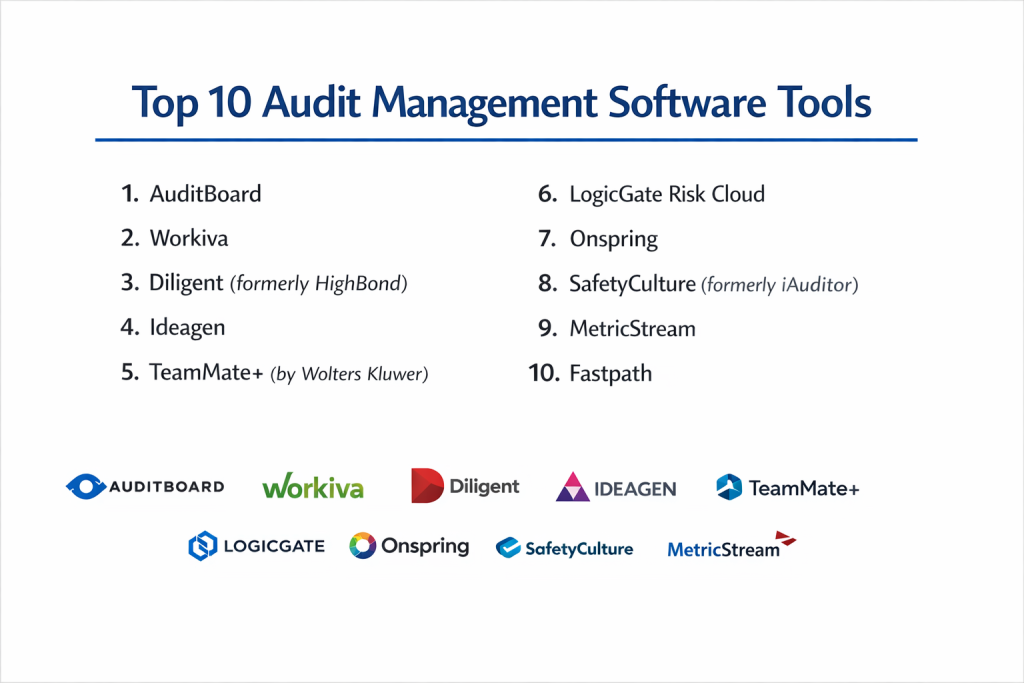
Top 10 Audit Management Software Tools
1 — AuditBoard
AuditBoard is widely considered a top-tier platform, particularly for companies that need to manage complex financial and IT audits. It is known for its collaborative nature, allowing internal teams and external auditors to work together in one space.
- Key features:
- Integrated SOX and internal audit workflows.
- Automated task management and follow-up for findings.
- Real-time dashboards for tracking audit progress across departments.
- Centralized evidence repository with strong version control.
- Risk-based audit planning tools.
- ESG (Environmental, Social, and Governance) tracking modules.
- Pros:
- The user interface is exceptionally clean and intuitive.
- Excellent at reducing the “back-and-forth” emails during an audit.
- Cons:
- It is a premium product with a price tag to match.
- Can be overly complex for teams that only do very simple, occasional audits.
- Security & compliance: SOC 2 Type II compliant, uses AES-256 encryption, and provides detailed audit logs.
- Support & community: Top-rated customer success team and a very active community of professional users.
2 — Workiva
Workiva is a massive platform that specializes in “connected reporting.” It is a favorite for large corporations that need to link their audit data directly to their financial statements and regulatory filings.
- Key features:
- Real-time data linking (change a number in one place, it updates everywhere).
- Granular permission controls for multi-user collaboration.
- Automated evidence requests and tracking.
- Direct integration with major ERP and financial systems.
- Built-in commenting and review threads for every data point.
- Comprehensive audit trails for every cell and document change.
- Pros:
- Unmatched for accuracy in large-scale financial reporting.
- Drastically reduces the risk of manual data entry errors.
- Cons:
- The learning curve is steep due to the sheer number of features.
- Setup and implementation usually require dedicated professional help.
- Security & compliance: FedRAMP authorized, ISO 27001, and SOC 1/SOC 2 compliant.
- Support & community: Extensive training through Workiva University and 24/7 global support.
3 — Diligent (formerly HighBond)
Diligent offers a robust, cloud-based platform that combines audit management with broader risk and governance features. It is built to provide high-level visibility to boards of directors and executive leadership.
- Key features:
- Data automation that flags anomalies in large datasets automatically.
- Mobile app for performing audits in the field or on the go.
- Customizable risk heat maps to prioritize audit areas.
- Automated reporting templates for board presentations.
- Integrated project management for audit teams.
- Library of pre-built audit programs for various industries.
- Pros:
- Powerful data analytics tools that find risks a human might miss.
- Great for companies that want their board involved in risk oversight.
- Cons:
- Some users find the transition between different modules a bit clunky.
- Configuration can be time-consuming for non-technical users.
- Security & compliance: SOC 2, HIPAA, and GDPR compliant; uses high-standard SSO and encryption.
- Support & community: Strong global presence with localized support and a large partner network.
4 — Ideagen
Ideagen is a powerhouse in the quality and safety audit space. It is particularly popular in highly regulated sectors like aviation, aerospace, and pharmaceuticals where “zero error” is the goal.
- Key features:
- Specialized modules for QMS (Quality Management System) audits.
- Offline mobile auditing for remote sites or factory floors.
- CAPA (Corrective and Preventive Action) tracking.
- Integrated document control and policy management.
- Real-time non-conformance alerts.
- Incident and accident reporting linked to audit findings.
- Pros:
- Deeply focused on industry-specific standards like ISO 9001 and AS9100.
- The mobile offline mode is highly reliable for field workers.
- Cons:
- The interface can feel more “industrial” and less modern than SaaS startups.
- Getting the most out of it requires significant initial configuration.
- Security & compliance: ISO 27001 certified and compliant with global safety and data standards.
- Support & community: Dedicated technical support and industry-specific consulting services.
5 — TeamMate+ (by Wolters Kluwer)
TeamMate+ is an expert-level tool built by auditors, for auditors. It is designed to handle the entire audit lifecycle, from initial risk assessment to the final closing meeting.
- Key features:
- Flexible workflow engine that adapts to your specific audit methodology.
- Advanced scheduling tools for large audit departments.
- Integration with Microsoft Office for familiar document editing.
- Dynamic reporting that allows for custom layout and branding.
- Comprehensive historical data tracking to see trends over years.
- Multi-language support for global audit teams.
- Pros:
- Very stable and reliable for massive, multi-national audit departments.
- Built with deep knowledge of global auditing standards.
- Cons:
- The software can feel heavy and complex for smaller, agile teams.
- Requires a significant investment in training to master the workflow.
- Security & compliance: SOC 1 and SOC 2 compliant; offers on-premise or cloud hosting.
- Support & community: Large global user base with regular regional user conferences.
6 — LogicGate Risk Cloud
LogicGate is a modern, no-code platform that allows you to build your own audit processes using a drag-and-drop interface. It is perfect for teams that find “out-of-the-box” software too restrictive.
- Key features:
- Drag-and-drop workflow builder.
- Centralized “Graph” view to see how audits link to specific business risks.
- Automated notifications and reminders for evidence collection.
- Flexible data fields that can be changed without coding.
- Integrated vendor risk and compliance modules.
- Strong API for connecting to other business apps.
- Pros:
- Highly adaptable; the software fits your business, not the other way around.
- Very fast to update as your audit needs change.
- Cons:
- You have to build your own logic, which requires a clear plan from the start.
- Not as many “pre-built” industry templates as some legacy competitors.
- Security & compliance: SOC 2 Type II compliant with enterprise-level encryption and SSO.
- Support & community: Known for high-touch customer success and proactive support.
7 — Onspring
Onspring is an automated GRC and audit platform that prides itself on speed and flexibility. It is designed to help teams work faster by automating the most repetitive parts of the audit.
- Key features:
- Automated data gathering and survey tools.
- Real-time reporting with “drill-down” capabilities to see the raw data.
- Cloud-based collaboration for internal and external teams.
- Integrated risk and control libraries.
- Dynamic task assignments based on audit findings.
- Policy management that links directly to audit controls.
- Pros:
- Extremely fast and responsive software that doesn’t “lag.”
- The reporting engine is very powerful and easy to use.
- Cons:
- Smaller user community compared to giants like OneTrust or Workiva.
- Some advanced customizations require a bit of a learning curve.
- Security & compliance: SOC 2 Type II compliant and focuses on high data availability.
- Support & community: Very responsive support team and detailed online help guides.
8 — SafetyCulture (formerly iAuditor)
If your audits happen on a construction site, in a restaurant, or on a shop floor, SafetyCulture is often the top choice. It is a mobile-first platform built for physical inspections and checklists.
- Key features:
- Easy-to-use checklist builder for mobile devices.
- Photo and video evidence capture directly within the app.
- Geolocation tagging to prove where an audit took place.
- Automated professional PDF report generation.
- “Heads Up” feature for team-wide safety alerts.
- Integration with sensors and IoT devices for automated monitoring.
- Pros:
- The best mobile experience for workers in the field.
- Very affordable for smaller teams compared to enterprise GRC tools.
- Cons:
- Not designed for complex financial or deep corporate governance audits.
- Limited capability for managing complex, multi-layered risk frameworks.
- Security & compliance: SOC 2 compliant; data is encrypted in transit and at rest.
- Support & community: Massive library of free, community-created audit templates.
9 — MetricStream
MetricStream is a comprehensive enterprise platform that specializes in GRC (Governance, Risk, and Compliance). It is designed for the world’s largest organizations with thousands of moving parts.
- Key features:
- Enterprise-wide audit planning and resource management.
- AI-driven risk insights and predictive analytics.
- Integrated regulatory feed that tracks global law changes.
- Sophisticated incident and loss event tracking.
- Multi-tier vendor risk management.
- Highly structured audit trails for legal defensibility.
- Pros:
- Can handle almost any level of organizational complexity.
- Deeply trusted by global banks and energy companies.
- Cons:
- The interface is dense and can be intimidating for casual users.
- Implementation is a major project that takes time and a large budget.
- Security & compliance: Compliant with all major global standards including ISO, SOC, and regional laws.
- Support & community: Extensive professional services and global consulting partners.
10 — Fastpath
Fastpath focuses specifically on “Access Orchestration” and “Identity Audits.” It is the go-to tool for auditing who has access to what within your ERP systems like SAP, Oracle, or Microsoft Dynamics.
- Key features:
- Automated Segregation of Duties (SoD) analysis.
- Review of user access and permissions across multiple systems.
- Tracking of “emergency access” or “super-user” activity.
- Automated audit reports for external IT auditors.
- Direct connectors for all major enterprise software.
- Risk-based analysis of business process changes.
- Pros:
- Solves a very specific, difficult problem (SoD) better than anyone else.
- Essential for companies that need to pass a clean IT audit.
- Cons:
- It is a specialized tool, not a general-purpose audit manager.
- Requires integration with your ERP system to be useful.
- Security & compliance: SOC 2 compliant and designed to help you meet SOX and HIPAA requirements.
- Support & community: Strong technical support with deep knowledge of ERP security.
Comparison Table
| Tool Name | Best For | Platform(s) Supported | Standout Feature | Rating |
| AuditBoard | Collaborative Teams | Web / Cloud | Unified Risk/Audit View | 4.7/5 |
| Workiva | Large Financial Orgs | Web / Cloud | Real-Time Data Linking | 4.6/5 |
| Diligent | Board-Level Oversight | Web / Mobile | Advanced Risk Analytics | 4.4/5 |
| Ideagen | Manufacturing & Safety | Web / Mobile / Offline | Offline Field Auditing | 4.3/5 |
| TeamMate+ | Professional Auditors | Web / On-Prem | Expert-Led Methodology | 4.2/5 |
| LogicGate | Custom Processes | Web / No-Code | Drag-and-Drop Builder | 4.7/5 |
| Onspring | Automation Seekers | Web / Cloud | High-Speed Reporting | 4.8/5 |
| SafetyCulture | Physical Inspections | Mobile / Tablet | Checklist Simplicity | 4.9/5 |
| MetricStream | Global Enterprises | Web / Hybrid | AI-Driven Risk Insights | 4.1/5 |
| Fastpath | IT & Identity Audits | Web / API | Segregation of Duties | 4.5/5 |
Evaluation & Scoring of Audit Management Software
| Criteria | Weight | Description |
| Core features | 25% | Capability for planning, execution, and reporting. |
| Ease of use | 15% | How quickly a non-expert can learn the platform. |
| Integrations | 15% | Ability to connect with ERPs, Cloud storage, and SSO. |
| Security & compliance | 10% | Internal certifications like SOC 2 and data encryption. |
| Performance | 10% | Speed, uptime, and reliability of mobile/offline modes. |
| Support & community | 10% | Quality of documentation and responsiveness of support. |
| Price / value | 15% | Does the efficiency gained justify the total cost? |
Which Audit Management Software Tool Is Right for You?
Solo Users vs. SMB vs. Mid-Market vs. Enterprise
A solo user or consultant should look for simplicity and low cost; SafetyCulture or CookieYes (for simple web audits) are great places to start. SMBs often benefit from the “plug-and-play” nature of AuditBoard or Onspring. Mid-Market companies usually need something that bridges the gap between ease of use and deep features, making LogicGate a strong contender. Enterprises with complex hierarchies and global regulations will likely require the heavy-duty power of Workiva, MetricStream, or TeamMate+.
Budget-Conscious vs. Premium Solutions
If you have a limited budget, prioritize tools that offer modular pricing. SafetyCulture allows you to pay for what you use, which is excellent for growing businesses. Premium solutions like AuditBoard or Workiva involve a high initial investment but can save a large company millions of dollars in potential fines and thousands of hours in manual labor.
Feature Depth vs. Ease of Use
A common mistake is buying a tool with too many features that your team never uses. If your goal is a quick safety check, choose Ease of Use (SafetyCulture). If your goal is to manage a global bank’s internal controls, you must prioritize Feature Depth (MetricStream), even if it takes months for your team to learn.
Integration and Scalability Needs
Always think two years ahead. If you plan to add more departments to the software, ensure it can scale. If your IT team uses Jira and your finance team uses Oracle, ensure the tool has native connectors for both. A tool that doesn’t integrate will eventually become a “data island” that creates more work, not less.
Security and Compliance Requirements
If you are in a high-security industry like defense or healthcare, do not compromise on security. Ensure the tool is SOC 2 Type II certified at a minimum. For international companies, ensure the platform follows GDPR and has data centers in the regions where you operate to avoid legal complications with data residency.
Frequently Asked Questions (FAQs)
1. What is the main benefit of audit management software?
The main benefit is centralizing all your data. Instead of digging through emails, the software gives you a single “source of truth” where all evidence, comments, and reports live.
2. Can these tools help with SOC 2 or ISO audits?
Yes, most of these platforms have pre-built templates for SOC 2, ISO 27001, and HIPAA. They guide you on exactly what evidence you need to collect to pass.
3. Is it hard to switch from spreadsheets to audit software?
There is a learning curve, but most modern tools allow you to import your existing spreadsheets to get started quickly. The long-term time savings usually make the switch worth it within the first few months.
4. How much does audit software usually cost?
Pricing varies widely. Simple checklist apps might be $20–$50 per user, while enterprise-grade systems can cost $10,000 to $50,000+ per year depending on the number of users and modules.
5. Do I need an IT team to set this up?
For “no-code” tools like LogicGate or mobile tools like SafetyCulture, you can usually do it yourself. For enterprise tools like Workiva or MetricStream, you will likely need IT and professional consultants.
6. Can external auditors use my software?
Yes, many platforms offer a specific “Auditor View” where external consultants can log in and see only the evidence you want them to see, without accessing your internal discussions.
7. Does the software automatically find errors?
Some advanced tools like Diligent or Workiva have “data analytics” modules that can scan your financial records and flag unusual patterns or missing data automatically.
8. Is my data safe in the cloud?
Top-tier tools use the same level of security as major banks. Look for tools that mention “AES-256 encryption” and “SOC 2 Type II” to ensure your data is protected.
9. Can I use these tools on my phone?
Yes, tools like SafetyCulture and Ideagen are designed specifically for mobile use, allowing you to take photos of findings and record notes while walking through a site.
10. What is a “finding” in audit software?
A finding is simply something the auditor noticed that doesn’t match the rules. The software helps you track these findings until someone on your team fixes the issue.
Conclusion
Choosing the right audit management software is about finding the balance between power and practicality. A tool that is too simple won’t meet your legal requirements, while a tool that is too complex will be ignored by your team. The goal is to move away from the chaos of manual tracking and into a system that provides clarity, transparency, and peace of mind.
Remember that the “best” tool is the one that fits your specific industry and team size. Start by identifying your most common audit tasks and look for the tool that makes those tasks as simple as possible. Whether you choose a modern automated platform or a heavy-duty enterprise system, the move toward digital audit management is a vital step in protecting your company’s reputation and ensuring its long-term success.