Introduction
Archive cataloging software is a specialized category of information management tools designed to organize, describe, and preserve historical records, artifacts, and digital assets. Unlike standard document management systems, these platforms are built around archival standards—such as ISAD(G), DACS, and Dublin Core—to maintain the provenance and original order of collections. They serve as a digital backbone for memory institutions, enabling archivists to create detailed finding aids, manage physical storage locations, and provide public-facing search portals for researchers. In an age where data is generated at an exponential rate, these tools are essential for ensuring that cultural and corporate heritage remains discoverable and accessible for generations to come.
Key real-world use cases for archive cataloging software range from a university library managing a vast collection of rare manuscripts to a multinational corporation preserving its historical marketing campaigns and legal filings. It is also used by government agencies to ensure public access to legislative records and by private collectors to document the provenance of art and artifacts. When evaluating software in this space, users should look for metadata flexibility, hierarchical relationship support, digital preservation capabilities, and interoperability with third-party systems like Digital Asset Management (DAM) or web-publishing portals.
Best for: Professional archivists, university librarians, museum curators, government record managers, and corporate historians. It is ideal for organizations that need to manage complex, hierarchical collections of physical and digital materials with a high degree of descriptive accuracy.
Not ideal for: Small businesses that only need to manage current administrative files or individuals looking for a simple photo gallery app. For basic document storage without the need for archival hierarchy, a standard Cloud Storage provider or a simple Document Management System (DMS) may be more efficient.
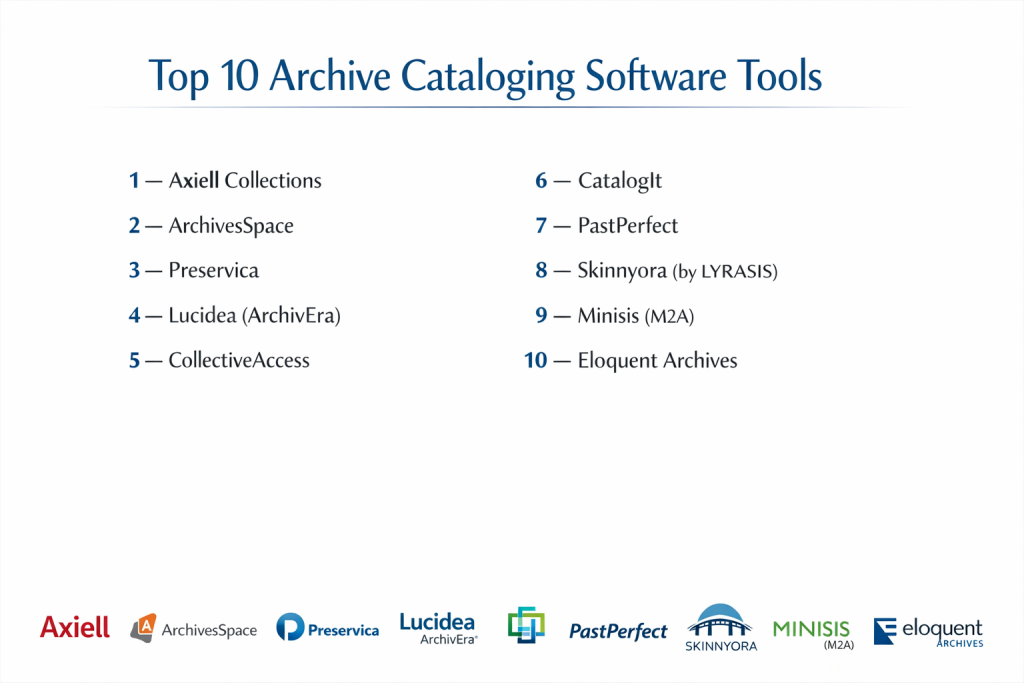
Top 10 Archive Cataloging Software Tools
1 — Axiell Collections
Axiell Collections is a comprehensive, web-based platform designed for archives, museums, and libraries. It is a highly scalable solution used by some of the world’s most prestigious cultural institutions to manage integrated collections.
- Key features:
- Standards Compliance: Native support for ISAD(G), Spectrum, and MARC21.
- Hierarchical Browsing: Easily navigate through complex levels of Fonds, Series, and Items.
- Integrated DAMS: Built-in digital asset management for high-resolution media.
- Multilingual Support: Manage and search collections in multiple languages simultaneously.
- Open API: Facilitates seamless integration with external discovery layers and apps.
- Pros:
- Extremely powerful for institutions with diverse types of heritage materials.
- Fully web-based interface allows for remote cataloging and management.
- Cons:
- The high level of configurability requires professional training to master.
- Pricing is generally positioned at the mid-to-high end of the market.
- Security & compliance: ISO 27001 certified, GDPR compliant, SSO (Single Sign-On) support, and detailed audit trails.
- Support & community: Extensive online documentation, annual user conferences, and a dedicated global helpdesk.
2 — ArchivesSpace
ArchivesSpace is the leading open-source archives information management system. It was developed by and for archivists to support the full lifecycle of archival management.
- Key features:
- Accessioning: Streamlined workflows for bringing new materials into the archive.
- Finding Aid Generation: Automatically generates EAD and PDF finding aids.
- Location Tracking: Robust tools for managing physical shelf and box locations.
- Agent & Subject Authorities: Centralized management of names and subject terms.
- Community Plugins: Wide range of user-developed extensions for added functionality.
- Pros:
- No licensing fees (though membership is encouraged to support development).
- Massive, active community that shares best practices and custom scripts.
- Cons:
- Requires significant IT knowledge for installation and maintenance if not using a hosted service.
- The user interface can feel utilitarian compared to modern SaaS platforms.
- Security & compliance: Role-based access control (RBAC), encryption at rest, and community-audited code.
- Support & community: Vibrant user listserv, comprehensive wiki, and professional hosting partners.
3 — Lucidea ArchivEra
ArchivEra is a purpose-built archival collections management solution that combines traditional archival requirements with modern, web-forward discovery tools.
- Key features:
- End-to-End Workflow: Covers everything from initial donor contact to public discovery.
- Intuitive Discovery Portal: Highly customizable, mobile-friendly search interface for the public.
- Automated Data Entry: Smart forms and templates to accelerate cataloging.
- Research Request Tracking: Built-in tools to manage and log researcher inquiries.
- Social Media Integration: Easily share collection items to social platforms from the portal.
- Pros:
- “Off-the-shelf” readiness allows for faster implementation than many competitors.
- Excellent balance between deep professional features and ease of use.
- Cons:
- Customization beyond the standard configuration may require vendor assistance.
- Primarily a cloud-first solution, which may not suit all “air-gapped” requirements.
- Security & compliance: SOC 2 Type II certified, TLS encryption, and granular user permissions.
- Support & community: 24/7 technical support and a reputation for high-touch customer service.
4 — Preservica
Preservica is unique in that its primary focus is on “Active Digital Preservation,” ensuring that digital files remain readable as technology changes, while also providing robust cataloging.
- Key features:
- Automated File Migration: Automatically converts obsolete file formats to modern standards.
- Bit-level Integrity: Continuous fixity checks to prevent digital decay (bit rot).
- Scalable Storage: Seamlessly handles multi-terabyte digital collections.
- Integrated Cataloging: Supports Dublin Core and custom metadata schemas.
- Public Access Portals: Provides a “Universal Access” module for public viewing.
- Pros:
- The gold standard for organizations with high-risk digital-only assets.
- Integrates directly with Microsoft 365 and SharePoint for easy ingesting.
- Cons:
- Less focus on physical location tracking than traditional ELNs or archive tools.
- Can be expensive if managing very large volumes of high-resolution video.
- Security & compliance: ISO 27001, HIPAA ready, GDPR compliant, and SOC 2 Type II.
- Support & community: Dedicated “Preservica Academy” for training and an active user forum.
5 — CollectiveAccess
CollectiveAccess is an open-source software suite for cataloging and publishing museum and archival collections. It is highly favored for its extreme flexibility in metadata design.
- Key features:
- No Hard-coded Fields: Users can define every single metadata field and relationship.
- Complex Hierarchy Support: Handles any level of depth in organizational structures.
- Media Processing: Automatically creates various sizes and formats for uploaded media.
- Advanced Search: Supports faceted navigation and geospatial (map-based) searching.
- Multilingual Input: Enter data in one language and display it in another.
- Pros:
- Unmatched flexibility—it can be configured for almost any type of specialty collection.
- Cost-effective for organizations with unique data needs and technical staff.
- Cons:
- The steep learning curve makes it difficult for non-technical users to set up.
- Documentation can be fragmented compared to commercial products.
- Security & compliance: LDAP authentication, system logs for every edit, and GDPR-ready tools.
- Support & community: Global user community and professional consulting services available.
6 — CatalogIt
CatalogIt is a modern, cloud-native application that brings a “mobile-first” approach to collection management, popular with smaller archives and private collectors.
- Key features:
- Native Mobile App: Catalog items directly from a smartphone or tablet in the field.
- Visual Browsing: Image-centric interface makes identifying items intuitive.
- Real-time Sync: Changes made on mobile are instantly updated across all devices.
- CatalogIt HUB: One-click publishing to a clean, public-facing web portal.
- Collaborative Access: Easily invite volunteers or interns with specific permissions.
- Pros:
- Very low barrier to entry; users can be up and running in minutes.
- Affordable pricing for small non-profits and individual collectors.
- Cons:
- Lacks some of the “Heavy” archival standards required by national institutions.
- Bulk editing and complex hierarchy management are more limited than enterprise tools.
- Security & compliance: Multi-factor authentication (MFA), cloud-based backups, and data encryption.
- Support & community: Quick-response email support and a helpful set of video tutorials.
7 — PastPerfect
PastPerfect is one of the most widely used collection management systems in the world, specifically designed for small to mid-sized museums and historical societies.
- Key features:
- All-in-One Design: Manages archives, artifacts, library items, and photos.
- Development Tools: Built-in modules for tracking donors and memberships.
- Standardized Reports: Hundreds of pre-built reports for inventory and insurance.
- Digital Imaging: Simple tools for attaching and organizing photos.
- Public Access: Optional module to put your collection on the web.
- Pros:
- High familiarity in the field; many interns and volunteers already know how to use it.
- Reliable, stable, and cost-effective for traditional museum workflows.
- Cons:
- The interface and underlying technology can feel dated compared to web-native tools.
- Customization options are limited for non-standard archival needs.
- Security & compliance: Basic role-based security; Web Edition offers cloud security standards.
- Support & community: Strong US-based phone support and an extensive user manual.
8 — MINISIS M2A
MINISIS M2A is a high-end archival management system known for its robust database engine and long history in the government and corporate sectors.
- Key features:
- M2A Logic: Built specifically around the “Archives Management” lifecycle.
- Protected B Status: High-level security clearance for government data.
- Customizable Web Portals: Deeply brandable portals for public research.
- Multimedia Management: Handles complex digital objects and physical media.
- Integrated Records Management: Manages current records alongside archives.
- Pros:
- Exceptional security track record (zero breaches in 50 years of operation).
- Can handle massive databases with millions of records without performance loss.
- Cons:
- The software is highly professional and may be “overpowered” for small labs.
- Implementation often requires a significant consulting phase.
- Security & compliance: ISO 15489, ISO 27009, MARC21, and UK Spectrum compliant.
- Support & community: Dedicated enterprise-level support and professional services team.
9 — Eloquent Archives
Eloquent Archives is a flexible, mobile-friendly system that specializes in managing both physical and electronic records in a “hybrid” environment.
- Key features:
- SharePoint Integration: Unique hybrid integration with Microsoft infrastructure.
- Mobile-Friendly: Full functionality across browsers on tablets and phones.
- Retention Scheduling: Advanced tools for managing the legal life of records.
- Researcher Tracking: Logs and manages access to sensitive or restricted materials.
- Analytics Dashboards: Visual insights into storage costs and collection usage.
- Pros:
- Ideal for organizations transitioning from paper to fully digital archives.
- Strong emphasis on legal compliance and audit trails.
- Cons:
- The user interface can feel more like a corporate tool than a heritage tool.
- Some advanced features require additional “add-on” modules.
- Security & compliance: SOC 2, HIPAA ready, and strong encryption for cloud deployments.
- Support & community: Live online training, webinars, and detailed documentation.
10 — Modes
Modes is a popular choice for UK-based heritage organizations, providing a straightforward and standards-compliant way to catalog diverse collections.
- Key features:
- Modes Complete: Full-featured version for professional curators.
- Modes Compact: A simplified version for smaller organizations or local groups.
- Spectrum Compliance: Built on the UK industry standard for collection management.
- Import/Export Tools: Easy data movement between systems using XML.
- Flexible Reporting: Customizable templates for creating labels and catalogs.
- Pros:
- Highly focused on the needs of independent and local history museums.
- Excellent value for money with a very helpful UK-based support team.
- Cons:
- Limited presence outside of the UK market.
- Not as “feature-rich” for digital preservation as tools like Preservica.
- Security & compliance: Standard user permissions and audit logs; GDPR compliant.
- Support & community: Active UK user group and regular training workshops.
Comparison Table
| Tool Name | Best For | Platform Supported | Standout Feature | Rating |
| Axiell Collections | Large Institutions | Web / Cloud | Integrated DAMS & Multi-lingual | 4.8 / 5 |
| ArchivesSpace | Open Source Teams | Self-hosted / Cloud | EAD Finding Aid Generation | 4.5 / 5 |
| ArchivEra | Mid-to-Enterprise | Web / Cloud | Research Request Tracking | 4.7 / 5 |
| Preservica | Digital Preservation | Web / Cloud | Automated Format Migration | 4.9 / 5 |
| CollectiveAccess | Unique Collections | Self-hosted / Cloud | Total Metadata Flexibility | N/A |
| CatalogIt | Small Archives/Mobile | Web / Mobile App | Mobile-First Cataloging | 4.6 / 5 |
| PastPerfect | Historical Societies | Desktop / Web | Donor/Membership Integration | 4.4 / 5 |
| MINISIS M2A | Government / Corporate | Web / On-Premise | 50-Year Security Track Record | N/A |
| Eloquent Archives | Hybrid Records | Web / SharePoint | SharePoint Integration | N/A |
| Modes | UK Small Heritage | Web / Cloud | Spectrum Standards Focus | N/A |
Evaluation & Scoring of Archive Cataloging Software
| Category | Weight | Score | Evaluation Notes |
| Core Features | 25% | 9.2 / 10 | Archival standards (ISAD/DACS) are now standard across most leaders. |
| Ease of Use | 15% | 7.8 / 10 | Enterprise tools remain complex; mobile-first apps are leading in UI. |
| Integrations | 15% | 8.5 / 10 | API access and DAMS integrations are the biggest growth areas. |
| Security | 10% | 9.5 / 10 | Security is paramount in this sector; cloud tools have matured quickly. |
| Performance | 10% | 8.0 / 10 | Handling multi-million record hierarchies still tests browser limits. |
| Support | 10% | 8.8 / 10 | Community support is exceptional in the archives and museum space. |
| Price / Value | 15% | 8.2 / 10 | Open-source offers value but high IT cost; SaaS offers ease at a price. |
Which Archive Cataloging Software Tool Is Right for You?
Solo Users vs SMB vs Mid-Market vs Enterprise
Solo collectors and very small local history groups should look toward CatalogIt. Its mobile interface and low monthly cost make it the most accessible starting point. SMBs (Small Museums and non-profits) are best served by PastPerfect or Modes, which provide stable, predictable environments. Mid-Market organizations looking for modern web features should prioritize ArchivEra. Finally, Enterprises and National Archives require the sheer power and security of Axiell Collections or MINISIS M2A.
Budget-conscious vs Premium Solutions
If you have zero budget for licensing, ArchivesSpace and CollectiveAccess are your best paths, provided you have the IT skills to host them. For those with a moderate budget who want everything handled for them, CatalogIt is the most cost-effective SaaS. If you are managing high-value digital assets where loss is not an option, the Premium cost of Preservica is a necessary insurance policy.
Feature Depth vs Ease of Use
There is a direct correlation between complexity and capability. Axiell and CollectiveAccess can do almost anything, but they require a “Power User” mindset. If your priority is getting volunteers and interns to help with cataloging immediately, a tool with a modern, simple UI like CatalogIt or ArchivEra will lead to much higher productivity and fewer data entry errors.
Integration and Scalability Needs
If your archive is just one part of a larger organization, look for integration. Eloquent Archives is the clear winner for those already deep in the Microsoft ecosystem. For labs or research institutes that need to push data to public research repositories, ArchivesSpace has the best community-driven export scripts for EAD and MARCXML.
Security and Compliance Requirements
For Government or Legal archives, security isn’t just a feature—it’s a requirement. MINISIS M2A and Axiell offer the most robust compliance frameworks (ISO standards and Protected B status). If your compliance is focused on “Digital Longevity,” Preservica is the only tool that actively protects against file format obsolescence.
Frequently Asked Questions (FAQs)
1. What is the difference between an Archive and a Library system?
Library systems (ILS) manage items that are generally identical (like many copies of a book). Archive systems manage unique materials and focus on “Hierarchy” and “Provenance”—where an item came from and its relationship to other items in the same collection.
2. Can I move my data from an old system to a new one?
Yes, most systems allow for CSV or XML imports. However, archival data is complex due to its hierarchy. It is often recommended to use a vendor’s “Migration Service” to ensure relationships between boxes and items remain intact.
3. Do I need to be an IT expert to use open-source software like ArchivesSpace?
To use it, no. To install, update, and secure it, yes. If you want open-source but don’t have an IT team, look for a “Managed Hosting” partner who will handle the technical side for a monthly fee.
4. What are the common metadata standards for archives?
The most common are ISAD(G) (General International Standard Archival Description), DACS (Describing Archives: A Content Standard), and Dublin Core (for digital assets).
5. How does the software handle physical locations?
Most professional tools have a “Location Module” where you can define a hierarchy: Building > Room > Row > Shelf > Box. When you catalog an item, you link it to a Box, allowing you to run “Pull Lists” for researchers.
6. Is cloud-based software safe for historical records?
Modern cloud providers (AWS, Azure) are generally more secure than a server in a basement. Look for vendors with SOC 2 or ISO 27001 certification to ensure your data is encrypted and backed up.
7. Can I publish my archive online for the public?
Yes, most modern tools offer a “Public Discovery” module or a “Web API.” This allows the public to search your catalog without having access to your internal management tools.
8. What happens to my digital files (PDFs, Images) in 20 years?
General cataloging software just stores the file. Preservation software like Preservica actively monitors the file and will offer to migrate it to a new format if the old one becomes unreadable.
9. How much does archive software cost?
Prices vary wildly. Small SaaS tools can be $50/month. Enterprise systems for large universities can cost $20,000+ per year plus implementation fees.
10. What is the most common mistake when choosing software?
The most common mistake is choosing a system that is too complex for the staff. If the software is too hard to use, the “Backlog” of un-cataloged items will grow, making the collection invisible to researchers.
Conclusion
Selecting the right archive cataloging software is a decision that affects the accessibility of history for decades. While open-source giants like ArchivesSpace offer incredible community support, cloud-native solutions like Axiell and ArchivEra are setting new standards for ease of use and public engagement.
Ultimately, the best tool is one that aligns with your specific collection type and the technical capacity of your team. Whether you are preserving ancient manuscripts or corporate digital records, the goal remains the same: to move from “Storage” to “Discovery.” By choosing a platform that supports archival standards and future-proofs your data, you ensure that your institution’s legacy remains a living resource rather than a hidden vault.