Introduction
Building Information Modeling (BIM) software has fundamentally changed how buildings and infrastructure are designed, constructed, and managed. Unlike traditional CAD software that creates lines and shapes, BIM generates intelligent, data-rich 3D models where every element—a wall, window, or duct—is an object with embedded properties like material, cost, manufacturer, and thermal performance. This creates a single, coordinated source of truth that all project stakeholders can access and collaborate on throughout a building’s entire lifecycle.
The importance of BIM today cannot be overstated. It is critical for enhancing collaboration, improving decision-making, reducing costly errors, and increasing overall project efficiency. By enabling clash detection before construction starts and facilitating precise quantity takeoffs, BIM directly contributes to reduced construction costs and waste. Furthermore, its ability to simulate building performance makes it an essential tool for achieving sustainable design goals.
Real-world use cases span from architectural design and engineering coordination to 4D construction sequencing (time) and 5D cost analysis. Facility managers also use the as-built BIM model for efficient operations and maintenance long after construction is complete. When choosing a BIM tool, professionals should evaluate several key criteria: the depth of modeling and documentation features, collaboration capabilities, interoperability with other software, the learning curve, performance with large models, and long-term scalability for the firm’s needs.
Best for: Architecture BIM software is indispensable for architects, architectural firms, engineers (structural, MEP), construction managers, and general contractors. It benefits small studios, mid-sized firms, and large enterprises alike, particularly those working on complex commercial, residential, healthcare, and infrastructure projects where coordination is key.
Not ideal for: These comprehensive tools are often excessive for individuals or teams whose work is limited to basic 2D drafting, simple conceptual sketching, or standalone 3D visualization without the need for integrated data or multi-disciplinary collaboration. Freelancers working on very small-scale projects with no lifecycle management requirements may find more suitable, lightweight alternatives.
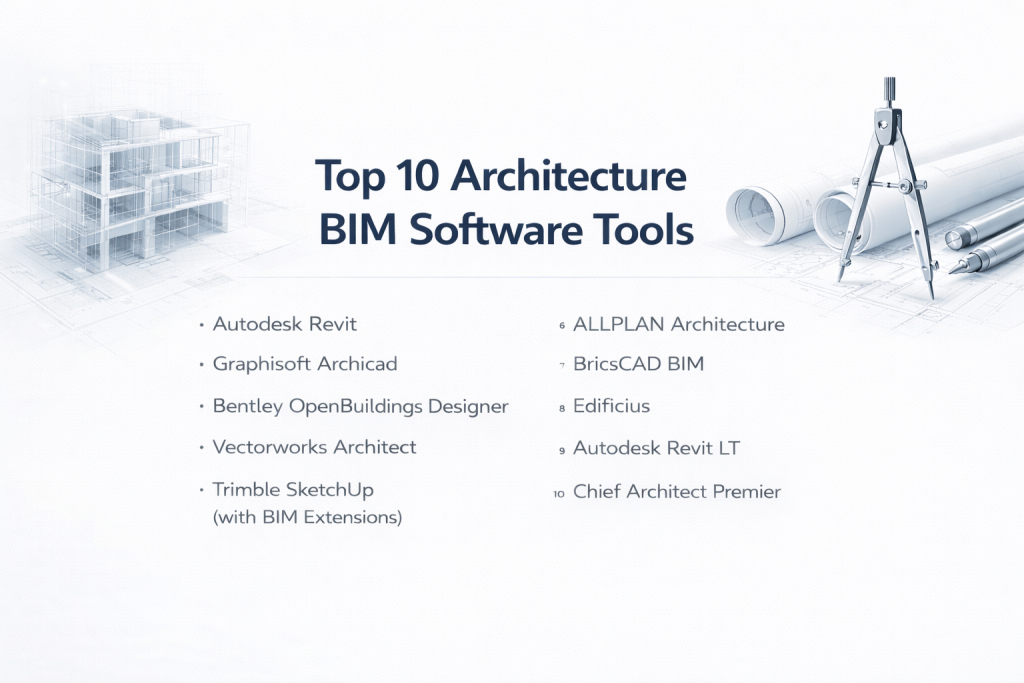
Top 10 Architecture BIM Software Tools
1 — Autodesk Revit
Short description: The undisputed industry standard for multidisciplinary Building Information Modeling. Revit is designed for architects, structural engineers, and MEP (Mechanical, Electrical, Plumbing) professionals to create coordinated, intelligent models for complex projects.
Key features:
- Parametric modeling where a change updates everywhere—plans, elevations, schedules—ensuring consistency.
- Integrated tools for architecture, structure, and MEP systems in one platform.
- Advanced clash detection and model coordination capabilities.
- 4D scheduling and 5D cost estimation simulation tools.
- Extensive library of customizable building components (“families”).
- Cloud collaboration through Autodesk BIM 360/Construction Cloud.
Pros:
- Unmatched industry adoption creates a vast talent pool and makes it a default requirement for many large projects.
- Extremely powerful and flexible for managing large, complex projects.
- Deep, seamless integration with the broader Autodesk AEC ecosystem (Navisworks, AutoCAD, etc.).
Cons:
- Very steep learning curve, especially for beginners.
- High licensing cost can be prohibitive for small firms or individuals.
- Can be hardware-intensive; performance may slow with very large models.
Security & compliance: Offers enterprise-grade security features including SSO, role-based access, encryption, and compliance with major global data protection standards. Specifics vary by deployment (desktop vs. cloud).
Support & community: Backed by extensive official documentation, a massive global user community, countless third-party training resources, and professional enterprise support plans.
2 — Graphisoft Archicad
Short description: A pioneer in BIM software, Archicad is renowned for its user-friendly interface and workflow optimized specifically for architects. It balances powerful BIM capabilities with a strong focus on the design process itself.
Key features:
- Intuitive 3D BIM modeling with a streamlined workflow for architects.
- Real-time collaboration via Graphisoft’s BIMcloud, allowing team members to work simultaneously.
- High-quality, built-in rendering engines (CineRender) for visualization.
- Strong support for the Open BIM workflow using the IFC standard.
- Automated documentation generation from the model.
Pros:
- Generally considered easier to learn and use than Revit, with a more designer-friendly interface.
- Excellent performance and stability on mid-to-large scale architectural projects.
- More affordable and flexible pricing tiers compared to some enterprise alternatives.
Cons:
- Ecosystem of third-party add-ons and extensions is smaller than Revit’s.
- Limited built-in tools for detailed MEP or structural engineering compared to full-suite competitors.
- Custom object creation has its own learning curve.
Security & compliance: Supports secure collaboration and access controls through BIMcloud. Complies with regional data protection requirements.
Support & community: Features good documentation, active and loyal user forums, professional training, and responsive vendor support.
3 — Bentley OpenBuildings Designer
Short description: A comprehensive BIM solution from Bentley Systems built for large-scale, infrastructure-heavy, and geometrically complex projects. It excels where architectural design intersects with complex engineering.
Key features:
- Advanced BIM modeling for complex structures and shapes.
- Integrated analysis and simulation tools.
- Exceptional handling of large datasets and models, such as airports, hospitals, and transportation hubs.
- Strong support for open standards and data interoperability.
- Part of Bentley’s integrated suite for full project lifecycle management.
Pros:
- Best-in-class for large, complex, and infrastructure-driven projects.
- Powerful engineering and analysis capabilities are baked into the design environment.
- Robust data management and scalability for enterprise-wide deployment.
Cons:
- Complex interface that can be daunting for new users or pure architects.
- High cost and significant setup complexity.
- Smaller architectural user community compared to Autodesk or Graphisoft.
Security & compliance: Enterprise-grade security with detailed audit logs, access controls, and compliance support tailored for large organizations and regulated sectors.
Support & community: Professional, direct enterprise support from Bentley, detailed documentation, and a specialized (though smaller) community of expert users.
4 — Vectorworks Architect
Short description: Vectorworks Architect uniquely combines flexible, powerful 2D drafting and 3D modeling with robust BIM capabilities. It’s a favorite among creative, design-focused architecture firms and landscape architects for its artistic freedom.
Key features:
- Hybrid 2D/3D workflow that doesn’t force a rigid BIM process from the start.
- Extremely flexible modeling tools for organic shapes and complex geometry.
- Integrated rendering and visualization tools.
- Comprehensive BIM data management and documentation tools.
- Strong site design and landscaping modules.
Pros:
- Unparalleled design flexibility, making it ideal for conceptual work and creative exploration.
- Easier transition from CAD for firms that value drafting precision alongside BIM.
- A single, cost-effective package covering multiple design disciplines (Architect, Landmark, Spotlight).
Cons:
- Native collaboration features are less mature than cloud-centric platforms.
- Performance can vary on extremely large, data-heavy building models.
- Less prevalent in large-scale, multi-firm collaborative projects compared to Revit.
Security & compliance: Offers standard security features. Enterprise compliance varies based on the firm’s own IT setup and deployment.
Support & community: Known for excellent documentation, responsive customer support, and an active, design-oriented user community.
5 — Trimble SketchUp (with BIM Extensions)
Short description: SketchUp is the king of intuitive, rapid 3D modeling. While not a native BIM platform, its extensive ecosystem of extensions (like Sefaira for analysis) allows it to support BIM-like workflows, especially in early-stage design.
Key features:
- Legendary push/pull modeling that is incredibly easy and fast to learn.
- Vast 3D Warehouse library of free, user-generated models.
- Extensible with numerous BIM, rendering, and analysis plugins.
- Cloud-based collaboration and model sharing options.
- Strong integration with Trimble’s construction hardware and software suite.
Pros:
- The gentlest learning curve of any tool listed here, perfect for visualization and concepts.
- Ideal for quick massing studies, schematic design, and client presentations.
- Offers a capable free version and relatively affordable paid plans.
Cons:
- Not a full, data-rich BIM platform natively; relies on add-ons for depth.
- Not suitable for generating detailed construction documentation or managing complex project data.
- Performance can degrade with very large, detailed models.
Security & compliance: Varies significantly depending on cloud service usage and the specific extensions employed.
Support & community: Boasts one of the largest and most enthusiastic user communities online, with endless tutorials, forums, and third-party resources.
6 — ALLPLAN Architecture
Short description: A BIM power tool from Nemetschek (Archicad’s parent company) with a strong reputation in Europe for precision, technical detailing, and integration between architecture and engineering.
Key features:
- High-precision BIM modeling with a focus on constructability and details.
- Excellent tools for reinforced concrete detailing and other structural integration.
- Comprehensive set of tools for creating detailed construction documentation.
- Support for Open BIM and collaborative workflows.
- Python-based scripting for automation and customization.
Pros:
- Superior precision and detailing capabilities, trusted for technically complex projects.
- Strong workflow integration between architects and structural engineers.
- Reliable and stable performance.
Cons:
- Smaller global user base and community outside of Europe.
- Interface can be less intuitive for beginners compared to more design-centric tools.
- Limited third-party ecosystem compared to market leaders.
Security & compliance: Supports secure data handling and is designed to comply with stringent European and international regulations.
Support & community: Provides professional, direct support, structured training programs, and a focused, knowledgeable user community.
7 — BricsCAD BIM
Short description: A unique contender that offers full BIM capabilities within a familiar CAD environment. It’s an excellent choice for firms deeply skilled in AutoCAD who want to transition to BIM without a complete workflow overhaul, featuring AI-assisted tools to speed up modeling.
Key features:
- Native BIM inside a .dwg-based CAD platform (like AutoCAD).
- AI-powered tools for automatic classification of geometry into BIM components.
- Strong hybrid 2D drafting and 3D BIM workflow.
- Perpetual license option in addition to subscriptions, offering cost predictability.
- Excellent compatibility with DWG and other common file formats.
Pros:
- Easiest BIM transition for existing AutoCAD users due to similar commands and interface.
- Exceptional value and cost-effectiveness compared to premium-tier software.
- Flexible licensing and a “no vendor lock-in” philosophy with open standards support.
Cons:
- Smaller BIM ecosystem and fewer specialized third-party add-ons.
- Collaboration and cloud-based workflow tools are less developed than in other platforms.
- Lower brand recognition can be a hurdle in collaborative projects demanding specific software.
Security & compliance: Provides standard data security features. Enterprise compliance depends on the customer’s own deployment and IT management.
Support & community: Good documentation, a growing and dedicated user community, and direct vendor support.
8 — Edificius
Short description: Developed by ACCA Software, Edificius is a BIM application that prioritizes simplicity, real-time visualization, and integrated cost estimation. It’s designed to make BIM accessible and visually compelling.
Key features:
- Intuitive BIM modeling interface aimed at reducing the learning curve.
- Real-time rendering and high-quality visualization integrated directly into the workspace.
- Built-in cost estimation tools that extract quantities and prices directly from the model.
- Parametric object libraries.
- Tools for creating virtual tours and presentations.
Pros:
- One of the easiest full-BIM platforms to learn and use, lowering the barrier to entry.
- Outstanding, integrated visualization helps communicate designs effectively with clients.
- The integrated cost estimation provides valuable financial insights early in the design phase.
Cons:
- Limited market presence and community outside of its core regions (like Europe).
- May not scale as effectively for extremely large, complex projects as enterprise tools.
- Fewer direct integrations with other common AEC software platforms.
Security & compliance: Standard data protection features are included. Compliance offerings vary based on the deployment method.
Support & community: Offers clear documentation, helpful tutorials, and direct support from the vendor.
9 — Autodesk Revit LT
Short description: A streamlined, more affordable version of the full Revit, designed for small architectural firms or solo practitioners who need core BIM modeling and documentation tools but don’t require advanced collaboration or multi-disciplinary features.
Key features:
- Core parametric BIM modeling and documentation tools from the full Revit.
- Ability to create detailed construction drawings, schedules, and sheets.
- Full compatibility with Revit (.rvt) files, allowing receipt and review of models from larger firms.
- Lightweight performance suitable for smaller projects.
Pros:
- Significantly lower cost than full Revit, providing a legitimate entry point to the platform.
- Familiar Revit interface and workflow, protecting your training investment if you upgrade later.
- Ideal for producing full BIM documentation for residential and small commercial projects.
Cons:
- Lacks multi-user collaboration (worksharing) and cloud collaboration tools.
- No in-place massing, advanced analysis, or MEP/structural engineering tools.
- Not suitable for teams or for participating in large, coordinated models.
Security & compliance: Carries standard application security features. Lacks the advanced administrative controls and enterprise compliance features of the full suite.
Support & community: Access to standard Autodesk documentation and general support forums, but not dedicated enterprise support.
10 — Chief Architect Premier
Short description: A BIM software highly specialized and optimized for residential design, including new homes, remodeling, and light commercial projects. It automates many construction-aware details specific to this sector.
Key features:
- Automated building tools that generate framing, roofs, and foundations based on design rules.
- Extensive libraries of manufacturer-specific cabinets, appliances, and fixtures.
- Powerful 3D visualization and walkthroughs tailored for client presentations.
- Automated generation of construction documents, material lists, and cost estimates.
- Terrain and site planning tools for residential lots.
Pros:
- Extremely efficient and fast for residential work, automating tedious drafting tasks.
- Shallow learning curve for builders and residential designers.
- Integrated visualization and estimating is powerful for the target market.
Cons:
- Not designed for large-scale commercial, institutional, or complex architectural projects.
- Limited flexibility for highly unconventional or non-standard construction methods.
- Small presence in the broader, non-residential AEC industry.
Security & compliance: Security and compliance features are generally managed at the user/office level and are not a primary focus of the software.
Support & community: Strong, specialized support network within the residential design and building community, with ample training resources for that niche.
Comparison Table
| Tool Name | Best For (Target User or Scenario) | Platform(s) Supported | Standout Feature | Rating |
|---|---|---|---|---|
| Autodesk Revit | Large, multi-disciplinary firms; complex commercial/infrastructure projects | Windows | Industry Standard & Multidisciplinary Depth | N/A |
| Graphisoft Archicad | Design-focused architectural firms; balanced power & usability | Windows, macOS | Optimized Architectural Workflow & BIMcloud | N/A |
| Bentley OpenBuildings | Large-scale, infrastructure-heavy, & geometrically complex projects | Windows | Handling Extreme Model Size & Complexity | N/A |
| Vectorworks Architect | Creative, design-centric studios; hybrid 2D/3D workflows | Windows, macOS | Unmatched Design Flexibility & Artistic Control | N/A |
| Trimble SketchUp | Early-stage conceptual design, massing studies, & visualization | Web, Windows, macOS | Unbeatable Ease of Use & Speed for Concepts | N/A |
| ALLPLAN Architecture | Technical detailing; projects requiring high precision & constructability | Windows | Precision Engineering & Architectural Detailing | N/A |
| BricsCAD BIM | AutoCAD users transitioning to BIM; budget-conscious value seekers | Windows, Linux | AI-Powered BIM in a Familiar CAD Environment | N/A |
| Edificius | Firms prioritizing visualization & accessible BIM for smaller projects | Windows | Integrated Real-Time Rendering & Cost Estimation | N/A |
| Revit LT | Solo practitioners & small firms doing residential/small commercial | Windows | Affordable Entry Point to the Revit Ecosystem | N/A |
| Chief Architect | Residential designers, home builders, & remodeling specialists | Windows, macOS | Automated Residential Design & Construction Tools | N/A |
Evaluation & Scoring of Architecture BIM Software
Use the following weighted rubric to systematically compare and score shortlisted software against your firm’s priorities.
Which Architecture BIM Software Tool Is Right for You?
- Solo Users & Very Small Firms: Prioritize affordability and a manageable learning curve. Revit LT offers a reputable path, while BricsCAD BIM provides great value with perpetual licensing. For purely residential work, Chief Architect is purpose-built and highly efficient.
- Small to Mid-Sized Businesses (SMBs): Look for a balance of professional capability, cost, and scalability. Archicad and Vectorworks are excellent choices here, offering strong BIM features in a designer-friendly package. Edificius is a compelling option if visualization and cost control are primary drivers.
- Mid-Market to Large Enterprises: Focus on robust collaboration, handling large models, and multi-disciplinary coordination. Autodesk Revit is the default standard for a reason. For the most complex, infrastructure-scale projects, Bentley OpenBuildings Designer is a powerhouse. At this level, the software decision is strategic and often influenced by project and client requirements.
- Specialized Scenarios: For early concept design, nothing beats the speed of SketchUp. For technical precision and detailing, particularly in concrete, ALLPLAN is a top choice.
Additional Decision Drivers:
- Budget vs. Premium: Tools like BricsCAD BIM and Revit LT provide conscious entry points. Premium platforms like Revit and OpenBuildings justify their cost with unparalleled depth and interoperability, which is essential for large teams.
- Feature Depth vs. Ease of Use: You often trade one for the other. SketchUp is easiest but lacks native BIM depth. Revit has immense depth but a steep climb. Archicad and Vectorworks strive to strike the best balance for architects.
- Integration & Scalability Needs: If you work with a broad ecosystem of consultants using Autodesk, Revit minimizes friction. For future growth, consider cloud collaboration capabilities (like Archicad’s BIMcloud or Revit + BIM 360).
- Security & Compliance: For large enterprises or public-sector work, enterprise-grade security, audit trails, and compliance certifications are non-negotiable and will narrow your choices to the major platform vendors.
Frequently Asked Questions (FAQs)
1. Is BIM software difficult to learn?
It varies by tool, but there is generally a learning curve. Platforms like SketchUp and Chief Architect are relatively easy, while Revit and OpenBuildings have a steeper curve due to their power and complexity. Investment in training is crucial for success.
2. What’s the difference between BIM software and CAD software like AutoCAD?
CAD (Computer-Aided Design) primarily creates 2D lines and 3D geometry. BIM (Building Information Modeling) creates intelligent objects with embedded data (materials, cost, performance) that are interconnected, enabling coordination, simulation, and data management throughout a building’s life cycle.
3. Can BIM software really help reduce construction costs?
Yes, significantly. By enabling accurate quantity takeoffs, early clash detection to avoid rework, and improved project planning, BIM helps control costs and reduce waste. Studies show it can lead to major savings by identifying problems in the virtual model rather than on the construction site.
4. Is BIM only for large architecture firms?
No. While large firms were early adopters, BIM tools now scale for all firm sizes. Solutions like Revit LT, Archicad Solo, and BricsCAD BIM offer professional BIM capabilities at a lower cost, making it accessible for small firms and solo practitioners.
5. Do I need a powerful computer to run BIM software?
Yes, this is important. BIM models are data-heavy. A dedicated graphics card (GPU), a fast multi-core processor (CPU), and ample RAM (32GB or more is recommended for professional work) are essential for a smooth experience, especially on complex projects.
6. What is “4D” and “5D” BIM?
These are dimensions of information added to the 3D model. 4D BIM links model components to a project schedule, allowing construction sequencing simulation. 5D BIM incorporates cost data, enabling real-time cost estimation and budgeting.
7. What is the biggest mistake firms make when choosing BIM software?
Choosing based solely on a list of features or brand name without considering their team’s existing workflow, the learning investment required, the long-term total cost of ownership, and the software used by their most frequent collaborators.
8. Are there good BIM options for Apple Mac users?
Yes. Graphisoft Archicad and Vectorworks Architect are fully native macOS applications. SketchUp also runs natively. However, Autodesk Revit and Bentley OpenBuildings Designer are Windows-only, though they can be run on Macs using Boot Camp or virtualization software.
9. What is “Open BIM”?
Open BIM is a universal approach to collaborative design using open standards like IFC (Industry Foundation Classes). It allows different software applications (e.g., Archicad for architecture, Tekla for structure) to share model data without being from the same vendor, promoting interoperability and reducing vendor lock-in.
10. Can I switch BIM software later if needed?
Yes, but it is challenging. While open standards like IFC allow basic geometry and data transfer, the intelligent parametric relationships, family structures, and detailed workflow customization typically do not transfer. Switching also requires significant time and financial investment in retraining your team.
Conclusion
The landscape of Architecture BIM software in 2026 offers powerful, specialized solutions for every type of practice and project. From the accessible, visualization-focused tools like Edificius to the industry-dominating power of Autodesk Revit and the large-project prowess of Bentley OpenBuildings Designer, the right choice can dramatically elevate your firm’s efficiency, creativity, and bottom line.
Remember, the “best” software is not a universal title. It is the tool that most closely aligns with your specific project types, firm size, team skills, budget, and collaboration needs. Prioritize a solution that not only has the features you need today but also possesses the scalability, interoperability, and support structure to grow with you into the future.
Investing time in a thorough evaluation—using the criteria and decision guides provided here—is an investment in your firm’s future productivity and success. In the modern AEC industry, your BIM software is more than just a tool; it is the central nervous system of your projects and a critical foundation for delivering exceptional built environments.