Introduction
Appointment scheduling software is a digital tool that allows businesses and individuals to manage bookings, meetings, and appointments online. Instead of playing phone tag or sending endless back-and-forth emails to find a time, this software gives clients a link to your live calendar. They can see your availability in real-time and book a slot that works for both of you, instantly and automatically.
This automation is incredibly important because it saves massive amounts of administrative time, reduces costly no-shows with automated reminders, and provides a modern, professional experience for your clients. It turns the tedious process of scheduling into a seamless, self-service interaction.
In everyday use, this software is essential for service professionals like therapists, consultants, and trainers to manage client sessions; for healthcare providers to schedule patient visits; for salons and spas to book beauty treatments; and for sales and recruitment teams to streamline interview calendars. When choosing a tool, key things to look for include: calendar integration (with Google, Outlook, etc.), customization options for your booking page, automated reminder systems (SMS/email), payment processing capabilities for deposits, group booking features, and its ability to scale from a solo practitioner to a multi-staff operation.
Best for: This software is a game-changer for entrepreneurs, solo practitioners, small to medium-sized business owners, administrative staff, salespeople, and customer-facing teams across industries like healthcare, professional services, beauty, wellness, education, and finance.
Not ideal for: Businesses that only schedule internal meetings (where a shared team calendar may suffice) or for events that require complex, multi-day registration with ticketing tiers (a dedicated event platform is better). It’s also overkill for someone with a very simple, static schedule.
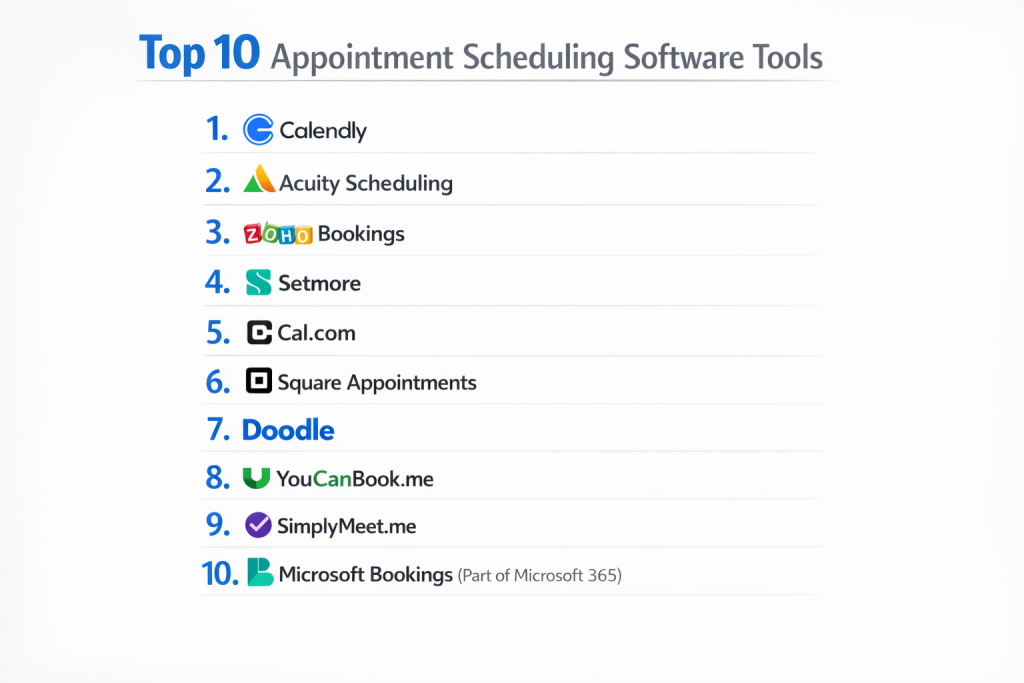
Top 10 Appointment Scheduling Software Tools
This guide explores the leading platforms that automate the booking process and reclaim your time.
1 — Calendly
Calendly is arguably the most widely recognized scheduling tool. It’s known for its simplicity, clean design, and focus on making one-on-one and group meeting scheduling effortless for professionals and teams.
Key features:
- Intuitive Link Scheduling: Share a single, for others to book time with you.
- Automated Time Zone Detection: Automatically adjusts meeting times for you and your invitee.
- Workflow Automations: Connect to tools like Zoom to auto-generate meeting links and to CRMs like Salesforce to log meetings.
- Group Events: Schedule collective events like webinars or roundtables where multiple people can book one slot.
- Buffer Times & Minimum Notice: Set gaps between meetings and prevent last-minute bookings.
- Integrations: Deep connections with Google Calendar, Outlook, Salesforce, Zoom, and many more.
Pros:
- Extremely easy to set up and use, with almost no learning curve for you or your clients.
- The most widely recognized brand, so clients often already know how it works.
- Reliable and consistently performs well.
Cons:
- Advanced customization of the booking page and workflow logic can be limited on lower-tier plans.
- Can become expensive for teams, as each user needs a seat on a paid plan.
- Primarily focused on meeting scheduling, with less emphasis on complex service-based bookings (like classes or multi-step appointments).
Security & compliance: Offers enterprise-grade security features like SSO (Single Sign-On), data encryption, and complies with GDPR and HIPAA on its Enterprise plan.
Support & community: Provides email support and a comprehensive help center. A large user community means many questions are already answered online.
2 — Acuity Scheduling (by Squarespace)
Acuity Scheduling is a powerful and highly customizable tool now owned by Squarespace. It’s a favorite among solo entrepreneurs and small businesses in the wellness and creative spaces who need strong client management and payment features.
Key features:
- Highly Customizable Intake Forms: Collect detailed information (like health history or project briefs) before an appointment.
- Integrated Payments: Accept deposits or full payments at the time of booking via Stripe, Square, or PayPal.
- Client Management: Robust client profiles, package sales (e.g., a pack of 5 sessions), and membership subscriptions.
- Flexible Scheduling Types: Supports one-on-one, group classes, and even resource scheduling (like renting a room).
- Branding Control: Match the scheduler look and feel closely to your website, especially if you use Squarespace.
- Automated Follow-ups: Send personalized emails or forms after appointments.
Pros:
- Unmatched flexibility for customizing the client intake and payment process.
- Excellent for selling packages and memberships, not just single appointments.
- Powerful as a standalone client management hub for service businesses.
Cons:
- The interface, while powerful, can feel a bit more complex and less minimalist than Calendly.
- Some users report the mobile app experience for clients can be clunky.
- Integrations, while good, are not as vast as some competitors.
Security & compliance: Uses SSL encryption and is PCI compliant for payments. Squarespace states GDPR compliance. HIPAA compliance is not explicitly advertised.
Support & community: Offers 24/7 email support and live chat for higher-tier plans. Has a strong user base within the Squarespace ecosystem.
3 — Square Appointments
Square Appointments is deeply integrated into the Square point-of-sale ecosystem. It’s the natural choice for brick-and-mortar businesses like salons, barbershops, spas, and repair services that also use Square for payments, inventory, and payroll.
Key features:
- Full POS Integration: Seamlessly connects appointment bookings with checkout, inventory, and customer profiles in Square.
- Staff Management & Payroll: Manage employee schedules, commissions, and even process payroll.
- Waitlists & Online Booking: Clients can book online 24/7, or join a waitlist for last-minute cancellations.
- Client Management: Tracks client history, notes, preferences, and purchase history all in one place.
- Marketing Tools: Integrated email and SMS marketing to send promotions to your client list.
- Free Plan: Offers a surprisingly robust free plan for a single user.
Pros:
- The best all-in-one solution if you already use or plan to use Square’s ecosystem for payments and business management.
- Excellent for multi-staff, location-based service businesses.
- The free plan is one of the best in the industry for getting started.
Cons:
- Less ideal for virtual meetings or professional services; it’s optimized for in-person, point-of-sale businesses.
- Can feel restrictive if you don’t want to be locked into the Square ecosystem.
- Customization and advanced automations outside of Square’s workflow are limited.
Security & compliance: As a major financial services provider, Square has robust security (PCI DSS Level 1 compliance) and data encryption. GDPR tools are available.
Support & community: Support is available via phone, email, and chat. A massive community of small businesses uses Square.
4 — Setmore
Setmore is a straightforward, affordable scheduling app that’s particularly popular among small service businesses like therapists, tutors, and fitness instructors. It emphasizes simplicity and value.
Key features:
- Free Forever Plan: Offers a very functional free plan for up to 4 staff members, which is rare.
- Video Appointments: Built-in teleconferencing for virtual appointments.
- Class Scheduling: Easy to set up and manage recurring classes or group sessions.
- Customer Reminders: Automated SMS and email reminders to reduce no-shows.
- Payments: Accept payments via Stripe, Square, or PayPal.
- Mobile Apps: Reliable apps for both businesses and clients on iOS and Android.
Pros:
- Exceptional value, especially with its generous free tier.
- Very easy to understand and set up, even for non-technical users.
- Covers all the core features most small businesses need without complexity.
Cons:
- The design and user interface can feel a bit dated compared to sleeker competitors.
- Advanced reporting and customization options are more limited.
- Primarily a scheduling tool, not a deep business management suite.
Security & compliance: Uses standard SSL encryption. Complies with GDPR. Specific high-level certifications like SOC 2 are not typically advertised for this tier of software.
Support & community: Provides support through email, chat, and phone. Has a loyal user base that appreciates its simplicity.
5 — Doodle
Doodle takes a different approach. It’s designed primarily for polling a group to find the best meeting time, rather than for clients to book a service from a fixed calendar. It’s the go-to tool for scheduling internal team meetings, committee gatherings, or any event where multiple people’s availability is unknown.
Key features:
- Group Polling: Create a poll with multiple time options and let participants vote on what works for them.
- 1:1 Meetings: Also offers a simpler “Bookable Calendar” feature for one-on-one scheduling.
- Calendar Integration: Checks your connected calendar for conflicts when proposing times.
- Deadline Setting: Set a deadline for poll responses to force a decision.
- Anonymous Participation: Participants don’t need a Doodle account to vote on a poll.
- Team Management: Manage team calendars and set up group scheduling pages.
Pros:
- The absolute best tool for its core use case: finding a common time among many busy people.
- Extremely simple for participants—no accounts or logins required for basic polls.
- Saves countless administrative hours coordinating group availability.
Cons:
- Not designed for service-based booking, payments, or client management.
- The “Bookable Calendar” feature is basic compared to dedicated tools like Calendly.
- The free version includes ads on your polling pages.
Security & compliance: Basic security for a meeting poll tool. Enterprise plans offer more control and security features. GDPR compliant.
Support & community: Support is available, but the product is simple enough that extensive support is rarely needed. Universally used in corporate and organizational settings.
6 — Microsoft Bookings
Microsoft Bookings is a native scheduling tool built into the Microsoft 365 ecosystem. It’s ideal for businesses, schools, and organizations that are fully invested in Microsoft’s suite (Outlook, Teams, SharePoint).
Key features:
- Deep Microsoft Integration: Seamlessly integrates with Outlook calendars and uses Microsoft Teams for virtual appointments.
- Staff Management: Easily manage multiple staff calendars and resources within your organization.
- Customizable Business Page: Create a public-facing booking page that matches your brand.
- Automated Reminders: Sends email confirmations and reminders via Outlook.
- Reporting: Basic reporting on bookings and staff performance within the Microsoft admin center.
- Included in Plans: Often included at no extra cost with Microsoft 365 Business Standard/Premium plans.
Pros:
- If you live in Microsoft 365, it’s a seamless, cost-effective addition with no new logins.
- Virtual appointments via Teams are incredibly smooth for internal or external meetings.
- Easy to manage across an organization with existing Microsoft user accounts.
Cons:
- Limited third-party integrations outside the Microsoft ecosystem.
- Lacks sophisticated payment processing and advanced client management features.
- The booking page design options are more limited than standalone tools.
Security & compliance: Inherits the enterprise-grade security, compliance (including HIPAA), and data residency guarantees of the Microsoft 365 cloud.
Support & community: Supported through standard Microsoft 365 support channels. Documentation is good for Microsoft-centric admins.
7 — SimplyBook.me
SimplyBook.me is a highly customizable and feature-rich platform aimed at small to medium-sized businesses that need a professional online presence and advanced booking logic.
Key features:
- Extensive Customization: Highly flexible booking page design, intake forms, and email/SMS notifications.
- Wide Range of Plugins: Offers add-ons for things like gift cards, membership plans, deposits, and even a website builder.
- Booking Logic: Supports complex rules like resource allocation (rooms, equipment), staff-specific services, and buffer times.
- Client App: Provides a custom-branded mobile app for your clients to book and manage appointments.
- Multi-Location & Multi-Lingual: Strong support for businesses with multiple locations and international clients.
- Marketing Features: Built-in coupons, loyalty programs, and promotional tools.
Pros:
- Possibly the most customizable platform in its class, letting you tailor almost every aspect.
- The “pay for what you need” plugin model can be cost-effective.
- Excellent for businesses with complex service structures or multiple resources.
Cons:
- The sheer number of options can be overwhelming and requires time to configure correctly.
- The user interface for setup is not the most modern or intuitive.
- The base fee plus plugins can add up.
Security & compliance: Offers SSL, data encryption, and is GDPR compliant. Specific certifications like HIPAA should be verified.
Support & community: Provides email and chat support. Has a dedicated user base that values its flexibility.
8 — Appointlet
Appointlet (by SurveyMonkey) is designed with sales and marketing teams in mind. It focuses on converting website visitors into booked meetings by embedding schedulers directly into marketing campaigns and websites.
Key features:
- Campaign-Based Scheduling: Create unique booking links for specific marketing campaigns (e.g., a webinar follow-up or a demo offer).
- Website Embedding: Easy to embed as a button or inline widget on your website to capture leads.
- Lead Capture & Qualification: Use custom forms to qualify leads before they can book.
- CRM Integrations: Deep, two-way sync with Salesforce, HubSpot, and Pipedrive to turn appointments into pipeline.
- Team Round-Robin: Distribute incoming meeting requests evenly among a team.
- Analytics: Tracks which campaigns and web pages are generating the most booked meetings.
Pros:
- Excellent for lead generation and tying marketing efforts directly to sales appointments.
- Very clean, conversion-optimized design for the booking page.
- Strong integrations for sales-driven organizations.
Cons:
- Less suited for complex service businesses (salons, healthcare) that need client management and payments.
- The feature set is very focused on the top-of-funnel booking process.
- Can be pricey for larger teams.
Security & compliance: As part of SurveyMonkey, it employs standard security practices and is GDPR compliant. SOC 2 certification is likely.
Support & community: Support is provided via email and chat. Caters to a more sales-savvy user base.
9 — Fresha
Fresha (formerly Shedul) is a powerful, free-to-use platform exclusively for the beauty and wellness industry (salons, spas, barbers). It combines scheduling with a full point-of-sale, client management, and marketing suite.
Key features:
- Free Core Software: The appointment book, point-of-sale, and client database are completely free.
- Industry-Specific Tools: Built for services, staff commissions, retail inventory, and package management.
- Fresha Marketplace: A built-in directory where clients can discover and book local beauty businesses.
- Integrated Payments: Process card payments and track cash/other payments through the POS.
- Marketing Suite: Send promotions, automated reminders, and review requests to clients.
- Staff App: Dedicated app for staff to manage their schedule and services.
Pros:
- Unbeatable price (free) for a full-featured management system in its target industry.
- All-in-one solution eliminates the need to stitch together multiple software tools.
- The marketplace can provide valuable new client exposure.
Cons:
- Only makes sense for beauty, wellness, and similar personal care businesses.
- Revenue comes from payment processing fees and premium add-ons, so the business model is tied to your transaction volume.
- Some businesses may prefer not to be listed in a public marketplace.
Security & compliance: As a payment processor, it must be PCI compliant. Specific security certifications should be reviewed, especially for a free product.
Support & community: Offers support primarily through the app and online resources. Has a massive global user base in the beauty industry.
10 — vcita
vcita is more than just a scheduler; it’s an all-in-one client engagement and business management platform for small service businesses. It bundles scheduling, billing, messaging, and a client portal into one tool.
Key features:
- Unified Client Management: Combines scheduling, invoicing, payment processing, and client communication in one place.
- Client Portal: Provides clients with a secure portal to book, pay, message, and see their documents.
- Online Invoicing & Payments: Create and send invoices, accept online payments, and track expenses.
- Marketing Campaigns: Run email and SMS marketing campaigns to your client list.
- Document Sharing: Securely send and store contracts, proposals, and other files with clients.
- Mobile Business App: Manage your entire business from your phone.
Pros:
- Ideal for solo service providers (coaches, consultants, freelancers) who want to manage their entire client lifecycle in one system.
- Eliminates the need for separate scheduling, invoicing, and communication tools.
- The client portal provides a very professional, branded experience.
Cons:
- Can feel overwhelming if you only need a simple scheduler.
- The depth of each individual feature (like scheduling) may not match best-in-class standalone tools.
- Pricing is higher, reflecting the broad suite of features.
Security & compliance: Employs bank-level security and encryption. States GDPR compliance. Specific enterprise certifications should be verified.
Support & community: Provides phone, email, and chat support. Caters to small business owners looking for an integrated solution.
Comparison Table
| Tool Name | Best For (Target User or Scenario) | Platform(s) Supported | Standout Feature | Rating |
|---|---|---|---|---|
| Calendly | Professionals & teams needing simple, elegant meeting scheduling | Web, Mobile | Market Leader for Simplicity & Recognition | N/A |
| Acuity Scheduling | Solo service pros needing intake forms, payments, & packages | Web, Mobile | Best Customization for Client Intake & Packages | N/A |
| Square Appointments | Brick-and-mortar service biz using Square POS | Web, Mobile, POS | Deep POS Integration & Free Solo Plan | N/A |
| Setmore | Small businesses wanting a great free plan & core features | Web, Mobile | Best Free Tier for Multiple Staff | N/A |
| Doodle | Groups finding a common meeting time (polls) | Web, Mobile | Best for Group Polling & Coordination | N/A |
| Microsoft Bookings | Organizations fully invested in Microsoft 365/Teams | Web, Teams | Seamless Microsoft 365 & Teams Integration | N/A |
| SimplyBook.me | Businesses needing high customization & complex rules | Web, Mobile | Most Customizable Platform & Plugin Library | N/A |
| Appointlet | Sales & marketing teams converting leads to meetings | Web | Campaign-Based Scheduling for Lead Gen | N/A |
| Fresha | Beauty, salon, spa, wellness businesses | Web, Mobile, POS | Free Full-Featured Platform for Beauty Industry | N/A |
| vcita | Solo service providers wanting an all-in-one client hub | Web, Mobile | Unified Client Portal & Business Management Suite | N/A |
Evaluation & Scoring of Appointment Scheduling Software
To find your perfect match, score each option from 1 (Poor) to 5 (Excellent) based on your specific business needs.
| Evaluation Criteria | Weight | Score (1-5) | Weighted Score | Notes on What to Look For |
|---|---|---|---|---|
| Core Features | 25% | Does it handle your booking type (1:1, groups, classes)? Does it have reminders, payments, intake forms? | ||
| Ease of Use | 15% | Is it easy for YOU to set up and for YOUR CLIENTS to book without confusion? | ||
| Integrations & Ecosystem | 15% | Does it connect to your calendar, video tool, CRM, payment processor, and website? | ||
| Security & Compliance | 10% | If you handle sensitive data (health, finance), does it offer necessary compliance (HIPAA, etc.)? | ||
| Performance & Reliability | 10% | Is the platform always up? Are bookings and reminders sent reliably? | ||
| Support & Community | 10% | Can you get help when you need it? Are there resources for your industry? | ||
| Price / Value | 15% | Does the pricing model (per user, per feature) fit your budget as you grow? | ||
| TOTAL SCORE | 100% | /100 |
Which Appointment Scheduling Software Is Right for You?
Your choice depends on your business model, team size, and what you need beyond just booking a time.
- Solo Professionals & Entrepreneurs: If you need simplicity for client calls, choose Calendly. If you need custom forms and packages, choose Acuity. If you want an all-in-one client hub, look at vcita.
- Small Service Businesses (Salons, Clinics, Studios): For beauty/wellness, Fresha is the specialist. For general services using Square, go with Square Appointments. For maximum customization, consider SimplyBook.me. For great value, Setmore is fantastic.
- Sales, Marketing & Recruitment Teams: Your goal is lead conversion. Calendly is a standard. Appointlet is built for marketing campaigns. Doodle is essential for internal/panel scheduling.
- Enterprises & Microsoft/Google Organizations: If you’re a Microsoft 365 shop, Microsoft Bookings is the logical, secure choice. Large teams often standardize on Calendly for its ease and widespread recognition.
- Budget-Conscious vs. Premium: Setmore and Fresha have outstanding free plans. Square Appointments also has a free tier. Calendly and Acuity offer good mid-range value. vcita and enterprise plans are at the higher end for broader suites.
- Feature Depth vs. Ease of Use: Calendly and Doodle win on ease. Acuity, SimplyBook.me, and vcita offer immense depth and customization. The key is not to overbuy complexity you won’t use.
- Integration Needs: If you live in Salesforce or HubSpot, check Calendly or Appointlet. In Microsoft 365, use Bookings. With Square, use Square Appointments. For Zoom and Google Workspace, almost all major tools integrate well.
- Security & Compliance Requirements: For healthcare (HIPAA), you need a compliant tool like Calendly Enterprise or Acuity (confirm directly). For general business, standard data encryption and GDPR readiness are common. Always verify with the vendor.
Frequently Asked Questions (FAQs)
1. What’s the biggest benefit of using scheduling software?
Reclaiming your time. It eliminates the administrative back-and-forth, reduces no-shows with automated reminders, and lets clients book 24/7, even when you’re asleep. This allows you to focus on delivering your service, not managing your calendar.
2. Can I accept payments when clients book?
Yes, most serious scheduling tools integrate with payment processors like Stripe, Square, or PayPal. This allows you to require a deposit or full payment to secure an appointment, which drastically reduces last-minute cancellations.
3. How do I prevent double bookings?
The software syncs directly with your digital calendar (Google Calendar, Outlook, etc.). When a client books a time, that slot is immediately marked as “busy” in your calendar, preventing anyone else (or yourself) from accidentally booking over it.
4. Is it rude to send automated reminders?
Quite the opposite. Clients appreciate them! Automated SMS and email reminders are a professional courtesy that reduce forgotten appointments. You can usually customize the timing and tone to be friendly and helpful.
5. What if a client needs to reschedule or cancel?
With most software, the confirmation email includes a link for the client to reschedule or cancel themselves based on your policies (e.g., cancellations allowed up to 24 hours in advance). This automation handles a common administrative task for you.
6. Can I use it to schedule group events or classes?
Absolutely. Look for “Group Scheduling” or “Collective Events” features. This allows multiple people to book one slot (like a webinar) or lets individuals book into a recurring class series. Acuity, Setmore, and SimplyBook.me are particularly strong here.
7. How do I embed the scheduler on my website?
Every tool provides an embed code or a direct link you can add to your website, usually as a “Book Now” button. Some, like Appointlet, are specifically designed to be embedded seamlessly into your site’s layout for maximum conversions.
8. What’s the difference between a scheduling app and a CRM?
A scheduling app focuses on the booking process. A CRM (Customer Relationship Management) tool manages all client interactions, sales pipelines, and marketing. Many scheduling apps integrate with CRMs, and some (like vcita) blend the two for small businesses.
9. How do I choose between the many free plans?
Look at limitations. A free plan might limit the number of appointments per month, the features (like payments), or the number of staff members. Setmore’s free plan for 4 staff is great for small teams. Fresha’s free plan is unbeatable for its target industry.
10. What’s a common mistake when setting up a scheduler?
Not customizing your availability and buffers. Don’t just connect your calendar and go live. Set buffer times between appointments to avoid burnout, define your working hours, and use the minimum notice setting to prevent bookings 5 minutes before you finish for the day. This protects your time.
Conclusion
Choosing the right appointment scheduling software is a small decision with an outsized impact on your daily productivity and professional image. The ideal tool acts as a silent partner, handling the logistics of time so you can focus on the work that matters most.
Remember, the “best” software is not the one with the most features, but the one that fits seamlessly into your workflow and solves your specific pain points. A sales team needs lead conversion tools, a therapist needs secure intake forms, and a salon needs POS integration. Your business model should dictate your choice.
By taking the time to understand your core needs—be it simplicity, payments, client management, or deep integrations—you can select a platform that not only fills your calendar but does so in a way that enhances your efficiency, boosts your revenue, and delights your clients from the very first click. The right scheduler is an investment that pays for itself many times over in reclaimed hours and improved client experiences.