Introduction
An Application Lifecycle Management (ALM) suite is an integrated platform that manages the entire lifecycle of a software application—from initial planning and requirements gathering, through development and testing, to deployment, maintenance, and eventual retirement. It’s not a single tool, but a cohesive ecosystem that connects the work of product managers, business analysts, developers, testers, and operations teams. Think of it as the unified operating system for delivering software.
This software is critically important because modern software development is a complex, collaborative marathon, not a solo sprint. Disconnected tools for planning (Jira), code (GitHub), testing (Selenium), and deployment (Jenkins) create information silos, handoff delays, and quality gaps. An ALM suite breaks down these barriers. It ensures traceability from a business requirement to the specific code change that implemented it and the test case that validated it. This transparency accelerates delivery, improves quality, ensures compliance, and provides leadership with a real-time, holistic view of project health and risk.
Key real-world use cases include: A medical device company tracing a software requirement through design, code, testing, and regulatory submission for FDA audit. A financial services firm ensuring that a new feature meets strict compliance rules before deployment to production. A large distributed team coordinating a major release, with automated gates between development, security scanning, and staging. A product manager prioritizing a backlog while seeing the real-time impact of those decisions on development capacity and testing timelines.
When choosing an ALM suite, users should prioritize several key criteria. End-to-End Traceability is the core value—can you link requirements, work items, code commits, test cases, and defects? Integrated Toolchain Coverage should encompass planning, development, testing, and deployment/release. Customization and Flexibility are needed to adapt to your specific SDLC (Waterfall, Agile, Hybrid). Reporting and Analytics must provide portfolio-level insights. Finally, evaluate vendor stability and support, security and compliance features, and the platform’s openness and integration capabilities with existing tools.
Best for: ALM suites deliver maximum value to large enterprises, regulated industries, and organizations with complex, mission-critical software delivery. Key users include Enterprise Architects, VPs of Engineering, Program Managers, QA Directors, and DevOps/DevSecOps leaders. Industries like aerospace, automotive, medical devices, financial services, and enterprise software, where quality, compliance, and risk management are paramount, are the primary beneficiaries.
Not ideal for: Small startups, solo developers, or teams working on simple, non-critical internal tools. The overhead, cost, and complexity of a full ALM suite would stifle agility and be overkill. These teams are better served by lightweight, best-of-breed tool combinations (e.g., GitHub Projects for planning, GitHub for code, a separate CI/CD tool). Teams using pure, lightweight Agile for customer-facing web apps may also find full ALM suites too process-heavy.
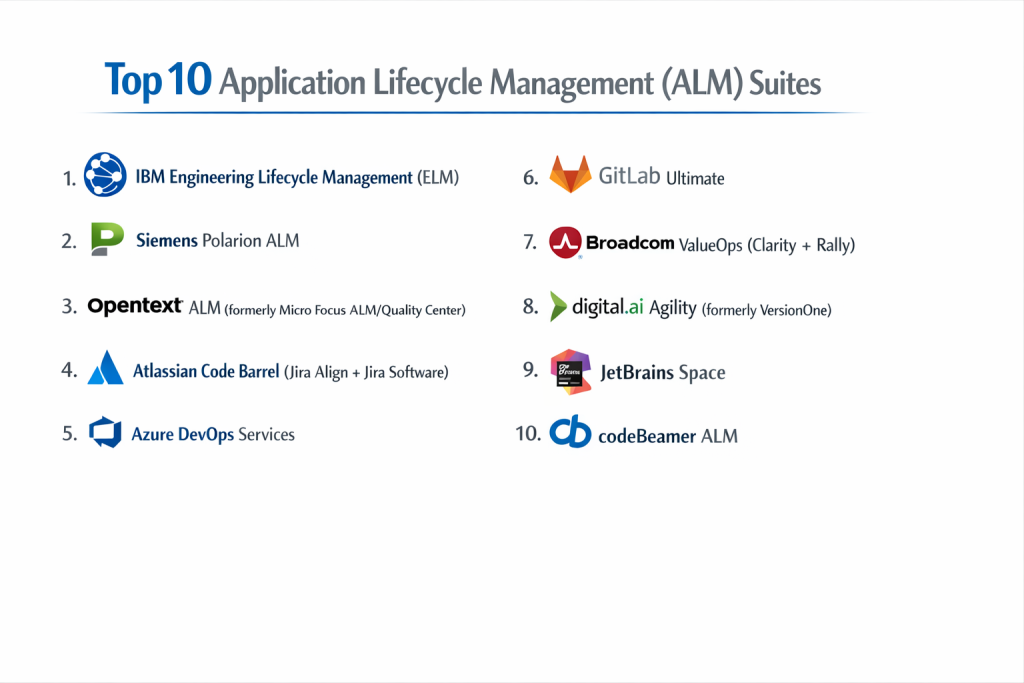
Top 10 Application Lifecycle Management (ALM) Suites
1 — IBM Engineering Lifecycle Management (ELM)
IBM Engineering Lifecycle Management is a comprehensive, heavyweight ALM suite designed for large, highly regulated enterprises. It is the gold standard for industries like automotive, aerospace, medical devices, and finance where rigorous process, safety standards (ISO 26262, DO-178C), and audit trails are non-negotiable.
Key features:
- End-to-End Requirements & Traceability: Powerful requirements management (DOORS Next) with bi-directional traceability to design models, code, test cases, and risks.
- Systems Engineering & Modeling Integration: Native integration with systems modeling tools (Rhapsody) for Model-Based Systems Engineering (MBSE).
- Quality Management (Test Management): Comprehensive test planning, execution, and defect management with detailed reporting for compliance audits.
- Change & Configuration Management: Robust change request workflows and configuration management for baselining artifacts.
- Regulatory Compliance Frameworks: Pre-configured templates and processes for standards like ISO 26262, ASPICE, IEC 62304, and DO-178C.
- On-Premise and Cloud Deployment: Offers flexible deployment options, including private cloud, for data-sensitive industries.
Pros:
- Unmatched for Regulated Industries: The most comprehensive solution for safety-critical and compliance-driven development, with proven validation in the most demanding environments.
- Deep Traceability and Governance: Provides an ironclad audit trail and governance model that is essential for certification and liability management.
Cons:
- Extremely High Cost and Complexity: One of the most expensive and complex suites on the market, requiring significant investment, training, and dedicated administration.
- Steep Learning Curve and Process-Heavy: Can feel rigid and slow, potentially hindering agility. The user interface is often criticized as dated.
Security & compliance: Enterprise-grade with a focus on certifications relevant to its verticals. Offers robust access controls, audit logs, and deployment options for air-gapped environments.
Support & community: Backed by IBM’s global professional services and support. Has a strong, albeit niche, community within systems engineering and regulated development circles.
2 — Siemens Polarion ALM
Siemens Polarion is a unified, web-based ALM platform known for its strong requirements management and real-time collaboration features. It serves complex engineering projects, particularly in manufacturing, automotive, and energy, where requirements are paramount.
Key features:
- Unified Web-Based Platform: All ALM functions (requirements, tests, risks, tasks) exist as “work items” in a single, live repository, enabling real-time collaboration.
- Live Requirements Management: Full-featured requirements authoring, baselining, and impact analysis with dynamic traceability matrices.
- Integrated Document Management: Manages Office documents and PDFs within the ALM workflow, with version control and approval workflows.
- Agile and Waterfall Support: Supports both structured and agile methodologies with customizable workflows and dashboards.
- Strong Visualization and Reporting: Built-in dashboards, charts, and reporting for project status and quality metrics.
- Integration with Siemens Toolchain: Deep integration with Siemens PLM (Teamcenter), Mendix, and simulation tools.
Pros:
- Real-Time Collaboration and Single Source of Truth: The unified data model eliminates sync issues and provides instant visibility, improving team alignment.
- Excellent for Requirements-Centric Processes: Its strengths in requirements management, traceability, and document handling are top-tier.
Cons:
- Performance with Large Datasets: Can experience performance slowdowns with very large projects or complex traceability graphs.
- Customization Complexity: While flexible, deep customization can require expert knowledge and impact upgrade paths.
Security & compliance: Offers strong security features, supports common compliance standards, and can be deployed on-premise or as a managed service.
Support & community: Supported by Siemens’ global network and a dedicated partner ecosystem. User community is strong in industrial and automotive engineering.
3 — OpenText ALM (formerly Micro Focus ALM/Quality Center)
OpenText ALM is a veteran, market-leading suite with deep roots in traditional, enterprise-scale application delivery. It is renowned for its powerful test management capabilities and is a common choice for large IT organizations managing complex portfolios of business applications.
Key features:
- Enterprise-Grade Test Management (QC): Industry-leading tool for test planning, lab management, manual and automated test execution, and defect tracking.
- Requirements and Risk Management: Integrated modules for managing business requirements and project risks.
- Performance Testing Integration: Tight integration with OpenText LoadRunner for performance testing within the ALM workflow.
- Release and Deployment Management: Tools for managing release cycles and deployment pipelines.
- Rich Reporting and Dashboards: Extensive library of pre-built and customizable reports for stakeholders.
- Support for Hybrid Methodologies: Caters to both traditional waterfall and agile teams within the same portfolio.
Pros:
- Best-in-Class Test Management: Considered the powerhouse for large, centralized QA teams, especially for manual and hybrid testing environments.
- Proven at Enterprise Scale: A safe, well-understood choice for Fortune 500 IT departments with mature, process-driven SDLCs.
Cons:
- High Cost and Administrative Overhead: Expensive licenses and requires dedicated administrators to manage the complex environment.
- Perceived as Legacy and Less Agile: The interface and workflow can feel heavy and are sometimes seen as antithetical to modern DevOps and continuous delivery practices.
Security & compliance: A long-standing enterprise player with robust security, auditing, and compliance features suitable for large organizations.
Support & community: Large global support organization and a vast user community, though sentiment can be mixed regarding vendor support.
4 — Atlassian Code Barrel (Jira Align + Jira Software)
While not a monolithic suite, Atlassian’s combination of Jira Align (for enterprise agility) and Jira Software (for team-level execution) forms a powerful, modern ALM solution. It is designed for large organizations that want to scale Agile and DevOps practices across hundreds of teams.
Key features:
- Jira Align for Strategic Planning: Connects enterprise strategy to team execution with portfolio epics, program increments (PI planning), and OKR tracking.
- Jira Software for Team Delivery: The ubiquitous tool for agile teams to manage backlogs, sprints, and development workflows.
- Bitbucket for Source Code: Integrated Git repository management with built-in CI/CD (Pipelines) and code insights.
- Confluence for Documentation: Native wiki for requirements, architecture decisions, and knowledge base.
- Marketplace Ecosystem: The massive Atlassian Marketplace (over 3,000 apps) allows extending the platform for test management (Zephyr, Xray), DevOps, and more.
- DevOps Visibility: Integrates with CI/CD tools to provide deployment insights directly in Jira issues.
Pros:
- Unmatched Agility and Flexibility: Ideal for organizations scaling Agile/SAFe. The ecosystem approach allows a tailored, best-of-suite implementation.
- Developer Adoption and Modern Toolchain: Jira and Bitbucket are widely adopted and loved by development teams, reducing friction.
Cons:
- Integration Overhead: Achieving true end-to-end traceability often requires integrating multiple separate products (Jira, Bitbucket, a test tool), which can be complex.
- Cost at Enterprise Scale: Licensing Jira Align, Jira Software, and other add-ons for thousands of users becomes a very significant investment.
Security & compliance: Strong cloud security (SOC 2, ISO 27001) and data residency options. Granular permissions across all products.
Support & community: Huge global community, extensive knowledge base, and enterprise support options. The ecosystem is its greatest strength.
5 — Azure DevOps Services
Azure DevOps is a fully integrated, cloud-native suite from Microsoft that covers the entire development lifecycle. It’s the natural choice for organizations invested in the Microsoft ecosystem and those pursuing a modern DevOps culture.
Key features:
- All-in-One Integrated Suite: A single platform with Boards (work tracking), Repos (Git), Pipelines (CI/CD), Test Plans, and Artifacts.
- Native Azure Integration: First-class integration with Azure cloud services, Visual Studio, and .NET for a seamless development experience.
- Agile Planning Tools: Supports Scrum, Kanban, and customizable dashboards for team and portfolio management.
- Built-in CI/CD Pipelines: Robust, multi-platform pipelines supporting build, test, and deployment to any cloud or on-premise.
- Integrated Test Management: Plan, execute, and track manual and automated tests within the same workflow as development.
- Traceability: Automatic linking of commits, work items, builds, and releases.
Pros:
- Excellent Integrated DevOps Experience: Provides a cohesive, traceable workflow from idea to operation in one tool, reducing context switching.
- Strong Value and Performance: Offers a very comprehensive feature set at a competitive price point, especially for teams already using Microsoft technologies.
Cons:
- Microsoft Ecosystem Bias: While it supports all tech stacks, its deepest integrations and “feel” are optimized for Azure and Visual Studio users.
- Less Focus on Formal Requirements: Its requirements management is more lightweight (via work items) compared to specialized tools like IBM DOORS or Polarion.
Security & compliance: Enterprise-grade security with advanced compliance offerings (FedRAMP, HIPAA) and robust identity management via Azure Active Directory.
Support & community: Backed by Microsoft support and a large, active community of .NET and Azure developers.
6 — GitLab Ultimate
GitLab is a single application for the entire DevOps lifecycle, representing a radical all-in-one approach. It replaces the need to integrate separate tools, offering everything from planning and source code to CI/CD, security, and monitoring in one interface.
Key features:
- Complete DevOps Platform: Single application covering Plan, Create, Verify, Package, Release, Configure, and Monitor stages.
- Built-in Security (DevSecOps): SAST, DAST, dependency scanning, and container scanning are integrated into the CI/CD pipeline.
- Source Code Management with Review: Enterprise Git with built-in code review, merge requests, and value stream analytics.
- Automated CI/CD: Powerful, scalable pipelines defined in a single
.gitlab-ci.ymlfile. - Agile Planning & Issue Tracking: Epics, issues, milestones, and Kanban boards for project management.
- Value Stream Management: Metrics and dashboards to measure and optimize delivery flow from idea to production.
Pros:
- Unified Data Model and Workflow: Eliminates integration hell. A commit can trigger a build, run tests, security scans, and deploy, all with full traceability in one system.
- Strong DevSecOps and Automation: Security is not a bolt-on but a native, automated part of the development pipeline.
Cons:
- Vendor Lock-in and “All-or-Nothing”: Committing to GitLab means using its tools for almost everything, which may not suit teams with strong preferences for other best-of-breed tools.
- Performance and Complexity of the Monolith: The all-in-one application can be complex to administer at scale and may have performance trade-offs compared to specialized point solutions.
Security & compliance: Strong security posture, supports compliance standards, and offers both SaaS (GitLab.com) and self-managed deployments.
Support & community: Vibrant open-source community and enterprise-grade support. The single-application model simplifies the support model.
7 — Broadcom ValueOps (Clarity + Rally)
Broadcom ValueOps combines two powerful tools: Clarity for project portfolio management (PPM) and IT financials, and Rally (formerly CA Agile Central) for enterprise agile planning. This combination targets large IT organizations needing to bridge agile execution with traditional portfolio governance.
Key features:
- Rally for Agile at Scale: Designed for scaling agile (SAFe, LeSS) with program increment planning, team boards, and portfolio visualization.
- Clarity for PPM and Governance: Provides portfolio financial management, resource capacity planning, and traditional project management (Gantt charts).
- Integration Between Planning and Execution: Connects strategic portfolio items in Clarity to agile features and stories in Rally.
- Reporting and Analytics: Cross-tool reporting for financial, resource, and delivery metrics.
- Hybrid Methodology Support: Manages both agile and waterfall projects within the same portfolio view.
Pros:
- Bridges Agile Teams with Executive Governance: Effectively connects the fast-paced world of agile development with the financial and strategic oversight needs of IT leadership.
- Strong for SAFe Implementations: Rally is a popular and capable tool for organizations implementing the Scaled Agile Framework (SAFe).
Cons:
- Complex Two-Tool Integration: While integrated, managing and getting value from two complex tools requires significant expertise and administrative effort.
- Cost and Legacy Perception: Carries a high cost and can be perceived as part of an older generation of enterprise tools, competing with more modern, unified platforms.
Security & compliance: Enterprise-grade security and compliance features expected from a vendor like Broadcom.
Support & community: Enterprise support through Broadcom. Has a dedicated user base, particularly in large financial and healthcare institutions.
8 — Digital.ai Agility (formerly VersionOne)
Digital.ai Agility is a dedicated enterprise agile planning and delivery platform. It focuses on scaling agile practices, providing visibility across many teams, and integrating with existing development and DevOps toolchains.
Key features:
- Enterprise Agile Scaling: Purpose-built for frameworks like SAFe, with native support for PI Planning, team rooms, and portfolio vision.
- Comprehensive Planning Tools: Backlog management, sprint planning, capacity planning, and release forecasting.
- Value Stream Management: Metrics and analytics to measure flow, predictability, and value delivery.
- Integration-Centric Approach: Strong emphasis on integrating with a wide variety of existing tools (Jira, GitHub, Jenkins, etc.) rather than replacing them.
- Program and Portfolio Visibility: Dashboards and reports that roll up team progress to program and portfolio levels.
Pros:
- Agile Scaling Specialist: One of the most mature and dedicated platforms for large-scale agile transformations, especially SAFe.
- Flexible Integration Model: Works well in heterogeneous tool environments, allowing teams to keep their preferred development tools.
Cons:
- Less Emphasis on Full Lifecycle: Primarily a planning and visibility layer; it relies on integrations for deep development, test, and deploy functions.
- Acquisition and Rebranding History: Has undergone several acquisitions (from VersionOne to Digital.ai), which can cause uncertainty about long-term roadmap and integration.
Security & compliance: Provides enterprise security features and compliance capabilities suitable for its target market.
Support & community: Support and community are tied to the Digital.ai ecosystem. Strong presence among large enterprises using SAFe.
9 — JetBrains Space
JetBrains Space is an integrated team collaboration platform that combines ALM, communication, and DevOps capabilities. It’s a newer, developer-centric entrant that bundles project management, Git hosting, code reviews, CI/CD, and chat into a unified experience.
Key features:
- Unified Platform: Integrates Projects & Issues, Git Hosting, Code Reviews, CI/CD (Automation), and team Chat/Meetings.
- Developer-First Design: Built by JetBrains, with deep integrations into IntelliJ IDEA and other JetBrains IDEs for a seamless workflow.
- Built-in CI/CD: Kubernetes-native automation with pre-configured build scripts for various tech stacks.
- Agile Project Management: Issues, boards, and sprints with customizable workflows.
- All-in-One Communication: Combines structured project discussions with ad-hoc chat and video calls.
- Modular and Integrated: Teams can adopt modules (like just Git hosting) or use the full suite for a cohesive ALM experience.
Pros:
- Exceptional Developer Experience: Deep IDE integration and a focus on reducing context switching makes it highly productive for engineers.
- Modern, Cohesive All-in-One Approach: Offers a fresh, integrated alternative to assembling multiple point solutions, with a clean UI.
Cons:
- Newer and Less Proven at Enterprise Scale: A younger platform compared to established giants; may lack some depth in enterprise reporting, compliance, and complex traceability.
- JetBrains Ecosystem Lean: While it integrates with other tools, its magic is most potent for teams already in the JetBrains tool ecosystem.
Security & compliance: A modern cloud platform with strong security practices, SOC 2 compliance, and data privacy controls. Enterprise deployment options are available.
Support & community: Backed by JetBrains’ renowned developer-focused support. Community is growing rapidly among tech teams.
10 — codeBeamer ALM
codeBeamer is an application lifecycle management platform from Intland Software, known for its flexibility and strong support for both agile and document-centric processes in regulated environments.
Key features:
- Highly Configurable Platform: A single platform that can be tailored for agile, waterfall, or hybrid processes without custom coding.
- Strong Requirements and Document Management: Robust handling of structured requirements and unstructured documents with full version control.
- Integrated Risk and Compliance Management: Built-in tools for risk assessment, mitigation, and compliance tracking (ISO, FDA, Automotive SPICE).
- Traceability and Impact Analysis: Dynamic, real-time traceability matrices and impact analysis across all artifact types.
- Test Management: Integrated test case design, execution, and defect tracking.
- Dashboard and Reporting: Customizable dashboards and a wide array of reporting options.
Pros:
- Great Flexibility for Hybrid Processes: Excels in environments that mix agile development with regulatory or document-heavy phases (e.g., medical, automotive).
- Strong Out-of-the-Box for Regulated Sectors: Comes with templates and features that accelerate compliance for common industry standards.
Cons:
- Lower Market Profile: Less well-known than giants like IBM or Siemens, which can be a factor in vendor selection for large enterprises.
- User Interface: The UI, while functional, may not be as polished or modern as some cloud-native competitors.
Security & compliance: Focuses on security and compliance needs of its target markets, with features for audit trails and data integrity. Offers cloud and on-premise deployment.
Support & community: Supported by Intland Software and a network of partners. Has a loyal customer base in automotive, medtech, and finance.
Comparison Table
| Tool Name | Best For | Platform(s) Supported | Standout Feature |
|---|---|---|---|
| IBM Engineering Lifecycle Management | Highly regulated, safety-critical industries (auto, aero, med device). | Cloud, On-Premise | Unmatched compliance support & systems engineering (MBSE) integration. |
| Siemens Polarion ALM | Complex engineering projects with heavy requirements (manufacturing, auto). | Cloud, On-Premise | Unified, real-time repository for all ALM artifacts & live collaboration. |
| OpenText ALM | Large IT organizations with a strong focus on enterprise test management. | Cloud, On-Premise | Best-in-class, heavyweight test management (Quality Center). |
| Atlassian (Jira Align + Jira) | Enterprises scaling Agile/SAFe with a preference for a best-of-suite ecosystem. | Cloud, Data Center | Agile-at-scale planning (Jira Align) + ubiquitous team execution (Jira). |
| Azure DevOps Services | Microsoft/Azure shops and teams wanting a fully integrated, modern DevOps suite. | Cloud | Cohesive, traceable workflow from planning to ops in one cloud-native tool. |
| GitLab Ultimate | Organizations wanting a single application for the entire DevOps lifecycle. | Cloud, Self-Managed | All-in-one DevSecOps platform with built-in security scanning. |
| Broadcom ValueOps (Rally+Clarity) | Large IT needing to bridge agile execution (Rally) with portfolio governance (Clarity). | Cloud, On-Premise | Combines enterprise agile planning with traditional PPM & financials. |
| Digital.ai Agility | Large-scale agile transformations, particularly SAFe implementations. | Cloud | Purpose-built agile scaling platform with strong third-party integrations. |
| JetBrains Space | Developer-centric teams seeking a modern, integrated collaboration & ALM platform. | Cloud, Self-Managed | Unified developer experience with deep IDE integration. |
| codeBeamer ALM | Regulated industries needing flexibility for hybrid (agile+document) processes. | Cloud, On-Premise | Highly configurable platform with strong compliance templates. |
Evaluation & Scoring of Application Lifecycle Management (ALM) Suites
To systematically compare these complex platforms, use this weighted scoring rubric. Score each suite from 1 (Poor) to 5 (Excellent) for each criterion. Multiply the score by the weight to get the weighted score. The suite with the highest total represents the best strategic and operational fit.
| Criteria | Weight | What to Look For | Score (1-5) | Weighted Score |
|---|---|---|---|---|
| Core Features | 25% | Requirements management, test management, traceability, release/deployment, agile/waterfall support, portfolio management. | ||
| Ease of Use | 15% | Intuitiveness for different personas (dev, QA, PM, exec). Setup and configuration complexity. Modernity of UI. | ||
| Integrations & Ecosystem | 25% | Depth of built-in toolchain. Open APIs and ease of integrating with existing tools (IDE, CI/CD, source control). Marketplace/partner ecosystem. | ||
| Security & Compliance | 10% | Data security, access controls, audit trails. Pre-configured support for industry standards (ISO, SAFe, FDA). Deployment options (cloud/on-prem). | ||
| Performance & Reliability | 10% | Platform speed, scalability for large teams/artifacts, and uptime guarantees (for cloud). | ||
| Support & Community | 10% | Quality of implementation support, training, and ongoing customer success. Size and helpfulness of the user community. | ||
| Price / Value | 15% | Total cost of ownership (licensing, implementation, admin) relative to the capability, risk reduction, and efficiency gained. | ||
| TOTAL | 100% | FINAL SCORE |
Which Application Lifecycle Management (ALM) Suite Is Right for You?
Your choice is a strategic decision that must align with your industry, process maturity, and team culture. Use this guide to navigate the landscape.
- By Industry and Primary Driver:
- Regulated & Safety-Critical (Auto, Aero, MedTech): Your primary need is compliance and auditability. IBM ELM is the benchmark. Siemens Polarion and codeBeamer are strong alternatives.
- Enterprise IT & Business Applications: You need robust governance and scale. OpenText ALM for test-heavy orgs. Broadcom ValueOps for agile-PPM bridge. Atlassian or Azure DevOps for modern IT.
- Software Products & Agile-at-Scale: You prioritize agility and developer experience. Atlassian (Jira Align), Digital.ai Agility, GitLab, or Azure DevOps.
- DevOps/DevSecOps Transformation: You seek an integrated toolchain. GitLab (all-in-one) or Azure DevOps (integrated suite) are top choices.
- By Team Size and Process:
- Startups / Small Teams: A full ALM suite is overkill. Use lightweight combinations (GitHub/GitLab + a project tool).
- Mid-Market / Scaling: Need more process and visibility. Azure DevOps, GitLab, or JetBrains Space offer great integrated value.
- Large Enterprise / Complex: Need depth, governance, and support. IBM ELM, OpenText, Broadcom, Atlassian Enterprise, or Siemens.
- By Technical Ecosystem & Preferences:
- Microsoft / .NET / Azure Shops: Azure DevOps is the native, low-friction choice.
- Open Source / Cloud-Native: GitLab embodies this philosophy. Atlassian also fits well.
- Heterogeneous / Best-of-Breed: Prefer a planning layer that integrates with everything. Digital.ai Agility or Jira Align.
- JetBrains IDE Users: JetBrains Space offers a uniquely integrated developer experience.
- By Budget and Resources:
- Premium/Strategic Investment: IBM ELM, OpenText ALM, and Broadcom ValueOps represent high-cost, high-capability enterprise investments.
- Value-Oriented Mid-Market: Azure DevOps, GitLab, and Atlassian offer tremendous capability for their price.
- Consider Total Cost of Ownership (TCO): Include licensing, implementation services, training, and internal admin costs. Cloud options reduce infrastructure TCO.
- By Security & Deployment Needs:
- Must be On-Premise / Air-Gapped: IBM ELM, Siemens Polarion, OpenText, codeBeamer, and self-managed GitLab.
- Require Specific Compliance Certs: Scrutinize each vendor’s compliance portfolio (ISO, SOC, FedRAMP, HIPAA). IBM and specialized vendors lead here.
- Cloud-First / SaaS: Azure DevOps, GitLab.com, Atlassian Cloud, JetBrains Space.
Frequently Asked Questions (FAQs)
1. What’s the difference between ALM and SDLC?
The Software Development Lifecycle (SDLC) is a process (the phases like requirements, design, code, test). Application Lifecycle Management (ALM) is the practice and tools used to manage and optimize that entire process.
2. How is ALM different from DevOps?
DevOps is a cultural and technical movement focused on breaking down silos between development and operations to enable faster, more reliable delivery. ALM is a management discipline and tooling category that oversees the entire lifecycle. Modern ALM suites (like GitLab, Azure DevOps) now embody DevOps principles.
3. Do we need an ALM suite if we’re already using Jira and GitHub?
You have parts of an ALM toolchain. The question is about integration and traceability. If you struggle to connect Jira issues to GitHub commits to test results, or lack portfolio visibility, you have an ALM gap that a suite or deeper integration could solve.
4. How long does a typical ALM implementation take?
For a complex suite like IBM ELM in a large enterprise: 6-18 months. For a cloud-native suite like Azure DevOps or GitLab for a department: 1-3 months. It depends on scope, customization, process redesign, and data migration.
5. Can an ALM suite support both Agile and Waterfall projects?
Yes, most modern suites (codeBeamer, OpenText, Azure DevOps, Jira) are designed to support hybrid methodologies. Some, like Broadcom ValueOps, use different modules for each (Rally for agile, Clarity for waterfall).
6. What is the biggest barrier to ALM success?
Organizational culture and process. Implementing a powerful ALM suite without aligning your people and processes first leads to low adoption, “shelfware,” and frustration. The tool should enable a good process, not define it.
7. How do we handle requirements from legacy documents or systems?
Look for ALM tools with strong document management and import capabilities. Tools like Siemens Polarion and codeBeamer allow you to manage Word/PDF documents within the ALM system, linking paragraphs to formal requirements.
8. What about integrating with hardware or systems engineering?
This is a key differentiator. IBM ELM and Siemens Polarion have deep integrations with systems modeling tools (SysML, MATLAB) for true cross-discipline lifecycle management, crucial for embedded systems.
9. How do we measure the ROI of an ALM suite?
Track metrics like: reduction in audit preparation time, decreased defect escape rate, improved release predictability, faster time-to-market for features, and reduced overhead from managing multiple disconnected tools.
10. Should we build or buy?
Almost always buy. The complexity of building a secure, scalable, integrated platform with full traceability is immense and diverts focus from your core product. The mature market offers options for every need.
Conclusion
Selecting an Application Lifecycle Management suite is one of the most consequential technology decisions for any organization that builds software at scale. It is an investment in the very fabric of your delivery capability—impacting quality, speed, compliance, and ultimately, your ability to innovate. The landscape offers profound solutions, from the compliance fortress of IBM ELM to the all-in-one DevOps engine of GitLab and the agile scaling power of Jira Align.
The critical insight is that the “best” ALM suite does not exist in a vacuum. It is defined by the unique constraints and aspirations of your organization. For the medical device developer, traceability and auditability are non-negotiable. For the cloud-native startup, developer velocity and integration are king. Your choice must be a deliberate match for your industry’s regulations, your team’s methodology, and your strategic technical direction.
Ultimately, a well-chosen ALM suite transforms software delivery from a series of disjointed tasks into a coordinated, transparent, and manageable value stream. It provides the connective tissue between strategy and code, between compliance and agility, between individual effort and team triumph. By taking a holistic view of your needs—balancing process, people, and technology—you can select a platform that not only manages your application’s lifecycle but actively enhances your organization’s ability to deliver value, reliably and at scale. Begin with the “why,” let your process lead, and choose the tool that turns your lifecycle into a competitive advantage.