Introduction
An ASO Tool is a software platform that looks deep into the Apple App Store and the Google Play Store. It acts like a smart assistant that tells you which words people are typing, what your competitors are doing, and how to make your app’s icons and pictures look more attractive. These tools are very important because there are millions of apps available today. Without help, your app might get buried on page fifty where no one will ever find it. By using ASO tools, you can increase your “organic” downloads—which means getting new users for free without paying for expensive ads.
In the real world, these tools are used for several key tasks. A developer might use one to find out that “running tracker” is a more popular search term than “jogging app.” A marketing manager might use one to see if a blue icon gets more clicks than a red one. An owner might use one to track their app’s ranking in different countries like Japan or Brazil. When choosing a tool, you should look for how accurate their keyword data is, how easy the charts are to read, and whether they offer “A/B testing” to see which pictures work best.
Best for: These tools are perfect for mobile app developers, growth marketing managers, and digital agencies. They are essential for companies of all sizes, from a single person building a game in their garage to giant social media companies with millions of users.
Not ideal for: A business that does not have a mobile app or a company that only uses its app for internal employees. If your app is private and not listed on a public store, you do not need these tools.
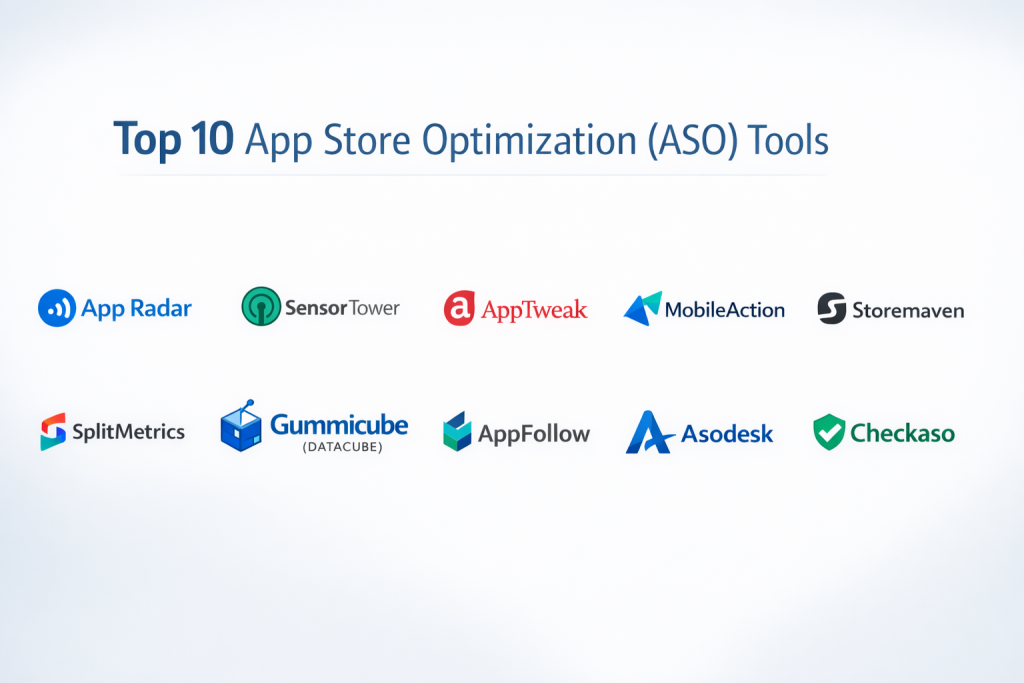
Top 10 App Store Optimization (ASO) Tools
1 — App Radar
App Radar is a very friendly tool that is built to help you manage the entire life of your app. It is a “one-stop-shop” that lets you find keywords, see how you are ranking, and even change your app’s description directly from their website.
- Key features:
- A central dashboard to manage both Apple and Google Play apps in one place.
- AI-powered keyword suggestions that tell you which words are “low hanging fruit.”
- Competitor tracking to see exactly when a rival changes their screenshots.
- Direct integration to upload your new descriptions and titles to the app stores.
- Localized data to help you rank in many different languages.
- Ad management tools to see how your paid ads are helping your organic rank.
- Pros:
- It is very simple to use and does not feel overwhelming for beginners.
- The ability to publish changes directly from the tool saves a lot of time.
- Cons:
- Some of the most helpful features are locked behind the expensive “Power” plan.
- The data for very small, niche markets can sometimes be a bit thin.
- Security & compliance: GDPR compliant, uses secure encryption, and supports two-factor authentication.
- Support & community: Great documentation, a helpful blog, and personal onboarding for larger companies.
2 — AppTweak
AppTweak is a favorite among professional data lovers. It uses very advanced math and “Data Science” to give you the most accurate scores for how hard it will be to rank for a specific word.
- Key features:
- Keyword Opportunity Score that uses a special formula to find the best words for you.
- Metadata “Audit” that scans your app store page for mistakes.
- Detailed look into “App Store Ads” (ASA) to see what your competitors are bidding on.
- Category rankings to see where you stand in your specific group (like “Finance” or “Games”).
- A tool to compare how your app looks next to your rivals in the search results.
- Review and rating analysis to see what customers are complaining about.
- Pros:
- The data is very clean and is trusted by many big-name global brands.
- The visual charts make it easy to show your boss how well the app is doing.
- Cons:
- It can be quite expensive for a small startup or a solo developer.
- There is a lot of data, which might take a few weeks to fully understand.
- Security & compliance: SOC 2 Type II compliant and fully GDPR compliant.
- Support & community: High-quality webinars, a dedicated account manager for big teams, and a very deep learning center.
3 — Sensor Tower
Sensor Tower is a giant in the world of mobile data. It doesn’t just look at ASO; it looks at how much money apps are making and how many people are downloading them across the whole world.
- Key features:
- Top-tier “Store Intelligence” that estimates how many downloads your rivals are getting.
- “Ad Intelligence” to see the actual videos and banners your competitors use in their ads.
- Keyword translation tools to help you launch your app in new countries.
- Usage intelligence to see how many days a week people actually use an app.
- Predictive tools that guess which apps will be the next big hit.
- Custom “Alerts” that email you when a competitor makes a big change.
- Pros:
- This is the most powerful tool for seeing “the big picture” of the mobile market.
- Their “Custom Dashboards” are perfect for big companies with many different apps.
- Cons:
- It is extremely expensive and is usually only for large “Enterprise” companies.
- The website can be a bit slow because it is loading so much information.
- Security & compliance: High-level enterprise security, SSO (Single Sign-On), and GDPR compliant.
- Support & community: Professional enterprise support and a world-class research team.
4 — MobileAction
MobileAction is known for being a very smart tool that uses “Intelligence” to make life easier. It is great for people who want the tool to do the heavy lifting of finding keywords.
- Key features:
- “Keyword Coach” that tells you exactly which words to add or remove.
- A massive database of millions of keywords across many countries.
- Integration with your ad accounts to show “Organic” and “Paid” data together.
- App Store Search Ads (ASA) optimization to get more for your money.
- Market reports that show which categories are growing the fastest.
- A tool to see which apps are being “Featured” by Apple today.
- Pros:
- It gives very clear “Action” steps, so you aren’t just looking at numbers.
- It offers a very good free version for people who are just starting out.
- Cons:
- The interface can feel a bit crowded with many different menus.
- Some users find the “Probability” scores for keywords can vary a bit.
- Security & compliance: Standard encryption and GDPR compliant.
- Support & community: Good email support and many “How-to” videos on their YouTube channel.
5 — Gummicube
Gummicube is a bit different because they are both a tool and a service. They have their own “Big Data” system called DATACUBE that they have been building for over ten years.
- Key features:
- DATACUBE software that focuses on “Live” store data rather than just web searches.
- Focus on “Conversion” (making sure people who see the app actually download it).
- Split-testing tools to try out different icons and backgrounds.
- Visual ASO tools to help you design better screenshots.
- Detailed focus on the “Apple Search Ads” ecosystem.
- Historical data that shows trends over many years.
- Pros:
- They focus more on “Search Intent” (why people search) than just “Search Volume.”
- Great for companies that want a mix of a tool and expert advice.
- Cons:
- It is not a “self-service” tool that you can just sign up for with a credit card easily.
- It is geared more towards larger brands that have a marketing budget.
- Security & compliance: Varies / Proprietary security for their DATACUBE system.
- Support & community: They provide very high-touch personal support and consulting.
6 — AppFollow
AppFollow is the best tool if you care deeply about what your customers are saying. It combines ASO tools with a “Customer Support” system.
- Key features:
- Respond to all your Google and Apple reviews from one single place.
- Keyword tracking and “Difficulty” scores for over 50 countries.
- “Featured” app tracking to see if your app gets a shoutout from Apple.
- Integration with Slack and Discord so your team sees new reviews instantly.
- Competitor “Update” tracking to see their version notes.
- Automated “Report” emails sent to your team every morning.
- Pros:
- It is the best tool for keeping your “Star Rating” high and your customers happy.
- The integration with Slack makes it very easy for developers to see bugs.
- Cons:
- The ASO keyword tools are good, but not as deep as a specialist tool like AppTweak.
- It can get pricey if you have a lot of different apps to manage.
- Security & compliance: SOC 2 Type II, ISO 27001, and GDPR compliant.
- Support & community: 24/7 support for top plans and a very friendly user community.
7 — SplitMetrics
SplitMetrics is a specialist tool that focuses on one thing: Testing. It helps you find out if a video or a picture will make more people click “Install.”
- Key features:
- “A/B Testing” where you show two different versions of your app page to users.
- Detailed heatmaps that show where people are looking on your app store page.
- Behavioral data that shows how long people watch your app video.
- Search Ads optimization for large-scale marketing campaigns.
- “Emulated” store pages that look exactly like the real App Store for testing.
- Reports that show the “CPA” (Cost Per Acquisition) of new users.
- Pros:
- It is the most powerful way to stop “guessing” and start using facts for your designs.
- It can help you save a lot of money by making sure your ad pages actually work.
- Cons:
- It is a “niche” tool; you might still need another tool for keyword tracking.
- Setting up the tests can be a bit of a slow process.
- Security & compliance: GDPR compliant and uses secure data silos for test results.
- Support & community: They have an “Agency” side that provides expert help for big tests.
8 — Asodesk
Asodesk is an all-in-one platform that is very popular in Europe. it is designed to help you throughout the whole journey of your app, from the first day to being a global hit.
- Key features:
- “Keyword Auto-suggestions” that find related words you might have missed.
- A tool to track “Trending” searches to see what is popular right now.
- Review management with “Auto-reply” features for common questions.
- A “Conversion” funnel that shows where you are losing potential users.
- Competitive “Brand” monitoring to see if rivals are using your name.
- API access for companies that want to put the data into their own systems.
- Pros:
- It offers a very clean “Workplace” that is easy for teams to collaborate in.
- The “Daily Reports” are very easy to read on a mobile phone.
- Cons:
- The English translations in the tool can sometimes be a little bit confusing.
- It is not as well known in the US market as some other tools.
- Security & compliance: GDPR compliant and uses standard SSL encryption.
- Support & community: Good documentation and a helpful “ASO Academy” for learning.
9 — Storemaven
Storemaven is another leader in the world of testing and “Conversion Rate Optimization.” They believe that getting found is only half the battle; the other half is getting the click.
- Key features:
- Scientific testing for every part of your store page (icon, title, gallery).
- “App Store Product Page” (CPP) testing for custom marketing.
- Deep analytics on how “User Intent” changes in different countries.
- Strategy consulting for big launches of new games or apps.
- A library of “Best Practices” based on millions of tests.
- Funnel analysis to see why people close the App Store page without downloading.
- Pros:
- They are experts in the “Psychology” of why people click on apps.
- Their data is very high quality and helps you make big design decisions.
- Cons:
- This is a premium tool for big teams; it is not meant for a small budget.
- You need a lot of visitors to your page to get a “statistically significant” test result.
- Security & compliance: Enterprise-grade security and GDPR compliant.
- Support & community: Very high-level personal support and expert strategy sessions.
10 — Checkaso
Checkaso is a tool that uses a “Score” to tell you how well you are doing. It is like having a teacher grade your app store page every day.
- Key features:
- “ASO Index” which is a score from 1 to 100 for your app’s performance.
- A list of “To-Do” items to help you improve your score.
- Keyword grouping so you can track “Fitness words” separately from “Food words.”
- Smart suggestions for which words to use in your “hidden” keyword list.
- Automatic “Competitor Detection” that finds out who your rivals are.
- Reports that you can export to PDF to show your clients.
- Pros:
- The “Score” system makes it very easy to know if you are improving or getting worse.
- It is one of the more affordable tools for a medium-sized business.
- Cons:
- The keyword database is not quite as large as Sensor Tower or AppTweak.
- It lacks some of the advanced “Support Ticketing” features of AppFollow.
- Security & compliance: GDPR compliant and uses standard secure logins.
- Support & community: Good documentation and an “ASO Blog” with tips for beginners.
Comparison Table
| Tool Name | Best For | Platform(s) Supported | Standout Feature | Rating (Approx.) |
| App Radar | Managing your app | iOS, Android | Direct Store Publishing | 4.6 / 5 |
| AppTweak | Data-driven Keyword ASO | iOS, Android | Data Science Scores | 4.8 / 5 |
| Sensor Tower | Market Intelligence | iOS, Android | Download & Revenue Estimates | 4.5 / 5 |
| MobileAction | ASA & ASO Combo | iOS, Android | Keyword Coach | 4.4 / 5 |
| Gummicube | Managed ASO Services | iOS, Android | DATACUBE Proprietary Data | N/A |
| AppFollow | Review Management | iOS, Android | Slack/Discord Integration | 4.7 / 5 |
| SplitMetrics | A/B Testing | iOS, Android | Heatmaps & Emulated Stores | 4.6 / 5 |
| Asodesk | European Markets | iOS, Android | Trending Search Tracking | 4.5 / 5 |
| Storemaven | Large Game Studios | iOS, Android | Behavioral Psychology Tests | N/A |
| Checkaso | Simple ASO Scoring | iOS, Android | 1-100 ASO Index | 4.3 / 5 |
Evaluation & Scoring of App Store Optimization (ASO) Tools
We look at these tools based on seven key areas to see how they truly perform for a business.
| Category | Weight | What it measures |
| Core Features | 25% | Does it find keywords, track rivals, and manage reviews? |
| Ease of Use | 15% | Can a new marketing person understand it in one hour? |
| Integrations | 15% | Does it talk to Slack, Google Console, and Apple Connect? |
| Security & Compliance | 10% | Is the data safe and does it follow GDPR laws? |
| Performance | 10% | Does the dashboard load fast and update daily? |
| Support & Community | 10% | Is there a person to help you if you get stuck? |
| Price / Value | 15% | Is the monthly bill worth the extra downloads you get? |
Which App Store Optimization (ASO) Tool Is Right for You?
Choosing a tool is a big step for your app’s future. You should pick based on your current size and your main goal.
Solo Users and Small Businesses
If you are one person or a small team, you need something that is cheap and easy. App Radar and MobileAction both have good entry-level plans. They will help you find the right keywords without requiring you to be a data expert. Checkaso is also great if you just want a simple “Score” to follow.
Mid-Market and Growing Teams
If you have a successful app and want to start winning against bigger rivals, you need better data. AppTweak is the best choice for keyword depth. If you find that answering reviews is taking up all your time, AppFollow will be a lifesaver because it helps you talk to your customers much faster.
Large Enterprise and Game Studios
If you are launching a big game or a global brand, you need the “Heavy Hitters.” Sensor Tower is essential for seeing what the whole market is doing. SplitMetrics and Storemaven are necessary because when you have millions of visitors, even a 1% improvement in your screenshots can mean thousands of extra dollars.
Security and Scalability Needs
If you work for a bank or a healthcare company, security is your biggest concern. Look for tools that have SOC 2 or ISO 27001 badges, such as AppTweak or AppFollow. These companies have been “audited” to make sure they keep your data safe.
Frequently Asked Questions (FAQs)
1. Is ASO the same as SEO?
They are cousins. SEO is for Google search on a computer. ASO is for the App Store search on a phone. The goal is the same: to show up at the top.
2. Can I do ASO for free?
Yes, you can guess your keywords and change your pictures by yourself. However, you won’t know if it’s working without a tool to track your rank.
3. How long does it take to see results from ASO?
It usually takes about 2 to 4 weeks for the app store to “notice” your changes and move you up in the rankings.
4. Will these tools increase my downloads automatically?
No. These tools give you the “Map,” but you still have to “Drive the car.” You have to use the data to make better titles and pictures.
5. Why are my ratings so important for ASO?
Apple and Google want to show “Good” apps at the top. If your app has a 2-star rating, even perfect keywords won’t help you rank well.
6. Do these tools work for both Apple and Android?
Yes, most of the top 10 tools on this list work for both stores. However, the rules for keywords are a bit different for each store.
7. Can I track my competitors’ revenue?
Tools like Sensor Tower and AppTweak can give you a very good “estimate” of how much money a rival app is making.
8. Is my app data safe with these companies?
Yes, the major companies on this list are very serious about security. They use the same safety rules as banks to protect your login details.
9. What is “A/B Testing”?
It is when you show “Picture A” to 500 people and “Picture B” to 500 people. You then see which picture made more people click the “Download” button.
10. What is a “Keyword Gap”?
This is a list of words that your competitors are ranking for, but you are not. It is the best way to find new ideas for your app.
Conclusion
Building a great app is only the first half of the job. The second half is making sure the world can find it. App Store Optimization (ASO) Tools are the bridge between a lonely app and millions of happy users.
There is no “perfect” tool for everyone. If you are a beginner, start with App Radar. If you are a data nerd, go with AppTweak. If you are a global giant, use Sensor Tower. The most important thing is to start tracking your data today. Every day you wait is a day that a competitor might be stealing your future users.