Introduction
App distribution platforms for enterprises are specialized systems that allow businesses to send their internal software and mobile apps directly to employees, partners, or contractors. Unlike the public app stores we use every day on our phones, these platforms are private. They act like a secure digital warehouse where a company can store its custom-built apps and decide exactly who gets to download them. These tools are vital because they bridge the gap between building an app and getting it into the hands of the people who need it to do their jobs. Without them, IT teams would have to manually install apps on every single device, which is impossible for a large company.
these platforms are used for many important tasks. For example, a retail company might use one to send a new inventory-tracking app to all its store managers at once. A hospital might use it to securely update a patient-care app on tablets used by nurses. In the world of software development, these tools are also used for “beta testing,” where a small group of internal users tries out a new app to find bugs before it is released to the whole company. When choosing the right tool, you should look for things like how easy it is for employees to use, how well it protects sensitive data, and whether it works on both iPhones and Android devices.
Best for: Large organizations with many employees, software development teams that build internal business tools, and companies in regulated industries like healthcare or finance that need tight control over their data.
Not ideal for: Small businesses that only use standard, public apps (like Slack or Zoom) from the regular app store, or solo developers who do not need to manage a fleet of different users and devices.
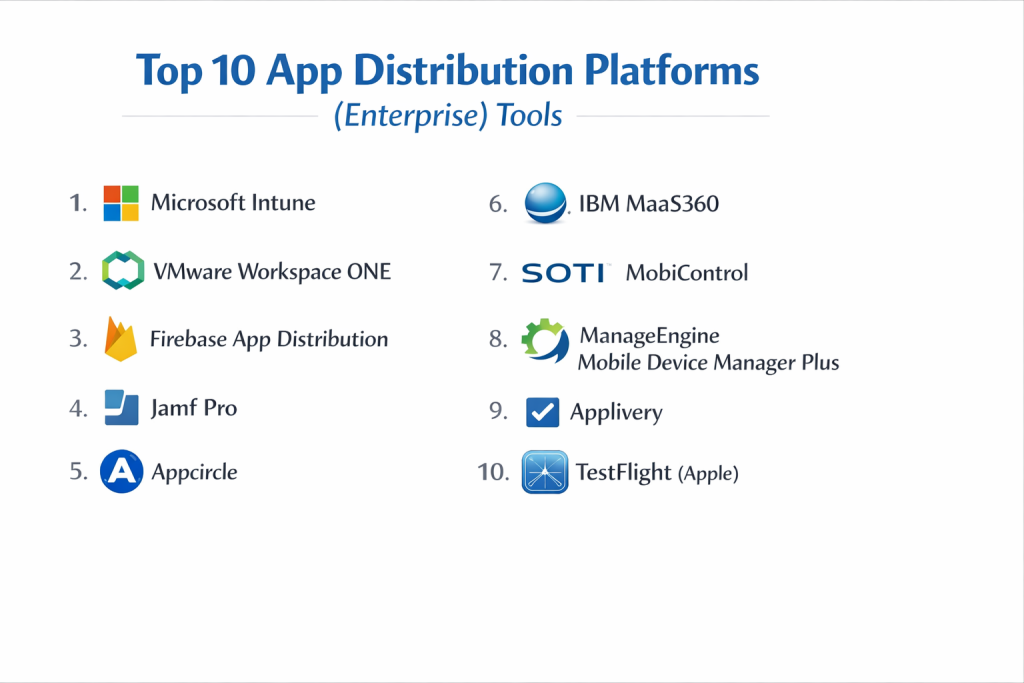
Top 10 App Distribution Platforms (Enterprise) Tools
1 — Microsoft Intune
Microsoft Intune is a cloud-based service that focuses on mobile device management and mobile application management. It is designed specifically for companies that already use Microsoft products and want a seamless way to push apps to their workforce while keeping corporate data safe. It is one of the most powerful tools for managing apps across a huge variety of devices.
- Key features
- Centralized app deployment for Windows, macOS, iOS, and Android.
- Strong integration with Azure Active Directory for user login.
- Ability to wipe corporate data from a device without touching personal files.
- Detailed reporting on which apps are installed and where.
- Automated updates for all managed applications.
- Policy settings that prevent users from copying data from business apps to personal apps.
- Pros
- Extremely cost-effective for businesses already paying for Microsoft 365.
- Provides high-level security that works even on employees’ personal phones.
- Cons
- The setup process can be quite complicated and requires technical knowledge.
- The interface can feel cluttered because it has so many different settings.
- Security & compliance: Supports SSO, encryption at rest, SOC 2, HIPAA, and GDPR compliance.
- Support & community: Extensive online documentation, large user forums, and 24/7 enterprise-grade support.
2 — VMware Workspace ONE
Workspace ONE is an intelligence-driven digital workspace platform that helps you simply and securely deliver and manage any app on any device. It is built to handle complex environments where workers might be using laptops, smartphones, or even specialized rugged handhelds in a warehouse. It focuses on making the user experience as smooth as possible.
- Key features
- Single sign-on (SSO) so workers only need one password for all apps.
- A “Self-Service” app catalog that looks and feels like a consumer app store.
- Advanced automation for app updates and security patches.
- Support for “virtual” apps that run on a server instead of the device.
- Deep analytics to see how often apps are actually being used.
- Remote troubleshooting to help employees with app issues from afar.
- Pros
- Works exceptionally well across many different operating systems.
- The user interface for employees is very friendly and easy to navigate.
- Cons
- It can be more expensive than other options on the market.
- Smaller teams may find it has more features than they actually need.
- Security & compliance: ISO 27001, SOC 2, and high-level encryption for all data transmissions.
- Support & community: Very strong professional support teams and a dedicated community of IT experts.
3 — Firebase App Distribution
Firebase App Distribution is a tool from Google that is part of the larger Firebase platform. It is specifically designed for the “testing” phase of an app’s life. It makes it very easy to send early versions of an app to a group of trusted testers within your company so they can give feedback before the app goes live.
- Key features
- Fast distribution of “beta” versions to internal testers.
- Support for both iOS and Android platforms in one place.
- Easy management of tester groups (e.g., “Marketing Team” or “QA Team”).
- Automatic notifications sent to testers when a new version is ready.
- Integration with crash reporting tools to see why an app failed.
- Simple dashboard to see which testers have actually installed the app.
- Pros
- Very fast and simple to set up, especially for developers.
- Completely free to use for most basic distribution needs.
- Cons
- It is not a full “device management” tool; it only handles app files.
- Lacks the deep security policies found in enterprise-grade MDM tools.
- Security & compliance: Relies on Google’s infrastructure; includes basic access controls but lacks enterprise SSO in the free version.
- Support & community: Massive community support and extensive guides provided by Google.
4 — Jamf Pro
Jamf Pro is widely considered the gold standard for organizations that primarily use Apple devices, such as iPhones, iPads, and MacBooks. It provides a highly specialized way to manage and distribute apps within the Apple ecosystem, ensuring that everything stays in line with Apple’s specific security and design standards.
- Key features
- Zero-touch deployment, meaning apps are installed as soon as a device is turned on.
- Automated app patching to keep software secure and up to date.
- Integration with Apple Business Manager for buying apps in bulk.
- Customizable “Self Service” store tailored to your company’s branding.
- Detailed inventory tracking for every Apple device in the fleet.
- Ability to restrict specific app features for better security.
- Pros
- The absolute best tool for managing Apple products specifically.
- Offers very granular control over how apps behave on a device.
- Cons
- It does not support Android or Windows devices at all.
- Requires a bit of a learning curve to master all the Apple-specific settings.
- Security & compliance: SOC 2 compliant and supports advanced Apple-specific security protocols.
- Support & community: Famous for “Jamf Nation,” a huge and very active community of Apple IT professionals.
5 — Appcircle
Appcircle is an all-in-one mobile DevOps platform that automates the building, testing, and distribution of mobile apps. It is built for companies that want to automate their entire workflow, from the moment a programmer finishes writing code to the moment the app appears on an employee’s phone.
- Key features
- Automated “build” process that turns code into an app file.
- In-browser app previews so you can test apps without a physical phone.
- Enterprise app store module for private internal distribution.
- Support for re-signing apps with corporate security certificates.
- Integrates with popular tools like GitHub and Bitbucket.
- Role-based access to control who can upload or download apps.
- Pros
- Saves a huge amount of time by automating the technical steps of app creation.
- Offers very flexible deployment options, including private cloud.
- Cons
- Might be too technical for HR or general business managers to use.
- The pricing can scale up quickly as you add more automated builds.
- Security & compliance: Supports SSO (SAML/OpenID) and full encryption for stored app binaries.
- Support & community: Good technical documentation and responsive email-based support.
6 — IBM MaaS360
IBM MaaS360 is a veteran in the world of mobile management. It uses artificial intelligence (AI) to help IT managers identify security risks and manage app distribution more effectively. It is designed for large enterprises that need a high level of security and visibility across thousands of different devices.
- Key features
- AI-powered insights that alert you to suspicious app behavior.
- Containerization to keep business apps completely separate from personal ones.
- Secure mobile mail and browser apps built right into the platform.
- Fast distribution of apps to specific groups based on their job role.
- Support for “kiosk mode,” which locks a device to just one specific app.
- Automated compliance checks to ensure all devices are secure.
- Pros
- The AI features help find security problems that humans might miss.
- Provides excellent “containers” for keeping company data extremely safe.
- Cons
- The user interface can feel a bit dated compared to modern tools.
- Some users find the initial configuration to be quite time-consuming.
- Security & compliance: FIPS 140-2, SOC 2, HIPAA, and GDPR compliant.
- Support & community: Backed by IBM’s world-class global support and consulting services.
7 — SOTI MobiControl
SOTI MobiControl is an enterprise mobility management solution that is particularly popular in industries like logistics, manufacturing, and retail. It is excellent at managing “rugged” devices (like barcode scanners) as well as standard smartphones. It focuses on making sure apps work reliably in tough, fast-paced environments.
- Key features
- Remote control technology that lets IT see exactly what is on a worker’s screen.
- Advanced “scripting” to automate complex app installations.
- Geo-fencing, which can trigger app updates when a device enters a specific area.
- Support for a massive range of Android devices and specialized hardware.
- Strong lockdown features to prevent users from changing app settings.
- Fast file transfer to get large app updates to devices quickly.
- Pros
- The best choice for managing non-standard or rugged hardware.
- Remote support tools are much faster and smoother than many competitors.
- Cons
- Can be overkill for a company that only uses standard iPhones.
- The advanced features require a high level of technical expertise.
- Security & compliance: ISO 27001, SOC 2, and advanced encryption for data at rest.
- Support & community: High-quality training programs and a strong network of global partners.
8 — ManageEngine Mobile Device Manager Plus
ManageEngine offers a very affordable and straightforward tool for companies that need to manage apps across various platforms. It is known for being easy to get up and running, making it a favorite for mid-sized companies that don’t have a massive IT department but still need professional-grade distribution.
- Key features
- Silent app installation so users don’t have to do anything.
- Management of both store apps and custom-built “in-house” apps.
- App blacklisting to prevent dangerous or distracting apps from being used.
- Audit trails to see exactly who installed which app and when.
- Support for bulk enrollment of devices from Apple, Google, and Microsoft.
- Pre-configured app settings so apps are ready to use the moment they are opened.
- Pros
- One of the most user-friendly and intuitive dashboards available.
- Excellent value for the price, especially for smaller fleets.
- Cons
- Lacks some of the very high-end AI features found in IBM or VMware.
- Customer support can sometimes be slower to respond than premium rivals.
- Security & compliance: GDPR ready and supports SSO and two-factor authentication.
- Support & community: Great library of video tutorials and a helpful user community.
9 — Applivery
Applivery is a modern platform that focuses on making the app distribution process as simple as possible for both the company and the employee. It emphasizes a beautiful user interface and a “human” approach to technology. It is great for companies that want to provide a premium-feeling internal app store to their workers.
- Key features
- Fully customizable enterprise app store with your own logo and colors.
- Automatic “over-the-air” (OTA) updates for all installed apps.
- Advanced feedback system where users can report app bugs easily.
- Distribution via secure links or QR codes.
- Detailed analytics on app performance and installation rates.
- Integration with identity providers like Okta for secure login.
- Pros
- The platform is very visually appealing and modern.
- Excellent tools for gathering feedback from app testers and users.
- Cons
- Doesn’t have the deep “system-level” device control of a full MDM.
- The feature set is more focused on distribution than device security.
- Security & compliance: SOC 2 and GDPR compliant; supports SAML-based SSO.
- Support & community: Very responsive customer success team and clear online guides.
10 — TestFlight (Apple)
TestFlight is Apple’s official tool for internal app testing. While it is not a full-scale distribution platform for all enterprise needs, it is an essential tool for any company developing iOS apps. It allows you to invite up to 10,000 testers to try out your app before it is officially released.
- Key features
- Direct integration with the Apple Developer program.
- Easy “invite-only” access for internal employees.
- Ability to collect crash data and feedback directly through the app.
- Support for multiple “builds” so you can test different versions at once.
- Automated expiration of test versions to ensure no one uses old software.
- Official support from Apple for the latest iOS features.
- Pros
- Completely native to the Apple ecosystem and very reliable.
- Free for anyone with an Apple Developer account.
- Cons
- Only works for Apple devices (iOS, iPadOS, tvOS, watchOS).
- Apps must pass a basic review by Apple before they can be tested.
- Security & compliance: Managed by Apple; complies with all standard Apple security protocols.
- Support & community: Extensive documentation and support through the Apple Developer portal.
Comparison Table
| Tool Name | Best For | Platform(s) Supported | Standout Feature | Rating |
| Microsoft Intune | Microsoft Ecosystem Users | iOS, Android, Win, Mac | Deep Office 365 Integration | 4.5/5 |
| Workspace ONE | Large, Diverse Fleets | iOS, Android, Win, Mac | Digital Workspace Analytics | 4.4/5 |
| Firebase | Fast Beta Testing | iOS, Android | Free, Quick Developer Setup | 4.6/5 |
| Jamf Pro | Apple-Only Companies | iOS, iPadOS, macOS | Zero-Touch Apple Deployment | 4.7/5 |
| Appcircle | DevOps & Automation | iOS, Android | In-Browser App Previews | 4.3/5 |
| IBM MaaS360 | AI-Driven Security | iOS, Android, Win, Mac | Watson AI Security Insights | 4.2/5 |
| SOTI MobiControl | Rugged & Industrial Tech | Android, iOS, Windows | Remote Control & Diagnostics | 4.4/5 |
| ManageEngine | Mid-Market & Value | iOS, Android, Win, Mac | Extremely Easy Setup | 4.3/5 |
| Applivery | User Experience/UX | iOS, Android | Beautiful Custom App Store | 4.5/5 |
| TestFlight | Native iOS Testing | iOS, tvOS, watchOS | Official Apple Testing Tool | 4.8/5 |
Evaluation & Scoring of App Distribution Platforms (Enterprise)
To help you understand how these tools stack up against each other, we have evaluated them based on several key categories. Each category is weighted to reflect its importance to a typical business.
| Evaluation Category | Weight | Description of Importance |
| Core Features | 25% | The ability to deploy, update, and manage apps effectively. |
| Ease of Use | 15% | How simple the tool is for both IT managers and employees. |
| Integrations | 15% | How well it connects with other tools like Azure or GitHub. |
| Security & Compliance | 10% | Ensuring the tool meets legal and safety standards like GDPR. |
| Performance | 10% | The speed and reliability of app downloads and updates. |
| Support & Community | 10% | Access to help when things go wrong. |
| Price / Value | 15% | Whether the features justify the cost of the software. |
Which App Distribution Platforms (Enterprise) Tool Is Right for You?
Solo Users vs SMB vs Mid-Market vs Enterprise
If you are a solo developer or part of a very small team, a free tool like Firebase or TestFlight is likely all you need to get your apps onto a few devices. Small and medium businesses (SMBs) should look at ManageEngine, which offers professional features without the high price tag. Large enterprises with complex needs and thousands of devices will benefit most from heavyweights like Microsoft Intune or VMware Workspace ONE, which are built to scale.
Budget-Conscious vs Premium Solutions
For those on a tight budget, Firebase is the clear winner for testing. If you already have a Microsoft 365 subscription, Intune is essentially “free” since it is often included in your plan. If budget is less of a concern than having the most powerful features, Workspace ONE or Jamf Pro are premium options that offer the most advanced control and automation capabilities.
Feature Depth vs Ease of Use
If you want something that works right out of the box with very little training, Applivery and ManageEngine are your best bets. They have clean, simple menus. However, if you need deep “under-the-hood” control—like the ability to write custom scripts to change system settings on a phone—you will need a more complex tool like SOTI MobiControl or Jamf Pro.
Security and Compliance Requirements
Companies in highly regulated fields like banking or healthcare must prioritize security above all else. IBM MaaS360 with its AI-driven security and Microsoft Intune with its strict data-protection policies are the leaders here. These tools ensure that even if an employee loses their phone, the company’s secret app data remains encrypted and can be wiped remotely.
Frequently Asked Questions (FAQs)
What is the difference between an MDM and an app distribution platform?
An MDM (Mobile Device Management) tool controls the entire phone, while an app distribution platform focuses specifically on sending and managing software. Most enterprise tools today do both.
Can I distribute apps to both Android and iPhones with one tool?
Yes, most of the tools on this list, like Intune and Workspace ONE, support both. However, specialized tools like Jamf only work for Apple products.
Do these tools require a monthly fee?
Most professional enterprise tools use a “per user” or “per device” monthly subscription. Some testing tools like Firebase offer a free tier for basic use.
How do employees get the apps on their phones?
Usually, they open a private “Company Portal” or “App Store” app provided by the tool, where they can see all the apps they are allowed to download.
Is it possible to update an app without the user doing anything?
Yes, many of these tools support “silent” or “pushed” updates, which install the new version of an app automatically in the background.
Can I use these platforms for apps that are already on the public Play Store?
Yes, you can use these tools to manage public apps, but they are most commonly used for “private” apps that you don’t want the general public to see.
What happens if an employee leaves the company?
You can use the platform to remotely remove the company’s apps and data from their phone, while leaving their personal photos and messages untouched.
Do I need a special server to run these tools?
Most modern platforms are “cloud-based,” meaning the company provides the server and you just log in through a website to manage your apps.
Is there a limit to how many apps I can distribute?
In most cases, there is no hard limit on the number of apps, but your storage space or cost might increase if you have hundreds of very large apps.
Are these tools safe for employee privacy?
Yes, enterprise-grade tools are designed to separate “work” and “life.” They only see and manage the business apps, not the employee’s personal files.
Conclusion
Choosing the right app distribution platform for your enterprise is a big decision that affects both your IT team and your employees. These tools are the foundation of a modern digital workplace, ensuring that everyone has the software they need to be productive and stay safe. We have seen that there are many different options available, ranging from simple testing tools for developers to massive security-focused systems for global corporations.
The most important thing to remember is that the “best” tool is the one that fits your specific business. If you are a company that loves Apple, Jamf is likely your best partner. If you are a large organization already using Microsoft 365, Intune is the most logical choice. For those working with rugged hardware in warehouses, SOTI is often the favorite. No matter which you choose, focus on finding a balance between strong security and a simple experience for your workers. By taking the time to evaluate these options, you can ensure your company’s custom apps are delivered reliably and securely to the people who need them most.