Introduction
An Android App Builder is a development environment that abstracts complex coding languages like Java or Kotlin into a visual workspace. These tools are vital because they drastically reduce the “time-to-market” and lower the financial barrier to entry for mobile innovation. Whether it is a local restaurant wanting a loyalty app, a content creator needing a dedicated video portal, or an enterprise looking to automate field data collection, app builders provide the framework to make it happen.
When evaluating these tools, users should prioritize design flexibility, offline capabilities, database management, and publishing ease. A good builder doesn’t just make an app that looks like a website; it utilizes Android-specific features like push notifications, GPS, and camera integration. Furthermore, as the Play Store’s requirements become more stringent, choosing a builder that stays updated with the latest Google Play billing and security standards is essential.
Best for: Small business owners, freelance marketers, startup founders building MVPs (Minimum Viable Products), and internal IT teams within mid-sized companies. It is especially beneficial for industries like retail, real estate, and education.
Not ideal for: Developers building high-performance 3D games, apps requiring complex low-level hardware manipulation, or large-scale financial institutions that require completely proprietary, custom-built security architectures.
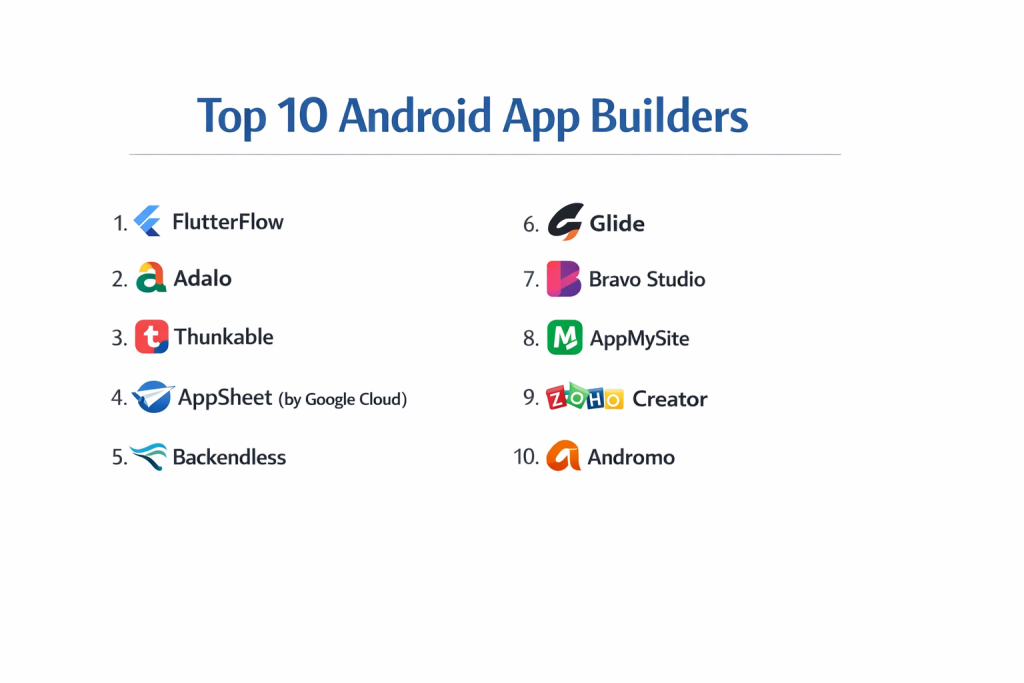
Top 10 Android App Builders Tools
1 — Appy Pie
Appy Pie is one of the most popular “no-code” platforms globally, known for its extreme ease of use and “three-step” app creation process. It is designed for the absolute beginner.
- Key features:
- Drag-and-Drop Interface: Visual builder that requires zero technical knowledge.
- Offline Capabilities: Apps can provide some content even without an internet connection.
- App Analytics: Built-in tracking for user behavior and app performance.
- Push Notifications: Easy-to-configure alerts to keep users engaged.
- App Store Submission: Assisted process for getting your app onto the Google Play Store.
- Monetization: Integrated support for AdMob to earn revenue from your app.
- Multi-Language Support: Easily translate your app for a global audience.
- Pros:
- Unbelievably fast setup; a basic app can be designed in under an hour.
- Very affordable pricing tiers for small businesses.
- Cons:
- Customization is limited to the pre-set blocks provided by the platform.
- The UI can sometimes feel “generic” compared to custom-coded apps.
- Security & compliance: GDPR compliant; uses standard SSL encryption for data transmission.
- Support & community: 24/7 live chat support, extensive video tutorials, and a massive knowledge base.
2 — AppSheet (by Google)
AppSheet is Google’s own no-code platform. It is a data-driven builder that turns spreadsheets (like Google Sheets or Excel) into functional Android applications.
- Key features:
- Direct Data Integration: Connects natively with Google Workspace, Office 365, and SQL databases.
- Automation Bots: Create logical triggers (e.g., “If a row is added, send an Android notification”).
- GPS and Mapping: Advanced location-based features for field teams.
- Image Capture and OCR: Use the Android camera to scan barcodes or read text.
- Dynamic UI: The interface updates automatically based on the data in your spreadsheet.
- Role-Based Access: Control what different users can see and do within the app.
- Pros:
- Perfectly integrated with the Google ecosystem, making it the best choice for internal business tools.
- Extremely powerful for data collection and logistics.
- Cons:
- The visual design is utilitarian and not suited for “stylish” consumer apps.
- Pricing is per-user, which can become expensive for large public audiences.
- Security & compliance: SOC 2, HIPAA (on certain plans), and GDPR compliant; uses Google’s enterprise-grade security.
- Support & community: Professional support via Google Cloud and an active community forum for “Citizen Developers.”
3 — Adalo
Adalo focuses on the “User Experience” (UX). It allows users to build visually stunning Android apps that feel like they were designed by a professional agency.
- Key features:
- Visual Action Builder: Design logic by literally drawing lines between screens and actions.
- Component Marketplace: Access third-party elements like specialized charts or social logins.
- Native Android Publishing: Compiles your design into an .apk or .aab file for the Play Store.
- Database Collections: Built-in spreadsheet-style database to manage user content.
- Real-Time Previews: View exactly how the app looks on an Android device while building.
- Stripe Integration: Easy setup for in-app purchases and subscriptions.
- Pros:
- Offers much more design freedom than Appy Pie; you can place elements pixel-perfectly.
- Excellent for creating social networks, marketplaces, or booking apps.
- Cons:
- Performance can lag if the app becomes extremely data-heavy.
- Limited offline functionality compared to more technical builders.
- Security & compliance: GDPR compliant; standard encryption for account data.
- Support & community: Adalo University (video courses), a vibrant community forum, and a directory of “Adalo Experts” for hire.
4 — BuildFire
BuildFire is a high-end app builder that balances no-code simplicity with the ability for developers to add custom code snippets (low-code).
- Key features:
- Plugin Architecture: Choose from over 150 pre-built plugins (Shopify, YouTube, etc.).
- SmartSync: Allows you to pull data from your existing website or server.
- Drip Content: Release app content to users on a schedule (perfect for fitness or education).
- Advanced User Management: Group users by interests for targeted push notifications.
- Custom Developer SDK: Allows pro developers to build unique features for the app.
- White-Labeling: Remove all BuildFire branding for a professional look.
- Pros:
- Highly scalable; can handle thousands of concurrent users easily.
- Offers a “concierge” service where they help build the app for you.
- Cons:
- Significantly more expensive than basic builders.
- The editor has a slight learning curve due to the depth of features.
- Security & compliance: SOC 2 compliant; HIPAA and GDPR ready; encrypted data storage.
- Support & community: Dedicated account managers for higher tiers and 24/7 technical support.
5 — Thunkable
Thunkable uses a “block-based” logic system (similar to Scratch) which makes it a favorite for educational purposes and creative, logic-heavy apps.
- Key features:
- Drag-and-Drop Blocks: Create complex app logic by snapping visual blocks together.
- Native Device Access: Easy access to Android sensors, Bluetooth, and the camera.
- Cross-Platform: Design once and deploy to both Android and iOS simultaneously.
- Animation Support: Integration with Lottie for high-quality, lightweight animations.
- API Connectors: Connect to any third-party service with a web API.
- Direct Play Store Export: Simple packaging for Android distribution.
- Pros:
- The most flexible logic system of any no-code builder.
- Great for building unique tools, calculators, or hardware-interacting apps.
- Cons:
- Building a professional “business” UI can take more effort than other platforms.
- Large logic “trees” can become visually cluttered in the editor.
- Security & compliance: Varies / Standard encryption; GDPR compliant.
- Support & community: Active community forum and extensive documentation for beginners.
6 — GoodBarber
GoodBarber is a European-based builder that focuses on high-quality aesthetics and “Content Management.” It is widely used by news organizations and local businesses.
- Key features:
- Design System: Over 500 Google Fonts and professional color palettes.
- Progressive Web App (PWA): Automatically generates a web version of your Android app.
- E-commerce Engine: Specialized tools for inventory, shipping, and taxes.
- Chat & Community: Built-in features for user-to-user interaction.
- Beacon Support: Trigger notifications when a user is physically near your store.
- Detailed SEO: Tools to help your PWA version rank on search engines.
- Pros:
- Produces the most “polished” and high-end looking apps in the budget category.
- Exceptional e-commerce features that rival standalone store builders.
- Cons:
- Not designed for complex “utility” apps or database-heavy tools.
- Subscription costs are per-platform (Android is a separate tier).
- Security & compliance: GDPR compliant; SSL included; secure payment gateways.
- Support & community: Support available in multiple languages; very high-quality documentation.
7 — Appery.io
Appery.io is a cloud-based platform that leans more toward the “Low-Code” side, making it ideal for IT professionals who want to work fast.
- Key features:
- Ionic & Angular Integration: Uses industry-standard frameworks under the hood.
- App Builder Express: A simplified version for faster development.
- Backend Services: Built-in cloud database, push notifications, and server-side logic.
- Visual Data Mapping: Drag lines from your database to your UI elements.
- Team Collaboration: Shared workspaces for multiple developers.
- Auto-Generation: Generates the code as you design, which you can then edit.
- Pros:
- No software to install; everything happens in the browser.
- Excellent for building enterprise apps that need to connect to existing REST APIs.
- Cons:
- Requires a basic understanding of web technologies (HTML/JS) to be truly effective.
- The interface feels more like an “IDE” and less like a “Consumer Builder.”
- Security & compliance: Enterprise-grade security; GDPR compliant; supports SSO.
- Support & community: Professional support tickets and an active community of developers.
8 — Glide
Glide is the ultimate choice for speed. It allows you to create an Android-compatible web app from a Google Sheet in less than five minutes.
- Key features:
- Instant App Generation: Turn a spreadsheet into an app with one click.
- Glide Tables: A native database option for faster performance.
- Component Library: Beautiful pre-made lists, maps, and forms.
- User Profiles: Simple management for user logins and private data.
- Zapier Integration: Connect your app to 5,000+ other web services.
- Sign-in with Google: Native authentication for easy onboarding.
- Pros:
- The easiest tool on this list; if you can use Excel, you can use Glide.
- The apps look modern and clean automatically.
- Cons:
- Creates “Web Apps” (PWAs) rather than “Native” .apk files for the Play Store (on lower tiers).
- Very limited design customization; you must follow Glide’s layout.
- Security & compliance: SOC 2 compliant; GDPR compliant; private app options for internal use.
- Support & community: “Glide University” and a very helpful community forum.
9 — Backendless
Backendless is a visual app development platform (VADP) that provides an incredibly powerful backend for Android apps.
- Key features:
- Visual Logic (Codeless): A logic builder that generates real code in the background.
- Real-Time Database: Data updates instantly across all user devices.
- User Management: Complex login flows, including social logins and session control.
- Cloud Code: Write custom logic that runs on the server, not the phone.
- UI Builder: Drag-and-drop components with themes and styles.
- API Service: Automatically turns your database into a usable API.
- Pros:
- Probably the most “powerful” backend in the no-code space.
- You can transition from no-code to full-code seamlessly.
- Cons:
- The sheer number of technical options can be daunting for a non-techie.
- Pricing is based on “API calls” and storage, which requires careful monitoring.
- Security & compliance: GDPR compliant; supports encryption and role-based security.
- Support & community: Active support forum and extensive technical documentation.
10 — AppMachine
AppMachine is a “block-based” builder that excels at importing content from your existing digital presence to jumpstart the app build.
- Key features:
- Web Scanning: Enter your website URL and AppMachine will suggest app content.
- Excel Import: Import data directly into app lists and navigation.
- Building Blocks: Choose from 30+ blocks like Info, Photo, Video, and Social.
- Live App Previewer: Test the app on your Android phone via a QR code.
- JavaScript Bridge: Advanced users can add custom JS for specific features.
- Direct Publishing: Manages the technical side of the Play Store submission.
- Pros:
- Excellent for turning an existing small business website into a mobile app.
- Simple, transparent pricing for Android-only apps.
- Cons:
- The editor can feel a bit slower than more modern competitors.
- Limited advanced logic (If/Then) capabilities.
- Security & compliance: GDPR compliant; uses standard industry encryption.
- Support & community: Good help center and email-based customer support.
Comparison Table
| Tool Name | Best For | Platform(s) Supported | Standout Feature | Rating (Approx.) |
| Appy Pie | Absolute Beginners | Android, iOS, Web | 3-Step Creation | 4.4 / 5 |
| AppSheet | Internal Business Ops | Android, iOS, Web | Native Google Sync | 4.6 / 5 |
| Adalo | UX/UI Enthusiasts | Android, iOS, Web | Visual Workflow Design | 4.5 / 5 |
| BuildFire | High-Scale Apps | Android, iOS | Pro SDK & Plugins | 4.3 / 5 |
| Thunkable | Logic & Education | Android, iOS, Web | Blocks-based Logic | 4.4 / 5 |
| GoodBarber | Content & E-commerce | Android, iOS, PWA | Premium Visual Design | 4.7 / 5 |
| Appery.io | IT Professionals | Android, iOS, Web | Cloud-based IDE | 4.1 / 5 |
| Glide | Data Management | PWA (Android compatible) | Spreadsheet-to-App | 4.8 / 5 |
| Backendless | Scale & Backend Power | Android, iOS, Web | Real-time Database | 4.5 / 5 |
| AppMachine | Small Business | Android, iOS | Web-to-App Scanning | 4.0 / 5 |
Evaluation & Scoring of Android App Builders
To help you decide, we have evaluated these platforms against a weighted rubric that reflects the priorities of modern app creators.
| Category | Weight | Evaluation Criteria |
| Core Features | 25% | Push notifications, GPS, camera access, and Play Store export. |
| Ease of Use | 15% | Intuitiveness of the editor and time-to-first-app. |
| Integrations | 15% | API access, Zapier support, and third-party plugin quality. |
| Security & Compliance | 10% | Encryption, GDPR, SOC 2, and data privacy controls. |
| Performance | 10% | App loading speeds and smoothness on Android hardware. |
| Support & Community | 10% | Documentation, tutorials, and community forum activity. |
| Price / Value | 15% | Monthly cost relative to the features and scalability. |
Which Android App Builder Tool Is Right for You?
The “right” choice depends on your specific goals and technical comfort level.
Solo Users vs SMB vs Mid-Market vs Enterprise
If you are a solo user looking to build a hobby app or a simple portfolio, Glide or Appy Pie offer the lowest friction. SMBs looking for a customer-facing app with a store or booking system should look at GoodBarber or Adalo. Mid-market companies needing internal tools to track inventory or employees will find AppSheet or Glide most efficient. Finally, Enterprises requiring high security and the ability to add custom code should lean toward BuildFire or Appery.io.
Budget-Conscious vs Premium Solutions
For those on a strict budget, Appy Pie and Thunkable offer affordable entry points. If you are a premium buyer who wants the highest quality and is willing to pay for a “done-for-you” experience or high-end plugins, BuildFire is the market leader.
Feature Depth vs Ease of Use
If you prioritize Ease of Use, Glide is unrivaled. You can literally build an app during your lunch break. However, you sacrifice Feature Depth. If you need your app to perform complex logic (like a custom math calculator or a sensor-based tool), Thunkable or Backendless provide the depth you need, though they take longer to learn.
Integration and Scalability Needs
If your app succeeds and you grow from 100 users to 100,000, you need a builder that won’t break. Backendless and BuildFire are built on infrastructure designed for scale. If you need to integrate with a custom internal database your company already uses, Appery.io offers the most professional-grade API tools.
Frequently Asked Questions (FAQs)
1. Can I really build an Android app without coding?
Yes. Modern app builders use “No-Code” technology, which means the platform handles the code (Java/Kotlin) in the background while you interact with a visual interface.
2. Will my app work on all Android phones?
Most builders produce “Responsive” apps that work on everything from a small Samsung phone to a large Pixel tablet. However, you should always test your app on different screen sizes.
3. How do I get my app on the Google Play Store?
Most builders on this list provide an “Export” feature. You will need to pay a one-time $25 fee to Google for a Developer Account, and then follow the builder’s instructions to upload your app file.
4. Can I earn money from my app?
Yes. You can use in-app purchases (selling digital goods), subscriptions, or display ads using Google AdMob. Most builders have these features built-in.
5. What is the difference between a Native App and a PWA?
A Native App is downloaded from the Play Store and has full access to phone hardware. A PWA (Progressive Web App) is a website that looks like an app and can be saved to the home screen.
6. Is my data safe on these platforms?
Major builders like Google AppSheet and BuildFire use enterprise-grade encryption. However, always check if the builder is GDPR compliant if you are handling user data from Europe.
7. Can I switch to a different builder later?
This is the “Vendor Lock-in” problem. You usually cannot move an app built in Appy Pie to Adalo. You would have to rebuild the design, though you could likely export your database.
8. Do I need a professional designer?
Not necessarily. Most builders provide “Templates” created by professional designers. You just need to swap in your own text and images.
9. How long does it take to build an app?
A simple directory or info app can take 1-2 hours. A complex social network or e-commerce store with hundreds of products could take 2-4 weeks.
10. What happens if I stop paying the monthly subscription?
In most cases, your app will stop working or revert to a “draft” state. Since the builder hosts the software, a continuous subscription is usually required to keep the app live.
Conclusion
The barriers to entering the mobile economy have never been lower. Whether you are a small business owner looking to increase customer loyalty or an innovator with a unique tool idea, there is an Android App Builder tailored to your needs.
The “best” tool isn’t the one with the most features; it’s the one that balances your current skill level with your future ambitions. If you want speed, go with Glide. If you want beauty, go with Adalo. If you want a corporate workhorse, go with AppSheet. By choosing the right foundation today, you can turn your vision into a functional reality that lives in the pockets of users around the world.