Introduction
AI Video Generation Tools have transformed from novel experiments into critical business infrastructure. These platforms use advanced neural networks—often referred to as “World Simulators”—to convert text, images, or audio into high-fidelity video content. Unlike traditional video production, which requires expensive cameras, lighting, and specialized crews, AI video generation allows anyone to “film” a scene by simply describing it. This technology has democratized professional-grade storytelling, enabling brands to produce cinematic advertisements, training modules, and social content in minutes rather than months.
The importance of these tools cannot be overstated in an era where video is the primary medium of online consumption. They address the “content gap” that many organizations face: the inability to produce enough high-quality video to keep up with social algorithms and internal communication needs. By automating the most labor-intensive parts of production—such as rendering, physics simulation, and lighting—AI allows creative teams to focus on strategy and narrative. Whether it is an AI avatar delivering a personalized sales pitch or a generative model creating a photorealistic B-roll, these tools are the new standard for digital efficiency.
Key Real-World Use Cases
- Corporate Training & Onboarding: Using AI avatars to deliver consistent, multilingual training videos without scheduling live presenters.
- Social Media Marketing: Rapidly generating short-form video ads or “hooks” tailored to trending topics in real-time.
- Pre-visualization for Film & TV: Directors creating high-fidelity storyboards or “mood reels” to secure funding or guide production teams.
- Personalized Sales Outreach: Sending individualized videos to prospects where the AI mentions their name and specific business challenges.
- Product Walkthroughs: Automatically turning software documentation or screenshots into engaging video tutorials.
What to Look For (Evaluation Criteria)
When selecting a platform, users should prioritize Temporal Consistency (the video shouldn’t “flicker” or change styles mid-clip), Physics Accuracy (how naturally hair, liquid, and gravity behave), and Creative Control (features like motion brushes or camera steering). Furthermore, Integration Capabilities with your current CMS or social management tools are vital for high-volume workflows.
Best for: Content creators, marketing agencies, corporate L&D (Learning and Development) departments, and e-commerce brands looking to scale video production with minimal overhead.
Not ideal for: High-end feature films requiring frame-perfect manual control, or instances where a “live” human presence is legally or ethically required for authenticity.
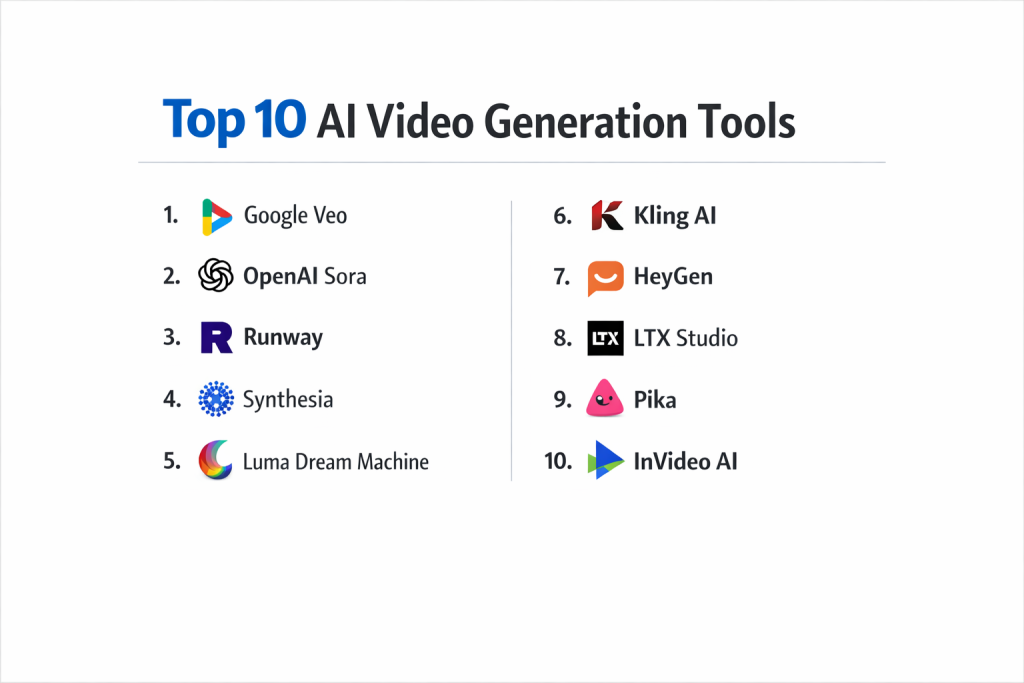
Top 10 AI Video Generation Tools
1 — Google Veo
Veo is Google’s flagship generative video model, designed for professional storytellers who need cinematic realism and native audio integration.
- Key features:
- Cinematic Realism: Understands complex lighting, depth of field, and natural human movement.
- Native Audio Generation: Creates synchronized sound effects and background music within the same prompt.
- 1080p to 4K Upscaling: High-definition output suitable for broadcast and large-scale marketing.
- Long-form Narrative: Capable of generating clips with consistent character details.
- Direct Gemini Integration: Use Gemini to script, storyboard, and then generate video in one workflow.
- Pros:
- Unrivaled “Hollywood-style” physics and lighting accuracy.
- Extremely efficient for Workspace users who rely on Google’s ecosystem.
- Cons:
- Highly resource-intensive, resulting in longer rendering times for high-res clips.
- Enterprise pricing can be prohibitive for small businesses.
- Security & compliance: SOC 2 Type II, GDPR, and ISO 27001 compliant; includes C2PA digital watermarking.
- Support & community: Professional Google Cloud support; extensive developer documentation and a massive global user base.
2 — OpenAI Sora
Sora focuses on “World Modeling”—creating videos that respect the laws of physics over long durations.
- Key features:
- Complex Scene Understanding: Handles multiple characters with distinct behaviors in a single shot.
- Multi-Camera Angle Prompts: Users can specify “tracking shot” or “wide-angle” directly in text.
- Sustained Consistency: Characters and objects maintain their identity even when moving off-camera.
- Video-to-Video Refinement: Upload an existing clip and “reskin” it into a new style or setting.
- Reasoning-Driven Motion: The AI “thinks” about how an object should move before rendering.
- Pros:
- The industry benchmark for emotional nuance in AI characters.
- Seamlessly integrated with ChatGPT for a smooth creative pipeline.
- Cons:
- Strict safety filters can sometimes block legitimate creative prompts.
- High demand often leads to credit throttling.
- Security & compliance: Robust safety protocols; C2PA metadata tagging for provenance; GDPR compliant.
- Support & community: Growing community within the OpenAI forum; premium support for “Pro” and “Team” users.
3 — Runway
Runway remains the “Pro Editor’s Choice,” offering the most granular manual controls of any AI video platform.
- Key features:
- Motion Brush: Paint over specific areas of an image to tell the AI exactly where to move.
- Director Mode: Advanced sliders for camera pan, tilt, and zoom speed.
- Multi-Model Orchestration: Access to specialized models for specific styles.
- Custom Training: Enterprise users can train the AI on their own product images.
- Shared Workspaces: Real-time collaboration for creative agencies.
- Pros:
- Gives the user the most “director-like” control over the final output.
- Fast iteration speeds with “Draft Mode” previews.
- Cons:
- The UI has a steeper learning curve compared to simple text-to-video tools.
- Advanced features are gated behind higher-priced monthly subscriptions.
- Security & compliance: SOC 2 compliant; enterprise plans offer private model hosting and data isolation.
- Support & community: Strong community on Discord; “Runway Academy” provides deep-dive tutorials for professionals.
4 — Synthesia
Synthesia is the global leader in AI avatars, focusing on corporate communication and “talking head” style content.
- Key features:
- 230+ Digital Humans: Multi-ethnic avatars with realistic micro-expressions.
- Instant Dubbing: Translate a video into 120+ languages with automatic lip-syncing.
- Personal Avatars: Create a digital twin of yourself using just minutes of footage.
- Interactive Players: Embed videos that allow viewers to click on hotspots or take quizzes.
- API for Scale: Automate the creation of thousands of personalized videos for customers.
- Pros:
- The most professional solution for training and internal comms.
- Saves thousands in studio and actor costs for recurring video series.
- Cons:
- Not designed for cinematic or “action” shots (limited to presenters).
- Some avatars can still feel slightly “uncanny” in very long close-ups.
- Security & compliance: SOC 2, GDPR, and ISO compliant; rigorous ethical guidelines to prevent deepfake misuse.
- Support & community: Dedicated success managers for enterprise; active user community and regular webinars.
5 — Luma Dream Machine
Luma is celebrated for its high-energy motion and “Dreamlike” aesthetic quality.
- Key features:
- HDR Pipeline: Supports native High Dynamic Range generation.
- High-Motion Synthesis: Excels at fast-paced action, sports, and complex camera movements.
- Image-to-Video Precision: Maintains the integrity of the original image better than almost any competitor.
- Reasoning-Based Iteration: The tool evaluates its own clips and offers suggestions for improvement.
- Keyframe Looping: Effortlessly create perfectly looping videos for website backgrounds.
- Pros:
- Extremely fast generation (120 frames in 120 seconds).
- Superior environmental rendering (forests, oceans, and cityscapes).
- Cons:
- Can struggle with precise text rendering inside the video.
- Free plan often has long queues and limits downloads.
- Security & compliance: Standard data encryption; GDPR compliant; C2PA watermarking.
- Support & community: Very active community on social media and Discord where developers engage daily.
6 — Kling AI
Kling has gained massive traction for its incredible balance of price, performance, and realistic human physics.
- Key features:
- Extended Duration: Capable of generating single clips up to 30 seconds.
- Complex Human Action: Superior at rendering intricate movements like eating or running.
- Integrated SFX: One-click sound effects that match the visual action.
- 1080p HD Native: High-resolution output without the need for external upscalers.
- Start & End Frames: Specify both the beginning and the end of a clip for perfect transitions.
- Pros:
- The best “value for money” in the high-fidelity category.
- Extremely stable motion with very little “warping” or artifacts.
- Cons:
- Regional access can be inconsistent in certain parts of the world.
- Documentation is less comprehensive than some other competitors.
- Security & compliance: Standard web security; GDPR alignment for international users.
- Support & community: Large Discord community; frequent updates but limited enterprise-grade support.
7 — HeyGen
HeyGen specializing in “Instant Avatars” and high-speed personalization for marketing and sales.
- Key features:
- Interactive Avatars: Real-time AI avatars that can “talk back” to users in a browser.
- Expressive Skin Tones: High-fidelity rendering of diverse ethnicities and facial textures.
- Video Translate: Effortlessly switch the language of an entire video while keeping the original voice tone.
- Knowledge Base Integration: Feed your company docs to an avatar so it can answer questions.
- Social Media Templates: Built-in formats for TikTok, Reels, and YouTube Shorts.
- Pros:
- Best-in-class lip-syncing and facial expression mapping.
- Very user-friendly interface that feels like a modern SaaS tool.
- Cons:
- The “Instant Avatar” feature requires high-quality source video for the best result.
- Credit costs can add up quickly for high-volume users.
- Security & compliance: SOC 2 Type II compliant; focuses heavily on secure identity verification.
- Support & community: Excellent “HeyGen Academy” and rapid email support.
8 — LTX Studio
LTX Studio, powered by Lightricks, is a holistic filmmaking platform that handles everything from script to final cut.
- Key features:
- Full Scene Orchestration: View your entire video as a storyboard and edit shot-by-shot.
- Character Consistency: Lock a character’s look across different scenes and angles.
- Automatic Scripting: Turns a one-sentence idea into a multi-scene screenplay.
- Sound Design: Generates ambient noise and dialogue tracks automatically.
- Style Control: Apply a unified visual style (e.g., “Film Noir” or “3D Animation”) to the entire project.
- Pros:
- The only tool that feels like an “all-in-one” movie studio.
- Perfect for agencies needing to build complete narratives.
- Cons:
- Can be overly complex for users just looking for a single 5-second clip.
- Rendering a full project takes significant time and credits.
- Security & compliance: Standard encryption; GDPR compliant.
- Support & community: Integrated tutorials and a dedicated support team for creators.
9 — Pika
Pika is the creative playground for animators, known for its unique physics and artistic flair.
- Key features:
- Sound Effects (SFX): Automatically generates audio that syncs with on-screen movement.
- In-Painting: Change a specific object in a video (e.g., change a shirt color) without regenerating the whole clip.
- Modify Area: High-precision control over specific pixel groups.
- Pika Effects: One-click “crush,” “melt,” or “inflate” physics effects.
- Lip-Syncing: Allows any character to speak audio uploaded by the user.
- Pros:
- Excellent for creative experiments and artistic short films.
- Very active community sharing prompts and styles.
- Cons:
- Character realism isn’t as high as Sora or Veo.
- Clips are often shorter by default compared to Kling or Luma.
- Security & compliance: GDPR compliant; standard data security.
- Support & community: Massive Discord community and very active social media presence.
10 — InVideo AI
InVideo AI is the go-to tool for content marketers who want to turn text prompts into ready-to-publish social videos with voiceovers and stock footage.
- Key features:
- Prompts-to-Video: Write a prompt and get a full video with script, stock clips, and VO.
- Real-time Editing: Use text commands to “edit” the video (e.g., “make this scene more exciting”).
- Voiceover Library: Access hundreds of natural-sounding AI voices in multiple languages.
- Stock Library Access: Millions of licensed stock images and videos integrated into the AI workflow.
- Collaboration Tools: Allow team members to comment on specific timestamps.
- Pros:
- The fastest way to create “Faceless” YouTube channels or marketing clips.
- Virtually zero technical skill required to get a professional result.
- Cons:
- Relies heavily on stock footage rather than purely generative pixels.
- Less “cinematic” than tools like Sora or Runway.
- Security & compliance: SOC 2 compliant; standard data privacy protections.
- Support & community: 24/7 live chat support and a huge library of video tutorials.
Comparison Table
| Tool Name | Best For | Platform(s) Supported | Standout Feature | Rating (Gartner) |
| Google Veo | High-End Marketing | Web, API | Native Audio Gen | N/A |
| OpenAI Sora | Narrative Realism | Web | World Physics | N/A |
| Runway | Creative Professionals | Web, iOS | Motion Brush | 4.8 / 5 |
| Synthesia | Corporate L&D | Web | 230+ AI Avatars | 4.7 / 5 |
| Luma Dream Machine | Action & Environments | Web | High-Motion Ray3 | N/A |
| Kling AI | Realistic Movement | Web, App | 30-Second Clips | N/A |
| HeyGen | Sales & Marketing | Web | Instant Avatars | 4.8 / 5 |
| LTX Studio | Narrative Filmmaking | Web | Character Consistency | N/A |
| Pika | Creative Animation | Web, Discord | Pika Physics Effects | N/A |
| InVideo AI | Content Marketing | Web, iOS, Android | Text-to-Social-Video | 4.6 / 5 |
Evaluation & Scoring of AI Video Generation Tools
| Category | Weight | Score (1-10) | Evaluation Rationale |
| Core features | 25% | 9.2 | Visual fidelity and temporal consistency have reached professional levels. |
| Ease of use | 15% | 8.5 | Tools range from “one-click” (InVideo) to “advanced editor” (Runway). |
| Integrations | 15% | 7.5 | APIs are becoming common, but native CRM integrations are still growing. |
| Security & compliance | 10% | 8.8 | High-tier tools now prioritize C2PA watermarking and SOC 2 audits. |
| Performance | 10% | 8.0 | Rendering times remain the biggest bottleneck for high-res output. |
| Support & community | 10% | 9.5 | These platforms have some of the most active Discord/webinar communities. |
| Price / value | 15% | 8.5 | Massive ROI compared to traditional production, despite high credit costs. |
Which AI Video Generation Tool Is Right for You?
Solo Users vs SMB vs Mid-Market vs Enterprise
If you are a solo creator, tools like Pika or InVideo AI provide the most creative freedom and ease of use for a single person. SMBs looking to build a brand presence should look at HeyGen for social marketing or Writesonic/Synthesia for training. Mid-Market and Enterprise companies require the rigorous compliance and API scalability found in Google Veo or Synthesia Enterprise, which offer custom avatars and private data hosting.
Budget-Conscious vs Premium Solutions
For those on a budget, Kling AI and Pika offer generous free tiers or low-cost entry points. However, premium solutions like Runway or LTX Studio are worth the investment for professionals who need specific camera controls and consistent character rendering across multiple scenes.
Feature Depth vs Ease of Use
If you want to type a sentence and be done, InVideo AI is the clear winner. If you want to paint motion, adjust camera shutter speeds, and upscale to 4K, Runway is the necessary tool, despite the steeper learning curve.
Integration and Scalability Needs
For organizations that need to generate personalized videos at scale (e.g., thousands of unique customer greetings), Synthesia and HeyGen offer the most robust APIs. If your workflow is based on Google Workspace, Veo’s integration with the Google ecosystem will save your team hours of switching tabs.
Security and Compliance Requirements
In sectors like Finance or Healthcare, Synthesia and Google Veo lead the way with high-level certifications (ISO, SOC 2) and strict ethical guidelines regarding the use of human likenesses. Always ensure your chosen tool supports C2PA digital watermarking to maintain transparency about the AI origins of your content.
Frequently Asked Questions (FAQs)
1. Is AI-generated video indistinguishable from real footage?
In many cases, yes. Models like Sora and Veo can create photorealistic environments. However, complex human interactions (like holding a specific object) can still show minor artifacts upon close inspection.
2. How long does it take to generate a video?
A typical 5-10 second clip can take anywhere from 2 to 10 minutes to render, depending on the model complexity and your subscription tier.
3. Do I need a powerful computer to run these tools?
No. Almost all of these platforms are cloud-based, meaning the heavy processing happens on the company’s servers. You only need a modern web browser and a stable internet connection.
4. Can I use my own voice in these videos?
Yes. Tools like HeyGen, Synthesia, and ElevenLabs (often integrated into these platforms) allow you to upload a voice sample to clone your own voice for the AI characters.
5. What is “Temporal Consistency”?
It refers to the AI’s ability to keep the background and characters looking the same from the first frame to the last. Low-quality AI video often “flickers,” but top-tier tools have mostly solved this.
6. Is AI video production ethical?
It depends on usage. Leading companies use watermarking and identity verification to prevent deepfakes. It is widely considered ethical for creative storytelling and business communications when transparency is maintained.
7. Can I generate a full 2-hour movie with AI?
Not yet with a single prompt. Current workflows involve generating short clips and then stitching them together in a traditional editor or a platform like LTX Studio.
8. Will AI video tools replace film crews?
They are replacing crews for stock footage, product demos, and social ads. However, major film productions still rely on humans for high-level creative direction and on-set performance.
9. What is “C2PA” in AI video?
C2PA is a technical standard that attaches metadata to a file, proving it was created or edited by AI. This is critical for preventing misinformation.
10. How much do these tools cost?
Prices usually start around $20-$30 per month for individuals. Enterprise plans with high-volume API access can cost thousands per month.
Conclusion
Choosing the right AI video tool depends entirely on your “Output Goal.” If you need a digital spokesperson for a training course, Synthesia is your best bet. If you are trying to create a cinematic sci-fi trailer, Sora or Runway will provide the visual depth you need.
The “best” tool isn’t universal; it is the one that aligns with your technical skill level and security requirements. As the technology continues to evolve, the most successful creators will be those who combine multiple tools—using one for characters, another for environments, and a third for final editing.