Introduction
AI Content Generation Tools have moved past the “experimental” phase to become the foundational engine for modern digital communication. These tools leverage Large Language Models (LLMs) and Generative AI to produce high-quality text, images, and video from simple natural language prompts. Unlike early iterations that often required heavy manual editing, today’s platforms can mimic specific brand voices, follow complex SEO strategies, and automate entire content workflows—from initial research to final social media distribution.
The importance of these tools lies in their role as a “workforce multiplier.” With global digital content demands reaching an all-time high, AI enables teams to maintain a consistent online presence without a linear increase in headcount. These platforms are now essential for maintaining competitiveness in search engine rankings, scaling personalized email outreach, and localizing content for global markets in real-time. By automating the mechanical aspects of writing and design, they allow human creators to pivot toward high-level strategy, ethics, and creative direction.
Key Real-World Use Cases
- Scaleable SEO Blogging: Generating dozens of researched, optimized blog posts that align with specific search intent.
- Omnichannel Marketing Campaigns: Turning one long-form whitepaper into ad copy, social snippets, and email sequences in seconds.
- Personalized Sales Outreach: Crafting thousands of unique cold emails based on prospect LinkedIn data or company news.
- Product Descriptions: Automating the creation of unique, persuasive copy for e-commerce catalogs with thousands of SKUs.
- Internal Communications: Summarizing complex reports into digestible executive briefs or employee newsletters.
What to Look For (Evaluation Criteria)
When evaluating AI content tools, the priority has shifted from “can it write?” to “how well does it integrate?” Key criteria include Brand Voice Consistency (the ability to learn your specific tone), Output Fidelity (accuracy and lack of hallucinations), and Process Automation (the ability to trigger content generation via API or workflow builders).
Best for: Marketing agencies, SEO specialists, social media managers, and enterprise GTM (Go-to-Market) teams who need to produce high volumes of high-quality content while maintaining a consistent brand identity.
Not ideal for: High-stakes investigative journalism, legal advice, or deep technical research where 100% factual accuracy is a life-or-death requirement without human verification.
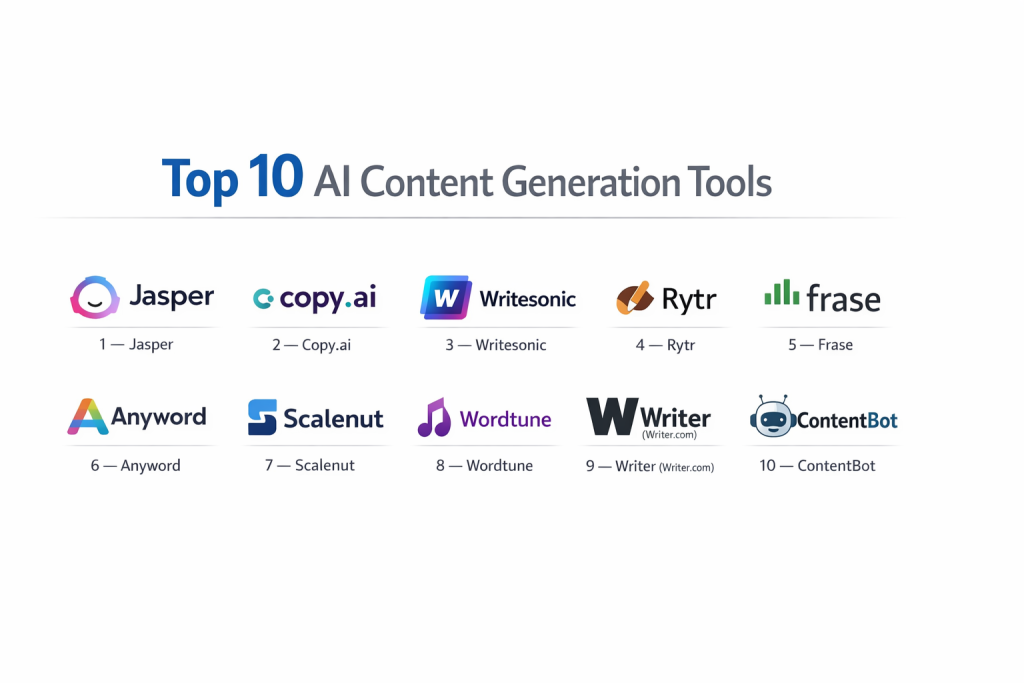
Top 10 AI Content Generation Tools
1 — Jasper
Jasper remains the industry standard for enterprise-grade AI writing, specifically built to help marketing teams stay “on-brand” at scale.
- Key features:
- Brand Voice 2.0: Deep-learning engine that analyzes your existing content to mimic your style perfectly.
- Campaign Builder: Generates an entire multi-channel marketing campaign from a single brief.
- Jasper Everywhere: A robust browser extension that brings AI writing to your CMS, email, and social platforms.
- SEO Mode: Integrated with SurferSEO for real-time keyword optimization and ranking scores.
- Team Collaboration: Built-in approval workflows, status tracking, and folder management.
- Pros:
- The most sophisticated brand-voice alignment in the market.
- Excellent UI designed specifically for marketing professionals, not just general users.
- Cons:
- One of the more expensive options, making it less accessible for solo freelancers.
- The sheer number of templates can be overwhelming for beginners.
- Security & compliance: SOC 2 Type II, GDPR compliant, and SSO (Single Sign-On) for enterprise tiers.
- Support & community: High-tier support with dedicated success managers; active “Jasper Academy” and community groups.
2 — Copy.ai
Copy.ai has evolved from a simple copywriting tool into a “GTM AI Platform” that focuses on automating sales and marketing workflows.
- Key features:
- Workflows: Allows users to create automated “chains” (e.g., scrape a URL > write a summary > create 3 tweets).
- Chat with Data: Allows the AI to “read” your uploaded PDFs or spreadsheets to generate insights.
- Sales Intelligence: Integrated tools for lead processing and account-based research.
- Infusion of Real-Time Data: Uses web search to ensure content is up-to-date with current events.
- Multi-Model Support: Dynamically switches between GPT-4, Claude, and other models for the best output.
- Pros:
- Unrivaled for workflow automation; it’s more than just a text editor.
- Very fast at generating short-form copy like headlines and ad hooks.
- Cons:
- The shift toward “Workflows” makes the UI more complex than its original simple version.
- Can sometimes struggle with very long-form (3,000+ word) cohesive narrative flow.
- Security & compliance: SOC 2 Type II and GDPR compliant; data is not used to train models on enterprise plans.
- Support & community: Extensive help center, live webinars, and a very active community of automation enthusiasts.
3 — Writesonic
Writesonic is the “all-in-one” powerhouse for content creators, offering a balanced suite of SEO writing, AI images, and custom chatbots.
- Key features:
- Article Writer 6.0: Can generate 2,500-word articles with citations and real-time Google search data.
- Photosonic: Integrated AI image generator to create blog thumbnails and social visuals.
- Chatsonic: A “Google Search on steroids” chat interface that provides cited answers.
- Audiosonic: Turns written text into natural-sounding voiceovers.
- Landing Page Generator: Creates high-converting web pages with just a few prompts.
- Pros:
- Incredibly versatile; one subscription covers text, image, and voice.
- High factual accuracy due to its strong integration with real-time web search.
- Cons:
- The credit-based system can be confusing for users to track their usage.
- Occasional inconsistencies in brand voice when switching between templates.
- Security & compliance: GDPR-aligned; uses enterprise-grade encryption for all data storage.
- Support & community: Responsive 24/7 chat support and a large library of “how-to” video guides.
4 — Rytr
Rytr is the favorite for individuals and small teams who need a simple, budget-friendly AI writing assistant that “just works.”
- Key features:
- Magic Command: Allows you to send custom instructions to the AI for unique tasks.
- Built-in Plagiarism Checker: Powered by Copyscape to ensure content uniqueness.
- Chrome Extension: Works across 30+ platforms including Gmail, WordPress, and Slack.
- Rich Text Editor: A clean, distraction-free environment for finishing your drafts.
- 30+ Languages: Supports high-quality generation in a wide range of global languages.
- Pros:
- The most affordable high-quality tool on the market.
- Extremely lightweight and easy to use; no steep learning curve.
- Cons:
- Lacks the advanced SEO and “Brand Voice” features of Jasper.
- Not designed for large-scale team collaboration or complex workflows.
- Security & compliance: Standard SSL encryption; GDPR compliant.
- Support & community: Email-based support and a helpful FAQ knowledge base.
5 — Frase
Frase is an SEO-first content platform that focuses on the entire lifecycle of a blog post: from research to optimization.
- Key features:
- SERP Analysis: Automatically scrapes the top 20 Google results for a keyword to build a content brief.
- AI Brief Generator: Creates a detailed outline based on competitor gaps and “People Also Ask” data.
- Content Scoring: Real-time score based on how well your draft covers essential topics.
- Wikipedia Integration: Pulls factual data directly from trusted sources during the writing process.
- Custom Templates: Allows users to build their own AI writing logic for specific niches.
- Pros:
- The best tool for data-driven SEO writers who care about ranking.
- Saves hours of manual competitor research and outlining.
- Cons:
- The AI writing itself is often shorter and requires more “human guiding” than Jasper.
- Steep learning curve for those not familiar with SEO terminology.
- Security & compliance: SOC 2 compliant; standard data privacy protections.
- Support & community: Monthly webinars, a dedicated Slack group, and deep-dive documentation.
6 — Anyword
Anyword is unique for its “Performance Scoring,” designed for performance marketers who need to know which copy will actually convert.
- Key features:
- Predictive Performance Score: Gives every piece of copy a score out of 100 based on conversion likelihood.
- Data-Driven Editor: Optimizes copy for specific target audiences (e.g., “Moms” vs. “CEOs”).
- Ad Intelligence: Analyzes your previous ad performance to recommend better copy variants.
- Brand Guidelines: Allows you to set specific words to “always use” or “never use.”
- Multi-Platform Optimization: Tailors the same message for LinkedIn, Facebook, and Google Search.
- Pros:
- The only tool that focuses on results (conversion) rather than just volume.
- Great for A/B testing copy without spending thousands on ad experiments.
- Cons:
- Less effective for creative storytelling or general blog writing.
- Pricing is geared toward agencies and larger marketing budgets.
- Security & compliance: Enterprise-grade security; GDPR and CCPA compliant.
- Support & community: Premium support for higher tiers; regular case study publications.
7 — Scalenut
Scalenut provides an “SEO Hub” that handles everything from keyword clustering to AI writing in a single, unified dashboard.
- Key features:
- Cruise Mode: A step-by-step wizard that takes you from a keyword to a 1,500-word blog in 5 minutes.
- Topic Clusters: Automatically groups keywords to help you build “topical authority” on a subject.
- Real-time NLP Terms: Highlights the specific terms search engines expect to see in your content.
- Automatic Internal Linking: Suggests pages on your site to link to for better SEO.
- Competitor Analysis: Provides a side-by-side view of your content vs. the top-ranking pages.
- Pros:
- Excellent for building a large-scale content “engine” from scratch.
- Stronger automated internal linking and clustering features than Frase.
- Cons:
- UI can feel cluttered due to the density of SEO data provided.
- The AI output often requires a “human touch” to ensure a natural flow.
- Security & compliance: Varies (Standard encryption and GDPR alignment).
- Support & community: Responsive chat support and an active Facebook user group.
8 — Wordtune
Wordtune is the ultimate “polishing” tool, designed for professionals who write their own content but want to refine it for clarity and impact.
- Key features:
- Rewrite Tool: Offers multiple ways to rephrase a sentence (Casual, Formal, Shorten, Expand).
- Spices: An AI “co-pilot” that can add a joke, a fact, or a counter-argument to your writing.
- Read & Summarize: Can summarize long YouTube videos or PDFs into a few bullet points.
- Grammar Checker: High-end correction that goes beyond basic spelling.
- Browser/Editor Add-ins: Works seamlessly inside Google Docs, Microsoft Word, and LinkedIn.
- Pros:
- Keeps the human in the driver’s seat; it’s an editor, not just a generator.
- The highest quality “rewriting” logic on the market.
- Cons:
- Not designed for generating 2,000-word articles from a single prompt.
- Limited templates for marketing-specific needs like Facebook Ads.
- Security & compliance: GDPR compliant; SOC 2 Type II certified.
- Support & community: Comprehensive help center and dedicated email support.
9 — Writer (Writer.com)
Writer is the definitive enterprise-choice for companies like Accenture and L’Oreal, focusing on compliance, data privacy, and full-stack AI orchestration.
- Key features:
- Palmyra LLMs: Their own family of transparent, non-hallucinating Large Language Models.
- Knowledge Graph: Allows the AI to connect to your company’s specific data and facts securely.
- Styleguide Enforcement: Automatically checks for inclusive language, legal compliance, and voice.
- Recap: Generates meeting summaries and action items from audio/video uploads.
- API-First: Designed to be embedded into your company’s internal software tools.
- Pros:
- The most secure and “enterprise-ready” platform on this list.
- No risk of your data being used to train public AI models.
- Cons:
- Extremely high pricing that is out of reach for SMBs and solo users.
- Requires significant setup to get the Knowledge Graph properly integrated.
- Security & compliance: SOC 2 Type II, GDPR, HIPAA, and PCI compliant.
- Support & community: High-touch enterprise support, dedicated success managers, and private training sessions.
10 — ContentBot
ContentBot is the “Lego set” of AI content, offering deep automation and custom “Content Flows” for advanced users.
- Key features:
- Flows: A drag-and-drop builder to automate complex content tasks.
- AI Blogger: Can be scheduled to automatically generate and post blogs to your site.
- Paraphrasing Tool: Highly advanced re-writing for long-form text blocks.
- Plagiarism Checker: Built-in scanner to ensure every “Flow” produces unique work.
- Import/Export: Seamlessly integrates with WordPress and Shopify.
- Pros:
- Incredible flexibility for users who want to “set and forget” their content production.
- Very competitive pricing for the level of automation provided.
- Cons:
- The “Flow” builder has a significant learning curve for non-technical users.
- The UI is functional but lacks the polish of Jasper or Copy.ai.
- Security & compliance: GDPR compliant; standard data encryption.
- Support & community: Responsive email support and a growing community of automation builders.
Comparison Table
| Tool Name | Best For | Platform(s) Supported | Standout Feature | Rating (Gartner) |
| Jasper | Marketing Teams | Web, Extension, API | Brand Voice 2.0 | 4.4 / 5 |
| Copy.ai | GTM & Sales Workflows | Web, API | GTM AI Workflows | 5.0 / 5 |
| Writesonic | SMBs & Bloggers | Web, Extension | Article Writer 6.0 | 4.7 / 5 |
| Rytr | Freelancers / Budget | Web, Extension | Simplicity & Pricing | N/A |
| Frase | SEO Specialists | Web | SERP Data Research | N/A |
| Anyword | Performance Marketing | Web | Predictive Scoring | 4.8 / 5 |
| Scalenut | SEO Content Hubs | Web | Topic Clustering | N/A |
| Wordtune | Professional Editing | Extension, Desktop | Spices / Rephrase | N/A |
| Writer | Large Enterprises | Web, API, Desktop | Knowledge Graph | 4.5 / 5 |
| ContentBot | Automation Builders | Web, WordPress | Content Flows | N/A |
Evaluation & Scoring of AI Content Generation Tools
| Category | Weight | Score (1-10) | Evaluation Rationale |
| Core features | 25% | 9.5 | Most tools now offer exceptional writing quality and brand voice controls. |
| Ease of use | 15% | 8.0 | There is a trade-off: more automation (Copy.ai/ContentBot) means higher complexity. |
| Integrations | 15% | 8.5 | Browser extensions and API access have become standard for top-tier tools. |
| Security & compliance | 10% | 9.0 | SOC 2 and GDPR compliance are now standard for enterprise-facing tools. |
| Performance | 10% | 8.5 | Generation speed is excellent, but long-form coherence is still evolving. |
| Support & community | 10% | 9.0 | Education (academies) is a major focus for these vendors in 2026. |
| Price / value | 15% | 8.0 | ROI is high, though premium enterprise pricing is steep. |
Which AI Content Generation Tool Is Right for You?
Solo Users vs SMB vs Mid-Market vs Enterprise
If you are a solo user or freelancer, your priority is likely speed and cost—Rytr or Wordtune will be your best friends. For SMBs looking to scale their blog and social presence, Writesonic or Scalenut offers the best “all-in-one” value. Mid-Market teams who care deeply about a specific brand voice should look at Jasper or Copy.ai. Finally, for Enterprises where data privacy and legal compliance are non-negotiable, Writer (Writer.com) is the only logical choice.
Budget-Conscious vs Premium Solutions
The “budget” route doesn’t mean low quality. Rytr produces excellent short-form copy for a fraction of the price of others. However, if you are spending $5,000+ a month on ads, a premium solution like Anyword or Jasper pays for itself by increasing your conversion rate through predictive scoring and brand alignment.
Feature Depth vs Ease of Use
If you want to click a button and get a result, Rytr and Writesonic have the best out-of-the-box experience. If you are a “power user” who wants to build custom logic and automated content pipelines, you should invest the time to learn ContentBot or the workflow engine in Copy.ai.
Integration and Scalability Needs
For companies that need to generate content inside their own apps, the API-first approach of Writer or Jasper is essential. If your team lives in Google Docs and WordPress, tools with robust Chrome Extensions (like Wordtune or Jasper) will be adopted much faster by your staff.
Security and Compliance Requirements
If you work in a regulated industry like Finance or Healthcare, do not compromise. Look for tools that offer HIPAA compliance and a private LLM option (like Writer) to ensure your internal data never leaks into a public model training set.
Frequently Asked Questions (FAQs)
1. Is AI-generated content bad for SEO in 2026?
No. Google and other search engines reward helpful content regardless of how it was created. However, “lazy” AI content that adds no value will be penalized. Tools like Frase and Scalenut help ensure your content meets high SEO standards.
2. Will AI tools replace human writers?
They are replacing “mechanical” writing (product descriptions, basic news). However, they are empowering strategic writers to do more. Humans are still needed for fact-checking, emotional nuance, and strategic direction.
3. Do I own the copyright to AI-generated content?
This varies by jurisdiction and tool. Most platforms (like Jasper and Writer) state in their terms that you own the output. However, global laws regarding “AI authorship” are still evolving in 2026.
4. How do I prevent AI “hallucinations”?
Use tools that integrate with real-time web search (like Writesonic) or your internal data (like Writer’s Knowledge Graph). Always have a human editor verify facts, especially for dates and statistics.
5. Can these tools write in my specific “brand voice”?
Yes. Modern tools like Jasper (Brand Voice 2.0) and Copy.ai can analyze your previous blog posts and social media to mimic your tone, vocabulary, and sentence structure.
6. Are these tools safe for sensitive company data?
Only if you use enterprise-grade versions. Ensure the tool is SOC 2 Type II compliant and specifically states that your data is not used to train their public models (like Writer or Jasper Enterprise).
7. How much do these tools cost on average?
Solo plans typically range from $10 to $40 per month. Enterprise plans can range from $500 to $5,000+ per month depending on the number of users and custom security requirements.
8. Can I generate content in multiple languages?
Yes. Most tools on this list support 30+ languages. Some, like Jasper, use advanced translation layers to ensure the nuance isn’t lost when moving from English to other languages.
9. What is “Predictive Scoring” in content tools?
Found in tools like Anyword, it uses historical data to predict how likely a piece of copy is to convert your target audience before you even publish it.
10. What is the biggest mistake people make with AI content?
Publishing “raw” output without editing. AI often creates generic or repetitive text if not guided. The best results come from a “Human-in-the-Loop” workflow where the AI does the heavy lifting and the human adds the “soul.”
Conclusion
The “best” AI Content Generation Tool isn’t the one that writes the most words—it’s the one that fits most seamlessly into your existing team’s brain. For the individual creator, that might be the simplicity of Rytr. For the SEO-obsessed agency, it’s the data-driven depth of Frase or Scalenut. And for the global enterprise, it is the uncompromising security of Writer.
As you choose your tool, remember that the AI is your co-pilot, not the pilot. The most successful content strategies those that leverage AI for its incredible speed and scale, while relying on human experts to provide the empathy, ethics, and “final mile” of quality that search engines and audiences crave.