Introduction
AI Code Assistants are specialized generative AI tools integrated into development environments to help programmers write, debug, and optimize software. These tools use Large Language Models (LLMs) trained on vast repositories of open-source code to provide real-time suggestions, ranging from single-line autocompletions to entire functions and system architectures. By understanding the context of a project, these assistants can predict the developer’s intent, automate “boilerplate” code, and even translate logic between different programming languages.
The importance of these tools lies in their ability to solve the “developer bottleneck.” As software systems grow more complex, developers spend a significant portion of their day on repetitive tasks or searching documentation. AI Code Assistants act as a tireless pair programmer, reducing the cognitive load and allowing engineers to focus on high-level logic and problem-solving. This results in faster ship cycles, fewer syntax errors, and a lower barrier to entry for junior developers learning new frameworks.
Key Real-World Use Cases
- Boilerplate Generation: Quickly setting up standard structures like API endpoints, database schemas, or unit test suites.
- Legacy Code Refactoring: Explaining old, undocumented code and suggesting modern, more efficient alternatives.
- Bug Detection and Fixing: Identifying potential logic flaws or security vulnerabilities in real-time as the code is being written.
- Language Translation: Converting a service written in Python into Go or Java while maintaining the original logic.
- Documentation Automation: Automatically generating docstrings, README files, and inline comments based on the code’s behavior.
What to Look For (Evaluation Criteria)
When choosing an AI code assistant, you must prioritize contextual awareness (how well the tool understands your entire codebase, not just the open file), latency (the speed of suggestions), and security (ensuring your proprietary code isn’t used to train public models). Additionally, check for IDE compatibility and the ability to “fine-tune” the model on your organization’s specific coding standards.
Best for: Software engineers, DevOps professionals, and data scientists across all company sizes—from solo founders to Fortune 500 enterprises—who need to accelerate development cycles and improve code quality.
Not ideal for: Organizations with extremely strict air-gapped security requirements that forbid any external cloud processing, or for highly specialized, experimental hardware programming where no training data exists for the AI to reference.
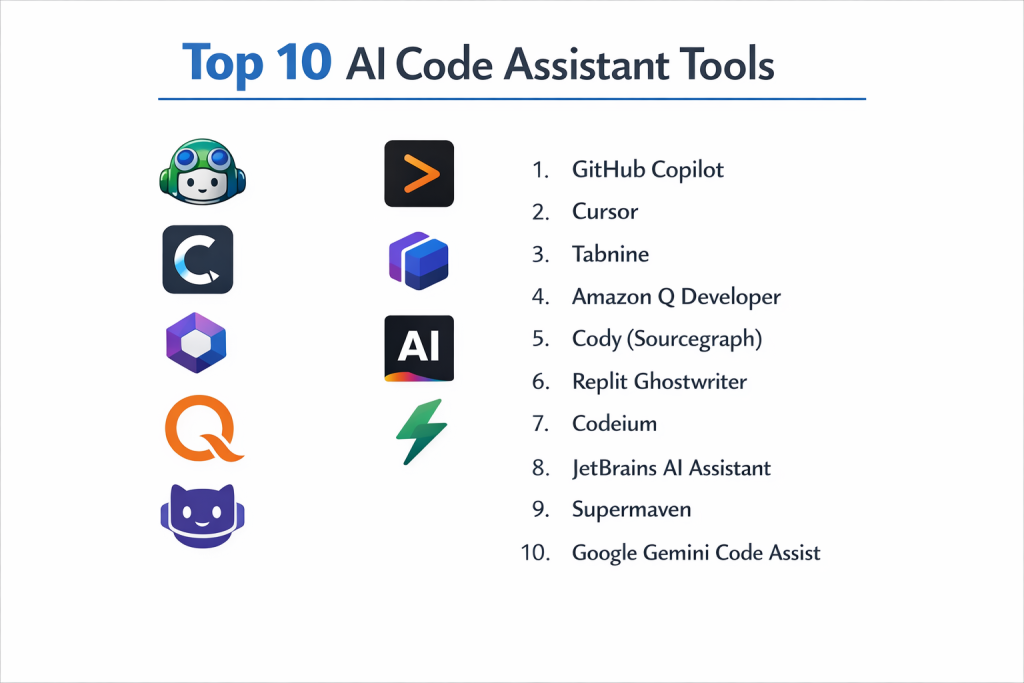
Top 10 AI Code Assistants Tools
1 — GitHub Copilot
The pioneer of the category, GitHub Copilot is a deeply integrated AI pair programmer that leverages OpenAI’s latest models and the vast knowledge of GitHub’s repositories.
- Key features:
- Copilot Chat: A conversational interface within the IDE for complex refactoring and debugging.
- Pull Request Summaries: Automatically generates descriptions for PRs based on the changes made.
- CLI Integration: Helps developers write and explain terminal commands.
- Copilot Extensions: Allows third-party tools (like Sentry or Azure) to provide context directly in the chat.
- Enterprise Knowledge: Can index a company’s private repositories to provide organization-specific suggestions.
- Pros:
- Unrivaled integration with the GitHub ecosystem and VS Code.
- Highly accurate suggestions across virtually every known programming language.
- Cons:
- Can sometimes suggest code with restrictive licenses (though filters exist).
- Requires an internet connection; no robust offline mode.
- Security & compliance: SOC 2, GDPR, and ISO certified. Offers a “Corporate” version where data is not used for model training.
- Support & community: Massive user community, extensive documentation, and premium enterprise support with dedicated account managers.
2 — Cursor
Cursor is an “AI-native” code editor—a fork of VS Code—designed from the ground up to integrate AI into every pixel of the development experience.
- Key features:
- Codebase Indexing: Locally indexes your files so the AI knows exactly where every function is defined.
- “Composer” Mode: Allows the AI to write across multiple files simultaneously to build entire features.
- Instant Fix: Detects linter errors and offers a one-click AI fix.
- Model Switching: Allows users to choose between GPT-4o, Claude 3.5 Sonnet, and their own small, fast models.
- Privacy Mode: Ensures that code never leaves the local machine for training purposes.
- Pros:
- Feels significantly more “intelligent” than standard extensions because it controls the entire editor.
- The best tool for navigating and editing large, complex existing codebases.
- Cons:
- Requires switching to a new editor (though it’s VS Code-compatible).
- The most powerful features require a monthly subscription.
- Security & compliance: GDPR compliant; offers a “Privacy Mode” where code is processed in-memory and never stored.
- Support & community: Very active Discord community and rapid release cycles driven by user feedback.
3 — Tabnine
Tabnine focuses on privacy and professional-grade security, offering a versatile tool that can be deployed on-premises or in private clouds.
- Key features:
- Local Model Execution: Can run entirely on your hardware to ensure zero data leakage.
- Custom Model Training: Ability to train the AI on your specific private codebase for tailored results.
- Context-Aware Suggestions: Uses long-range context to suggest relevant snippets.
- Centralized Policy Management: Admins can control which models are used across the engineering team.
- Atlassian Integration: Deep hooks into Jira and Bitbucket for end-to-end development tracking.
- Pros:
- The gold standard for enterprises with high security and “Zero-Cloud” requirements.
- Highly customizable to fit an organization’s specific “tribal” coding style.
- Cons:
- The setup for local/on-prem deployment can be technically complex.
- Suggestions can sometimes feel less “creative” than GPT-4-based tools.
- Security & compliance: SOC 2 Type II certified; HIPAA and GDPR compliant. No code used for public training.
- Support & community: Enterprise-grade SLA support, dedicated training sessions, and a robust knowledge base.
4 — Amazon Q Developer
Formerly known as CodeWhisperer, Amazon Q is AWS’s solution for building applications, specifically optimized for the Amazon Web Services ecosystem.
- Key features:
- AWS Optimization: Superior at writing CloudFormation, CDK, and Lambda code.
- Security Scanning: Automatically detects hardcoded credentials and common vulnerabilities (OWASP).
- Feature Development: Can take a natural language prompt and generate a plan to implement a feature.
- Code Transformation: Specialized tools for upgrading legacy Java versions (e.g., Java 8 to 17).
- IDE & Console Integration: Works in VS Code, IntelliJ, and directly inside the AWS Management Console.
- Pros:
- The clear winner for teams heavily invested in AWS infrastructure.
- The security scanning feature is exceptionally thorough and built into the free tier.
- Cons:
- Less effective for non-cloud-native development compared to Copilot.
- The rebranding from CodeWhisperer has led to some UI/UX inconsistencies.
- Security & compliance: ISO, SOC, and PCI compliant. Complies with the highest AWS security standards.
- Support & community: Backed by AWS Support tiers; massive enterprise community and global training partners.
5 — Cody (Sourcegraph)
Cody is an open-source AI code assistant that excels at using “Global Code Search” to provide context from your entire company’s repositories.
- Key features:
- Context Fetching: Automatically pulls context from documentation, external libraries, and your own code.
- Custom Recipes: Create your own AI commands (e.g., “Summarize this bug” or “Convert this to TypeScript”).
- Proactive Debugging: Cody can watch your terminal and suggest fixes for failing tests.
- Multi-LLM Support: Choose your preferred brain—Claude, GPT-4, or Google Gemini.
- Sourcegraph Integration: Leverages the world’s most powerful code search engine.
- Pros:
- Exceptional at answering questions about why something was built, not just what the code does.
- Open-source core appeals to developers who value transparency.
- Cons:
- Requires a Sourcegraph instance for the most powerful “Global Search” features.
- Can be slightly slower to generate suggestions than local-first tools.
- Security & compliance: SOC 2 Type II; GDPR compliant. Enterprise data is never used for training.
- Support & community: Active Discord, GitHub discussions, and professional enterprise support options.
6 — Replit Ghostwriter
Ghostwriter is the AI engine built into the Replit cloud IDE, designed for rapid prototyping and collaborative development.
- Key features:
- Zero-Setup Environment: Everything runs in the browser; no local configuration needed.
- Multi-player AI: Multiple people and the AI can edit the same file simultaneously.
- Deploy to Prod: One-click deployment for AI-generated applications.
- Explain Code: Highlights a block of code and gets a step-by-step breakdown.
- Mobile App: Allows you to code and use AI assistance from a smartphone.
- Pros:
- The best tool for beginners and “hackathon” style rapid prototyping.
- Completely removes the “it works on my machine” problem.
- Cons:
- Not ideal for developers who prefer local IDEs like VS Code or JetBrains.
- Limited capability for massive, multi-repo enterprise architectures.
- Security & compliance: Standard cloud encryption; GDPR compliant. Not intended for high-security regulated industries.
- Support & community: Massive community of student and startup developers; active forums and Discord.
7 — Codeium
Codeium has gained massive popularity by providing a high-quality, free-for-individuals alternative to GitHub Copilot with impressive speed.
- Key features:
- 70+ Languages: One of the broadest language supports in the industry.
- Vim/Emacs Support: Excellent extensions for terminal-based editors.
- Context-Aware Chat: A sidebar chat that can reference specific files or functions.
- Search & Navigate: AI-powered code search within your local project.
- Self-Hosting: Offers an enterprise tier that can be hosted on a private cloud.
- Pros:
- Extremely fast latency; suggestions often feel instantaneous.
- The “Individual” tier is truly free and very capable.
- Cons:
- Enterprise features (like fine-tuning) carry a significant price jump.
- Less integrated with project management tools than Amazon or GitHub.
- Security & compliance: SOC 2 Type II; data is encrypted and never used for training on the paid tiers.
- Support & community: Growing Discord community and very responsive dev team.
8 — JetBrains AI Assistant
Integrated directly into the JetBrains suite (IntelliJ, PyCharm, WebStorm), this assistant uses deep IDE metadata to provide highly surgical suggestions.
- Key features:
- Semantic Refactoring: Understands the “meaning” of your code to suggest safer renames and extractions.
- Test Generation: Automatically creates unit tests based on the logic of your classes.
- Commit Message Generation: Analyzes your diffs to write meaningful Git commit messages.
- Documentation Writer: Generates Javadocs and other documentation styles natively.
- Contextual Sidebar: A chat that is aware of the specific project structure of JetBrains IDEs.
- Pros:
- Feels “sturdier” and more integrated for users who live in IntelliJ or PyCharm.
- Better at following complex project-wide refactoring rules than simple extensions.
- Cons:
- Only works within the JetBrains ecosystem.
- Requires a separate subscription on top of the IDE license.
- Security & compliance: GDPR compliant; JetBrains does not use your code for training their base models.
- Support & community: Professional JetBrains support channels and a vast professional developer user base.
9 — Supermaven
Supermaven is the “speed king” of AI assistants, boasting a 1-million-token context window and ultra-low latency.
- Key features:
- 1M Token Context: Can keep your entire project (and then some) in its “head” at all times.
- Sub-second Latency: Designed to suggest code as fast as you can think.
- VS Code & JetBrains Support: Works in the most popular professional environments.
- Minimalist UI: Stays out of the way until you need a suggestion.
- Advanced Logic: Uses a custom model optimized for long-range dependencies.
- Pros:
- The massive context window means it rarely makes “silly” mistakes about variable names in other files.
- Feels significantly snappier than Copilot for high-speed typing.
- Cons:
- Younger tool with fewer “workflow” features (like PR summaries).
- Chat interface is more basic compared to Cursor or Cody.
- Security & compliance: Standard encryption; GDPR compliant. Offers an enterprise plan for data isolation.
- Support & community: Primarily GitHub and email support; fast-growing niche community.
10 — Google Gemini Code Assist
Google’s enterprise-grade AI coding tool, integrated into Google Cloud and Firebase, designed to compete directly with GitHub Copilot.
- Key features:
- Massive Context Window: Leverages Gemini 1.5 Pro’s ability to process up to 1M tokens.
- Firebase Integration: Superior for mobile and web developers using the Firebase stack.
- Enterprise Customization: Can be fine-tuned on a company’s internal libraries and APIs.
- Ecosystem Connectivity: Works across Google Cloud Console, VS Code, and IntelliJ.
- Full Lifecycle Support: Assists with coding, testing, deployment, and monitoring.
- Pros:
- Best-in-class for teams running on Google Cloud Platform (GCP).
- Handles extremely large codebases with fewer “hallucinations” due to the massive context window.
- Cons:
- Integration with non-Google services is less mature than GitHub’s.
- Can feel overly “corporate” for small, fast-moving startup teams.
- Security & compliance: FedRAMP, HIPAA, SOC 1/2/3, and GDPR compliant. Deep enterprise security.
- Support & community: Global Google Cloud support, certifications, and massive enterprise network.
Comparison Table
| Tool Name | Best For | Platform(s) Supported | Standout Feature | Rating (Gartner) |
| GitHub Copilot | General Development | VS Code, JetBrains, Visual Studio | Ecosystem Integration | 4.7 / 5 |
| Cursor | AI-Native Coding | Cursor (VS Code Fork) | Multi-file Feature Editing | N/A |
| Tabnine | Enterprise Privacy | VS Code, JetBrains, Eclipse | Local/On-Prem Models | 4.5 / 5 |
| Amazon Q | AWS Cloud Developers | VS Code, IntelliJ, AWS Console | Security Vulnerability Scanning | 4.4 / 5 |
| Cody | Understanding Large Repos | VS Code, JetBrains, Web | Codebase Question/Answering | N/A |
| Replit Ghostwriter | Prototyping/Education | Browser (Replit IDE) | Collaborative Real-time AI | N/A |
| Codeium | Individual/Speed | 40+ IDEs (Vim, Emacs) | Ultra-low Latency | 4.8 / 5 |
| JetBrains AI | JetBrains Power Users | IntelliJ, PyCharm, etc. | Semantic IDE Integration | N/A |
| Supermaven | High-Speed Coding | VS Code, JetBrains | 1-Million Token Context | N/A |
| Gemini Assist | Google Cloud Teams | VS Code, IntelliJ, GCP | Massive Context/GCP Logic | N/A |
Evaluation & Scoring of AI Code Assistants
| Category | Weight | Score (1-10) | Evaluation Rationale |
| Core features | 25% | 9.5 | Most tools now offer excellent completion and chat; differentiators are context depth. |
| Ease of use | 15% | 9.0 | Installation is usually a one-click extension; Cursor sets the bar for native UX. |
| Integrations | 15% | 8.5 | Copilot and Amazon lead here, but Codeium’s broad IDE support is impressive. |
| Security & compliance | 10% | 9.0 | Enterprise tiers for all major tools now offer “No-Training” guarantees. |
| Performance | 10% | 8.5 | Supermaven and Codeium are the fastest; Gemini/Sora are the most “intelligent.” |
| Support & community | 10% | 8.0 | Community support is excellent; enterprise SLA support is standard for the big three. |
| Price / value | 15% | 9.0 | At ~$10-20/month, the productivity gain (often 20-40%) offers massive ROI. |
Which AI Code Assistant Tool Is Right for You?
Solo Users vs SMB vs Mid-Market vs Enterprise
If you are a solo user or student, Codeium (free tier) or Cursor (free tier) are the best ways to get started. SMBs looking for a standard tool across the team will find GitHub Copilot the easiest to manage. Mid-market teams with specific tech stacks (like AWS or GCP) should consider Amazon Q or Gemini. Enterprises with strict regulatory needs (Defense, Banking) should prioritize Tabnine for its on-premise capabilities.
Budget-Conscious vs Premium Solutions
The “Individual” tier of Codeium is the best free option available. If you have a small budget, GitHub Copilot at $10/month is the industry benchmark. For those willing to pay a premium for the most “intelligent” experience, Cursor Pro at $20/month offers multi-file editing capabilities that are currently unmatched.
Feature Depth vs Ease of Use
For Ease of Use, you can’t beat GitHub Copilot; it’s a simple extension that feels like it’s always been there. For Feature Depth, Cody and Cursor offer more powerful ways to interact with your codebase, such as asking questions about architecture or editing multiple files with one prompt, but they require a bit more intentional usage.
Integration and Scalability Needs
If you use GitHub and VS Code, the integration with Copilot is seamless. If you use Bitbucket and Jira, Tabnine provides a more cohesive lifecycle. For those managing massive, petabyte-scale codebases, Gemini Code Assist and Sourcegraph Cody are built specifically to handle that level of scale without losing context.
Security and Compliance Requirements
This is the most critical factor for many. If you cannot have your code leave your firewall, Tabnine is your primary choice. If you are comfortable with cloud processing but need a “No-Training” guarantee, GitHub Copilot Business, Amazon Q Enterprise, and Google Gemini all provide legal and technical safeguards to ensure your IP remains yours.
Frequently Asked Questions (FAQs)
1. Does using an AI code assistant mean I don’t need to know how to code?
Absolutely not. You still need to be the “lead engineer.” AI assistants are excellent at syntax and boilerplate, but they can still “hallucinate” or suggest insecure patterns. You must be able to review and validate every line the AI generates.
2. Is my code used to train the AI models?
For free tiers of many tools, yes. However, for “Pro” or “Enterprise” tiers of tools like GitHub Copilot, Tabnine, and Codeium, you can opt-out, or it is disabled by default. Always check the specific privacy policy of the tool.
3. Which AI code assistant is best for Python?
While all these tools support Python, JetBrains AI Assistant (via PyCharm) and GitHub Copilot are widely considered the best due to their deep understanding of Pythonic idioms and library ecosystems.
4. Can these tools help with unit testing?
Yes, this is one of their strongest use cases. Most tools can analyze a function and generate a comprehensive set of tests using frameworks like PyTest, Jest, or JUnit in seconds.
5. How much do these tools typically cost?
Most professional AI code assistants cost between $10 and $20 per month for an individual license. Enterprise licenses with centralized management usually start at $19 to $39 per user per month.
6. Will an AI assistant make my code less secure?
It can if you aren’t careful. AI models sometimes suggest patterns with known vulnerabilities. However, tools like Amazon Q have built-in security scanners that actually help you find and fix vulnerabilities you might have written yourself.
7. Can I use these tools offline?
Most tools (Copilot, Gemini) require an internet connection. Tabnine is the primary exception, offering a local model that can run entirely without an internet connection for high-security environments.
8. Which tool is best for AWS developers?
Amazon Q Developer is the clear choice. It is specifically trained on AWS documentation and best practices, making it much more accurate for writing infrastructure-as-code (IaC).
9. Do these tools work with legacy code?
Yes, and this is a major benefit. You can ask tools like Cody or GitHub Copilot to explain a legacy function or suggest how to refactor it into modern syntax, which is a massive time-saver during migrations.
10. What is a “Context Window” and why does it matter?
The context window is how much code the AI can “see” at one time. A tool with a small window might forget about a variable defined in another file. Tools like Supermaven and Gemini have massive windows, meaning they understand the entire project much better.
Conclusion
The “best” AI Code Assistant in 2026 is the one that fits into your existing flow without friction. If you are a VS Code user who wants the most seamless experience, GitHub Copilot is the gold standard. If you want a revolutionary, AI-first editor, Cursor is the current innovator. And for those who need to scale across a global enterprise with strict compliance, Tabnine or Amazon Q are the most secure anchors.
The key to succeeding with these tools is to view them as an accelerant, not a replacement. The developers who will thrive in the coming decade are those who learn to “orchestrate” these AI assistants, using them to handle the mundane while focusing their own human creativity on the complex logic that truly moves the needle.