Introduction
AI Agent Platforms represent the next evolution of artificial intelligence, moving beyond simple chat interfaces to autonomous systems that can “think,” plan, and execute tasks across multiple software applications. Unlike standard chatbots that respond to prompts, an AI agent platform provides the infrastructure to build entities that use reasoning to achieve specific goals—such as researching a competitor, managing a calendar, or troubleshooting a complex technical issue—often with minimal human intervention. These platforms provide the “connective tissue” between Large Language Models (LLMs) and the real-world tools required to get work done.
The shift toward agentic AI is transformative because it addresses the productivity plateau of manual software orchestration. Instead of a human acting as the “glue” between a CRM, an email client, and a project management tool, AI agents act as a digital workforce. They are important because they enable scalability that was previously impossible; a single person can now manage an entire “crew” of specialized agents to handle operations that once required a full department. These platforms have become the backbone of modern enterprise automation, shifting the focus from “how do I write this?” to “how do I get this done?”
Key Real-World Use Cases
- Customer Support Orchestration: Agents that don’t just answer questions but actually process refunds, update shipping addresses, and escalate complex cases to humans.
- Autonomous Market Research: Multi-agent teams that scan regulatory filings, news, and social media to synthesize daily competitive intelligence reports.
- Automated Software Engineering: Junior-developer agents that can write, test, debug, and deploy code directly into repositories.
- Personalized Outreach at Scale: Sales agents that research a prospect’s recent activity and company news to draft and send highly tailored cold emails.
- Supply Chain Monitoring: Agents that proactively track weather patterns and port delays to suggest real-time inventory adjustments.
Best for: Software engineers, automation architects, and operations leaders across scaling startups and Fortune 500 enterprises who need to automate multi-step business processes or develop custom autonomous products.
Not ideal for: Simple, linear task automation where a basic “If-This-Then-That” tool suffices, or for teams with zero technical resources who may find the logic of autonomous agents too complex to manage.
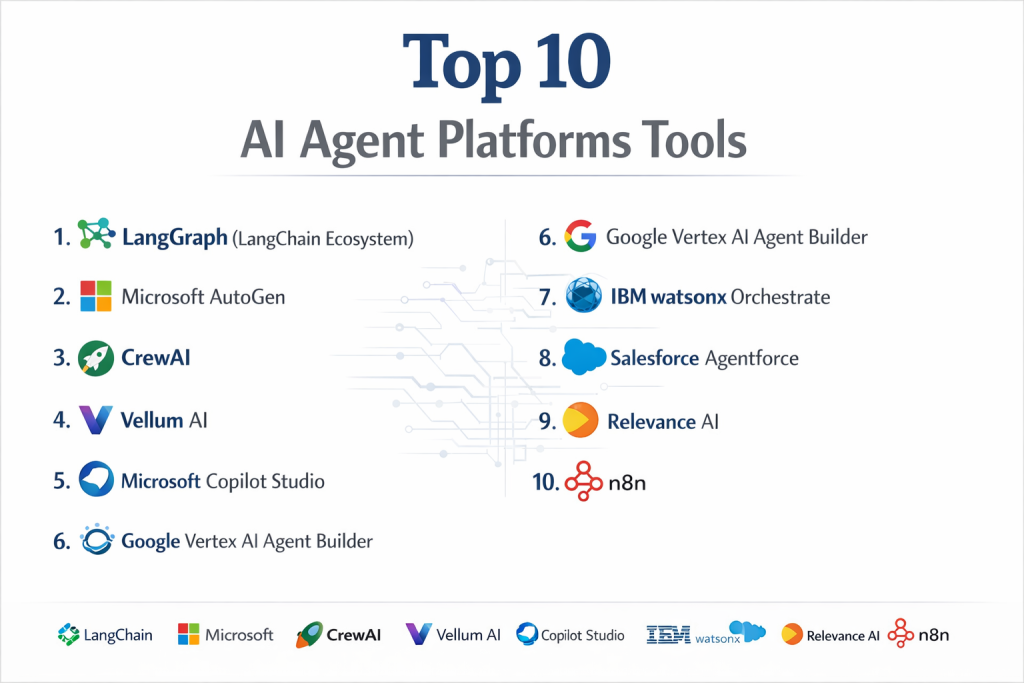
Top 10 AI Agent Platforms Tools
1 — LangGraph (LangChain Ecosystem)
LangGraph is a sophisticated extension of LangChain that allows for the creation of stateful, multi-agent applications using a graph-based structure.
- Key features:
- Cyclical Graphs: Allows agents to loop back and retry tasks, unlike standard linear chains.
- State Management: Precisely controls the “memory” or state of the agent at every node.
- Deterministic Control: Provides a high level of control over the logic flow between agents.
- LangSmith Integration: Top-tier observability for debugging and tracing agent reasoning.
- Parallel Execution: Supports running multiple agent tasks simultaneously to save time.
- Pros:
- The most powerful tool for building reliable, production-grade agents with complex logic.
- Benefits from the entire LangChain ecosystem of tools and integrations.
- Cons:
- Steepest learning curve of all current platforms; requires deep technical knowledge.
- Can feel over-engineered for simple, single-purpose agentic tasks.
- Security & compliance: SOC 2 compliant via LangChain’s enterprise offerings; supports enterprise-grade encryption and RBAC.
- Support & community: Extensive developer community, high-quality documentation, and professional support available for enterprise tiers.
2 — Microsoft AutoGen
AutoGen is a pioneer in the multi-agent space, providing a framework for creating agents that can talk to each other to solve complex problems.
- Key features:
- Multi-Agent Conversation: Enables agents to collaborate via a chat-like interface.
- Human-in-the-loop: Easily allows humans to join the conversation and steer the agents.
- Customizable Agent Roles: Define agents with specific personas like “Coder,” “Reviewer,” or “Planner.”
- Automated Code Execution: Agents can write and execute code in a secure sandbox to verify results.
- Asynchronous Communication: Agents can message each other without blocking the entire system.
- Pros:
- Extremely powerful for complex, iterative tasks like software development and research.
- Highly flexible for prototyping dynamic agent interactions.
- Cons:
- Prone to “conversation loops” where agents get stuck talking without making progress.
- Documentation can be technically dense for non-researchers.
- Security & compliance: Varies based on deployment; supports localized, secure environments and private LLM endpoints.
- Support & community: Strong backing from Microsoft Research and a massive GitHub community for troubleshooting.
3 — CrewAI
CrewAI focuses on the “team” metaphor, allowing users to orchestrate a “crew” of agents with distinct roles, goals, and backstories.
- Key features:
- Role-Based Orchestration: Agents are treated like employees with specific job descriptions and goals.
- Process-Driven Execution: Supports sequential, hierarchical, or consensual workflow patterns.
- Task Delegation: Agents can automatically hand off tasks to other specialized agents.
- Lightweight Architecture: Designed to be easy to integrate into existing Python projects.
- Structured Output: Enforces specific formats for agent responses to ensure consistency.
- Pros:
- Very intuitive for mapping existing human workflows to AI agents.
- Fast execution speeds and excellent for marketing or sales automation.
- Cons:
- Less control over micro-level orchestration compared to graph-based tools.
- Can become complex to manage when the “crew” grows beyond 5–10 agents.
- Security & compliance: Primarily depends on the host environment; supports secure API key management.
- Support & community: Very active Discord and growing documentation library; beginner-friendly for Python developers.
4 — Vellum AI
Vellum is an “AI-first” developer platform designed for building, testing, and scaling production-ready agents with high reliability.
- Key features:
- Visual Agent Builder: A drag-and-drop canvas for mapping out complex multi-agent logic.
- Rigorous Testing: Built-in regression testing and evaluation suites for agents.
- Model Sandbox: Easily swap LLMs to see which one performs best for a specific task.
- Version Control: Full versioning for prompts, agents, and tool configurations.
- Observability: Detailed traces and audit trails for every decision an agent makes.
- Pros:
- Superior evaluation tools compared to most general-purpose platforms.
- Fast prototyping to production with robust governance.
- Cons:
- Advanced features require significant onboarding for full value.
- Pricing can escalate quickly for high-volume deployments.
- Security & compliance: SOC 2 Type II compliant; GDPR ready; offers private VPC deployment options.
- Support & community: Highly responsive technical support and comprehensive documentation for enterprise teams.
5 — Microsoft Copilot Studio
A low-code/no-code environment for building and deploying AI agents that integrate directly into the Microsoft 365 and Azure stacks.
- Key features:
- Visual Builder: Drag-and-drop interface for designing agent workflows.
- M365 Integration: Seamlessly interacts with Outlook, Teams, and SharePoint.
- Generative Answers: Uses company data to ground agent responses in factual information.
- Enterprise Governance: Centralized management of agent permissions and data usage.
- Dynamic Chaining: Agents can automatically determine the best tool to use for a user’s request.
- Pros:
- The premier choice for corporate internal automation and “digital employees.”
- Accessible to “citizen developers” who aren’t comfortable with Python.
- Cons:
- Strictly limited to the Microsoft/Azure ecosystem.
- Less flexible for building custom, highly experimental agent architectures.
- Security & compliance: Inherits Microsoft’s industry-leading security suite (FedRAMP, HIPAA, SOC 1/2/3).
- Support & community: Professional enterprise-grade support; massive network of certified partners.
6 — Google Vertex AI Agent Builder
Google’s managed platform for developing and deploying AI agents with built-in RAG and enterprise-grade grounding.
- Key features:
- Enterprise Search Integration: Connects agents to internal data with high precision.
- Multimodal Agents: Build agents that can understand and process video, images, and text.
- Managed Governance: Controls for model safety, bias, and data residency.
- Model Garden: Access to Gemini, Llama, and other top-tier foundation models.
- One-Click Deployment: Fast transition from development to production on Google Cloud.
- Pros:
- Exceptional performance for data-heavy agents requiring high-speed retrieval.
- Tight integration with Google Cloud’s analytics and BigQuery.
- Cons:
- Heavy reliance on Google Cloud Platform (GCP) infrastructure.
- Steeper learning curve for those not already in the GCP environment.
- Security & compliance: SOC 2, ISO 27001, and GDPR compliant; VPC Service Controls available.
- Support & community: Professional Google Cloud support and a growing library of developer tutorials.
7 — IBM watsonx Orchestrate
An enterprise-first platform designed to automate business processes by letting agents execute “skills” across various applications.
- Key features:
- Skill Catalog: A library of pre-built integrations for HR, finance, and operations tools.
- Natural Language Task Execution: Use plain language to trigger complex multi-app workflows.
- Governance Console: Tracks agent activity and ensures compliance with corporate policy.
- Hybrid Cloud Support: Can be deployed across public, private, or on-premise environments.
- Data Privacy Vault: Specialized handling of PII and sensitive enterprise data.
- Pros:
- Best-in-class for regulated industries requiring strict data governance.
- Focuses on “doing” work rather than just “generating” text.
- Cons:
- Higher entry price point than most other platforms.
- The interface can feel more traditional and less “modern” than startup platforms.
- Security & compliance: Meets the highest enterprise standards, including FIPS, HIPAA, and SOC 2.
- Support & community: White-glove enterprise support and established user base in the Fortune 500.
8 — Salesforce Agentforce
Salesforce’s native agent platform that allows businesses to build autonomous agents that live directly inside their CRM.
- Key features:
- Data Cloud Grounding: Agents have access to real-time customer data for precise action.
- CRM-Native Actions: Agents can update records, create opportunities, and schedule meetings.
- Einstein Trust Layer: Ensures data privacy and prevents PII from leaking to LLMs.
- Multi-Channel Deployment: Deploy agents to WhatsApp, Slack, or company websites.
- Low-Code Studio: Allows sales and service leaders to customize agent behavior.
- Pros:
- Unrivaled for sales and customer service teams already on Salesforce.
- High trust and safety focus for customer-facing applications.
- Cons:
- Very expensive, often requiring high-tier Salesforce licenses.
- Limited usefulness for processes that happen outside of the CRM.
- Security & compliance: SOC 2, ISO, and HIPAA; strictly governed by Salesforce’s security architecture.
- Support & community: Extensive Trailhead training and global network of Salesforce consultants.
9 — Relevance AI
A platform designed for “knowledge work automation,” providing a suite of tools for building data-driven internal agents.
- Key features:
- Agent Templates: Pre-built agents for lead research, SEO, and content audits.
- Knowledge Base Sync: Agents can “ingest” your company’s PDFs, websites, and databases.
- Bulk Processing: Run agents on thousands of rows of data simultaneously.
- Low-Code Interface: Accessible to marketing and operations managers.
- Integrated Memory: Agents remember previous interactions and cross-tool data points.
- Pros:
- The best platform for bulk data enrichment and market research tasks.
- Very fast time-to-value for non-technical business teams.
- Cons:
- Less flexible for building custom software engineering agents.
- Can become pricey as execution counts rise.
- Security & compliance: GDPR compliant; standard data encryption and secure API handling.
- Support & community: Active user community and frequent updates from the development team.
10 — n8n
n8n is a developer-focused, fair-code automation platform that has expanded into the AI agent space with flexible, node-based agents.
- Key features:
- Self-Hosting: Can be hosted on your own infrastructure for total data control.
- Node-Based Canvas: Visual representation of workflows with custom code nodes.
- Extensive Integrations: 400+ pre-built nodes for various SaaS applications.
- AI Agent Node: Specifically designed node that can use other nodes as tools.
- Flexible Triggering: Start agents based on webhooks, schedules, or app events.
- Pros:
- Excellent for developers who want the freedom to self-host and customize.
- Highly cost-effective compared to enterprise SaaS platforms.
- Cons:
- Requires more infrastructure management if self-hosting.
- Agentic reasoning is less “managed” than on platforms like Vellum.
- Security & compliance: Supports SOC 2 and GDPR (Cloud version); self-hosted version allows custom compliance.
- Support & community: Vibrant forum community and extensive video tutorials.
Comparison Table
| Tool Name | Best For | Platform(s) Supported | Standout Feature | Rating (TrueReview) |
| LangGraph | Reliable Production | Python, JS | State-Machine Control | 4.8 / 5 |
| Microsoft AutoGen | Multi-Agent R&D | Python, Docker | Conversational Solving | 4.6 / 5 |
| CrewAI | Role-Based Teams | Python | Team Logic Metaphor | 4.7 / 5 |
| Vellum AI | Engineering Teams | Web, SDK | Integrated Eval & Testing | N/A |
| Copilot Studio | Microsoft Users | Web, Teams | Native M365 Integration | 4.4 / 5 |
| Vertex AI Builder | Google Cloud Teams | Web, GCP | Multimodal (Video/Image) | N/A |
| watsonx | Regulated Enterprise | Hybrid Cloud | Pre-built Business Skills | 4.3 / 5 |
| Agentforce | CRM & Sales Teams | Salesforce Web | CRM-Native Execution | 4.2 / 5 |
| Relevance AI | Marketing/Research | Web | Bulk Data Automation | 4.7 / 5 |
| n8n | Self-Hosted / Devs | Cloud, On-Prem | 400+ App Integrations | 4.8 / 5 |
Evaluation & Scoring of AI Agent Platforms
| Category | Weight | Score (1-10) | Evaluation Rationale |
| Core features | 25% | 9.4 | High marks for platforms with native multi-agent orchestration and persistence. |
| Ease of use | 15% | 8.2 | Significant gap between low-code (Copilot) and high-code (LangGraph). |
| Integrations | 15% | 9.0 | Platforms like n8n and Copilot lead in ecosystem connectivity. |
| Security & compliance | 10% | 9.5 | Critical for 2026; major players have achieved robust certifications. |
| Performance | 10% | 8.0 | Reliability in autonomous loops remains the biggest technical hurdle. |
| Support & community | 10% | 8.6 | Open-source tools have huge communities; Enterprise tools have SLAs. |
| Price / value | 15% | 8.8 | High ROI for business automation, though enterprise pricing is steep. |
Which AI Agent Platforms Tool Is Right for You?
Small to Mid-Market vs. Enterprise
For solo users or SMBs, the priority is usually speed and cost. CrewAI and n8n offer the best balance, allowing small teams to build “crews” without enterprise overhead. Mid-market companies looking to ship production features benefit from Vellum AI, which offers the testing tools needed for reliability. Enterprises must prioritize governance; Microsoft Copilot Studio, IBM watsonx, and Salesforce Agentforce are the standard choices here, as they provide the security audits and administrative controls required by IT departments.
Budget and Value
If your budget is limited, open-source frameworks like AutoGen and LangGraph are “free” to use, but keep in mind they require expensive engineering time. For a middle ground, Relevance AI and n8n offer transparent, usage-based pricing that scales with your growth. Premium solutions like Salesforce or IBM are costly but provide pre-built “skills” that can save thousands of hours of development.
Technical Depth vs. Simplicity
If you have a team of Python developers, LangGraph provides the most control and reliability. However, if your goal is to empower business analysts or marketing managers to build their own agents, Copilot Studio or Relevance AI are far superior. Their visual builders allow non-coders to map out business logic without getting bogged down in state-machine management.
Security and Compliance Requirements
In regulated industries like Finance or Healthcare, your choice is often dictated by compliance. IBM watsonx and Microsoft Azure (via Copilot Studio) are the most established here. If you need 100% data sovereignty, n8n (self-hosted) is the top choice, as it allows the entire agent platform to run inside your private firewall.
Frequently Asked Questions (FAQs)
1. What is the difference between an AI agent and a chatbot?
A chatbot primarily responds to text inputs. An AI agent uses an LLM as a “brain” to plan tasks and then uses external tools (like APIs or browsers) to execute those tasks autonomously.
2. Do I need to know how to code to use these platforms?
Not necessarily. Platforms like Copilot Studio, Relevance AI, and Agentforce offer low-code or no-code visual builders. However, more complex logic often requires basic Python or Javascript knowledge.
3. Can AI agents work together in a team?
Yes. This is called “Multi-Agent Orchestration.” Platforms like AutoGen and CrewAI specialize in having different agents (e.g., a “Researcher” and a “Writer”) collaborate to finish a project.
4. Are AI agents safe for my company’s private data?
Major enterprise platforms like Salesforce and Microsoft include “Trust Layers” that mask sensitive data before it reaches the AI model, ensuring your data isn’t used for public training.
5. How much do these platforms typically cost?
Costs vary wildly. Open-source frameworks are free to download. SaaS platforms range from $25/month for small teams to six-figure annual contracts for enterprise-wide deployments.
6. What is “agentic reasoning”?
It is the process by which an AI analyzes a goal, breaks it into smaller steps, selects the right tool for each step, and evaluates its own progress until the goal is achieved.
7. Can AI agents replace human workers?
Currently, agents are best viewed as “digital interns” or force-multipliers. They handle repetitive, time-consuming tasks, allowing human workers to focus on high-level strategy and creative problem-solving.
8. What is the “Model Context Protocol” (MCP)?
MCP is a new standard that allows AI agents to connect to any data source or tool easily. Many top platforms are beginning to adopt this standard for better cross-platform collaboration.
9. Can I host an AI agent platform on my own servers?
Yes. n8n and LangGraph (local version) allow for self-hosting, which is ideal for companies that cannot allow their data to leave their private infrastructure.
10. What are the common mistakes when deploying agents?
The most common mistake is not having a “Human-in-the-loop” for critical steps. Without oversight, agents can hallucinate or enter “infinite loops,” wasting API credits without producing results.
Conclusion
In the selection of an AI Agent Platform is one of the most critical strategic decisions an organization can make. The “best” platform is not the one with the most features, but the one that aligns with your technical team’s skill set and your industry’s security requirements. For rapid, role-based automation, CrewAI and Relevance AI lead the pack. For mission-critical, deterministic enterprise workflows, LangGraph and Vellum AI provide the necessary guardrails.
Ultimately, the goal of these platforms is to move beyond “talking to AI” and toward “working with AI.” By choosing a platform that prioritizes observability, memory, and tool integration, you can build a digital workforce that scales your productivity without compromising on quality or security.