Introduction
Agile Project Management Tools are specialized software platforms designed to support Agile methodologies such as Scrum, Kanban, and Lean. Unlike traditional project management tools that focus on rigid timelines, Agile tools prioritize flexibility, continuous feedback, and iterative progress. They provide visual interfaces like Kanban boards, sprint backlogs, and burndown charts that allow teams to see exactly what is happening in real-time.
These tools are vital because they break down silos. Instead of a manager holding all the information, the entire team has visibility into the project’s health. Real-world use cases include software development teams running two-week “sprints,” marketing agencies managing content “flows,” and product designers iterating on prototypes based on user testing. When choosing a tool, you should evaluate its ability to support specific Agile rituals (like daily stand-ups and retrospectives), its integration with developer tools, and its reporting depth for tracking velocity and throughput.
Best for: Software developers, product managers, DevOps teams, and creative agencies. It is ideal for mid-to-large enterprises that need to coordinate multiple teams (Scaling Agile) and startups that need to move fast and break things safely.
Not ideal for: Industries with very strict, unchangeable sequences, such as heavy construction or traditional manufacturing. If your project follows a “Phase 1 must end before Phase 2 can begin” logic with zero room for iteration, a standard Waterfall Gantt-chart tool is a much better fit.
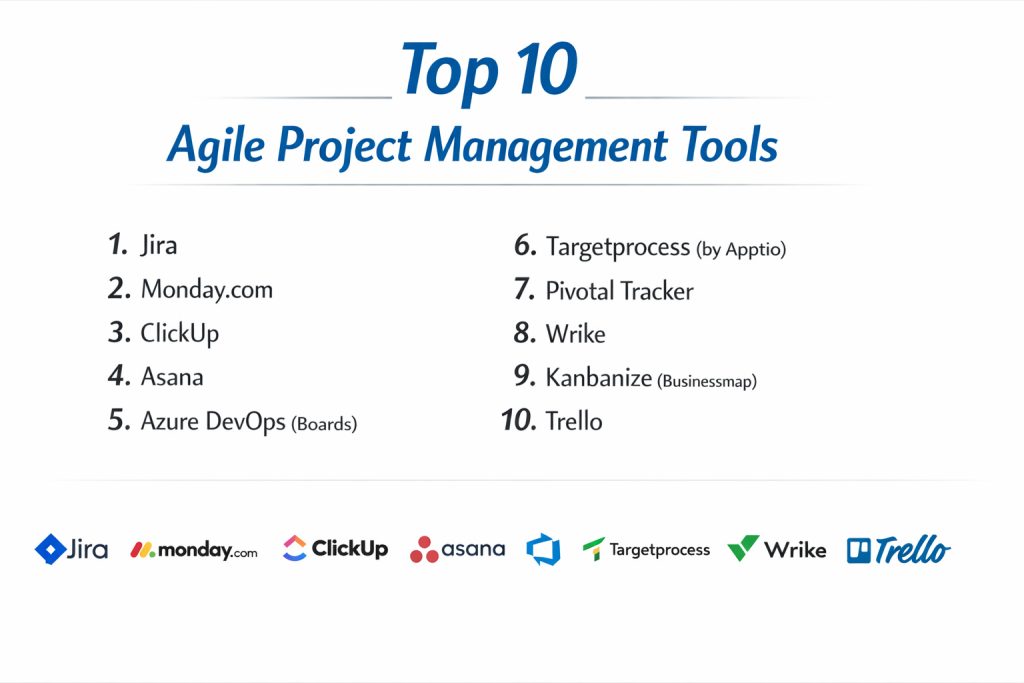
Top 10 Agile Project Management Tools
1 — Jira (Software)
Jira is the undisputed heavyweight champion of the Agile world. Developed by Atlassian, it was built specifically for software teams and has since evolved into a massive platform capable of supporting any Agile framework at scale.
- Key features:
- Scrum & Kanban Boards: Native support for backlogs, sprints, and swimlanes.
- Agile Reporting: Includes Burn-up charts, Velocity charts, and Cumulative Flow diagrams.
- Roadmaps: Visualizes the long-term journey of a product across multiple teams.
- JQL (Jira Query Language): Allows for incredibly deep, custom searches of tasks and issues.
- Automation: A powerful no-code engine to handle repetitive workflows.
- Deep Dev Integration: Connects directly to Bitbucket, GitHub, and Jenkins.
- Mobile App: Full-featured access for managing sprints on the go.
- Pros:
- It offers the most robust set of Agile-specific features of any tool on the market.
- The integration ecosystem is massive; if a business tool exists, Jira likely connects to it.
- Cons:
- The learning curve is notoriously steep; it often requires a dedicated administrator.
- The interface can feel cluttered and “industrial” for non-technical users.
- Security & compliance: SOC 2 Type II, ISO 27001, GDPR, HIPAA (Enterprise), and FedRAMP compliant. Supports SSO and 2FA.
- Support & community: Exhaustive documentation, a massive “Atlassian Community” forum, and a global network of certified “Solution Partners.”
2 — ClickUp
ClickUp has rapidly become a favorite for teams that want a single “Work OS.” It is highly customizable, allowing it to act as a simple task list or a complex Agile engine depending on your settings.
- Key features:
- Custom Statuses: Perfect for mapping out complex Kanban stages.
- Sprints Folder: Dedicated space for managing sprint points and cycles.
- Everything View: Allows managers to see tasks across every team in one list.
- Hierarchy System: Uses Spaces, Folders, and Lists to keep work organized at scale.
- Native Time Tracking: Useful for teams that need to bill clients or track story point effort.
- Whiteboards: A built-in collaborative canvas for sprint planning and brainstorming.
- Pros:
- Incredibly high feature-to-price ratio; the free version is more powerful than many paid tools.
- You can toggle “Agile ClickApps” on or off to keep the UI as simple or complex as you need.
- Cons:
- Some users report that the app can feel “laggy” because it tries to do so many things at once.
- The sheer amount of customization options can lead to “decision paralysis” during setup.
- Security & compliance: SOC 2 Type II, GDPR, and HIPAA compliant. Data is encrypted at rest and in transit.
- Support & community: 24/7 customer support, “ClickUp University” training videos, and a very active user feedback board for feature requests.
3 — Asana
Asana is built for clarity. While it started as a general task manager, it has added powerful Agile features that make it a top choice for marketing and product teams who find Jira too technical.
- Key features:
- Timeline View: A visual representation of how tasks and milestones connect.
- Workload: Shows team capacity based on task count or custom effort points.
- Agile Templates: Pre-built setups for Bug Tracking and Sprint Planning.
- Custom Fields: Track “Story Points,” “Priority,” or “Effort” with ease.
- Forms: Great for capturing user feedback or bug reports that turn into tasks.
- Rules: Automation to move tasks through a Kanban board automatically.
- Pros:
- One of the most beautiful and intuitive user interfaces in the category.
- Excellent at showing the “Big Picture”—linking daily tasks to company-wide goals.
- Cons:
- You cannot assign a task to multiple people, which can conflict with certain team-based Agile philosophies.
- The most powerful Agile features (like Workload) are locked behind high-priced tiers.
- Security & compliance: ISO 27001, SOC 2 Type II, GDPR, and HIPAA (on Enterprise plans).
- Support & community: Strong documentation, “Asana Academy” courses, and a dedicated community forum.
4 — Monday.com
Monday.com is a “Work OS” that uses a unique board-and-column system. It is exceptionally visual, making it the best Agile tool for teams that rely on color-coding and high-level status updates.
- Key features:
- Visual Boards: Columns can be used for everything from status to star ratings to world clocks.
- Agile Workflows: Easy-to-set-up Kanban boards with drag-and-drop cards.
- Dashboards: Pull data from 50+ boards to see high-level sprint progress.
- Automations: “If-This-Then-That” recipes that are very easy for non-coders to build.
- Marketplace: A store for “apps” that add extra Agile functionality to your boards.
- Dependencies: Visualizes which tasks are blocking others in a project flow.
- Pros:
- It is arguably the most “fun” tool to use, which helps with team adoption.
- Highly adaptable to non-software Agile teams (HR, Sales, Creative).
- Cons:
- The pricing model can be tricky because you have to buy “seats” in blocks (e.g., 3, 5, 10).
- It lacks some of the deeper “developer” features found in Jira or Azure DevOps.
- Security & compliance: ISO 27001, ISO 27018, SOC 1/2/3, GDPR, and HIPAA.
- Support & community: 24/7 support with very fast response times and a massive library of video tutorials.
5 — Azure DevOps
For teams that live in the Microsoft ecosystem, Azure DevOps (specifically Azure Boards) is the natural Agile choice. It provides deep, enterprise-level integration for the entire software lifecycle.
- Key features:
- Azure Boards: Professional Kanban and Scrum tools with full traceability.
- Backlogs: Powerful tools for prioritizing user stories and features.
- Dashboards: Highly technical widgets for tracking code health alongside project progress.
- Queries: SQL-like ability to find and organize work items.
- Extensions: Access to the Visual Studio Marketplace for thousands of add-ons.
- Git Integration: Native connection to repos and CI/CD pipelines.
- Pros:
- It is the most powerful tool for teams already using Visual Studio or Azure Cloud.
- Offers “traceability” from a single line of code all the way back to a user story.
- Cons:
- The UI can feel very dry and “developer-heavy,” which may alienate marketing or design teams.
- Configuration can be complex and usually requires an IT administrator.
- Security & compliance: Follows Microsoft’s global security standards (ISO, SOC 2, HIPAA, FedRAMP).
- Support & community: Massive documentation, professional Microsoft support, and a large community on Stack Overflow and GitHub.
6 — Trello
Trello is the tool that made Kanban famous. It is the simplest Agile tool on this list, focusing on “Cards” and “Boards.” It is perfect for teams that want zero friction.
- Key features:
- Kanban Boards: The classic drag-and-drop system.
- Butler Automation: A built-in robot that automates actions based on your clicks.
- Power-Ups: Add-ons for Gantt charts, calendars, and time tracking.
- Checklists: Allows you to break down a “User Story” card into sub-tasks.
- Templates: A library of thousands of community-made Agile boards.
- Standardization: Cards can have labels, members, and due dates.
- Pros:
- Zero learning curve; if you can move a sticky note, you can use Trello.
- Perfect for small teams or individual Agile practitioners (Personal Kanban).
- Cons:
- It is too simple for large, complex projects with hundreds of dependencies.
- Reporting is very limited unless you pay for external Power-Ups.
- Security & compliance: SOC 2 Type II, ISO 27001, and GDPR compliant (part of Atlassian).
- Support & community: Large community of template creators and solid help documentation.
7 — Wrike
Wrike is a powerful, enterprise-grade tool that focuses on “Agile at Scale.” It is designed for large organizations where marketing, IT, and operations all need to be Agile together.
- Key features:
- Gantt Charts: Interactive timelines that can be converted into Kanban views.
- Custom Item Types: Rename “Tasks” to “User Stories” or “Sprints” to fit your terminology.
- Resource Management: Detailed views of who is over-allocated across different teams.
- Proofing: Native tools for leaving feedback on creative assets (images/video).
- AI Work Intelligence: Predicts if a project is likely to fall behind based on past performance.
- Cross-Tagging: Allows one task to exist in multiple projects without duplicating data.
- Pros:
- One of the few tools that can handle both Waterfall and Agile perfectly in the same system.
- Excellent security features for large, regulated corporations.
- Cons:
- The interface can feel a bit rigid and less “modern” than ClickUp or Monday.com.
- The mobile app is not as intuitive for quick task management as Trello.
- Security & compliance: ISO 27001, SOC 2 Type II, GDPR, HIPAA, and CCPA.
- Support & community: 24/7 support, dedicated account managers for large clients, and professional onboarding services.
8 — Targetprocess
Targetprocess is a “niche” leader specifically designed for Agile. It focuses on visualizing complex data to help managers see patterns in how work flows through the system.
- Key features:
- Visual Encoding: Color-code cards based on how long they have been “stuck” in a stage.
- Multi-level Views: Zoom out from a task to a project to a whole company portfolio.
- SAFe Support: Native tools for the Scaled Agile Framework.
- Custom Reports: Build complex charts to track things like “cycle time” and “lead time.”
- Integration Hub: Connects to 50+ developer tools like GitHub and Bitbucket.
- Pros:
- It is arguably the best tool for “Visual Management”—making hidden problems visible.
- Built from the ground up for Agile; it doesn’t try to be a general project manager.
- Cons:
- It is a complex tool that requires a lot of setup and specialized knowledge.
- The community is smaller than the “big names” like Jira or Asana.
- Security & compliance: SOC 2 compliant, GDPR ready, and supports SSO/AD integration.
- Support & community: High-quality personal support and a very deep technical documentation library.
9 — VersionOne (Digital.ai Agility)
VersionOne was one of the first tools built for Agile. It is an “Enterprise Agile” platform meant for massive organizations that need to synchronize thousands of developers.
- Key features:
- Strategic Themes: Connects high-level business goals to individual code tasks.
- Sprint Tracking: Deep tools for managing backlogs across hundreds of teams.
- Portfolio Planning: A “big picture” view for executives to see the health of all projects.
- DevOps Lifecycle: Integration from planning to coding to testing to release.
- Collaboration Hub: A place for team members to discuss and iterate on stories.
- Pros:
- It handles “Scaling Agile” (SAFe, LeSS) better than almost any other tool.
- It is highly structured, which prevents teams from “cheating” on Agile rules.
- Cons:
- The user interface feels very dated (like software from 10 years ago).
- It is very expensive and not suited for small startups.
- Security & compliance: Meets all major enterprise security standards (SOC 2, ISO, HIPAA).
- Support & community: Professional enterprise support and extensive whitepapers on Agile methodology.
10 — Notion
Notion is a “wildcard.” It is a blank canvas that you can build into an Agile tool. It is become the favorite for startups that want their “Wiki” and their “Agile Board” in the same place.
- Key features:
- Databases: Can be viewed as a Table, Board, Calendar, or Gallery instantly.
- Templates: A massive community of users who sell/share “Agile Sprint” setups.
- Relational Data: Link “Tasks” to “Sprints” to “Company Objectives.”
- Notion AI: Summarizes meeting notes and brainstorms user stories.
- Collaborative Pages: Perfect for writing project briefs and documentation.
- Custom Properties: Add “Story Points” or “Developer” tags easily.
- Pros:
- It is the most flexible tool on the list; you can make it look exactly how you want.
- Excellent for keeping “Knowledge” and “Tasks” in one central hub.
- Cons:
- It lacks “native” Agile reporting (no built-in Burndown charts or Velocity math).
- Performance can slow down significantly once a database has thousands of items.
- Security & compliance: SOC 2 Type II compliant, GDPR ready, and uses TLS 1.2 encryption.
- Support & community: Massive YouTube and Reddit communities; most help comes from community-made guides.
Comparison Table
| Tool Name | Best For | Platform Supported | Standout Feature | Rating (Gartner) |
| Jira | Software Teams | Cloud, Mac, PC, Mobile | Best-in-class Agile reports | 4.6 / 5 |
| ClickUp | Feature Seekers | Web, Mac, PC, Mobile | “Replace everything” system | 4.7 / 5 |
| Asana | Product Teams | Web, iOS, Android | Visual clarity & goal link | 4.5 / 5 |
| Monday.com | Visual Collaboration | Web, iOS, Android | Intuitive Board design | 4.6 / 5 |
| Azure DevOps | Microsoft Shops | Cloud, Windows | Code-to-task traceability | 4.4 / 5 |
| Trello | Small / Simple Teams | Web, iOS, Android | Zero-learning-curve Kanban | 4.4 / 5 |
| Wrike | Large Enterprises | Web, Mac, PC, Mobile | Agile + Waterfall mix | 4.2 / 5 |
| Targetprocess | Visual Managers | Web / SaaS | Deep flow visualization | 4.5 / 5 |
| VersionOne | Scaling Agile | Web / SaaS | SAFe / Enterprise focus | 4.1 / 5 |
| Notion | Startups / Wiki users | Web, Mac, PC, Mobile | Tasks + Docs integration | 4.7 / 5 |
Evaluation & Scoring of Agile Project Management Tools
To choose the right tool, we look at seven critical areas. A tool might be “cheap” but lack the security needed for a bank, or it might be “powerful” but so hard to use that the team hates it.
| Category | Weight | What We Look For |
| Core Features | 25% | Native Scrum/Kanban, Burndown charts, and Backlog management. |
| Ease of Use | 15% | How fast a new hire can learn to move a card or update a status. |
| Integrations | 15% | Does it connect to GitHub, Slack, and your existing ecosystem? |
| Security & Compliance | 10% | Encryption, SSO, and certifications like SOC 2 and GDPR. |
| Performance | 10% | Page load speeds and mobile app responsiveness. |
| Support & Community | 10% | Availability of help docs, live chat, and a large user forum. |
| Price / Value | 15% | Does the monthly cost justify the hours saved? |
Which Agile Project Management Tool Is Right for You?
Solo Users vs. SMB vs. Mid-market vs. Enterprise
If you are a solo freelancer, Trello is your best friend. It’s free and stays out of your way. Small Businesses (SMB) should look at Monday.com or ClickUp because they allow you to manage tasks and creative work in one place. Mid-market companies (50-500 people) usually land on Asana or Jira. Enterprises (500+ people) almost always need Jira, Azure DevOps, or VersionOne for their heavy-duty security and reporting.
Budget-conscious vs. Premium Solutions
On a tight budget, ClickUp and Trello have the best free plans. If you have the budget for premium, Monday.com and Asana offer the most polished experience that reduces “software frustration.”
Feature Depth vs. Ease of Use
If you want depth (you have 1,000 developers), Jira and Azure DevOps are the winners. If you want Ease of Use (you want your marketing team to love the tool), Monday.com and Trello are the clear choices.
Integration and Scalability Needs
If you plan to grow fast, ClickUp and Asana are very easy to scale. If you are already massive and need to connect code to projects, Azure DevOps and Jira have the most robust “plumbing” for a large organization.
Frequently Asked Questions (FAQs)
1. What is the difference between Scrum and Kanban boards?
Scrum boards are for work done in “sprints” (fixed time). Kanban boards are for “continuous flow”—work moves through the columns as soon as there is space.
2. Is Jira only for developers?
No, but it was built for them. Many marketing and HR teams use it, but they often find they have to ignore 50% of the buttons on the screen.
3. Can I use these tools for non-software projects?
Absolutely. Many people use Trello or Monday.com for wedding planning, home renovations, or content calendars.
4. What is a “Burndown Chart”?
It is a graph that shows how much work is left versus time. If the line goes down to zero by the end of the sprint, the team “won.”
5. Do I need a professional to set these up?
For Jira, Azure DevOps, or VersionOne, usually yes. For Trello or ClickUp, you can do it yourself in 15 minutes.
6. Can I switch from one tool to another easily?
Most tools let you “Export to CSV” and “Import from CSV,” but you often lose your history of comments and old photos.
7. Are my files safe in the cloud?
Yes, most enterprise tools use the same security as banks. Look for “SOC 2 Type II” to be sure.
8. What is “Scaling Agile”?
It is when a company has 20 different Agile teams and needs them all to talk to each other so the “Big Project” gets finished on time.
9. Can I track my team’s time in these tools?
Most (like ClickUp and Wrike) have it built-in. Others (like Trello or Jira) require an “add-on” or “Power-Up.”
10. What is the most common mistake when buying?
Buying a tool that is too complicated. If your team spends more time “managing the tool” than “doing the work,” you have the wrong tool.
Conclusion
Choosing the “best” Agile tool is like choosing a pair of shoes; it has to fit the work you are doing. If you are building software, Jira remains the gold standard. If you are a fast-moving startup that needs docs and tasks together, Notion or ClickUp are incredible. If you want visual beauty and simplicity, Monday.com and Asana will make your team’s life much happier.
The most important thing to remember is that the tool should support your “Agile Mindset,” not replace it. No piece of software will make a team Agile if they don’t talk to each other and listen to their customers. Pick a tool, start a small project, and iterate—just like Agile intended.