Introduction
Address Book Software is a specialized digital tool used to store, organize, and manage contact information for individuals and organizations. While it evolved from the traditional physical rolodex, modern versions are high-powered databases that synchronize across devices, deduplicate redundant entries, and integrate with communication platforms like email and VoIP. These tools serve as the foundation of relationship management, ensuring that every phone number, email address, physical location, and social media handle is accurate, accessible, and searchable in a matter of seconds.
The importance of a dedicated address book tool lies in its ability to eliminate “data fragmentation.” Without a central system, contacts often end up scattered across different SIM cards, email accounts, and sticky notes. A professional software solution centralizes this data, providing a unified view that facilitates better networking and smoother business operations. When selecting a tool, users should evaluate synchronization reliability, ease of contact sharing, data enrichment capabilities (automatically pulling info from social profiles), and security protocols to protect sensitive personal data.
Key Real-World Use Cases
- Team Collaboration: Shared address books allow multiple team members to access a single, updated list of vendors or clients without emailing contact cards back and forth.
- Personal CRM: High-net-worth individuals or busy professionals use these tools to track birthdays, anniversaries, and last-contact dates to maintain strong personal networks.
- Data Cleansing: Organizations use these tools to merge thousands of duplicate entries into a clean, “golden record” database.
- Mobile Productivity: Sales agents on the road use mobile-first address books to quickly map the location of their next meeting directly from a contact’s profile.
Best for:
- Freelancers and Solo-Entrepreneurs: Who need to maintain a professional network without the complexity of a full-scale CRM.
- Small to Medium Businesses (SMBs): That require a shared contact database for office-wide use.
- Personal Users and Families: Who want to organize household contacts, holiday card lists, and family health providers in one secure place.
Not ideal for:
- Large-Scale Enterprise Sales Teams: Who require complex revenue forecasting and sales pipeline tracking; these users should look at full CRM suites instead.
- Ultra-Casual Users: Those who only have a handful of contacts and are satisfied with the basic, non-syncing list on a standard flip phone.
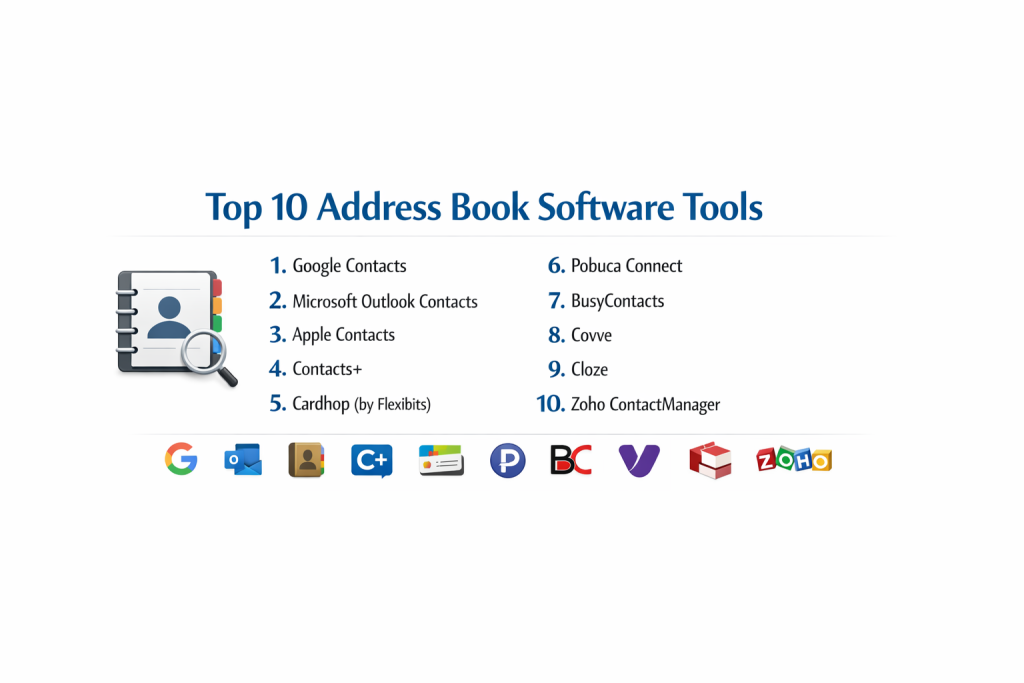
Top 10 Address Book Software Tools
1 — Google Contacts
Google Contacts is the most widely used address book in the world, serving as the default contact management system for Android users and anyone with a Gmail account.
- Key features:
- Automatic synchronization across all devices signed into a Google account.
- Integrated “Merge & Fix” tool to identify and combine duplicate entries.
- Labeling system for categorizing contacts into groups (e.g., Work, Friends).
- Integration with Google Maps for one-click navigation to saved addresses.
- “Frequently Contacted” list generated by AI based on email activity.
- Easy export/import options for CSV and vCard formats.
- Pros:
- Completely free for personal use and integrated into the broader Google Workspace.
- Incredibly fast search functionality that mirrors Google’s web search speed.
- Cons:
- Privacy-conscious users may worry about Google’s extensive data access.
- Lacks advanced relationship tracking features like “last-called” logs.
- Security & compliance: SOC 2, HIPAA (with BAA), GDPR, and ISO 27001.
- Support & community: Massive community forums, extensive self-help documentation, and enterprise support for Workspace administrators.
2 — Microsoft Outlook Contacts (People)
Microsoft Outlook’s contact management, often called “People,” is the gold standard for corporate environments using the Microsoft 365 ecosystem.
- Key features:
- Deep integration with the Global Address List (GAL) for large organizations.
- “Contact Cards” that show recent emails and meetings shared with that person.
- Ability to share entire contact folders with colleagues or assistants.
- Categorization using color-coded tags for visual organization.
- Offline access via the Outlook desktop application.
- Support for “Social Connectors” to pull in LinkedIn profile information.
- Pros:
- Best-in-class security features for managing sensitive corporate data.
- Seamlessly connects with Teams and Excel for high-level productivity.
- Cons:
- The interface can feel “heavy” and cluttered for casual or personal users.
- The mobile app experience is secondary to the powerful desktop version.
- Security & compliance: SOC 2 Type II, HIPAA, GDPR, ISO 27001, and FedRAMP.
- Support & community: Professional 24/7 global support and an enormous library of certified training materials.
3 — Apple Contacts
Apple Contacts is the native address book for the macOS and iOS ecosystem, designed with a focus on elegance, simplicity, and user privacy.
- Key features:
- iCloud sync that keeps contacts updated across iPhone, iPad, Mac, and Apple Watch.
- “My Card” feature to share your own details via AirDrop or NameDrop.
- Integration with Siri for hands-free calling and texting.
- Smart Groups (on Mac) that automatically categorize contacts based on criteria.
- Support for multiple accounts (Gmail, Outlook) within a single Apple interface.
- Privacy-first “Siri Suggestions” that identify potential contacts in your mail.
- Pros:
- Included for free with all Apple hardware.
- High level of end-to-end encryption for iCloud data.
- Cons:
- Very limited functionality for Windows or Android users.
- Lacks the collaborative “shared database” features needed by business teams.
- Security & compliance: End-to-end encryption for iCloud; GDPR compliant.
- Support & community: Available via Apple Support, retail Genius Bars, and extensive online user guides.
4 — Contacts+
Contacts+ (formerly FullContact for individuals) is a high-end, cross-platform address book designed for power networkers who need to keep their data clean and enriched.
- Key features:
- Automatic contact enrichment: pulls social media profiles and photos for contacts.
- Robust duplicate removal and data “scrubbing” tools.
- Business card scanner that uses OCR to turn physical cards into digital entries.
- Workspace feature for sharing specific contact lists with a team.
- Syncs with Google, iCloud, and Outlook simultaneously.
- Call blocking and identification features for mobile users.
- Pros:
- Excellent at turning a “messy” list into a professional, high-quality database.
- The business card scanner is one of the most accurate in the market.
- Cons:
- The free version is quite limited; the best features require a subscription.
- Can sometimes create “duplicate” notifications during the sync process.
- Security & compliance: GDPR compliant; uses SOC 2-certified data centers.
- Support & community: Dedicated email support and a comprehensive online knowledge base.
5 — Cardhop (by Flexibits)
Cardhop is an innovative address book app for Mac and iOS that reimagines how users interact with their contacts through natural language processing.
- Key features:
- Natural language input (e.g., “Sarah Smith 555-1212” creates a contact).
- Action-oriented interface: type “call Sarah” or “email Bob” to act instantly.
- “Relationships” feature to map out how contacts are connected to each other.
- Beautifully designed widgets for iPhone and Mac home screens.
- Business card templates to share your info digitally via QR codes.
- Integrated “Notes” section that treats your address book like a light CRM.
- Pros:
- The fastest way to add or search for contacts on a Mac or iPhone.
- Extremely elegant UI that makes contact management feel modern.
- Cons:
- Only available for the Apple ecosystem.
- Requires a Flexibits subscription (shared with Fantastical).
- Security & compliance: GDPR compliant; relies on system-level security.
- Support & community: Responsive developer support and a cult following among Apple power users.
6 — Pobuca Connect
Pobuca Connect is a business-focused address book designed to turn individual contact lists into a centralized, shared company directory.
- Key features:
- Centralized cloud storage for company-wide contacts (clients, vendors, partners).
- Internal “Pobuca Bot” (AI) to help capture contact info from email signatures.
- Role-based access control to determine who can view or edit specific lists.
- Integration with PBX and VoIP systems to identify callers.
- Mobile app that allows employees to access the company directory on the go.
- Custom fields to track industry-specific data (e.g., “Account Tier”).
- Pros:
- Bridges the gap between a simple address book and a complex CRM.
- Excellent for improving internal communication within a growing SMB.
- Cons:
- The user interface is more functional than beautiful.
- Can be expensive for very small teams compared to free alternatives.
- Security & compliance: GDPR compliant, ISO 27001, and SOC 2 ready.
- Support & community: Personalized onboarding and 24/5 customer support for business tiers.
7 — BusyContacts (by BusyMac)
BusyContacts is a professional-grade contact manager for macOS that focuses on relationship history and deep integration with BusyCal.
- Key features:
- “Activity List” showing recent emails, calendar events, and social posts per contact.
- Integration with BusyCal to see meetings and tasks associated with individuals.
- Customizable “Tags” for advanced filtering and organization.
- Syncs with almost every major cloud service (iCloud, Google, Fastmail, etc.).
- Ability to link contacts to each other (e.g., Manager, Spouse, Assistant).
- Social media integration to pull in the latest updates from Twitter/X.
- Pros:
- Provides a much deeper historical view of relationships than the native Mac app.
- Highly stable and built for users with 10,000+ contacts.
- Cons:
- No native iOS app (though it syncs with Apple’s default mobile contacts).
- The visual design is somewhat traditional and lacks a “modern” feel.
- Security & compliance: GDPR compliant; data remains within your chosen sync service.
- Support & community: Reliable developer support and detailed documentation for Mac admins.
8 — Covve
Covve is a “Personal CRM” and address book that uses AI to help users stay in touch with their network and maintain accurate data.
- Key features:
- “Stay in Touch” reminders: alerts you when you haven’t contacted someone.
- News engine that alerts you to news related to your contacts’ companies.
- Automatic data scanning to find missing info (photos, social handles).
- Digital business card with QR code sharing.
- “Daily Review” feature to help you clean up a few contacts every day.
- Visual relationship mapping to see how your network is distributed.
- Pros:
- Proactive rather than reactive; it tells you who to call next.
- One of the most mobile-friendly interfaces for relationship management.
- Cons:
- Focuses more on “networking” than simple “storage.”
- The desktop version is less developed than the mobile experience.
- Security & compliance: GDPR compliant; privacy-first architecture.
- Support & community: Fast email support and a blog focused on the “Art of Networking.”
9 — Cloze
Cloze is an automated contact manager that acts as a “personal assistant,” tracking every interaction across email, calls, and meetings without manual entry.
- Key features:
- Automatically organizes contacts by “Last Contacted” or “How Well You Know Them.”
- Integrated email, calendar, and phone log tracking.
- “Agenda” view that highlights people you need to follow up with today.
- AI-detected “Action Items” found in your email threads.
- Team sharing features for small business collaboration.
- Professional “Email Templates” and mail merge capabilities.
- Pros:
- Virtually eliminates manual data entry by “listening” to your communications.
- The most intelligent “ranking” system for contact importance.
- Cons:
- Can be quite expensive compared to standard address book apps.
- The automation can feel overwhelming to users who want manual control.
- Security & compliance: SOC 2 Type II, GDPR, and standard TLS encryption.
- Support & community: Responsive support and a deep library of video tutorials.
10 — Zoho ContactManager
Zoho ContactManager is a lightweight, easy-to-use relationship manager that serves as an entry point into the massive Zoho ecosystem.
- Key features:
- Unified view of all contact details, social feeds, and task history.
- “Deals” tracking for simple sales management without a full CRM.
- Integration with Zoho Mail and other Zoho productivity apps.
- Mass email capabilities for small newsletters or announcements.
- Task and reminder system linked to specific contacts.
- Mobile app for managing relationships on the move.
- Pros:
- Great value for money; very affordable for small teams.
- Provides a clear path to upgrade to Zoho CRM as your business grows.
- Cons:
- The UI can feel a bit “busy” with too many small icons.
- Not as specialized for “personal” use as Cardhop or Apple Contacts.
- Security & compliance: SOC 2, HIPAA, GDPR, and ISO 27001.
- Support & community: 24/5 support, global user community, and extensive help guides.
Comparison Table
| Tool Name | Best For | Platform(s) Supported | Standout Feature | Rating |
| Google Contacts | Android / Gmail Users | Web, Android, iOS | AI Merge & Fix | 4.8/5 |
| Outlook People | Enterprise / Windows | Win, Mac, Web, Mobile | Deep M365 Integration | 4.7/5 |
| Apple Contacts | Apple Device Owners | macOS, iOS, WatchOS | NameDrop / AirDrop | 4.4/5 |
| Contacts+ | Business Networking | Web, iOS, Android | Card Scanning & Enrichment | 4.5/5 |
| Cardhop | Fast Entry / UX | macOS, iOS | Natural Language Parser | 4.6/5 |
| Pobuca Connect | Shared Company Lists | Cloud, Mobile | Pobuca Bot (AI) | 4.3/5 |
| BusyContacts | Relationship History | macOS | Activity Feed Integration | 4.4/5 |
| Covve | Staying in Touch | iOS, Android | News Engine for Contacts | 4.5/5 |
| Cloze | Total Automation | Web, iOS, Android | Interaction Auto-Tracking | 4.6/5 |
| Zoho ContactManager | Growing SMBs | Web, iOS, Android | Social Feed Integration | 4.2/5 |
Evaluation & Scoring of Address Book Software
| Criteria | Weight | Average Score (out of 10) | Notes |
| Core Features | 25% | 9.0 | Basic storage and sync are now industry standard. |
| Ease of Use | 15% | 8.5 | Cardhop and Google lead; Cloze/Outlook are denser. |
| Integrations | 15% | 9.0 | Deep ties to email and calendar are critical. |
| Security & Compliance | 10% | 8.0 | Enterprise tools are top-tier; consumer apps vary. |
| Performance | 10% | 8.5 | Cloud sync speed is generally excellent. |
| Support & Community | 10% | 8.0 | Large ecosystems like Google have the best forums. |
| Price / Value | 15% | 8.5 | Free native tools provide incredible base value. |
Which Address Book Software Tool Is Right for You?
Solo Users vs SMB vs Mid-Market vs Enterprise
If you are a Solo User, your decision should be based on your primary hardware. iPhone users will find the most joy in Apple Contacts or Cardhop, while Android and Windows users should lean toward Google Contacts. For SMBs, a shared directory like Pobuca Connect or Contacts+ allows for collaboration without the high cost of a CRM. Mid-Market and Enterprise organizations must stick with Microsoft Outlook or Salesforce, as they offer the administrative governance and legal compliance (audit logs, data residency) that large-scale operations require.
Budget-Conscious vs Premium Solutions
If you are Budget-Conscious, the built-in tools from Google, Apple, and Microsoft are more than sufficient. They offer high-speed sync and security for $0. However, if your “network is your net worth,” a Premium Solution like Cloze or Contacts+ is a wise investment. These tools save you dozens of hours in manual data entry and “data cleaning,” which is a high-value return for the subscription cost.
Feature Depth vs Ease of Use
If you prioritize Ease of Use, Cardhop is the clear winner; its natural language bar makes managing contacts feel like a conversation rather than a chore. If you require Feature Depth—meaning you want to see every email, calendar event, and social media post ever shared with a contact—BusyContacts or Cloze provide a level of historical detail that simple address books cannot match.
Integration and Scalability Needs
For users who plan to eventually transition into heavy sales or marketing, Zoho ContactManager is the most scalable choice, as it provides a seamless “one-click” upgrade path to a full CRM. For those who want their address book to be the “glue” between many different apps, Google Contacts remains the most integrated tool in the global software landscape.
Security and Compliance Requirements
If you handle sensitive client data in industries like healthcare (HIPAA) or law, you cannot use basic “social” address books. You must use the enterprise-grade versions of Microsoft 365 or Google Workspace, as they are the only providers that offer the necessary Business Associate Agreements (BAAs) and security certifications to remain legally compliant.
Frequently Asked Questions (FAQs)
1. Is address book software the same as a CRM?
No. An address book stores contact details and interaction history. A CRM (Customer Relationship Management) system manages the “sales process,” including revenue forecasting, lead pipelines, and automated marketing campaigns.
2. Can I sync my work and personal contacts in one app?
Yes. Tools like Cardhop, Contacts+, and Cloze are designed to pull in accounts from Google, iCloud, and Outlook simultaneously, giving you a unified view of your entire network.
3. What is “Contact Enrichment”?
Contact enrichment is a feature where the software scans the web and social media (like LinkedIn) to find missing information for your contacts, such as their current job title, profile photo, or social handles.
4. Will these tools delete my duplicates?
Most professional tools like Google Contacts and Contacts+ have specialized “Deduplication” engines that identify similar entries and ask you for permission to merge them into one record.
5. Can I recover a contact if I delete it by mistake?
In Google Contacts and Outlook, there is a “Trash” or “Deleted Items” folder where deleted contacts are stored for 30 days. After that, they are usually permanently purged.
6. Is it safe to store my business contacts in the cloud?
Generally, yes. Major providers use encrypted data centers. However, you should always enable Two-Factor Authentication (2FA) on your account to prevent unauthorized access to your contact list.
7. Can I use these tools for physical mailings like holiday cards?
Yes. Most address book tools allow you to export your contacts into a CSV file, which can then be used with “Mail Merge” in Word or Excel to print labels or envelopes.
8. Do these apps work without an internet connection?
Desktop apps like Outlook and BusyContacts work perfectly offline. Mobile apps usually store a local copy of your data, allowing you to search and edit contacts while in “Airplane Mode,” syncing the changes once you reconnect.
9. What is the “vCard” format?
vCard (.vcf) is the universal file format for digital business cards. Almost every address book software in existence can import or export vCards, making it easy to move data between platforms.
10. Can I share a single contact with a friend via text?
Yes. Native apps like Apple Contacts and Google Contacts have a “Share” button that allows you to send a contact’s details as a vCard file via iMessage, WhatsApp, or SMS.
Conclusion
Managing a modern network requires more than just a list of names; it requires a system that keeps up with the speed of digital communication. For most users, the power and reliability of Google Contacts or Apple Contacts provide a foundation that is difficult to beat, especially considering they are free. They offer the essential “sync and search” functionality that keeps our lives organized.
However, as your professional network grows, you may find that you need more “intelligence.” Tools like Cardhop revolutionize the speed of entry, while Cloze and Covve ensure that you never lose touch with critical relationships. The “best” tool is the one that aligns with your specific workflow—whether that’s staying inside the Gmail ecosystem or mapping out complex professional connections. By choosing a professional address book solution today, you are turning a chaotic list of names into a searchable, secure, and valuable asset for your personal and professional future.