Introduction
Ad blocking tools are software applications, browser extensions, or network-level filters designed to prevent online advertisements from displaying on websites, in apps, and within videos. They work by identifying and blocking requests to advertising servers or by hiding ad elements on a webpage. These tools have evolved from simple cosmetic filters to sophisticated platforms that also tackle privacy-invasive trackers, malicious scripts, and crypto-mining software.
Ad blocking is important for several reasons. Primarily, it enhances user experience by removing intrusive, distracting, and often data-heavy ads, leading to faster page loads, cleaner layouts, and reduced data consumption. Crucially, it serves as a vital privacy and security measure. By blocking third-party tracking scripts and malvertising (malicious ads), these tools prevent companies from profiling your online behavior and reduce the risk of drive-by malware infections. Real-world use cases include speeding up browsing on mobile data, reading articles without pop-up interruptions, watching YouTube without pre-roll ads, and securing family devices from inappropriate ad content.
When choosing an ad blocker, key evaluation criteria include its blocking effectiveness against diverse ad types, its impact on page load performance, the degree of customization and control offered (like whitelisting), its commitment to user privacy (does it collect data?), and its platform compatibility across your devices.
Best for: These tools are essential for virtually all individual internet users concerned with speed, privacy, and a clean browsing experience. They are also critical for parents managing children’s online exposure, security-conscious professionals, and organizations aiming to reduce bandwidth consumption and malware risks on their networks.
Not ideal for: Users who wish to directly support free websites and content creators through ad revenue may choose not to use broad ad blockers. In these cases, alternatives like voluntary whitelisting of trusted sites, using browser settings to limit intrusive ads, or subscribing to premium, ad-free versions of services (like YouTube Premium) are more aligned with supporting the ecosystem.
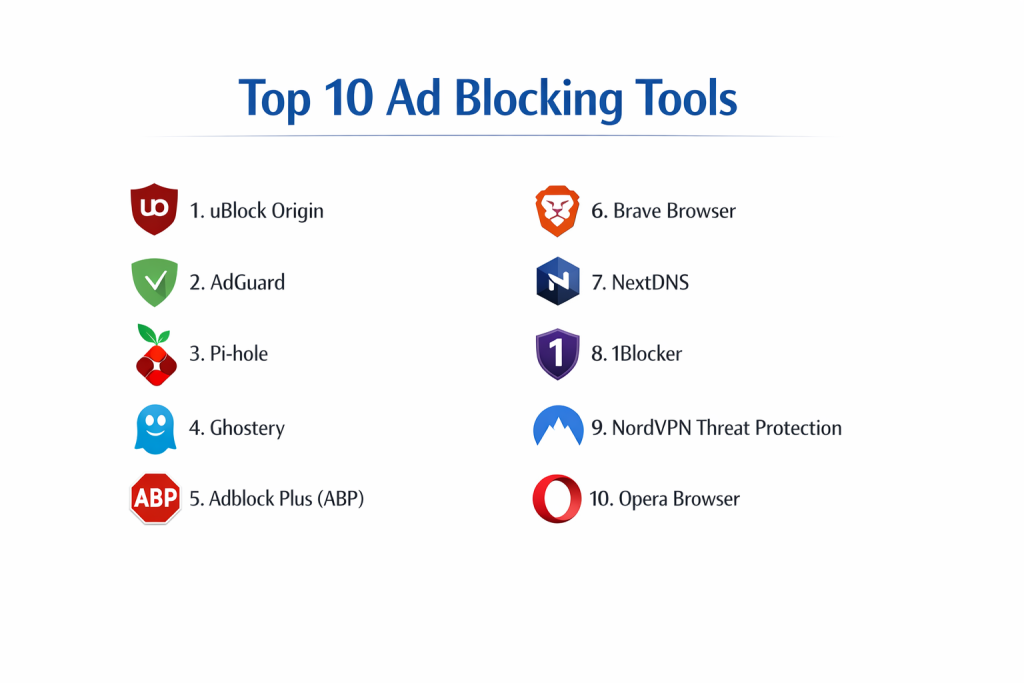
Top 10 Ad Blocking Tools
1 — uBlock Origin
uBlock Origin is a free, open-source, and highly efficient browser extension focused on broad-spectrum content blocking with minimal resource use. It’s designed for users who want maximum control, transparency, and performance without compromising their browser’s speed.
Key features:
- Low resource consumption: Renowned for using significantly less memory and CPU than other major ad blockers.
- Advanced user mode: Offers a powerful point-and-click interface to create custom filters by blocking specific page elements.
- Extensive filter lists: Supports easy subscription to dozens of curated filter lists (e.g., EasyList, Privacy Badger’s lists) for blocking ads, trackers, and malware domains.
- Dynamic filtering: Provides granular, rule-based control to block or allow content on a per-site or global basis.
- Privacy-focused: Does not participate in any “acceptable ads” program that whitelists ads for payment.
- Open-source: Its code is publicly auditable, ensuring transparency about its operations and data practices.
Pros:
- Exceptional performance and efficiency, keeping browsers fast.
- Unparalleled level of customization for power users.
- Completely free, open-source, and developed with a principled stance on privacy.
Cons:
- The advanced interface can be intimidating for casual users who just want a “set and forget” solution.
- Being a browser extension, it only protects browsing within that specific browser, not other apps on the device.
Security & compliance: As an open-source project, its code is subject to community scrutiny. It does not collect user data. Its privacy practices are aligned with a strict anti-tracking ethos.
Support & community: Primarily community-driven support through forums like GitHub and Reddit. Extensive documentation is available for advanced features, but no formal customer service.
2 — AdGuard
AdGuard is a comprehensive multi-platform suite that offers both browser extensions and standalone applications for system-wide ad blocking on Windows, Mac, Android, and iOS. It’s designed for users and families seeking powerful, device-level protection beyond the browser.
Key features:
- System-wide blocking (Desktop/Android): Filters traffic from all applications, including games and messaging apps, not just browsers.
- Parental controls: Includes features to block adult content, enforce safe search, and manage screen time.
- DNS filtering: Allows configuration of private DNS servers to block ads and trackers at the network level for all devices on a home network.
- Stealth Mode: Advanced options to hide your digital fingerprint, block tracking cookies, and send fake referrer information.
- Browsing Security: Warns users about phishing and malicious websites.
- Customizable filters: Supports all major filter lists and allows users to create their own rules.
Pros:
- Provides the most complete cross-device protection, especially with its standalone apps.
- Rich feature set including parental controls and security warnings.
- Offers a generous free tier for browser extension users.
Cons:
- The full, system-wide application requires a paid license.
- Can be more complex to set up optimally compared to simple browser extensions.
Security & compliance: AdGuard applications use local filtering rules where possible to minimize data routing. The company publishes a clear privacy policy and offers a premium, privacy-focused DNS service.
Support & community: Offers detailed knowledge base articles, email support, and an active user community forum. Paid users typically receive priority support.
3 — Pi-hole
Pi-hole is a unique, network-level ad blocker that takes the form of open-source software installed on a Raspberry Pi or Linux server within your home network. It’s designed for tech enthusiasts and households that want to block ads and trackers for every device (smartphones, smart TVs, IoT gadgets) without installing software on each one.
Key features:
- Network-wide blocking: Blocks ads at the DNS level for all devices connected to your home Wi-Fi.
- Dashboard and analytics: Provides a web-based admin console to view detailed statistics on queries blocked and permitted.
- Low-cost hardware: Typically runs on a Raspberry Pi, a low-cost and energy-efficient single-board computer.
- Custom blocklists: Easily add community-maintained or personal blocklists.
- Whitelist/Blacklist: Fine-tune control over which domains are blocked or allowed.
- No per-device software: Protects devices that don’t support ad blockers, like smart TVs and gaming consoles.
Pros:
- The most comprehensive solution for blocking ads on every device in a home.
- Enhances privacy and reduces bandwidth usage across the entire network.
- Free and open-source software.
Cons:
- Requires technical knowledge to purchase hardware, install the software, and configure the network.
- Only works on your home network; devices on cellular or other Wi-Fi are unprotected.
- Cannot block in-app or YouTube ads that are served from the same domain as content (without additional software).
Security & compliance: Runs locally on your own hardware, meaning all your DNS queries stay within your network unless forwarded to an upstream provider. You have full control over its operation.
Support & community: Has a massive and highly active community on Reddit, GitHub, and its own forums, providing extensive peer support and tutorials. No official commercial support.
4 — Ghostery
Ghostery is a privacy-focused browser extension and mobile app that emphasizes transparency and user control over trackers. It is designed for users who want to see who is tracking them online and make informed decisions about what to block.
Key features:
- Tracker intelligence: Identifies and displays each individual tracker (analytics, advertising, beacons) found on a webpage.
- Smart blocking: Can automatically block trackers based on categories (e.g., advertising, site analytics) or allow non-intrusive ones.
- Ad blocking: Blocks advertising along with trackers for a cleaner experience.
- Ghostery Insights: A premium feature that provides enhanced data on tracker trends and industry patterns.
- Privacy-focused: The company has a public commitment to privacy and offers a “private search” engine alternative.
Pros:
- Unrivaled transparency into the “invisible” tracking ecosystem on websites.
- Easy-to-understand interface that educates users about trackers.
- Strong privacy stance from the developing company.
Cons:
- The core ad-blocking capabilities may not be as aggressively comprehensive as uBlock Origin for some users.
- Pushing its own privacy search engine and premium features can feel promotional to some.
Security & compliance: Ghostery’s privacy policy details what diagnostic data is collected (anonymized and opt-in for most). Its business model is shifting towards paid privacy products rather than data.
Support & community: Provides standard support through a help center and contact forms. Has a dedicated community of privacy-conscious users.
5 — Adblock Plus (ABP)
Adblock Plus is one of the original and most widely known ad blockers. It is a browser extension designed for ease of use, making basic ad blocking accessible to millions. Its “Acceptable Ads” program is its most defining and controversial feature.
Key features:
- Easy setup: Works immediately after installation with default filter lists.
- “Acceptable Ads” program: By default, allows non-intrusive ads that meet specific criteria. This can be disabled in settings.
- Custom filters: Allows users to add their own filter lists or rules.
- Element hiding helper: A tool to manually select and block annoying page elements.
- Multiple browser support: Available on all major browsers.
Pros:
- Extremely user-friendly and requires no configuration for basic use.
- Vastly improves the browsing experience for non-technical users.
- Highly effective at blocking most disruptive ads when “Acceptable Ads” is turned off.
Cons:
- The default “Acceptable Ads” whitelist is controversial, as companies can pay to have their ads placed on it.
- Considered by many power users to be less efficient and more resource-heavy than uBlock Origin.
- Past business models have drawn criticism for blurring the line between user advocacy and commercial interest.
Security & compliance: As a browser extension, its security is tied to the browser’s sandbox. Its data practices are outlined in its privacy policy, and it does participate in the acceptable ads ecosystem.
Support & community: Maintains a help center and community forums. Its widespread use means troubleshooting advice is easy to find online.
6 — Brave Browser
Brave is not just an ad blocker; it’s a privacy-centric web browser with ad and tracker blocking built into its core. It’s designed for users who want an integrated, privacy-by-default browsing experience without installing additional extensions.
Key features:
- Built-in Shields: Blocks ads, trackers, fingerprinting scripts, and upgrades connections to HTTPS automatically.
- Brave Rewards: An optional program where users can view privacy-respecting ads and earn Basic Attention Tokens (BAT) to tip content creators.
- Private tabs with Tor: Offers a private browsing window that routes traffic through the Tor network for enhanced anonymity.
- Fast performance: By blocking resource-heavy ads and trackers, pages load noticeably faster.
- Chromium-based: Feels familiar to Chrome users but with privacy enhancements.
Pros:
- Delivers a fast, clean, and private browsing experience out of the box.
- Eliminates the need to manage separate ad-blocking extensions.
- Innovative (though optional) model to potentially fund the web without traditional tracking ads.
Cons:
- You must switch your default browser to benefit.
- The crypto-based BAT rewards system can be complex and is not of interest to all users.
- Some website compatibility issues can arise due to aggressive blocking.
Security & compliance: The browser is designed with privacy as a core principle. It blocks many fingerprinting techniques and collects minimal diagnostic data (opt-in).
Support & community: Standard browser support through help articles and community forums. The project is actively developed by Brave Software, Inc.
7 — NextDNS
NextDNS is a cloud-based, customizable DNS filtering service that operates similarly to Pi-hole but without requiring you to run your own hardware. It’s designed for users who want network-level protection that works on any network (home, mobile, office) through simple configuration.
Key features:
- Cloud-based configuration: Set up blocklists, allowlists, and security settings via a web dashboard.
- Cross-network protection: Works on home routers, mobile devices (via VPN profile or app), and laptops by changing DNS settings.
- Advanced analytics: Provides detailed logs and insights into all blocked and allowed queries across your devices.
- Security filtering: Blocks malware, phishing, and fraudulent domains in addition to ads and trackers.
- Parental controls: Includes options to block adult content, social media, and other categories.
Pros:
- Provides Pi-hole-like network protection without maintaining physical hardware.
- Works on-the-go, protecting your phone even when off your home Wi-Fi.
- Highly configurable and offers excellent performance insights.
Cons:
- Free tier has a limited number of monthly queries; higher usage requires a paid subscription.
- Being a cloud service, it introduces a third party (NextDNS) into your DNS resolution chain, which is a privacy consideration.
Security & compliance: Offers options for logging (full, anonymized, or none). It uses DNS-over-HTTPS/ TLS by default for encrypted queries. Based in Switzerland, which has strong privacy laws.
Support & community: Offers documentation and email support. Has a growing community of users who share configurations.
8 — 1Blocker
1Blocker is a premium, Safari-native content blocker for Apple devices (Mac, iPhone, iPad). It is designed specifically for users within the Apple ecosystem who want a fast, privacy-respecting, and powerful ad-blocking experience tailored to Safari’s WebKit engine.
Key features:
- Safari-native efficiency: Uses Apple’s Content Blocker API, which is highly efficient and privacy-focused, as it only provides Safari with a set of rules, not access to browsing data.
- Custom rules creator: An intuitive rule builder allows creating powerful block, allow, or hide rules without writing syntax.
- Multiple categories: Blocks ads, trackers, cookies, comments, social media widgets, and more with toggles for each.
- Focus on privacy: Operates on-device; the developer cannot see user browsing activity.
- Syncs via iCloud: Rules and settings sync seamlessly across all your Apple devices.
Pros:
- Arguably the best performance and integration for Safari users on macOS and iOS.
- Excellent balance of powerful features and user-friendly interface.
- Strong privacy model inherent to Apple’s Content Blocker framework.
Cons:
- Exclusively for Apple’s Safari browser and devices.
- Requires a one-time purchase (per platform) or subscription, unlike many free alternatives.
- Does not work in other browsers like Chrome or Firefox on Mac.
Security & compliance: Leverages Apple’s secure, on-device content blocking framework. The app itself does not handle or see user web traffic.
Support & community: The developer provides support via email. It has a dedicated user base within the Apple community.
9 — NordVPN Threat Protection
Threat Protection is a feature within NordVPN, a popular commercial VPN service. It’s designed for existing NordVPN subscribers who want an integrated solution that combines ad blocking, tracker blocking, and malware protection within their VPN application.
Key features:
- Integrated suite: Combines ad blocking, anti-tracking, and malware scanning in one toggle within the VPN app.
- Malware protection: Scans downloaded files for threats and blocks access to known malicious websites.
- Works without VPN: The ad/tracker blocking feature can be enabled even when the VPN is disconnected.
- Cross-platform: Available on NordVPN apps for Windows, macOS, Android, and iOS.
- Simple interface: Very easy to enable/disable with minimal configuration options.
Pros:
- Convenient all-in-one security and ad-blocking solution for NordVPN customers.
- Effective at blocking intrusive ads and known malicious domains.
- Extremely simple to use with no filter list management required.
Cons:
- Only available as part of a NordVPN subscription; not a standalone product.
- Lacks the deep customization and control of dedicated ad-blocking extensions.
- The ad-blocking component may not be as thorough as specialized tools for complex websites.
Security & compliance: Part of NordVPN’s infrastructure, which has undergone independent audits. Privacy policy applies to its data handling. Blocking occurs at the application level on the device.
Support & community: Full access to NordVPN’s 24/7 customer support via live chat and email, alongside extensive help resources.
10 — Opera Browser with built-in ad blocker
Opera is a Chromium-based web browser that includes a free, built-in VPN and a native ad blocker. It’s designed for users who want a feature-rich browser with basic ad and tracker blocking enabled by default, without extra extensions.
Key features:
- Native ad blocker: An integrated blocker that can be toggled on/off per site from the address bar.
- Free built-in VPN: Offers a no-log, unlimited bandwidth VPN directly in the browser to mask IP addresses.
- Tracker blocker: Also blocks known third-party tracking scripts when the ad blocker is active.
- Cryptojacking protection: Built-in feature to block cryptocurrency mining scripts on websites.
- Battery saver mode: Reduces activity in background tabs to extend laptop battery life.
Pros:
- Provides a good, basic level of ad and tracker protection with zero setup.
- The inclusion of a free, unlimited VPN is a unique value-add.
- Good performance due to Chromium base and blocking of resource-heavy ads.
Cons:
- The ad blocker is basic and less configurable than top-tier extensions; some ads may slip through.
- You must adopt Opera as your primary browser.
- The business model of the free VPN (owned by a Chinese consortium) has raised questions among some privacy experts.
Security & compliance: The browser includes standard security features. The privacy implications of its free VPN service should be considered based on individual trust thresholds.
Support & community: Standard browser support through Opera’s help desk and community forums.
Comparison Table
| Tool Name | Best For (Target User or Scenario) | Platform(s) Supported | Standout Feature | Rating |
|---|---|---|---|---|
| uBlock Origin | Power users & privacy purists wanting maximum control & efficiency | Browser Extensions (Chrome, Firefox, Edge, etc.) | Lightweight performance & advanced custom filtering | N/A |
| AdGuard | Families & multi-device users wanting system-wide protection | Windows, Mac, Android, iOS, Browsers | Comprehensive cross-platform suite with parental controls | N/A |
| Pi-hole | Tech-savvy households blocking ads on all network devices (IoT, TVs) | Network (Linux/Raspberry Pi) | Network-level blocking for every device on home Wi-Fi | N/A |
| Ghostery | Privacy-conscious users wanting transparency into trackers | Browser Extensions, Mobile Apps | Detailed tracker identification & smart blocking | N/A |
| Adblock Plus | Casual users seeking an easy, one-click solution | Browser Extensions | User-friendly simplicity & wide recognition | N/A |
| Brave Browser | Users wanting a private, fast, all-in-one browser experience | Windows, Mac, Linux, Android, iOS | Built-in privacy shields & optional ad-reward ecosystem | N/A |
| NextDNS | Users wanting cloud-based, network-level protection on any network | Cloud Service (Any device) | Configurable DNS filtering with detailed analytics & on-the-go protection | N/A |
| 1Blocker | Apple-centric users seeking the best Safari experience | macOS Safari, iOS/iPadOS Safari | Native Safari integration & intuitive rule builder | N/A |
| NordVPN Threat Protection | NordVPN subscribers wanting integrated security features | Within NordVPN apps (Win, Mac, Android, iOS) | Combined ad blocking, anti-tracking, and malware protection | N/A |
| Opera Browser | Users wanting a feature-rich browser with basic built-in blocking | Windows, Mac, Linux, Android, iOS | Built-in ad blocker & free unlimited VPN | N/A |
Evaluation & Scoring of Ad Blocking Tools
This rubric evaluates the tools based on key user priorities. Note: “Scores” are illustrative and can vary based on specific version and configuration.
| Criteria | Weight | What It Means | Top Performers (Illustrative) |
|---|---|---|---|
| Core Features | 25% | Effectiveness at blocking ads/trackers, anti-malware capabilities, customization (whitelisting, custom rules). | uBlock Origin, AdGuard, Pi-hole/NextDNS |
| Ease of Use | 15% | Setup complexity, user interface clarity, “set-and-forget” capability. | Adblock Plus, Brave Browser, Opera Browser |
| Integrations & Ecosystem | 15% | Cross-platform support, browser/OS compatibility, works with other security tools. | AdGuard, NextDNS, Browser-native tools (Brave, Opera) |
| Security & Compliance | 10% | Privacy policy transparency, data collection practices, use of encryption, independent audits. | uBlock Origin (open-source), 1Blocker (Apple framework), NextDNS (configurable logging) |
| Performance & Reliability | 10% | Impact on page load speed, browser/device resource usage, stability. | uBlock Origin, Brave Browser, 1Blocker |
| Support & Community | 10% | Quality of documentation, availability of customer help, active user community. | Pi-hole (community), AdGuard, NordVPN |
| Price / Value | 15% | Cost vs. features offered, availability of a functional free tier. | uBlock Origin (free), Pi-hole (free + hardware), Adblock Plus (free) |
Which Ad Blocking Tool Is Right for You?
Choosing the right tool depends on your technical comfort, devices, and what you want to protect.
- For Solo Users / Individuals:
- Browser-First: Start with a browser extension like uBlock Origin (for control) or Adblock Plus (for simplicity). If you’re willing to switch browsers, Brave offers an excellent integrated experience.
- Apple-Only: 1Blocker is the premier choice for Safari users on Mac, iPhone, and iPad.
- For Families / Households (SMB):
- Multi-Device Protection: Use AdGuard with its system-wide apps to protect all PCs and phones in the house.
- Network-Level Simplicity: NextDNS is excellent. Configure it on your home router once, and every device (including kids’ tablets and smart TVs) is protected. For the tech-inclined, Pi-hole is the ultimate DIY solution.
- For Mid-Market & Enterprise:
- Scalable Network Security: NextDNS offers centralized management and logging for many devices across multiple locations, which is valuable for IT departments.
- Deployable Standard: Enterprise versions of AdGuard or similar DNS-filtering services can be part of a broader security policy to reduce malware risks and conserve bandwidth.
- Budget-Conscious vs. Premium:
- Budget/Free: uBlock Origin, Adblock Plus, Brave Browser, and Pi-hole (after hardware cost) are outstanding free options.
- Premium Value: AdGuard family licenses, 1Blocker, and NextDNS subscriptions offer advanced features, cross-device sync, and convenience for a reasonable fee.
- Feature Depth vs. Ease of Use:
- Max Features/Control: Choose uBlock Origin (in-browser) or AdGuard/NextDNS (system/network-wide) and dive into settings.
- Pure Simplicity: Choose Brave Browser, Opera, or enable NordVPN Threat Protection. They work effectively with a single click.
- Integration & Scalability Needs:
- If you need protection that follows your phone off your home Wi-Fi, NextDNS (via app) or AdGuard (standalone mobile app) are key.
- For scaling to many devices without individual setup, network-level solutions (NextDNS, Pi-hole) are inherently scalable.
- Security & Compliance Requirements:
- For maximum privacy assurance, prefer open-source (uBlock Origin, Pi-hole) or tools using native OS privacy frameworks (1Blocker).
- For businesses needing logging and policy management, a cloud service like NextDNS with configurable logging may be necessary.
Frequently Asked Questions (FAQs)
1. Is using an ad blocker unethical?
It’s a personal choice. Ad blockers are tools for privacy and security. Many users argue that overly intrusive, data-hungry, and disruptive ads justify their use. You can support sites you value by whitelisting them in your ad blocker or subscribing directly.
2. Will ad blockers break websites?
Sometimes. Overly aggressive blocking can interfere with site functionality (e.g., login forms, shopping carts). Most good ad blockers allow you to easily disable them for a specific site with one click (whitelisting) to restore functionality.
3. What’s the difference between a browser extension and a VPN-based blocker?
A browser extension (like uBlock) only works inside that specific browser. A VPN-based or DNS-based blocker (like part of NordVPN or NextDNS) filters traffic from all apps on your device at the network level, but may involve routing your data through a third-party server.
4. Can I block ads on my smartphone or tablet?
Yes. For mobile browsers, use extensions (like Firefox for Android) or dedicated browsers with blocking (Brave, Firefox Focus). For in-app ads, you need system-wide blockers like AdGuard for Android (requires local VPN profile) or DNS-level blocking via NextDNS or AdGuard DNS.
5. Do ad blockers protect against malware?
Many do, as a secondary benefit. They block connections to known malware domains and can prevent “malvertising” (ads that deliver malware). Dedicated features like NordVPN’s Threat Protection or AdGuard’s Browsing Security specifically scan for threats.
6. What is an “Acceptable Ads” program?
Pioneered by Adblock Plus, it’s a whitelist of ads deemed non-intrusive (e.g., static, not pop-ups). The controversy stems from companies paying to be included. Most ad blockers allow you to disable this feature.
7. How does a DNS blocker like Pi-hole or NextDNS work?
It acts as a gatekeeper for your internet. When your device asks for the address of an ad server, the DNS blocker refuses to provide it, so the ad never loads. It blocks ads for any device using your network.
8. Are there ad blockers for streaming services?
Blocking ads on major platforms like Hulu or YouTube Premium is technically possible but often a cat-and-mouse game. YouTube’s aggressive detection frequently breaks ad blockers. Dedicated browser extensions exist but require constant updates.
9. What’s the single most effective ad blocker?
For browser-based blocking, uBlock Origin is consistently ranked highest for effectiveness and efficiency by experts. For whole-network blocking, Pi-hole or NextDNS are most comprehensive.
10. Can my workplace or school block my ad blocker?
Yes, network administrators can block the installation of browser extensions or block access to filter list update servers. In such controlled environments, your options may be limited to browser-based solutions like Brave or Opera if you can install software.
Conclusion
The digital landscape is filled with intrusive ads and invisible trackers, but as we’ve seen, you have powerful tools to reclaim your browsing speed, privacy, and sanity. From the lean efficiency of uBlock Origin to the whole-home protection of Pi-hole and the user-friendly integration of Brave Browser, there is a solution for every need and skill level.
When choosing, remember that the most important factors are what you need to protect (just one browser, or every device in your house?) and how much control you want (simple on/off, or deep customization?). Prioritize tools with strong privacy policies and consider supporting developers of quality software, whether through whitelisting, donations, or paid licenses.
There is no single “best” ad blocker for everyone. The best tool is the one that fits seamlessly into your digital life, operates effectively without constant attention, and aligns with your personal balance between convenience, control, and privacy. By understanding the strengths of each option outlined here, you can make an informed choice and enjoy a cleaner, faster, and more secure internet.