Introduction
Accounts Receivable (AR) Automation Tools are digital solutions designed to streamline and automate the entire “order-to-cash” cycle. At its core, this software replaces the manual, repetitive tasks involved in invoicing customers, following up on late payments, and reconciling received funds with outstanding balances. By integrating directly with a company’s ERP or accounting system, AR automation tools use intelligent workflows to send personalized reminders, provide self-service payment portals for customers, and apply advanced algorithms to match incoming payments to specific invoices. This shift from manual spreadsheet tracking to automated digital management is designed to reduce Day Sales Outstanding (DSO), eliminate human error, and provide finance teams with a clear, real-time view of their cash position.
The importance of AR automation cannot be overstated for businesses looking to maintain healthy liquidity. Manual AR processes are often the biggest bottleneck in a finance department, leading to delayed payments simply because a reminder wasn’t sent or a dispute wasn’t addressed. Key real-world use cases include automating “dunning” (collection) emails for high-volume subscription services, providing multi-currency payment options for global B2B clients, and using AI to predict which customers are likely to pay late. When choosing a tool, users should evaluate integration depth, payment gateway flexibility, automated dunning logic, and the quality of the customer self-service portal.
Best for: CFOs, Controllers, and AR Specialists in mid-market to enterprise-level organizations. It is particularly vital for industries with high transaction volumes or complex billing cycles, such as manufacturing, wholesale distribution, professional services, and SaaS providers.
Not ideal for: Solopreneurs or very small businesses with fewer than 10 invoices per month. In these cases, the native invoicing features of basic accounting software (like QuickBooks or Xero) are usually sufficient, and the cost of a dedicated AR automation platform may not provide an immediate return on investment.
Key Real-World Use Cases
- Automated Collections (Dunning): Systematically sending escalation notices to customers based on their payment behavior without manual intervention.
- Cash Application: Using AI to “read” bank remits and match payments to the correct open invoices, even when customers pay multiple bills in one lump sum.
- Credit Risk Management: Monitoring customer credit scores in real-time and automatically adjusting payment terms or limits based on risk profiles.
- Customer Self-Service: Providing a dedicated portal where clients can view their history, download statements, and pay via their preferred method (ACH, Card, Wire).
What to Look For (Evaluation Criteria)
- Seamless ERP Sync: The tool must “talk” to your accounting software in real-time to prevent data silos.
- Predictive Analytics: The ability to forecast cash flow and identify at-risk accounts before they become delinquent.
- Workflow Customization: Flexibility to create different collection paths for “VIP” customers versus smaller, high-risk accounts.
- Dispute Management: A centralized hub to track and resolve customer questions about invoices to prevent payment delays.
- Audit Readiness: Comprehensive logs and reporting to ensure financial compliance and ease the end-of-year audit process.
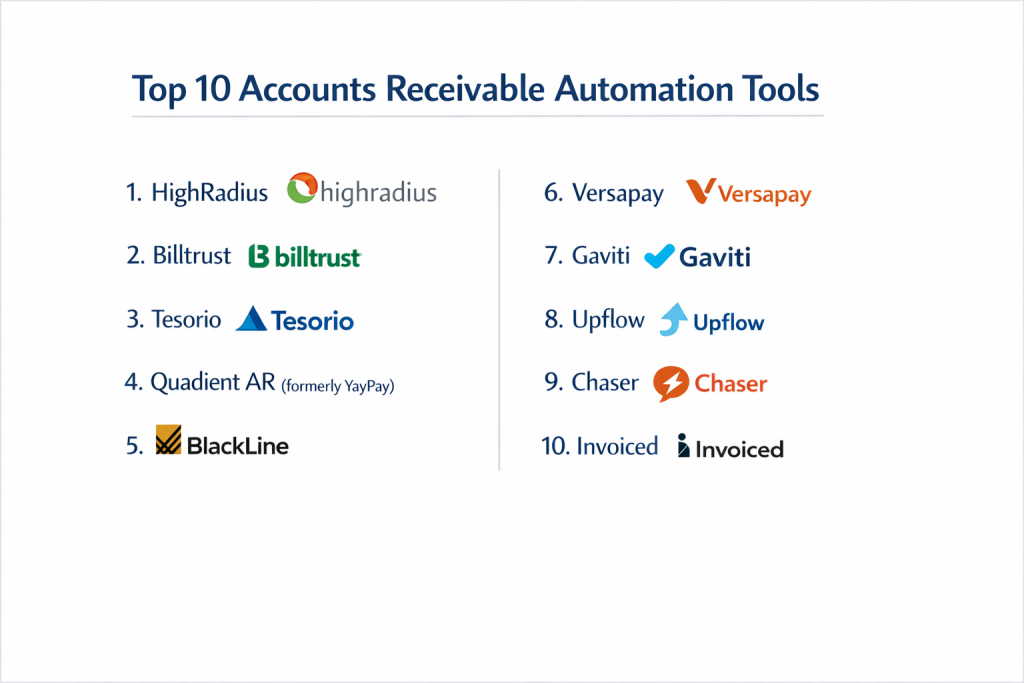
Top 10 Accounts Receivable Automation Tools
1 — Highradius
Highradius is an AI-powered enterprise platform that focuses on the entire “Office of the CFO,” with its AR suite being a global leader for large-scale corporations.
- Key features:
- Rivana AI Engine: Predicts payment dates and identifies customers likely to default.
- Autonomous Receivables: Automates the dunning process with human-like email communication.
- Electronic Invoice Presentment: Allows for massive-scale digital invoice delivery.
- Auto-Matching Cash Application: Reaches 90%+ automation in matching payments to invoices.
- Credit Cloud: Real-time credit scoring and automated credit limits.
- Pros:
- Unmatched scalability for global enterprises with millions of transactions.
- Deep AI integration that actually learns from historical payment data.
- Cons:
- High cost and complex implementation process.
- Can be “overkill” for mid-market companies with simpler needs.
- Security & compliance: SOC 1 & SOC 2 Type II, GDPR, HIPAA, and ISO 27001.
- Support & community: Dedicated enterprise success managers, extensive documentation, and a global user conference (Radius).
2 — Billtrust
Billtrust specializes in the “Order-to-Cash” cycle, emphasizing the customer experience and the speed of digital payment adoption.
- Key features:
- Business Payments Network (BPN): Connects buyers and sellers for automated payment delivery.
- Omnichannel Invoicing: Delivers invoices via email, AP portals, or physical mail.
- Cash Application: Leverages AI to handle complex, multi-line remits.
- Collections Management: Provides a prioritized task list for AR teams.
- Customer Portal: A highly branded, user-friendly space for client payments.
- Pros:
- Strong focus on moving customers away from paper checks to digital payments.
- Excellent at handling complex, large-scale B2B payment networks.
- Cons:
- Some users find the interface less modern than newer SaaS startups.
- Reporting can be rigid for very specific custom needs.
- Security & compliance: PCI DSS Level 1, SOC 2, and GDPR compliant.
- Support & community: Robust training via “Billtrust University” and 24/7 technical support for enterprise clients.
3 — Tesorio
Tesorio is a “Cash Flow Performance” platform that focuses on the behavioral side of AR, helping teams understand why customers pay the way they do.
- Key features:
- Connected Finance Workspace: Syncs with ERPs like NetSuite and Sage Intacct in minutes.
- Predictive Forecasts: Uses historical data to predict exactly when cash will hit the bank.
- Dunning Campaigns: Personalized, automated email sequences that feel manual.
- Collaboration Tools: Internal notes and task assignments directly on customer accounts.
- Trend Analysis: Visual dashboards showing DSO trends and collector performance.
- Pros:
- Very fast implementation compared to traditional enterprise software.
- Highly intuitive UI that collectors actually enjoy using.
- Cons:
- Primarily focused on the mid-market; might lack some ultra-heavy enterprise features.
- Integration list is high-quality but shorter than some older competitors.
- Security & compliance: SOC 2 Type II, data encryption at rest and in transit.
- Support & community: High-touch onboarding and proactive customer success engagement.
4 — Quadient AR (formerly YayPay)
Quadient AR is a cloud-based solution that combines predictive analytics with a robust workflow engine to maximize AR efficiency.
- Key features:
- Predictive Payor Behavior: Scores customers based on their historical payment speed.
- Workflow Automation: Creates “if-this-then-that” rules for collection activities.
- CRM for AR: Centralizes all customer communication in one timeline.
- Global Payments: Supports multi-currency and international payment gateways.
- Advanced Reporting: Real-time visibility into aging buckets and cash projections.
- Pros:
- Excellent “Payor Score” feature helps teams prioritize their morning.
- Strong integration with a wide variety of ERP systems.
- Cons:
- Customer portal customization can be somewhat limited in basic tiers.
- Occasional lag during large data syncs from legacy ERPs.
- Security & compliance: SOC 2, GDPR, and PCI compliance.
- Support & community: Robust help center, webinar series, and dedicated support tickets.
5 — BlackLine
While known for financial close automation, BlackLine’s AR suite is a powerful contender for companies looking for a unified “Finance Controls” environment.
- Key features:
- AI-Powered Cash Application: Intelligent matching of payments to open items.
- Unitary Risk View: Combines AR data with broader financial risk metrics.
- Automated Reconciliations: Bridges the gap between bank statements and the ledger.
- Strategic Collections: Prioritizes accounts based on both value and risk.
- Audit Trail: Comprehensive, immutable logs for every AR action.
- Pros:
- Ideal for companies already using BlackLine for month-end close.
- Extremely strong compliance and audit features.
- Cons:
- The UI can be complex and geared more toward accountants than collectors.
- More expensive than standalone AR automation tools.
- Security & compliance: ISO 27001, SOC 1, SOC 2, and SOC 3.
- Support & community: Massive global user base and 24/7 enterprise-grade support.
6 — Versapay
Versapay focuses on “Collaborative AR,” aiming to solve the communication gap between buyers and sellers that leads to disputes.
- Key features:
- Collaborative Payables: Buyers and sellers can chat directly on the invoice.
- Chargeback Management: Tools to handle and dispute credit card chargebacks.
- Integrated Payments: Native processing for ACH, Credit Card, and EFT.
- Dispute Resolution: Automated routing of customer questions to the right department.
- Executive Dashboards: High-level views of AR health and payment trends.
- Pros:
- Reduces the “back and forth” phone calls by putting communication in the portal.
- Very strong payment processing capabilities integrated into the platform.
- Cons:
- Implementation can be a bit more involved due to the collaborative setup.
- The focus on the portal means you need “buy-in” from your customers.
- Security & compliance: PCI DSS Level 1, SOC 1 & 2, and GDPR.
- Support & community: Online community, documentation, and dedicated project managers during setup.
7 — Gaviti
Gaviti is a specialized collections management platform that prides itself on being “built for collectors, by collectors.”
- Key features:
- Workflow Designer: Visual tool to map out the entire collections journey.
- Personalized Reminders: Sends emails from the account manager’s actual address.
- Escalation Path: Automatically notifies senior management if an invoice hits a certain age.
- ROI Tracker: Shows exactly how much interest/cash you’ve saved via automation.
- Easy ERP Integration: Quick connections to popular mid-market ERPs.
- Pros:
- Very easy to set up and get “quick wins” in reducing DSO.
- Transparent ROI reporting helps justify the cost to the CFO.
- Cons:
- Focused primarily on collections; cash application features are less mature.
- Lacks some of the deep AI-predictive modeling of Highradius.
- Security & compliance: SOC 2 Type II and GDPR compliant.
- Support & community: Responsive support team and specialized training for collections staff.
8 — Upflow
Upflow is a modern, sleek AR tool designed for B2B companies that want a “software-as-a-service” approach to their receivables.
- Key features:
- Real-time Analytics: Instant views of aging, DSO, and collection rates.
- Automated Workflows: Tailored dunning based on customer segments.
- Collaborative Timeline: Tracks every email, payment, and note in one view.
- Simple Payments: Integrates with Stripe and GoCardless for easy checkout.
- Executive Reporting: Clean, shareable reports for board meetings.
- Pros:
- One of the most beautiful and modern interfaces in the space.
- Very easy for non-technical teams to implement and manage.
- Cons:
- May lack the “heavy-duty” manufacturing features (like trade promotions).
- Not designed for ultra-large enterprises with millions of monthly invoices.
- Security & compliance: SOC 2, GDPR, and secure data encryption.
- Support & community: High-quality help center and direct chat support.
9 — Chaser
Chaser is a pioneer in the AR space, focusing on “polite persistence” to get invoices paid without damaging customer relationships.
- Key features:
- Personalized Reminders: Templates that mimic human-written emails.
- Chaser Collections: Access to an ethical debt collection service if automation fails.
- Credit Checking: Integrated credit reports directly within the app.
- Schedule Mapping: Sends reminders at the exact time a customer is most likely to pay.
- Consolidated Reminders: Groups multiple overdue invoices into one email.
- Pros:
- Excellent for SMBs and mid-market firms who value brand reputation.
- Very affordable and transparent pricing tiers.
- Cons:
- Lacks the deep AI-driven “Cash Application” logic of enterprise competitors.
- The feature set is narrower than all-in-one “Order-to-Cash” platforms.
- Security & compliance: GDPR compliant and standard web security protocols.
- Support & community: Friendly support team and an extensive blog on collections best practices.
10 — Invoiced
Invoiced is an “Accounts Receivable Cloud” that focuses on the billing and payment experience for fast-growing companies.
- Key features:
- A/R Portal: A “white-labeled” portal that looks exactly like your brand.
- AutoPay: Automatically charges customers on the due date for recurring bills.
- Installment Plans: Allows customers to break large invoices into smaller payments.
- Multi-entity Support: Manages receivables for different business units.
- API First: Extremely developer-friendly for custom business logic.
- Pros:
- The best option for companies that need a high degree of “look and feel” customization.
- “AutoPay” features are excellent for subscription or recurring service models.
- Cons:
- Can be expensive once you start adding multiple entities and users.
- The emphasis is more on “billing/payment” than “collections/dunning.”
- Security & compliance: SOC 1, SOC 2, PCI DSS, and GDPR.
- Support & community: Developer documentation is top-tier; standard support for business users.
Comparison Table
| Tool Name | Best For | Platform Supported | Standout Feature | Rating (Gartner) |
| Highradius | Global Enterprise | Cloud | Rivana AI Engine | 4.6 / 5 |
| Billtrust | B2B Payment Networks | Cloud | Business Payments Network | 4.4 / 5 |
| Tesorio | Mid-Market Efficiency | Cloud | Cash Performance Workspace | 4.8 / 5 |
| Quadient AR | Multi-ERP Orgs | Cloud | Predictive Payor Scores | 4.5 / 5 |
| BlackLine | Unified Finance Orgs | Cloud | Audit-Ready Reconciliations | 4.3 / 5 |
| Versapay | Dispute Resolution | Cloud | Collaborative AR Portal | 4.5 / 5 |
| Gaviti | Collections Teams | Cloud | Workflow ROI Tracking | 4.7 / 5 |
| Upflow | Modern B2B / SaaS | Cloud | Analytics-First Dashboards | 4.8 / 5 |
| Chaser | Reputational AR | Cloud | Polite Persistence Engine | 4.9 / 5 |
| Invoiced | Branding & AutoPay | Cloud | API-First Customization | 4.6 / 5 |
Evaluation & Scoring of Accounts Receivable Automation Tools
| Category | Weight | Evaluation Logic |
| Core Features | 25% | Automation of dunning, cash app, and portal quality. |
| Ease of Use | 15% | Training time for staff and customer portal intuitiveness. |
| Integrations | 15% | Native, two-way sync with major ERPs (NetSuite, SAP, etc.). |
| Security & Comp. | 10% | SOC 2 status, GDPR compliance, and encryption. |
| Perf. & Reliability | 10% | Uptime, sync speed, and handling of large data volumes. |
| Support & Comm. | 10% | Documentation, response times, and user forums. |
| Price / Value | 15% | ROI (DSO reduction) vs. subscription cost. |
Which Accounts Receivable Automation Tool Is Right for You?
Small to Mid-Market vs. Enterprise
For SMBs and smaller Mid-Market firms, simplicity and time-to-value are paramount. Tools like Chaser or Upflow are ideal because they can be implemented in a matter of days and don’t require a dedicated “systems administrator.” They solve the core problem: getting paid faster through better reminders. Enterprise users, conversely, need Highradius or BlackLine. These tools handle the massive complexity of thousands of business units, various tax laws, and millions of daily transactions, often using AI to find efficiencies that humans would miss.
Budget and Value
If your budget is tight, Chaser or Gaviti offer the most “bang for your buck” by focusing strictly on the collections process. They provide immediate ROI by reducing DSO. For organizations where budget is less of an issue than “total transformation,” Billtrust or Versapay provide premium, all-in-one “Order-to-Cash” ecosystems that change how you interact with your customers, though they come with a higher price tag and longer implementation timelines.
Technical Depth vs. Simplicity
Invoiced is the “developer’s choice.” If your business has a complex, proprietary backend and you need a powerful API to build custom billing logic, it’s the clear winner. If you want “out of the box” simplicity where the software makes the decisions for you, Tesorio or Upflow provide a streamlined experience that removes the technical burden from the finance team.
Security and Compliance Requirements
For companies in highly regulated sectors like Healthcare or Public Finance, BlackLine and Highradius are the safest bets. They offer the highest levels of certification (SOC 1, 2, and 3, ISO 27001) and have built-in “segregation of duty” controls that are essential for Sarbanes-Oxley (SOX) compliance.
Frequently Asked Questions (FAQs)
1. What is the difference between AR automation and accounting software?
Accounting software (like QuickBooks) records transactions. AR automation sits on top of it to drive action—it sends the emails, hosts the payment portal, and uses AI to match the cash, tasks that standard accounting software usually leaves to manual labor.
2. How long does implementation typically take?
For modern SaaS tools (Upflow, Chaser), you can be up and running in 1–2 weeks. For enterprise-grade platforms (Highradius, SAP Ariba), implementation can take 3–9 months due to complex data mapping.
3. Does AR automation replace my current credit card processor?
Usually, no. Most AR tools integrate with processors like Stripe, Merchant-E, or Braintree. However, tools like Versapay and Billtrust offer their own integrated processing for a more seamless experience.
4. Can I still send manual emails if I want to?
Yes. All top-tier tools allow you to “pause” automation for specific customers or jump in and send a manual message from within the platform.
5. How does the software handle “Cash Application”?
It uses OCR to read remits and AI to match the amount and invoice number. If a customer pays $1,000 for three different invoices, the AI calculates which three invoices add up to that amount and suggests the match.
6. Will my customers find automated emails annoying?
Not if you use “Polite Persistence.” Tools like Chaser allow you to customize the tone, timing, and sender name so the emails look exactly like a personal check-in from your finance team.
7. Can these tools handle multiple currencies?
Most mid-market and all enterprise tools handle multi-currency. They can display an invoice in Euros but allow the customer to pay in Dollars, automatically calculating the exchange rate.
8. What is DSO, and how does automation lower it?
DSO stands for Day Sales Outstanding—the average number of days it takes to get paid. Automation lowers it by ensuring reminders are never missed and making it easier for customers to pay via “one-click” portals.
9. Are these tools secure enough for sensitive financial data?
Yes, as long as they are SOC 2 Type II compliant. This is the industry standard for ensuring that a software company has strict controls over data security and privacy.
10. What is a “Self-Service Portal”?
It’s a secure website where your customers can log in to see all their open and closed invoices, download PDFs, raise disputes, and make payments without ever calling your office.
Conclusion
The “Order-to-Cash” cycle is the lifeblood of any business, and in an era where cash flow is king, leaving your receivables to manual processes is a significant risk. Accounts Receivable Automation Tools have evolved from simple email-sending bots into sophisticated AI partners that can predict payment behavior and virtually eliminate manual cash matching.
The “best” tool ultimately depends on your scale and your goals. If you need a beautiful, modern interface to manage a growing SaaS business, Upflow or Tesorio are fantastic. If you are a global manufacturer with deep compliance needs, Highradius or BlackLine are the industry standards. Whatever you choose, the goal remains the same: stop chasing checks and start growing your cash reserves.