Introduction
Accounts Payable (AP) Automation Tools are specialized software solutions designed to digitize and streamline the end-to-end process of managing vendor invoices and outgoing payments. These platforms replace manual, error-prone tasks—such as hand-keying data from paper invoices, chasing managers for email approvals, and physical check printing—with intelligent, automated workflows. By leveraging Optical Character Recognition (OCR), Artificial Intelligence (AI), and machine learning, AP automation tools can “read” invoices, verify them against purchase orders, and route them through the correct approval hierarchy without human intervention. This transformation turns the AP department from a traditional cost center into a strategic data hub that provides real-time visibility into liabilities and cash flow.
the importance of AP automation is underscored by the need for speed, fraud prevention, and remote work scalability. For any growing business, manual AP is a bottleneck that leads to late fees, strained supplier relationships, and high operational costs. Key real-world use cases include managing multi-entity global payments, automating complex three-way matching in manufacturing, and providing audit-ready digital trails for highly regulated industries like healthcare or legal services. When evaluating tools, users should prioritize OCR accuracy, seamless ERP integration, fraud detection capabilities, and the user experience for internal approvers.
Best for: CFOs, Controllers, and AP Managers in mid-market and enterprise organizations. It is essential for companies handling over 50 invoices per month, especially in industries with high vendor volume like retail, construction, manufacturing, and professional services.
Not ideal for: Micro-businesses or solopreneurs with only a handful of recurring monthly bills, as the subscription cost and implementation time of a dedicated AP tool may outweigh the manual effort of using basic small-business accounting software.
Key Real-World Use Cases
- Global Vendor Payments: Sending funds to international suppliers in local currencies while automatically handling tax compliance (W-9/W-8 collection).
- Three-Way Matching: Automatically cross-referencing the supplier’s invoice with the internal Purchase Order (PO) and the warehouse receiving report to ensure you only pay for what was ordered and received.
- Multi-Entity Consolidation: Managing separate AP workflows for different subsidiaries or locations within a single centralized finance dashboard.
- Early Payment Discounts: Identifying opportunities to pay vendors early in exchange for dynamic discounting, which improves the bottom line.
What to Look For (Evaluation Criteria)
Selecting the right AP automation partner involves looking past the marketing jargon. Consider these critical evaluation factors:
- ERP Compatibility: Does the tool offer a “native” sync with your accounting software (NetSuite, Sage, QuickBooks, SAP) or a messy manual CSV export?
- AI/OCR Capabilities: Can the tool handle “messy” invoices, handwritten notes, or non-standard formats with high accuracy?
- Payment Rails: Does the platform support ACH, wire transfers, virtual cards, and physical checks, or are you limited to one method?
- Security Hierarchy: Can you set granular permissions so that the person who enters the invoice cannot also be the one who authorizes the payment?
- Supplier Portal: Is there a way for vendors to check their own payment status without calling your office?
Best for: Mid-to-large companies that want to consolidate their entire AP lifecycle into a single, highly secure, and automated ecosystem.
Not ideal for: Startups with very low invoice volume who might prefer a simpler “expense-only” tool.
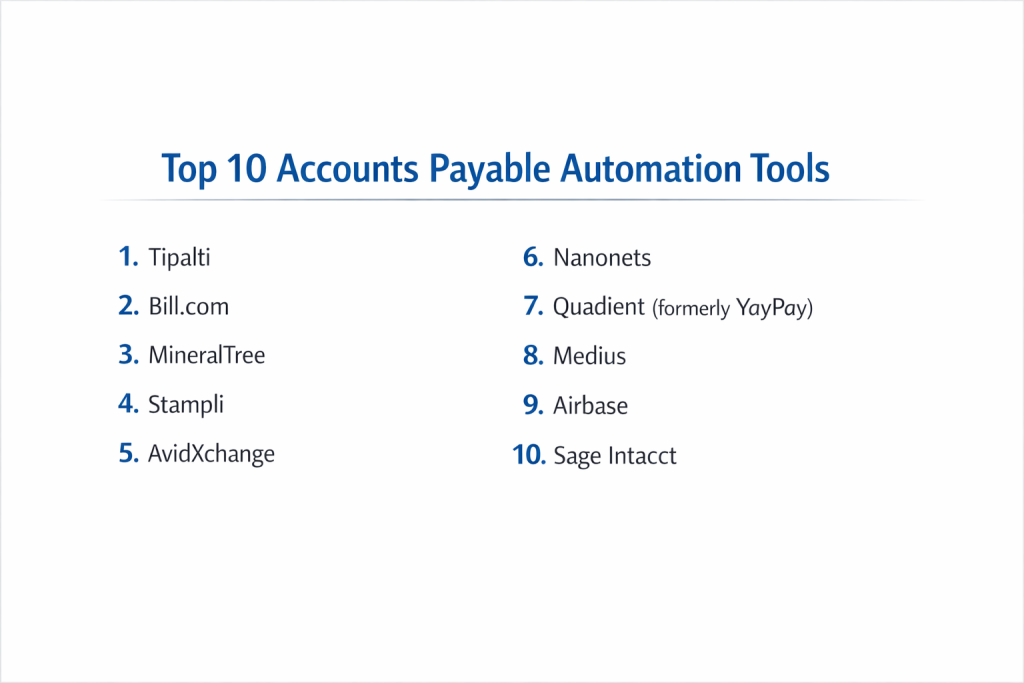
Top 10 Accounts Payable Automation Tools
1 — Tipalti
Tipalti is an enterprise-grade platform known for its ability to handle the entire “payables” lifecycle, especially for companies with complex global payment needs and high regulatory standards.
- Key features:
- Self-Service Supplier Portal: Vendors manage their own banking and tax details.
- Global Mass Payments: Pay vendors in 196 countries and 120 currencies via various methods.
- Automated Tax Compliance: Built-in collection and validation of W-9 and W-8 series forms.
- Fraud Detection: Automated screenings against OFAC and global blacklists.
- Advanced AP Reporting: Real-time dashboards for pending liabilities and tax positions.
- Pros:
- Exceptional at reducing manual workload for international payments and tax compliance.
- Extremely high security standards suitable for public companies.
- Cons:
- The pricing structure is more suited for mid-market and enterprise budgets.
- Initial setup can be complex due to the breadth of features.
- Security & compliance: SOC 2 Type II, GDPR, HIPAA, and Money Transmitter Licenses across US states.
- Support & community: High-touch onboarding, dedicated account managers, and an extensive knowledge base.
2 — Bill (formerly Bill.com)
Bill is a market leader for SMBs and mid-market firms, offering a straightforward, user-friendly interface that connects easily to popular accounting software.
- Key features:
- Intelligent Virtual Assistant (IVA): AI that automatically extracts data from uploaded invoices.
- Simple Approval Workflows: Drag-and-drop routing for invoice sign-offs.
- Diverse Payment Options: Supports ACH, checks, international wires, and virtual cards.
- Network Effect: Connect with millions of other businesses already on the Bill network for faster payments.
- Mobile App: Full capability to approve and pay bills from a smartphone.
- Pros:
- Very easy to learn and implement for teams moving off manual processes.
- Extensive integration list with QuickBooks, Xero, and Sage Intacct.
- Cons:
- Transaction fees can add up for high-volume users.
- Lacks some of the “deep” procurement features found in enterprise suites.
- Security & compliance: SOC 2, PCI DSS Level 1, and data encryption at rest.
- Support & community: Active user community, 24/7 chat support, and extensive webinar training.
3 — AvidXchange
AvidXchange specializes in mid-market AP automation with a heavy emphasis on a “service-backed” model, helping businesses transition to 100% electronic payments.
- Key features:
- AvidInvoice: OCR-based invoice capture and automated coding.
- AvidPay: A dedicated service team that helps transition your suppliers to electronic payments.
- Utility Specialists: Specific workflows for handling complex utility bill management.
- Purchase-to-Pay: Integrated modules for requisition and purchase orders.
- Custom Approval Hierarchies: Build complex logic based on dollar amounts or departments.
- Pros:
- The AvidPay Network takes the burden of supplier management off your internal team.
- Strong industry-specific solutions for real estate and construction.
- Cons:
- The user interface can feel a bit more “traditional” than newer SaaS tools.
- Dependency on their payment network might not suit every business model.
- Security & compliance: SOC 1 and SOC 2 Type II, GDPR compliant.
- Support & community: Strong emphasis on implementation success and 24/7 technical support.
4 — Quadient Accounts Payable (formerly Beanworks)
Quadient AP is a robust mid-market solution that provides a 360-degree view of the AP process, from purchase orders to payments.
- Key features:
- 3-Way Matching: Links POs, receiving reports, and invoices automatically.
- Multi-Entity Management: Centralizes AP for companies with many locations or legal entities.
- Payment Automation: Automated ACH and check runs with full audit trails.
- Expense Management: Includes an integrated module for employee out-of-pocket expenses.
- AI-Powered Coding: Learns GL coding patterns over time to reduce manual entry.
- Pros:
- Excellent visibility for managers who need to track spend across different departments.
- Very tight integration with Sage and Microsoft Dynamics.
- Cons:
- Mobile app functionality is slightly limited compared to the desktop version.
- Implementation can be slower than “plug-and-play” SMB tools.
- Security & compliance: SOC 2 Type II and standard data encryption.
- Support & community: Dedicated training specialists and a highly-rated customer success team.
5 — Stampli
Stampli is unique because it centers the entire AP process around a “communication hub,” making it ideal for organizations where invoice collaboration is frequent.
- Key features:
- Collaboration Feed: An internal chat-like feature attached directly to each invoice.
- Billy the Bot: AI that captures data and identifies anomalies or potential fraud.
- Stampli Card: Integrated corporate cards for managing non-invoice spend.
- Direct ERP Integration: Real-time sync that doesn’t require a bridge or middleware.
- Vendor Portal: Suppliers can upload invoices and track their own statuses.
- Pros:
- Significantly reduces “email chains” by keeping all conversations inside the invoice record.
- One of the highest user satisfaction ratings for ease of use.
- Cons:
- Primarily focused on US-based operations.
- Payment features are optional and may require additional setup.
- Security & compliance: SOC 2 Type II, GDPR, and HIPAA compliant.
- Support & community: Known for exceptionally fast customer support and personalized onboarding.
6 — MineralTree
MineralTree focuses on “high-growth” mid-market companies, offering a platform that balances deep automation with high-level fraud protection.
- Key features:
- End-to-End Automation: Captures, processes, and pays invoices in a single flow.
- Two-Way Sync: Bi-directional integration ensures ERP and MineralTree always match.
- Segregation of Duties: Robust controls to prevent internal fraud.
- Virtual Card Incentives: Programs to earn cash back on vendor payments.
- PO Matching: Automated link between requisitions and invoices.
- Pros:
- Very strong focus on internal controls and security.
- Highly efficient for teams that need to process large volumes with a small head count.
- Cons:
- Implementation typically requires more technical involvement from the finance team.
- Interface is functional but less modern than some newer competitors.
- Security & compliance: SOC 1 and SOC 2, PCI DSS compliant.
- Support & community: Professional services for implementation and 24/7 technical help.
7 — Airbase
Airbase is an “all-in-one” spend management platform that treats AP as a core pillar alongside corporate cards and expense reimbursements.
- Key features:
- Guided Procurement: Employees are led through a compliant request process.
- Full AP Lifecycle: From invoice ingestion to global payment.
- 3-Way Matching: Sophisticated logic for matching goods receipts.
- Real-time Reporting: Instant visibility into total company spend.
- Virtual Card Payments: Automated vendor payments with built-in cash back.
- Pros:
- Perfect for companies that want to manage all outgoing money in one platform.
- Superior user experience for the general employee base.
- Cons:
- Might be “too much software” if you strictly only need AP automation.
- Pricing is generally premium.
- Security & compliance: SOC 2 Type II and GDPR compliant.
- Support & community: Extensive documentation and dedicated customer success managers.
8 — Basware
Basware is a global leader in networked P2P (Purchase-to-Pay) and e-invoicing, specializing in massive complexity and international compliance.
- Key features:
- Global e-Invoicing: Support for over 70 countries and complex local tax laws.
- Smart PDF Ingestion: Converts even the most complex PDFs into structured data.
- Predictive Analytics: Uses data to forecast cash flow and payment timing.
- Advanced Matching: Handles complex multi-line, multi-PO scenarios.
- Carbon Footprint Tracking: Measures the environmental impact of your supply chain.
- Pros:
- Unmatched for large, global enterprises with complex VAT/tax requirements.
- Extremely high automation rates for “touchless” invoice processing.
- Cons:
- Far too complex for a standard mid-market business.
- Very high cost of ownership and implementation.
- Security & compliance: ISO 27001, SOC 1 & 2, GDPR, and ISAE 3402.
- Support & community: 24/7 global support and an extensive partner ecosystem.
9 — Corpay One (formerly Roger)
Corpay One is an agile, SMB-focused tool that emphasizes “Workflow Automation” to handle more than just payments.
- Key features:
- Workflows: If/Then logic to automate almost any accounting task.
- Corpay Mastercard: Integrated card spend with the AP flow.
- Bill Pay: Simple payment rails for ACH, check, and wire.
- Receipt Scanning: Capture receipts via mobile app for instant coding.
- Direct Integrations: Strong links to Xero and QuickBooks.
- Pros:
- Highly flexible workflow builder allows you to automate non-standard tasks.
- Very competitive pricing for smaller teams.
- Cons:
- Not designed for the complexity of enterprise three-way matching.
- International capabilities are less robust than Tipalti or Basware.
- Security & compliance: Standard data encryption and GDPR compliant.
- Support & community: Responsive chat support and a clear, helpful help center.
10 — Medius
Medius is an enterprise-level platform that uses advanced AI to reach “touchless” processing goals, specifically for manufacturing and retail sectors.
- Key features:
- Medius Capture: AI-driven invoice data extraction with high confidence scores.
- Medius Pay: Fully integrated global payment automation.
- Sourcing & Contract Management: Integrated modules for the front-end of procurement.
- Benchmarking: Compare your AP performance against industry averages.
- Direct Materials Focus: Built to handle the complexity of inventory-heavy AP.
- Pros:
- Exceptional at handling high-volume, line-item-heavy invoices.
- AI performance improves significantly the more data it processes.
- Cons:
- Requires a significant commitment to data cleanup during implementation.
- Interface is very powerful but has a steeper learning curve.
- Security & compliance: SOC 1 and SOC 2, ISO 27001, and GDPR.
- Support & community: Global enterprise support and a dedicated user community for large-scale users.
Comparison Table
| Tool Name | Best For | Platform(s) Supported | Standout Feature | Rating (Gartner) |
| Tipalti | Global Enterprise | Cloud / Mobile | Global Tax Compliance | 4.8 / 5 |
| Bill | Small to Mid-Market | Cloud / Mobile | Large Vendor Network | 4.4 / 5 |
| AvidXchange | Mid-Market Service | Cloud | Supplier Services Team | 4.5 / 5 |
| Quadient AP | Sage/Microsoft Users | Cloud / Mobile | 3-Way Matching | 4.6 / 5 |
| Stampli | Team Collaboration | Cloud / Mobile | Contextual Chat Hub | 4.9 / 5 |
| MineralTree | High-Growth Mid-Market | Cloud | Bi-Directional Sync | 4.3 / 5 |
| Airbase | All-in-One Spend | Cloud / Mobile | Integrated Corp Cards | 4.7 / 5 |
| Basware | Global e-Invoicing | Cloud | International Tax Laws | 4.2 / 5 |
| Corpay One | Simple Automation | Cloud / Mobile | Workflow Logic Builder | N/A |
| Medius | Retail/Manufacturing | Cloud | Touchless AI Matching | 4.4 / 5 |
Evaluation & Scoring of Accounts Payable Automation Tools
| Category | Weight | Evaluation Logic |
| Core Features | 25% | OCR accuracy, 3-way matching, and payment rail diversity. |
| Ease of Use | 15% | Intuitiveness for both the finance team and non-finance approvers. |
| Integrations | 15% | Depth of sync with major ERPs (NetSuite, Sage, SAP, etc.). |
| Security & Compliance | 10% | SOC 2 status, fraud detection, and audit trail quality. |
| Performance | 10% | Processing speed of large batches and system uptime. |
| Support & Community | 10% | Onboarding quality and 24/7 technical support availability. |
| Price / Value | 15% | Potential for ROI through labor reduction and late fee avoidance. |
Which Accounts Payable Automation Tool Is Right for You?
Solo Users vs SMB vs Mid-Market vs Enterprise
If you are an SMB with under 50 employees, Bill or Corpay One are usually sufficient. They offer a low barrier to entry and solve the immediate problem of “too much paper.” Mid-Market companies (50–500 employees) should look at Stampli or Quadient AP, as these provide the three-way matching and collaboration tools needed as departments grow. Enterprises with global subsidiaries and millions in spend must prioritize Tipalti, Basware, or Medius to handle the heavy burden of international tax and high-volume data.
Budget-conscious vs Premium Solutions
If you are strictly Budget-conscious, Corpay One and Bill offer “pay-as-you-go” or lower monthly tiers. However, if you are looking for Premium Solutions that offer cash-back incentives on virtual cards and heavy-duty fraud protection, Airbase and MineralTree provide high value that often offsets their higher subscription costs.
Feature Depth vs Ease of Use
If your primary pain point is “approvers won’t log in because it’s too hard,” Ease of Use is your priority—choose Stampli. If your pain point is “we are paying for too much inventory we never received,” you need Feature Depth and rigorous three-way matching—choose Medius or Quadient AP.
Integration and Scalability Needs
Always start with your ERP. If you are on NetSuite, Stampli and Tipalti have world-class integrations. If you are on Sage, Quadient AP is often the top recommendation. For Scalability, choose a cloud-native platform like Tipalti that can handle your first 100 invoices and your first 100,000 invoices without a change in architecture.
Frequently Asked Questions (FAQs)
1. Is AP automation only for large companies?
No. While large companies save more in raw hours, even small businesses benefit from the fraud protection, audit trails, and time saved on manual data entry.
2. How accurate is OCR (Optical Character Recognition)?
Modern tools like Stampli and Medius boast over 95% accuracy. However, “human-in-the-loop” verification is still recommended for critical fields like total amount and bank details.
3. Does AP automation replace the accounting team?
No. It replaces the “data entry” part of their job. It allows accountants to focus on strategic analysis, cash flow forecasting, and vendor negotiations.
4. How does it prevent fraud?
It uses “segregation of duties” (ensuring different people approve vs. pay), automated duplicate invoice detection, and OFAC/blacklist screening for vendors.
5. What is “3-way matching”?
It is the process of comparing the Purchase Order, the Receiving Report (from the warehouse), and the Invoice to ensure they all match before a payment is sent.
6. Can I still pay vendors by paper check?
Yes. Most platforms like Bill or AvidXchange can print and mail checks on your behalf, so you don’t have to keep physical check stock in your office.
7. How long does implementation take?
For SMB tools, it can be as fast as a week. For enterprise suites with complex ERP integrations, expect a timeline of 3 to 6 months.
8. Can I manage multiple currencies?
Yes, platforms like Tipalti and Basware are specifically built for global operations and can handle 100+ different currencies.
9. What happens if a vendor sends a duplicate invoice?
The software identifies the duplicate invoice number and vendor name immediately, flagging it for the AP clerk to prevent a double payment.
10. How do vendors submit their invoices?
Most commonly, vendors email their invoices to a dedicated “@yourcompany.com” address provided by the software, which then “ingests” the document automatically.
Conclusion
Transitioning to Accounts Payable Automation is no longer a luxury—it is a baseline requirement for any finance team looking to operate with modern efficiency. the risks of manual AP (fraud, human error, and data silos) are simply too high to ignore.
The “best” tool is the one that fits your specific ERP and your team’s workflow. For global scale, Tipalti is the clear leader. For ease of use and internal collaboration, Stampli is the favorite. For SMBs looking for a quick win, Bill remains the reliable standard. By choosing the right partner today, you can turn your AP department into a profit-protecting engine.