Introduction
Accounting software is a digital solution designed to help businesses record, track, and manage their financial transactions. These tools serve as a centralized hub for all money-related activities, including income, expenses, payroll, and tax obligations. By automating the math and organization of bookkeeping, accounting software transforms complex financial data into clear reports, such as balance sheets and profit-and-loss statements, which are essential for understanding the health of a company.
The importance of these tools cannot be overstated for a modern business. Without a reliable system, business owners often find themselves buried in paper receipts and confusing spreadsheets, which increases the risk of human error and missed tax deadlines. Accounting software provides real-time visibility into cash flow, ensuring that you know exactly how much money is available at any given moment. Furthermore, it simplifies the process of getting paid by allowing you to send professional invoices and track them until the funds hit your account.
Key Real-World Use Cases
- Automated Expense Tracking: Instead of typing in every purchase, these tools connect directly to your business bank accounts and credit cards. They pull in transactions automatically and categorize them, making it easy to see where your money is going.
- Tax Preparation and Filing: Accounting software keeps your records organized throughout the year. When tax season arrives, you can generate the necessary reports with one click, ensuring that you claim all available deductions and stay compliant with local laws.
- Professional Invoicing: Businesses can create and send digital invoices to clients. The software tracks when the invoice was opened and sends automatic reminders to customers who haven’t paid yet, which significantly improves cash flow.
- Project Profitability Tracking: For service-based businesses, these tools allow you to assign expenses and labor hours to specific projects. This helps you see which clients are most profitable and which projects are costing you more than they are worth.
- Inventory Management: Retail and e-commerce businesses use accounting software to track stock levels. When a product is sold, the system automatically updates the inventory count and records the cost of goods sold, keeping financial records perfectly accurate.
What to Look For (Evaluation Criteria)
When choosing an accounting tool, consider these essential factors:
- Automation Capabilities: Look for features like automatic bank feeds and recurring invoicing. The more the software does for you, the less time you spend on manual data entry.
- Scalability: Can the software grow with you? You want a tool that offers basic features now but has advanced modules you can unlock as your team and revenue increase.
- User Interface: Financial work is already difficult enough. The software should be easy to navigate, with a clean dashboard that summarizes your most important numbers at a glance.
- Reporting Depth: Ensure the tool can generate more than just basic reports. You need a system that offers deep insights into your business’s financial trends.
- Mobile Accessibility: Many business owners need to check their balance or send an invoice while on the go. A high-quality mobile app is a major advantage.
Best for: Small business owners, freelancers, corporate accounting departments, and non-profit organizations. It is ideal for anyone who needs to maintain accurate financial records for tax purposes or business growth.
Not ideal for: Very small side-hustles with minimal transactions that can be handled by a simple spreadsheet, or companies that require highly specialized industry software (like heavy construction or complex manufacturing) without a general accounting base.
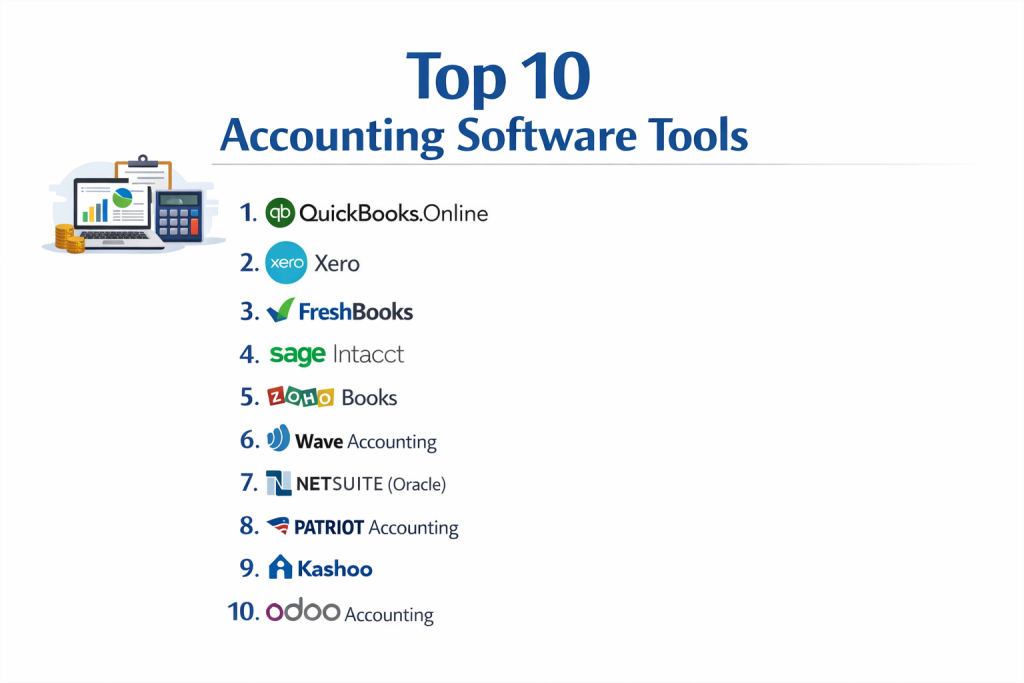
Top 10 Accounting Software Tools
1 — QuickBooks Online
QuickBooks Online is the industry standard for small to medium-sized businesses. It offers a massive range of features and is the most widely used tool by professional accountants globally.
- Key features:
- Automatic bank synchronization and transaction categorization.
- Comprehensive inventory tracking and management.
- Advanced reporting with hundreds of customizable templates.
- Integrated payroll and time-tracking modules.
- Estimates that convert to invoices with one click.
- Support for over 600 third-party app integrations.
- Pros:
- Your accountant almost certainly knows how to use it, making tax time seamless.
- Extremely powerful feature set that covers almost every business need.
- Cons:
- Can be significantly more expensive than competitors as you add users.
- The interface has a steeper learning curve for people with no accounting background.
- Security & compliance: SOC 2 Type II, AES-256 encryption, multi-factor authentication, and GDPR compliance.
- Support & community: massive online knowledge base, video tutorials, and a huge network of “ProAdvisors” available for hire.
2 — Xero
Xero is a modern, cloud-native alternative that is known for its beautiful design and unlimited user seat model on most plans. It is particularly popular with tech-savvy businesses and creative agencies.
- Key features:
- Real-time bank feeds and simplified reconciliation.
- Project tracking with a built-in “Xero Projects” tool.
- Multi-currency accounting for international businesses.
- Automated sales tax calculations through integrations.
- Fixed asset management and depreciation scheduling.
- Interactive financial reports that allow for “drilling down” into data.
- Pros:
- Clean, intuitive interface that makes accounting feel less intimidating.
- Allows for unlimited users on most plans, which is great for growing teams.
- Cons:
- The basic plan has strict limits on the number of invoices you can send.
- Customer support is primarily online-based, with no direct phone line.
- Security & compliance: ISO/IEC 27001, SOC 2 Type II, PCI DSS compliant, and GDPR ready.
- Support & community: Excellent online “Xero Central” documentation and a vibrant community of small business owners.
3 — FreshBooks
Originally started as an invoicing tool, FreshBooks has grown into a full accounting suite. It is specifically designed for service-based businesses, freelancers, and small agencies.
- Key features:
- Extremely simple and professional-looking invoices.
- Integrated time tracking for billing hourly clients.
- Automated expense tracking with receipt scanning via mobile app.
- Client portals where customers can pay and view history.
- Proposal and estimate creation with digital signatures.
- Basic double-entry accounting reports.
- Pros:
- The easiest software to use for someone who hates “traditional” accounting.
- Superior customer service with very fast response times.
- Cons:
- Lacks the deep inventory and manufacturing features found in QuickBooks.
- Pricing is based on the number of “active” clients you have.
- Security & compliance: SSL encryption, regular third-party audits, and GDPR compliant.
- Support & community: Award-winning support team, comprehensive webinars, and a straightforward help center.
4 — Sage Intacct
Sage Intacct is a high-end, enterprise-grade accounting solution. It is built for mid-market to large companies that have complex financial requirements and need heavy-duty automation.
- Key features:
- Multi-entity and global consolidation for international firms.
- Sophisticated revenue recognition for complex billing.
- Advanced project accounting and resource management.
- High-level dimension-based general ledger.
- Automated purchase order and accounts payable workflows.
- Interactive custom report writers.
- Pros:
- Unparalleled depth for complex financial reporting and audits.
- Highly customizable to fit specific industry workflows.
- Cons:
- Extremely high price point compared to small-business tools.
- Requires a professional implementation partner to set up correctly.
- Security & compliance: AICPA SOC 1 and SOC 2, ISO 27001, and HIPAA compliant (for specific modules).
- Support & community: Enterprise-level support, dedicated account managers, and a professional user community.
5 — Zoho Books
Zoho Books is an incredibly affordable and comprehensive accounting tool that is part of the larger Zoho ecosystem. It is an excellent choice for businesses that want a lot of features at a low cost.
- Key features:
- End-to-end accounting from estimates to payments.
- Automated workflows and custom email alerts.
- Inventory tracking with price list management.
- Client portal for collaborative payment management.
- Automatic sales tax, VAT, and GST calculations.
- Built-in time tracking and project tasks.
- Pros:
- Includes features for free that most competitors charge extra for (like inventory).
- Integrates flawlessly with the dozens of other Zoho business apps.
- Cons:
- The number of integrations outside of the Zoho ecosystem is smaller than QuickBooks.
- The mobile app, while functional, is not as polished as some rivals.
- Security & compliance: SOC 2 Type II, ISO 27001, GDPR, and PCI DSS compliance.
- Support & community: 24/5 email and phone support, detailed guides, and a large global user base.
6 — Wave Accounting
Wave is unique because its core accounting and invoicing features are completely free. It is the go-to choice for micro-businesses, freelancers, and new startups on a zero-dollar budget.
- Key features:
- Unlimited income and expense tracking for free.
- Professional invoice creation and automated reminders.
- Receipt scanning and categorization via mobile app.
- Multi-currency support for international billing.
- Dashboard for high-level cash flow monitoring.
- Integrated payment processing and payroll (paid add-ons).
- Pros:
- Completely free for the core software with no hidden monthly fees.
- Very simple to set up—you can be invoicing in five minutes.
- Cons:
- No dedicated inventory tracking or project management tools.
- Customer support is limited for users on the free plan.
- Security & compliance: PCI DSS Level 1, 256-bit encryption, and regular security audits.
- Support & community: Self-service help center and community forums; live chat is reserved for paying customers.
7 — NetSuite (Oracle)
NetSuite is a full Enterprise Resource Planning (ERP) system. It manages accounting, but also handles CRM, HR, and e-commerce in one single, massive database.
- Key features:
- Real-time global financial visibility.
- Automated currency conversion and global tax compliance.
- Complex supply chain and warehouse management.
- Advanced recurring billing and subscription management.
- Executive-level dashboards with real-time analytics.
- Audit-ready financial statements for public companies.
- Pros:
- The last software your business will ever need—it scales to any size.
- Eliminates “data silos” by keeping all company data in one place.
- Cons:
- Significant implementation costs and a long setup period.
- The interface can feel very complex for day-to-day bookkeeping tasks.
- Security & compliance: SOC 1/SOC 2, ISO 27001, PCI DSS, and HIPAA compliant.
- Support & community: 24/7 global support, extensive training programs, and a worldwide network of partners.
8 — Patriot Accounting
Patriot offers a straightforward, “no-frills” accounting experience. It is designed for small business owners who want to get their bookkeeping done quickly without a complex interface.
- Key features:
- Easy-to-use double-entry accounting.
- Importing bank transactions and automatic reconciliation.
- unlimited invoicing and estimates.
- Ability to record payments and track expenses.
- Simple 1099 vendor tracking and reporting.
- Integration with Patriot’s popular payroll software.
- Pros:
- One of the most affordable paid options on the market.
- Very fast and responsive software that doesn’t feel bloated.
- Cons:
- Lacks advanced features like inventory or project-specific billing.
- Integration options with third-party apps are very limited.
- Security & compliance: 256-bit encryption and secure data center housing.
- Support & community: Free USA-based support, clear help articles, and video tutorials.
9 — Kashoo
Kashoo focuses on extreme simplicity. It uses smart technology to categorize your expenses, making it a great fit for business owners who want to spend the absolute minimum amount of time on accounting.
- Key features:
- Smart categorization that learns your spending habits.
- Simplified single-screen dashboard.
- unlimited invoicing and expense tracking.
- Standard financial reports (P&L, Balance Sheet).
- Automatic bank reconciliation.
- Multi-business support under one login.
- Pros:
- Very “clean” approach that focuses only on essential tasks.
- Flat-rate pricing that includes all features.
- Cons:
- Too simple for businesses with complex inventory or large teams.
- Not as many bells and whistles as the larger platforms.
- Security & compliance: SSL encryption and secure cloud backups.
- Support & community: Live chat, email support, and a helpful blog for small business tips.
10 — Odoo Accounting
Odoo is an open-source business suite that allows you to “pick and choose” the apps you need. Its accounting module is highly flexible and integrates with thousands of other Odoo apps.
- Key features:
- AI-powered invoice digitization (scanning receipts).
- Bank synchronization with over 15,000 global banks.
- Automated follow-ups for unpaid invoices.
- Dynamic reporting with real-time data filtering.
- Multi-company and multi-currency support.
- Extensive asset management and tracking.
- Pros:
- Highly customizable because the source code is accessible.
- Very cost-effective if you only need the accounting module.
- Cons:
- The interface can be inconsistent between different modules.
- Self-hosting requires technical knowledge.
- Security & compliance: GDPR compliant and supports standard encryption protocols.
- Support & community: Large open-source community, official Odoo partners, and an extensive documentation library.
Comparison Table
| Tool Name | Best For | Platform(s) Supported | Standout Feature | Rating |
| QuickBooks | Small to Mid-Market | Web, iOS, Android | Huge Accountant Network | 4.5 / 5 |
| Xero | Tech-Savvy Teams | Web, iOS, Android | Unlimited User Seats | 4.4 / 5 |
| FreshBooks | Service Freelancers | Web, iOS, Android | Ease of Invoicing | 4.5 / 5 |
| Sage Intacct | Mid-Market Corp | Web / Cloud | Dimensional Ledger | 4.3 / 5 |
| Zoho Books | Budget-Conscious | Web, iOS, Android | Zoho Ecosystem Sync | 4.4 / 5 |
| Wave | Micro-Business | Web, iOS, Android | Free Core Accounting | 4.3 / 5 |
| NetSuite | Large Enterprise | Web / Cloud | Full ERP Capabilities | 4.1 / 5 |
| Patriot | Simple USA SMBs | Web | Fast, Simple UI | 4.6 / 5 |
| Kashoo | Minimalism | Web, iOS | AI Categorization | 4.2 / 5 |
| Odoo | Customizable Needs | Web, Self-Hosted | Open-Source Flexibility | 4.2 / 5 |
Evaluation & Scoring of Accounting Software
| Criteria | Weight | Description |
| Core Features | 25% | Presence of general ledger, invoicing, and bank reconciliation. |
| Ease of Use | 15% | How quickly a non-accountant can learn the system. |
| Integrations | 15% | Ability to connect with banks, CRMs, and payment processors. |
| Security & Compliance | 10% | Encryption levels and adherence to financial standards. |
| Performance | 10% | Loading speeds and reliability of automatic bank feeds. |
| Support | 10% | Availability of live help and documentation quality. |
| Price / Value | 15% | Total cost compared to the features and user limits offered. |
Which Accounting Software Tool Is Right for You?
Solo Users vs. SMB vs. Mid-Market vs. Enterprise
If you are a solo freelancer, tools like Wave or FreshBooks are likely your best bet because they focus on what you need most: getting paid. Small to Mid-sized Businesses (SMBs) should look at QuickBooks or Xero because these tools offer the inventory and payroll features a growing team requires. Mid-market companies with complex reporting needs will outgrow these and need a tool like Sage Intacct. Finally, a true Enterprise with global operations needs the unified power of an ERP like NetSuite.
Budget-Conscious vs. Premium Solutions
For those with no budget, Wave is the unbeatable leader. If you have a small budget but want a lot of features, Zoho Books or Patriot provide incredible value. If you are willing to pay a premium for the best reporting and the largest network of professional support, QuickBooks Online is the standard.
Feature Depth vs. Ease of Use
If your main goal is simplicity and you don’t care about advanced reports, Kashoo or FreshBooks are designed for you. However, if you need feature depth—such as tracking the cost of every screw in a manufacturing plant or managing 10 different global entities—you must choose a deeper tool like Sage Intacct or Odoo, even if they take longer to learn.
Integration and Scalability Needs
If you already use a specific CRM or project management tool, check the QuickBooks or Xero app stores first, as they have the most integrations. If you plan on becoming a massive company, starting with Xero or Zoho Books is smart because they scale well, but you should have a plan to eventually move to a system like NetSuite as you reach hundreds of employees.
Security and Compliance Requirements
Every business must care about security, but if you are in a regulated industry like healthcare or finance, you must choose a tool with the highest certifications, such as Sage Intacct or NetSuite. These tools provide the audit trails and security protocols required by law, which smaller “freemium” tools may lack.
Frequently Asked Questions (FAQs)
What is the difference between bookkeeping and accounting?
Bookkeeping is the daily recording of transactions, while accounting is the higher-level analysis of that data for tax and strategic purposes. Most software handles both.
Is cloud-based accounting software safe?
Yes. Modern providers use bank-level encryption and multiple backups to ensure your data is safer in the cloud than it would be on a single physical office computer.
Can I switch from one software to another?
Yes, but it can be time-consuming. You usually have to export your data into a CSV file and import it into the new tool, though many platforms offer migration assistants.
Does accounting software calculate my taxes automatically?
It calculates the totals and helps you organize data for tax categories, but you still need to review the numbers or have an accountant file the final paperwork.
Can I use these tools for personal finances?
While you can, these tools are built for business logic (like assets and liabilities). For personal use, a dedicated personal finance app is usually easier to manage.
Do I still need an accountant if I use software?
Usually, yes. Software keeps the data organized, but an accountant provides the professional advice and tax strategy that software cannot offer.
What is a “bank feed”?
A bank feed is a secure connection between your bank and the software that automatically downloads your transactions every day, saving you from manual entry.
Does my software need to be “double-entry”?
For most businesses, yes. Double-entry accounting is the standard system that ensures your “books” are always balanced and accurate for legal and tax purposes.
How much does accounting software usually cost?
Prices range from free (Wave) to about $30–$90 per month for small businesses, while enterprise systems can cost thousands per year.
Can I use accounting software on my phone?
Most modern tools have mobile apps that allow you to scan receipts, send invoices, and check your bank balances while you are away from your desk.
Conclusion
Selecting the right accounting software is a foundational decision that will impact your business for years to come. By automating the tedious parts of financial management, you free up your time to focus on what you actually love doing: growing your company and serving your customers.
The “best” tool is rarely the one with the most features, but rather the one that fits your specific daily workflow and your budget. Whether you choose the massive ecosystem of QuickBooks, the simplicity of FreshBooks, or the free flexibility of Wave, the most important step is to stop using spreadsheets and start using a dedicated system. Accurate numbers are the key to a healthy business, and the right software makes those numbers easy to find.