Introduction
Accessibility auditing tools are specialized software applications designed to scan websites and digital products to ensure they can be used by everyone, including people with disabilities. These disabilities may include visual impairments, hearing loss, motor difficulties, or cognitive challenges. These tools check your digital content against international standards, most notably the Web Content Accessibility Guidelines (WCAG). Think of these tools as a digital building inspector that walks through your website to make sure there are ramps for wheelchairs, braille on the signs, and clear pathways for everyone to move around freely. By using these tools, companies can identify issues like low color contrast, missing alternative text for images, and keyboard navigation failures that would otherwise prevent millions of people from accessing information.
The importance of accessibility auditing has grown significantly as our lives move almost entirely online. Beyond the moral obligation to be inclusive, there are serious legal requirements in many regions that mandate digital accessibility. Real-world use cases include a university ensuring that its online learning portal is accessible to blind students using screen readers, or a government agency checking that its public health announcements can be navigated by elderly users with limited motor control. When evaluating these tools, you should look for the accuracy of their automated scans, the quality of the “remediation” advice they give to help you fix the errors, and how well they integrate into your current development workflow. A good tool doesn’t just find problems; it teaches your team how to build better software.
Best for: Web developers, UI/UX designers, and compliance officers at companies of all sizes. They are particularly essential for government agencies, educational institutions, healthcare providers, and large e-commerce retailers who must meet strict legal standards and want to reach the widest possible audience.
Not ideal for: Personal hobbyist sites with very little traffic where the owner can manually check basic features, or small teams that prefer to hire third-party human consultants for one-time manual audits rather than maintaining an ongoing software subscription.
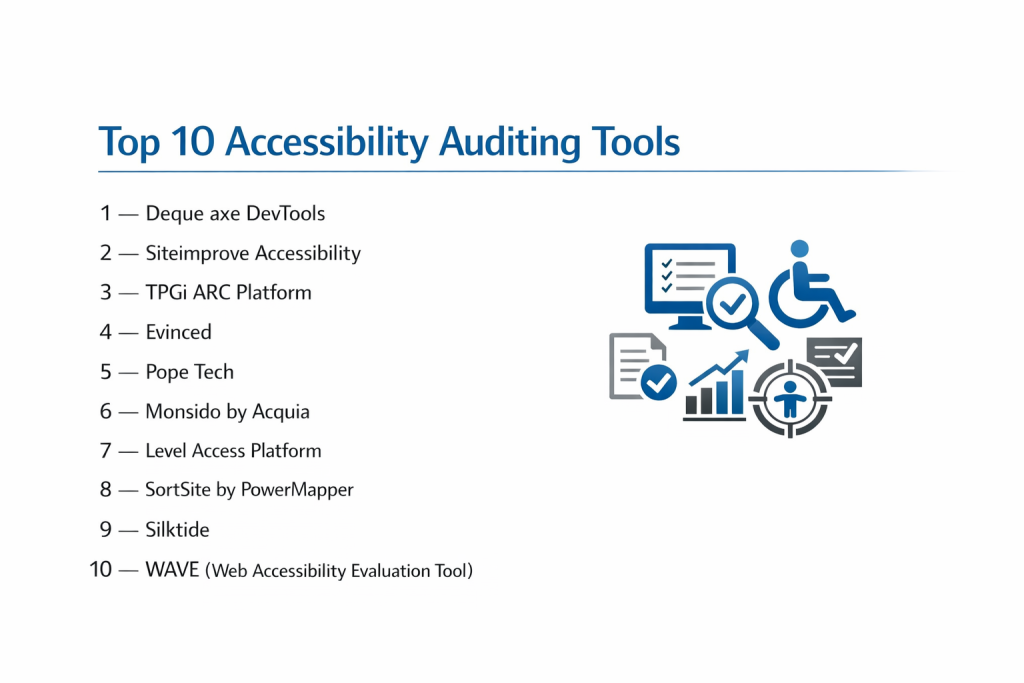
Top 10 Accessibility Auditing Tools
1 — Deque axe DevTools
Axe DevTools is a powerhouse in the accessibility world, built on the most popular open-source accessibility engine in existence. It is designed to help developers find and fix accessibility issues while they are still writing their code, preventing bugs from ever reaching the live website.
- Key features
- Automated scanning that claims zero “false positives,” meaning every error found is a real issue.
- Intelligent Guided Tests (IGT) that use AI to help non-experts perform complex manual audits.
- Browser extensions for Chrome, Firefox, and Edge for instant page analysis.
- Deep integration with CI/CD pipelines to block inaccessible code updates.
- Detailed component-level reporting for modern frameworks like React and Angular.
- Component-based testing to check specific parts of a page rather than the whole thing.
- Pros
- Trusted by the world’s largest tech companies for its extreme accuracy.
- The tool teaches developers how to fix issues with very clear, educational explanations.
- Cons
- The most advanced features are locked behind a professional paid subscription.
- Can be a bit technical for users who are not familiar with web development.
- Security & compliance: SOC 2 Type II compliant, GDPR compliant, and supports SSO for enterprise teams.
- Support & community: Massive community support, extensive documentation, and a dedicated training academy.
2 — Siteimprove
Siteimprove is an all-in-one “digital certainty” platform that goes beyond accessibility to cover SEO and content quality. It is designed for marketing teams and website managers who want a high-level view of their website’s health across thousands of pages at once.
- Key features
- Automated crawling of entire websites to find accessibility gaps.
- Clear “DCI” (Digital Certainty Index) scores to track progress over time.
- Role-based dashboards that show designers and developers only what they need to see.
- Integration with popular Content Management Systems (CMS) like WordPress and Adobe Experience Manager.
- PDF accessibility checking to ensure uploaded documents are also compliant.
- Prioritization tools that tell you which fixes will have the biggest impact on your score.
- Pros
- Excellent for large organizations that need to manage many different websites in one place.
- The visual reporting makes it very easy to explain progress to company executives.
- Cons
- It is a premium-priced tool that may be too expensive for smaller businesses.
- The sheer number of features can be overwhelming for someone only looking for accessibility.
- Security & compliance: ISO 27001 certified, GDPR compliant, and provides detailed audit logs.
- Support & community: Dedicated account managers, 24/7 support, and an interactive user community.
3 — Pope Tech
Pope Tech is essentially a cloud-based enterprise version of the famous WAVE testing tool. It is designed for organizations that want the simplicity of the WAVE tool but need to scan thousands of pages automatically and generate reports for different departments.
- Key features
- Mass automated scanning for entire domains and subdomains.
- Visual reporting that mirrors the easy-to-understand WAVE interface.
- Result filtering by “User Impact” to help teams focus on the most critical barriers.
- Scheduled reports that are automatically emailed to stakeholders.
- Historical data tracking to show how your accessibility score improves month over month.
- Grouping features to organize websites by department or region.
- Pros
- One of the most user-friendly interfaces for non-technical staff.
- Very fast at scanning large websites with thousands of pages.
- Cons
- Lacks some of the “in-code” developer tools found in axe DevTools.
- Some advanced manual testing features are not as deep as competitor tools.
- Security & compliance: Encrypted data storage, SOC 2 compliant infrastructure, and GDPR ready.
- Support & community: High-quality help center, responsive email support, and simple onboarding.
4 — Level Access
Level Access provides a comprehensive suite of software and services designed to bring organizations into full legal compliance. It is built for large enterprises that need a “unified” platform to manage accessibility across web, mobile, and desktop applications.
- Key features
- The “Access Engine” which provides highly detailed automated audits.
- Integration with design tools like Figma to check accessibility before a site is even built.
- Legal support and documentation to help companies navigate lawsuits or audits.
- Advanced analytics to track compliance health across a global organization.
- Mobile app testing for both iOS and Android platforms.
- Training modules for staff to learn about WCAG standards.
- Pros
- Offers a strong mix of automated software and expert human consulting.
- Very powerful for companies that are currently facing legal pressure.
- Cons
- The pricing is strictly enterprise-level and often requires a long-term contract.
- The platform has a steeper learning curve than simpler scanners.
- Security & compliance: SOC 2, HIPAA ready, GDPR compliant, and ISO standards.
- Support & community: 24/7 enterprise support and a large library of expert-led webinars.
5 — WAVE (by WebAIM)
WAVE is a suite of evaluation tools that is perhaps the most well-known name in accessibility. Created by WebAIM at Utah State University, it is designed for anyone—from students to professional developers—who needs a quick, visual check of a webpage’s accessibility.
- Key features
- Visual overlays that show accessibility icons directly on your website.
- Color contrast checker that helps you see if text is readable against the background.
- Detailed “Structure” view to see if your headings (H1, H2, etc.) are in the right order.
- Code-level view that highlights exactly where the error is located.
- Available as an online tool or as browser extensions for Chrome and Firefox.
- Features specifically for identifying “ARIA” labels used by screen readers.
- Pros
- Completely free for individual page checks, making it highly accessible to everyone.
- The visual nature of the feedback makes it very easy to understand the “why” behind errors.
- Cons
- Does not have a built-in way to scan an entire website at once for free.
- It can clutter the screen with icons on very complex web pages.
- Security & compliance: N/A (Does not store user data for basic checks).
- Support & community: Backed by the massive WebAIM community and extensive online guides.
6 — Silktide
Silktide is a sophisticated platform that helps organizations manage their “web estate.” It combines accessibility auditing with content optimization and user experience testing. It is designed for teams that want to fix their website while also making it more effective for marketing.
- Key features
- Automatic “Simulator” that shows you how a person with dyslexia or color blindness sees your site.
- Page-by-page breakdown of accessibility errors with “How to fix” videos.
- Competitive benchmarking to see how your site compares to others in your industry.
- Mobile-specific accessibility testing.
- Content governance tools to find broken links and spelling errors alongside accessibility.
- Automated screen reader simulations.
- Pros
- The “Simulator” feature is incredibly powerful for building empathy in your team.
- It provides very clear, actionable steps that even beginners can follow.
- Cons
- The comprehensive nature of the tool means you are paying for features you might not need.
- It can take some time to fully configure for very large, complex domains.
- Security & compliance: ISO 27001, SOC 2, and GDPR compliant.
- Support & community: Excellent customer success teams and a very modern help center.
7 — TPGi ARC
TPGi (The Paciello Group) is a legendary name in accessibility. Their ARC (Accessibility Resource Center) platform is designed for professional QA testers and developers who need deep, technical insights and a way to manage accessibility as a long-term project.
- Key features
- ARC Monitoring, which tracks your website’s accessibility over time through automated scans.
- Knowledge Base access with thousands of articles on how to solve specific bugs.
- ARC Toolkit, a free Chrome extension for deep-dive technical audits.
- Integration with Jira to turn accessibility errors directly into developer “tickets.”
- Detailed “user flow” testing to ensure a checkout process or form is fully accessible.
- Benchmarking against industry standards.
- Pros
- The technical depth of the audits is almost unmatched in the industry.
- The knowledge base is a “university-grade” resource for learning accessibility.
- Cons
- The user interface is more functional than beautiful.
- It can feel quite “corporate” and technical for small creative agencies.
- Security & compliance: SOC 2 Type II and GDPR compliant; emphasizes secure data handling.
- Support & community: Access to some of the world’s leading accessibility experts through their help desk.
8 — Evinced
Evinced is a newer player that uses sophisticated computer vision and AI to find accessibility issues. Unlike traditional tools that just look at the code, Evinced looks at the “visual” layout to understand how a user would interact with the site. It is designed for high-speed software development teams.
- Key features
- AI-powered discovery of “hidden” issues that code-only scanners miss.
- Flow Analyzer that can record a user’s journey and check every step for accessibility.
- Mobile testing for iOS and Android that actually uses the visual interface.
- Automated suggestions for fixing structural issues.
- Integration with automation frameworks like Selenium and Cypress.
- Ability to “group” similar issues across a whole site to fix them all at once.
- Pros
- Finds a higher percentage of issues than standard automated tools thanks to AI.
- Reduces the time spent on manual testing by automating complex user flows.
- Cons
- The AI can occasionally be too sensitive, requiring manual review.
- It is a high-end tool with pricing to match.
- Security & compliance: SOC 2 compliant and supports secure on-premise or cloud deployments.
- Support & community: Strong technical support and growing documentation for developers.
9 — Tenon.io
Tenon.io is a “developer-first” accessibility tool. It provides a powerful API that allows companies to build accessibility testing directly into their own custom tools and software building processes. It is designed for organizations that want to build their own internal testing systems.
- Key features
- Robust API for custom integrations.
- High-speed scanning that doesn’t slow down the development process.
- Ability to test small “snippets” of code before they are even part of a webpage.
- Clear data on the “remediations” needed for each error.
- Historical reporting for tracking compliance trends.
- Highly flexible settings to ignore certain issues or focus on others.
- Pros
- The most flexible tool for teams that have their own custom software pipelines.
- It focuses on “Fixing” rather than just “Finding.”
- Cons
- It lacks a “pretty” dashboard compared to tools like Siteimprove or Silktide.
- Requires a developer to get the most out of the API.
- Security & compliance: Encrypted API calls and GDPR compliant.
- Support & community: Responsive technical support and clear API documentation.
10 — Pa11y
Pa11y is a set of free, open-source tools that are favorites among the developer community. It is designed for technical teams who want to run accessibility tests from their command line or build them into their automated software “builds” without paying for a subscription.
- Key features
- Command-line interface for running lightning-fast tests.
- Pa11y Dashboard, a free web interface for managing multiple sites.
- Support for “Actions,” which allows the tool to click buttons or fill out forms before testing.
- Ability to choose between different testing “standards” (WCAG 2.0, 2.1, etc.).
- Open-source code that can be customized by your own team.
- Easy integration with CI/CD tools like Jenkins or GitHub Actions.
- Pros
- Completely free to use forever, regardless of how many pages you scan.
- Extremely lightweight and fast compared to bulky cloud platforms.
- Cons
- Requires significant technical knowledge to install and configure.
- There is no official “customer support” team to call if you have trouble.
- Security & compliance: Varies (Depends on your own server setup).
- Support & community: Huge open-source community on GitHub and plenty of community-written tutorials.
Comparison Table
| Tool Name | Best For | Platform(s) Supported | Standout Feature | Rating |
| axe DevTools | Developer Workflows | Web, Mobile, Browser | Zero False Positive Guarantee | 4.8/5 |
| Siteimprove | Marketing & Management | Web, CMS | Digital Certainty Score | 4.6/5 |
| Pope Tech | Large Website Scanning | Web (Cloud) | Easy WAVE-based Reports | 4.7/5 |
| Level Access | Legal Compliance | Web, Mobile, Desk | Integrated Legal Support | 4.5/5 |
| WAVE | Free Visual Audits | Web, Browser | Visual Accessibility Icons | 4.8/5 |
| Silktide | Empathy & UX | Web, Mobile | Disability Simulator | 4.6/5 |
| TPGi ARC | Technical QA Teams | Web, Browser | Knowledge Base & Training | 4.5/5 |
| Evinced | AI-Powered Testing | Web, Mobile | Computer Vision Discovery | 4.7/5 |
| Tenon.io | Custom API Needs | Web (API-based) | Developer-First API | 4.4/5 |
| Pa11y | Open Source/Devs | CLI, Web | 100% Free & Customizable | N/A |
Evaluation & Scoring of Accessibility Auditing Tools
Choosing the right tool requires looking at more than just the price. We have evaluated these tools using a weighted rubric to show you where they provide the most value.
| Evaluation Category | Weight | Why It Matters |
| Core Features | 25% | The accuracy of scans and the ability to test complex interactive sites. |
| Ease of Use | 15% | How quickly a non-expert can understand the results and take action. |
| Integrations | 15% | Does it work with the software your team already uses (Jira, GitHub, CMS)? |
| Security & Compliance | 10% | Ensuring your data is protected and the tool meets corporate standards. |
| Performance | 10% | The speed of scans and the lack of “false alarms.” |
| Support & Community | 10% | Access to help and educational materials to improve your skills. |
| Price / Value | 15% | Whether the benefits justify the cost of the subscription. |
Which Accessibility Auditing Tools Tool Is Right for You?
Solo Users vs SMB vs Mid-Market vs Enterprise
If you are a solo developer or a student, start with the WAVE browser extension or Pa11y. They are free and powerful. Small and Medium Businesses (SMBs) will find the best balance of simplicity and power in Pope Tech or axe DevTools (Pro). Large enterprises with hundreds of employees and dozens of websites should look at Siteimprove, Silktide, or Level Access, as these platforms provide the “bird’s eye view” that a manager needs to ensure every department is staying compliant.
Budget-Conscious vs Premium Solutions
If budget is your primary concern, Pa11y and WAVE are your best friends. They provide world-class testing at zero cost. If you have a budget and want to save time, LambdaTest or Pope Tech offer great value. For those where “failure is not an option” (such as being under a legal mandate), investing in a premium solution like Level Access or TPGi ARC is worth the cost because of the expert legal and technical support they provide.
Feature Depth vs Ease of Use
If you want a tool that “tells a story” and helps your team care about accessibility, Silktide is unmatched because of its simulation features. If your team is very technical and wants to “get in the weeds” of the code, axe DevTools or Tenon.io are the better choices. They provide the raw data and technical explanations that developers need to build better software from the ground up.
Integration and Scalability Needs
For teams that follow modern “DevOps” practices (where code is automatically tested every time it is saved), Evinced and axe DevTools are the leaders. They are built to be part of the machine. If you are a marketing team that manages content through a CMS like WordPress, Siteimprove is the easiest to scale because it connects directly to the platform where you write your content.
Security and Compliance Requirements
Enterprises with strict IT rules must prioritize tools with SOC 2 or ISO 27001 certifications. Siteimprove, Level Access, and TPGi have spent years building their security protocols to satisfy the most demanding corporate legal teams. If you are a government agency, you may also need a tool that provides a VPAT (Voluntary Product Accessibility Template) to prove that the auditing tool itself is accessible!
Frequently Asked Questions (FAQs)
Can an automated tool find 100% of accessibility issues?
No. Most experts agree that automated tools only find about 30% to 50% of issues. They are great for catching “obvious” bugs, but you still need a human to check things like whether a screen reader’s description of an image actually makes sense.
What is WCAG?
WCAG stands for Web Content Accessibility Guidelines. It is the global “rulebook” for digital accessibility. Most laws, like the ADA in the US or the EAA in Europe, use WCAG as the standard for what is considered “accessible.”
Is there a free tool that scans a whole website?
While many tools are free for a single page, scanning a whole site usually requires a paid tool like Pope Tech. However, Pa11y can be set up to scan multiple pages for free if you have the technical skills to configure it.
How often should I run an accessibility audit?
Ideally, accessibility testing should be continuous. Every time you add a new page or change a button, you should run a quick check. Large-scale audits of the whole site are usually done every few months.
Will an accessibility tool slow down my website?
No. Most of these tools run on your own computer (as a browser extension) or on a separate cloud server. They don’t add any code to your actual website that would slow it down for your users.
Do these tools fix the errors for me?
Most tools only “find” the errors and give you advice on how to fix them. Some “overlay” tools claim to fix errors automatically, but these are often discouraged by the disability community because they don’t solve the underlying problem in the code.
What is a “False Positive”?
A false positive is when an auditing tool flags something as an error when it is actually fine. Tools like axe DevTools are famous for having almost zero false positives, which saves developers a lot of time.
Can I test mobile apps with these tools?
Some of them, like Level Access and Evinced, have specific versions for mobile apps. Others are strictly for websites that you open in a mobile browser.
What happens if my website is not accessible?
Beyond losing out on a large number of potential customers, your company could face legal lawsuits, fines, and damage to its brand reputation.
Which tool is best for beginners?
WAVE is generally the best tool for beginners because it uses colorful icons to show you exactly where the problems are on the screen, making the concepts very easy to visualize.
Conclusion
Building an accessible digital world is a journey, not a destination. Accessibility auditing tools are the essential maps that guide us on that journey, helping us spot barriers that we might otherwise never see. We have looked at everything from the fast, AI-powered insights of Evinced to the deep, university-backed visual checks of WAVE. These tools empower us to move beyond just “writing code” and toward “creating experiences” that truly welcome every single user.
The most important takeaway is that technology alone cannot solve the accessibility challenge. The “best” tool is the one that your team will actually use and learn from. Whether you choose a free, open-source solution like Pa11y or a comprehensive enterprise suite like Siteimprove, the goal remains the same: ensuring that no one is left behind in our digital society. By picking a tool that fits your budget, your technical skill, and your organization’s goals, you are taking a major step toward a more inclusive and successful future for your business.