Introduction
Access Control Management Software is a digital solution used to regulate, monitor, and restrict physical entry to buildings, specific rooms, or secure areas. It serves as the “brain” behind electronic locks, card readers, and biometric scanners, allowing administrators to grant or revoke access rights instantly from a centralized dashboard. Instead of managing a physical ring of keys, security teams use this software to issue digital credentials—such as mobile keys, RFID badges, or facial templates—ensuring that only authorized individuals can move through a facility at designated times.
The importance of this software has grown significantly as businesses move toward hybrid work models and heightened security standards. It provides a detailed audit trail of every entry and exit, which is critical for both security investigations and regulatory compliance. Modern platforms also integrate with HR systems to automate onboarding and offboarding, ensuring that when an employee leaves a company, their physical access is terminated immediately across all global locations. This proactive approach to security mitigates risks of unauthorized entry, internal theft, and physical breaches.
Key Real-World Use Cases
- Enterprise Office Management: Automating door schedules so that main entrances are open during business hours but require badge access during evenings and weekends.
- Sensitive Area Protection: Restricting access to server rooms, laboratories, or executive suites to a pre-approved list of high-level personnel.
- Visitor Management: Issuing temporary, time-bound digital keys to contractors or guests that expire automatically after their scheduled visit.
- Emergency Lockdowns: Using a “global lockdown” command to secure every door in a facility instantly during an active threat or safety incident.
What to Look For (Evaluation Criteria)
When choosing a platform, you should evaluate Cloud vs. On-Premise deployment; cloud solutions offer easier remote management, while on-premise may be preferred for air-gapped high-security needs. Credential Flexibility is also vital—does the software support mobile NFC, Bluetooth, Biometrics, and legacy RFID? Furthermore, look for Open API Support to ensure the software can talk to your existing video surveillance (VMS) and HR platforms. Finally, prioritize Scalability, ensuring the system can grow from a single door to thousands across multiple continents without a total hardware overhaul.
Best for: Security directors, facility managers, and IT administrators in mid-to-large enterprises, healthcare facilities, educational campuses, and multi-tenant commercial real estate. It is essential for industries with strict compliance needs like finance and data centers.
Not ideal for: Very small retail shops with a single entrance and low foot traffic where a simple mechanical lock or a standalone “smart lock” app would be more cost-effective and less complex to maintain.
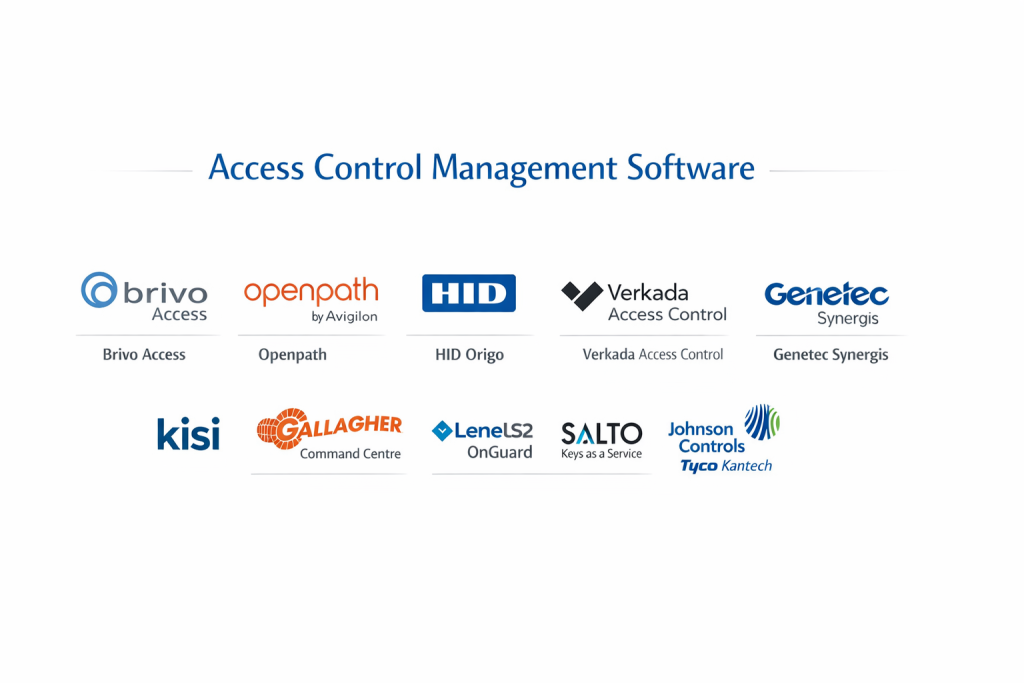
Top 10 Access Control Management Software Tools
1 — Brivo Access
Brivo is a pioneer in cloud-based access control, offering a highly scalable platform that manages everything from doors to elevators and lockers in a single web interface.
- Key features
- Cloud-native platform requiring no on-site servers or IT maintenance.
- Brivo Mobile Pass for smartphone-based entry via Bluetooth or Siri.
- Integrated video surveillance viewing within the access control dashboard.
- Data-driven occupancy tracking to monitor space utilization.
- Anomaly detection that flags suspicious patterns, like “propped doors.”
- Seamless integration with major PropTech platforms and HR tools.
- Global lockdown capabilities reachable via mobile app.
- Pros
- Extremely user-friendly interface that requires minimal training for staff.
- Automatic software updates ensure the system is always patched against security threats.
- Cons
- Requires a persistent internet connection for real-time remote management.
- Monthly subscription fees can add up for organizations with hundreds of doors.
- Security & compliance: SOC 2 Type II certified, GDPR compliant, BSI verified, and uses AES-256 encryption for all communication.
- Support & community: 24/7 technical support, Brivo University for administrator training, and a strong network of certified dealers.
2 — Openpath (by Avigilon)
Openpath, now part of the Motorola Solutions ecosystem, is famous for its “Touchless” entry experience and sleek, modern hardware.
- Key features
- Patented Triple Unlock technology (Bluetooth, Wi-Fi, and Cellular) for 100% reliability.
- Wave-to-unlock feature allows users to keep their phone in their pocket.
- Cloud-based management with a visual “Floor Plan” view.
- Remote “Unlock from Anywhere” via the mobile app.
- Native integration with Avigilon Alta video surveillance.
- Digital Guest Passes sent via text or email.
- Built-in occupancy limits with automated door locking when capacity is reached.
- Pros
- The most reliable mobile-unlock experience in the industry.
- Beautifully designed readers that complement modern office aesthetics.
- Cons
- Hardware is premium-priced compared to generic RFID readers.
- Transitioning from legacy cards to mobile-only can require a cultural shift in the workplace.
- Security & compliance: SOC 2, CCPA, and GDPR compliant; uses end-to-end encryption and secure hardware elements.
- Support & community: High-quality online documentation, responsive chat support, and an active integration marketplace.
3 — HID Origo
HID is the global leader in identity solutions; Origo is their cloud platform designed to manage their vast ecosystem of iCLASS and Seos credentials.
- Key features
- Centralized management of mobile IDs and physical smart cards.
- Highly secure Seos credential technology for anti-cloning protection.
- API-first design for custom enterprise app integrations.
- Real-time monitoring of reader health and connection status.
- Support for “Connected Architectures” across global office footprints.
- Detailed reporting for regulatory compliance audits.
- Subscription-based “Credentials as a Service” model.
- Pros
- Unmatched hardware reliability and global availability.
- Compatible with more types of legacy readers than almost any other platform.
- Cons
- The software interface can feel more technical and less “consumer-friendly” than Brivo or Openpath.
- Setting up complex global configurations often requires a certified professional integrator.
- Security & compliance: ISO 27001, SOC 2, GDPR, and FIPS 201 compliant for government use cases.
- Support & community: Extensive global support network, professional certification programs, and a massive developer portal.
4 — Verkada Access Control
Verkada brings a “Silicon Valley” approach to security, offering a unified cloud platform that combines access control, cameras, and air quality sensors.
- Key features
- Integrated “Command” platform for viewing video footage of every door event.
- Cloud-based controllers that set up in minutes via a browser.
- AI-powered “Tailgating Detection” when used with Verkada cameras.
- Remote door management and instant lockdown via mobile app.
- Integration with Azure AD and Okta for automated user provisioning.
- Support for Bluetooth, RFID, and digital badges.
- 10-year hardware warranty on all controllers and readers.
- Pros
- The simplest installation and configuration process on the market.
- Having video and access control in one tab significantly speeds up investigations.
- Cons
- Proprietary hardware means you are locked into the Verkada ecosystem.
- Higher upfront cost due to the requirement for Verkada-specific controllers.
- Security & compliance: SOC 2, HIPAA, and GDPR compliant; end-to-end encryption for data at rest and in transit.
- Support & community: 24/7 technical support, dedicated account managers, and an intuitive “help” center.
5 — Genetec Synergis
Synergis is part of the Genetec Security Center, designed for high-security environments that require deep integration with multi-vendor hardware.
- Key features
- Open architecture supporting hardware from HID, Mercury, Axis, and more.
- Advanced threat level management (e.g., restricted access during a fire).
- Unified “Monitoring” task that displays video and cardholder info side-by-side.
- Extensive visitor management and badge printing modules.
- Dynamic mapping to see door status across a 3D building model.
- Global anti-passback and “interlocking” logic for high-security labs.
- Cloud-hybrid or on-premise deployment options.
- Pros
- The most powerful logic engine for complex, non-standard security requirements.
- Does not lock you into a single hardware brand; highly future-proof.
- Cons
- Requires a significant server infrastructure for on-premise installs.
- The software is highly complex and usually requires a dedicated security operator.
- Security & compliance: FIPS 140-2, ISO 27001, SOC 2, and GDPR compliant.
- Support & community: Enterprise-grade support, a global network of partners, and the Genetec technical academy.
6 — Kisi
Kisi is a cloud-based platform focusing on the modern workplace, offering a very fast, mobile-first experience and powerful software integrations.
- Key features
- Modern, web-based dashboard that is accessible from any device.
- Integration with Slack, Teams, and G-Suite for automated alerts.
- Kisi mobile app with “Tap-to-Unlock” and “Remote Unlock.”
- Over-the-air updates for all Kisi readers and controllers.
- Heatmaps to visualize which entrances are used most frequently.
- Time-based access for gyms, co-working spaces, and retail.
- Open API for developers to build custom entrance experiences.
- Pros
- Outstanding user experience; the app is fast and very reliable.
- Simple flat-rate pricing per door makes budgeting easy for SMBs.
- Cons
- Best suited for “clean” office environments; may lack niche features for heavy industrial use.
- Limited support for extremely old legacy wiring compared to HID.
- Security & compliance: SOC 2 Type II, GDPR, and ISO 27001 compliant.
- Support & community: Responsive online support, clear documentation, and a strong blog focusing on workplace trends.
7 — Gallagher Command Centre
Gallagher is a high-security specialist, providing a robust platform used by banks, military sites, and critical infrastructure worldwide.
- Key features
- Fully integrated perimeter security, intruder alarms, and access control.
- Advanced cardholder “Competency Tracking” (e.g., door won’t open if a safety cert is expired).
- High-level encryption (HBUS) between the controller and the reader.
- Mobile Connect app for credentials and remote site monitoring.
- Emergency “Evacuation Reports” to see who is still inside a building.
- Sophisticated logic for “Two-Person” rule areas (vaults/labs).
- Robust offline functionality if the network is compromised.
- Pros
- Unrivaled for “Hardened” security sites that cannot risk any downtime.
- The most detailed audit logging and forensic reporting in the category.
- Cons
- Significant cost for hardware and licensing.
- Requires professional installation and ongoing maintenance by certified dealers.
- Security & compliance: CAPSS certified, FIPS 201, GDPR, and ISO 27001 compliant.
- Support & community: Global 24/7 support, dedicated regional managers, and a prestigious certification track.
8 — LenelS2 OnGuard
LenelS2 is the standard for Fortune 500 companies, offering an enterprise-scale platform that manages tens of thousands of users across global campuses.
- Key features
- Highly scalable architecture supporting massive database sizes.
- Browser-based “OnGuard Blue” cloud option for modern offices.
- Integration with over 100 third-party security brands.
- Biometric enrollment and management built directly into the UI.
- Advanced video analytics integration for event verification.
- Mobile credentials via BlueDiamond technology.
- Comprehensive dashboard for “Global ID” management.
- Pros
- If you need to manage 50,000 employees in 20 countries, this is the tool.
- Very strong integration with complex building automation systems.
- Cons
- The legacy interface can feel dated and clunky for newer users.
- High maintenance costs and expensive annual support agreements.
- Security & compliance: FIPS 140-2, SOC 2, ISO 27001, and GDPR compliant.
- Support & community: Largest integrator network in the world and massive corporate training programs.
9 — SALTO KS (Keys as a Service)
SALTO KS is a cloud-native solution designed for “Smart Locks” rather than traditional hardwired controllers, perfect for retail and multi-family housing.
- Key features
- Wireless electronic locks that require no wiring to the door.
- “Digital Keys” that can be sent to a smartphone via the app.
- Cloud-based “IQ” hub connects multiple wireless locks to the internet.
- Remote opening and real-time activity tracking.
- Integration with booking systems for hotels or co-working spaces.
- Battery-powered hardware with long-life performance.
- Support for tags, fobs, and mobile NFC.
- Pros
- Significantly lower installation costs since no walls need to be cut.
- Ideal for retrofitting historic buildings where wiring is impossible.
- Cons
- Wireless locks require battery changes (though infrequently).
- Not suitable for high-traffic “Main Entrances” that require mag-locks.
- Security & compliance: ISO 27001, GDPR compliant, and uses secure cloud tunnels.
- Support & community: Strong presence in Europe and North America; good online self-service portal.
10 — Johnson Controls (Tyco Kantech)
Kantech is a mid-market favorite that offers a reliable, “all-in-one” approach to access control for businesses that want professional security without extreme complexity.
- Key features
- EntraPass software available in Special, Corporate, and Global editions.
- “Go” mobile app for system management on the move.
- Built-in badge design and printing utility.
- Integration with DSC intruder alarms and ExacqVision video.
- Automated system backups and email report delivery.
- Support for “Easy Setup” wizards for rapid deployment.
- Compatible withioSmart encrypted readers for anti-cloning security.
- Pros
- Very stable and mature software that rarely experiences bugs.
- Excellent value for money for small-to-medium office buildings.
- Cons
- The mobile app is functional but lacks the sleekness of Openpath or Kisi.
- Cloud options are available but it remains a primarily on-premise-first system.
- Security & compliance: Varies by edition (supports SSO and AES encryption); GDPR compliant.
- Support & community: Strong dealer support network and a legacy of reliable documentation.
Comparison Table
| Tool Name | Best For | Platform(s) Supported | Standout Feature | Rating |
| Brivo Access | Cloud Scalability | Web, iOS, Android | Integrated Cloud Video | 4.7 / 5 |
| Openpath | User Experience | Web, iOS, Android | Touchless Wave Unlock | 4.8 / 5 |
| HID Origo | Global Credentials | Web, iOS, Android | Seos High-Security Tech | 4.6 / 5 |
| Verkada | Unified Security | Web, iOS, Android | All-in-one Command UI | 4.8 / 5 |
| Genetec Synergis | Open Architecture | Windows, Web, App | Multi-Hardware Support | 4.5 / 5 |
| Kisi | Modern Workplace | Web, iOS, Android | IT Stack Integrations | 4.6 / 5 |
| Gallagher | High Security | Windows, App | Competency Tracking | 4.7 / 5 |
| LenelS2 OnGuard | Large Enterprises | Windows, Web | Global Scale & Depth | 4.4 / 5 |
| SALTO KS | Wireless Retrofit | Web, iOS, Android | Keys as a Service (KaaS) | 4.5 / 5 |
| Kantech | Mid-Market Value | Windows, Web, App | All-in-One EntraPass | 4.3 / 5 |
Evaluation & Scoring of Access Control Management Software
| Category | Weight | Evaluation Logic |
| Core Features | 25% | Assessment of lockdown capabilities, mobile keys, and scheduling. |
| Ease of Use | 15% | Intuitiveness for administrators and the speed of the mobile app. |
| Integrations | 15% | Breadth of API support and native links to video and HR systems. |
| Security & Compliance | 10% | Presence of SOC 2, encryption standards, and GDPR tools. |
| Performance | 10% | System uptime, door response latency, and offline functionality. |
| Support & Community | 10% | Quality of documentation and availability of 24/7 technical help. |
| Price / Value | 15% | Total cost of ownership vs. the breadth of the feature set provided. |
Which Access Control Management Tool Is Right for You?
Solo Users vs SMB vs Mid-Market vs Enterprise
SMBs and Solo Property Managers should focus on Kisi or SALTO KS. These platforms are “lightweight” in terms of hardware requirements and allow for easy remote management without an IT team. Mid-market companies with 5–20 locations will find the most value in Brivo or Verkada, which provide a perfect balance of advanced features and cloud simplicity. Enterprise organizations with global footprints should stick to LenelS2 or Genetec, as these platforms are built to handle the sheer volume of data and complex logic required for thousands of employees.
Budget-Conscious vs Premium Solutions
If you are budget-conscious, Kantech offers a solid, traditional system with lower ongoing fees. SALTO KS also saves money by eliminating the need for expensive electrical wiring at the door. If you are looking for a premium solution, Openpath and Verkada represent the high end of the market, offering the most advanced features and polished aesthetics in exchange for a higher price tag.
Feature Depth vs Ease of Use
If you require extreme technical depth—such as linking door access to employee training records or managing high-security perimeter fences—Gallagher is the undisputed leader. However, if your priority is ease of use for your staff, Openpath provides the most frictionless experience with its “wave-to-unlock” feature that requires no interaction with the phone screen.
Integration and Scalability Needs
For those who want their security to be part of a larger IT ecosystem, Kisi and Brivo offer the best API-first approaches. If you are looking for scalability across different types of hardware (e.g., you already have HID readers but want Axis controllers), Genetec is the most flexible open-architecture choice.
Security and Compliance Requirements
For high-compliance environments like banks or government contractors, HID Origo (with Seos cards) and LenelS2 are the gold standards. They provide the necessary FIPS certifications and deep audit logging required to pass rigorous security inspections.
Frequently Asked Questions (FAQs)
1. What is the difference between Cloud-based and On-Premise access control?
Cloud-based software is hosted by the vendor, allowing you to manage doors from a browser anywhere. On-premise software is installed on a local server in your building, offering more control over data but requiring manual IT maintenance.
2. Can I use my smartphone instead of a key card?
Yes, most modern platforms (Openpath, Brivo, Kisi) use Bluetooth or NFC to turn your smartphone into a secure credential, eliminating the need to carry physical cards.
3. What happens if the internet goes out in a cloud-based system?
Professional systems like Brivo and Openpath store access rights locally on the door controller. This means people can still get in and out, but the admin cannot make changes until the internet is restored.
4. Are mobile keys more secure than physical badges?
Generally, yes. Physical badges are easily lost or cloned. Mobile keys are protected by the phone’s biometrics (FaceID) and use revolving encryption keys that are nearly impossible to copy.
5. Can I integrate access control with my security cameras?
Absolutely. Platforms like Verkada and Brivo show you a video clip of every person who swipes their badge, allowing you to verify that the person using the card is the actual owner.
6. How much does access control management software cost?
Cloud systems typically charge a monthly fee per door (ranging from $10 to $50). On-premise systems usually have a one-time software license fee plus an annual support agreement cost.
7. Can I keep my existing readers and just change the software?
Often, yes. If your readers use standard Wiegand or OSDP protocols, you can swap out the back-end controllers and software (like moving to Genetec or Brivo) without replacing the hardware on the walls.
8. What is “Tailgating” and can software stop it?
Tailgating is when someone follows an authorized person through a door. High-end software (Verkada/Genetec) can use AI camera integration to detect this and send an immediate alert to security.
9. Is it hard to install these systems in an old building?
It can be. For historic buildings, wireless solutions like SALTO KS are best because they replace the door handle and don’t require running wires through thick stone or heritage walls.
10. How do I remove a user if they lose their phone or leave the company?
In the software dashboard, you simply click on the user and select “Revoke Access.” This update is pushed to all doors instantly, disabling their credential globally in seconds.
Conclusion
The “best” Access Control Management Software depends on whether you value cloud-native simplicity, extreme security “hardening,” or unified video integration. For the modern office seeking a seamless user experience, Openpath and Kisi lead the market. For large-scale global enterprises that require a robust, battle-tested platform, LenelS2 and Genetec remain the industry standards.
Ultimately, the goal of access control is to move from a reactive “lock and key” mindset to a proactive, data-driven security posture. By choosing a platform with mobile-first credentials, open API integrations, and SOC 2 compliance, you ensure that your facility is not only secure but also prepared for the future of work.