Introduction
Academic writing is a specialized field that requires more than just good grammar. It involves managing thousands of references, sticking to strict citation styles, and ensuring that your tone remains formal and objective. Academic Writing Tools are software applications designed specifically to help students, researchers, and professors handle these complex tasks. These tools range from reference managers that organize your bibliography to advanced editors that help you polish your scientific language and check for plagiarism. By using these tools, writers can focus on their ideas and research findings rather than getting bogged down in the tedious details of formatting and manual citing.
Choosing the right tool is important because it directly impacts how much time you spend on administrative tasks versus actual writing. When looking for a tool, you should consider how well it handles your specific citation style, whether it works with your preferred word processor, and how it manages large amounts of data like PDFs and research notes. It is also vital to look at how the tool handles your privacy and data security, as academic work often involves sensitive or unpublished information. A good tool should feel like a helpful assistant that makes your workflow smoother and your final document more professional. Using these tools effectively can be the difference between a rejected paper and a published one.
Best for: These tools are ideal for PhD students, university researchers, academic faculty, and independent scholars who need to produce high-quality papers, theses, or books. They are also very helpful for non-native English speakers who want to ensure their writing meets international scholarly standards. Large research institutions often provide these tools to their entire staff to maintain consistency across all published work.
Not ideal for: People writing short, casual blog posts, creative fiction, or simple business emails may find these tools too complex or more than what they actually need. If you do not need to cite academic sources or follow a formal structure, a basic text editor or a standard office suite is often a better and faster choice.
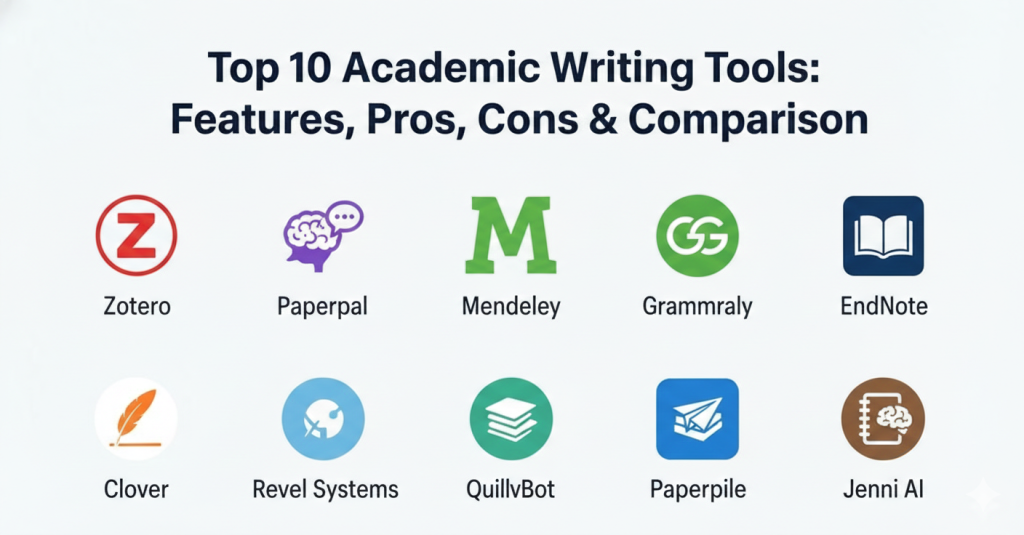
Top 10 Academic Writing Tools
1 — Zotero
Zotero is a free, open-source tool built to help you collect, organize, and cite research materials. It is a favorite among students and independent scholars because it lives right in your web browser and can save a paper with a single click. It is designed to be a lifelong assistant for your research.
- Key features:
- One-click browser extension to save papers and PDFs instantly.
- Automatic generation of bibliographies in thousands of different styles.
- Powerful tagging and folder system for deep organization of sources.
- Syncing across multiple devices so you can work from any computer.
- Open-source community that builds helpful plugins for extra features.
- Support for shared libraries to collaborate with teams on group projects.
- Automatic metadata extraction from websites and library catalogs.
- Pros:
- It is completely free to use for most people without any hidden costs.
- Very easy to pull information directly from library websites and journals.
- The open-source nature means it is constantly being improved by users.
- Cons:
- The interface looks a bit old-fashioned compared to modern web apps.
- Free cloud storage is limited if you save many large PDF files.
- Security & compliance: GDPR compliant; data is stored on your device or Zotero’s secure servers.
- Support & community: Extensive documentation and a very active community forum for troubleshooting.
2 — Paperpal
Paperpal is an AI-powered writing assistant specifically trained on millions of published academic papers. Unlike general grammar checkers, it understands technical terms and the specific formal tone required for journal submissions. It helps you refine your language to meet high academic standards.
- Key features:
- Real-time suggestions for academic tone, clarity, and flow.
- Technical checks for things like table numbering and figure consistency.
- Word count reduction tools that keep the original meaning intact.
- In-depth grammar and spell-checking tailored for researchers.
- Support for over 10,000 journal-specific formatting styles.
- Direct integration with Microsoft Word for a seamless experience.
- Translation services that help non-native speakers draft in English.
- Pros:
- Understands scientific and technical language better than general tools.
- Helps non-native English speakers sound more like professional researchers.
- The suggestions are specifically geared toward getting published in journals.
- Cons:
- The web editor can be slow when working with very long documents.
- Most of the advanced features require a monthly paid subscription.
- Security & compliance: Uses encryption for data in transit; follows standard SaaS privacy practices.
- Support & community: Offers email support and a growing library of guides for researchers.
3 — Mendeley
Owned by Elsevier, Mendeley is a combination of a reference manager and an academic social network. It is particularly popular in the science and medicine fields for managing large PDF libraries and collaborating on research. It makes it easy to find and share new research within your field.
- Key features:
- Powerful PDF viewer with highlighting and digital note-taking.
- Smart search to find new papers based on the items in your library.
- Direct integration with Microsoft Word for easy citing while typing.
- 2GB of free cloud storage for your research documents and notes.
- Desktop and web versions that stay in sync automatically.
- Collaboration groups for sharing papers and ideas with colleagues.
- Automatic citation importing from many popular scientific databases.
- Pros:
- Excellent for organizing and reading large collections of PDFs.
- The free version offers a generous amount of cloud storage space.
- The social network aspect helps you stay updated on new research trends.
- Cons:
- Owned by a large publisher, which some users dislike for privacy reasons.
- The citation plugin can sometimes be buggy in certain versions of Word.
- Security & compliance: GDPR compliant; follows Elsevier’s corporate security standards.
- Support & community: Large user base and official help center with tutorials.
4 — Grammarly
Grammarly is a widely used writing assistant that helps with grammar, spelling, and punctuation. While it is a general tool, its “Academic” setting helps students maintain a formal tone and avoid common writing mistakes. It works across almost every website and application you use.
- Key features:
- Advanced grammar, spelling, and punctuation corrections in real-time.
- Tone detection to ensure your writing sounds formal and objective.
- Plagiarism checker that compares your text to billions of web pages.
- Citation generator for APA, MLA, and Chicago styles.
- Works across browsers, Microsoft Word, and mobile devices.
- AI-powered rewriting suggestions for better clarity and sentence flow.
- Personalized writing reports to help you track your progress.
- Pros:
- Very easy to use with a clean, modern, and friendly interface.
- Catches minor errors and typos that most other tools miss.
- The browser extension makes it helpful for emails and online forms.
- Cons:
- Sometimes suggests “corrections” that don’t fit strict academic rules.
- The best features are hidden behind a high-priced monthly subscription.
- Security & compliance: SOC 2 (Type 2) certified, ISO 27001, and GDPR compliant.
- Support & community: Excellent 24/7 support and massive online knowledge base.
5 — EndNote
EndNote is often considered the “gold standard” for professional researchers and large institutions. It is a premium tool that offers the most powerful features for managing massive amounts of references and complex bibliographies. It is built for serious academic work that spans several years.
- Key features:
- Capability to handle hundreds of thousands of references in one library.
- Automatic finding of full-text PDFs for your saved citations.
- Sophisticated search and filtering tools for large-scale projects.
- Advanced collaboration tools for large, multi-institution research teams.
- Integration with almost every major word processor and library database.
- AI research assistant for summarizing papers and finding connections.
- Mobile app that allows you to read and annotate on your tablet.
- Pros:
- The most robust tool available for very large, multi-year projects.
- Highly customizable for unique or rare citation requirements.
- Excellent data management for institutional-level research.
- Cons:
- Very expensive if your university doesn’t provide it for free.
- It has a steep learning curve and can feel overwhelming at first.
- Security & compliance: Enterprise-grade security; HIPAA and GDPR compliant.
- Support & community: Professional phone support and extensive training webinars.
6 — Overleaf
Overleaf is a collaborative, cloud-based editor for LaTeX, which is a system used for scientific and mathematical writing. It takes the “coding” out of LaTeX, making it accessible for researchers who need perfect formatting. It is the best choice for documents with complex formulas.
- Key features:
- Real-time collaborative editing similar to Google Docs.
- Dozens of pre-built templates for specific journals and theses.
- Automatic formatting of complex math, formulas, and tables.
- Direct integration with Zotero and Mendeley for citations.
- Detailed version history to track changes and go back to old drafts.
- No software installation required—it works entirely in the web browser.
- Interactive PDF preview that updates as you type your code.
- Pros:
- Produces the most professional-looking documents in the academic world.
- Perfect for math, physics, and engineering papers where layout matters.
- Eliminates the “formatting headache” usually found in standard editors.
- Cons:
- Requires learning basic LaTeX commands to use effectively.
- Can be overkill for simple papers in the humanities or social sciences.
- Security & compliance: SOC 2 compliant; offers secure project sharing.
- Support & community: Excellent documentation and a helpful LaTeX community.
7 — QuillBot
QuillBot is primarily a paraphrasing and summarizing tool that helps students rephrase their thoughts to improve flow and avoid accidental plagiarism. It has grown into a full writing suite that helps users refine their prose. It is very popular for students trying to improve their writing style.
- Key features:
- AI paraphraser with multiple modes (Formal, Academic, Simple, etc.).
- Summarizer tool to condense long research papers into key points.
- Built-in grammar checker and plagiarism detector for extra safety.
- Co-writer mode that helps you brainstorm and finish sentences.
- Citation generator that supports major styles like APA and MLA.
- Browser and Word extensions for quick access while you work.
- Word flipper to help you find the perfect synonym for any word.
- Pros:
- Great for overcoming “writer’s block” and finding new ways to say things.
- Simple interface that anyone can understand and use immediately.
- Helpful for making your writing sound more varied and interesting.
- Cons:
- The paraphraser can sometimes change the meaning of technical terms.
- The free version has strict character limits for each search.
- Security & compliance: Standard data encryption; privacy policy compliant with major laws.
- Support & community: Email support and a blog with helpful writing tips.
8 — Scrivener
Scrivener is a powerful writing tool for long-form projects like dissertations or books. It allows you to break your document into small pieces, keep your research right next to your draft, and reorganize everything with a simple drag-and-drop. It is designed for the messy process of writing a long document.
- Key features:
- “Binder” view to see and manage your whole project structure at once.
- Split-screen mode to view research notes and your writing side-by-side.
- Digital corkboard for visual planning, outlining, and brainstorming.
- “Scrivenings” mode to view different parts of the text as one continuous document.
- Powerful export options for different professional formats.
- Metadata and tracking tools to help you reach your daily word count goals.
- Snapshot feature that saves versions of a section before you rewrite it.
- Pros:
- Unbeatable for organizing massive, complex writing projects.
- Requires a one-time purchase instead of an ongoing monthly subscription.
- Gives you a distraction-free environment to focus on your thoughts.
- Cons:
- Takes a significant amount of time to learn all the deep features.
- Not designed for citation management (usually needs a separate tool).
- Security & compliance: Varies / N/A (Files are stored locally on your computer).
- Support & community: Video tutorials and a very loyal user forum.
9 — Paperpile
Paperpile is a modern reference manager designed specifically for people who do most of their work in Google Docs and the Chrome browser. It is fast, lightweight, and very easy to use compared to traditional software. It brings high-level research tools to the cloud.
- Key features:
- Seamless integration with Google Docs for citing while you write.
- Web-based PDF viewer with highlighting and annotation tools.
- Automatic data cleanup to fix messy or incomplete references.
- Mobile app for reading and organizing your library on the go.
- One-click import from websites like PubMed, Google Scholar, and arXiv.
- Easy sharing of folders and references with your research colleagues.
- Integration with Google Drive to store all your PDF files safely.
- Pros:
- The absolute best choice for people who prefer using Google Docs.
- Very clean, fast, and modern user interface that feels like Google.
- Makes organizing your research feel much less like a chore.
- Cons:
- Only works in the Google Chrome browser (no Safari or Firefox).
- Requires a paid subscription as there is no permanent free version.
- Security & compliance: GDPR compliant; integrates with Google’s security.
- Support & community: In-app chat support and active user forums.
10 — Jenni AI
Jenni AI is a newer writing assistant that focuses on the drafting phase of research. It uses AI to help you finish your sentences and provides real-time citations from its internal database of research papers. It is built to speed up the process of getting your first draft on paper.
- Key features:
- AI autocomplete that suggests the next sentence based on your context.
- Internal search to find and cite actual, published research papers.
- Paraphrasing and tone checking tools to refine your prose.
- Plagiarism checker to ensure all your work is original.
- Support for LaTeX and Microsoft Word exports for final polishing.
- Outline builder to help you structure your paper before you start writing.
- “Chat with PDF” feature to ask questions about your research sources.
- Pros:
- Very helpful for getting words on the page quickly and beating writer’s block.
- Includes a way to find actual evidence to support your arguments.
- The interface is very modern and easy for students to navigate.
- Cons:
- The AI can sometimes hallucinate facts (you must double-check everything).
- Can be a bit expensive for a student on a very tight budget.
- Security & compliance: Standard encryption; data is used to improve the tool unless opted out.
- Support & community: Live chat support and helpful documentation.
Comparison Table
| Tool Name | Best For | Platform(s) Supported | Standout Feature | Rating |
| Zotero | Students on a budget | Windows, Mac, Linux, Web | Open-source ecosystem | 4.8 / 5 |
| Paperpal | Academic tone/polishing | Web, MS Word | Scientific-trained AI | N/A |
| Mendeley | Science/STEM researchers | Windows, Mac, Web | Social research network | 4.3 / 5 |
| Grammarly | General grammar/clarity | All (Web, Desktop, Mobile) | Plagiarism detection | 4.7 / 5 |
| EndNote | Power users/Large teams | Windows, Mac, Web | Massive library capacity | 4.1 / 5 |
| Overleaf | Math/Physics/Engineering | Web-based | Collaborative LaTeX | 4.8 / 5 |
| QuillBot | Rephrasing & Summaries | Web, MS Word, Chrome | Paraphrasing engine | N/A |
| Scrivener | Writing books/Theses | Windows, Mac, iOS | Project organization | 4.6 / 5 |
| Paperpile | Google Docs users | Chrome, Web, Mobile | Google Docs integration | N/A |
| Jenni AI | Drafting & Outlining | Web-based | AI Autocomplete | N/A |
Evaluation & Scoring of Academic Writing Tools
The following table shows how these tools stack up against each other based on key categories. These scores are weighted to reflect what matters most to an academic writer.
| Category | Weight | Score (Avg) | Evaluation Notes |
| Core Features | 25% | 9/10 | Most tools excel at citations but vary in writing help. |
| Ease of Use | 15% | 8/10 | Tools like QuillBot are easy; EndNote and Scrivener are hard. |
| Integrations | 15% | 7/10 | Browser and Word support are common; Google Docs is rarer. |
| Security | 10% | 8/10 | Enterprise tools (EndNote/Grammarly) lead the way. |
| Reliability | 10% | 9/10 | Desktop tools are generally more stable than web apps. |
| Support | 10% | 7/10 | Community support is often faster than official help. |
| Price / Value | 15% | 8/10 | Zotero offers the best value as a free tool for most users. |
Which Academic Writing Tool Is Right for You?
Choosing a tool depends heavily on your current situation and the type of work you do.
- Solo Users vs. SMB/Mid-market/Enterprise: If you are working alone on a thesis, Zotero or Scrivener are fantastic choices because they give you total control and a distraction-free workspace. However, if you are part of a mid-market research team or a large university enterprise, tools like EndNote or Overleaf are much better because they are built for large-scale collaboration and institutional management.
- Budget-conscious vs. Premium solutions: If you need a free solution, Zotero is the clear winner for reference management, and the free version of QuillBot can help with basic writing. If you have the budget for a premium solution, EndNote or Grammarly Premium offer advanced features like AI summaries and deep plagiarism checks that can save you hours of work.
- Feature Depth vs. Ease of Use: Do you want a tool that does everything for you? Paperpal and Jenni AI are great for active writing help and drafting. If you just want a simple place to store papers and don’t want the computer to “write” for you, Zotero is much more straightforward and predictable for daily use.
- Integration and Scalability Needs: Consider where you do your writing. If you live in Google Docs, Paperpile is the only logical choice. If you write complex equations in LaTeX, Overleaf is essential. Think about whether your tool can grow with you as your research library expands from ten papers to ten thousand.
- Security and Compliance Requirements: If you are working on sensitive medical data or unpublished patents, security is your top priority. Look for tools that have high-level certifications like SOC 2 or are HIPAA compliant. In these cases, paying for a professional tool like EndNote or Grammarly Business is much safer than using a free, unverified web app.
Frequently Asked Questions (FAQs)
1. Are these tools allowed by universities?
Most universities encourage the use of reference managers like Zotero or Mendeley to ensure proper citation. However, always check your specific university policy regarding AI writing assistants like Jenni AI or QuillBot to ensure you are following academic integrity rules and avoiding “AI plagiarism.”
2. Can I use more than one tool at the same time?
Yes, many researchers combine tools for different parts of the process. For example, you might use Zotero to collect your papers, Scrivener to write your main draft, and then use Paperpal at the very end to polish the language and check for journal compliance before submitting.
3. Is my data safe in these apps?
Most reputable tools use high-level encryption to keep your work safe. However, always read the privacy policy carefully, especially with newer AI tools, to make sure they aren’t using your unpublished research or personal data to train their models without your permission.
4. Do I need to be a tech expert to use LaTeX/Overleaf?
No, you don’t need to be a programmer. Overleaf makes it much easier by providing ready-made templates for thousands of journals. You only need to learn a few basic text commands to get started, though it does take more time to master than a standard word processor like Word.
5. Which tool is best for non-native English speakers?
Paperpal is highly recommended for this group because it is specifically designed to turn informal English into the high-level formal style required by international academic journals. It understands the specific nuances of scientific writing that general tools often miss.
6. Do these tools work on both Mac and Windows?
Almost all of them do. Most of these tools are web-based (like Overleaf, QuillBot, and Paperpile), while others like Zotero and EndNote have dedicated software that you can download and install on both Mac and Windows computers.
7. Can these tools help me avoid plagiarism?
Yes, tools like Grammarly and QuillBot have built-in plagiarism checkers that compare your work to billions of sources. Also, using a reference manager like Zotero ensures that you give credit to all your sources, which is the most important way to avoid accidental plagiarism.
8. How much storage do I really need for my research?
If you only save the text of your citations, you won’t need much space at all. However, if you want to save the full PDF files of every paper you read, you will likely need at least 2GB of storage. Most free versions of these tools provide enough for a few hundred papers.
9. Can I use these tools without an internet connection?
Desktop versions of tools like Zotero, EndNote, and Scrivener work perfectly fine without an internet connection. Web-only tools like Overleaf, Jenni AI, and Paperpile require a constant internet connection to function and save your work to the cloud.
10. What is the most important feature to look for?
The most important feature is the “Citation Plugin.” If a tool cannot easily put a citation into your document while you are typing, it will not save you much time. You want a tool that makes the “Cite-While-You-Write” process as smooth and fast as possible.
Conclusion
Writing a high-quality academic paper is a difficult and time-consuming task, but the right tools can make the journey much easier and less stressful. Whether you are a student looking to organize your first big essay or a professional researcher aiming for a top-tier journal, there is a tool designed for your specific needs. The key is to find a balance between the depth of the features and the ease of use. You don’t want to spend more time learning how to use the software than you spend actually writing and thinking about your research findings.
When you sit down to choose your toolkit, remember that there is no single “best” tool that works for everyone in the world. A math professor might swear by Overleaf, while a history student might find Zotero and Scrivener to be the perfect pair. You should consider your field of study, your budget, and how you prefer to work. Take the time to try out a few free versions or trial periods before committing to a paid plan to see which one feels most natural to you.
Selecting a tool is an investment in your future success and academic reputation. It helps you build a library of knowledge that you can use and refer back to for years to come. By using these tools, you can ensure that your work is accurate, properly cited, and written in a professional tone that commands respect. Whether you need help with the technical side of citations or the creative side of drafting your first chapter, these modern applications are here to support your intellectual growth and help you share your discoveries with the world. In the end, the best tool is the one that stays out of your way and lets your ideas shine through clearly and professionally.