Introduction
3D Scan & Photogrammetry software refers to tools that convert real‑world objects, scenes, and environments into accurate three‑dimensional digital models. These models are created by analyzing multiple photographs, laser scans, or depth data to reconstruct shapes, textures, and geometric details. This technology has become a cornerstone in industries where physical objects or spaces must be digitally captured with precision.
The importance of 3D scanning and photogrammetry has grown exponentially in the last decade. It bridges the physical and digital worlds, enabling professionals to preserve cultural artifacts, streamline design workflows, automate quality inspection, and improve visual realism in digital productions. From capturing historic monuments to reverse‑engineering mechanical parts, these software tools empower users to capture reality with high fidelity.
In practice, there are several real‑world use cases:
- Cultural Heritage & Archaeology: Preserving artifacts and historic sites.
- Architecture & Construction: Creating accurate site models and as‑built documentation.
- Game Development & VFX: Generating realistic assets from real‑world objects.
- Engineering & Manufacturing: Reverse engineering and quality assurance.
- Forensics & Surveying: Reconstructing scenes from multiple photograph sources.
When evaluating 3D scan and photogrammetry software, users should consider key factors such as accuracy, ease of use, processing speed, output formats, integration with other tools, licensing costs, and platform support. Some tools excel in automated workflows, while others offer deep control and fine‑tuning for professionals.
Best for:
Professionals and teams in industries like architecture, engineering, film & game production, cultural preservation, and industrial inspection. Roles that benefit most include surveyors, CAD/BIM modelers, VFX artists, game asset creators, and heritage documentation specialists. Mid‑sized studios and large enterprises will find rich feature sets, while individual creators and SMBs can scale their usage based on project needs.
Not ideal for:
Users who only need basic 3D modeling for hobby projects, simple mesh editing, or non‑scanning workflows. Basic CAD or 3D modeling programs without scanning capabilities may be better alternatives when scanning is not required. For workflows focused solely on animation, illustration, or graphic design, traditional 3D modeling tools without photogrammetry features may suffice.
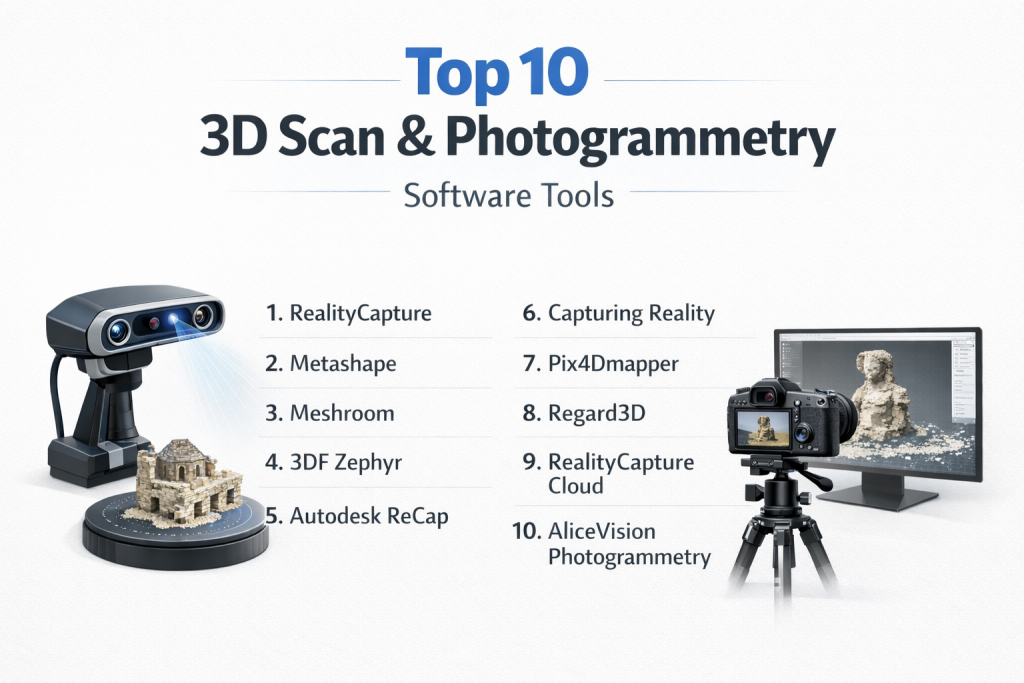
Top 10 3D Scan & Photogrammetry Software Tools
1 — RealityCapture
Description:
RealityCapture is a cutting‑edge photogrammetry and laser scanning software designed to process large datasets rapidly and produce highly accurate 3D reconstructions. It is used by professionals in VFX, gaming, surveying, and cultural heritage.
Key features:
- Fast processing with GPU acceleration.
- Automatic alignment of images and laser scans.
- High‑quality texture generation.
- Mesh simplification and clean‑up tools.
- Support for large aerial and ground datasets.
- Plugin support for major 3D tools.
Pros:
- Extremely fast and scalable processing.
- Produces high‑fidelity models with accurate textures.
Cons:
- Steeper learning curve for beginners.
- Licensing costs can be high for casual users.
Security & compliance:
Varies / N/A
Support & community:
- Comprehensive documentation.
- Professional support options.
- Active forums and community knowledge base.
2 — Metashape
Description:
Metashape (formerly PhotoScan) is a professional photogrammetry tool widely used for creating 3D spatial data, orthomosaics, textured models, and point clouds from images.
Key features:
- Dense point cloud generation from images.
- Multi‑spectral and thermal workflows.
- Georeferencing and GPS support.
- Mesh reconstruction and texture mapping.
- Python scripting support for automation.
Pros:
- Flexible workflows for different project scales.
- Precise geospatial and mesh outputs.
Cons:
- Interface can be overwhelming for new users.
- High‑end features may require powerful hardware.
Security & compliance:
Varies / N/A
Support & community:
- Detailed manual and tutorial library.
- Strong user community with shared scripts.
3 — Meshroom
Description:
Meshroom is an open‑source photogrammetry application based on a node‑based workflow, ideal for creators who want transparent control over reconstruction pipelines.
Key features:
- Node graph workflow for flexible reconstruction.
- Full photogrammetry pipeline from image input to textured model.
- Integration with open‑source libraries.
- Customizable processing steps.
- GPU acceleration support.
Pros:
- Free and open‑source.
- Great for experimental workflows and learning.
Cons:
- Less automated than commercial tools.
- May require manual tuning for optimal results.
Security & compliance:
Varies / N/A
Support & community:
- Community‑driven support.
- Limited formal documentation.
4 — 3DF Zephyr
Description:
3DF Zephyr offers both free and professional photogrammetry tools that convert photos and videos into 3D models with minimal user input.
Key features:
- Automatic 3D reconstruction from images/video.
- Intuitive interface with real‑time feedback.
- Support for UAV/aerial datasets.
- Export to common 3D formats.
- Editing and mesh refinement tools.
Pros:
- Beginner‑friendly interface.
- Fast processing with good results.
Cons:
- Free version limited in features.
- Advanced controls in premium editions.
Security & compliance:
Varies / N/A
Support & community:
- Active forums and tutorials.
- Official documentation and webinars.
5 — Autodesk ReCap
Description:
Autodesk ReCap is a reality capture solution that supports laser scans and photogrammetry to create point clouds and 3D meshes that integrate with design tools.
Key features:
- Laser scan processing.
- Image‑to‑3D model conversion.
- Point cloud cleanup and registration.
- Integration with CAD/BIM workflows.
- Annotation and measurement tools.
Pros:
- Strong integration with design and engineering pipelines.
- Excellent for as‑built documentation.
Cons:
- Price can be high for small teams.
- Less intuitive than dedicated photogrammetry software.
Security & compliance:
Varies / N/A
Support & community:
- Enterprise‑level support options.
- Extensive documentation and learning resources.
6 — Capturing Reality
Description:
Capturing Reality offers state‑of‑the‑art photogrammetry processing with tools tailored for high‑end production workflows. It is designed for studios processing large datasets.
Key features:
- High performance and multi‑CPU/GPU support.
- Seamless drone dataset processing.
- Advanced texture handling.
- Flexible mesh export options.
- Automates complex alignment tasks.
Pros:
- Exceptional speed and quality.
- Handles very large datasets.
Cons:
- Requires powerful hardware.
- Premium pricing.
Security & compliance:
Varies / N/A
Support & community:
- Professional support plans.
- Technical documentation and training resources.
7 — Pix4Dmapper
Description:
Pix4Dmapper is a powerful photogrammetry suite optimized for geospatial applications — from surveying and mapping to agriculture and construction.
Key features:
- Georeferenced point clouds and DEM/DSM creation.
- Orthomosaic and 3D model generation.
- UAV/drone support and calibration.
- Accurate mapping tools with GPS integration.
- Multiple export formats compatible with GIS/CAD.
Pros:
- Leading tool for mapping and surveying.
- Strong integration with GIS systems.
Cons:
- More specialized toward geospatial than creative photography.
- Requires training for advanced workflows.
Security & compliance:
Varies / N/A
Support & community:
- Official customer support teams.
- Training and certification programs.
8 — Regard3D
Description:
Regard3D is a free, open‑source structure‑from‑motion tool that builds 3D reconstructions from overlapping photos.
Key features:
- Structure‑from‑motion pipeline.
- Dense reconstruction from photos.
- Export options for 3D models.
- Cross‑platform support.
- Community‑driven improvements.
Pros:
- Free and accessible for experimental use.
- Good for learning and DIY projects.
Cons:
- Limited automation and polishing tools.
- Not suited for large datasets without manual tuning.
Security & compliance:
Varies / N/A
Support & community:
- Community forums.
- Limited official documentation.
9 — RealityCapture Cloud
Description:
RealityCapture Cloud offers cloud‑based photogrammetry processing — allowing users to upload datasets and process them at scale without local hardware constraints.
Key features:
- Cloud processing for large datasets.
- Automatic photogrammetry pipelines.
- Scalable computing resources.
- Collaborative project sharing.
- Export options for mesh and texture outputs.
Pros:
- No need for local high‑end hardware.
- Scales with task complexity.
Cons:
- Dependent on internet connection and cloud credits.
- Ongoing costs for heavy use.
Security & compliance:
Enterprise‑grade cloud security (encryption, access control).
Support & community:
- Cloud support plans.
- Online documentation.
10 — AliceVision Photogrammetry
Description:
AliceVision offers an open‑source photogrammetry framework and pipeline that powers tools like Meshroom and custom workflows.
Key features:
- Flexible SDK for developers.
- Supports multiple reconstruction processes.
- Modular processing pipeline.
- GPU acceleration.
- Cross‑platform tools.
Pros:
- Ideal for custom pipelines.
- Free and community‑oriented.
Cons:
- Primarily a developer framework.
- Less polished standalone interface.
Security & compliance:
Varies / N/A
Support & community:
- Open‑source community support.
- Tutorials and developer forums.
Comparison Table
| Tool Name | Best For | Platform(s) | Standout Feature | Rating |
|---|---|---|---|---|
| RealityCapture | High‑end professional photogrammetry | Win, Mac, Linux | Speed and accuracy | N/A |
| Metashape | Professional photogrammetry & mapping | Win, Mac, Linux | Geo workflows | N/A |
| Meshroom | Open‑source photogrammetry | Win, Linux | Node‑based flexibility | N/A |
| 3DF Zephyr | Easy photogrammetry for creators | Win | Intuitive UI | N/A |
| Autodesk ReCap | Engineering & construction workflows | Win, Mac | CAD/BIM integration | N/A |
| Capturing Reality | Large dataset professional scanning | Win, Mac, Linux | Performance & scalability | N/A |
| Pix4Dmapper | Geospatial & UAV mapping | Win, Mac | Mapping accuracy | N/A |
| Regard3D | Free structure‑from‑motion | Win, Mac, Linux | Accessible open‑source | N/A |
| RealityCapture Cloud | Cloud processing workflows | Cloud‑based | Scalable cloud compute | N/A |
| AliceVision Photogrammetry | Developer & custom pipelines | Win, Mac, Linux | SDK modular framework | N/A |
Evaluation & Scoring of 3D Scan & Photogrammetry Software
| Tool Name | Core features (25%) | Ease of use (15%) | Integrations & ecosystem (15%) | Security (10%) | Performance (10%) | Support (10%) | Price / value (15%) | Total |
|---|---|---|---|---|---|---|---|---|
| RealityCapture | 24 | 11 | 13 | 8 | 9 | 8 | 7 | 80 |
| Metashape | 23 | 10 | 12 | 8 | 8 | 9 | 7 | 77 |
| Meshroom | 20 | 12 | 10 | 9 | 7 | 8 | 12 | 78 |
| 3DF Zephyr | 22 | 13 | 11 | 8 | 8 | 8 | 9 | 79 |
| Autodesk ReCap | 21 | 9 | 12 | 8 | 8 | 8 | 6 | 72 |
| Capturing Reality | 24 | 10 | 12 | 8 | 9 | 7 | 6 | 76 |
| Pix4Dmapper | 23 | 10 | 14 | 8 | 9 | 8 | 7 | 79 |
| Regard3D | 15 | 12 | 8 | 9 | 6 | 7 | 12 | 69 |
| RealityCapture Cloud | 22 | 11 | 13 | 9 | 9 | 7 | 6 | 77 |
| AliceVision Photogrammetry | 18 | 10 | 9 | 9 | 7 | 8 | 12 | 73 |
Which 3D Scan & Photogrammetry Software Tool Is Right for You?
Choosing the right 3D scan or photogrammetry tool depends on your goals, project scale, and expertise.
Solo users & hobbyists:
- Meshroom or Regard3D are excellent free and open‑source choices to learn photogrammetry fundamentals.
- 3DF Zephyr Free provides a more user‑friendly entry point.
Small teams & SMBs:
- 3DF Zephyr and Pix4Dmapper balance usability with powerful features.
- Metashape offers advanced workflows for diverse project types.
Mid‑market & enterprise:
- RealityCapture and Capturing Reality provide industry‑grade performance and accuracy.
- Autodesk ReCap integrates well with engineering and construction pipelines.
Budget‑conscious vs premium solutions:
- Open‑source options (Meshroom, Regard3D) serve cost‑sensitive users without significant sacrifices in capability.
- Premium tools (RealityCapture, Pix4Dmapper) offer automated pipelines and professional support at higher costs.
Feature depth vs ease of use:
- Tools like Metashape and RealityCapture emphasize precision and deep control.
- 3DF Zephyr and cloud‑based services offer simpler, guided workflows.
Integration & scalability needs:
- Pix4Dmapper excels in GIS and mapping integrations.
- Autodesk ReCap provides seamless handoffs to CAD/BIM applications.
Security & compliance requirements:
- Cloud solutions such as RealityCapture Cloud should be evaluated for enterprise‑grade compliance and data governance if used in regulated environments.
Frequently Asked Questions (FAQs)
1. What is the difference between 3D scanning and photogrammetry?
3D scanning often involves hardware like LiDAR or structured light to capture depth data, while photogrammetry reconstructs 3D geometry from overlapping photographs.
2. Do I need a powerful computer for photogrammetry?
Yes. High‑resolution datasets and dense reconstructions benefit from strong CPUs, GPUs, and ample memory.
3. Can I use drone images for photogrammetry?
Absolutely. Many tools support aerial image sets for mapping landscapes, construction sites, and large structures.
4. Is photogrammetry good for small objects?
Yes, with proper overlap, lighting, and scale reference, small objects can be captured in high detail.
5. What file formats are common in 3D scanning workflows?
Common formats include OBJ, FBX, PLY, LAS, and point cloud formats for interoperability.
6. How long does processing take?
Processing time depends on dataset size, resolution, and hardware. Large aerial surveys or high‑detail models can take hours.
7. Can I edit models after reconstruction?
Yes. Most workflows export meshes that can be refined in 3D modeling software.
8. Are open‑source photogrammetry tools reliable?
Yes, especially for learning, DIY, and non‑critical workflows. Commercial tools offer added automation, support, and polish.
9. Do these tools support georeferencing?
Many professional tools like Pix4Dmapper and Metashape support geospatial workflows with GPS data.
10. How do I choose the right tool?
Consider your project scale, required accuracy, budget, and integration needs. Try trial versions when available to assess fit.
Conclusion
3D Scan & Photogrammetry software has revolutionized the way we capture and recreate real‑world objects and environments digitally. From cultural preservation to engineering inspection and digital media production, these tools accelerate workflows and unlock new creative possibilities.
When choosing a tool, balance your accuracy needs, processing power, ease of use, integration, support ecosystem, and budget. The “best” solution is not universal — it depends on the specific tasks, industry requirements, and scale of your work. With this guide, you now have a clear framework and comparison to make an informed decision suited to your 3D scanning and photogrammetry needs.