Introduction
Security Analytics Platforms are specialized digital systems that act like a high-tech central nervous system for a company’s safety. In simple terms, these platforms collect and look at huge amounts of data from all over a business—like computers, servers, and network cables—to find signs of trouble. Their main job is to spot patterns that suggest a hacker might be trying to break in, even if that hacker is being very quiet and sneaky.
These platforms are very important because modern businesses are very complex. A single office might have hundreds of devices all talking to each other at the same time. It is impossible for a human to watch every single connection. Security analytics tools use smart technology to filter out the normal “noise” of a workday and highlight only the things that look suspicious. This helps security teams stop a problem before it turns into a major disaster, like stolen customer information or a locked-down computer system.
Key Real-World Use Cases
- Finding Hidden Threats: Spotting a hacker who has been hiding inside a system for weeks by noticing small, unusual changes in how data moves.
- Monitoring Employee Activity: Identifying if an account has been taken over by a stranger, such as when a user suddenly logs in from a different country at three in the morning.
- Investigating After a Problem: Helping experts look back at digital records to see exactly how a security mistake happened so they can fix it for good.
- Meeting Safety Rules: Keeping the detailed records that governments and banks require to prove that a business is protecting its data properly.
What to Look For When Choosing Tools
When you are looking for a platform to protect your business, you should focus on a few key things. First, the tool must be accurate—it should find real problems without crying wolf all the time. Second, it needs to be fast, as every second matters when a hacker is inside your system. Third, it should be easy to understand so your team knows exactly what to do when an alert pops up. Finally, it must work well with the software and hardware you already own.
Best for: Companies with their own security teams, large businesses that handle sensitive data like health records or money, and technology managers who need a single place to see every safety alert.
Not ideal for: Very small shops with only one or two computers, or individuals who don’t have anyone on staff to manage a complex security system. For these users, a simple antivirus program is often a better and cheaper choice.
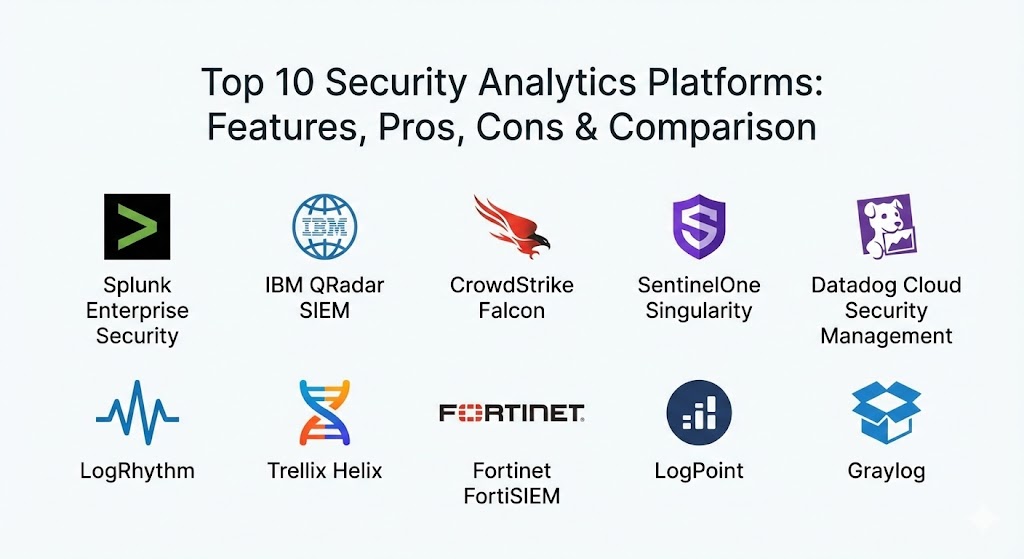
Top 10 Security Analytics Platforms Tools
1 — Splunk Enterprise Security
Splunk is one of the most powerful names in the world of data. Their security platform is built to handle massive amounts of information and turn it into clear, visual charts. It is designed for large companies that want a very deep and detailed look at everything happening on their network.
- Key Features:
- Central dashboard that shows security alerts in real-time.
- Advanced search tools that allow you to dig into old data to find clues.
- Risk-based alerting that highlights the most dangerous problems first.
- Pre-built maps and charts that help you see where an attack is coming from.
- Integration with hundreds of other software tools.
- Automatic reporting for legal and business audits.
- Tools that help teams work together on a single investigation.
- Pros:
- It can handle a huge amount of data without slowing down.
- The community of users is massive, so it is easy to find help and tips.
- Cons:
- It can be very expensive, especially if you have a lot of data to watch.
- It takes a lot of time and training for a human to learn how to use it perfectly.
- Security & compliance: Supports SSO, high-level encryption, and is fully compliant with SOC 2 and GDPR standards.
- Support & community: Offers professional 24/7 support, a huge library of manuals, and local user groups in many cities.
2 — IBM QRadar SIEM
IBM QRadar is a professional platform that focuses on making sense of the “chaos” in a busy office network. It is designed to group hundreds of tiny alerts into one single “incident,” which makes it much easier for a security person to fix the real problem.
- Key Features:
- Automated investigation tools that find the root cause of an alert.
- “Sense” technology that helps the system understand the context of a user’s action.
- Risk scoring for every device and person in the company.
- Built-in maps that show the path of an attack across the building.
- Easy connection to IBM’s world-class threat data.
- Privacy features that hide sensitive data from people who don’t need to see it.
- Scalable design that grows as your business gets bigger.
- Pros:
- Excellent at reducing “noise” so teams don’t waste time on small mistakes.
- Very reliable and built by one of the most trusted names in technology.
- Cons:
- The user interface can feel a bit old-fashioned and technical.
- Requires a specialized expert to set up the rules and filters correctly.
- Security & compliance: FIPS 140-2 compliant, supports audit logs, and meets strict international privacy laws.
- Support & community: World-class enterprise support and a large network of professional consultants.
3 — CrowdStrike Falcon
CrowdStrike takes a modern approach by focusing on the “endpoints”—meaning the actual laptops and servers where hackers try to enter. It is a cloud-based system that is very fast and easy to install because you don’t need to buy your own heavy servers.
- Key Features:
- Single, lightweight “agent” that runs on computers without slowing them down.
- Real-time tracking of every action a user takes on their laptop.
- AI technology that spots malicious behavior before it can start.
- Managed threat hunting where human experts watch your data for you.
- “Self-healing” tools that can fix a computer after a small attack.
- Cloud-native design that works anywhere in the world.
- Visual maps showing how an infection might spread.
- Pros:
- Very easy to install and starts protecting you in minutes.
- Doesn’t make your laptop run slow like some older security tools do.
- Cons:
- If a computer is not connected to the internet, some features might not work as well.
- Focuses more on the computer itself than on the whole office network.
- Security & compliance: SOC 2, HIPAA, and ISO certified; uses secure cloud encryption.
- Support & community: Very active online community and responsive digital support team.
4 — SentinelOne Singularity
SentinelOne is a platform built around “autonomous” security. This means it tries to do the work of a human security guard automatically. It is designed for businesses that want a system that can catch and kill a virus without a human having to click a button.
- Key Features:
- Automated response that can “roll back” a computer to a safe state after an attack.
- Smart AI that identifies new types of viruses that haven’t been named yet.
- One single dashboard for computers, cloud servers, and mobile phones.
- Deep visibility into every “story” or path an attack takes.
- Tools that find and catalog every device on your Wi-Fi automatically.
- High-speed search for finding old security records.
- Integration with popular office tools like Slack and Microsoft Teams.
- Pros:
- The “Rollback” feature is a lifesaver that saves hours of manual work.
- Very user-friendly and doesn’t require you to be a master programmer.
- Cons:
- The automatic features can sometimes be too aggressive and block a safe program.
- The cost can be high for smaller businesses.
- Security & compliance: FedRAMP, SOC 2, and GDPR compliant; supports detailed audit logs.
- Support & community: Excellent training videos and a strong technical help desk.
5 — Datadog Cloud Security Management
Datadog is a tool that many tech teams already use to watch their website’s performance. They have added security features that allow these teams to see safety threats right alongside their normal work data. It is perfect for modern companies that run entirely on the cloud.
- Key Features:
- Real-time monitoring of cloud servers and web applications.
- Detection of “misconfigurations”—like leaving a digital door unlocked by mistake.
- Logs that show exactly who looked at which file and when.
- Security alerts that go straight to the team’s chat app.
- Unified view that combines “speed” data and “safety” data.
- Automatic mapping of all your cloud connections.
- Rules that help you follow industry standards like PCI for credit cards.
- Pros:
- Great if your team is already using Datadog for other work.
- Very modern and built for the latest types of cloud technology.
- Cons:
- Not as strong at protecting physical computers in an office building.
- The pricing can get confusing because it is based on how much you use.
- Security & compliance: SOC 2 Type II, ISO 27001, and HIPAA compliant.
- Support & community: Very helpful documentation and a modern, fast-moving user community.
6 — LogRhythm
LogRhythm is a traditional platform that is known for being very dependable. It focuses on the “lifecycle” of a threat—finding it, understanding it, and fixing it. It is a solid choice for medium-sized businesses that want a complete, all-in-one security tool.
- Key Features:
- High-speed log collection that reads data from almost any device.
- Search tools that help you find specific security events quickly.
- Customizable dashboards for different people in the company.
- Automated response playbooks that tell you exactly how to fix a bug.
- “User behavior” tools that spot if an employee is doing something unusual.
- Advanced network monitoring to see all data moving through the building.
- Support for on-premise servers and cloud accounts.
- Pros:
- Very flexible and can be set up to work exactly how you want.
- The support team is very knowledgeable and helps with the initial setup.
- Cons:
- The software can be a bit “heavy” and requires a strong server to run.
- Updating the software can sometimes be a big, slow task.
- Security & compliance: Supports SSO, encryption, and is built to help with various government rules.
- Support & community: Professional training courses and a dedicated technical support group.
7 — Trellix Helix
Trellix Helix is a cloud-based platform that acts like a “brain” for all your other security tools. It takes the data from your antivirus, your firewall, and your email filters and combines them to see the “big picture” of your company’s health.
- Key Features:
- Open architecture that works with security tools from other companies.
- AI-powered detection that finds clever “hidden” attacks.
- Central management for email, network, and computer safety.
- Forensic tools that help you investigate a problem after it happens.
- Pre-built “use cases” for common problems like ransomware.
- Real-time threat intelligence from a global research center.
- Automated workflows that save time for busy security guards.
- Pros:
- Excellent if you have a lot of different security tools and want them to talk to each other.
- The cloud design means you don’t have to manage your own servers.
- Cons:
- It can be a bit overwhelming because it has so many different parts.
- The name and branding have changed recently, which can be confusing for old users.
- Security & compliance: SOC 2 compliant, uses high-level encryption, and supports audit trails.
- Support & community: Large global support network and many professional certified experts.
8 — Fortinet FortiSIEM
Fortinet is a huge name in networking, and FortiSIEM is their tool for watching both the “health” of the hardware and the “safety” of the data at the same time. It is great for companies that want to make sure their internet is fast and secure in one single view.
- Key Features:
- Unified view of network performance and security events.
- Real-time inventory of every single device connected to the network.
- Automatic discovery of new hardware as soon as it is plugged in.
- Integration with Fortinet’s famous firewalls and switches.
- Scalable design that can handle many different office locations.
- Dashboards that are easy for non-security managers to read.
- Rules that help you stay compliant with international laws.
- Pros:
- Perfect for teams that also manage the office internet and hardware.
- Very fast at finding new devices that shouldn’t be on your Wi-Fi.
- Cons:
- Works best if you already use other Fortinet products.
- Can be technical and requires a good understanding of networking.
- Security & compliance: Meets strict government and banking standards; supports full audit logging.
- Support & community: Extensive documentation and a very large network of local partners to help you.
9 — LogPoint
LogPoint is a platform that pride itself on being “predictable.” It is famous for having simple pricing and a very easy-to-use interface. It is designed for businesses that want professional security without the “scary” complexity of the giant tools.
- Key Features:
- “One-price” model based on how many devices you have, not how much data.
- User behavior tools (UEBA) that spot employees doing strange things.
- Fast search engine for looking through months of security logs.
- Pre-built reports for various legal and financial rules.
- Simple, clean dashboard that highlights the most important facts.
- Support for “Managed Service Providers” who watch data for other companies.
- Easy integration with hundreds of common software apps.
- Pros:
- The pricing is much easier to understand and plan for than Splunk or Datadog.
- The interface is one of the most human-friendly in the industry.
- Cons:
- Not as many “advanced” or “experimental” features as the bigger rivals.
- The community of users is smaller, though it is growing quickly.
- Security & compliance: EAL 3+ certified, SOC 2 compliant, and follows GDPR privacy rules.
- Support & community: High-quality personal support and clear, simple instruction manuals.
10 — Graylog
Graylog is a platform that started as a tool for “log management” and grew into a security powerhouse. It is a great choice for teams that want a tool that is very fast and efficient at searching through text records to find a needle in a haystack.
- Key Features:
- Extremely fast search engine built for large amounts of text data.
- Visual “Point-and-click” interface for building charts.
- Alerts that trigger based on specific words or patterns in logs.
- Open-source version available for people who want to try it for free.
- Support for custom plugins to add new features.
- Centralized view of logs from many different servers.
- Simple “Data Pipelines” to clean up messy records automatically.
- Pros:
- It is one of the fastest tools for searching through huge amounts of records.
- Much more affordable than many of the “giant” enterprise platforms.
- Cons:
- Requires a bit more “DIY” work to set up the rules and dashboards.
- Doesn’t have as much “automated” AI response as SentinelOne or CrowdStrike.
- Security & compliance: Supports secure communication and encryption; compliant with standard audit rules.
- Support & community: Large open-source community and professional support for the “Enterprise” version.
Comparison Table
| Tool Name | Best For | Platform(s) Supported | Standout Feature | Rating |
| Splunk ES | Large Data Research | Windows, Linux, Cloud | Advanced Data Visualization | 4.8 |
| IBM QRadar | SOC Teams | On-Premise, Cloud | Automated Root-Cause Analysis | 4.6 |
| CrowdStrike | Fast Setup | Cloud, Windows, Mac | Lightweight Smart Agent | 4.7 |
| SentinelOne | Hands-off Security | Cloud, Windows, Linux | One-click Attack Rollback | 4.7 |
| Datadog | Cloud-Only Teams | Cloud / SaaS | Merged Dev and Sec Views | 4.5 |
| LogRhythm | Medium Enterprise | Windows, Linux, Cloud | Threat Lifecycle Management | 4.5 |
| Trellix Helix | Tool Consolidation | Cloud / SaaS | Multi-Vendor Integration | 4.5 |
| FortiSIEM | Network & IT Teams | Virtual, Hardware | Device Health + Security | 4.5 |
| LogPoint | Budget-Conscious | Cloud, Linux, VM | Simple Fixed Pricing | N/A |
| Graylog | Log Search Experts | Linux, Cloud, Docker | High-Speed Text Search | N/A |
Evaluation & Scoring of Security Analytics Platforms
Choosing the right platform is about more than just picking the one with the most features. We have looked at these tools based on a “weighted” score—meaning some categories are more important for the average business than others.
| Category | Weight | Description |
| Core Features | 25% | How well it finds threats, alerts the team, and stores old data. |
| Ease of Use | 15% | Is the dashboard simple for a human to read and use every day? |
| Integrations | 15% | Does it connect to the laptops, servers, and apps you already own? |
| Security | 10% | Does the platform itself have high safety standards and encryption? |
| Performance | 10% | Does it work fast without making your computers or internet run slow? |
| Support | 10% | Are the manuals clear and is the help desk fast and friendly? |
| Price / Value | 15% | Is the cost fair for the actual protection and time saved? |
Which Security Analytics Platforms Tool Is Right for You?
The “best” tool depends on who you are and what your company needs to protect.
Solo Users vs. SMB vs. Mid-Market vs. Enterprise
If you are a Solo User or a very small shop, these platforms might be too big for you. Stick with a high-quality antivirus. For Small Businesses (SMB), a tool like CrowdStrike or SentinelOne is perfect because they are fast to set up and don’t require you to own a server. Mid-Market companies often choose LogPoint or LogRhythm because they offer professional features with predictable costs. Large Enterprises almost always go with Splunk or IBM QRadar because they need to handle the massive amounts of data that only those giants can manage.
Budget-Conscious vs. Premium Solutions
If you are on a Budget, look at LogPoint or the free version of Graylog. They give you great protection without a surprise bill at the end of the month. If you want a Premium solution where experts are watching your data for you, CrowdStrike Falcon (with their managed hunting service) or IBM QRadar are the best choices that money can buy.
Feature Depth vs. Ease of Use
If you have a team of “experts” who love to search through data, Splunk has the most depth. However, if you want a tool that “just works” and gives you simple answers, SentinelOne or CrowdStrike are much easier for a normal person to manage.
Integration and Scalability Needs
If you have offices all over the world, you need Scalability. Trellix Helix and Entra-connected systems are great for this. If you already use a lot of specific hardware, like firewalls from one brand, check if they have their own platform—like Fortinet FortiSIEM—to ensure everything fits together perfectly.
Frequently Asked Questions (FAQs)
1. What is the difference between a SIEM and Security Analytics?
A SIEM is like a “digital bucket” that collects logs. Security Analytics is the “brain” that looks into that bucket to find patterns and hidden threats. Today, most good tools do both.
2. Do I need to be a math expert to use these?
No. While some tools like Splunk are technical, many modern platforms use “plain English” and simple charts so that any business manager can understand what is happening.
3. Is it hard to set these platforms up?
Cloud-based tools (like CrowdStrike) are very easy—you just click a button. “On-premise” tools (like traditional IBM QRadar) can take weeks of planning and work to set up.
4. Will these tools slow down my office internet?
Most modern tools are very “smart” and only send small bits of data to the cloud. You likely won’t even notice they are running.
5. How much do these tools cost?
Some charge by how much “data” you send (Splunk), while others charge by how many “computers” you have (CrowdStrike). Prices can range from a few hundred to thousands of dollars a month.
6. Can these tools stop a hacker automatically?
Yes, many (like SentinelOne) can kill a virus or lock a hacker out as soon as they are spotted, without waiting for a human to help.
7. Do I still need an antivirus program?
In many cases, these platforms replace your old antivirus with something much smarter. Always check with the provider to see if their tool covers “Endpoint Protection.”
8. What happens if my internet goes down?
Most platforms will store the security data on the local computer and send it to the main “brain” as soon as the internet comes back, so you don’t lose any records.
9. Are these tools safe for my private data?
Yes, professional tools use very strong encryption. This means only you and your team can see the data; the people who built the software cannot read your private files.
10. What is a “False Positive”?
This is when a security tool thinks a safe action (like a new employee setting up their email) is a hacker. High-quality platforms use AI to keep these “fake alerts” very low.
Conclusion
Choosing a Security Analytics Platform is one of the most important decisions a modern business can make. It is no longer enough to just “hope” that your computers are safe. You need a system that acts as a watchful eye, looking for trouble before it starts.
The “best” tool is the one that fits your team’s skills and your company’s budget. If you want a fast, cloud-native shield, CrowdStrike is excellent. If you need a deep, data-rich research center, Splunk is the leader. For those who want a simple, predictable helper, LogPoint is a great choice. No matter which one you choose, the most important step is to stop being reactive and start being proactive about your company’s safety.