Introduction
Personal journal and diary apps are sophisticated digital tools designed to provide a secure and versatile space for individuals to record their thoughts, daily experiences, and life reflections. Unlike traditional paper notebooks, these applications offer an array of dynamic features such as multimedia attachments, mood tracking, and automated metadata like weather or location tagging. These tools act as a central hub for personal growth, allowing users to move beyond simple text entries to include photos, voice recordings, and even fitness data. By digitizing the journaling process, these apps make it easier to maintain a consistent habit, offering reminders, structured prompts, and powerful search functions that allow users to rediscover their past memories in a matter of seconds.
The importance of using a digital journal lies in its ability to support mental health, productivity, and personal history preservation through a single, accessible platform. In a fast-paced world, journaling serves as a vital emotional outlet, helping to reduce stress and improve self-awareness by providing a non-judgmental space for self-expression. Many modern apps now integrate AI-powered insights to help users identify emotional patterns over time, turning a simple diary into a proactive mental wellness tool. Additionally, for professionals and creative individuals, digital journals offer a way to track project milestones, brainstorm ideas, and capture fleeting inspirations that might otherwise be lost.
In real-world use cases, these apps are indispensable for a wide range of scenarios, from tracking recovery in therapy to documenting global travel adventures. A student might use a diary app to reflect on their learning progress and manage academic stress, while a new parent might use it to capture “milestone” moments with photos and videos that are automatically organized by date. For those focusing on fitness and wellness, these tools can serve as a habit tracker, logging daily moods alongside workout performance and sleep quality. The versatility of these applications means they can adapt to almost any personal need, whether it is a highly structured gratitude practice or a free-form digital scrapbook of one’s digital life.
When choosing a personal journal app, evaluation criteria should center on security, cross-platform availability, and the specific “style” of journaling offered. Since journals contain highly sensitive and private information, users should prioritize tools that offer end-to-end encryption and biometric locks. The ability to sync entries across smartphones, tablets, and computers is also essential for those who want to write whenever inspiration strikes. Furthermore, potential users should consider whether they prefer a “blank page” experience or a structured environment with daily prompts and templates. Checking for robust export options is also critical, ensuring that your digital memories can be backed up or printed as a physical book in the future.
Best for: Individuals seeking a private emotional outlet, creative professionals looking to archive inspirations, and students or wellness enthusiasts who want to track mood and habit patterns over time. It is an ideal fit for anyone who values organized digital memory-keeping and wants a secure, cross-platform space for self-reflection.
Not ideal for: Those who find digital screens distracting for deep reflection or individuals who prefer the tactile experience of pen and paper. People with extreme privacy concerns who do not trust cloud-based storage—even with encryption—may be better suited with local, offline text files or physical notebooks.
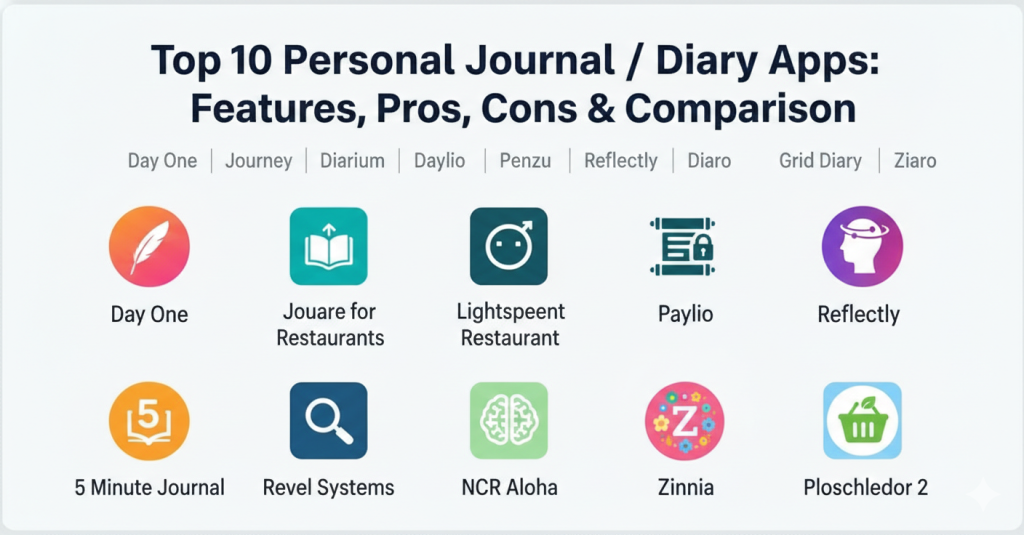
Top 10 Personal Journal / Diary Apps Tools
1 — Day One
Day One is widely regarded as the premier digital journaling experience, offering a beautifully designed interface and a feature-rich environment. It is primarily built for Apple and Android users who want a high-end, multimedia-heavy diary that feels both modern and intimate. It stands out for its ability to pull in “automatic” metadata like weather, step counts, and location, creating a rich context for every entry.
- Multimedia Support: Allows users to attach high-resolution photos, videos, audio recordings, and even PDFs to any entry.
- Automatic Metadata: Automatically tags entries with the current weather, location, altitude, and even the music you were listening to.
- Multiple Journals: Enables organization by creating separate journals for different areas of life, such as “Travel,” “Work,” or “Personal.”
- Day One Sync: Provides a secure, proprietary cloud sync service that keeps entries updated across all Apple and Android devices.
- “On This Day” Feature: Surfaces memories from previous years to encourage long-term reflection and nostalgia.
- Custom Reminders: Offers highly customizable notifications to help users maintain their journaling streaks throughout the day.
- End-to-End Encryption: Ensures that all data is encrypted on the device before being synced, meaning only the user can read the content.
Pros:
- Provides the most polished and “premium” user experience in the category, making the act of journaling feel special.
- The automatic data capture (location, weather, etc.) saves time and adds a professional touch to even the shortest entries.
- Offers exceptional export and printing options, allowing users to turn their digital diaries into physical, high-quality books.
Cons:
- Many of the most advanced features, including unlimited journals and multimedia, require a recurring monthly subscription fee.
- While it has recently improved, the experience on non-Apple platforms can sometimes lag behind the feature-rich iOS version.
- The extensive feature set can feel overwhelming for users who simply want a basic, distraction-free text editor.
Security & compliance: Features end-to-end encryption (AES-256), passcode and biometric locks (FaceID/TouchID), and is fully GDPR compliant.
Support & community: Extensive online help center, active social media presence, and a dedicated customer support team; large community of loyal “power journalers.”
2 — Journey
Journey is a versatile, cross-platform journaling app designed for users who need a seamless experience across Android, iOS, Windows, and Mac. It serves as an excellent alternative to Day One for those who work in multiple ecosystems, focusing on motivational prompts and “self-care” coaching. The app includes a unique “Odyssey AI” feature that helps users gain insights into their writing patterns and emotional states.
- Cross-Platform Sync: Offers one of the most reliable sync experiences across almost every modern operating system and web browser.
- Odyssey AI Assistant: An AI-powered tool that provides prompts, analyzes entry sentiment, and offers suggestions for deeper reflection.
- Coached Programs: Includes structured journaling programs for topics like “Anxiety Management” or “Gratitude Practice.”
- Multimedia Entries: Supports the inclusion of photos, videos, and audio notes to create a “living” diary of your experiences.
- Google Drive Sync Option: Unlike many competitors, it allows users to choose to store their data in their personal Google Drive for extra control.
- Mood Tracker: Features a dedicated section for logging moods and visualizing emotional trends over weeks and months.
- Template Library: Provides a wide range of templates for specific journaling styles, from travel logs to bullet journals.
Pros:
- Ideal for users who switch between Windows at work and Android/iOS on their personal devices, as the experience is nearly identical.
- The “Coach” features provide great structure for beginners who often struggle with what to write on a blank page.
- Offers a “one-time purchase” license for some versions, which is a rare and welcome alternative to the subscription model.
Cons:
- The user interface can feel slightly cluttered compared to more minimalist apps because it tries to fit many features onto one screen.
- The AI features, while innovative, may raise privacy concerns for users who are particularly sensitive about where their personal text is analyzed.
- Some users report that the desktop version can feel like a “web-wrapper” rather than a fully native application for Mac or Windows.
Security & compliance: AES-256 encryption, passcode/biometric locks, and GDPR compliance; Odyssey AI uses secure, non-identifiable data processing.
Support & community: Professional help desk, active blog with journaling tips, and a large global user base across multiple platforms.
3 — Diarium
Diarium is a feature-packed digital journal that stands out for its lack of a recurring subscription model, offering a one-time purchase per platform. It is designed for “traditional” journalers who want a powerful tool that integrates with their existing digital life, such as calendars, fitness apps, and social media. It is particularly popular for its “Timeline” view that automatically organizes your life’s events.
- Cloud Sync Selection: Allows users to sync their data using their choice of personal cloud storage, including OneDrive, Google Drive, or Dropbox.
- Automatic Feeds: Connects to apps like Instagram, Facebook, Fitbit, and Strava to automatically pull in your posts and workouts.
- Timeline and Map View: Visualizes entries on a clean timeline or a world map based on where you wrote them.
- Rich Text Formatting: Provides extensive tools for styling text, including bolding, lists, and links between different journal entries.
- No Sign-In Required: Users can start journaling immediately without creating an account, keeping data entirely local if desired.
- File Attachments: Supports attaching any file type (PDFs, recordings, etc.) to an entry, not just images or videos.
- Daily Reminders: Features configurable notifications to ensure you never miss a day of recording your memories.
Pros:
- The “one-time fee” model is highly attractive for users who are tired of “subscription fatigue” from other digital tools.
- The ability to pull in data from social media and fitness apps creates a “passive” journal that captures your day even when you don’t write.
- Offers a very high degree of privacy since users can choose exactly which cloud service (or none) to use for their data.
Cons:
- Users must pay a separate one-time fee for each platform (Windows, Android, etc.) if they want the Pro version everywhere.
- The design, while functional, is a bit more utilitarian and lacks the “artistic” or “cozy” feel of apps like Day One or Zinnia.
- Because it integrates with so many third-party services, initial setup can be time-consuming to get all the feeds working correctly.
Security & compliance: Biometric and password protection, local-only storage options, and GDPR compliance; encryption varies by chosen cloud provider.
Support & community: High-quality developer-led support, detailed online manual, and a growing community of independent software enthusiasts.
4 — Daylio
Daylio is a unique, “no-writing” journal that focuses on mood and activity tracking through icons and simple taps. It is designed for busy individuals or those who find traditional journaling too time-consuming, allowing them to record their day in under 30 seconds. The app translates these quick check-ins into beautiful visual statistics and patterns.
- Icon-Based Logging: Allows users to log their mood and daily activities by simply tapping on customizable icons.
- Advanced Statistics: Generates charts, year-in-pixels, and “mood maps” to help identify correlations between activities and happiness.
- Habit Tracker: Includes a dedicated tool for setting and monitoring daily goals like “Drink Water” or “Meditate.”
- Custom Activities: Users can create an unlimited number of activity icons to match their specific lifestyle and hobbies.
- Micro-Diary Entries: Offers the option to add short text notes and photos for those moments when you do want to write more.
- Goal Setting: Helps users build better routines by setting frequency targets for specific behaviors and moods.
- Privacy Locks: Features PIN and biometric protection to keep your personal data confidential.
Pros:
- Extremely low friction; it is the perfect solution for anyone who has failed to keep a traditional journal in the past.
- The data visualization is top-tier, making it very clear which habits are helping or hurting your mental well-being.
- It works as an excellent companion tool to a traditional journal, capturing the “data” of life while another app captures the “story.”
Cons:
- Not ideal for long-form writers or people who want to explore deep emotional reflections through prose.
- The “gamified” nature of the app might feel a bit trivial or distracting for users seeking a more serious or spiritual practice.
- Syncing across devices can occasionally be less seamless than apps that use a centralized proprietary cloud.
Security & compliance: PIN and biometric locks, cloud backup options (Google Drive/iCloud), and GDPR compliance.
Support & community: Large social media community, helpful FAQ section, and a focus on wellness-oriented user engagement.
5 — Penzu
Penzu is a security-first digital journal that prioritizes privacy above all else, often marketed as the world’s most secure online diary. It is designed for users who want a “traditional” writing experience that feels like a classic paper journal but is protected by military-grade encryption. It is a favorite for users with sensitive information or those who simply value absolute confidentiality.
- Double Password Protection: Allows users to lock individual journals with a second, unique password for an extra layer of security.
- End-to-End Encryption: Uses high-level encryption (AES-256) to ensure that your entries are only accessible to you.
- Customizable Themes: Offers a range of paper styles, fonts, and backgrounds to make the digital experience feel more personal.
- Email Reminders: Sends daily or weekly prompts directly to your inbox to encourage consistent writing.
- Cloud Sync: Keeps journals synchronized across web, iOS, and Android platforms for easy access anywhere.
- Journaling Prompts: Provides a library of questions to help spark inspiration when you’re feeling stuck.
- Time Capsule Feature: Allows users to “send an entry into the future” to be read at a specific date.
Pros:
- The “privacy-first” branding is backed up by genuine high-level security features that give users peace of mind.
- It provides a very “distraction-free” and classic writing interface that focuses on the words rather than complex widgets.
- The “time capsule” feature adds a fun and reflective element that many other apps lack.
Cons:
- The interface can feel a bit dated and slower than newer, more modern competitors like Reflection or Reflectly.
- Many customization options, such as changing fonts or paper types, require a “Pro” subscription.
- The mobile app experience is generally considered less feature-rich than the robust web-based version.
Security & compliance: AES-256 military-grade encryption, double-lock password protection, and full GDPR compliance.
Support & community: Solid customer support via email and a detailed help center; trusted by millions of privacy-conscious users.
6 — Reflectly
Reflectly is an AI-powered journaling app specifically designed to help users manage stress and improve their mental health. It acts as a “digital companion” that asks you daily questions and provides insights based on how you feel. It is perfect for younger audiences or anyone who enjoys a highly aesthetic, conversational approach to self-reflection.
- AI-Driven Prompts: Uses an intelligent algorithm to ask personalized follow-up questions based on your previous entries.
- Mood Tracking: A core feature that tracks your emotional state and creates visual representations of your wellbeing.
- Daily Affirmations: Sends positive messages and affirmations to help boost your mood throughout the day.
- Beautiful Minimalist Design: Features one of the most aesthetically pleasing interfaces in the wellness app space.
- Personalized Insights: Analyzes your writing to tell you which activities or people are most associated with your happiness.
- Habit Tracking: Integrates daily goals and habits to help you maintain a balanced lifestyle.
- Entry Audio: Allows for voice-to-text input for quick entries when you don’t feel like typing.
Pros:
- The “coach-like” interface makes it feel like you’re talking to a friend, which can be very helpful for people dealing with anxiety.
- It is excellent at turning messy thoughts into organized insights about your life patterns.
- The design is calming and high-quality, encouraging you to open the app and reflect more often.
Cons:
- Some users may find the “AI companion” a bit too repetitive or simplistic over long-term use.
- The focus is very narrow (mental health/mood), so it’s not the best choice for a general-purpose diary or travel log.
- The subscription price is relatively high compared to apps that offer more traditional journaling features.
Security & compliance: Password protection, secure cloud storage, and GDPR compliance; AI processing is designed with privacy in mind.
Support & community: Large presence on Instagram and social media, active support team, and a focus on “Gen Z” and Millennial wellness.
7 — 5 Minute Journal
Based on the globally famous physical book, the 5 Minute Journal app is designed to bring the power of positive psychology to your phone. It uses a strictly structured format focused on gratitude and intention, taking only five minutes a day to complete. It is ideal for busy people who want to start or end their day on a positive note without a long time commitment.
- Structured Morning/Evening Prompts: Uses a fixed set of questions like “I am grateful for…” and “What would make today great?”
- Multimedia Integration: Allows you to attach a “photo of the day” to complement your gratitude practice.
- Daily Quotes: Provides a fresh motivational quote every day to help inspire your morning entry.
- Streak Tracking: Displays a visual calendar of your progress to encourage you to keep the habit alive.
- Custom Reminders: Sends notifications for both morning and evening reflections.
- Apple Health Sync: Can share “mindful minutes” with health apps to contribute to your overall wellness goals.
- Export to PDF: Allows you to save and print your entries for a physical record of your gratitude journey.
Pros:
- It is extremely fast and focused, removing the “blank page syndrome” that stops many people from journaling.
- The science-backed gratitude format is highly effective for improving overall happiness and perspective.
- The interface is incredibly clean and purposeful, with zero unnecessary distractions.
Cons:
- It is very rigid; you cannot use it for free-form writing or detailed storytelling about your day.
- The free version is quite limited, and the full digital experience requires a subscription.
- Some users may find the recurring questions to be repetitive after several months of use.
Security & compliance: Passcode and biometric protection; secure data syncing; GDPR compliant.
Support & community: Backed by the Intelligent Change brand; extensive educational content on positive psychology and habit building.
8 — Diaro
Diaro is a powerful and efficient journal app that focuses on organization and searchability, making it ideal for those who treat their diary like a personal database. It is designed to handle thousands of entries with ease, using a flexible folder and tag system. It is a great middle-ground for users who want a simple interface but need strong organizational tools.
- Folder and Tag System: Allows for deep categorization of entries into various themes and topics.
- Powerful Search: Features one of the fastest and most reliable search engines in the category, including searching by location or tag.
- Dropbox Sync: Uses your personal Dropbox account for cross-platform synchronization and backup.
- Multi-Language Support: Available in over 30 languages, making it a truly global tool for diverse users.
- Location and Weather Tagging: Automatically captures your current location and weather for every new entry.
- Calendar View: Provides a clear monthly overview of your entries for easy navigation.
- PDF and Text Export: Offers flexible ways to share and save your journal in various digital formats.
Pros:
- The organizational system (folders + tags) is superior to almost any other diary app, making it great for researchers or writers.
- It is very lightweight and reliable, with a fast “no-nonsense” feel that appeals to productivity-focused users.
- Using Dropbox for sync gives users a sense of control over their data without needing a proprietary cloud.
Cons:
- The design is a bit dated and lacks the modern, aesthetic flourishes of apps like Day One or Reflectly.
- To remove ads and enable cloud sync, a “Pro” version must be purchased.
- The mobile app interface can feel a bit “utilitarian” compared to the immersive experiences of more expensive alternatives.
Security & compliance: Security PIN/passcode and biometric locks; Dropbox encryption for sync; GDPR compliant.
Support & community: Helpful support team, active user forums, and a long-standing history of reliability.
9 — Grid Diary
Grid Diary takes a “spreadsheet” approach to journaling, using a unique grid format with customizable prompts. It is designed for users who like to track many different areas of their life (health, family, work, gratitude) in a single, organized view. It is perfect for those who want a structured “planner” feel to their daily diary.
- Grid Layout: Divides the entry into multiple boxes, each with a different prompt or question.
- Fully Customizable Prompts: Allows users to design their own grid of questions that repeat every day.
- Annual Review Feature: Helps users look back at their yearly progress and set new intentions.
- Multimedia Support: Enables the attachment of photos and images to different grid boxes.
- Cross-Device Sync: Keeps your “life planner” updated across iOS, Android, and Mac.
- Habit Integration: Allows for tracking small daily goals directly within the grid structure.
- Markdown Support: Offers advanced text formatting for power users who want professional-looking entries.
Pros:
- It provides an excellent “bird’s eye view” of your life, making it easy to spot imbalances in your daily focus.
- The structure is highly motivating for goal-oriented people who like to “fill in the blanks.”
- It is very flexible—you can change your questions as your life goals evolve.
Cons:
- The grid format can feel a bit restrictive for people who want to write long, unstructured paragraphs.
- The pricing model for the Pro version can be high compared to simpler journaling tools.
- It has a steeper learning curve to set up your perfect “grid” than a traditional “blank page” app.
Security & compliance: End-to-end encryption for Pro users, passcode locks, and GDPR compliance.
Support & community: Modern website with detailed guides, active social community, and a focus on “Productive Journaling.”
10 — Zinnia
Zinnia is an artistic, creative journal app designed for iPad and iPhone users who want a digital bullet journal experience. It focuses on stickers, templates, and doodling tools rather than just typing. It is the perfect choice for visual thinkers, artists, and those who want their journal to look like a beautiful, handmade scrapbook.
- Massive Asset Library: Includes thousands of stickers, washi tapes, frames, and hand-drawn templates.
- Apple Pencil Support: Optimized for handwriting, drawing, and decorating with the Apple Pencil.
- Customizable Notebooks: Allows users to design multiple notebooks with unique covers and paper styles.
- Layering System: Features a professional-grade layering tool to create complex, artistic layouts.
- Text Formatting: Provides a wide range of beautiful fonts to complement the artistic decorations.
- Daily Templates: Offers pre-made spreads for gratitude, habit tracking, and monthly calendars.
- iCloud Sync: Keeps your artistic creations updated across your iPhone and iPad.
Pros:
- It is the most “fun” and creative app on this list, turning journaling into an artistic hobby.
- It perfectly replicates the experience of a physical bullet journal without the mess and expense of real supplies.
- The community-shared templates provide a massive head-start for people who don’t feel “artistic” but want a beautiful journal.
Cons:
- It is currently exclusive to the Apple ecosystem (iPad/iPhone), with no Android or Windows version.
- The subscription is quite expensive to unlock the full library of creative assets.
- Not ideal for users who primarily want to type long, text-heavy entries on a keyboard.
Security & compliance: iCloud security, passcode protection, and GDPR compliance.
Support & community: Strong community of digital bullet journalers on social media, video tutorials, and active creative support.
Comparison Table
| Tool Name | Best For | Platform(s) Supported | Standout Feature | Rating |
| Day One | Best Overall | iOS, Android, Mac, Watch | Automatic metadata tagging | 4.8 / 5 |
| Journey | Cross-Platform | iOS, Android, Win, Mac, Web | Odyssey AI Insights | 4.7 / 5 |
| Diarium | One-time purchase | iOS, Android, Win, Mac | Social media & fitness feeds | N/A |
| Daylio | Mood Tracking | iOS, Android | Icon-based taps (no writing) | 4.7 / 5 |
| Penzu | Privacy/Security | Web, iOS, Android | Double Password Protection | 4.3 / 5 |
| Reflectly | Mental Wellness | iOS, Android | AI Conversational Coach | N/A |
| 5 Minute Journal | Gratitude Habit | iOS, Android | Structured 5-min format | 4.3 / 5 |
| Diaro | Organization | iOS, Android, Web | Powerful Folder/Tag system | N/A |
| Grid Diary | Structured Planning | iOS, Android, Mac | Customizable prompt grid | N/A |
| Zinnia | Creative/Artistic | iOS, iPadOS | Digital Bullet Journal stickers | N/A |
Evaluation & Scoring of Personal Journal Apps
To determine the rankings above, we have evaluated each personal journal app based on a specific set of criteria that reflects what modern users value most in a digital diary.
| Category | Weight | Evaluation Focus |
| Core Features | 25% | Quality of the editor, multimedia support, and organization tools (tags/folders). |
| Ease of Use | 15% | Intuitiveness of the interface and how quickly a user can start a new entry. |
| Integrations | 15% | Connectivity with calendars, social media, fitness apps, and system metadata. |
| Security & Compliance | 10% | Encryption levels, biometric locks, and adherence to global privacy laws. |
| Performance | 10% | Reliability of cloud sync, app speed, and stability across different devices. |
| Support & Community | 10% | Quality of documentation, availability of support, and user community strength. |
| Price / Value | 15% | Balance of free vs. pro features and fairness of the pricing model. |
Which Personal Journal / Diary App Is Right for You?
Selecting the right digital journal is a deeply personal choice that depends on how you think and how much time you want to spend on the practice.
Solo Users vs SMB vs Mid-Market vs Enterprise
While journaling is primarily a “solo” activity, some organizations use it for employee wellness. Solo users should look for apps like Day One or Diarium that offer a high degree of personalization. Small teams or therapy groups might utilize the shared group features in Journey or Reflectly to foster emotional awareness. Large enterprises often look at mental wellness platforms that include journaling components like Headspace or specialized corporate wellness programs through Noom or Reflectly to support employee mental health at scale.
Budget-Conscious vs Premium Solutions
If you are on a tight budget, Diarium is the clear winner because it avoids monthly fees, while Daylio and FatSecret (for health journaling) offer strong free tiers. However, if you are willing to pay for a premium solution, Day One and Zinnia provide an experience that is far superior in terms of beauty and feature depth. Think of premium tools as an investment in your mental health; the cost of a monthly subscription is often less than the price of a single physical notebook and a set of pens.
Feature Depth vs Ease of Use
If you want to track every vitamin, weather change, and step you take, you need the feature depth of Day One or Diarium. If you find that much data overwhelming and just want to record your mood, the ease of use in Daylio or 5 Minute Journal will be much more sustainable. For most people, starting with a simple app is better; you can always “graduate” to a more complex tool once you have built a solid daily habit.
Integration and Scalability Needs
Consider what other digital tools you already use. If you are an avid Instagram user, Momento or Diarium will save you huge amounts of time by pulling in your posts automatically. Regarding scalability, if you plan to journal for the next 50 years, ensure the app you choose has strong export options (like PDF or JSON). You don’t want your memories to be “trapped” in a software company that might not exist a decade from now.
Frequently Asked Questions (FAQs)
1. Is my data safe in a digital journal app?
Most professional apps use AES-256 encryption, which is the industry standard for banking. However, for maximum safety, look for apps that offer “End-to-End Encryption,” which means even the app developers cannot read your entries.
2. Can I print my digital journal into a physical book?
Yes, apps like Day One have built-in services to design and order high-quality printed books. Others, like Diarium, allow you to export to Word or PDF so you can print them yourself at home or through a local printer.
3. Do these apps work without an internet connection?
Most journaling apps allow you to write and save entries offline. They will simply wait until you have a connection to sync those entries to your other devices or the cloud for backup.
4. What is the difference between a “journal” and a “diary”?
In the digital world, the terms are often used interchangeably. However, a “diary” usually refers to a record of daily events, while a “journal” is often broader, including goal tracking, gratitude, and deep emotional reflection.
5. Can I use these apps on multiple devices?
Most modern apps like Journey and Day One sync seamlessly between your phone, tablet, and computer. Always check the comparison table above to ensure your specific devices are supported.
6. Will these apps help with my mental health?
While not a replacement for professional therapy, many studies show that journaling—especially through tools like Reflectly or 5 Minute Journal—can reduce stress and help you process difficult emotions more effectively.
7. Can I password-protect only certain parts of my journal?
Most apps lock the entire application. However, some advanced tools like Penzu allow you to create multiple journals and lock each one with a separate, unique password for extra layers of privacy.
8. How much time does digital journaling take?
It can take as little as 30 seconds in an app like Daylio, or as long as you want in a free-form app like Day One. The key is to find a duration that you can realistically stick to every day.
9. Can I migrate my old entries from one app to another?
Many apps offer “Import” tools. For example, Diarium can import entries from Day One or Journey. However, this is not always perfect, so it’s best to check the app’s documentation before making a switch.
10. What is the “Year in Pixels” feature?
This is a popular trend in apps like Daylio where your daily mood is represented by a colored square. At the end of the year, you have a beautiful, colorful grid that shows your emotional “vibe” for the entire year.
Conclusion
In conclusion, the right personal journal or diary app is a powerful partner in your journey toward self-discovery and mental clarity. These tools have evolved far beyond the simple “Dear Diary” notebooks of the past, becoming intelligent companions that can help you find your voice, track your growth, and preserve your most precious memories. Whether you are looking for the creative freedom of Zinnia, the data-driven insights of Daylio, or the premium storytelling power of Day One, there is a solution on this list that will fit your lifestyle perfectly. By moving your journaling into the digital world, you ensure that your reflections are not only safe and private but also accessible whenever you need to look back and see how far you’ve come.
When making your final choice, remember that the “best” app is the one you will actually use. It is easy to get distracted by a thousand features, but the true value of journaling comes from the consistency of the practice. Start with a tool that feels natural to you—perhaps a simple prompt-based app if you’re a beginner, or a high-end multimedia app if you love to take photos. Take advantage of the free trials offered by these platforms to see which interface makes you feel most at ease. A journal is your most private space, and you should feel a sense of peace every time you open it.
Ultimately, digital journaling is about more than just recording the past; it’s about being more present in the today. By taking a few minutes each day to reflect on your experiences, you gain a perspective that is hard to find in the noise of daily life. As these apps continue to integrate AI and smarter organization, they will only become more helpful at identifying the hidden patterns in our behaviors and emotions. Start your digital journaling habit today, and you will be surprised at how much wisdom and gratitude you can find in the simple act of writing down your story.
Remember that your journal is for you, and no one else. Don’t worry about writing perfectly or making every page look like a work of art. The goal is to be honest with yourself and to create a record of your life that you will treasure in the decades to come. Whether you’re aiming for improved mental health or simply want to remember what you ate for lunch on a sunny afternoon in Rome, the right tool is waiting to help you capture those moments. Happy journaling!