Introduction
Video hosting platforms are specialized digital services that allow users to upload, store, manage, and deliver video content to an audience. Unlike simply saving a file to a computer, these platforms are engineered to handle the massive bandwidth and processing power required to stream high-definition video smoothly across various devices and internet speeds. They provide the infrastructure—including content delivery networks (CDNs) and video players—that ensures a viewer in London has the same seamless experience as one in Tokyo. Beyond storage, modern hosting platforms offer sophisticated tools for analytics, monetization, security, and interactivity.
The importance of choosing the right video hosting platform lies in its impact on user experience and business outcomes. A slow-loading video or an intrusive ad can drive away potential customers instantly. Key real-world use cases include businesses hosting ad-free product demos on their websites, educators creating protected online course portals, and marketing teams using “video gates” to collect email leads. When evaluating platforms, users should look for “adaptive bitrate streaming” (which prevents buffering), high-quality security features like domain whitelisting, and deep analytics that show exactly where viewers drop off.
Best for: Content creators, marketing agencies, e-learning providers, corporate communications teams, and e-commerce brands. It is essential for anyone who needs professional, high-quality, and secure video delivery that is free from the distractions of social media algorithms.
Not ideal for: Casual users sharing personal family clips (where free social apps or cloud storage suffice) or massive social influencers who rely purely on viral reach and ad-revenue sharing, for whom a public social network is often more effective.
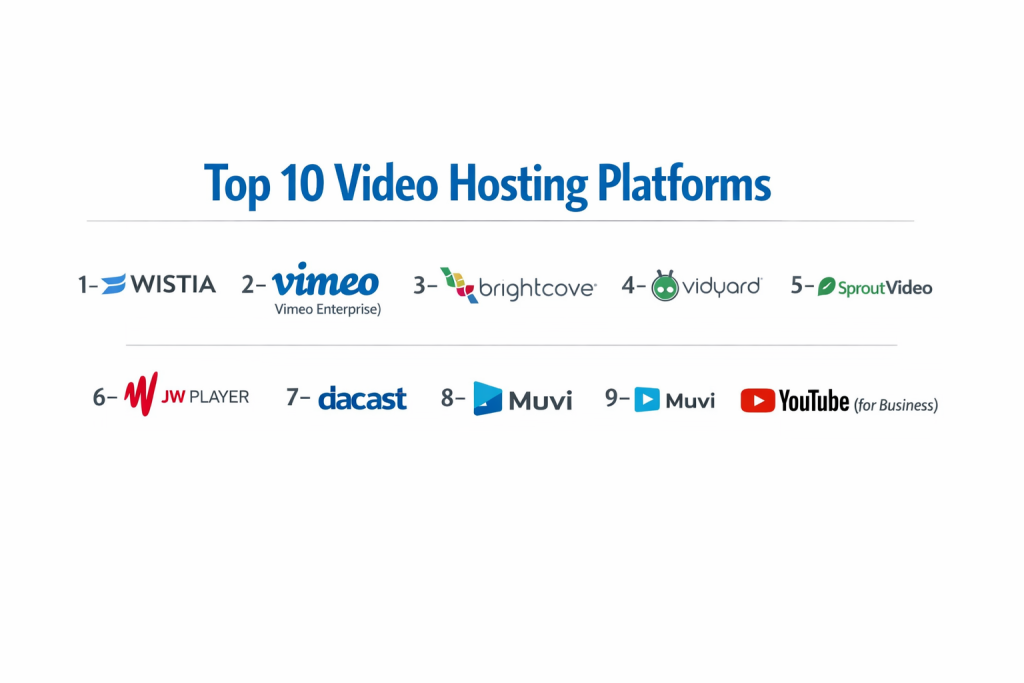
Top 10 Video Hosting Platforms
1 — Wistia
Wistia is a premium video marketing platform designed specifically for B2B businesses. It focuses on turning video viewers into customers through advanced lead generation tools and deep CRM integrations.
- Key features
- Custom “Turnstile” email capture gates that appear at any point in the video.
- Interactive video elements like Call-to-Action (CTA) buttons and annotation links.
- A/B testing for video thumbnails and content to optimize engagement.
- High-end SEO tools that inject video metadata directly into your website’s schema.
- Detailed heatmaps showing exactly which parts of a video a viewer watched or skipped.
- Ad-free, customizable player that matches your brand’s color palette.
- Automated “Channels” that allow you to create a Netflix-style gallery on your site.
- Pros
- Unrivaled marketing automation and lead tracking capabilities.
- The cleanest, most professional-looking video player on the market.
- Cons
- Pricing becomes significantly more expensive as your video library grows.
- Not designed for high-volume social “viral” content or entertainment.
- Security & compliance: SOC 2 Type II, GDPR compliant, and SSO support for Enterprise plans.
- Support & community: Extensive “Wistia Learning” documentation, world-class email support, and an active community of video marketers.
2 — Vimeo (Vimeo Enterprise)
Vimeo has evolved from a creative community into a comprehensive professional video suite. It offers a balance between artistic high-quality streaming and robust enterprise-level management tools.
- Key features
- Support for up to 8K resolution and HDR video for stunning visual quality.
- Advanced privacy settings including password protection and domain whitelisting.
- Review and approval tools that allow stakeholders to leave time-coded comments.
- Live streaming capabilities with integrated polls, Q&A, and graphics.
- High-quality stock footage library and native video editing tools.
- Customizable “Showcases” for private or public video portfolios.
- Robust API for developers building custom video integrations.
- Pros
- Excellent balance of price and professional features for mid-sized teams.
- Widely recognized as the “creative professional’s choice” for high-fidelity playback.
- Cons
- The “Vimeo Enterprise” tier is a significant price jump from standard plans.
- Some users find the backend management interface to be occasionally sluggish.
- Security & compliance: ISO 27001, GDPR compliant, SSO, and private link sharing.
- Support & community: 24/7 priority support for Enterprise, a massive global creative community, and Vimeo Academy.
3 — Brightcove
Brightcove is an enterprise-level powerhouse used by media giants and Fortune 500 companies. It is designed for massive scale, offering unparalleled reliability for global broadcasting and internal communications.
- Key features
- Dynamic Ad Insertion (SSAI) for sophisticated monetization strategies.
- Context-aware encoding that reduces bandwidth costs without sacrificing quality.
- Enterprise-grade live streaming for town halls and global events.
- Detailed OTT (Over-the-Top) solutions for launching branded TV apps.
- Sophisticated content management system (CMS) for handling tens of thousands of assets.
- Real-time analytics with “Attention” and “Engagement” scoring.
- Integration with virtually every major enterprise marketing and sales tech stack.
- Pros
- Extremely high reliability and performance even under massive viewer loads.
- The most flexible platform for companies with complex, global video needs.
- Cons
- Pricing is strictly enterprise-only and usually requires a five-figure annual commitment.
- The platform is highly technical and usually requires a dedicated administrator.
- Security & compliance: SOC 2 Type II, HIPAA (Varies), GDPR, and multi-factor authentication (MFA).
- Support & community: 24/7 dedicated global support, professional services for implementation, and an extensive developer portal.
4 — Vidyard
Vidyard is the leader in “Video for Sales.” It specializes in 1-to-1 video messaging and tracking, making it an essential tool for modern sales teams and customer success departments.
- Key features
- Browser extension for recording quick screen-shares and webcam videos.
- Real-time notifications when a prospect views your video.
- Automatic “Personalized Video” features that can insert a viewer’s name into the content.
- Deep, two-way sync with Salesforce, HubSpot, and Marketo.
- Video playlists that allow sales reps to guide prospects through a journey.
- “Video Hubs” for organizing training or marketing content.
- High-level analytics on individual viewer behavior across the sales cycle.
- Pros
- The most effective tool for integrating video into a sales outreach strategy.
- Very easy for non-technical employees to record and share videos.
- Cons
- The public hosting features are not as visually customizable as Wistia.
- Advanced CRM tracking features are gated behind high-tier plans.
- Security & compliance: SOC 2 Type II, GDPR compliant, and secure video sharing.
- Support & community: Knowledge base, community forum, and “Vidyard Fast Track” onboarding.
5 — SproutVideo
SproutVideo is a versatile and affordable platform that prioritizes security and customization. It is an excellent choice for businesses that need highly secure internal video or customized external players.
- Key features
- Ultra-secure hosting with IP address restriction and geo-fencing.
- Lead capture and “Post-play” call-to-action screens.
- Fully customizable video websites that require no coding.
- Detailed engagement metrics and heatmaps per viewer.
- Support for 4K video and adaptive streaming.
- Login-protected video portals for employees or students.
- Bulk uploading and organized folder management.
- Pros
- Offers some of the best privacy and security features at an accessible price point.
- Extremely straightforward and user-friendly management dashboard.
- Cons
- Bandwidth and storage limits are stricter on lower-tier plans than competitors.
- Fewer advanced “monetization” tools compared to media-focused platforms.
- Security & compliance: GDPR compliant, SSO support, and field-level encryption.
- Support & community: Responsive email and chat support, well-documented API, and helpful blog.
6 — Panopto
Panopto is the “Video Search” leader, primarily focused on higher education and corporate training. It specializes in making the content inside a video searchable.
- Key features
- “Smart Search” that indexes every word spoken or shown on screen (OCR).
- Integrated video recording for multi-camera presentations and lectures.
- Deep integration with Learning Management Systems (LMS) like Canvas and Moodle.
- Interactive video quizzing to test student or employee comprehension.
- Remote recording capabilities for scheduling captures of physical classrooms.
- Variable speed playback and high-quality captioning tools.
- Advanced permissions for departmental or school-wide access.
- Pros
- The best tool for turning long lectures into searchable, useful assets.
- Seamlessly handles the unique requirements of educational institutions.
- Cons
- The user interface feels more like a database than a modern video player.
- Not suited for external marketing or high-gloss brand videos.
- Security & compliance: SOC 2 Type II, HIPAA compliant, GDPR, and SSO integration.
- Support & community: 24/7 support for premium tiers, Panopto University, and a dedicated education user group.
7 — JW Player
JW Player is an industry veteran that provides the “Engine” for thousands of websites. It is built for developers and publishers who want a lightweight, lightning-fast, and highly customizable video delivery system.
- Key features
- The world’s fastest HTML5 video player with minimal code weight.
- “Article Matching” AI that automatically inserts relevant videos into text content.
- Real-time ad bidding and comprehensive monetization tools.
- Mobile SDKs for building video playback into iOS and Android apps.
- Recommendation engine to keep viewers watching more content.
- Support for 360-degree video and VR playback.
- Detailed analytics on ad performance and viewer retention.
- Pros
- Incredible performance and speed, leading to better SEO and user retention.
- Highly developer-friendly with extensive documentation and APIs.
- Cons
- Can be technically challenging to set up for a non-developer.
- The pricing structure can be complex, scaling with “plays” and “streaming.”
- Security & compliance: GDPR compliant and secure token-based authentication.
- Support & community: Extensive developer documentation, ticketing support, and a legacy community.
8 — Dacast
Dacast is a professional live streaming and VOD (Video on Demand) platform known for its competitive pricing and “all-in-one” approach. It is ideal for organizations that want to sell access to their video content.
- Key features
- Built-in “Pay-per-view” and subscription paywalls within the player.
- High-quality live streaming with unlimited concurrent viewers.
- Multi-user access for collaborative team management.
- China Video Hosting—one of the few tools that can bypass the “Great Firewall.”
- Whitelabel player that is completely free of third-party branding.
- Ad-insertion capabilities for professional monetization.
- Akamai CDN partnership for top-tier global delivery.
- Pros
- One of the easiest platforms for setting up a paid video subscription service.
- Reliable delivery to the Chinese market, which is rare for Western platforms.
- Cons
- The analytics interface is less modern than Wistia or Vidyard.
- The setup for live streaming can have a bit of a learning curve for beginners.
- Security & compliance: GDPR compliant, secure paywall encryption, and password protection.
- Support & community: 24/7 support (including phone support on high tiers) and a robust technical blog.
9 — Muvi
Muvi is a unique “OTT-in-a-Box” platform. It is designed for businesses that want to launch their own streaming service, similar to Netflix or Disney+, across web, mobile, and TV apps.
- Key features
- Instant deployment of branded apps for Roku, Apple TV, Fire TV, and more.
- Support for multiple monetization models (Subscription, Ad-based, Rental).
- Built-in Digital Rights Management (DRM) to prevent piracy.
- Fully managed infrastructure—no coding required to launch a TV app.
- Support for live streaming TV channels and 24/7 linear feeds.
- Multi-audio and multi-subtitle support for global audiences.
- Integrated billing and user management system.
- Pros
- The fastest way to launch a multi-device streaming service without a dev team.
- Comprehensive DRM protection ensures your high-value content is secure.
- Cons
- High monthly cost plus “per-user” or “per-app” fees can add up quickly.
- You are locked into Muvi’s specific ecosystem and design templates.
- Security & compliance: Studio-approved DRM, PCI-DSS compliant, and GDPR.
- Support & community: 24/7 technical support, dedicated account managers, and detailed setup guides.
10 — YouTube (for Business)
While primarily a social network, YouTube is a viable “hosting” option for businesses that prioritize reach over control. It is the most used video platform in the world and serves as a powerful search engine.
- Key features
- Completely free hosting with no bandwidth or storage limits.
- Massive built-in audience and powerful recommendation algorithm.
- High-quality live streaming with real-time chat.
- Detailed “YouTube Studio” analytics on traffic sources.
- Automated captioning and translation into dozens of languages.
- Ability to host “Unlisted” videos for basic website embedding.
- Mobile app for uploading and management.
- Pros
- Unrivaled for SEO and discoverability; it is the second largest search engine.
- Zero cost makes it accessible for startups and micro-businesses.
- Cons
- You have no control over ads or “recommended” videos from competitors.
- Very limited player customization and poor lead-generation tools.
- Security & compliance: Google-grade security, but very limited “private” enterprise controls.
- Support & community: Peer-to-peer help forums and a massive global creator community.
Comparison Table
| Tool Name | Best For | Platform(s) Supported | Standout Feature | Rating |
| Wistia | Marketing/B2B | Web / Mobile | Lead-Capture “Turnstile” | 4.8/5 |
| Vimeo | Creatives/Mid-Market | Web / Mobile | Frame-accurate Reviewing | 4.6/5 |
| Brightcove | Global Enterprise | Web / OTT | Media-grade Scalability | 4.5/5 |
| Vidyard | Sales Teams | Web / Chrome | Prospect View Notifications | 4.7/5 |
| SproutVideo | Security/SMB | Web | IP/Geo-restriction Privacy | 4.4/5 |
| Panopto | Education/Training | Web / Desktop | In-video Search (OCR) | 4.3/5 |
| JW Player | Publishers/Devs | Web / SDK | Fastest HTML5 Player | 4.5/5 |
| Dacast | Pay-Per-View | Web | China Video Delivery | 4.2/5 |
| Muvi | Launching OTT | Web / TV / Mobile | No-code App Builder | 4.1/5 |
| YouTube | Reach/SEO | Web / Mobile | Infinite Free Bandwidth | N/A |
Evaluation & Scoring of Video Hosting Platforms
To provide an objective overview, we evaluated these platforms based on a weighted scoring rubric that prioritizes the needs of professional business users.
| Category | Weight | Evaluation Highlights |
| Core Features | 25% | Adaptive streaming, 4K support, and player customization. |
| Ease of Use | 15% | Dashboard navigation and video management speed. |
| Integrations | 15% | Connectivity with CRMs, LMS, and Marketing stacks. |
| Security & Compliance | 10% | Encryption, GDPR, SSO, and privacy controls. |
| Performance | 10% | CDN quality, load times, and buffering prevention. |
| Support & Community | 10% | Response times and depth of documentation. |
| Price / Value | 15% | Feature set relative to monthly/annual costs. |
Which Video Hosting Platform Tool Is Right for You?
Solo Users vs SMB vs Mid-Market vs Enterprise
If you are a Solo User or a hobbyist, YouTube or a basic Vimeo plan is the logical starting point. SMBs looking to drive sales will find the best ROI with Wistia or Vidyard. Mid-Market companies needing a mix of internal training and external marketing should look at SproutVideo. For the Enterprise, the reliability and massive scale of Brightcove or the education-centric power of Panopto are the industry standards.
Budget-Conscious vs Premium Solutions
If budget is the primary driver, YouTube is free, but you pay with “lack of control.” SproutVideo offers a highly professional feature set for a very reasonable monthly fee. On the Premium side, Wistia and Muvi represent high-end investments that provide specific results—like massive lead generation or a fully branded TV network.
Feature Depth vs Ease of Use
For those who want a platform that “just works” without a manual, Wistia and Vidyard have the most intuitive interfaces. If you need Feature Depth—like the ability to build custom mobile apps or manage complex ad-bidding—JW Player and Muvi offer the depth required, though they come with a steeper learning curve.
Integration and Scalability Needs
If your business lives in Salesforce or HubSpot, Vidyard is the only choice that truly scales with your sales data. If you are a media publisher scaling to millions of hits a day, Brightcove and JW Player provide the infrastructure to ensure your site doesn’t crash during a traffic spike.
Security and Compliance Requirements
Companies in healthcare or finance must prioritize platforms that offer HIPAA compliance and SOC 2 certification. Panopto and Brightcove are leaders in this space. For sensitive internal corporate comms, SproutVideo‘s geo-fencing and IP restrictions provide the necessary layer of digital protection.
Frequently Asked Questions (FAQs)
Why shouldn’t I just host videos on my own website server?
Standard website servers are not built for streaming. Video files are massive; hosting them yourself will slow down your site, consume all your bandwidth, and likely cause the video to buffer or crash for viewers with slower internet.
What is Adaptive Bitrate Streaming?
This is a technology that detects a viewer’s internet speed in real-time and adjusts the video quality accordingly. It is why Netflix might look blurry for a second before becoming sharp—it prevents the video from stopping to buffer.
Can I stop people from downloading my videos?
While no method is 100% foolproof, professional platforms like Muvi and Vimeo Enterprise use DRM (Digital Rights Management) and encrypted streaming to make it extremely difficult for unauthorized users to download or steal content.
Do these tools help with Google Search rankings?
Yes, but some are better than others. Wistia and Vimeo provide specific “Video SEO” tools that help Google index your video so it appears in search results, driving traffic to your site rather than YouTube.
What is the difference between VOD and Live Streaming?
VOD (Video on Demand) is recorded content that viewers can watch anytime. Live Streaming is a real-time broadcast. Many platforms like Dacast and Brightcove offer both in one package.
Can I charge people to watch my videos?
Yes. Platforms like Dacast and Muvi have built-in “Paywalls” that allow you to accept credit cards for subscriptions, rentals, or one-time purchases directly within the video player.
Will hosting a video on Wistia affect my site speed?
Generally, no. These platforms use a “Content Delivery Network” (CDN), which means the video is actually loading from a global network of powerful servers, not your website, keeping your site fast.
Is 4K video hosting necessary?
For most business demos and training, 1080p (HD) is plenty. However, for creative portfolios, filmmakers, or high-end product showcases, 4K hosting (offered by Vimeo and SproutVideo) is a major advantage.
What are Video Heatmaps?
Heatmaps are a visual representation of how an audience watched a video. They show which parts were re-watched (indicating interest) and which parts were skipped (indicating boredom), allowing you to improve future content.
Can I change a video after it has been embedded?
Yes! Professional hosts allow you to “Replace Video” while keeping the same embed code. This means the video updates everywhere on your site automatically without you having to manually change the code on every page.
Conclusion
The “best” video hosting platform depends entirely on your end goal. If you want to turn viewers into sales leads, Wistia is the clear winner. If you are a filmmaker or creative looking for high-fidelity playback, Vimeo remains the top choice. For those needing to secure internal knowledge or educational content, Panopto offers features that traditional marketing platforms simply cannot match.
Ultimately, professional video hosting is an investment in your brand’s authority. By moving away from free, ad-supported platforms and toward a dedicated host, you gain control over the viewer experience, protect your intellectual property, and gain the data needed to prove the ROI of your video content.