Introduction
Digital proofing tools are specialized software applications that streamline the review and approval process for creative assets, including designs, videos, documents, and live websites. Traditionally, creative teams relied on messy email threads, printed PDFs, or verbal feedback to get approvals—a process prone to errors and version confusion. Digital proofing centralizes this by allowing stakeholders to leave pinpointed, time-stamped, or pixel-perfect annotations directly on the creative file. It transforms a subjective, chaotic feedback loop into a structured, transparent workflow that ensures everyone is literally on the same page.
The importance of these tools lies in their ability to accelerate project timelines and eliminate “hidden” costs associated with miscommunication. By using digital proofing, organizations reduce the number of revision rounds, prevent the publication of incorrect assets, and maintain a clear audit trail of who approved what and when. Key real-world use cases include ad agencies seeking client sign-off on a 30-second video spot, marketing departments reviewing packaging designs for regulatory compliance, and web developers needing feedback on interactive staging sites. When evaluating tools in this category, users should look for multi-format support, version comparison capabilities, automated workflow triggers, and the quality of the annotation interface.
Best for: Creative directors, project managers, graphic designers, and marketing teams within agencies or in-house departments. It is essential for industries like advertising, publishing, e-commerce, and manufacturing where visual accuracy is critical.
Not ideal for: Purely text-based technical writers or software developers who primarily use version control systems like GitHub. It may also be unnecessary for very small teams with low-volume, internal-only creative tasks where a simple screen-sharing session suffices.
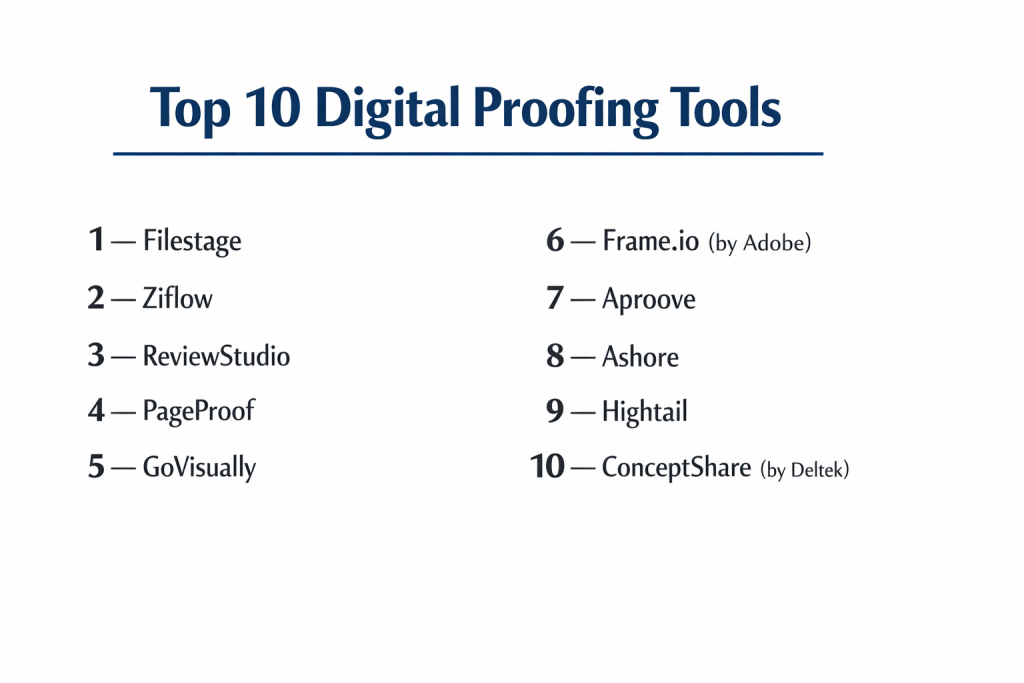
Top 10 Digital Proofing Tools
1 — Filestage
Filestage is a highly intuitive platform designed to simplify the review of documents, images, and videos. It is built to make the approval process as easy as possible for external clients who may not be tech-savvy.
- Key features
- One-click “Approve” or “Request Changes” buttons for stakeholders.
- Automated status tracking to see which reviewers are holding up a project.
- Precise annotation tools for video, audio, and static images.
- Side-by-side version comparison to verify that changes were made.
- Customizable reviewer groups to manage different approval stages (e.g., Creative vs. Legal).
- Secure file sharing without the need for reviewers to create an account.
- Integrated “To-Do” lists generated automatically from comments.
- Pros
- Extremely low barrier to entry; clients can start proofing in seconds.
- Excellent organization of different projects and approval tiers.
- Cons
- Lacks some of the deep “Project Management” features of all-in-one suites.
- Pricing can scale quickly for large teams with many active projects.
- Security & compliance: GDPR compliant, AES 256-bit encryption, and ISO 27001 certified data centers.
- Support & community: Extensive help center, live chat support, and dedicated success managers for enterprise plans.
2 — Ziflow
Ziflow is an enterprise-grade proofing solution that handles over 1,200 file types. It is built for high-volume creative teams that need deep automation and rigorous compliance tracking.
- Key features
- Support for complex files including rich media, banners, and live websites.
- Advanced “Auto-compare” that highlights pixel-level differences between versions.
- Complex workflow automation that triggers the next stage of review upon approval.
- Rich media proofing for interactive HTML5 ads and animated GIFs.
- Deep integration with Slack, Microsoft Teams, and Adobe Creative Cloud.
- Granular permission settings for internal and external stakeholders.
- Automated file conversion and optimization for web viewing.
- Pros
- Unmatched versatility in terms of supported file formats.
- Powerful automation engine that significantly reduces administrative manual work.
- Cons
- The interface can be overwhelming for casual or first-time users.
- Higher price point reflects its enterprise-level feature set.
- Security & compliance: SOC 2 Type II, GDPR compliant, SSO (SAML), and audit logs.
- Support & community: 24/5 global support, Ziflow Academy, and professional implementation services.
3 — ReviewStudio
ReviewStudio is a robust tool favored by agencies and production houses for its simplicity and powerful visual markup capabilities. It focuses on high-performance video and image review.
- Key features
- Frame-accurate video commenting and synchronized playback for groups.
- “Present” mode that allows a lead designer to drive a live review session.
- Customizable “Review Canvases” for different project types.
- Easy version management with a toggle-switch history view.
- Task assignment directly from specific feedback comments.
- Support for PDF, 3D files, and high-resolution photography.
- Whitelabeling options to keep agency branding consistent.
- Pros
- The “Live Presentation” mode is a game-changer for remote team meetings.
- Very reliable performance when handling large video files.
- Cons
- The UI feels a bit more “utilitarian” compared to modern, colorful competitors.
- Mobile experience is functional but not as polished as the desktop version.
- Security & compliance: GDPR compliant and secure data encryption at rest/transit.
- Support & community: Responsive email support, comprehensive documentation, and personalized onboarding.
4 — PageProof
PageProof is a sophisticated tool known for its “triple-layer” encryption and unique approach to proofing almost anything, including email marketing campaigns and spreadsheets.
- Key features
- Unique “Smart Tropical” search for finding specific comments across versions.
- Native integration with Adobe InDesign, Premiere, and After Effects.
- Support for proofing live URLs, including staging environments.
- Automated “Proof Step” workflows with mandatory reviewer sequences.
- Color-blindness simulation and accessibility checking tools.
- Integration with Airtable, Trello, and Monday.com.
- No limit on the number of reviewers per proof.
- Pros
- Highest level of focus on security and privacy within the proofing space.
- Exceptional customer service and a quirky, user-friendly brand personality.
- Cons
- The “per-license” pricing model may be difficult for companies with hundreds of occasional users.
- Certain advanced integrations require manual setup.
- Security & compliance: Patent-pending encryption, GDPR, SOC 2, and SSO.
- Support & community: 24/7 live chat, “PageProof Academy,” and an active user forum.
5 — GoVisually
GoVisually is the preferred choice for small agencies and freelance designers who need a fast, affordable way to get feedback on designs and videos without a steep learning curve.
- Key features
- Streamlined “Drag and Drop” upload for rapid file sharing.
- Mobile-responsive design allowing clients to proof from their phones.
- Simple threaded comments to keep conversations organized.
- Integration with Zapier to connect with thousands of other apps.
- Support for video, PDF, and all major image formats.
- Private internal comments that are hidden from the client.
- Basic version control with clear numbering.
- Pros
- One of the fastest and simplest setups in the industry.
- Highly affordable for solo users or small boutiques.
- Cons
- Lacks the complex automation and compliance tools of enterprise rivals.
- Reporting and analytics are very basic.
- Security & compliance: GDPR compliant and standard SSL encryption.
- Support & community: Email support and a well-organized help center.
6 — Frame.io (by Adobe)
Frame.io is the industry standard for video professionals. Now part of Adobe, it offers the deepest integration possible for video editors and motion graphics artists.
- Key features
- “Camera to Cloud” technology for real-time footage upload from sets.
- Frame-accurate commenting with on-screen drawing tools.
- High-speed file transfer protocol for multi-gigabyte video files.
- Direct “Panel” integration inside Adobe Premiere Pro and After Effects.
- Support for HDR video and multi-channel audio review.
- Secure “Presentation Links” for high-stakes executive reviews.
- Version stacks that group revisions into a single, neat thumbnail.
- Pros
- Unrivaled for professional video workflows; used by major Hollywood studios.
- The mobile app is exceptionally powerful, allowing for review on the move.
- Cons
- Not the best tool for static design or document-heavy proofing.
- Can be very expensive for teams that need massive amounts of storage.
- Security & compliance: SOC 2 Type II, TPN (Trusted Partner Network) certified, and GDPR compliant.
- Support & community: Enterprise support, deep integration guides, and a massive community of film pros.
7 — Aproove
Aproove is an “All-in-One” Work Management and Proofing tool. It is designed for businesses that want their project management and proofing to live in a single, unified database.
- Key features
- Comprehensive project management with task lists and milestones.
- Advanced metadata handling for complex asset management.
- “Business Process Management” (BPM) to automate complex enterprise rules.
- Multi-page document proofing with high-speed zoom and pan.
- Regulatory compliance tracking for packaging and labels.
- Customizable dashboard with real-time project KPIs.
- Integration with ERP systems for high-level corporate sync.
- Pros
- Replaces the need for separate PM and proofing tools.
- Highly customizable to fit specific industrial or manufacturing workflows.
- Cons
- The UI can feel “dated” and more complex than modern SaaS-only tools.
- Requires a significant investment in time for initial configuration.
- Security & compliance: SOC 2, GDPR, HIPAA (Varies), and full audit trails.
- Support & community: Personal consultant-led onboarding and 24/7 technical support.
8 — Ashore
Ashore is built specifically for the “White-Label” agency experience. It emphasizes the brand relationship between the agency and the client throughout the proofing journey.
- Key features
- Fully customizable whitelabeling (your logo, your colors, your domain).
- Automated follow-up reminders to pester quiet reviewers.
- “Reviewer Scoring” to see who your most efficient approvers are.
- Shared “Checklists” for reviewers to confirm they’ve checked specific items.
- Support for images, videos, audio, and web links.
- High-level archive system to store thousands of past proofs.
- Integrated email templates for consistent client communication.
- Pros
- The best tool for making your agency look like it has its own proprietary software.
- Automation of “reminders” saves hours of project management time.
- Cons
- Lacks advanced video tools like frame-accurate drawing or HDR support.
- Navigation within very large PDF documents can be slightly slow.
- Security & compliance: GDPR compliant and secure cloud hosting.
- Support & community: Highly rated customer service and a focus on agency growth education.
9 — Hightail
Formerly known as YouSendIt, Hightail has evolved into a creative collaboration tool that combines large file sharing with digital proofing and project spaces.
- Key features
- “Spaces” for grouping all assets related to a specific campaign.
- Direct feedback on creative files with visual markers.
- Large file delivery (up to 500GB) with delivery tracking.
- “Approval” status toggles for every asset in a Space.
- Integration with Adobe Creative Cloud and Google Drive.
- Visual previews for hundreds of file types without downloading.
- Comment consolidation for easy team review.
- Pros
- Excellent hybrid tool for teams that need both “Sending” and “Proofing.”
- Very easy to organize high volumes of assets into neat project buckets.
- Cons
- The proofing features are not as granular as specialized tools like Ziflow.
- The pricing structure for large teams can be confusing.
- Security & compliance: SOC 2 Type II, GDPR compliant, and enterprise-grade encryption.
- Support & community: 24/7 support, dedicated account management, and a legacy user base.
10 — ConceptShare (by Deltek)
ConceptShare is an enterprise tool that focuses on “Marketing Resource Management.” It is designed for large corporations that need to integrate proofing into a wider financial and resource plan.
- Key features
- Rigorous compliance and regulatory check workflows.
- Deep integration with Deltek’s project management ecosystem.
- Advanced markup for print and packaging (dimensions, color checks).
- Intelligent task routing based on reviewer expertise.
- Detailed audit logs for every single interaction.
- Batch proofing for reviewing multiple assets simultaneously.
- Global search across all historical creative projects.
- Pros
- Unrivaled for companies with strict legal or regulatory requirements.
- Exceptional at handling print and packaging specifications.
- Cons
- Not designed for small, agile creative agencies.
- The interface is dense and requires formal training to master.
- Security & compliance: SOC 2, GDPR, ISO 27001, and HIPAA compliant.
- Support & community: Enterprise-tier consulting and 24/7 global support.
Comparison Table
| Tool Name | Best For | Platform(s) Supported | Standout Feature | Rating |
| Filestage | Client Approval Ease | Web / Cloud | One-click Approval UI | 4.8/5 |
| Ziflow | Enterprise Automation | Web / Cloud | Pixel-Perfect Auto-Compare | 4.7/5 |
| ReviewStudio | Live Creative Meetings | Web / Cloud | Synchronized Presenter Mode | 4.6/5 |
| PageProof | Maximum Security | Web / Cloud | Triple-Layer Encryption | 4.8/5 |
| GoVisually | Small Agencies / SMB | Web / Mobile | Minimalist Rapid Workflow | 4.5/5 |
| Frame.io | Video Professionals | Web / iOS / Mac | Camera-to-Cloud Integration | 4.9/5 |
| Aproove | Industrial Workflows | Web / Cloud | Built-in BPM Automation | 4.3/5 |
| Ashore | Whitelabel Agencies | Web / Cloud | Autom. Reviewer Reminders | 4.4/5 |
| Hightail | File Sharing + Proofing | Web / Mobile | 500GB File Deliveries | 4.2/5 |
| ConceptShare | Print & Regulatory | Web / Cloud | Packaging Compliance Tools | 4.1/5 |
Evaluation & Scoring of Digital Proofing Tools
We evaluated the top platforms based on a weighted rubric to determine which provides the best balance of power and usability for modern creative teams.
| Category | Weight | Evaluation Criteria |
| Core Features | 25% | Annotation tools, version comparison, and file support. |
| Ease of Use | 15% | Intuitiveness for reviewers and setup speed. |
| Integrations | 15% | Connectivity with Adobe CC, Slack, and PM tools. |
| Security & Compliance | 10% | Encryption, GDPR status, and SOC 2 certification. |
| Performance | 10% | Rendering speed for large video and high-res files. |
| Support & Community | 10% | Onboarding quality and customer service responsiveness. |
| Price / Value | 15% | ROI for different team sizes and use cases. |
Which Digital Proofing Tool Is Right for You?
Solo Users vs SMB vs Mid-Market vs Enterprise
If you are a Solo User or a freelance designer, GoVisually or Filestage offer the most straightforward paths to getting a client sign-off without high overhead. SMBs and growing agencies will find the best balance of features and cost in Ashore or ReviewStudio. Mid-Market teams with complex marketing pipelines should look toward PageProof. For the Enterprise, especially those in regulated industries (Healthcare, Finance, Packaging), Ziflow or ConceptShare are the only tools capable of providing the necessary level of governance and automation.
Budget-Conscious vs Premium Solutions
If budget is your primary concern, GoVisually and Ashore provide excellent core proofing features for a lower monthly fee. However, if your business loses thousands of dollars due to a single “bad” print run or a missed regulatory deadline, a premium solution like Ziflow or Frame.io is a necessary insurance policy that pays for itself in error reduction.
Feature Depth vs Ease of Use
For those who want a tool that “just works” for clients, Filestage is the king of ease of use. If your team requires high-level “Feature Depth”—such as the ability to compare code in a live website or run complex automation scripts—you will need to trade some simplicity for the raw power of Ziflow.
Integration and Scalability Needs
If your team lives in the Adobe Creative Cloud, Frame.io and PageProof offer the most seamless experience by allowing you to see comments directly inside your editing software. For those looking to scale an agency, Ashore’s whitelabeling allows you to grow your brand identity while scaling your operations.
Security and Compliance Requirements
If you handle sensitive intellectual property (like unreleased film footage) or work in a highly regulated field, PageProof and Frame.io offer the most robust security architectures, including TPN compliance and advanced encryption. Always ensure your chosen tool is GDPR compliant if you work with international clients.
Frequently Asked Questions (FAQs)
What is the difference between digital proofing and file sharing?
File sharing (like Dropbox or Google Drive) only moves files from A to B. Digital proofing allows users to comment on specific parts of a file, track versions, and legally sign off on an approval within a structured workflow.
Can I proof live websites?
Yes, tools like Ziflow, PageProof, and ReviewStudio allow you to enter a URL and leave comments on a live staging site as if it were a static image.
Do my clients need to pay for an account to review files?
In most modern tools like Filestage or Ashore, reviewers (your clients) do not need to pay or even create an account. They simply click a secure link to start proofing.
What is frame-accurate video proofing?
This means a reviewer can pause a video at exactly 00:04:12 and leave a comment. The editor will see that comment at that exact millisecond, eliminating any guessing games about “the part with the blue car.”
Does digital proofing help with legal compliance?
Yes. Tools like ConceptShare and Aproove provide a “Single Source of Truth” and an audit log that proves the legal team reviewed and approved the fine print on an asset before it was published.
Can I compare two different versions of a design?
Yes, most top tools offer a “Side-by-Side” or “Overlay” view. Some even use AI to highlight exactly what pixels were changed between Version 1 and Version 2.
How many people can review a single file?
Most platforms offer unlimited reviewers on their professional plans, though some “per-seat” models may charge based on the number of internal project managers.
Can I use digital proofing on my mobile phone?
Yes. While the editor needs a big screen, most clients can leave comments on images and videos via a mobile-responsive web browser or dedicated apps (like Frame.io’s iOS app).
What happens to my comments after I upload a new version?
The comments stay attached to the version they were made on. You can usually toggle back to “V1” to see the old feedback and then back to “V2” to see how you addressed it.
Is digital proofing worth it for a two-person team?
If you deal with visual assets, yes. The time saved by not digging through emails to find out which version was approved usually pays for the software in the first month.
Conclusion
Digital proofing has transitioned from a “luxury” for high-end agencies to a “necessity” for any modern creative team. Whether you choose the video-centric power of Frame.io, the client-friendly simplicity of Filestage, or the enterprise-grade automation of Ziflow, the end goal remains the same: clarity.
Choosing the right tool is not about finding the one with the most features, but the one that your clients and team will actually use. By centralizing feedback and automating approvals, you don’t just finish projects faster—you create a better work environment where creativity thrives and administrative chaos disappears.