Introduction
Creative project management tools are specialized software platforms designed to streamline the unique workflows of designers, writers, videographers, and marketing teams. Unlike traditional project management software that focuses purely on task completion and timelines, creative-centric tools prioritize visual collaboration, asset management, and feedback loops. These platforms provide a digital canvas where teams can ideate, execute, and review creative work in a centralized environment. By integrating features like version control, real-time proofing, and digital asset management, they bridge the gap between abstract creativity and structured project execution.
The importance of these tools lies in their ability to reduce “creative friction”—the administrative overhead that distracts from the actual work. Key real-world use cases include managing high-volume social media content calendars, orchestrating complex video production schedules, and facilitating the approval process for brand re-designs involving multiple stakeholders. When choosing a tool in this category, users should evaluate the platform’s ability to handle large files, the quality of its visual feedback (annotation) tools, and its integration with creative software like the Adobe Creative Cloud.
Best for: Creative agencies, in-house marketing departments, design studios, and freelance collectives. These tools are essential for roles such as Creative Directors, Project Managers, Graphic Designers, and Content Creators across industries like advertising, media, fashion, and technology.
Not ideal for: Purely technical engineering teams or heavy construction projects that require deep scientific calculations or complex BIM integrations. It may also be unnecessary for solo freelancers with a very low volume of simple, non-visual tasks where a basic to-do list would suffice.
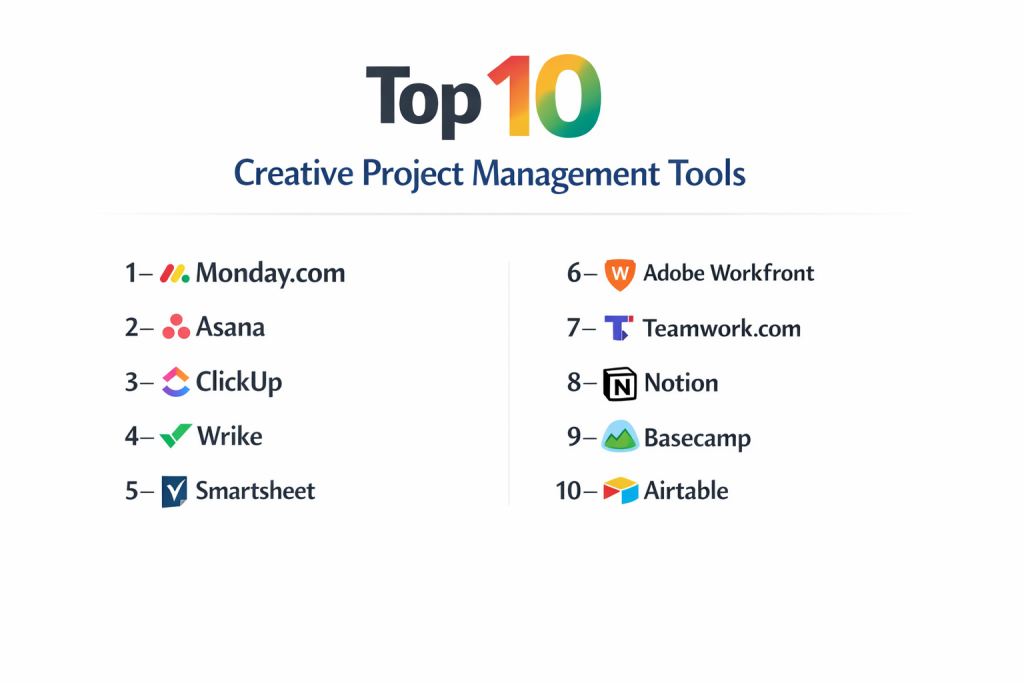
Top 10 Creative Project Management Tools
1 — Monday.com
Monday.com is a highly visual and flexible “Work OS” that allows creative teams to build custom workflows without any coding knowledge. It is designed for teams that need to visualize their work through colorful, data-rich boards.
- Key features
- Highly customizable “Board” system for tracking production phases.
- Integrated “Creative Request” forms that automatically turn into tasks.
- Adobe Creative Cloud integration to sync tasks with Photoshop and InDesign.
- Automation engine to notify designers when feedback is provided.
- Visual workload management to prevent team burnout.
- Digital Asset Management (DAM) capabilities for storing brand files.
- Timeline and Gantt views specifically for campaign launches.
- Pros
- Exceptionally intuitive interface that creative teams actually enjoy using.
- High degree of customization allows it to fit any specific agency niche.
- Cons
- Pricing can become expensive as you add users and premium features.
- Advanced reporting tools require a higher-tier subscription.
- Security & compliance: ISO 27001, SOC 2 Type II, HIPAA, GDPR compliant, and SSO support.
- Support & community: 24/7 customer support, extensive knowledge base, and a very active global user community.
2 — Asana
Asana is a powerhouse in the project management world, known for its clean design and robust task dependencies. It excels at managing complex, multi-stage creative campaigns with many moving parts.
- Key features
- “Goals” tracking to align creative output with business objectives.
- Proofing tools that allow stakeholders to leave comments directly on images.
- Automated “Workflows” to move assets through the approval pipeline.
- Multi-homing tasks, allowing a single asset to live in multiple projects.
- Custom fields for tracking details like “Designer” or “Revision Number.”
- Portfolio view for Creative Directors to see the status of all current projects.
- Forms for intake and creative brief management.
- Pros
- Superior at managing complex dependencies and sub-tasks.
- The interface is distraction-free, helping creators stay in the “flow” state.
- Cons
- The mobile app can feel slightly limited compared to the desktop experience.
- Lack of native time-tracking (requires third-party integration).
- Security & compliance: SOC 2 Type II, GDPR, HIPAA, and Enterprise-grade encryption.
- Support & community: “Asana Academy” training, dedicated success managers for enterprise, and global community forums.
3 — ClickUp
ClickUp positions itself as the “One app to replace them all.” For creative teams, it offers a massive feature set including native docs, whiteboards, and video recording, all within the PM tool.
- Key features
- Built-in “Whiteboards” for collaborative brainstorming and wireframing.
- Native video recording (Clip) to explain creative feedback via screen share.
- Custom “Task Statuses” tailored to the creative lifecycle (e.g., “In Review,” “Awaiting Client”).
- Hierarchy levels that allow for folders, lists, and sub-tasks.
- Native “Docs” to replace Google Docs for creative briefs.
- Real-time chat threads within specific tasks.
- Extensive template library for creative agencies.
- Pros
- Offers the most features for the lowest price point in the market.
- High level of flexibility in how you view your data (Box, Board, List, Mind Map).
- Cons
- The sheer number of features can lead to a steep learning curve for new users.
- Occasional performance lag due to the complexity of the app.
- Security & compliance: SOC 2 Type II, ISO 27001, GDPR, and HIPAA compliant.
- Support & community: 24/7 support, extensive documentation, and a massive community-led template market.
4 — Wrike
Wrike is an enterprise-grade solution that shines in high-volume environments. It is particularly strong for teams that need heavy-duty proofing and resource management.
- Key features
- Wrike for Professional Services includes specialized resource planning.
- Native proofing and version control for over 30 file types.
- “Blueprints” to standardize repeatable creative processes.
- Dynamic request forms with conditional branching logic.
- Automated time tracking to ensure accurate client billing.
- Adobe Creative Cloud extension for seamless asset syncing.
- Detailed performance analytics for creative team output.
- Pros
- One of the most robust engines for proofing and digital markups.
- Excellent for large, cross-functional teams that need rigorous structure.
- Cons
- The interface can feel more “corporate” and less “creative” than Monday or Asana.
- Many of the best creative features are locked behind higher-priced tiers.
- Security & compliance: SOC 2 Type II, ISO 27001, HIPAA, and GDPR compliant.
- Support & community: Dedicated onboarding, 24/7 support, and a professional user community.
5 — Smartsheet
Smartsheet is perfect for creative teams that love the power of a spreadsheet but need the visual capabilities of a project management tool. It is a favorite for budget-conscious, data-driven creative departments.
- Key features
- Grid, Gantt, and Card views for versatile project tracking.
- “Brandfolder” integration for high-end digital asset management.
- Automated update requests sent to external freelancers.
- “Content Collaboration” feature for proofing and annotations.
- Proofing support for video files, including timestamped comments.
- Dashboard creation for real-time reporting to executives.
- Secure external sharing for client approvals.
- Pros
- Unrivaled for managing creative budgets and large-scale data.
- Very easy to adopt for teams transitioning away from Excel.
- Cons
- Lacks some of the modern, “snappy” UI elements found in newer tools.
- Visual creative features feel slightly “bolted on” rather than native.
- Security & compliance: ISO 27001, SOC 2 Type II, HIPAA, and GDPR compliant.
- Support & community: Professional training certifications, 24/7 support, and extensive online forums.
6 — Adobe Workfront
Workfront is the premier choice for large-scale creative enterprises. As an Adobe-owned product, its integration with the Creative Cloud is deeper than any other platform on this list.
- Key features
- Deep integration with Adobe Photoshop, Premiere Pro, and Illustrator.
- Strategic portfolio management for global marketing teams.
- Resource leveling to balance creative workloads across departments.
- Advanced proofing with side-by-side version comparison.
- Automated “Decision Trees” for creative approvals.
- Enterprise-level reporting on creative ROI.
- Integrated DAM for seamless asset transition from “work” to “storage.”
- Pros
- The undisputed leader for teams already fully committed to the Adobe ecosystem.
- Built to handle the massive complexity of Fortune 500 creative workflows.
- Cons
- Very high cost and typically requires a lengthy implementation period.
- Overkill for small agencies or simple creative teams.
- Security & compliance: SOC 2 Type II, ISO 27001, HIPAA, and GDPR compliant.
- Support & community: Enterprise-tier support, global consultant network, and Adobe’s massive community.
7 — Teamwork.com
Teamwork is designed specifically for client-facing agencies. It balances internal project management with external client collaboration and billing.
- Key features
- Client “Guest” access that is free and unlimited.
- Native time tracking and invoicing for client work.
- Integrated “Help Desk” for managing creative support requests.
- Project templates to standardize agency “onboarding” flows.
- Milestones for tracking major campaign deadlines.
- Portfolio views for high-level management.
- File versioning and centralized asset storage.
- Pros
- The best choice for agencies that need to prove their value to clients.
- Includes billing and time-tracking features that other tools charge extra for.
- Cons
- The interface is functional but not as visually “inspiring” as Monday.
- Proofing features are not as advanced as Wrike or Workfront.
- Security & compliance: SOC 2 Type II, GDPR compliant, and secure data centers.
- Support & community: Highly responsive support, clear documentation, and a strong agency-focused community.
8 — Notion
Notion has become a “cult favorite” among creative teams who need a highly flexible, document-driven workspace. It is more of a digital notebook meets project manager.
- Key features
- “Blocks” that allow you to build any page layout imaginable.
- Integrated “Wikis” for brand guidelines and creative playbooks.
- Gallery views for showcasing visual assets in a portfolio style.
- Native AI for drafting creative briefs or summarizing meetings.
- Database views that switch between Kanban, List, and Calendar.
- Collaborative real-time editing for copywriters and editors.
- Simple link-sharing for external client portals.
- Pros
- The most versatile tool for managing creative “knowledge” alongside projects.
- Affordable and scales perfectly from solo creators to mid-sized teams.
- Cons
- Lacks native “proofing” (annotation) tools for images and video.
- Can become disorganized quickly if a clear structure isn’t enforced.
- Security & compliance: SOC 2 Type II, GDPR compliant, and SSO for enterprise.
- Support & community: Massive community of “Notion Template” creators and extensive guides.
9 — Basecamp
Basecamp is the pioneer of “simple” project management. It avoids the feature-bloat of other tools in favor of a clean, centralized communication hub for creative projects.
- Key features
- “Message Boards” to replace messy email threads.
- “To-dos” that keep lists clear and actionable.
- “Campfire” for real-time internal team chatting.
- “Automatic Check-ins” to ask the team what they worked on.
- “Docs & Files” for centralized asset storage.
- “Client Access” that allows you to choose exactly what the client sees.
- “Hill Charts” to visualize project progress over time.
- Pros
- Flat-rate pricing (for the Pro tier) makes it very predictable as you scale.
- Extremely easy to use; requires zero training for team members or clients.
- Cons
- Lacks advanced visual views like Gantt charts or timelines.
- No native proofing or Adobe Creative Cloud integrations.
- Security & compliance: GDPR compliant and secure data encryption.
- Support & community: Famous for their “Helpful Human” support and long-term stability.
10 — Airtable
Airtable is a “Relational Database” masquerading as a project management tool. For creatives, it is unparalleled for managing large content libraries and complex production schedules.
- Key features
- “Bases” that act as highly powerful, visual databases.
- “Interface Designer” to build custom apps for your creative team.
- Integration with social media platforms for automated posting.
- Grid, Gallery, and Kanban views for asset management.
- Automated “Sync” to pull data from other creative apps.
- “Extensions” for creating charts, maps, and reports.
- Robust API for developers to build custom creative integrations.
- Pros
- The best tool for managing “Creative Data” (e.g., thousands of video clips).
- Extremely powerful automation capabilities for content pipelines.
- Cons
- Can be intimidating to set up for those who aren’t “database-minded.”
- Not as strong for “task-level” communication as Slack-integrated PM tools.
- Security & compliance: ISO 27001, SOC 2 Type II, GDPR, and SSO support.
- Support & community: Airtable Universe (community templates), 24/7 support, and expert consultants.
Comparison Table
| Tool Name | Best For | Platform(s) Supported | Standout Feature | Rating |
| Monday.com | Visual Workflows | Web, iOS, Android | Custom Board Automation | 4.7/5 |
| Asana | Multi-stage Campaigns | Web, iOS, Android | Task “Multi-homing” | 4.6/5 |
| ClickUp | Feature-rich SMBs | Web, iOS, Android | Native Whiteboards | 4.7/5 |
| Wrike | High-volume Proofing | Web, iOS, Android | 30+ File Type Proofing | 4.2/5 |
| Smartsheet | Budget/Data Focus | Web, iOS, Android | Brandfolder Integration | 4.4/5 |
| Adobe Workfront | Enterprise Adobe Users | Web, iOS, Android | Native Creative Cloud Sync | 4.1/5 |
| Teamwork.com | Client-facing Agencies | Web, iOS, Android | Built-in Invoicing/Billing | 4.5/5 |
| Notion | Knowledge & Wikis | Web, iOS, Android | Document-based “Blocks” | 4.6/5 |
| Basecamp | Simple Communication | Web, iOS, Android | “Hill Charts” Progress | 4.3/5 |
| Airtable | Content Databases | Web, iOS, Android | Interface Designer | 4.6/5 |
Evaluation & Scoring of Creative Project Management Tools
To ensure a fair comparison, we evaluated each platform using a weighted scoring rubric that reflects the specific needs of creative teams over general corporate users.
| Category | Weight | Evaluation Highlights |
| Core Features | 25% | Focus on proofing, DAM, and Adobe integrations. |
| Ease of Use | 15% | Intuitive UI/UX and visual appeal. |
| Integrations | 15% | Connection to Slack, Google, and Creative Cloud. |
| Security & Compliance | 10% | Enterprise standards (SOC 2, GDPR, HIPAA). |
| Performance | 10% | App speed and ability to handle large assets. |
| Support & Community | 10% | Quality of templates and customer success. |
| Price / Value | 15% | ROI for agencies and growing departments. |
Which Creative Project Management Tool Is Right for You?
Solo Users vs SMB vs Mid-Market vs Enterprise
If you are a Solo User, Notion or the free tier of ClickUp provide the best flexibility without complexity. SMBs and boutique agencies often find their “sweet spot” with Monday.com or Teamwork.com, as these tools scale well without requiring a dedicated IT department. For Mid-Market firms with multiple departments, Asana provides the structure needed for cross-functional work. At the Enterprise level, particularly for global marketing teams, Adobe Workfront or Wrike are the standard choices due to their rigorous governance and integration depth.
Budget-conscious vs Premium Solutions
If you are strictly budget-conscious, ClickUp offers the most features for the lowest price. Basecamp is also a great value due to its flat-rate pricing for larger teams. On the Premium side, Adobe Workfront and Monday.com (Enterprise tier) represent a significant investment but offer the “Impact Analytics” and “Resource Management” that justify the cost for large-scale operations.
Feature Depth vs Ease of Use
Creative teams often prioritize Ease of Use to avoid technical friction; for this, Monday.com and Basecamp are the winners. However, if your projects involve complex dependencies, high-stakes approvals, and hundreds of daily assets, you need Feature Depth. In that case, Wrike or Asana are the superior choices, even if they require more initial training.
Integration and Scalability Needs
For teams that live in Photoshop and Premiere, Adobe Workfront is the only logical choice for deep scalability. If your scalability is more about managing vast amounts of content data (like a social media agency), the relational power of Airtable is unmatched. Always ensure your chosen tool has a robust Zapier or Make integration to connect with the niche creative tools you already use.
Security and Compliance Requirements
If you work with healthcare brands, HIPAA compliance is non-negotiable, making Monday.com, Asana, or Wrike the top candidates. For financial services or legal design firms, prioritize platforms with SOC 2 Type II and ISO 27001 certifications to ensure your pre-launch intellectual property is protected against leaks or data breaches.
Frequently Asked Questions (FAQs)
What is the difference between general and creative PM tools?
General tools focus on task completion. Creative PM tools focus on the “Review” phase, offering features like file versioning, digital asset management (DAM), and visual annotation tools to mark up designs.
Can these tools replace my Digital Asset Management (DAM) system?
Some tools like Wrike or Smartsheet (via Brandfolder) can, but for most, they serve as a “Work-in-Progress” storage. You still might need a dedicated DAM for long-term archiving of finished assets.
Do these tools work with the Adobe Creative Cloud?
Yes, most top-tier tools (Monday, Wrike, Workfront, Asana) have plugins that allow designers to see their task list and upload finished work directly from within Photoshop or Illustrator.
Is native time-tracking important for creative project management?
For agencies, yes. It is essential for accurate client billing and understanding the “true cost” of creative projects. Teamwork.com and Wrike have this built-in.
What is “Proofing” in a PM tool?
Proofing allows stakeholders to click on an image or video and leave a comment at that exact spot. This eliminates vague emails like “Can you make the blue part brighter?”
Can I use these tools with external clients?
Most platforms offer a “Guest” or “Client” role. Teamwork.com is famous for offering unlimited free client users, making it a favorite for agencies.
Which tool is best for video production?
Wrike and Smartsheet are strong because they support video proofing with timestamps. Airtable is also excellent for managing thousands of raw video clips in a database.
How long does it take to implement these tools?
For a small team using Monday or Notion, it takes a few days. For an enterprise deploying Workfront or Wrike, it can take 3 to 6 months.
Do creative PM tools have AI features?
Yes, almost all now offer AI to summarize creative briefs, generate project plans, or even draft initial copy for social media posts (e.g., Notion AI, ClickUp Brain).
What is a “Creative Intake Form”?
It is a standardized form where clients or internal teams submit project requests. This ensures the creative team gets all the info they need (specs, deadline, budget) before they start.
Conclusion
Selecting a creative project management tool is about finding the balance between artistic freedom and operational structure. For teams that prioritize visual delight and ease of use, Monday.com stands out as a clear leader. For those managing the complexities of client billing and agency life, Teamwork.com offers the most tailored experience. Meanwhile, Adobe Workfront remains the heavyweight champion for enterprises that require a direct bridge into the creative suite.
Ultimately, the “best” tool is the one your team will actually use. Creative professionals are notoriously resistant to “clunky” software, so a tool with a beautiful UI and a frictionless mobile experience is often more valuable than one with a thousand hidden features. Start with a trial, build a small pilot project, and see which platform helps your team spend less time managing and more time creating.