Introduction
Digital Asset Management, commonly known as DAM, is a centralized software solution designed to store, organize, find, and share an organization’s digital content. Think of it as a highly intelligent, searchable library for all your company’s “assets”—which include everything from high-resolution images, logos, and videos to PDF brochures, brand guidelines, and marketing templates. Unlike basic cloud storage folders, a DAM system uses rich metadata (tags, descriptions, and categories) to ensure that anyone in the company can find exactly what they need in seconds, rather than digging through endless subfolders.
The importance of DAM has grown exponentially as companies produce more content than ever before. Without a dedicated system, creative assets are often lost on individual hard drives, or outdated versions of logos are accidentally used in public campaigns. DAM systems solve this by providing a “single source of truth.” In the real world, this looks like a marketing team instantly sharing the latest product photos with a global sales force, or a legal team ensuring that only licensed images are currently visible to the public. When evaluating these tools, you should look for powerful search capabilities, version control, AI-powered auto-tagging, and seamless integrations with creative software like Adobe Creative Cloud.
Key Real-World Use Cases
- Brand Consistency: Ensuring every regional office uses the correct, most recent version of the company logo and color palette.
- Rights Management: Tracking expiration dates on licensed photography to prevent expensive legal fees from using “out-of-contract” images.
- Creative Workflow: Allowing designers to upload assets directly from Photoshop and having them automatically available to the social media team.
- Self-Service Portals: Setting up “media rooms” where journalists or partners can download approved headshots and press kits without emailing your team.
- Video Transformation: Automatically resizing a 4K video into various formats for Instagram, YouTube, and LinkedIn within the tool itself.
Best for
- Enterprise Marketing Teams: Organizations with thousands of assets and multiple departments that need constant access to media.
- Creative Agencies: Firms managing diverse portfolios for multiple clients who need strict organization and easy sharing.
- E-commerce Brands: Companies with massive product catalogs that need to keep product images synced across multiple websites and marketplaces.
Not ideal for
- Solo Freelancers: If you only have a few hundred files, simple cloud storage like Google Drive or Dropbox is usually sufficient and much cheaper.
- Text-Only Businesses: Companies that do not produce visual media, videos, or design files will not benefit from the specialized features of a DAM.
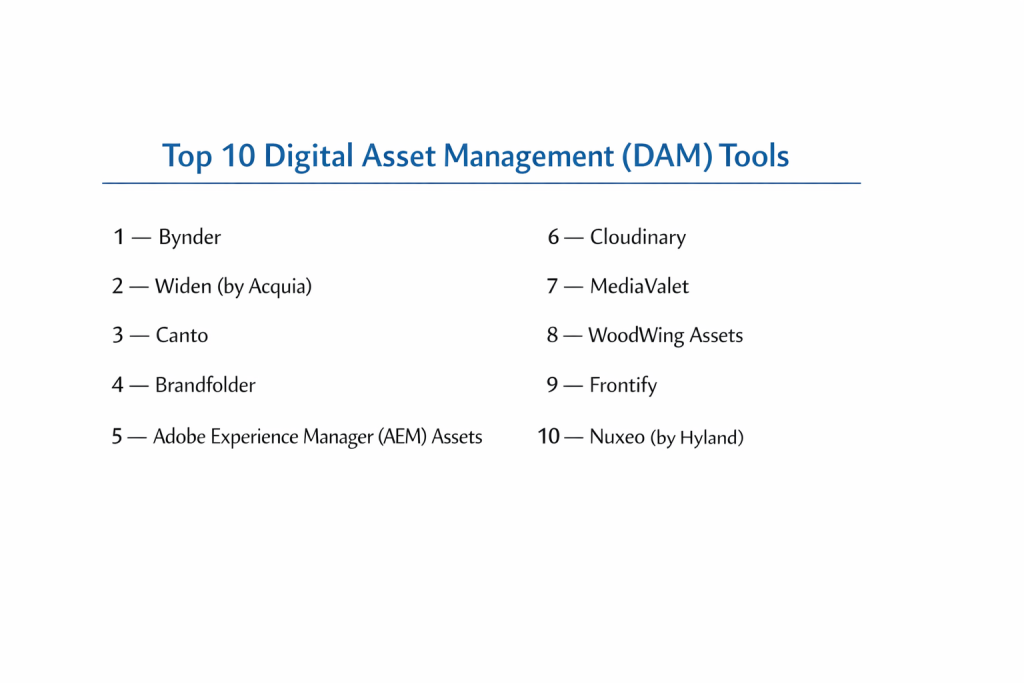
Top 10 Digital Asset Management (DAM) Tools
1 — Bynder
Bynder is widely recognized as one of the most user-friendly enterprise DAM solutions. It is designed to help brands thrive by providing a clean, intuitive interface that encourages adoption across non-technical teams. Bynder focuses heavily on the “brand portal” experience, making it a favorite for global marketing departments.
- Key features:
- Highly intuitive, visual interface that requires minimal training.
- Automated creative workflows for asset approval.
- Brand Guidelines module to host digital style guides.
- AI-powered search and automatic metadata tagging.
- Dynamic Asset Transformation (DAT) for on-the-fly resizing.
- Advanced analytics to see which assets are used most.
- Robust integrations with CMS and PIM systems.
- Pros:
- Exceptional user experience that teams actually enjoy using.
- Very strong for maintaining brand consistency across global offices.
- Cons:
- Premium pricing that can be steep for mid-market companies.
- Some advanced customizations require help from their professional services.
- Security & compliance: SOC 2 Type II, ISO 27001, HIPAA, and GDPR compliant.
- Support & community: Extensive documentation, dedicated customer success managers for enterprise, and a vibrant user community.
2 — Widen (by Acquia)
Widen, now part of Acquia, is a veteran in the DAM space known for its powerful organization and “combined” approach to DAM and PIM (Product Information Management). It is built for organizations that need to manage not just the image of a product, but all the technical data that goes with it.
- Key features:
- Combined DAM and PIM capabilities for e-commerce.
- Highly customizable metadata schemas.
- “Portals” for sharing specific collections with external partners.
- Workflow automation for content creation cycles.
- Governance tools to manage asset lifecycles and expirations.
- Video enrichment and automated transcriptions.
- Deep integration with the Acquia/Drupal ecosystem.
- Pros:
- Excellent for complex organizations with vast product lines.
- Very reliable customer support and onboarding process.
- Cons:
- The interface can feel more technical and less “modern” than Bynder.
- Setup can be time-consuming due to the depth of configuration available.
- Security & compliance: SOC 2 Type II, GDPR, and Privacy Shield.
- Support & community: High-touch support, regular training webinars, and a well-regarded annual user conference.
3 — Canto
Canto is perhaps the most popular DAM for small to mid-sized businesses that need a “professional” system without the enterprise complexity. It is remarkably fast to set up and provides a visual-first approach to file management that feels as easy to use as consumer apps.
- Key features:
- Visual-centric dashboard that highlights thumbnails and previews.
- “Style Summits” to create public-facing brand pages.
- Instant social media sharing directly from the dashboard.
- Facial recognition and AI tagging to find people in photos.
- Version control to track changes across file iterations.
- Direct Adobe Creative Cloud connector.
- Easy-to-use “Links” for secure external sharing.
- Pros:
- One of the fastest implementation times in the industry.
- Very competitive pricing for the feature set provided.
- Cons:
- Lacks some of the heavy-duty workflow automation of enterprise tools.
- Reporting and analytics are somewhat basic compared to Bynder.
- Security & compliance: SOC 2 Type II, GDPR, and AWS-hosted security layers.
- Support & community: 24/5 support, extensive video tutorials, and a straightforward knowledge base.
4 — Brandfolder
Brandfolder prides itself on being the “world’s most powerful” yet simple DAM. It uses a unique, proprietary AI called “Brand Intelligence” to help teams find, tag, and analyze their content. It is a favorite for high-growth tech companies and consumer brands.
- Key features:
- Brand Intelligence AI for smart tagging and search.
- Templating tools that allow non-designers to edit layouts.
- Privacy-focused sharing with “Guest Upload” links.
- Multi-CDN delivery for fast global asset loading.
- Bulk editing tools for metadata and tags.
- Automated rights management and asset expiration.
- Detailed asset performance tracking and insights.
- Pros:
- Sleek, modern design that is very easy for agencies to share with clients.
- Excellent performance when handling very large 4K video files.
- Cons:
- Can become expensive as you add more users and storage.
- Some users find the permissions settings a bit rigid.
- Security & compliance: SOC 2 Type II, HIPAA, and GDPR compliant.
- Support & community: Dedicated support teams and a clear, well-maintained product roadmap.
5 — Adobe Experience Manager (AEM) Assets
AEM Assets is the heavyweight champion for enterprises that are already fully invested in the Adobe ecosystem. It is an incredibly powerful, AI-driven platform that integrates more deeply with Photoshop, InDesign, and Premiere than any other tool on this list.
- Key features:
- “Smart Crop” and “Smart Tags” powered by Adobe Sensei AI.
- Native integration with Adobe Creative Cloud desktop apps.
- Dynamic Media delivery for personalized customer experiences.
- Versioning and history tracking for complex design files.
- Asset link sharing that updates automatically across websites.
- Enterprise-scale content automation and workflows.
- Advanced Rights Management for global legal compliance.
- Pros:
- Unmatched power for companies with massive content requirements.
- Seamless “Creative-to-Market” pipeline for designers.
- Cons:
- Extremely high cost of ownership and implementation.
- Requires specialized IT staff or consultants to manage and configure.
- Security & compliance: ISO 27001, SOC 2, HIPAA, and GDPR.
- Support & community: Global enterprise support, vast partner network, and massive online community.
6 — Cloudinary
Cloudinary is a “developer-first” DAM that focuses heavily on the technical delivery of assets. While it has a UI for marketing teams, its real power lies in its API, which can automatically optimize and transform images and videos for the web.
- Key features:
- Automated image and video optimization for website speed.
- API-driven transformations (resize, crop, filter via URL).
- AI-based content-aware cropping for responsive design.
- Multi-CDN delivery for ultra-fast global performance.
- Advanced video management and manipulation.
- Add-ons for background removal and image enhancement.
- Robust developer documentation and SDKs.
- Pros:
- The best tool for improving website performance and SEO.
- Incredibly flexible for developers building custom websites/apps.
- Cons:
- The user interface for non-technical users can be confusing.
- Pricing is based on “transformation units” which can be hard to predict.
- Security & compliance: SOC 2 Type II, ISO 27001, and GDPR compliant.
- Support & community: Excellent developer forums and technical support.
7 — MediaValet
MediaValet is a cloud-native DAM built entirely on Microsoft Azure. This makes it a top choice for organizations that are already using Microsoft 365 and want a DAM that feels like a natural extension of their existing IT environment.
- Key features:
- Built on Microsoft Azure for global scale and reliability.
- Unlimited users on all plans (rare in the DAM industry).
- AI-powered video indexing and object recognition.
- Deep integration with Microsoft Office and Sharepoint.
- Creative Cloud and project management tool connectors.
- “Portals” for secure external distribution of assets.
- Advanced security features including Active Directory sync.
- Pros:
- Excellent value for money due to the “unlimited users” model.
- Very strong security and redundancy thanks to the Azure backbone.
- Cons:
- The interface is functional but lacks the “flair” of Bynder or Brandfolder.
- Some advanced features require additional modules.
- Security & compliance: SOC 2 Type II, HIPAA, GDPR, and ISO 27001.
- Support & community: Highly rated 24/7/365 customer support and onboarding.
8 — WoodWing Assets
WoodWing (formerly Elvis DAM) is a specialist tool designed for publishers, magazines, and content creators. It is built to handle the extremely high volume of files that newsrooms and publishing houses deal with every single day.
- Key features:
- Built for high-volume ingestion and processing of files.
- Strong integration with WoodWing Studio (publishing software).
- Advanced version management for collaborative editing.
- Search capability that can handle millions of assets without lag.
- Open API for custom integrations with CMS systems.
- Desktop app for fast local file syncing.
- Specialized metadata management for rights and attribution.
- Pros:
- Unparalleled speed when searching through massive libraries.
- Designed by publishing experts for editorial workflows.
- Cons:
- Not as well-known outside of the publishing/media industry.
- The setup is more focused on “on-premise” or “private cloud” needs.
- Security & compliance: GDPR compliant and SOC 2 ready.
- Support & community: Specialized support for media and publishing clients.
9 — Frontify
Frontify is more than just a DAM; it is an all-in-one brand management platform. It focuses on the “Brand Experience,” combining digital asset management with digital brand guidelines and creative collaboration tools.
- Key features:
- Fully interactive, digital Brand Guidelines.
- “Pattern Libraries” for designers and developers.
- Creative collaboration spaces for giving feedback on designs.
- Easy-to-use DAM with standard metadata and tagging.
- Multi-brand support (great for holding companies).
- Publisher tool to create simple layouts within the app.
- SSO and enterprise security controls.
- Pros:
- The best tool for ensuring total brand alignment.
- Beautifully designed interface that stakeholders love.
- Cons:
- The DAM features are slightly less “technical” than Cloudinary or AEM.
- Can be expensive if you only need the storage part of the tool.
- Security & compliance: SOC 2 Type II, ISO 27001, and GDPR.
- Support & community: Modern customer success model and helpful online guides.
10 — Nuxeo (by Hyland)
Nuxeo is an “Open Source” enterprise content platform that is highly customizable. It is built for companies that have very specific, non-standard needs for their digital assets and want a system they can practically rewrite to fit their business.
- Key features:
- Completely flexible metadata and content modeling.
- “Low-code” development platform for custom workflows.
- Massive scalability (handles billions of objects).
- AI-driven intelligence that can be trained on your specific data.
- Support for complex 3D files and engineering assets.
- Multi-repository support to connect different storage sources.
- Native mobile app that can be white-labeled.
- Pros:
- The most customizable and flexible platform on this list.
- Ideal for highly technical industries like manufacturing or pharma.
- Cons:
- Requires significant developer resources to implement properly.
- Too complex for a simple marketing team’s needs.
- Security & compliance: SOC 2, HIPAA, and GDPR.
- Support & community: Strong developer community and technical consulting.
Comparison Table
| Tool Name | Best For | Platform(s) Supported | Standout Feature | Rating |
| Bynder | Brand Management | Web, iOS, Android | Intuitive Brand Portal | 4.5/5 |
| Widen | Product-Heavy Brands | Web | Combined DAM + PIM | 4.5/5 |
| Canto | SMB / Rapid Growth | Web, iOS | Ease of Implementation | 4.4/5 |
| Brandfolder | Modern Tech Brands | Web | Brand Intelligence AI | 4.7/5 |
| Adobe Assets | Creative Power Users | Web, Desktop | Native Adobe Integration | 4.2/5 |
| Cloudinary | Developers / Web Ops | Web, API | Automated Transformations | 4.6/5 |
| MediaValet | Microsoft Ecosystem | Web, Desktop | Unlimited User Model | 4.5/5 |
| WoodWing | Publishers / Media | Web, Desktop | High-Volume Speed | 4.1/5 |
| Frontify | Brand Governance | Web | Digital Style Guides | 4.6/5 |
| Nuxeo | Custom Tech Needs | Web, API | Open-Source Flexibility | N/A |
Evaluation & Scoring of Digital Asset Management (DAM)
| Criteria | Weight | Bynder | Canto | Brandfolder | Cloudinary |
| Core Features | 25% | 9/10 | 8/10 | 9/10 | 10/10 |
| Ease of Use | 15% | 10/10 | 10/10 | 9/10 | 6/10 |
| Integrations | 15% | 9/10 | 8/10 | 9/10 | 10/10 |
| Security | 10% | 10/10 | 9/10 | 10/10 | 10/10 |
| Reliability | 10% | 9/10 | 9/10 | 9/10 | 10/10 |
| Support | 10% | 9/10 | 9/10 | 9/10 | 8/10 |
| Price / Value | 15% | 7/10 | 10/10 | 8/10 | 9/10 |
| Final Score | 100% | 8.85 | 8.85 | 8.90 | 8.70 |
Which Digital Asset Management (DAM) Tool Is Right for You?
Solo Users vs SMB vs Mid-Market vs Enterprise
If you are a solo user, stay with Google Drive or Dropbox for now. If you are a growing SMB, Canto is the gold standard for getting professional features without a six-month setup time. Mid-market companies that need deep organization should look at Brandfolder or Bynder. Large global enterprises with complex approval workflows and thousands of users should look at Widen, MediaValet, or Adobe Experience Manager.
Budget-conscious vs Premium Solutions
If budget is your primary driver, Canto offers the best entry-level pricing. MediaValet is also a great financial choice if you have a massive number of users because they don’t charge per “seat.” On the premium end, Bynder and Adobe Assets represent significant investments, but they provide the kind of automation that can save large companies millions in efficiency gains.
Feature Depth vs Ease of Use
For pure ease of use, Bynder and Frontify lead the pack. They are designed for people who aren’t “tech-savvy.” If you need incredible feature depth—like the ability to automatically optimize images for a website or manage technical metadata for pharma—you should lean toward Cloudinary or Nuxeo.
Integration and Scalability Needs
If your team “lives” in Adobe Creative Cloud, AEM Assets is unbeatable. If you are a Microsoft shop, MediaValet is the natural choice. For those who need to scale to billions of assets or custom technical workflows, Nuxeo and Cloudinary offer the most robust API-first scalability.
Security and Compliance Requirements
Most tools on this list are SOC 2 compliant, but if you are in healthcare or a highly regulated field, Bynder, Widen, and MediaValet have some of the most robust HIPAA and ISO certifications. Always verify that the tool can provide an “Audit Log” to show exactly who accessed or changed an asset and when.
Frequently Asked Questions (FAQs)
1. Is DAM different from Dropbox or Google Drive?
Yes. While Dropbox stores files, a DAM manages assets. A DAM provides powerful metadata, version control, automated rights management, and the ability to resize files inside the tool, which basic storage cannot do.
2. What is “Metadata” in a DAM?
Metadata is information about a file, such as the photographer’s name, the expiration date of an image, the product SKU, or tags like “blue,” “outdoor,” or “summer.” It’s what makes searching possible.
3. How long does it take to implement a DAM?
For a tool like Canto, it can take 2-4 weeks. For an enterprise system like Adobe Assets or Widen, it can take 3-9 months to properly organize and migrate all assets.
4. Can a DAM help with website speed?
Yes. Technical DAMs like Cloudinary can automatically serve images in the smallest possible file size and the correct format (like WebP) based on the user’s browser, which speeds up your site.
5. What is Rights Management?
It is a feature that tracks who owns an image and how long you are allowed to use it. The DAM will automatically “hide” or “watermark” a file once its license has expired to prevent legal issues.
6. Can I share files with people outside my company?
Yes. Most DAMs have “Portals” or “Share Links” that allow you to send high-res files to partners or the press without them needing to have an account.
7. Does AI really help with tagging?
Mostly. AI can recognize objects (like “tree” or “car”) and even colors. However, it usually cannot recognize specific company terms, so a mix of AI and human tagging is usually best.
8. Can a DAM handle 3D files or video?
Most modern DAMs handle video very well. Specialized tools like Nuxeo or Adobe Assets are better suited for complex 3D engineering or CAD files.
9. Why is DAM pricing so high?
DAMs aren’t just storage; they are complex databases. The cost covers the advanced search engine, the AI features, the bandwidth for global delivery, and the security required by big brands.
10. Do I need an “Admin” for the DAM?
For small teams, one person can manage it part-time. For large enterprises, a “Digital Asset Manager” is often a full-time job to ensure metadata stays clean and assets stay organized.
Conclusion
In conclusion, a Digital Asset Management system is the cornerstone of a modern, efficient marketing department. Whether you are a small brand trying to get your files organized for the first time or a global enterprise looking to automate your entire content supply chain, there is a DAM on this list that fits your specific needs.
The most important takeaway is that a DAM is only as good as the organization you put into it. Before choosing a tool, think about your “metadata”—how do you actually want to search for your files? Once you know that, the right tool will become much easier to find. Bynder, Canto, and Brandfolder lead the way for usability, while Adobe and Widen provide the raw power needed for complex global operations. Choosing the right one today will save your team thousands of hours of searching tomorrow.