Introduction
AI dubbing tools are specialized software platforms that use artificial intelligence—specifically speech-to-text, machine translation, and text-to-speech—to replace a video’s original audio with a translated version in another language. Unlike traditional dubbing, which requires expensive recording studios and human voice actors, these tools can localize content in minutes. They often feature voice cloning, which allows the AI to mimic the original speaker’s unique tone and emotion, and AI lip-syncing, which adjusts the speaker’s mouth movements in the video to match the newly translated words.
The importance of AI dubbing has exploded as businesses and creators look to go global without the massive overhead of manual localization. It allows a single piece of content to reach millions of new viewers in their native languages while maintaining brand consistency. In the real world, these tools are used for translating YouTube videos, localizing corporate training for global offices, and adapting marketing campaigns for international markets. When evaluating these tools, users should look for lip-sync accuracy, language variety, multi-speaker detection, and the ability to manually edit transcripts for cultural nuance.
Key Real-World Use Cases
- Global YouTube Channels: Creators translating their content into dozens of languages to tap into international ad revenue.
- Corporate Training & HR: Large enterprises delivering the same onboarding experience to employees in Tokyo, Berlin, and New York.
- Online Education (E-Learning): Universities and course creators making their lectures accessible to students worldwide.
- Product Marketing: SaaS companies creating localized “how-to” and demo videos for diverse regional markets.
- Documentary & News Localization: Rapidly translating interviews and reports for global distribution.
Best for
- Content Creators and YouTubers: Individuals looking to scale their audience across different linguistic regions.
- Marketing and L&D Managers: Professionals in mid-to-large organizations building global training libraries or campaigns.
- Media and Localization Agencies: Firms that need to speed up the traditional dubbing workflow for their clients.
Not ideal for
- High-End Feature Films: While AI is improving, highly emotional or nuanced cinematic performances still typically require human actors for the highest artistic quality.
- Hyper-Local Dialects: Users needing extremely rare or niche dialects may find that AI models primarily focus on major global languages.
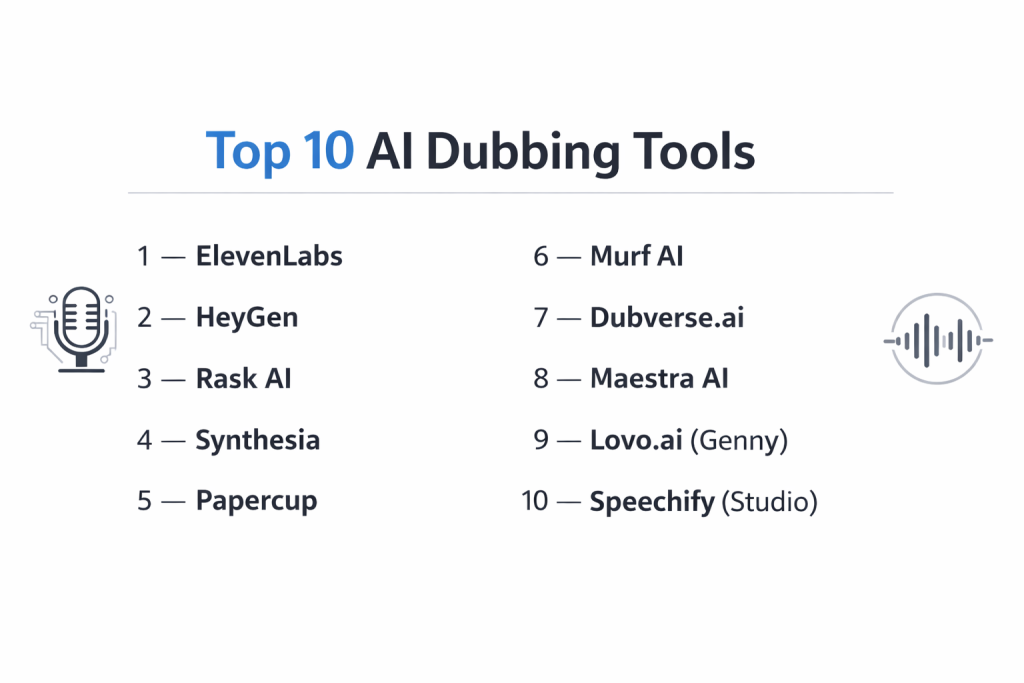
Top 10 AI Dubbing Tools
1 — ElevenLabs
ElevenLabs is widely regarded as the leader in “emotional” AI voices. While it started as a text-to-speech tool, its dedicated dubbing feature is now a powerhouse, allowing users to upload a video or link and receive a localized version that retains the original speaker’s vocal characteristics.
- Key features:
- Professional Voice Cloning that captures emotional nuance and tone.
- Support for 29+ languages with high-fidelity output.
- Automatic speaker detection and track separation.
- “Stability” and “Clarity” sliders for fine-tuning voice performance.
- Audio-to-audio translation that preserves the original delivery’s energy.
- Simplified web interface and robust developer API.
- Built-in “Voice Isolator” to remove background noise before dubbing.
- Pros:
- The most natural and “human-sounding” voices currently available on the market.
- Exceptional at maintaining the original speaker’s unique identity across languages.
- Cons:
- Does not currently offer built-in video lip-syncing (audio-only replacement).
- Higher-tier plans are required for professional commercial rights.
- Security & compliance: SOC 2 Type II, GDPR, and identity verification for voice cloning.
- Support & community: Extensive documentation, active Discord community, and priority support for “Scale” and Enterprise plans.
2 — HeyGen
HeyGen is a pioneer in the video-to-video translation space. It gained viral fame for its ability to not only translate speech but also seamlessly adjust the speaker’s lip movements to match the new language, creating an incredibly realistic “native” look.
- Key features:
- Frame-accurate AI lip-syncing for realistic video output.
- Supports 175+ languages and dialects.
- Multi-speaker detection for interviews and podcasts.
- Video-to-Video translation (upload MP4, receive translated MP4).
- Option to use AI avatars for personalized messaging.
- Interactive script editor to correct translations before rendering.
- Direct integrations with YouTube and Zapier.
- Pros:
- The best tool for talking-head videos where lip-syncing is essential for immersion.
- Very easy-to-use “one-click” workflow for video localization.
- Cons:
- Rendering high-quality lip-synced video can be time-consuming.
- Pricing is credit-based and can get expensive for long-form content.
- Security & compliance: SOC 2, GDPR, and data encryption.
- Support & community: Responsive live chat support, educational webinars, and a robust knowledge base.
3 — Rask AI
Rask AI is an all-in-one localization platform designed specifically for repurposing content. It excels at taking one long video and turning it into localized “shorts” for TikTok, Reels, and YouTube Shorts, all while handling the dubbing and lip-syncing.
- Key features:
- Supports dubbing in over 130 languages.
- VoiceClone technology available in 29+ languages.
- AI Shorts generator that finds “viral” moments and localizes them.
- Multi-speaker detection with unique voice assignment.
- Transcript editing with real-time translation previews.
- Lip-sync feature (currently in advanced beta) for front-facing subjects.
- SR T/VTT subtitle generation included.
- Pros:
- Excellent for social media managers who need to produce high volumes of localized clips.
- Very broad language support compared to many competitors.
- Cons:
- Lip-syncing is often a separate step that consumes extra credits.
- The “automated” translation occasionally struggles with complex slang.
- Security & compliance: GDPR compliant and secure cloud storage.
- Support & community: Strong presence on social media and responsive email/chat support.
4 — Synthesia
Synthesia is the market leader in AI avatars, but their recent “Video Dubbing” update has made them a major player in localization. It is designed for enterprises that want to standardize their video production and localization in a single platform.
- Key features:
- 1-Click translation of video scripts into 140+ languages.
- AI Video Dubbing that matches the original speaker’s tone.
- Integrated lip-syncing for their library of 180+ AI avatars.
- Branded video pages for sharing localized content internally.
- Collaborative review workflow for team approvals.
- Enterprise-grade security with SSO and custom authentication.
- API access for automated video generation.
- Pros:
- Perfect for companies already using Synthesia avatars for training and comms.
- One of the most stable and reliable platforms for enterprise scalability.
- Cons:
- Focuses more on “synthetic” video (avatars) than live-action film dubbing.
- Lower-tier plans have significant usage caps on video minutes.
- Security & compliance: SOC 2 Type II, ISO 27001, GDPR, and SAML SSO.
- Support & community: Dedicated account managers for enterprise and a large customer academy.
5 — Papercup
Papercup takes a unique “Human-in-the-loop” approach. It is an enterprise-focused service that uses AI to do the heavy lifting but includes a layer of human review to ensure the dubbing is 100% accurate and culturally appropriate.
- Key features:
- Hybrid AI + Human translation for maximum accuracy.
- Professional-grade audio mixing and post-production.
- Focus on high-quality storytelling for documentaries and media.
- Scalable dubbing for entire TV seasons or catalogs.
- Branded voice creation for consistent series characters.
- Detailed project management dashboard for large-scale rollouts.
- Pros:
- The highest quality control in the industry; ideal for broadcast-ready content.
- Removes the risk of embarrassing AI translation errors.
- Cons:
- Slower turnaround time than “pure” AI tools due to human review.
- Significantly higher price point targeted at media companies.
- Security & compliance: High-level enterprise compliance (SOC 2, GDPR).
- Support & community: White-glove service with dedicated project managers.
6 — Murf AI
Murf AI is a favorite among educators and corporate trainers. While it is a top-tier voiceover tool, its AI dubbing features are built for “precision,” allowing users to sync audio to video frames with millisecond accuracy.
- Key features:
- “Exact Duration” sync to ensure audio matches video length perfectly.
- Dubbing into 40+ languages with native accents.
- Automatic language detection for source videos.
- Expert linguistic review options for mission-critical content.
- Hyper-accurate lip-sync (recently announced/rolling out).
- Voice cloning that maintains brand tone across global offices.
- Large library of 120+ pre-trained voices for additional narration.
- Pros:
- Exceptional control over the “timing” of the dub, which is crucial for technical demos.
- Very high translation accuracy with context-aware AI.
- Cons:
- The UI is more “studio-focused” and can be complex for beginners.
- Free plan is limited to testing and doesn’t allow downloads.
- Security & compliance: SOC 2, GDPR, and enterprise-grade data protection.
- Support & community: 24/7 support for business users and an active user forum.
7 — Dubverse.ai
Dubverse is a lightning-fast, web-based platform that focuses on “Speed and ROI.” It is particularly popular in the Indian and Asian markets due to its extensive support for regional languages and dialects.
- Key features:
- Real-time script editor with side-by-side translation.
- Supports 60+ global and Indian regional languages.
- “Magical” automatic subtitle generation in multiple formats.
- Built-in sharing and review tools for quick feedback.
- Extensive library of 150+ human-like AI speakers.
- Voice cloning for “AI Avatars” of your own voice.
- Bulk actions for localizing entire video libraries at once.
- Pros:
- One of the fastest platforms for turn-around; 10x faster than manual dubbing.
- Excellent value for money, especially for high-volume creators.
- Cons:
- Lip-syncing quality is sometimes less “perfect” than HeyGen.
- Lacks offline capabilities; requires a stable internet connection.
- Security & compliance: GDPR compliant and secure API endpoints.
- Support & community: On-demand language experts available for QA and active support.
8 — Maestra AI
Maestra AI is an accessibility-first platform. It combines transcription, subtitling, and dubbing into one interface, making it a go-to for educators and YouTubers who need to meet strict accessibility standards while going global.
- Key features:
- Dubbing and voiceover in 100+ languages.
- Automatic lip-sync with a single click.
- Search engine optimization (SEO) through accurate transcript generation.
- Collaborative team channels with permission levels.
- Support for file durations up to 8 hours (ideal for webinars).
- Integration with YouTube, Zoom, and Drive.
- Custom dictionaries to ensure technical terms are translated correctly.
- Pros:
- The best tool for very long-form content like lectures or town halls.
- Highly intuitive text-based editing for audio changes.
- Cons:
- Pricing structure can be a bit opaque for smaller users.
- Mobile app is not as feature-rich as the desktop web version.
- Security & compliance: SAML SSO, MFA, and dedicated private instances for enterprise.
- Support & community: Priority support and dedicated account managers for premium users.
9 — Lovo.ai (Genny)
Lovo’s platform, “Genny,” is an all-in-one AI content studio. It is designed for creative professionals who want to manage the entire production—from script writing with AI to final dubbing—within a single timeline-based editor.
- Key features:
- Timeline-based video editor similar to Premiere Pro.
- 500+ realistic voices in 100+ languages.
- Neural voice cloning from just a 1-minute sample.
- AI writer for script optimization and translation.
- Automatic subtitle generation and styling.
- “Mood” controls to make voices sound happy, sad, or energetic.
- Integrated media library with royalty-free images and music.
- Pros:
- Exceptional for “creatives” who want a full editing suite, not just a converter.
- Very high emotional range in the voice models.
- Cons:
- Occasional “glitches” reported in the cloud-based timeline.
- The free plan is quite restrictive (watermarks and limited downloads).
- Security & compliance: GDPR and secure data handling.
- Support & community: Large library of video tutorials and responsive chat support.
10 — Speechify (Studio)
Speechify, famous for its text-to-speech mobile app, has launched “Speechify Studio” to tackle the video dubbing market. It leverages its massive voice library (including celebrity voices) to provide a unique “fun” take on localization.
- Key features:
- Access to 200+ voices, including high-profile celebrity clones.
- AI dubbing with instant translation into 60+ languages.
- Optical Character Recognition (OCR) to translate text inside the video.
- Mobile-first design for creators on the go.
- 1000+ voices and 13+ emotions in the “Studio” version.
- Simple “Pill” player for quick playback and review.
- High-speed narration (up to 5x) for reviewing long clips.
- Pros:
- The most accessible and “fun” interface; very low barrier to entry.
- The OCR feature is a game-changer for localizing videos with lots of text on screen.
- Cons:
- Not as “enterprise-ready” as tools like Synthesia or Papercup.
- Free tier voices can sound more robotic than the premium ones.
- Security & compliance: GDPR and standard cloud security.
- Support & community: Huge user base and strong documentation.
Comparison Table
| Tool Name | Best For | Platform(s) Supported | Standout Feature | Rating |
| ElevenLabs | Premium Realism | Web, API | Emotional Voice Cloning | 4.8/5 |
| HeyGen | Lip-Sync Quality | Web, Mobile | Frame-Perfect Lip-Sync | 4.7/5 |
| Rask AI | Social Media | Web | AI Shorts Localization | 4.6/5 |
| Synthesia | Training/Comms | Web, API | Avatar-led Localization | 4.7/5 |
| Papercup | Broadcast Media | Service-Based | Human-in-the-loop QA | N/A |
| Murf AI | Educators | Web, API | Precision Timeline Sync | 4.6/5 |
| Dubverse.ai | Regional Speed | Web | Multi-Regional Dialects | 4.5/5 |
| Maestra AI | Long-form Video | Web | 8-hour File Support | 4.5/5 |
| Lovo.ai | Creatives | Web | All-in-one Video Editor | 4.4/5 |
| Speechify | Casual Creators | Web, Mobile | In-Video Text (OCR) Translation | 4.4/5 |
Evaluation & Scoring of AI Dubbing Tools
| Criteria | Weight | ElevenLabs | HeyGen | Synthesia | Rask AI |
| Core Features | 25% | 10/10 | 10/10 | 9/10 | 10/10 |
| Ease of Use | 15% | 9/10 | 9/10 | 10/10 | 9/10 |
| Integrations | 15% | 10/10 | 8/10 | 9/10 | 8/10 |
| Security | 10% | 10/10 | 9/10 | 10/10 | 8/10 |
| Reliability | 10% | 10/10 | 9/10 | 10/10 | 8/10 |
| Support | 10% | 8/10 | 9/10 | 10/10 | 9/10 |
| Price / Value | 15% | 9/10 | 8/10 | 8/10 | 9/10 |
| Final Score | 100% | 9.4 | 9.0 | 9.3 | 8.9 |
Which AI Dubbing Tool Is Right for You?
Solo Users vs SMB vs Mid-Market vs Enterprise
If you are a solo YouTuber or TikToker, Rask AI and Speechify offer the best features for repurposing content quickly. SMBs looking to professionalize their marketing should consider HeyGen for the realistic lip-syncing. Mid-market companies often find the best balance with ElevenLabs or Lovo.ai. For true Enterprise needs where security and scale are paramount, Synthesia and Papercup are the clear leaders.
Budget-conscious vs Premium Solutions
If budget is your primary concern, Dubverse.ai and the starter plans of Speechify provide great value. You can also use the free tiers of ElevenLabs to test voice quality. However, for “premium” needs where you need broadcast-level quality, Papercup and ElevenLabs’ higher-tier “Pro” models are worth the investment for their superior audio realism.
Feature Depth vs Ease of Use
If you want a “one-click” solution that just works, HeyGen and Maestra are incredibly intuitive. If you are a power user who wants to control every inflection, timing gap, and background sound, Murf AI and Lovo.ai provide the timeline-based feature depth you need.
Integration and Scalability Needs
For developers building automated translation apps, ElevenLabs and Synthesia have the most robust APIs. If your goal is to localize 1,000 hours of video for a global streaming service, the hybrid approach of Papercup or the massive batch-processing power of AWS/Google (though not on this list as standalones) are typically required alongside tools like Synthesia.
Security and Compliance Requirements
Enterprise users must prioritize platforms with SOC 2 Type II and SAML SSO. Synthesia, ElevenLabs, and Maestra offer the most robust security frameworks, ensuring that sensitive internal corporate videos aren’t leaked or used for unauthorized training of public AI models.
Frequently Asked Questions (FAQs)
1. Is AI dubbing better than human dubbing?
It is much faster and cheaper (often 90% cheaper), but humans are still better at extreme emotional range and complex creative direction. For 95% of business content, AI is now more than sufficient.
2. Does AI dubbing include lip-syncing?
Not always. Tools like HeyGen and Rask offer it, while others like ElevenLabs focus purely on audio quality. You should choose based on whether the speaker is visible in the video.
3. Is voice cloning legal?
Yes, provided you have the permission of the speaker. Professional tools like ElevenLabs require identity verification to prevent “deepfakes” of unauthorized individuals.
4. Can I edit the translation?
Yes, almost all professional tools provide a transcript editor. This is crucial for correcting brand names or technical terms that the AI might misinterpret.
5. How long does it take to dub a 10-minute video?
With a tool like Dubverse or HeyGen, the translation and audio generation take about 5–15 minutes. High-quality lip-sync rendering may take an additional 20–30 minutes.
6. Do these tools handle background music?
Yes. Modern “voice isolation” technology allows these tools to swap the voice while keeping the original background music and sound effects intact.
7. Can AI dubbing detect multiple speakers?
Yes, tools like Rask AI and HeyGen can automatically detect different voices and assign a unique cloned voice to each speaker.
8. What file formats do they support?
Most support standard formats like MP4, MOV, and AVI for video, and MP3 or WAV for audio. Some also allow you to paste direct YouTube or Vimeo links.
9. Will viewers know it’s AI?
With the best tools (like ElevenLabs paired with HeyGen lip-sync), it is becoming nearly impossible for the average viewer to tell, especially in educational or marketing contexts.
10. What is “Human-in-the-loop”?
It’s a workflow where AI does the first draft and a human translator reviews and polishes it. Papercup is the primary provider of this high-accuracy model.
Conclusion
The era of “one video, one language” is officially over. AI dubbing tools have democratized global communication, allowing anyone from a solo creator to a Fortune 500 company to speak to the world in its native tongues. The “best” tool isn’t universal; it depends on whether you prioritize emotional realism (ElevenLabs), visual immersion (HeyGen), enterprise scale (Synthesia), or regional speed (Dubverse).
When making your choice, start by testing a short 1-minute clip on a few different platforms. Look for how well the AI handles your industry’s specific jargon and how “human” the final result feels. As we move through the rest of the year, the gap between AI and human dubbing will only continue to shrink, making these tools an indispensable part of any modern video strategy.