Introduction
Transcoding and encoding tools are the specialized software engines that make digital video watchable across the diverse landscape of modern devices. Encoding is the process of converting raw video footage into a digital format (like H.264 or HEVC) so it can be stored and transmitted efficiently. Transcoding takes an already encoded file and converts it into a different format, resolution, or bitrate. Imagine you have a massive 4K movie file; these tools allow you to shrink it down so it plays perfectly on a smartphone with a weak data connection, or change its “language” (codec) so an old smart TV can understand it.
These tools are the backbone of the streaming world. Without them, platforms like Netflix or YouTube wouldn’t work, as every viewer would need the exact same device and internet speed. In the real world, businesses use these tools to prepare training videos for mobile apps, broadcasters use them to send live feeds to satellite and web simultaneously, and filmmakers use them to create small “proxy” files for faster editing. When choosing a tool, you should evaluate the codec support (can it handle the latest formats?), processing speed, scalability (can it handle one video or a million?), and API robustness for automation.
Key Real-World Use Cases
- Adaptive Bitrate Streaming (ABS): Creating multiple versions of the same video (1080p, 720p, 480p) so a player can switch between them based on the viewer’s internet speed.
- Archive Compression: Shrinking massive raw video files into smaller, high-quality digital formats for long-term storage without losing visual detail.
- Live Event Broadcasting: Converting a high-end camera feed in real-time into a format compatible with Facebook Live, YouTube, and Twitch.
- Device Compatibility: Ensuring a video file created on a Windows PC is converted into a format that works natively on an iPad or a PlayStation.
- Automated Social Media Pipelines: Automatically resizing and re-encoding a horizontal YouTube video into a vertical format for TikTok or Instagram Reels.
Best for
- Video Engineers and Developers: Technical professionals building streaming apps or managing massive media libraries.
- Media & Entertainment Companies: Broadcasters, production houses, and OTT (Over-The-Top) streaming services.
- E-learning Providers: Organizations that need to deliver educational video content to students on various devices globally.
Not ideal for
- Casual Social Media Users: If you just want to upload a clip to Instagram, the app’s built-in tools or basic editors are sufficient.
- Text-Heavy Organizations: Businesses that rarely use video will find the technical depth and cost of these tools unnecessary.
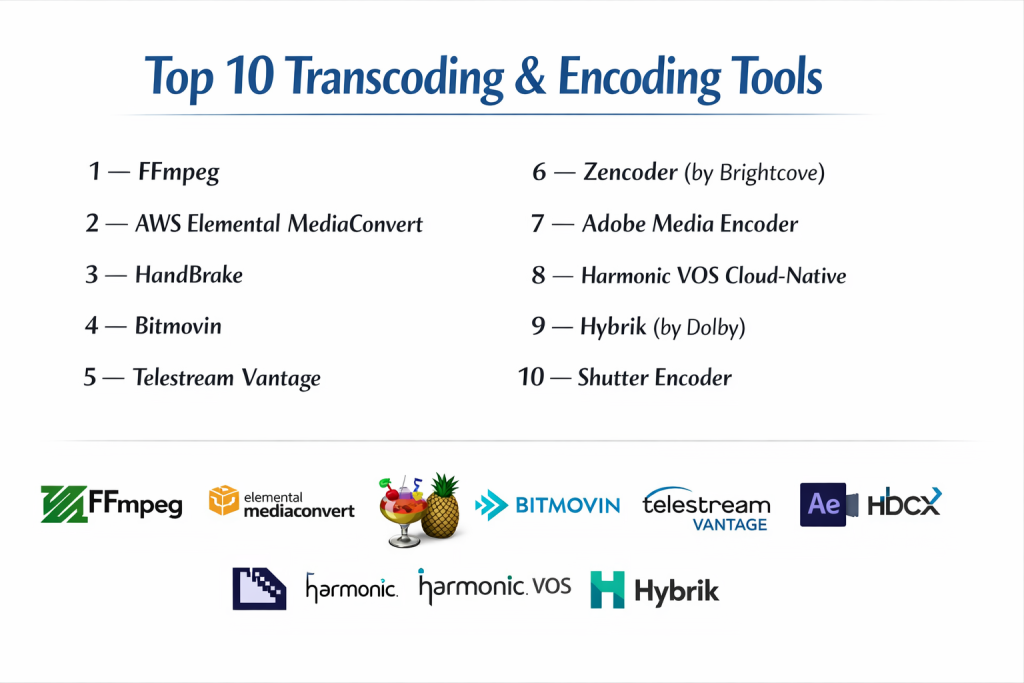
Top 10 Transcoding & Encoding Tools
1 — FFmpeg
FFmpeg is the “Swiss Army Knife” of the video world. It is a free, open-source command-line tool that serves as the engine for almost every other tool on this list. It is designed for developers and power users who need total control over every single frame of a video.
- Key features:
- Support for virtually every known video and audio codec in existence.
- Command-line interface for complex, scriptable automation.
- Ability to mux, demux, transcode, and filter streams.
- Real-time capturing and encoding from hardware devices.
- Highly optimized for performance across Windows, macOS, and Linux.
- Deep library of filters for cropping, watermarking, and color correction.
- Open-source nature allows for endless customization.
- Pros:
- Completely free and incredibly powerful; there is nothing it cannot do.
- Used by the world’s largest tech companies, ensuring it is always up to date.
- Cons:
- No graphical user interface (GUI); it requires learning command-line code.
- Very steep learning curve for non-technical users.
- Security & compliance: Open-source (security depends on implementation), GDPR compliant.
- Support & community: Massive global community, extensive documentation, and countless online tutorials.
2 — AWS Elemental MediaConvert
AWS Elemental MediaConvert is a file-based video transcoding service with tier-one features. It is designed for enterprise-scale operations that need to process vast amounts of content in the cloud without managing their own hardware servers.
- Key features:
- Pay-as-you-go pricing model based on video duration and features used.
- Support for high-end broadcast formats like 4K, HDR10, and Dolby Vision.
- Automated resource scaling to handle sudden spikes in video volume.
- Advanced audio features including Dolby Atmos and multi-language tracks.
- Deep integration with the entire AWS ecosystem (S3, CloudFront).
- Automated QC (Quality Control) and captioning capabilities.
- Sophisticated DRM (Digital Rights Management) integration.
- Pros:
- Highly reliable and scales infinitely for global media brands.
- Eliminates the need for expensive on-premise hardware.
- Cons:
- Costs can become high and difficult to predict for very large volumes.
- The AWS dashboard is complex and can be intimidating for beginners.
- Security & compliance: SOC 1/2/3, ISO 27001, HIPAA, GDPR, and FedRAMP.
- Support & community: Enterprise-grade AWS support plans and a massive library of developer guides.
3 — HandBrake
HandBrake is the most popular “consumer-friendly” transcoding tool. It provides a graphical interface over the FFmpeg engine, making it accessible to individuals, small businesses, and creative professionals who need to convert files quickly.
- Key features:
- Simple, easy-to-use interface with built-in device presets.
- Supports nearly any video format as an input.
- Ability to queue multiple encodes for batch processing.
- Chapters, subtitles, and variable framerate support.
- Video filters for deinterlacing, denoising, and scaling.
- Preview window to check quality before starting a long encode.
- Completely free and open-source.
- Pros:
- The easiest way to convert a video for a specific device (like an iPhone or Roku).
- Excellent performance for a desktop-based, free tool.
- Cons:
- Limited to a few output formats (mainly MP4, MKV, and WebM).
- Not designed for automated cloud workflows or live streaming.
- Security & compliance: Open-source, GDPR compliant.
- Support & community: Large user community, active forums, and clear documentation.
4 — Bitmovin
Bitmovin is a premium, cloud-native encoding service famous for its speed. It is designed for developers who want to provide the highest possible video quality with the lowest possible file size (bitrate) for OTT streaming services.
- Key features:
- “Per-Title Encoding” which optimizes settings for every individual video.
- Extremely fast distributed encoding (splitting one video across many servers).
- Native support for AV1, the latest high-efficiency video codec.
- Multi-DRM support for protecting premium content.
- Comprehensive Analytics to track playback quality and errors.
- API-first design for seamless integration into custom apps.
- Support for 8K and high-framerate video.
- Pros:
- Delivers significantly better visual quality at lower bitrates than standard encoders.
- The fastest cloud encoding speeds in the industry.
- Cons:
- Expensive “per-minute” or “per-gigabyte” pricing.
- Requires a developer to set up and manage the API integrations.
- Security & compliance: SOC 2 Type II, GDPR, and ISO 27001.
- Support & community: Dedicated solution engineers and high-end enterprise support.
5 — Telestream Vantage
Telestream Vantage is the “heavyweight” of the broadcast industry. It is a powerful, enterprise-grade workflow automation platform that manages transcoding alongside QC, captioning, and delivery for television and film studios.
- Key features:
- Visual workflow designer for “drag-and-drop” automation logic.
- Supports every high-end professional broadcast and mezzanine format.
- Lights-out automation for processing thousands of files daily.
- Integrated hardware acceleration for ultra-fast processing.
- Advanced metadata processing and automated file movement.
- Direct integration with professional edit systems like Avid and Adobe.
- Detailed reporting and audit logs for large-scale operations.
- Pros:
- The most robust and stable choice for high-stakes broadcast environments.
- Automates the entire journey of a video file, not just the transcoding.
- Cons:
- Extremely high entry cost; requires specialized hardware or servers.
- Very complex software that requires professional training.
- Security & compliance: SOC 2, GDPR, and rigorous enterprise audit logging.
- Support & community: Professional 24/7 support and global training programs.
6 — Zencoder (by Brightcove)
Zencoder is a cloud-based transcoding API that focuses on simplicity and developer experience. It is a favorite for startups and mid-market companies that need a reliable, scalable encoding engine without the complexity of AWS.
- Key features:
- Simple, well-documented REST API for fast integration.
- Unlimited simultaneous encodes for massive batch processing.
- Support for mobile-optimized formats and 4K video.
- Integrated “Fetch” and “Push” to cloud storage (S3, Google Cloud).
- Automated watermarking and thumbnail generation.
- High-efficiency H.264 and HEVC encoding.
- Reliable uptime and global server distribution.
- Pros:
- Very easy for a developer to set up in a single afternoon.
- Transparent pricing and high reliability for standard web video.
- Cons:
- Doesn’t support some of the ultra-high-end broadcast formats found in Vantage.
- Limited built-in “workflow” automation compared to competitors.
- Security & compliance: SOC 2, GDPR, and secure API key management.
- Support & community: Good technical documentation and responsive developer support.
7 — Adobe Media Encoder
Adobe Media Encoder is the “companion” tool for users of Premiere Pro and After Effects. It is designed for creative professionals who need to export high-quality video for various platforms while continuing to work in their design apps.
- Key features:
- Tight integration with the entire Adobe Creative Cloud suite.
- “Watch Folders” that automatically encode any file dropped into them.
- Preset browser with settings for YouTube, Facebook, and TV.
- Support for HDR, 8K, and VR/360-degree video.
- Ability to add “Time Tuner” to slightly speed up or slow down a video.
- Advanced color management and LUT (Look-Up Table) application.
- Background encoding that doesn’t slow down Premiere Pro.
- Pros:
- The perfect choice for editors who already pay for Adobe Creative Cloud.
- Extremely high-quality output with professional color accuracy.
- Cons:
- Heavy on system resources; requires a powerful PC or Mac.
- Not suitable for high-volume, automated cloud-based transcoding.
- Security & compliance: GDPR, ISO 27001, and SOC 2 (Adobe corporate).
- Support & community: Massive online tutorials, forums, and Adobe enterprise support.
8 — Harmonic VOS Cloud-Native
Harmonic is a global leader in video delivery infrastructure. Their VOS platform is designed for live broadcasters and service providers who need a single cloud environment to handle live encoding, storage, and streaming to millions of viewers.
- Key features:
- Specialized for live broadcast-to-web transcoding with low latency.
- Combined encoding and “Origin” server capabilities.
- Support for high-end HDR and UHD (4K) live feeds.
- Built-in ad insertion and content replacement for live TV.
- Massive scalability for global sporting events.
- AI-driven bitrate optimization to save on bandwidth costs.
- Comprehensive monitoring dashboard for live signal health.
- Pros:
- The gold standard for live television broadcasters moving to the web.
- Incredibly stable under the pressure of millions of concurrent viewers.
- Cons:
- Very high cost and focused exclusively on the high-end market.
- Too complex for simple “on-demand” file conversion.
- Security & compliance: SOC 2, GDPR, and broadcast-grade security protocols.
- Support & community: 24/7 mission-critical support for live broadcasters.
9 — Hybrik (by Dolby)
Hybrik, now owned by Dolby, is a massive-scale cloud transcoding platform. It is unique because it uses a “distributed” model where you pay for the software but run the encoding on your own AWS or Azure account, giving you more control over costs.
- Key features:
- Optimized for processing millions of files (used by major film studios).
- Deep integration with Dolby Vision and Dolby Atmos.
- Sophisticated Quality Control (QC) tools built into the pipeline.
- Complex logic for “conditional” transcoding (if X then do Y).
- Extreme scalability; can spin up thousands of servers for a single job.
- Detailed JSON-based API for developers.
- Support for high-end mastering formats like ProRes and IMF.
- Pros:
- Offers the lowest “per-minute” cost for companies with massive volume.
- The best tool for high-end HDR mastering and Netflix-ready delivery.
- Cons:
- Requires a high-level engineering team to manage the cloud infrastructure.
- Not designed for small or medium-sized businesses.
- Security & compliance: SOC 2, GDPR, and ISO 27001.
- Support & community: Enterprise-only support with high-touch consulting.
10 — Shutter Encoder
Shutter Encoder is the “new favorite” for professional editors. It is a free tool built on FFmpeg (like HandBrake) but offers much more “professional” features like ProRes encoding and color space conversion that editors need.
- Key features:
- Support for professional codecs like Apple ProRes, DNxHR, and GoPro CineForm.
- “Rewrap” feature to change file containers without re-encoding (no quality loss).
- Built-in image and audio editing tools.
- Burn-in subtitles and timecode features.
- Web-video presets alongside professional mastering settings.
- Completely free with no ads or limitations.
- Regular updates based on community feedback.
- Pros:
- Provides professional broadcast features that HandBrake lacks.
- Completely free and works on Windows, macOS, and Linux.
- Cons:
- The interface is functional but can look a bit cluttered.
- No cloud-based automation for web developers.
- Security & compliance: Open-source, GDPR compliant.
- Support & community: Highly active developer on Reddit and video forums.
Comparison Table
| Tool Name | Best For | Platform(s) Supported | Standout Feature | Rating |
| FFmpeg | Developers | Linux, Win, Mac | Command-line versatility | N/A |
| AWS MediaConvert | Enterprise Cloud | Web (AWS) | Massive Cloud Scaling | 4.6/5 |
| HandBrake | Individual Users | Win, Mac, Linux | Easy Device Presets | 4.8/5 |
| Bitmovin | OTT Streaming | Web (API) | Ultra-Fast AV1 Encoding | 4.7/5 |
| Telestream Vantage | Broadcasters | Windows Server | Workflow Automation | 4.5/5 |
| Zencoder | Startups / SMB | Web (API) | Simple REST API | 4.4/5 |
| Adobe Media Enc. | Creative Pros | Win, Mac | Creative Cloud Sync | 4.7/5 |
| Harmonic VOS | Live TV / Sports | Web / Hybrid | Live Broadcast Stability | 4.5/5 |
| Hybrik | Studio Mastering | Web (API) | Dolby Vision / Atmos | N/A |
| Shutter Encoder | Video Editors | Win, Mac, Linux | Pro-Codec Support | 4.9/5 |
Evaluation & Scoring of Transcoding & Encoding Tools
| Criteria | Weight | AWS MediaConvert | Bitmovin | Adobe Media Enc. | HandBrake |
| Core Features | 25% | 10/10 | 10/10 | 9/10 | 7/10 |
| Ease of Use | 15% | 6/10 | 7/10 | 10/10 | 10/10 |
| Integrations | 15% | 10/10 | 9/10 | 10/10 | 5/10 |
| Security | 10% | 10/10 | 10/10 | 10/10 | 8/10 |
| Performance | 10% | 10/10 | 10/10 | 8/10 | 8/10 |
| Support | 10% | 9/10 | 9/10 | 9/10 | 8/10 |
| Price / Value | 15% | 8/10 | 7/10 | 8/10 | 10/10 |
| Final Score | 100% | 8.8 | 8.7 | 9.1 | 8.1 |
Which Transcoding & Encoding Tool Is Right for You?
Solo Users vs SMB vs Mid-Market vs Enterprise
If you are a solo user or a small business with basic video needs, HandBrake or Shutter Encoder are all you need. They are free and run on your desktop. Mid-market companies that need to automate their website video should look at Zencoder or Bitmovin. Large enterprises and broadcasters require the heavy-duty power of AWS Elemental, Telestream Vantage, or Harmonic to manage global content delivery and live signals.
Budget-conscious vs Premium Solutions
If budget is your only concern, FFmpeg, HandBrake, and Shutter Encoder are professional-grade tools that cost exactly zero dollars. On the premium end, Bitmovin and AWS charge for the speed and visual quality they provide, which can save you money on bandwidth costs in the long run by making your video files smaller without losing quality.
Feature Depth vs Ease of Use
If you want to just click a button and have a video ready for YouTube, Adobe Media Encoder and HandBrake are the winners for ease of use. If you need “feature depth”—meaning you want to script complex logic, handle high-end HDR mastering, or manage thousands of live streams—you must move into the technical world of FFmpeg, Vantage, or Hybrik.
Integration and Scalability Needs
For developers building a custom app, Bitmovin and Zencoder offer the best API experiences. For companies that already store all their data in the Amazon cloud, AWS Elemental MediaConvert is the logical choice because the data never has to leave the network, saving you on “egress” fees and increasing security.
Security and Compliance Requirements
If you are working in healthcare, government, or high-end film production, security is non-negotiable. AWS, Harmonic, and Telestream provide the most rigorous compliance certifications (HIPAA, FedRAMP, SOC 2). For film studios, Hybrik and Vantage are essential because they integrate with high-end DRM systems to prevent piracy.
Frequently Asked Questions (FAQs)
1. What is the difference between H.264 and H.265 (HEVC)?
H.265 is a newer codec that is about 50% more efficient than H.264. This means you can have the same video quality at half the file size, but it takes more “brain power” (CPU) to encode and decode.
2. Why should I transcode my videos?
Transcoding ensures that your video can be played on any device, regardless of its age or internet speed. It also allows you to shrink massive camera files into a format suitable for the web.
3. What is “Adaptive Bitrate Streaming”?
It is a technique where the player chooses from several different versions of a video (1080p, 720p, etc.) and switches between them in real-time as your internet connection fluctuates.
4. Can I transcode for free?
Yes. HandBrake and Shutter Encoder are free, open-source, and extremely powerful. Most users do not need to pay for transcoding software unless they need massive cloud automation.
5. What is an API and why do developers use it for video?
An API allows a website’s code to talk directly to a transcoding service. This allows a site to automatically process a video the moment a user uploads it, without a human ever touching it.
6. Does transcoding reduce video quality?
Technically, yes, every time you “re-encode” a video, you lose a tiny bit of data. However, high-end tools like Bitmovin or Adobe use advanced math to make this loss invisible to the human eye.
7. How long does transcoding take?
It depends on the length of the video and your hardware. A cloud service like Bitmovin can transcode a two-hour movie in minutes by splitting it across hundreds of servers.
8. What is “Hardware Acceleration”?
It is when the software uses your computer’s Graphics Card (GPU) instead of the main Processor (CPU) to do the work. This is usually much faster and is supported by tools like Adobe and Shutter Encoder.
9. What is a “Container” (like MP4 or MKV)?
A container is like a box that holds the video, audio, and subtitles. The “Codec” is the way the video inside the box is compressed.
10. Can I transcode live video?
Yes, but you need specialized “Live Encoders” like Harmonic or AWS Elemental MediaLive. Standard desktop tools like HandBrake are for “File-to-File” conversion only.
Conclusion
In the modern world, video is the most powerful way to communicate, but it is also the most technically complex. Transcoding and encoding tools are the essential translators that bridge the gap between a high-end camera and a viewer’s smartphone. Whether you are a solo creator using HandBrake to shrink a file for a client, an editor using Adobe Media Encoder to hit a deadline, or a developer using Bitmovin to launch a global streaming service, the “best” tool is the one that fits your specific volume and technical skill level.
As video quality continues to push toward 8K and HDR, these tools will only become more important. The key to success is finding a balance: you want the highest possible quality at the lowest possible bitrate, delivered with total reliability. By choosing one of the top 10 tools on this list, you can ensure that your content is always accessible, beautiful, and ready for any screen in the world.