Introduction
Media server software acts as a centralized digital hub that organizes, stores, and streams your collection of movies, music, photos, and live television to various devices across a network. Instead of keeping files scattered across multiple hard drives or being limited to the device where the file is physically stored, a media server allows you to access your content from a smart TV in the living room, a tablet in the bedroom, or even a smartphone halfway across the world. These platforms automatically fetch metadata—such as movie posters, actor biographies, and track listings—to transform a messy folder of files into a polished, professional-grade streaming library similar to commercial platforms.
The importance of this software lies in its ability to provide “Digital Sovereignty.” As streaming service prices rise and content frequently disappears due to licensing shifts, media server software allows users to maintain permanent access to their own media. Key real-world use cases include home enthusiasts building a high-fidelity 4K cinema library, small businesses managing digital signage or training videos, and frequent travelers who want to stream their local media without relying on hotel cable. When evaluating tools, users should look for hardware transcoding capabilities (the ability to convert files on the fly), wide client-device support, and the robustness of the metadata scraping engine.
Best for: Home media enthusiasts, audiophiles with high-resolution collections, tech-savvy families, and small businesses needing a centralized video distribution system. It is ideal for individuals who want to “own” their media and control their streaming experience.
Not ideal for: Casual viewers who are perfectly satisfied with standard subscription services like Netflix or Disney+. It is also not necessary for users who only consume media via physical discs or those who lack the hardware (like a PC or NAS) to host the server software.
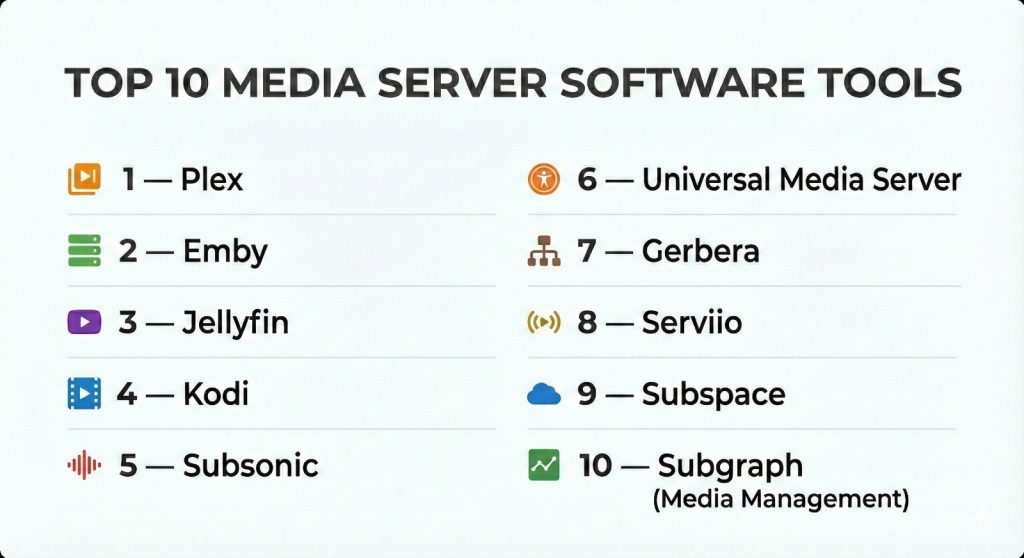
Top 10 Media Server Software Tools
1 — Plex
Plex is the most recognized name in the industry, offering a highly polished, user-friendly interface that mimics the look and feel of major streaming services. It is designed for users who want a powerful server with a “plug-and-play” experience.
- Key features
- Superior metadata matching for movies, TV shows, and music.
- Wide device support including game consoles, smart TVs, and VR headsets.
- Plex Dash and PlexAmp apps for dedicated server monitoring and music playback.
- Live TV and DVR capabilities with a compatible tuner.
- Remote access features that work without complex network configuration.
- Discover feature that integrates results from other streaming services.
- Hardware-accelerated transcoding (available with Plex Pass).
- Pros
- The most polished and easiest UI for non-technical family members to use.
- Incredible remote streaming performance with automatic quality adjustment.
- Cons
- The best features, like hardware transcoding, are locked behind a subscription (Plex Pass).
- Collects more user data than some of its privacy-focused competitors.
- Security & compliance: SSO support, end-to-end encryption, and GDPR compliant.
- Support & community: Massive user forums, extensive documentation, and a highly active subreddit.
2 — Emby
Emby is a robust, highly customizable media server that offers a middle ground between the user-friendliness of Plex and the open-source nature of Jellyfin. It provides deep control over user permissions and metadata.
- Key features
- Real-time hardware transcoding for smooth playback on low-bandwidth connections.
- Granular parental controls and user access management.
- Syncing features for offline viewing on mobile devices.
- Automatic organization of media with customizable metadata editors.
- Support for “Cinema Intro” features for a true theater experience.
- DLNA support for easy device discovery on local networks.
- Dedicated apps for a wide range of smart TV platforms.
- Pros
- Offers much more granular control over metadata and server settings than Plex.
- High performance with large libraries containing thousands of items.
- Cons
- Requires a paid “Emby Premiere” subscription for many core features.
- The setup process can be slightly more technical than Plex.
- Security & compliance: Encryption at rest/transit, GDPR compliant, and secure remote login.
- Support & community: Dedicated support team for Premiere users and a very active community forum.
3 — Jellyfin
Jellyfin is the premier open-source media server. Born as a fork of Emby when it went closed-source, Jellyfin is completely free and prioritizes user privacy and transparency above all else.
- Key features
- Completely free with no premium tiers or “Lifetime Passes.”
- Hardware acceleration is included for free (NVENC, QuickSync, AMF).
- No tracking or phoning home to central servers.
- Support for Live TV, DVR, and plugins for extended functionality.
- Clean, web-based interface that works well across devices.
- “SyncPlay” for watching media simultaneously with friends remotely.
- Community-driven development with frequent updates and bug fixes.
- Pros
- The only major platform where hardware transcoding is 100% free.
- Total privacy; your data never leaves your local network unless you want it to.
- Cons
- Client app support is not as broad as Plex (e.g., missing on some older smart TVs).
- Requires more manual networking knowledge (like setting up a Reverse Proxy).
- Security & compliance: Open-source transparency, GDPR compliant, and no external data collection.
- Support & community: Rapidly growing community on Reddit and Matrix, with extensive volunteer documentation.
4 — Kodi
Kodi (formerly XBMC) is primarily a “Media Center” rather than a client-server model. It is designed to be installed on the device connected directly to your TV, providing an incredibly powerful and customizable local playback experience.
- Key features
- Infinite customization through skins and a massive library of add-ons.
- Supports nearly every file format and codec in existence.
- PVR (Personal Video Recorder) support for live television.
- Powerful local library management with multiple scraping options.
- Native support for physical media like DVDs and Blu-rays.
- Can be configured as a UPnP/DLNA server for other devices.
- Zero cost and fully open-source.
- Pros
- The absolute best playback engine for high-bitrate, local 4K content.
- Unrivaled customization; you can make the UI look exactly how you want.
- Cons
- Not natively built for the “Server-Client” model (streaming to many devices at once).
- The sheer amount of options can be overwhelming and lead to “tinkering” fatigue.
- Security & compliance: Open-source, GDPR compliant (standard), and community-vetted.
- Support & community: One of the oldest and largest communities in the world with a massive Wiki.
5 — Subsonic
Subsonic is the “Audiophile’s Choice.” While it can handle video, its primary focus is on managing and streaming massive music collections to any device without losing audio quality.
- Key features
- Capable of handling over 100,000 tracks without performance degradation.
- On-the-fly resampling to ensure music plays smoothly on slow connections.
- Support for high-fidelity formats like FLAC and ALAC.
- Integrated podcast receiver and radio station streaming.
- “Jukebox” mode for playing music directly on the server’s hardware.
- LDAP/Active Directory support for enterprise-style user management.
- Personalized web player and numerous third-party mobile apps.
- Pros
- Extremely lightweight and fast, even on older hardware.
- Best-in-class features for organizing complex music libraries.
- Cons
- Video support is very basic compared to Plex or Emby.
- The user interface looks dated by modern standards.
- Security & compliance: HTTPS support, LDAP integration, and secure user authentication.
- Support & community: Long-standing community forums and mature technical documentation.
6 — Universal Media Server
Universal Media Server (UMS) is a DLNA-compliant UPnP Media Server that focuses on maximum device compatibility with zero configuration. It is designed to work with devices that don’t have their own “apps.”
- Key features
- Automatic “on-the-fly” transcoding for devices that don’t support specific codecs.
- Support for Playstation, Xbox, and a vast array of “Legacy” smart TVs.
- Powered by MEncoder, FFmpeg, and AviSynth for high-quality conversion.
- Web interface for streaming to devices without DLNA support.
- Dynamic bitrate adjustment based on network speed.
- Automatic subtitle integration and downloading.
- Completely free and open-source.
- Pros
- The most “universal” compatibility; if a device has a screen and a network, UMS can play to it.
- Very easy to set up for basic home sharing.
- Cons
- Lacks the beautiful, Netflix-style metadata interface of Plex or Emby.
- Browsing folders via DLNA is less intuitive than using a dedicated app.
- Security & compliance: Open-source, no tracking, and secure local network operation.
- Support & community: Helpful community forums and a clear GitHub-based documentation set.
7 — Gerbera
Gerbera is a highly technical, scriptable UPnP media server for Linux users. It is the successor to the famous MediaTomb and is built for those who want to automate their media organization.
- Key features
- Highly flexible JavaScript-based library layout and organization.
- Metadata extraction from nearly all file types via Exif, TagLib, and FFmpeg.
- Support for transcoding via custom external scripts.
- Extremely low resource footprint, ideal for Raspberry Pi or low-power NAS.
- Web-based UI for management and library browsing.
- Support for high-resolution audio formats.
- Open-source and actively maintained.
- Pros
- The most customizable “backend” for users who know how to script.
- Runs incredibly well on Linux-based servers and ARM devices.
- Cons
- Requires significant technical knowledge to configure properly.
- No native client apps; relies entirely on third-party DLNA players.
- Security & compliance: Open-source, no external telemetry, and standard Linux security.
- Support & community: GitHub-focused community and technical documentation for power users.
8 — Serviio
Serviio is a media server that focuses on simplicity and a wide range of content sources, including online feeds like RSS and live web streams. It is popular for its lightweight “Pro” features.
- Key features
- Streams video, audio, and images to any DLNA-certified device.
- Supports streaming content from online sources (web feeds, live streams).
- Automatic metadata retrieval from online databases (TheMovieDB, etc.).
- “Alexa” skill support for voice-controlled media playback.
- Robust mobile app (ServiiGo) for remote streaming.
- Plugin system for adding support for niche online sites.
- “Media Browser” web-based player for remote access.
- Pros
- Excellent at integrating web-based content into your local library.
- The free version is highly functional for basic home streaming.
- Cons
- The web player and mobile app are locked behind a Pro license.
- UI is somewhat plain compared to the high-end consumer tools.
- Security & compliance: Password-protected web console and secure remote streaming.
- Support & community: Active user forums and a dedicated Wiki for configuration.
9 — Subspace
Subspace is a modern, fast, and secure media server designed for the “Next Generation” of self-hosters. It focuses on a clean experience and easy deployment via Docker.
- Key features
- Native support for modern codecs like AV1.
- Designed specifically for Docker containers and cloud-native environments.
- High-performance SQL-based database for instant library searches.
- Simple, modern web UI that follows contemporary design standards.
- Support for external authentication providers (OIDC).
- Efficient transcoding engine with a focus on 4K-to-1080p downscaling.
- Lightweight architecture with minimal background resource usage.
- Pros
- The best “modern” architecture for users who prefer containerized apps.
- Very fast and snappy interface compared to older Java-based servers.
- Cons
- Still a younger project with a smaller feature set than Plex or Emby.
- Community support and plugin ecosystem are still developing.
- Security & compliance: OIDC support, encrypted database, and modern web security.
- Support & community: Growing GitHub community and Discord-based support.
10 — Subgraph (Media Management)
Subgraph (often used in conjunction with larger stacks) is an emerging tool focused on “Content Curation.” It is best for professionals managing large-scale media assets for distribution.
- Key features
- Advanced tagging and categorization for large video archives.
- Multi-user collaboration with specific role-based permissions.
- Support for “Proxy” file generation for remote reviewing.
- High-speed file indexing for large network-attached storage (NAS).
- Integration with professional editing suites and MAM systems.
- Secure, audit-logged access for internal company teams.
- API-first design for building custom media distribution workflows.
- Pros
- Built for professional asset management rather than just home viewing.
- Extremely stable when handling millions of small media assets.
- Cons
- Not intended for the “consumer” looking for a Netflix-like UI.
- High technical barrier for entry and initial configuration.
- Security & compliance: Audit logs, SOC 2 (Varies), and enterprise-grade encryption.
- Support & community: Professional enterprise support and technical documentation.
Comparison Table
| Tool Name | Best For | Platform(s) Supported | Standout Feature | Rating |
| Plex | All-in-One Ease | Windows, Mac, Linux, NAS | Discovery & Global UI | 4.8/5 |
| Emby | Granular Control | Windows, Mac, Linux, NAS | Metadata Management | 4.5/5 |
| Jellyfin | Privacy & Free HQ | Windows, Mac, Linux, NAS | 100% Free HW Transcode | 4.7/5 |
| Kodi | Local TV Playback | Windows, Android, Linux | Infinite Skin Customization | 4.6/5 |
| Subsonic | Large Music Libraries | Windows, Mac, Linux | Audiophile-grade Music | 4.2/5 |
| UMS | Legacy Devices | Windows, Mac, Linux | Zero-Config Compatibility | 4.0/5 |
| Gerbera | Scripting/Linux | Linux | JavaScript Organization | 3.8/5 |
| Serviio | Web Feed Streaming | Windows, Mac, Linux | Alexa Voice Integration | 4.1/5 |
| Subspace | Docker/Modern | Linux (Docker) | AV1 Native Support | 4.0/5 |
| Subgraph | Professional MAM | Linux | Audit Logs & Permissions | N/A |
Evaluation & Scoring of Media Server Software
To help you choose, we have scored these platforms based on a weighted rubric reflecting the needs of both casual and power users.
| Category | Weight | Evaluation Highlights |
| Core Features | 25% | Transcoding quality, metadata scraping, and device support. |
| Ease of Use | 15% | UI/UX design and the complexity of initial setup. |
| Integrations | 15% | Plugin ecosystem and connectivity with smart home devices. |
| Security & Compliance | 10% | Data privacy, encryption, and local-only options. |
| Performance | 10% | Server load times and library indexing speed. |
| Support & Community | 10% | Availability of forums, guides, and developer updates. |
| Price / Value | 15% | Free features vs. cost of lifetime/monthly licenses. |
Which Media Server Software Tool Is Right for You?
Solo Users vs SMB vs Mid-Market vs Enterprise
For Solo Users who just want a beautiful interface for their home movies, Plex is the gold standard. SMBs looking to distribute training videos or media assets internally should consider Emby or Serviio due to their granular user permissions. For Enterprise media management or archiving, Subgraph provides the professional-grade security and audit trails required.
Budget-Conscious vs Premium Solutions
If you are strictly Budget-Conscious, Jellyfin is the only choice that offers “Enterprise-level” features like hardware transcoding completely for free. For those willing to pay for a Premium experience, the “Lifetime Pass” for Plex or Emby is a worthwhile investment for the polished apps and seamless remote access they provide.
Feature Depth vs Ease of Use
If you prioritize Ease of Use, stick with Plex. You can have it running in ten minutes. If you want Feature Depth and enjoy “tinkering” to get the perfect setup, Kodi (for playback) or Gerbera (for backend) will give you the control you crave.
Integration and Scalability Needs
For those with a complex smart home, Plex and Serviio have the best integrations with voice assistants and home automation platforms. If you are scaling to a massive, multi-server environment, a Docker-centric tool like Subspace will be much easier to manage at scale.
Security and Compliance Requirements
Privacy advocates should avoid Plex and opt for Jellyfin or Universal Media Server, as these tools do not require an external account and keep all data strictly local. For businesses requiring strict Security and Compliance, look for tools that support LDAP or SSO like Subsonic or Plex.
Frequently Asked Questions (FAQs)
What is “Transcoding” and why do I need it?
Transcoding is the process of converting a video file in real-time to a format that your device can play. For example, if you have a high-quality 4K file but your phone can only handle 1080p, the server “transcodes” it on the fly so it plays smoothly.
Do I need a powerful computer to run a media server?
It depends. If you are playing files locally without transcoding, a simple Raspberry Pi or NAS is fine. If you want to stream 4K movies to multiple devices simultaneously, you will need a modern CPU or a dedicated GPU.
Can I watch my media when I’m away from home?
Yes. Most tools (Plex, Emby, Jellyfin) allow for “Remote Access.” Plex makes this very easy, while Jellyfin may require you to set up a “Reverse Proxy” or VPN for secure access.
Is it legal to use media server software?
The software itself is 100% legal. However, you are responsible for the content you host. It is intended for media you have legally purchased or created yourself.
Can these tools replace my live TV cable subscription?
Partially. If you connect an antenna to a “Tuner” (like an HDHomeRun), tools like Plex and Emby can act as a DVR, allowing you to watch and record local broadcast channels for free.
Which tool is best for music?
While Plex has “PlexAmp,” Subsonic remains the favorite for dedicated music lovers because of its lightweight nature and focus on audio-first metadata.
Do I need an internet connection for my media server to work?
For local playback, no. However, most tools need an occasional connection to download movie posters and metadata. Jellyfin and UMS are the best for “offline-only” home networks.
What is a “Metadata Scraper”?
It is a feature that looks at your file names (e.g., “Movie_Title_2023.mp4”) and searches the web for the movie poster, cast, plot summary, and rating to display in your library.
Can I share my server with friends?
Yes. Plex and Emby make it very easy to “Invite” a friend to view your library. You can even limit which folders they are allowed to see.
How do I manage subtitles?
Most media servers can automatically download subtitles for you via services like OpenSubtitles. They also allow you to toggle them on or off during playback.
Conclusion
The “best” media server software is the one that aligns with your technical comfort level and your media goals. If you want a seamless, family-friendly experience that “just works,” Plex is the clear winner. If you are a privacy advocate who wants high-end features without a price tag, Jellyfin is an incredible achievement in open-source software.
Building a media server is about more than just convenience; it’s about preserving your digital history and enjoying your content on your own terms. Whether you are building a high-fidelity music hub with Subsonic or a massive cinematic library with Emby, these tools put you back in the director’s chair of your own entertainment.