Introduction
Outbound email sequencing tools are specialized software platforms that allow sales and marketing teams to send a series of personalized emails to potential customers over a set period. Instead of sending a single email and hoping for the best, these tools automate the follow-up process. If a person does not reply to the first email, the software automatically sends a second one three days later, then perhaps a third one a week after that. This is called a “sequence” or a “cadence,” and it continues until the person either replies, books a meeting, or unsubscribes.
These tools are incredibly important because most sales happen during the follow-up, but most human beings forget to follow up more than once or twice. By using an outbound email sequencing tool, businesses can ensure that no lead is ever dropped. These platforms also help with “deliverability,” which is a technical way of saying they make sure your emails actually land in the person’s inbox instead of the spam folder. When choosing a tool, you should look for things like ease of use, how well it connects to your current email provider, and the quality of the data reporting it offers.
Key Real-World Use Cases
- Cold Outreach to New Prospects: Sending personalized introductory messages to people who have never heard of your company to generate new business.
- Event Follow-up: Automatically emailing everyone who visited your booth at a trade show or attended your webinar to turn them into sales leads.
- Re-engaging Old Leads: Setting up a sequence to “check in” with customers who talked to you six months ago but never ended up buying anything.
- Recruiting Talent: Human resources teams use these sequences to reach out to potential job candidates and schedule interviews.
- Managing Multi-Channel Sales: Some tools allow you to mix emails with LinkedIn messages and phone calls within the same automated sequence.
Best for
- Sales Development Representatives (SDRs): People whose entire job is to book meetings and find new opportunities.
- B2B Startups: Small teams that need to look bigger and more professional by automating their communication.
- Agency Owners: Marketing or recruiting agencies that need to reach out to hundreds of potential clients every month.
Not ideal for
- Newsletter Senders: If you want to send a pretty, graphic-heavy email to 10,000 people at once, you need an email marketing tool (like Mailchimp) rather than a sequencing tool.
- Customer Support: For answering incoming questions, a “help desk” tool is much better than an outbound sequencing platform.
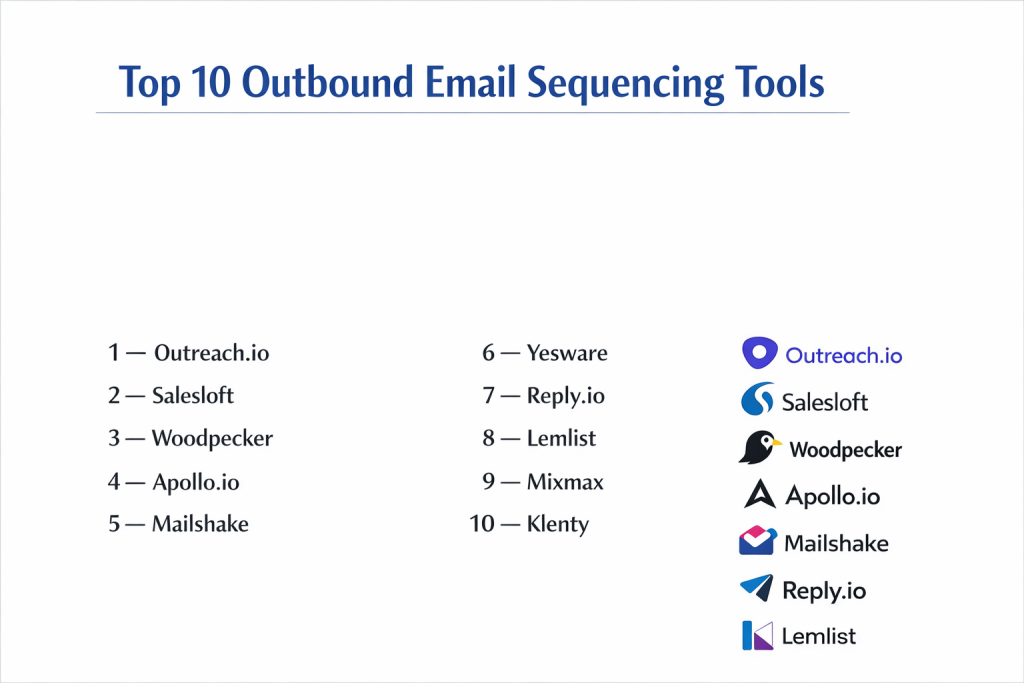
Top 10 Outbound Email Sequencing Tools
1 — Outreach.io
Outreach is widely considered the “heavyweight” champion of the sales execution world. It is a massive platform designed for large, sophisticated sales teams that need to manage thousands of conversations across many different channels. It doesn’t just send emails; it helps manage the entire sales process from start to finish.
- Key features:
- Highly advanced automated email sequences with A/B testing.
- Integrated power dialer for making phone calls within the app.
- “Outreach Kaia,” an AI assistant that joins meetings to take notes.
- Deep task management to tell reps exactly what to do each day.
- Advanced sentiment analysis to see if replies are positive or negative.
- Strong focus on “Commit,” helping managers predict sales revenue.
- Pros:
- Incredible power and customization for very large teams.
- Provides the best reporting in the industry to see exactly what is working.
- Cons:
- It is very expensive and usually requires a year-long contract.
- Can be very difficult to learn and set up for the first time.
- Security & compliance: SOC 2 Type II, GDPR, CCPA, and ISO 27001 compliant.
- Support & community: Dedicated account managers for enterprise and a massive library of training materials.
2 — Salesloft
Salesloft is the primary competitor to Outreach and focuses heavily on the “user experience.” It is built to make the lives of sales reps easier by giving them a clean, simple place to work. It is very popular with modern tech companies that want a balance between power and ease of use.
- Key features:
- “Cadence” builder that easily organizes emails, calls, and social steps.
- Real-time notifications when someone opens an email or clicks a link.
- Integrated LinkedIn Sales Navigator tasks.
- AI-driven “Rhythm” feature that prioritizes the most important tasks.
- Personalized video messaging integration.
- Detailed “Deal Intelligence” to track the health of a sale.
- Pros:
- The interface is much friendlier and easier to navigate than Outreach.
- Excellent mobile app for managing sequences on the go.
- Cons:
- Still carries a high price tag that might be too much for tiny teams.
- Some of the reporting is not quite as deep as its biggest rivals.
- Security & compliance: SOC 2 Type II, GDPR, and Privacy Shield.
- Support & community: Known for having a very helpful customer success team and a strong user conference.
3 — Woodpecker
Woodpecker is a tool built specifically for small to mid-sized businesses that focus on “cold email.” It is famous for its simplicity and its focus on making sure your emails actually get delivered to the inbox without getting blocked by Google or Microsoft.
- Key features:
- Automatic “warm-up” for your email account to build a good reputation.
- Simple, intuitive sequence builder for follow-ups.
- Detection of “out-of-office” replies so it doesn’t count them as a response.
- Easy team collaboration features to avoid emailing the same person twice.
- Conditional logic (if “X” happens, then do “Y”).
- Strict focus on security and “human-like” sending patterns.
- Pros:
- Very affordable pricing with no long-term contracts.
- The “warm-up” tool is one of the best for protecting your email account.
- Cons:
- It does not have built-in phone calling or social media steps.
- Not designed for giant enterprises with thousands of employees.
- Security & compliance: GDPR compliant and follows strict data protection rules.
- Support & community: Great blog with advice on how to write better emails and responsive email support.
4 — Apollo.io
Apollo is a unique tool because it combines a giant database of 250 million contacts with a powerful sequencing tool. This means you can find someone’s email and put them into a sequence all in the same app. It is a “one-stop-shop” for sales teams on a budget.
- Key features:
- Search for prospects by job title, company size, and location.
- Automated email sequences with unlimited steps.
- Built-in “dialer” for making calls directly from the browser.
- LinkedIn automation tasks to help you connect with people.
- AI-powered writing assistant to help you draft your emails.
- Rule engine to automate data cleaning and lead routing.
- Pros:
- Amazing value because you don’t have to pay for a separate data provider.
- Very fast to set up; you can start sending emails in minutes.
- Cons:
- Because it does everything, some features aren’t as deep as specialized tools.
- The database can sometimes have old or incorrect email addresses.
- Security & compliance: SOC 2 Type II and GDPR compliant.
- Support & community: Large user community and plenty of video tutorials.
5 — Mailshake
Mailshake is a favorite for marketers and founders who want to send cold emails without a complicated setup. It is very focused on the “basics” and doing them very well. It is often used for lead generation, link building, and PR outreach.
- Key features:
- “Lead Catcher” to manage all your replies in one simple inbox.
- A/B testing to see which subject lines get more opens.
- Integration with thousands of apps via Zapier.
- Built-in phone dialer for premium plans.
- Email “copy analyzer” that warns you if your email looks like spam.
- List cleaning tool to remove bad emails before you send.
- Pros:
- Very clean and modern interface that anyone can use.
- Excellent training called “Cold Email Academy” included for free.
- Cons:
- The CRM integrations are not as deep as Outreach or Salesloft.
- Phone dialer is only available on the more expensive plans.
- Security & compliance: Varies / GDPR compliant for basic usage.
- Support & community: High-quality email support and a very famous blog for cold emailers.
6 — Yesware
Yesware is a tool that lives directly inside your Gmail or Outlook inbox. It is designed for sales reps who don’t want to log into a separate website to manage their work. It adds a “layer” of power to the email you already use every day.
- Key features:
- Email tracking (know exactly when someone opens your message).
- Personalized templates that can be inserted with one click.
- Campaign sequencing for automated follow-ups.
- Meeting scheduler link (similar to Calendly).
- Integration with Salesforce for logging activities.
- Reporting on which templates are performing the best.
- Pros:
- No new software to learn; it just works inside your current email.
- Very low cost compared to “all-in-one” sales platforms.
- Cons:
- Not as powerful for managing very high volumes of cold outreach.
- Lacks advanced features like “deal intelligence” or “revenue coaching.”
- Security & compliance: SOC 2 Type II compliant and very secure.
- Support & community: Strong help center and reliable customer support team.
7 — Reply.io
Reply is a multi-channel platform that focuses heavily on using AI to make your emails feel more personal. It is great for teams that want to use email, LinkedIn, WhatsApp, and SMS all in the same sequence to get a response.
- Key features:
- AI “Sequence Generator” that writes your emails for you.
- LinkedIn automation for connecting and messaging prospects.
- Email health checkup to make sure you aren’t being marked as spam.
- Cloud-based dialer for calling prospects globally.
- “Jason AI,” a personal assistant to help book meetings.
- Very detailed team dashboards for managers.
- Pros:
- Excellent for multi-channel outreach beyond just email.
- The AI features are very modern and save a lot of time.
- Cons:
- Pricing can get expensive as you add more channels.
- The interface has many buttons and can feel a little cluttered.
- Security & compliance: GDPR compliant and SOC 2 ready.
- Support & community: Known for having a very fast and friendly live chat support team.
8 — Lemlist
Lemlist became famous for one specific thing: “Image Personalization.” It allows you to automatically put a prospect’s name or company logo onto a picture inside an email (like their name on a coffee cup). This makes emails feel very human and unique.
- Key features:
- Dynamic image and video personalization.
- “Lemwarm” tool to safely warm up your email account.
- Multi-channel sequences including LinkedIn and phone.
- Community-driven templates from top sales experts.
- Very strong deliverability features to avoid the spam folder.
- Easy team collaboration and lead management.
- Pros:
- The best tool for making your emails stand out visually.
- Very strong “community” of users who share what is working.
- Cons:
- The interface can be a bit quirky and take time to get used to.
- Can be more expensive than basic tools like Woodpecker.
- Security & compliance: GDPR compliant.
- Support & community: Very active Facebook group and great educational content.
9 — Mixmax
Like Yesware, Mixmax is an extension for Gmail, but it is much more powerful. It focuses on making your emails interactive. Instead of just text, you can put polls, calendars, and “one-click” buttons inside your emails to make it easier for people to reply.
- Key features:
- In-email polls and surveys to get quick answers.
- Direct “one-click” meeting scheduling within the email.
- Automated sequences with rule-based triggers.
- Side-chat feature for teams to discuss an email before sending it.
- Powerful “Rules” engine for automating your CRM.
- Email tracking and attachment tracking.
- Pros:
- Makes the “replying” process much easier for your prospects.
- Integrates perfectly with Gmail and Salesforce.
- Cons:
- Only works with Gmail (not Outlook).
- Some of the best features are only on the highest-priced plans.
- Security & compliance: SOC 2 Type II and GDPR compliant.
- Support & community: Good technical support and a very clear knowledge base.
10 — Klenty
Klenty is a sales engagement tool that focuses on “predictable” growth. It is designed to help teams send high volumes of emails while still keeping them personalized. It is often used by companies that use Hubspot, Zoho, or Pipedrive.
- Key features:
- Deep “tight-knit” integration with most popular CRMs.
- Intent-based sequences (if they click a link, move them to a new list).
- “Playbooks” to automate repetitive sales tasks.
- Multi-channel outreach (Email, LinkedIn, Calls).
- Personalized video integrations via Hippo Video.
- Detailed “A/B testing” for every step of the sequence.
- Pros:
- Very reliable and scales well as your team grows.
- Great value for teams that need multi-channel features without Outreach prices.
- Cons:
- Does not have its own database of contacts (you must bring your own).
- The reporting is good but not as “visual” as some other tools.
- Security & compliance: SOC 2 Type II and GDPR compliant.
- Support & community: Excellent onboarding and high-touch customer support.
Comparison Table
| Tool Name | Best For | Platform(s) Supported | Standout Feature | Rating |
| Outreach.io | Enterprise Teams | Web, Mobile | Revenue Intelligence AI | 4.4/5 |
| Salesloft | Mid-Market Sales | Web, Mobile | “Rhythm” AI Priority | 4.5/5 |
| Woodpecker | Small Business Cold Email | Web | Best Account Warm-up | 4.6/5 |
| Apollo.io | Data + Sequencing | Web, Extension | Built-in Contact Database | 4.8/5 |
| Mailshake | Content Marketing / PR | Web | Email Copy Analyzer | 4.7/5 |
| Yesware | Simple Inbox Users | Gmail, Outlook | Works inside your Inbox | 4.4/5 |
| Reply.io | AI Multi-channel | Web, Extension | Jason AI Assistant | 4.5/5 |
| Lemlist | Creative Personalization | Web | Dynamic Image Editing | 4.3/5 |
| Mixmax | Interactive Emails | Gmail | In-Email Polls/Surveys | 4.6/5 |
| Klenty | CRM-heavy Teams | Web | Intent-based triggers | 4.5/5 |
Evaluation & Scoring of Outbound Email Sequencing Tools
| Criteria | Weight | Apollo.io | Outreach.io | Woodpecker | Klenty |
| Core Features | 25% | 10/10 | 10/10 | 7/10 | 9/10 |
| Ease of Use | 15% | 9/10 | 6/10 | 10/10 | 9/10 |
| Integrations | 15% | 8/10 | 10/10 | 8/10 | 10/10 |
| Security | 10% | 10/10 | 10/10 | 9/10 | 10/10 |
| Reliability | 10% | 8/10 | 9/10 | 10/10 | 9/10 |
| Support | 10% | 8/10 | 10/10 | 9/10 | 9/10 |
| Price / Value | 15% | 10/10 | 5/10 | 10/10 | 8/10 |
| Final Score | 100% | 9.0 | 8.1 | 8.8 | 9.0 |
Which Outbound Email Sequencing Tool Is Right for You?
Solo Users vs SMB vs Mid-Market vs Enterprise
If you are a solo founder or a one-person sales team, Woodpecker or Mailshake are your best friends because they are easy to use and don’t cost much. For small to mid-sized businesses that are growing fast, Apollo.io or Klenty offer the best balance. If you are part of a massive company with hundreds of sales reps and a complex process, you really need the power of Outreach or Salesloft to keep everything organized.
Budget-conscious vs Premium Solutions
For those on a tight budget, Apollo.io is the clear winner because it includes the names and emails of people you want to reach out to for one low price. If you already have your own list of leads and just want a simple tool, Yesware is very affordable. On the premium side, Reply.io and Lemlist cost more but give you advanced AI and image tools that can help you get more replies.
Feature Depth vs Ease of Use
If you want a tool with every single button and feature imaginable, Outreach is the winner, but be prepared for a long learning curve. If you want a tool that “just works” and is very simple to understand, Woodpecker is the best choice. Mixmax is also very easy to use because it stays right inside your Gmail inbox.
Integration and Scalability Needs
If your business “lives” in a CRM like Salesforce, you need a tool with a perfect integration. Klenty and Salesloft are famous for how well they talk to other software. If you plan on hiring 50 new reps next year, you should pick a tool that can grow with you, like Outreach.
Security and Compliance Requirements
Every tool on this list takes security seriously. However, if you are in a highly regulated industry like banking or healthcare, you should look for “SOC 2 Type II” compliance. Outreach, Salesloft, and Mixmax are top-tier in this category. For European companies, Woodpecker and Cognism (often used with these tools) are very strict about GDPR.
Frequently Asked Questions (FAQs)
1. Is “sequencing” the same as “spamming”?
No. Spamming is sending irrelevant mail to people who didn’t ask for it. Sequencing is sending personalized, relevant messages to professional prospects to solve a specific problem.
2. Can these tools get my email account banned?
If you send too many emails too fast, yes. However, tools like Woodpecker and Lemlist have “warm-up” and “throttling” features to make sure your account stays safe.
3. Do I need to buy a separate list of emails?
Some tools, like Apollo.io, have a database included. For others, like Woodpecker or Mailshake, you must find your own leads and upload them as a CSV file.
4. How many emails should be in a sequence?
Most experts suggest a sequence of 5 to 7 emails. Sending just one email is usually not enough to get a response from a busy professional.
5. What is “A/B testing”?
It means sending two different versions of an email to see which one works better. For example, you might try two different subject lines to see which one gets more opens.
6. Will these tools work with Outlook?
Most of them do, but some (like Mixmax) are built specifically for Gmail. Always check the “Supported Platforms” before you sign up.
7. Can I personalize each email automatically?
Yes. You use “tags” like {{First_Name}} or {{Company}}. The tool will automatically pull the right name for every person on your list.
8. What is a “warm-up” tool?
It is a feature that sends small amounts of email back and forth to other users to “prove” to Google and Outlook that you are a real person, not a bot.
9. How do I know if someone replied?
The sequencing tool will automatically stop the emails for that person as soon as it detects a reply, so you don’t accidentally keep “nudging” someone who has already answered.
10. Do these tools handle unsubscribes?
Yes. Every tool has a way to include an “Unsubscribe” link, which is a legal requirement in many parts of the world.
Conclusion
In conclusion, outbound email sequencing tools are no longer just an “extra” for sales teams—they are a necessity. Whether you are a solo founder trying to find your first ten customers or a large enterprise managing a global sales force, there is a tool on this list that fits your needs.
The “best” tool isn’t always the one with the most features; it’s the one that your team will actually use every day. If you are just starting out, prioritize deliverability and ease of use with a tool like Woodpecker or Apollo. If you are looking to scale a large team, look towards Outreach or Salesloft. By automating your follow-ups and personalizing your outreach, you can build a more predictable and successful sales engine for your business.