Introduction
Data enrichment APIs are specialized sets of digital instructions that allow a computer program to talk to a giant database of professional and company information. Imagine you have a customer’s email address, but you don’t know their job title, the size of their company, or which city they live in. A data enrichment API takes that one piece of information (the email) and automatically finds all those other missing details for you. It is like having a super-fast researcher who fills in the blanks on your customer list in less than a second.
This technology is important because having incomplete data makes it very hard to sell or market effectively. If you know exactly who your customers are, you can send them messages that actually matter to them. In the real world, businesses use these APIs to keep their sales records updated, to check if a new signup is a real person or a bot, and to help sales teams decide which leads are worth calling first. When choosing an API, you should look at how accurate the data is, how fast the system responds, how much it costs per “hit,” and whether it follows privacy laws like GDPR.
Key Real-World Use Cases
- Automatic Lead Scoring: When someone signs up for a newsletter, the API immediately finds their company size. If they work for a huge corporation, the system alerts a sales rep right away.
- Cleaning Old Databases: A company might have thousands of records from five years ago. An API can scan them all and update job titles for people who have been promoted or moved to new companies.
- Shortening Web Forms: Instead of asking a user to type in ten different things, a website can just ask for an email. The API then fills in the company name, industry, and location in the background.
- Fraud Prevention: E-commerce sites use enrichment to see if an email address is connected to real social media profiles, helping them spot fake accounts.
Best for
- B2B Marketing and Sales Teams: These tools are perfect for people who need to know everything about a business prospect before they reach out.
- Software Developers: Teams building apps that need real-time data about users or companies.
- Data Scientists: Professionals who need to add “context” to large sets of data for better analysis.
Not ideal for
- Local Small Businesses: A neighborhood coffee shop probably doesn’t need a high-tech API to know who their customers are.
- B2C Companies with Privacy-First Models: If your business model relies on knowing as little as possible about your users for privacy reasons, these tools are not for you.
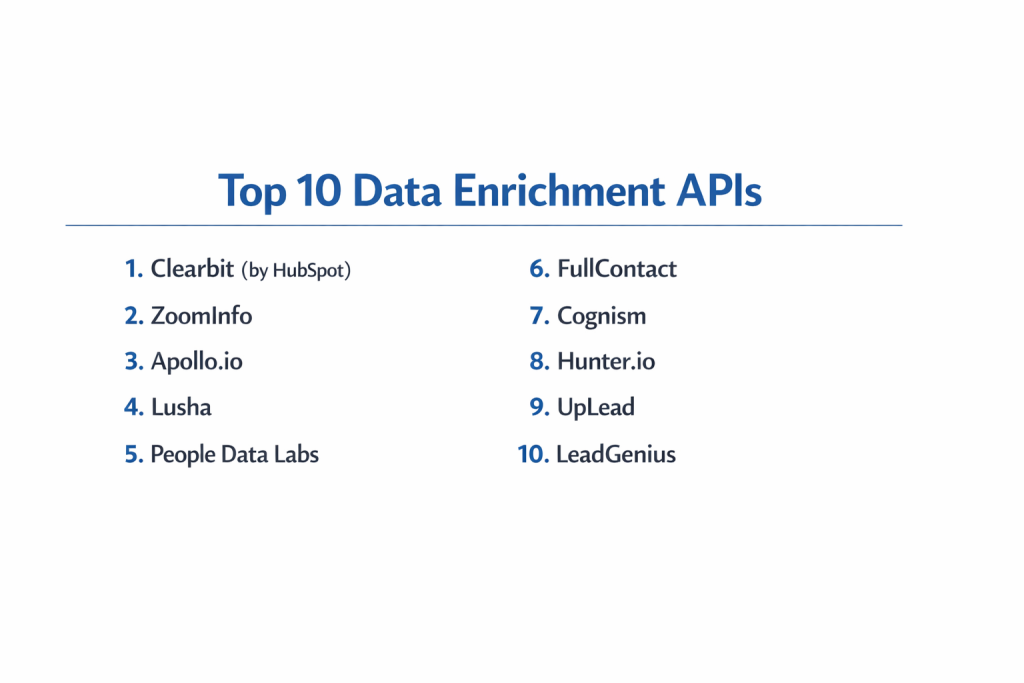
Top 10 Data Enrichment APIs
1 — Clearbit (by HubSpot)
Clearbit is one of the most famous names in the data enrichment world. It is designed to turn a simple email address or domain name into a full profile with over 100 different data points. It is now part of the HubSpot family, making it a powerhouse for marketing teams.
- Key features:
- Real-time enrichment that updates the moment a lead is captured.
- Deep “Firmographic” data including company revenue and tech stack.
- Prospector tool to find new contacts at specific companies.
- Browser extension for quick lookups while surfing the web.
- Intent signals that show which companies are visiting your website.
- Precise mapping of person-to-company relationships.
- Pros:
- Extremely high data accuracy for North American companies.
- Very easy for developers to integrate into existing websites.
- Cons:
- It can be quite expensive for small businesses.
- Data coverage in Europe and Asia is not as strong as in the US.
- Security & compliance: SOC 2 Type II, GDPR, and CCPA compliant.
- Support & community: Excellent documentation and a very large community of marketing operations users.
2 — ZoomInfo
ZoomInfo is a massive platform that owns one of the world’s largest databases of business professional information. Their API is built for high-scale enterprise teams who need the most detailed phone numbers and email addresses available.
- Key features:
- Direct-dial phone numbers and verified work email addresses.
- Detailed company hierarchies (who reports to whom).
- Scoops feature that alerts you to company news and leadership changes.
- Workflows that automatically push data into your CRM.
- Tech-stack tracking to see what software a company uses.
- High-frequency updates to keep data fresh.
- Pros:
- Unmatched depth of contact information, especially phone numbers.
- Very powerful for “outbound” sales teams who need to make calls.
- Cons:
- The pricing is often hidden and can be very high.
- The API can be more complex to set up than simpler competitors.
- Security & compliance: ISO 27001 certified, GDPR and CCPA compliant.
- Support & community: Dedicated account managers and 24/7 technical support for enterprise users.
3 — Apollo.io
Apollo is a fast-growing platform that combines a giant database with sales engagement tools. Its API is popular because it offers a lot of data at a much lower price point than some of the older giants in the industry.
- Key features:
- Massive database of over 250 million contacts.
- Advanced filtering for specific job roles and industries.
- Email verification built directly into the enrichment process.
- Automated sequences that can start as soon as a record is enriched.
- LinkedIn integration for finding social profiles.
- High rate limits for companies that need to process lots of data.
- Pros:
- Great value for the money, especially for startups.
- The search filters are very intuitive and powerful.
- Cons:
- The data quality can sometimes be “hit or miss” compared to premium tools.
- The interface can feel a bit crowded with too many features.
- Security & compliance: SOC 2 Type II and GDPR compliant.
- Support & community: Large online knowledge base and active user community on social media.
4 — Lusha
Lusha started as a simple browser extension and has grown into a powerful API provider. It is known for being very straightforward and focusing on getting you the right phone number for a person quickly.
- Key features:
- High-accuracy mobile phone number enrichment.
- Simple API that only requires a few lines of code.
- “Credit-based” system that lets you pay only for what you use.
- List cleaning services to fix old spreadsheets.
- Integration with major CRMs like Salesforce and Pipedrive.
- Easy-to-use dashboard for managing your API usage.
- Pros:
- Very easy to get started—you can be up and running in minutes.
- Higher accuracy for mobile numbers than many other tools.
- Cons:
- Does not provide as much “company-level” data as Clearbit.
- Can get expensive if you are enriching thousands of leads daily.
- Security & compliance: ISO 27001 and GDPR compliant.
- Support & community: Good email support and clear, simple API documentation.
5 — People Data Labs
People Data Labs (PDL) is a “data-first” company. They don’t have a fancy sales app; instead, they focus entirely on providing the best possible API for developers and data scientists who need to build their own tools.
- Key features:
- Over 3 billion unique person profiles.
- Resume and education history data.
- Skills and interests enrichment.
- Social media link aggregation (LinkedIn, GitHub, etc.).
- “Likelihood to move” scores for recruiting purposes.
- Extremely flexible API that allows for very specific queries.
- Pros:
- The best choice for developers building custom software.
- Massive scale that covers almost every professional in the world.
- Cons:
- It is a “technical” tool, so non-developers will find it hard to use.
- You have to build your own interface to see the data.
- Security & compliance: SOC 2 Type II and GDPR compliant.
- Support & community: Excellent technical documentation and direct access to engineers.
6 — FullContact
FullContact focuses on “identity resolution.” This means they are experts at taking different pieces of data from different places and figuring out that they all belong to the same person.
- Key features:
- Mapping multiple email addresses to a single person.
- Social media profile enrichment across many platforms.
- Personal and professional data blending.
- Privacy-safe “hashing” for secure data sharing.
- Real-time updates as people change jobs or locations.
- Strong focus on customer relationship management.
- Pros:
- Excellent at cleaning up “messy” data where one person has many records.
- Strong focus on ethical data use and privacy.
- Cons:
- Not as focused on “B2B sales” as tools like ZoomInfo.
- The pricing structure can be a bit confusing for new users.
- Security & compliance: SOC 2 Type II and highly focused on privacy-first technology.
- Support & community: High-touch support for enterprise partnerships.
7 — Cognism
Cognism is a leader in international data enrichment, particularly in Europe. If your business needs to find customers in the UK, Germany, or France, this is often the best API to choose.
- Key features:
- “Diamond Verified” mobile numbers (called manually to check accuracy).
- Heavy focus on GDPR compliance for European outreach.
- Intent data that shows what European companies are searching for.
- Seamless integration with European-focused marketing tools.
- Language-specific data points for better local targeting.
- Clean, modern API architecture.
- Pros:
- The best data accuracy for European markets.
- Verified phone numbers mean fewer “dead ends” for sales teams.
- Cons:
- North American data is good but not as deep as ZoomInfo.
- Higher price point due to the manual verification of data.
- Security & compliance: Very strict GDPR compliance and ISO 27001.
- Support & community: Excellent localized support in multiple time zones.
8 — Hunter.io
Hunter is famous for being the best tool for finding and verifying professional email addresses. Their API is very simple, fast, and used by millions of people who just need a way to reach out.
- Key features:
- Domain search to find all emails at a specific company.
- Email verifier to check if an address will “bounce.”
- “Email Finder” that guesses the right address based on a name.
- Source tracking (it shows you where on the web it found the email).
- Simple “bulk” tasks for processing large lists at once.
- Clean API that is very friendly to beginner coders.
- Pros:
- Very affordable and has a generous free plan.
- Extremely fast and reliable for email-specific tasks.
- Cons:
- Only provides email data; no phone numbers or deep company stats.
- Not a “full” enrichment tool like the others on this list.
- Security & compliance: GDPR compliant.
- Support & community: Very helpful blog and quick email-based support.
9 — UpLead
UpLead is often called the “cleaner” version of ZoomInfo. They pride themselves on having a “95% accuracy guarantee.” Their API is built for sales teams who are tired of dealing with bad data.
- Key features:
- Real-time email verification as you download data.
- Over 50 search filters to find the perfect customer.
- “Technographics” to see what software companies are using.
- Mobile phone number enrichment for direct outreach.
- Easy “point and click” API builder for non-technical users.
- Targeted lead lists that can be exported instantly.
- Pros:
- Very high data accuracy; you don’t waste money on bad leads.
- User interface is one of the cleanest in the industry.
- Cons:
- The database is smaller than giants like Apollo or ZoomInfo.
- Can be expensive if you need a very high volume of data.
- Security & compliance: SOC 2 and GDPR compliant.
- Support & community: Known for very friendly and helpful customer service.
10 — LeadGenius
LeadGenius is a bit different because they use a mix of AI and “human researchers.” Their API is for companies that need very specific data that a machine might miss—like finding out who specifically handles “sustainability” at a company.
- Key features:
- Custom data points researched by real people.
- International coverage in hard-to-reach markets.
- B2B data tailored to your specific “ideal customer.”
- Deep insights into vertical industries.
- Automated enrichment combined with human double-checks.
- Strategic consulting on how to use the data.
- Pros:
- The most accurate data possible for very niche industries.
- Can find data that automated tools simply cannot see.
- Cons:
- Slower than purely automated APIs because of the human element.
- Much more expensive than “self-service” tools.
- Security & compliance: SOC 2 and GDPR compliant.
- Support & community: High-level enterprise support with dedicated data strategists.
Comparison Table
| Tool Name | Best For | Platform(s) Supported | Standout Feature | Rating |
| Clearbit | Marketing Teams | Web, API | HubSpot Integration | 4.6/5 |
| ZoomInfo | Enterprise Sales | Web, API | Huge Contact Database | 4.4/5 |
| Apollo.io | Startups / SMBs | Web, API | Value for Money | 4.8/5 |
| Lusha | Quick Lookups | Web, API, Extension | Mobile Phone Accuracy | 4.3/5 |
| People Data Labs | Developers | API Only | 3 Billion+ Profiles | N/A |
| FullContact | Identity Cleanup | Web, API | Identity Resolution | 4.0/5 |
| Cognism | European Markets | Web, API | Verified European Data | 4.7/5 |
| Hunter.io | Email Finding | Web, API | Email Verification Speed | 4.5/5 |
| UpLead | Accurate Leads | Web, API | 95% Accuracy Guarantee | 4.7/5 |
| LeadGenius | Niche Industries | Web, API | Human-Verified Data | 4.2/5 |
Evaluation & Scoring of Data Enrichment APIs
| Criteria | Weight | Apollo.io | Clearbit | ZoomInfo | Hunter.io |
| Core Features | 25% | 9/10 | 10/10 | 10/10 | 6/10 |
| Ease of Use | 15% | 9/10 | 9/10 | 7/10 | 10/10 |
| Integrations | 15% | 10/10 | 10/10 | 9/10 | 8/10 |
| Security | 10% | 9/10 | 10/10 | 10/10 | 9/10 |
| Reliability | 10% | 8/10 | 9/10 | 9/10 | 10/10 |
| Support | 10% | 8/10 | 9/10 | 10/10 | 9/10 |
| Price / Value | 15% | 10/10 | 7/10 | 6/10 | 10/10 |
| Final Score | 100% | 9.0 | 9.1 | 8.6 | 8.4 |
Which Data Enrichment API Tool Is Right for You?
Solo Users vs SMB vs Mid-Market vs Enterprise
If you are working by yourself or have a tiny team, Hunter.io or the free version of Apollo.io are the best places to start. They don’t require big contracts. Mid-market companies usually find Lusha or UpLead to be the right size. For massive enterprises that need to feed data into a giant Salesforce system for hundreds of reps, ZoomInfo or Clearbit are the standard choices.
Budget-Conscious vs Premium Solutions
If you are watching every penny, Apollo.io gives you the most records for the least amount of money. However, remember that you often get what you pay for. Premium solutions like Cognism or LeadGenius cost much more, but because their data is verified by people, your sales team won’t waste time calling numbers that don’t work.
Feature Depth vs Ease of Use
Developers who want to build something from scratch should choose People Data Labs because it is a “pure” API with no distractions. If you aren’t a coder and just want to upload a CSV file and get back a better one, UpLead or Lusha have very simple buttons that make the process easy for anyone.
Integration and Scalability Needs
If your whole company runs on HubSpot, Clearbit is the natural choice because they are owned by the same company. If you need an API that can handle millions of requests a day without crashing, People Data Labs or FullContact are built specifically for that kind of high-speed technical work.
Security and Compliance Requirements
If you are doing business in Europe, you must be very careful about GDPR. Cognism is widely considered the safest choice for European data. For US-based companies that need high security, most of the tools on this list are SOC 2 compliant, but always ask for their latest audit report before you buy.
Frequently Asked Questions (FAQs)
1. What exactly is a “Data Enrichment API”?
It is a tool that allows your software to automatically fetch extra details about a person or company (like their job title or revenue) using just a single piece of info like an email address.
2. Is using these APIs legal?
Yes, as long as the provider collects data legally and you use it following laws like GDPR (Europe) and CCPA (California). Most reputable tools only use “publicly available” professional data.
3. How much do these tools cost?
Some are free for a few searches, while enterprise plans can cost $10,000 or more per year. Most use a “credit” system where one enrichment equals one credit.
4. Can I use these for personal emails like @gmail.com?
Most of these tools focus on “B2B” (business) data. While some can enrich personal emails, they are much better at finding info for work emails like name@company.com.
5. How accurate is the data?
No tool is 100% perfect. Good tools usually have 80% to 95% accuracy. Data changes fast because people change jobs every day.
6. Do I need to be a programmer to use an API?
Technically yes, but many of these companies (like UpLead or Lusha) offer “no-code” versions where you can just use their website instead of writing code.
7. What is “Firmographic” data?
This is data about a company rather than a person. It includes things like the company’s size, where their headquarters is, how much money they make, and what industry they are in.
8. What is “Technographic” data?
This shows you what technology a company uses. For example, it can tell you if a company uses Shopify for their website or Slack for their internal chat.
9. Can these tools find mobile phone numbers?
Yes, tools like Lusha, Cognism, and ZoomInfo are very good at finding direct mobile numbers for business professionals.
10. What happens if the API can’t find a match?
Usually, you are not charged a “credit” if the tool can’t find any information. The API will simply send back an empty result.
Conclusion
In the end, choosing the right data enrichment API comes down to what you value most: is it the price, the accuracy, or the specific part of the world you are targeting? If you want an all-around great tool for marketing, Clearbit is hard to beat. If you need the most accurate phone numbers for a sales team, ZoomInfo or UpLead are the top contenders. For those building their own custom apps, People Data Labs provides the raw power you need.
The most important thing to remember is that data is always changing. The “best” tool is the one that stays updated and provides you with information you can actually use to grow your business. Instead of picking the biggest name, think about your specific needs—like whether you need European data or if you only need email addresses. By choosing the right partner, you can turn a messy database into a powerful engine for your company’s success.