Introduction
Chatbot builder platforms are specialized software environments that allow businesses and individuals to design, deploy, and manage conversational AI agents. These platforms range from simple “drag-and-drop” visual editors for basic rule-based bots to highly advanced systems powered by Large Language Models (LLMs) and Natural Language Understanding (NLU). The primary goal of these platforms is to automate communication between a brand and its audience, providing 24/7 assistance without the constant need for human intervention. By using these tools, a company can create a “virtual employee” that lives on their website, WhatsApp, Facebook Messenger, or mobile app to handle repetitive tasks.
The importance of chatbot builders has grown significantly as customer expectations for instant service have risen. Real-world use cases include e-commerce stores automating order tracking and returns, real estate agencies pre-qualifying leads at 3 AM, and HR departments providing instant answers to common employee questions about benefits. When evaluating a platform, users should look for its ability to handle “intent” (understanding what a user actually wants), the quality of its “no-code” builder, and how easily it connects to existing databases like a CRM or helpdesk. As AI technology evolves, the focus has shifted from “button-clicking” bots to intelligent agents that can have natural, fluid conversations.
Best for: Customer support managers, marketing teams, and small business owners looking to scale their communication. They are ideal for industries with high inquiry volumes, such as e-commerce, banking, hospitality, and healthcare, where speed and consistency are vital.
Not ideal for: Organizations that deal with extremely sensitive, high-stakes emotional counseling or highly nuanced legal negotiations where a human touch is legally or ethically required. It may also be overkill for a person with a very low-traffic personal blog.
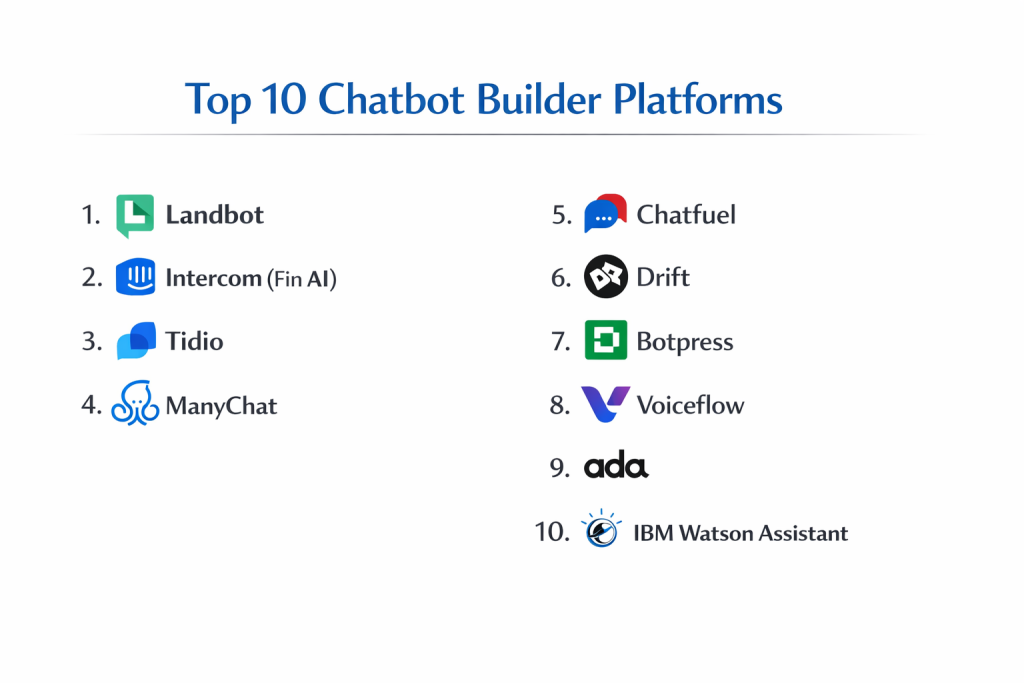
Top 10 Chatbot Builder Platforms
1 — Landbot
Landbot is a leader in the “no-code” chatbot space, famous for its unique approach of turning a website landing page into a full-screen conversational experience. It is designed for marketers who want to build highly visual, lead-generating bots without touching a single line of code.
- Key features
- Drag-and-drop visual interface for building complex conversation flows.
- Multi-channel deployment including WhatsApp, Web, and Facebook Messenger.
- Bricks and Templates for fast-tracking the building process.
- Native integrations with Zapier, Slack, and Google Sheets.
- Human-in-the-loop feature for seamless handoffs to live agents.
- Conditional logic to personalize the path based on user answers.
- Built-in analytics to track drop-off points in the conversation.
- Pros
- The most intuitive visual builder on the market; anyone can use it.
- Excellent for lead generation due to its engaging, full-page formats.
- Cons
- Not as advanced in “Natural Language Processing” (NLP) as AI-first platforms.
- The advanced features are locked behind relatively high pricing tiers.
- Security & compliance: GDPR compliant, SOC 2 Type II, and uses end-to-end encryption.
- Support & community: Great documentation, active Slack community, and responsive customer support for paid plans.
2 — Intercom (Fin AI)
Intercom has evolved from a simple chat widget into a powerful AI-driven platform. Its newest addition, “Fin,” is a chatbot powered by OpenAI’s technology that can answer customer questions based on your existing help center articles with incredible accuracy.
- Key features
- Fin AI agent that uses Large Language Models to provide human-like answers.
- Integrated Help Desk and Messenger in one unified ecosystem.
- Advanced segmentation to target different bots to different user types.
- “Series” builder for multi-channel messaging and onboarding flows.
- Automated triage that categorizes and routes conversations.
- Multi-language support that translates conversations in real-time.
- Custom Bots for proactive lead generation and qualification.
- Pros
- The AI (Fin) requires almost zero configuration—it learns from your docs.
- Provides a truly professional, “native” feel to your website.
- Cons
- Pricing is complex and can become very expensive as you scale.
- Some users find the interface overwhelming due to the sheer number of features.
- Security & compliance: SOC 2 Type II, ISO 27001, HIPAA ready, and GDPR compliant.
- Support & community: Massive “Intercom Academy,” world-class help docs, and a huge global user base.
3 — Tidio
Tidio is a lightweight but powerful platform specifically built for small to medium-sized e-commerce businesses. It combines live chat, AI chatbots (Lyro), and ticketing to help Shopify and WordPress owners boost their sales and support.
- Key features
- Lyro AI, a conversational AI that answers questions based on website content.
- Seamless Shopify integration for checking order status in the chat.
- Visual chatbot editor with dozens of e-commerce templates.
- Multi-channel inbox for managing Instagram, Messenger, and Live Chat.
- Live typing preview, allowing agents to see what users are typing before they hit send.
- Mobile app for managing conversations on the go.
- Abandoned cart bot to recover lost sales automatically.
- Pros
- The Shopify integration is one of the best in the industry.
- Very easy to set up for people with no technical background.
- Cons
- The AI “quota” (number of AI responses) is quite limited on lower plans.
- Customization of the chat widget’s design is more limited than competitors.
- Security & compliance: GDPR compliant and uses secure SSL encryption.
- Support & community: 24/5 live chat support and a very helpful “Tidio Academy.”
4 — ManyChat
ManyChat is the world’s most popular platform for “Chat Marketing.” It is designed primarily for Instagram, Facebook Messenger, and WhatsApp, focusing on helping influencers and businesses automate their social media sales.
- Key features
- Flow Builder for visual mapping of automated social media sequences.
- Automatic “Comment-to-Bot” triggers for Instagram and Facebook.
- Integration with Instagram DMs for automated story replies.
- CRM-lite features for tagging and segmenting social media leads.
- Support for sending coupons, files, and images through chat.
- SMS and Email integration to follow up with users outside of social media.
- Direct payment processing within the chat interface.
- Pros
- The absolute gold standard for Instagram and Facebook automation.
- Incredibly effective for social media marketers running ad campaigns.
- Cons
- Very focused on social media; not the best choice for a professional website bot.
- Subject to the changing API rules of Meta (Facebook/Instagram).
- Security & compliance: GDPR compliant and follows Meta’s strict data privacy policies.
- Support & community: Massive Facebook community (100k+ members) and extensive video training.
5 — Chatfuel
Chatfuel is another powerhouse in the Meta ecosystem but has recently expanded to include robust WhatsApp and website solutions. It is designed for businesses that want a balance between high-volume customer service and aggressive marketing automation.
- Key features
- Advanced WhatsApp Business API integration.
- AI-powered responses using OpenAI (ChatGPT) technology.
- Lead capture tools that sync directly with Google Sheets or CRMs.
- Segmented broadcasting for sending news or promotions to specific groups.
- Abandoned cart and re-engagement flows for e-commerce.
- Team inbox for multiple agents to collaborate on chats.
- Simple “click-to-build” interface that requires no coding.
- Pros
- Very stable and reliable for high-volume WhatsApp communication.
- Easy to integrate ChatGPT into your bot for more natural conversations.
- Cons
- The transition between the “old” builder and “new” AI builder can be confusing.
- Analytics could be more detailed for complex marketing campaigns.
- Security & compliance: GDPR compliant and SOC 2 Type II compliant.
- Support & community: Strong documentation and a dedicated community for bot builders.
6 — Drift
Drift is a premium “Conversational Marketing” platform designed for B2B companies. It isn’t just a chatbot; it is a system designed to identify high-value visitors on your site and connect them instantly with the right sales representative.
- Key features
- Custom “Playbooks” for different visitor types (e.g., returning customers).
- Integration with Salesforce, Marketo, and 6sense for account-based marketing.
- AI Chatbots that can book meetings directly onto sales reps’ calendars.
- Real-time notifications for sales reps when their target accounts are on the site.
- Video messaging features to add a personal touch to automated flows.
- Enterprise-grade reporting on pipeline and revenue generated.
- Audience intelligence to see which companies are visiting your site.
- Pros
- The best tool for B2B sales teams looking to increase their pipeline.
- Focuses on ROI and revenue, not just “answering questions.”
- Cons
- One of the most expensive tools on this list; not for small businesses.
- Requires a significant amount of “strategy” and time to set up correctly.
- Security & compliance: SOC 2 Type II, ISO 27001, and GDPR compliant.
- Support & community: “Drift Insider” training platform and dedicated success managers.
7 — Botpress
Botpress is an “Open Source” or “Low-Code” platform designed for developers and tech-savvy teams. It is built to be the “WordPress of Chatbots,” offering a powerful visual editor combined with the ability to write custom code for complex logic.
- Key features
- Generative AI capabilities that allow the bot to “know” your whole database.
- Visual Flow Editor with “Node” based logic.
- Ability to host on-premise for companies with extreme security needs.
- “Personality” settings to change the tone and style of the bot.
- Advanced NLU (Natural Language Understanding) in 100+ languages.
- Cloud-based builder for fast deployment or self-hosted for control.
- Extensive API for connecting to literally any software.
- Pros
- Offers nearly infinite flexibility; if you can code it, you can build it.
- Very cost-effective for high-volume developers.
- Cons
- Has a much steeper learning curve than Landbot or Tidio.
- Requires a developer or technical person to get the most out of it.
- Security & compliance: GDPR, SOC 2, and allows for full data sovereignty via self-hosting.
- Support & community: Very active Discord community and extensive technical documentation.
8 — Voiceflow
Voiceflow was originally built for designing voice apps (like Alexa skills) but has evolved into one of the best tools for building and prototyping advanced AI chat agents. It is the tool of choice for teams who want to build “smart” agents together.
- Key features
- High-end collaborative canvas where teams can build bots together in real-time.
- “Knowledge Base” feature that lets you upload PDFs or URLs for the AI to learn.
- Reusable components and logic blocks to speed up development.
- Prototyping tools that allow you to test your bot exactly as the user will see it.
- Advanced API steps to pull data from external sources during a chat.
- Transcription and analysis to see exactly how users are interacting.
- Developer handoff tools to export your design into production code.
- Pros
- The most beautiful and smooth building experience in the industry.
- Perfect for “Designers” who want to build logic without getting stuck in code.
- Cons
- Can be a bit “too much” for someone who just wants a basic FAQ bot.
- The pricing has changed recently and can be high for large teams.
- Security & compliance: SOC 2 Type II and GDPR compliant.
- Support & community: Massive template library and a highly active YouTube education channel.
9 — Ada
Ada is an enterprise-grade AI agent platform that focuses on “Automated Customer Service.” It is designed for massive companies (like Zoom or Square) that need to automate millions of conversations while maintaining high quality.
- Key features
- AI-first approach that requires minimal manual “flow building.”
- Deep integrations with Zendesk, Salesforce, and Oracle.
- Predictive suggestions that help users before they even finish typing.
- Advanced analytics on “Automated Resolution” (not just “Deflection”).
- Support for complicated transactional tasks (e.g., changing a flight).
- Multi-channel support across Web, Mobile, Social, and SMS.
- Governance tools to ensure the AI stays on-brand and safe.
- Pros
- Built to handle the massive complexity of global enterprise support.
- Focuses on actually resolving issues, not just pointing users to articles.
- Cons
- Only accessible to companies with significant enterprise budgets.
- Implementation usually requires a dedicated project team.
- Security & compliance: SOC 2 Type II, ISO 27001, HIPAA, and GDPR compliant.
- Support & community: High-touch enterprise support and dedicated strategic advisors.
10 — IBM Watson Assistant
IBM Watson is one of the “grandparents” of AI. It is a highly sophisticated, professional tool designed for industries like banking and insurance that need extreme accuracy, security, and the ability to work with massive amounts of data.
- Key features
- Highly advanced NLU that can detect subtle nuances in human speech.
- “Search Skill” that can find answers in millions of internal documents.
- Visual builder that is sophisticated enough for developers but usable for others.
- Can be deployed on any cloud (IBM, AWS, Azure) or on-premise.
- Voice integration that allows the same bot to work over a phone line.
- Conflict detection to see if two of your bot’s rules are fighting each other.
- Advanced intent recommendations based on real user logs.
- Pros
- Probably the most “intelligent” NLU engine available.
- The security and compliance features are the best in the world.
- Cons
- Can feel “corporate” and “slow” compared to agile startups like Landbot.
- The pricing model can be difficult to calculate for high-traffic bots.
- Security & compliance: FedRAMP, HIPAA, SOC 2, ISO, and GDPR compliant.
- Support & community: Professional IBM support and extensive enterprise training.
Comparison Table
| Tool Name | Best For | Platform(s) Supported | Standout Feature | Rating |
| Landbot | Lead Gen/Visuals | Web, WhatsApp | Interactive Landing Pages | 4.6/5 |
| Intercom | Modern Support | Web, iOS, Android | Fin AI Agent | 4.5/5 |
| Tidio | Shopify/SMBs | Web, Messenger | E-commerce Logic | 4.7/5 |
| ManyChat | Social Media | Instagram, FB, WA | Social “Comment” Triggers | 4.8/5 |
| Chatfuel | WA Marketing | WhatsApp, FB | High-Volume Broadcasting | 4.4/5 |
| Drift | B2B Sales | Web | Account-Based Marketing | 4.3/5 |
| Botpress | Tech Teams | Web, Cloud, On-Prem | Developer Flexibility | 4.5/5 |
| Voiceflow | AI Prototyping | Web, Voice | Collaborative Canvas | 4.7/5 |
| Ada | Enterprise Support | Web, Apps, SMS | Automated Resolutions | 4.4/5 |
| IBM Watson | High Security | Multi-cloud, Voice | Enterprise Intelligence | 4.2/5 |
Evaluation & Scoring of Chatbot Builder Platforms
To help you choose the best platform, we have scored these tools based on a weighted rubric that reflects the needs of modern businesses.
| Evaluation Category | Weight | Importance |
| Core Features | 25% | AI quality, flow builder, and multi-channel support. |
| Ease of Use | 15% | How fast a non-tech person can launch a bot. |
| Integrations | 15% | Connecting to Shopify, Salesforce, or Google Sheets. |
| Security & Compliance | 10% | Ensuring user data is safe (GDPR, SOC 2). |
| Performance | 10% | Speed of response and uptime reliability. |
| Support & Community | 10% | Access to help and building templates. |
| Price / Value | 15% | ROI for the cost of the subscription. |
Which Chatbot Builder Platform Is Right for You?
Solo Users vs SMB vs Mid-Market vs Enterprise
If you are a solo entrepreneur or creator, ManyChat is your best friend—it manages your social media so you don’t have to. For Small to Medium Businesses (SMBs) using Shopify, Tidio is the obvious winner because of its ease of use. Mid-market companies that need a balance of support and marketing will thrive on Landbot or Intercom. Finally, if you are a global enterprise with millions of customers, you should look no further than Ada or IBM Watson.
Budget-Conscious vs Premium Solutions
If budget is your main concern, Tidio and Botpress offer excellent free tiers to get you started. If you have a healthy budget and want a “done-for-you” feel with high ROI, Drift and Intercom are the premium choices. These platforms cost more because they are designed to actively generate money for your business through sales and support automation.
Feature Depth vs Ease of Use
If you want something you can build in an hour, Landbot and ManyChat are incredibly easy. If you need “feature depth”—meaning you want your bot to look up a customer’s past three orders, check their loyalty points, and offer a specific discount based on their birthday—you will need the power of Botpress, Voiceflow, or IBM Watson.
Integration and Scalability Needs
For companies that need to scale their WhatsApp communication to thousands of people a day, Chatfuel and Ada are built for that volume. If your main need is for your bot to “live” inside your CRM, Drift (for Salesforce) and Intercom provide the most seamless data flow between the chat and your customer records.
Security and Compliance Requirements
If you are in a highly regulated field like Healthcare (HIPAA) or Finance, security is non-negotiable. IBM Watson and Ada have the most robust compliance certifications. If you need “Data Sovereignty” (meaning you must own and store the data yourself), Botpress is the best choice because it allows for on-premise installation.
Frequently Asked Questions (FAQs)
Do I need to know how to code to build a chatbot?
Generally, no. Most modern platforms like Landbot and Tidio use “Visual Builders” where you just drag blocks and connect them with arrows. Coding is only needed if you want to do very advanced integrations.
What is the difference between an AI bot and a Rule-based bot?
A rule-based bot follows a strict “if this, then that” flow (like a phone tree). An AI bot (like Intercom’s Fin) uses “Natural Language” to understand sentences and can answer questions it wasn’t specifically programmed for.
Can a chatbot work on my mobile app?
Yes. Platforms like Intercom, Ada, and Botpress provide “SDKs” (Software Development Kits) that allow developers to put the chatbot directly inside your iOS or Android app.
How much does a chatbot cost?
It ranges from free for basic bots to over $5,000 per month for enterprise systems like Drift or Ada. A typical small business can expect to pay between $40 and $200 per month for a solid platform.
Will a chatbot replace my support team?
No. A chatbot is meant to handle the “boring” stuff (FAQs, order tracking). This frees up your human team to handle complex, emotional, or high-value tasks that a bot cannot manage.
Is it hard to connect a bot to WhatsApp?
It is getting easier, but you usually need a “WhatsApp Business API” account. Platforms like Chatfuel and Landbot help you set this up directly within their interface.
Can a chatbot take payments?
Yes. Many platforms (like ManyChat and Tidio) integrate with Stripe or PayPal, allowing customers to buy products directly within the chat window.
What is “Human Handoff”?
This is a critical feature where the bot detects that it can’t answer a question or that a user is frustrated and alerts a live human agent to take over the conversation.
How do I train an AI chatbot?
Most modern AI bots are “trained” by simply giving them a link to your website or uploading your FAQ PDFs. They “read” the information and use it to answer questions.
What is the biggest mistake people make with chatbots?
Making them too complicated or pretending they are human. It is always best to be honest with users that they are talking to a bot and to give them a clear way to talk to a person if needed.
Conclusion
The world of chatbot builders has moved from simple, frustrating “button bots” to intelligent AI agents that can truly represent your brand. Whether you are looking for the visual beauty of Landbot, the e-commerce power of Tidio, or the high-end AI of Intercom, the right platform is out there for your specific needs. The key to a successful chatbot isn’t just the technology—it’s understanding your users’ problems and providing the fastest, simplest way to solve them.
When choosing your platform, remember that the “best” tool is the one your team will actually use and maintain. A chatbot is not a “set it and forget it” tool; it requires constant refinement based on real user conversations. Start small, perhaps with a simple FAQ bot, and scale up as you learn what your customers are asking for. By automating the routine, you give your team the time they need to do what humans do best: building real, lasting relationships with your customers.