Introduction
UX Research Tools are specialized software platforms designed to help designers and product teams understand how users interact with their products. A UX Research Tool is any digital solution that facilitates the collection, organization, and analysis of user feedback—whether that is through watching a user navigate a website, asking them to sort categories in a menu, or interviewing them live. These tools bridge the gap between what a company thinks users want and what users actually need. Instead of relying on guesswork or internal opinions, teams use these platforms to gather empirical evidence.
The importance of these tools lies in their ability to reduce the risk of building the wrong product. By testing designs early and often, companies can save thousands of hours in development time that would otherwise be spent fixing usability issues after launch. Key real-world use cases include identifying why users are dropping off a checkout page, discovering if a new app navigation is confusing, and validating whether a new feature solves a genuine problem. When choosing a tool, users should look for participant recruitment capabilities, ease of data synthesis, integration with design software like Figma, and automated transcription to ensure the research process is efficient rather than a bottleneck.
Best for: User Researchers, Product Designers, and Product Managers across all company sizes—from lean startups to global enterprises. They are essential in industries like E-commerce, SaaS, FinTech, and Healthcare where digital experience is the primary competitive advantage.
Not ideal for: Purely quantitative data analysts who only care about backend metrics (like server load) or very small businesses that have zero digital presence and rely entirely on physical, face-to-face interactions without a need for structured digital feedback.
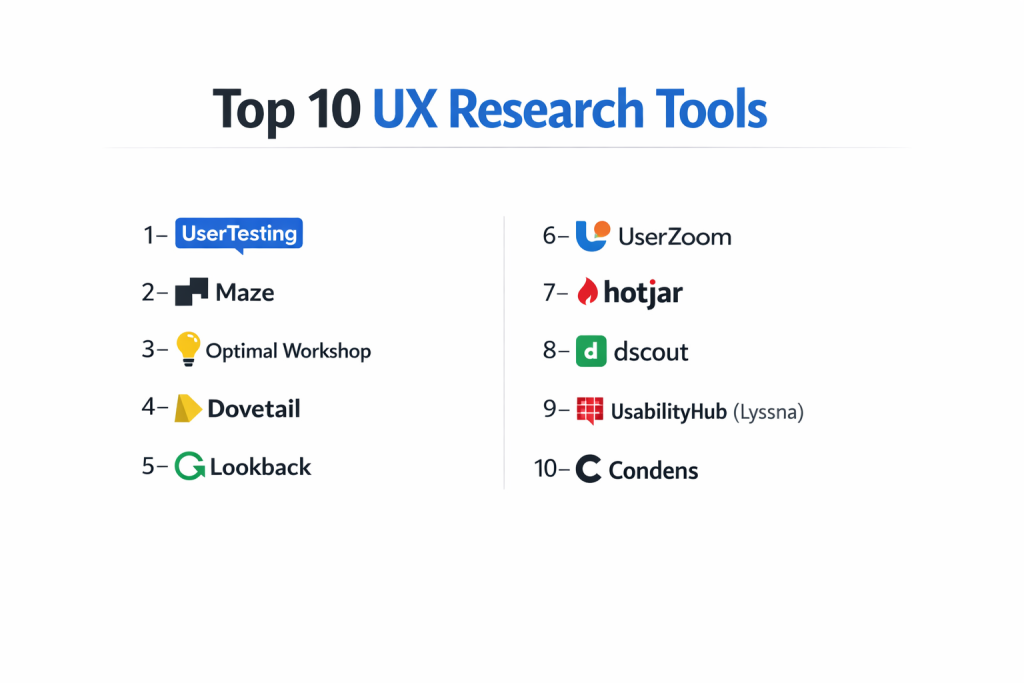
Top 10 UX Research Tools
1 — UserTesting
UserTesting is the pioneer of unmoderated remote usability testing. It provides a massive on-demand panel of participants, allowing companies to get video feedback on their websites, apps, or prototypes within hours.
- Key features:
- Live Conversation: Conduct 1-on-1 moderated interviews with high-quality video and audio.
- Unmoderated Tasks: Send a link to your prototype and watch recorded videos of users thinking out loud.
- Participant Network: Access to over 1.5 million global participants with deep demographic targeting.
- Highlight Reels: Easily clip and combine the most important user moments into a single video for stakeholders.
- Interactive Path Flows: Visualize the exact route users took through your site to see where they got stuck.
- AI Insight Summary: Automatically summarizes video transcripts to highlight pain points and sentiments.
- Pros:
- Incredible Speed: You can often launch a test and get 5 to 10 completed videos back in under two hours.
- High-Quality Panel: Their participant pool is well-vetted, reducing the chance of “professional testers” giving low-effort feedback.
- Cons:
- High Price Point: It is one of the most expensive tools in the market, often requiring a large annual contract.
- Limited “Research Repository” Features: While great for gathering data, it isn’t the best for long-term storage and tagging of insights.
- Security & compliance: SOC 2 Type II, GDPR, and HIPAA compliant. Offers SSO and data encryption at rest.
- Support & community: Dedicated account managers for enterprise users, a vast “University” of training videos, and a highly active professional community.
2 — Maze
Maze is a continuous discovery platform that turns prototypes into actionable data. It is specifically designed to work seamlessly with design tools like Figma, Adobe XD, and Sketch to test ideas before a single line of code is written.
- Key features:
- Prototype Testing: Import Figma designs and set “missions” for users to complete.
- Heatmaps: View visual representations of where users clicked (and misclicked) on every screen.
- Card Sorting & Tree Testing: Evaluate your information architecture and menu structures.
- Automated Reporting: Generates a professional PDF report with usability scores immediately after a study finishes.
- In-Product Prompts: Recruit your actual users while they are browsing your live website or app.
- Reach: A built-in panel of over 150,000 testers for quick results.
- Pros:
- Seamless Design Integration: The best-in-class integration with Figma makes it a favorite for UI/UX designers.
- Quant-Heavy Insights: It provides clear success rates and bounce rates that make “selling” research to managers easier.
- Cons:
- Prototype Lag: Very heavy Figma files can sometimes be slow to load for the participants.
- Narrower Scope: It focuses more on the design/prototype phase than on live-site longitudinal studies.
- Security & compliance: GDPR compliant and SOC 2 Type II certified. Supports SSO for enterprise plans.
- Support & community: Excellent documentation and a modern, helpful customer support team.
3 — Optimal Workshop
Optimal Workshop is the go-to tool for Information Architecture (IA) research. It specializes in helping teams organize content so that users can actually find what they are looking for.
- Key features:
- OptimalSort: A powerful card-sorting tool to see how users categorize your content.
- Treejack: A tree-testing tool to validate if your menu labels and hierarchy make sense.
- Chalkmark: First-click testing to see if users find the right button on a static image.
- Questions: A survey tool designed specifically for UX contexts.
- Reframer: A qualitative research tool to help tag and organize notes from live interviews.
- Global Participant Recruitment: Ability to recruit from their panel or use your own links.
- Pros:
- Scientific Precision: The data visualization for card sorting (like dendrograms) is the most detailed in the industry.
- Niche Focus: Because they focus on IA, their tools for that specific task are better than “all-in-one” platforms.
- Cons:
- Aged UI: The interface for researchers feels a bit dated compared to newer tools like Maze.
- Fragmented Experience: You often have to run separate studies for sorting and clicking rather than one unified flow.
- Security & compliance: ISO 27001 certified and GDPR compliant. They prioritize data privacy and offer audit logs.
- Support & community: Known for being very academic-friendly with great whitepapers and tutorials on IA.
4 — UserZoom (now part of UserTesting)
UserZoom is an enterprise-grade platform that balances qualitative and quantitative research. It is designed for large companies that need to run complex, multi-methodology studies.
- Key features:
- Mixed Methods: Support for both unmoderated video and large-scale quantitative surveys in one study.
- qXscore: A proprietary metric that combines usability and attitude into a single “experience score.”
- Benchmarking: Track how your app’s usability improves (or declines) over time compared to competitors.
- Click Testing: High-speed tests to see if users understand your call-to-action buttons.
- Remote Moderated: Robust live-interview suite with integrated note-taking.
- Live Site Intercept: Recruit real customers based on their behavior on your live site.
- Pros:
- Unmatched Scaling: Can handle thousands of participants in a single study without breaking a sweat.
- Robust Analytics: Offers the most “math-heavy” reporting for researchers who need to prove ROI.
- Cons:
- Steep Learning Curve: The platform is incredibly powerful but can take weeks to master.
- Slow Setup: Launching a study takes longer than on “lighter” tools due to the number of settings.
- Security & compliance: SOC 2 Type II, HIPAA, and GDPR compliant. High-level enterprise security protocols.
- Support & community: Provides professional services (consultants) who can actually run the research for you.
5 — Dovetail
Dovetail is a research repository and analysis tool. Unlike the tools above that collect data, Dovetail is designed to help you make sense of the data once you have it.
- Key features:
- Transcription: Automatically turns interview videos into searchable, timestamped text.
- Video Highlights: Tag a piece of text and it automatically creates a video clip of that moment.
- Tagging System: Organize thousands of notes into “themes” using a flexible tagging board.
- Insights Reports: Create beautiful, shareable “stories” that combine video, quotes, and data.
- Searchable Repository: A single “source of truth” where any stakeholder can search for “onboarding” and see every research finding on that topic.
- Canvas: A visual brainstorming board to map out research findings and clusters.
- Pros:
- Eliminates “Siloed” Research: Prevents teams from repeating the same research because they couldn’t find old results.
- Intuitive Tagging: The “drag-and-drop” nature of the analysis makes it feel like using a digital whiteboard.
- Cons:
- No Data Collection: You cannot recruit participants or run usability tests within Dovetail; you must import data from elsewhere.
- Storage Costs: Can get expensive as you upload hundreds of hours of 4K video.
- Security & compliance: SOC 2 Type II and GDPR compliant. Offers data residency options for European customers.
- Support & community: Very active “Dovetail Community” with templates shared by top researchers at companies like Canva and Atlassian.
6 — Lookback
Lookback is a specialized tool for high-fidelity moderated and unmoderated testing. It focuses on the “human” aspect, ensuring that the video and audio of the user are as clear as possible.
- Key features:
- LiveShare: A moderated interview tool that allows multiple “observers” to watch without the participant seeing them.
- Tasks: Create a list of instructions for users to follow during an unmoderated session.
- iOS and Android Testing: One of the best tools for testing native mobile apps on actual devices.
- Self-Test: Participants can record their own sessions without a researcher being present.
- Time-stamped Notes: Observers can take notes in real-time that are synced to the video playback.
- Public Links: Easily share a link with your own customers to join a session.
- Pros:
- Observer “Room”: Stakeholders can chat with each other in a virtual room while watching the user, making it a great collaborative tool.
- Ease for Participants: Users don’t need to create an account; they just click a link and start.
- Cons:
- Connection Sensitivity: High-quality video requires a very strong internet connection; lag can occasionally ruin a session.
- No Panel: You have to provide your own participants; Lookback does not have a built-in recruitment network.
- Security & compliance: GDPR compliant and SOC 2 certified. Features include PII redaction and secure storage.
- Support & community: Friendly, responsive support and a straightforward knowledge base.
7 — Hotjar (by Contentsquare)
Hotjar is a behavior analytics tool that provides a “fly on the wall” view of your live website. It is best for seeing what real users do when they don’t think anyone is watching.
- Key features:
- Session Recordings: Watch videos of actual visitors navigating your live site (anonymized for privacy).
- Heatmaps: See exactly where people are clicking, moving their mice, and scrolling.
- Feedback Polls: Pop up a quick “Was this page helpful?” question at the right moment.
- Surveys: Long-form surveys to collect deeper qualitative sentiment.
- Funnels: Identify exactly which step of the signup process users are leaving.
- Hotjar Engage: A newer feature that allows you to recruit and interview users.
- Pros:
- Visual Evidence: Nothing beats showing a developer a video of a user clicking a broken button.
- Easy Setup: You just install one snippet of code, and it starts collecting data immediately.
- Cons:
- Data Noise: Because it records everyone, you have to spend a lot of time filtering through boring sessions to find insights.
- Privacy Concerns: If not configured correctly, it can accidentally record sensitive form data (though they have strong masking features).
- Security & compliance: GDPR, CCPA, and PCI compliant. Offers extensive data masking to protect user privacy.
- Support & community: Massive blog and learning center; very helpful for beginners learning UX.
8 — UsabilityHub (now Lyssna)
Lyssna is a fast, unmoderated testing platform designed for “micro-testing.” It is perfect for getting quick feedback on specific design choices like icons, headlines, or navigation.
- Key features:
- Five Second Test: Flash a design for five seconds and ask users what they remember.
- First Click Test: See if users can find a specific function on a screenshot.
- Design Surveys: Standard survey questions combined with image-based choices.
- Preference Tests: Show two versions of a design and ask users which one they prefer and why.
- Card Sorting: A simple, intuitive version of the classic IA test.
- Lyssna Panel: Over 530,000 testers available for immediate feedback.
- Pros:
- Cost-Effective: Their “pay-per-response” model is much friendlier for small budgets than annual contracts.
- Speed for Small Tasks: You can get 50 responses on a preference test in about 20 minutes.
- Cons:
- No Video Recordings: You see what people clicked and wrote, but you don’t get to watch them use the product.
- Surface-Level: Better for UI decisions than deep, structural UX architecture research.
- Security & compliance: GDPR compliant and SOC 2 Type II certified.
- Support & community: Excellent documentation and a very clean, modern interface.
9 — dscout
dscout is a “diary study” platform. It is designed for longitudinal research—seeing how people use a product over days or weeks in their actual natural environment.
- Key features:
- Diary Missions: Users complete “entries” over several days (e.g., “Take a photo every time you use a banking app”).
- Express: Quick, unmoderated video questions for rapid feedback.
- Live: A high-end moderated interview tool with a “waiting room” for participants.
- Media Rich: Users can upload photos and videos of themselves using your product in the real world.
- Tagging & Synthesis: Robust tools to sort through the thousands of photos and videos you collect.
- Recruitment: Their “Scout” panel is known for being highly expressive and creative.
- Pros:
- Real-World Context: You see the user’s messy kitchen or their commute, which you can’t see in a lab.
- Deep Emotional Insights: Great for understanding the “Why” behind long-term habits.
- Cons:
- Labor Intensive: Managing a 2-week diary study with 50 people is a lot of work for the researcher.
- Expensive: Pricing reflects its status as a specialized, premium research tool.
- Security & compliance: SOC 2 Type II and GDPR compliant.
- Support & community: The “People Nerds” blog by dscout is one of the best resources in the industry.
10 — Glean.ly
Glean.ly is a specialized tool for creating a “Research Atomic Repository.” It is built on the concept of breaking research down into “Atoms” (single facts) that can be combined into larger insights.
- Key features:
- Atomic Nuggets: Turn a single observation from an interview into a reusable data point.
- Insight Linking: Link multiple observations to a single overarching recommendation.
- Stakeholder Dashboard: A clean view for product managers to see current “Evidence Scores” for features.
- Multi-Source Import: Bring in data from UserTesting, surveys, and support tickets.
- Taxonomy Management: Keep your research tags consistent across the whole company.
- Search and Discover: Search for past research to prevent “insight debt.”
- Pros:
- Future-Proof Research: Ensures that research done 2 years ago is still findable and useful today.
- ROI Tracking: Helps show exactly how many research “atoms” went into a specific product decision.
- Cons:
- Initial Setup Effort: Requires the team to agree on a specific “taxonomy” (tagging language) before it works well.
- Newer Tool: Smaller community and fewer integrations than a giant like Dovetail.
- Security & compliance: GDPR compliant. Focuses on data security within the UK and EU.
- Support & community: Very personalized support from the founders and a dedicated core of power users.
Comparison Table
| Tool Name | Best For | Platform(s) Supported | Standout Feature | Rating |
| UserTesting | Rapid Video Feedback | Web, iOS, Android | Massive On-Demand Panel | 4.5/5 |
| Maze | Prototype Testing | Figma, XD, Sketch | In-Product Intercepts | 4.6/5 |
| Optimal Workshop | Information Architecture | Web | OptimalSort Analysis | 4.4/5 |
| UserZoom | Enterprise Quant/Qual | Web, Mobile | qXscore Benchmarking | 4.2/5 |
| Dovetail | Research Repository | Web, Desktop | Automatic Video Tagging | 4.7/5 |
| Lookback | Remote Interviews | iOS, Android, Web | Virtual Observer Room | 4.3/5 |
| Hotjar | Behavior Analytics | Web | Live Session Recordings | 4.5/5 |
| Lyssna | Fast Design Validation | Web | Five Second Tests | 4.4/5 |
| dscout | Diary Studies | iOS, Android, Web | Real-World Context Video | 4.6/5 |
| Glean.ly | Atomic Research | Web | Insight “Evidence” Scoring | 4.1/5 |
Evaluation & Scoring of UX Research Tools
| Category | Weight | Evaluation Criteria |
| Core Features | 25% | Variety of methodologies (Card sort, Tree test, Video, Surveys). |
| Ease of Use | 15% | Intuitive interface for researchers and a friction-free path for testers. |
| Integrations | 15% | Compatibility with Figma, Slack, Jira, and repositories like Dovetail. |
| Security | 10% | SOC 2, GDPR compliance, and ability to mask PII (Personally Identifiable Info). |
| Performance | 10% | Video playback quality, transcript accuracy, and prototype loading speeds. |
| Support | 10% | Availability of a panel, educational resources, and customer success. |
| Price / Value | 15% | Flexibility of plans (pay-per-test vs. annual) and overall ROI. |
Which UX Research Tool Is Right for You?
Solo Users vs. SMB vs. Mid-Market vs. Enterprise
Solo designers and freelancers should look toward Lyssna or Maze. These tools have lower entry costs and are perfect for validating a single design quickly. Small to Mid-Market companies usually thrive with Hotjar for behavior and UserTesting (individual plans) for feedback. Enterprises require the robust governance and benchmarking of UserZoom or UserTesting (Enterprise), paired with Dovetail to manage the massive amount of data they generate across teams.
Budget-Conscious vs. Premium Solutions
If you have a tight budget, start with the free versions of Hotjar and Maze, or use the pay-as-you-go model of Lyssna. For premium solutions, dscout and UserZoom are high-investment tools, but they provide a level of strategic insight that “cheaper” tools cannot match. Remember, the cost of a tool is often offset by the developer hours saved by avoiding bad designs.
Feature Depth vs. Ease of Use
If you need Feature Depth, particularly for Information Architecture, Optimal Workshop is unmatched, though its UI is more complex. If you value Ease of Use and speed above all else, Lookback (for interviews) and UserTesting (for unmoderated) offer the smoothest experiences.
Integration and Scalability Needs
For teams deeply embedded in Figma, Maze is the logical choice. If your team is growing and you are starting to lose track of past research, scaling into a repository like Dovetail or Glean.ly should be your top priority. These tools ensure that as your company grows, your knowledge stays accessible.
Security and Compliance Requirements
Companies in Healthcare or Finance must be extremely careful. Ensure you choose a tool that is not only GDPR compliant but also HIPAA compliant if you are handling patient data. UserTesting and UserZoom are the industry leaders in meeting these stringent enterprise security requirements.
Frequently Asked Questions (FAQs)
1. What is the difference between moderated and unmoderated testing?
Moderated testing involves a researcher talking to a user in real-time. Unmoderated testing is when the user completes a set of tasks on their own while their screen and voice are recorded for the researcher to watch later.
2. Do I need to provide my own participants for these tools?
It varies. Tools like UserTesting and Lyssna have their own panels you can pay to access. Tools like Lookback and Dovetail require you to bring your own customers to the platform.
3. How many participants do I need for a usability test?
Industry standard research by the Nielsen Norman Group suggests that testing with just 5 users will uncover 85% of usability issues. You don’t need hundreds of people for qualitative research.
4. Can I use these tools for mobile app testing?
Yes. Most tools like UserTesting, Lookback, and dscout have dedicated mobile apps that record the user’s screen and their front-facing camera simultaneously.
5. Are there free UX research tools?
Many tools like Maze, Hotjar, and Lyssna offer a “freemium” tier. This usually allows you to run one or two small studies for free with a limited number of responses.
6. Is Hotjar a replacement for UserTesting?
No. Hotjar shows you what actual users do on your live site (analytics). UserTesting shows you what recruited users do on a prototype while they tell you why they are doing it (feedback).
7. What is a “Research Repository”?
It is a central library where all research findings, videos, and tags are stored. It helps prevent “insight debt” where companies forget what they learned in the past.
8. Can I integrate UX research tools with Jira?
Yes, most enterprise tools like UserZoom and Dovetail allow you to push “Insights” directly into Jira as tickets for developers to fix.
9. How do these tools handle user privacy?
Most professional tools have features to “mask” sensitive data. For example, if a user types a credit card number during a recording, the tool can automatically black out that part of the video.
10. What is “Card Sorting”?
It is a research method where users organize topics into groups that make sense to them. It is used to design website menus and navigation structures.
Conclusion
Choosing the right UX Research Tool is about matching the tool to your specific stage of the product lifecycle. If you are in the early design phase, a tool like Maze or Optimal Workshop will help you lay a solid foundation. If you have a live product and want to understand friction, Hotjar and UserTesting will provide the “Why” behind your analytics. Finally, as your organization matures, investing in a repository like Dovetail ensures that your research becomes a long-term asset rather than a one-time report.
Remember, the “best” tool isn’t the one with the most buttons—it’s the one that your team will actually use. Start small, validate your most risky assumptions, and gradually build a toolkit that helps you build products that users truly love.