Introduction
Cross-browser testing platforms are specialized tools that allow web developers and quality assurance (QA) teams to check if their websites and applications work correctly across different web browsers, operating systems, and mobile devices. In the past, developers had to manually own dozens of physical computers and phones to see how their code looked in Chrome, Safari, or Firefox. Today, these platforms provide a “virtual lab” in the cloud, giving instant access to thousands of real devices and browser versions from a single screen. This ensures that a user browsing on an old Android phone in a different country has the same high-quality experience as someone using the latest MacBook in your office.
The importance of these tools cannot be overstated. Every browser engine—like Blink for Chrome, Gecko for Firefox, and WebKit for Safari—reads code slightly differently. A button that looks perfect in one might be completely broken or invisible in another. Real-world use cases include verifying that a checkout process works on mobile Safari, ensuring that complex animations run smoothly on older versions of Edge, and checking that a website remains accessible to users with screen readers across various platforms. When choosing a tool, you should look for the variety of real devices offered (not just emulators), the speed of the test runs, and how easily it connects with your existing work tools.
Best for: Professional web developers, QA engineers, and medium-to-large enterprises that need to guarantee a flawless user experience for a global audience. It is essential for industries like e-commerce, finance, and healthcare where a single functional bug can lead to lost revenue or data issues.
Not ideal for: Hobbyists building simple personal blogs or very small businesses that only target a single, specific browser (like Chrome) and do not have the budget for monthly software subscriptions. In those cases, basic free developer tools built into the browser may be enough.
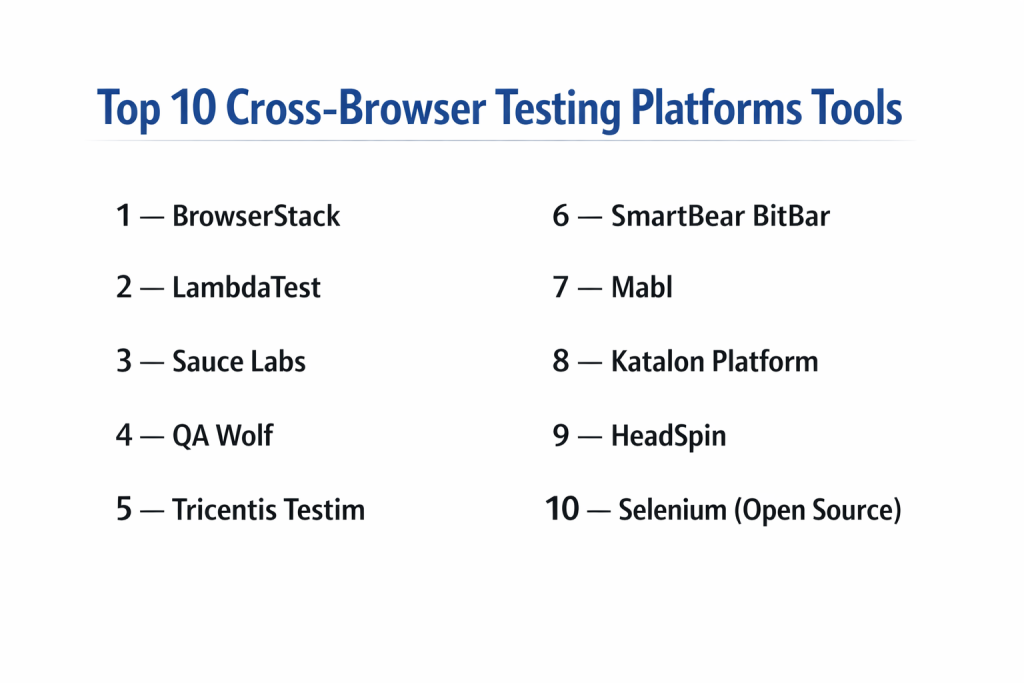
Top 10 Cross-browser Testing Platforms Tools
1 — BrowserStack
BrowserStack is widely considered the industry leader in the testing world. It provides instant access to over 3,000 real mobile devices and desktop browsers. It is designed for teams that want the most accurate results possible by testing on physical hardware rather than simulated software. It is a massive platform that handles everything from manual “live” testing to massive automated test suites.
- Key features
- Access to a massive “Real Device Cloud” with physical iPhones, Samsungs, and Pixels.
- Interactive live testing that feels like you are using the actual device.
- Support for automated testing using Selenium, Playwright, Cypress, and Puppeteer.
- Visual regression testing to spot tiny layout changes automatically.
- Local testing features that allow you to test websites still in development.
- Detailed debugging tools including video recordings, logs, and screenshots.
- Integration with over 150 different developer tools and CI/CD pipelines.
- Pros
- The most reliable and stable connection to real devices on the market.
- No setup required; you can start testing in your browser in seconds.
- Cons
- Can be quite expensive for small teams as you add more parallel tests.
- Requires a very stable internet connection for the best performance.
- Security & compliance: SOC 2 Type II, ISO 27001, GDPR compliant, and supports SSO for enterprise teams.
- Support & community: Best-in-class documentation, 24/7 technical support, and a huge global community of users.
2 — LambdaTest
LambdaTest is a fast-growing, AI-powered testing cloud that focuses on speed and affordability. It offers a very similar experience to BrowserStack but often at a lower price point. It is particularly popular for its “HyperExecute” feature, which is designed to run automated tests much faster than traditional cloud grids, helping teams finish their work in minutes instead of hours.
- Key features
- Live interactive testing across 3,000+ combinations of browsers and OS.
- HyperExecute platform for blazing-fast automated test orchestration.
- AI-powered visual UI testing to find “bugs” that the human eye might miss.
- Built-in geolocation testing to see how your site looks in different countries.
- Automated screenshot testing across multiple resolutions at once.
- Easy integration with Jira, Slack, GitHub, and Bitbucket.
- Smart UI testing that automatically highlights layout shifts.
- Pros
- Very competitive pricing, making it a great choice for growing startups.
- The interface is modern, clean, and very easy for new users to navigate.
- Cons
- Some users report occasional lag during live testing sessions.
- The documentation, while good, is not as deep as some older competitors.
- Security & compliance: SOC 2, ISO 27001, and GDPR compliant; supports secure tunneling for private testing.
- Support & community: Responsive 24/7 chat support and a very helpful YouTube channel for tutorials.
3 — Sauce Labs
Sauce Labs is one of the “original” cloud testing platforms and is built specifically for large-scale enterprise automation. It offers a very robust and secure environment for running thousands of tests at the same time. It is a favorite for companies that have very complex software and need a platform that can handle massive amounts of data and reporting.
- Key features
- High-scale parallel testing for web and mobile applications.
- Comprehensive “Error Reporting” that uses AI to group similar bugs together.
- Access to both real devices and high-speed virtual emulators.
- Support for a wide range of frameworks, including Appium and Espresso.
- Deep analytics that show you which parts of your app are failing most often.
- Secure “Sauce Connect” tunnel for testing behind corporate firewalls.
- API testing capabilities built directly into the platform.
- Pros
- Extremely scalable; it can handle the needs of the world’s largest companies.
- Provides very detailed data and trends that help managers improve quality.
- Cons
- The setup process can be more technical and difficult than other tools.
- The cost can escalate very quickly for high-volume enterprise users.
- Security & compliance: SOC 2 Type II, ISO 27001, HIPAA ready, and GDPR compliant.
- Support & community: Strong professional services for onboarding and an extensive library of whitepapers.
4 — QA Wolf
QA Wolf takes a unique approach to testing by offering “QA-as-a-Service.” Instead of just giving you a tool to run tests, they provide the people and the platform to write and maintain those tests for you. It is designed for companies that want to reach high “test coverage” (checking 80% or more of their app) without hiring a giant internal team.
- Key features
- A team of experts that writes your test scripts for you in Playwright.
- Unlimited parallel test runs included in the service.
- Human-verified bug reports so your developers don’t waste time on “false alarms.”
- 24-hour maintenance; if a test breaks because your UI changed, they fix it.
- A central dashboard to view all test results and video recordings.
- Native integration with CI/CD tools to catch bugs before they go live.
- Zero-cost infrastructure; you don’t pay extra for the “cloud” usage.
- Pros
- Saves an incredible amount of time by doing the “boring” work for you.
- Guarantees high test coverage that would be hard to achieve alone.
- Cons
- Much higher upfront cost since you are paying for both software and people.
- You have less “fine-grained” control over the individual test scripts.
- Security & compliance: SOC 2 compliant; data is encrypted and handled by a dedicated security team.
- Support & community: Dedicated account managers and direct Slack access to their engineering team.
5 — Tricentis Testim
Tricentis Testim is a leader in “low-code” testing, meaning you can create complex automated tests without writing much (or any) code. It uses AI and “Smart Locators” to make sure tests don’t break every time you change a small part of your website. It is designed for teams where both developers and non-technical business people want to help with testing.
- Key features
- Fast, AI-driven test creation through a “recording” interface.
- Self-healing tests that automatically update when your website’s code changes.
- Support for custom JavaScript code for users who want more power.
- Root cause analysis to explain exactly why a test failed in plain English.
- Centralized management for large test suites across different teams.
- Deep integration with the broader Tricentis enterprise testing ecosystem.
- Built-in mobile web testing for both iOS and Android.
- Pros
- Drastically reduces the time spent on “test maintenance” and fixing broken scripts.
- Very easy for manual testers to transition into automated testing roles.
- Cons
- The pricing is geared toward larger enterprises and can be high.
- It can feel a bit “heavy” if you only need to run a few simple tests.
- Security & compliance: SOC 2 Type II, GDPR, and ISO standards; enterprise-grade user management.
- Support & community: Excellent training through the “Tricentis Academy” and professional support.
6 — SmartBear BitBar
BitBar, owned by SmartBear, is a highly flexible cloud testing platform that supports both web and mobile testing. It is known for its “unlimited” approach to some of its features and its ability to work with almost any testing framework. It is a solid, reliable choice for teams that want a no-nonsense cloud lab that just works.
- Key features
- Access to thousands of real devices for manual and automated testing.
- Support for any framework that can run on Linux or macOS.
- Flexible deployment options including public cloud, private cloud, or on-premise.
- Parallel execution that scales as your team grows.
- Integration with the SmartBear “TestComplete” and “ReadyAPI” tools.
- Real-time monitoring of device logs and performance metrics.
- No limit on the number of users or tests in certain enterprise plans.
- Pros
- Extremely flexible; it doesn’t force you into one specific way of working.
- Great for teams that are already using other SmartBear products.
- Cons
- The user interface can feel a bit less “modern” than LambdaTest or BrowserStack.
- Setting up custom frameworks can take more time and effort.
- Security & compliance: SOC 2, GDPR, and high-level data encryption protocols.
- Support & community: Backed by SmartBear’s large corporate support team and extensive documentation.
7 — Mabl
Mabl is a “test automation” platform that is built specifically for the modern DevOps era. Like Testim, it focuses on using AI to make testing easier, but it places a heavy emphasis on “Continuous Testing.” It is designed to be part of the entire software building process, checking for bugs every single time a developer saves their work.
- Key features
- Intelligent “auto-healing” for tests to reduce manual maintenance.
- Unified platform for web, mobile web, and API testing.
- Visual and performance regressions caught automatically during runs.
- Native integration with Microsoft Teams, Slack, and Jira for alerts.
- “Low-code” interface that allows for very fast test authoring.
- Detailed data on “Page Load Time” and other performance metrics.
- Automated accessibility checks based on WCAG standards.
- Pros
- Excellent at catching performance and accessibility issues, not just functional bugs.
- The “all-in-one” nature makes it very simple to manage your whole testing strategy.
- Cons
- It is a “closed” platform, meaning you can’t easily export tests to other tools.
- Can be slightly slower to run tests compared to “pure” code-based frameworks.
- Security & compliance: SOC 2 Type II, GDPR, and Privacy Shield compliant.
- Support & community: Very active user community and a high-quality “Mabl University” for learning.
8 — Katalon Platform
Katalon is a famous all-in-one testing solution that is widely used because it offers a free version for small teams. It is built on top of the Selenium engine but adds a very easy-to-use interface. It is perfect for teams that are moving from manual testing to automation but aren’t ready to write 10,000 lines of code.
- Key features
- Support for web, mobile, API, and even desktop application testing.
- Dual-interface: a “Manual View” for beginners and a “Script View” for experts.
- Built-in keywords that make writing tests as easy as dragging and dropping.
- Katalon TestOps for advanced reporting and AI-driven analytics.
- Integration with cloud labs like BrowserStack and Sauce Labs.
- Extensive template library to help you start testing common scenarios quickly.
- Self-healing mechanism to handle UI changes automatically.
- Pros
- One of the best “free-to-start” options for teams on a budget.
- Extremely versatile; it can test almost any kind of software.
- Cons
- The “Enterprise” version with all the best features is quite expensive.
- The software can sometimes feel “slow” or “buggy” on older computers.
- Security & compliance: GDPR ready; supports SSO and secure data handling in the cloud version.
- Support & community: One of the largest and most active user forums in the testing industry.
9 — HeadSpin
HeadSpin is a unique platform that focuses on “Digital Experience AI.” While it does cross-browser testing, its real strength is in checking how apps and sites perform on real mobile networks all over the world. It is designed for global companies that want to know exactly how fast their site loads in Tokyo versus New York on a real 5G connection.
- Key features
- Global device cloud with devices connected to real local carrier networks.
- AI-driven insights into audio and video quality for streaming apps.
- Deep performance metrics like “Time to Interactive” on real hardware.
- Support for manual testing, automation, and regression testing.
- No SDK required; it works with your app exactly as it is.
- Regression analysis that tells you exactly which “commit” caused a slowdown.
- Detailed network logs to debug issues with slow APIs or servers.
- Pros
- The best tool for understanding “real-world” performance and network issues.
- Provides unique data that no other platform can offer.
- Cons
- Very specialized and can be much more expensive than standard tools.
- The learning curve for the AI analytics can be quite steep.
- Security & compliance: SOC 2 compliant; focuses heavily on secure, isolated device environments.
- Support & community: High-touch enterprise support and specialized consulting available.
10 — Selenium (Open Source)
Selenium is not a “company” or a paid platform, but an open-source project that serves as the foundation for almost every other tool on this list. It is the industry standard for browser automation. It is designed for developers who want complete control and have the technical skills to build their own testing infrastructure.
- Key features
- Completely free and open-source software.
- Supports multiple programming languages (Java, Python, C#, JavaScript, Ruby).
- Compatible with every major browser (Chrome, Firefox, Safari, Edge).
- Huge ecosystem of plugins and “wrappers” to add more features.
- Can be run on your own local machines or connected to a cloud grid.
- Supports parallel execution through “Selenium Grid.”
- Endless customization possibilities for complex testing needs.
- Pros
- No licensing costs; you own your tests and your code forever.
- Massive industry support; if you have a problem, the answer is online.
- Cons
- Very difficult to set up and requires high-level programming knowledge.
- No built-in reporting, real devices, or support team; you must build it all.
- Security & compliance: Varies (depends entirely on how you set up your own servers).
- Support & community: The largest community in the world; millions of developers use and support it.
Comparison Table
| Tool Name | Best For | Platform(s) Supported | Standout Feature | Rating |
| BrowserStack | Real Device Accuracy | iOS, Android, Win, Mac | 3,000+ Physical Devices | 4.6/5 |
| LambdaTest | Speed & SMB Value | iOS, Android, Win, Mac | HyperExecute Grid Speed | 4.5/5 |
| Sauce Labs | Enterprise Scalability | iOS, Android, Win, Mac | AI-Based Error Grouping | 4.4/5 |
| QA Wolf | Full Managed Service | Web (Playwright) | 80% Test Coverage Guarantee | 4.8/5 |
| Testim | Low-Code AI Teams | Web, Mobile Web | Smart AI Self-Healing | 4.5/5 |
| BitBar | Framework Flexibility | iOS, Android, Web | Unlimited User/Test Plans | 4.3/5 |
| Mabl | Continuous DevOps | Web, API, Mobile Web | Integrated Accessibility Testing | 4.4/5 |
| Katalon | All-in-One Testing | Web, Mobile, API, Desk | Beginner-Friendly Interface | 4.4/5 |
| HeadSpin | Global Performance | Real Carriers, Global | Real-World Network AI | 4.5/5 |
| Selenium | Technical Customization | All Browsers | 100% Free & Open Source | N/A |
Evaluation & Scoring of Cross-browser Testing Platforms
To help you decide which tool is worth your investment, we have used a weighted scoring system. This rubric looks at the most important factors for a modern business.
| Evaluation Category | Weight | Why It Matters |
| Core Features | 25% | Does it support real devices, manual testing, and automation? |
| Ease of Use | 15% | Can a new team member learn to use it in a single day? |
| Integrations | 15% | Does it work with Jira, Slack, and your CI/CD pipeline? |
| Security & Compliance | 10% | Is your data safe and does the tool meet legal standards? |
| Performance | 10% | Are the virtual machines fast and the video logs clear? |
| Support & Community | 10% | Is there someone to call when a test fails at 2:00 AM? |
| Price / Value | 15% | Does the cost make sense for the number of tests you run? |
Which Cross-browser Testing Platforms Tool Is Right for You?
Solo Users vs SMB vs Mid-Market vs Enterprise
If you are a solo developer, you should start with Selenium (if you can code) or a free tier of Katalon. Small and Mid-sized Businesses (SMBs) will find the best balance of price and power in LambdaTest. Large enterprises that need thousands of parallel tests and strict security protocols should look toward BrowserStack or Sauce Labs, as these platforms are built specifically to handle that kind of massive scale without slowing down.
Budget-Conscious vs Premium Solutions
For those watching every penny, Selenium is free, and Katalon offers a very capable free version. If you have a moderate budget and want to save time, LambdaTest offers excellent value. However, if your budget is larger and you want to completely outsource the headache of testing, QA Wolf is a premium solution that effectively replaces the need for a full internal QA team, which can save money on hiring in the long run.
Feature Depth vs Ease of Use
If your team is made up of hardcore engineers, Selenium or BitBar offer the depth and flexibility they crave. If your team includes product managers or manual testers who aren’t as comfortable with code, “low-code” tools like Mabl or Testim are much better. These tools allow everyone to contribute to quality without having to learn a complex programming language like Java or Python.
Integration and Scalability Needs
If you use a lot of different tools (like Jenkins for building, Jira for tracking bugs, and Slack for alerts), BrowserStack and LambdaTest have the most “one-click” integrations. When it comes to scaling, make sure the tool you choose offers “Parallel Testing.” This allows you to run 100 tests at once instead of one after the other, which is the only way to keep up as your website grows larger and more complex.
Security and Compliance Requirements
Companies in finance or government should look for “private cloud” or “on-premise” options. Sauce Labs and BitBar are excellent here because they allow you to run tests in a completely isolated environment that never touches the public internet. Always check for SOC 2 Type II and ISO 27001 certifications to ensure the platform meets modern security standards.
Frequently Asked Questions (FAQs)
What is the difference between an emulator and a real device?
An emulator is a computer program that mimics a phone, while a real device is the actual physical hardware. Real devices are much more accurate for catching bugs related to battery, memory, and specific hardware quirks.
Do I need to know how to code to use these tools?
Not necessarily. Tools like Katalon, Mabl, and Testim offer “low-code” or “no-code” options where you can record your actions on a screen to create a test.
Can I test websites that are not yet live on the internet?
Yes. Most of these platforms offer a “tunnel” or “local testing” feature that securely connects the cloud lab to your local computer or private office network.
How many browsers should I actually test on?
Most experts recommend the “90% rule.” Use your website analytics to find which browsers 90% of your users use (usually Chrome, Safari, and Edge) and focus your testing there.
Is automated testing better than manual testing?
Neither is “better.” Automated testing is great for repetitive tasks and checking for old bugs (regression), while manual testing is better for checking how a site “feels” and finding new, creative bugs.
How much do these platforms typically cost?
Basic plans for small teams usually start around $15 to $30 per month. Enterprise plans for large teams can cost thousands of dollars per month depending on how many tests they run at once.
Can these tools test mobile apps too?
Most of the top tools like BrowserStack, Sauce Labs, and LambdaTest support both web testing and native mobile app (IPA/APK) testing on the same platform.
What is “Parallel Testing”?
Parallel testing is the ability to run multiple tests at the same time. For example, instead of testing 10 pages one by one, you can test all 10 pages simultaneously, saving 90% of your time.
What is a “Self-Healing” test?
It is an AI feature where the tool automatically detects if a button’s ID changed slightly in the code and fixes the test script itself so the test doesn’t fail unnecessarily.
Which tool is the easiest to set up?
LambdaTest and BrowserStack are generally considered the easiest to set up because they are completely cloud-based and work directly in your web browser with no installation needed.
Conclusion
cross-browser testing platforms have changed from being a luxury to a basic necessity. We have explored a wide range of options, from the massive real-device labs of BrowserStack to the AI-powered automation of Mabl and the open-source freedom of Selenium. These tools ensure that your hard work looks and functions perfectly for every single visitor, regardless of the device they happen to pull out of their pocket. Without them, releasing a new website is like a roll of the dice—you never truly know who will see a broken page.
The most important takeaway is that there is no single “winner” that fits everyone. Your choice depends on your team’s technical skills, your budget, and how many different devices your customers use. If you are just starting out, a beginner-friendly tool like Katalon is a perfect entry point. If you are a global enterprise with zero tolerance for bugs, a managed service like QA Wolf or a massive grid like Sauce Labs is the right path. By picking the tool that matches your specific workflow, you can spend less time fixing broken buttons and more time building great features for your users.