Introduction
A Device Testing Cloud is a specialized, internet-accessible infrastructure that provides remote access to a massive fleet of real physical devices, emulators, and simulators. Instead of purchasing and maintaining an expensive in-house “device lab” that quickly becomes obsolete, development and QA teams can log into a cloud service to interact with actual hardware located in data centers globally. These platforms enable both manual “live” testing and high-speed automated testing, ensuring that software delivers a consistent experience across thousands of different device-browser combinations.
The importance of these clouds is rooted in the extreme fragmentation of the mobile and web market. With thousands of screen resolutions, hardware capabilities, and operating system versions, testing on a few local devices is no longer sufficient. A Device Testing Cloud allows teams to simulate real-world conditions—such as low battery, varying network speeds (3G, 4G, 5G), and different GPS locations—ensuring apps are resilient and user-ready. By leveraging parallel testing, where hundreds of tests run simultaneously, companies significantly reduce their time-to-market and avoid the reputational damage caused by device-specific crashes.
Key Real-World Use Cases
- Regression Testing: Automatically running UI test suites after every code commit to ensure new updates haven’t broken existing features.
- Geolocation Testing: Verifying that location-based apps, such as food delivery or ride-sharing services, work correctly across different global regions.
- Biometric Verification: Testing secure login flows that require Fingerprint or FaceID simulation, which is difficult to replicate on standard emulators.
- Network Simulation: Assessing app performance under “dead zone” conditions or throttled bandwidth to optimize data usage and loading times.
- Visual Cross-Browser Testing: Checking if a website’s layout remains pixel-perfect across Safari on iOS, Chrome on Android, and various mobile browsers.
What to Look For (Evaluation Criteria)
When choosing a Device Testing Cloud, prioritize device coverage—ensure the provider stocks the specific models used by your target audience. Real device availability is critical; while emulators are faster for early-stage development, they cannot perfectly replicate hardware-specific bugs. Evaluate the latency of the remote connection, as high lag can make manual testing frustrating. Furthermore, check for CI/CD integrations and scalability features like parallel execution, which allow you to run an entire test suite in minutes rather than hours.
Best for: Quality Assurance (QA) engineers, DevOps teams, and mobile developers at organizations ranging from high-growth startups to massive global enterprises. It is particularly vital for industries like FinTech, E-commerce, and Healthcare, where a single bug can lead to significant financial loss.
Not ideal for: Solo developers building simple, offline tools with limited user bases, or companies with highly restricted air-gapped security environments that cannot connect to external cloud infrastructures.
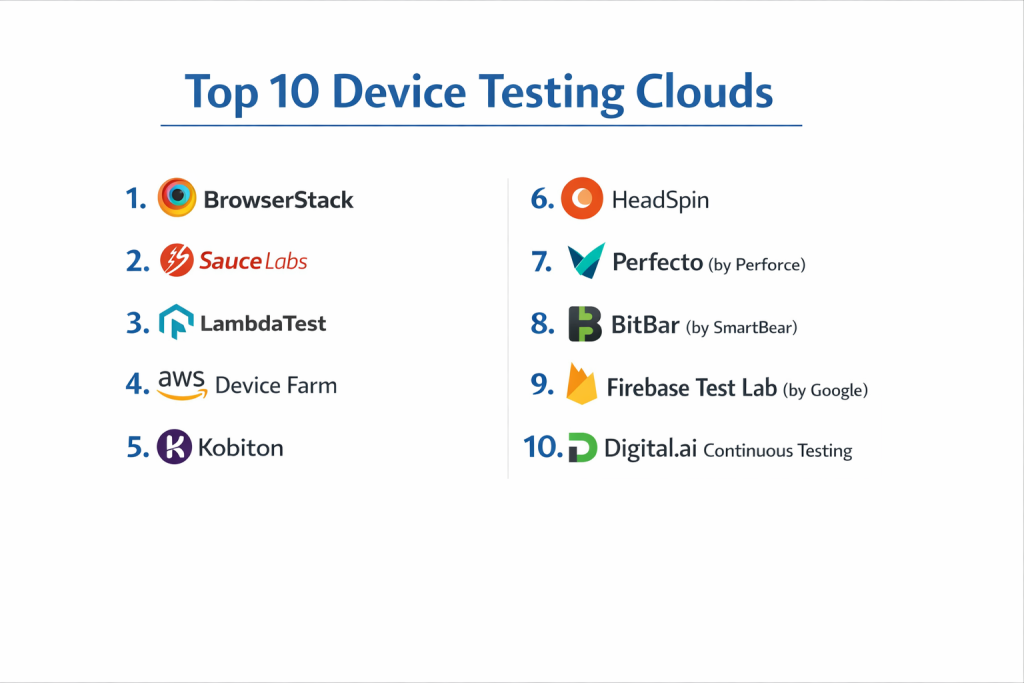
Top 10 Device Testing Clouds
1 — BrowserStack
BrowserStack is widely considered the industry leader, offering an expansive cloud of over 3,000 real mobile devices and browsers. It is designed to provide an “instant” testing environment with virtually zero setup time.
- Key features:
- Instant Access to Real Devices: No wait times for popular models like the latest iPhone or Samsung Galaxy.
- Parallel Testing: Run hundreds of automated tests simultaneously using Appium, Espresso, or XCUITest.
- Percy Visual Testing: Integrated AI-powered visual review to catch UI changes that code-based tests miss.
- Local Testing: Securely test apps and websites hosted on internal development servers or behind firewalls.
- App Live & App Automate: Specialized environments for both manual interactive testing and high-scale automation.
- Pros:
- Extremely High Reliability: Boasts near-perfect uptime with very low latency during manual sessions.
- Zero Setup: Completely web-based; no need to install complex drivers or manage local certificates.
- Cons:
- Premium Pricing: One of the most expensive options on the market, especially for high-concurrency needs.
- Complex Plan Structure: Navigating the different tiers for “Live” vs “Automate” can be confusing for new buyers.
- Security & compliance: SOC 2 Type II, ISO 27001, and GDPR compliant. Supports SSO and secure data deletion after every session.
- Support & community: Extensive documentation and a massive user community; 24/7 priority support for enterprise customers.
2 — Sauce Labs
Sauce Labs is a powerhouse for enterprise-grade automated testing. It uniquely combines a massive real device cloud with a highly optimized virtual machine (VM) infrastructure for web testing.
- Key features:
- Sauce Orchestrate: Allows you to run your test runner in the Sauce Labs cloud, reducing network latency.
- Failure Analysis: Uses machine learning to identify the root cause of test failures across different environments.
- Biometric Simulation: Robust support for testing FaceID and Fingerprint authentication workflows.
- Private Cloud Options: Dedicated device pools for companies with the highest security requirements.
- Virtual USB: Connect a remote cloud device to your local development environment as if it were plugged in.
- Pros:
- Automation-First: Exceptional support for open-source frameworks like Selenium and Appium.
- Scalability: Built to handle massive regression suites for global engineering organizations.
- Cons:
- Cluttered UI: The dashboard can feel overwhelming for beginners due to the sheer number of features.
- Wait Times: Occasionally, high-demand devices may have a short queue during peak usage hours.
- Security & compliance: SOC 2 Type II, HIPAA, and ISO 27001 compliant. Offers single-tenant “Real Device Clouds.”
- Support & community: Strong educational resources via “Sauce School”; active contributor to open-source testing projects.
3 — LambdaTest
LambdaTest has quickly risen as a top competitor by offering a modern, fast, and cost-effective alternative. It is particularly known for its HyperExecute platform, which speeds up test execution significantly.
- Key features:
- HyperExecute: A next-gen test orchestration platform that speeds up execution by up to 70%.
- Real Device Cloud: Access to thousands of real Android and iOS devices across different geographies.
- KaneAI: A modern LLM-powered test automation agent for natural language test creation.
- Native App Testing: Comprehensive support for .apk, .ipa, and .app files with easy uploading.
- Geolocation Testing: Simulate GPS and IP locations from over 60 countries.
- Pros:
- Exceptional Value: Pricing is often significantly lower than legacy players for similar feature sets.
- Broad Integration: Supports a wider range of CI/CD tools, including AWS CodePipeline and Azure Pipelines.
- Cons:
- Newer Platform: While fast-growing, it may occasionally lack the “deep” legacy device coverage of older rivals.
- Technical Learning Curve: HyperExecute requires specific configuration to maximize its performance.
- Security & compliance: SOC 2 Type II, GDPR, and CCPA compliant. All data is encrypted at rest and in transit.
- Support & community: 24/7 live chat support is highly rated; rapidly growing documentation library and community.
4 — AWS Device Farm
AWS Device Farm is an application testing service offered by Amazon Web Services. It is the best choice for teams already deeply integrated into the AWS ecosystem.
- Key features:
- Remote Access: Interact with devices through a web browser for manual troubleshooting and live testing.
- Built-in Test Suite: Runs a standard set of “fuzz” tests without requiring you to write any scripts.
- Private Device Fleet: Allows enterprises to have exclusive access to a specific set of hardware.
- Direct VPC Integration: Access internal applications securely without using public IPs or proxies.
- Pay-As-You-Go: Billing based on device-minutes, making it cost-effective for irregular testing needs.
- Pros:
- Seamless AWS Ecosystem: Works perfectly with AWS CodePipeline, IAM roles, and CloudWatch logs.
- Consistent Performance: Highly stable infrastructure backed by Amazon’s global data centers.
- Cons:
- Utilitarian UI: The interface is more “technical” and less user-friendly than specialized QA tools.
- Narrower Device Selection: The total number of available device models is sometimes smaller than BrowserStack.
- Security & compliance: Inherits all AWS security certifications (SOC, ISO, HIPAA, PCI DSS, FedRAMP).
- Support & community: Standard AWS support tiers; massive community of AWS-certified professionals.
5 — Kobiton
Kobiton focuses heavily on the mobile experience, offering a unique “hybrid” cloud model. It allows companies to manage their own local devices alongside Kobiton’s public cloud.
- Key features:
- Scriptless Automation: AI-driven tool that can turn a manual test into an automated script without coding.
- Local-to-Cloud Bridge: Plug your own office devices into your computer and make them available to remote teams.
- Device Health Metrics: Tracks battery levels, temperature, and memory usage during the test session.
- Natural Gestures: Supports complex mobile interactions like flicking and multi-touch with low lag (30 FPS).
- Session Replay: Detailed video recordings and logs for every manual and automated session.
- Pros:
- Hybrid Flexibility: Best solution for teams that want to keep some physical devices in the office for dev work.
- High-Performance Video: Manual testing feels much smoother due to optimized streaming technology.
- Cons:
- Mobile Only: Unlike others, it does not offer extensive desktop browser testing.
- Lower Awareness: Not as widely used in the general web development community.
- Security & compliance: SOC 2 compliant. Offers on-premise deployments for maximum data control.
- Support & community: Dedicated account managers for enterprise plans; very helpful “white-glove” onboarding.
6 — HeadSpin
HeadSpin is unique because it emphasizes “Experience Intelligence.” It doesn’t just check if a button works; it uses AI to analyze the audio, video, and performance quality of the app.
- Key features:
- Audio & Video Quality Analysis: Measures frame drops, blurriness, and audio sync issues for media apps.
- Real Global Networks: Devices are connected to actual local carrier networks (SIM cards) in 90+ countries.
- Regression Intelligence: Automatically highlights performance regressions between different builds.
- AV Box: Specialized hardware to test devices like Apple TV, Roku, or smart car interfaces.
- Performance Logs: Deep-dive technical data on CPU, memory, and network packet captures.
- Pros:
- Unmatched Performance Insights: Best tool for gaming, streaming, and high-performance media apps.
- Global Carrier Testing: Only way to truly test an app on a 5G network in a specific city like London or Tokyo.
- Cons:
- High Complexity: The data provided can be overkill for simple functional testing.
- Premium Cost: Positioned as a high-end solution for specialized enterprise use cases.
- Security & compliance: SOC 2 Type II compliant; provides dedicated, secure hardware environments.
- Support & community: High-touch enterprise support with performance experts available for consultation.
7 — Perfecto (by Perforce)
Perfecto is one of the most established players, focusing on “Continuous Testing” for large-scale enterprise DevOps pipelines and regulated industries.
- Key features:
- Quantum Framework: A BDD-based framework that simplifies test creation for non-technical users.
- Advanced Debugging: Rich artifacts including vitals, logs, and video for faster bug resolution.
- Simulated Personas: Test how an app behaves for a “busy commuter” on a train vs. a “home user” on Wi-Fi.
- Bursting Capabilities: Scale up testing capacity instantly for large releases or seasonal peaks.
- Codeless Web & Mobile: High-level tools for creating tests without writing a single line of code.
- Pros:
- Enterprise Stability: Extremely robust and reliable, even for thousands of daily test runs.
- Unified Platform: Manages web, mobile, and even desktop app testing in one place.
- Cons:
- Learning Curve: Setting up advanced “persona” simulations takes time and training.
- Pricey for SMBs: Most cost-effective for large organizations with high testing volume.
- Security & compliance: SOC 2, HIPAA, and GDPR compliant. Frequently used by global banks.
- Support & community: Excellent training through “Perfecto Academy”; 24/7 global support.
8 — BitBar (by SmartBear)
BitBar is known for its “flexible” cloud. It is designed for teams that don’t want to be forced into a specific way of testing and want an “unlimited” usage model.
- Key features:
- Unlimited Users & Parallelism: Many plans allow you to run as many tests as you want without extra per-user fees.
- Framework Agnostic: Use any testing framework that can connect to a remote device.
- Direct Device Access: Provides access to the device shell for advanced debugging and configuration.
- Enterprise Grid: A private, managed cloud for high-security and high-performance needs.
- AI Visual Testing: Integrated with SmartBear’s larger ecosystem for visual quality checks.
- Pros:
- Predictable Costs: Great for teams that run thousands of tests and want to avoid “per-minute” billing.
- Highly Customizable: Developers can configure the device environment to a high degree.
- Cons:
- Interface: The UI is functional but looks older compared to modern rivals like LambdaTest.
- Manual Latency: Some users report slightly more lag during manual interactive sessions.
- Security & compliance: SOC 2 and GDPR compliant; enterprise-grade encryption.
- Support & community: Backed by SmartBear, providing professional support and a large knowledge base.
9 — Firebase Test Lab (by Google)
Firebase Test Lab is Google’s cloud-based app-testing infrastructure, primarily serving Android developers with a massive internal fleet of hardware.
- Key features:
- Robo Test: An intelligent crawler that explores your app and finds crashes automatically without a script.
- Game Loop Testing: Specialized support for testing the performance of mobile games built with Unity or C++.
- Deep Google Integration: Results are presented directly in the Firebase console alongside Crashlytics.
- Test Matrix: Run a single test against dozens of different device configurations in one click.
- Real Devices at Scale: Access to a huge pool of physical devices located in Google’s data centers.
- Pros:
- Free Tier Available: Offers a generous free daily limit for small developers.
- No-Script Testing: Robo Test is incredibly effective for finding “obvious” crashes quickly.
- Cons:
- Android-Centric: While iOS is supported, the feature set for Apple devices is not as deep.
- No Manual “Live” Testing: Primarily designed for automated test suites, not interactive manual sessions.
- Security & compliance: Google Cloud Platform security standards (ISO, SOC, HIPAA).
- Support & community: Extensive documentation; community support via StackOverflow and Google groups.
10 — Digital.ai Continuous Testing
Digital.ai focuses on providing a high-performance cloud for large organizations that need “bank-grade” security and responsiveness for their QA teams.
- Key features:
- Ultra-Responsive Manual Testing: Uses proprietary streaming technology to reduce lag to near-zero levels.
- Performance Testing: Integrated tools to measure app load times and resource consumption.
- Accessibility Testing: Built-in tools to verify if an app meets standards like WCAG 2.1.
- Enterprise Management: Advanced user roles, permissions, and project-based device allocation.
- Mocking & Simulation: Easily mock camera, GPS, and network responses for complex test cases.
- Pros:
- Speed: Often cited as having the most responsive manual testing experience in the industry.
- End-to-End Governance: Great for managers who need to see high-level quality reports across teams.
- Cons:
- Complex Setup: Professional services are often needed to fully integrate it into large enterprise workflows.
- Premium Pricing: Targeted strictly at the enterprise market.
- Security & compliance: SOC 2, HIPAA, ISO, and high-level government certifications.
- Support & community: Dedicated support engineers; high-touch onboarding for global teams.
Comparison Table
| Tool Name | Best For | Platform(s) Supported | Standout Feature | Rating |
| BrowserStack | Overall Ease of Use | iOS, Android, Desktop | Instant Real Device Access | 4.7/5 |
| Sauce Labs | Continuous Testing | iOS, Android, Desktop | Sauce Orchestrate (Containers) | 4.5/5 |
| LambdaTest | Speed & Value | iOS, Android, Desktop | HyperExecute (70% Faster) | 4.8/5 |
| AWS Device Farm | AWS Ecosystem | iOS, Android | Direct VPC Integration | 4.3/5 |
| Kobiton | Mobile Gestures/Hybrid | iOS, Android | Real-to-Private Cloud Bridge | 4.4/5 |
| HeadSpin | Media & Streaming | Mobile, OTT, TV | Real Carrier SIM Cards | 4.6/5 |
| Perfecto | Enterprise Pipelines | iOS, Android, Desktop | Simulated Personas | 4.4/5 |
| BitBar | Unlimited Parallelism | iOS, Android, Desktop | Framework Agnostic | 4.2/5 |
| Firebase Test Lab | Android Developers | Android, iOS | AI-Powered Robo Test | 4.5/5 |
| Digital.ai | Low-Latency Manual | iOS, Android | Bank-Grade Security | 4.4/5 |
Evaluation & Scoring of Device Testing Clouds
To help you understand how these tools are ranked, we have evaluated them based on a weighted rubric that reflects the priorities of modern software teams.
| Category | Weight | Evaluation Criteria |
| Core Features | 25% | Real device coverage, manual vs automation support, and framework compatibility. |
| Ease of Use | 15% | Onboarding speed, UI cleanliness, and lack of complex local setup. |
| Integrations | 15% | Connectivity with CI/CD pipelines, bug trackers, and developer IDEs. |
| Security | 10% | Compliance certifications (SOC 2, ISO), data encryption, and session cleanup. |
| Performance | 10% | Latency of manual sessions and speed of automated test execution. |
| Support | 10% | Quality of documentation, responsiveness of chat/ticket help, and community. |
| Price / Value | 15% | Competitive pricing models (per-minute vs unlimited) and ROI. |
Which Device Testing Tool Is Right for You?
Small to Mid-Market vs. Enterprise
For Solo Users or Startups, Firebase Test Lab or the free tier of LambdaTest are the best starting points due to their low cost. Small and Medium Businesses (SMBs) typically find the best balance of speed and price with LambdaTest. Mid-Market companies often lean toward BrowserStack because it requires the least amount of management. For Enterprises, the choice usually comes down to Sauce Labs or Perfecto, which offer the dedicated security and massive scale required for hundreds of developers.
Budget and Value
If budget is your primary concern, LambdaTest and BitBar (with its unlimited usage models) are the clear winners. AWS Device Farm‘s pay-as-you-go model can also be cost-effective for teams that only need to run tests occasionally. However, if you are a high-stakes business where every minute of developer time is precious, paying the premium for BrowserStack‘s “zero-setup” can actually save money in the long run by increasing productivity.
Technical Depth vs. Simplicity
If you need Technical Depth (e.g., testing 5G in London or analyzing video frame rates), HeadSpin is the only tool that provides that level of detail. On the other hand, if you value Simplicity and want your QA team to start testing within 5 minutes, BrowserStack is the most intuitive platform on the list. For those who want to avoid writing code altogether, Kobiton‘s scriptless automation is a standout feature.
Security and Compliance Requirements
Highly regulated industries like banking and healthcare must prioritize security. Digital.ai, Sauce Labs, and Perfecto have decades of experience serving these sectors and offer “Private Clouds” where devices are physically isolated for your company’s exclusive use, ensuring the highest level of data privacy and meeting stringent compliance standards like HIPAA or SOC 2.
Frequently Asked Questions (FAQs)
1. What is the difference between a real device cloud and an emulator?
An emulator is software that mimics a phone on a computer; it’s fast but often misses hardware-specific bugs. A real device cloud uses actual physical phones plugged into a data center, giving you 100% accurate results.
2. How do these clouds handle private data on the phones?
Professional clouds have an “automated cleanup” process. After your session ends, the device is wiped and reset to factory settings to ensure the next user cannot see your data or app artifacts.
3. Can I test mobile gestures like pinching and swiping?
Yes. Most modern clouds (especially Kobiton and Digital.ai) have optimized their video streaming so that your mouse movements on the screen are translated into natural gestures on the remote device with minimal lag.
4. Can I test apps that are not yet in the App Store?
Absolutely. You can upload your .apk (Android) or .ipa (iOS) files directly to the cloud platform to test them privately before they are released to the public.
5. How much do these services typically cost?
Pricing varies widely. Manual “Live” testing usually starts around $20–$40 per month, while automated testing plans typically start at $100–$200 per month for a single parallel “slot.”
6. Do I need to learn a new programming language?
No. These clouds support standard open-source frameworks like Appium (for mobile) and Selenium (for web), so you can use the languages you already know, like Java, Python, or JavaScript.
7. Can I test how my app works in different countries?
Yes. Most platforms allow you to change the GPS coordinates and the IP address of the device to see how your app behaves in different global regions.
8. What is “Parallel Testing”?
It is the ability to run multiple tests at the same time. For example, running 100 tests on 10 parallel devices in the cloud reduces your total wait time from 100 minutes to just 10 minutes.
9. Can these tools help with visual bugs (like a button being the wrong color)?
Yes. Tools like BrowserStack (via Percy) and LambdaTest use AI to compare screenshots of your app and highlight any visual changes that shouldn’t be there.
10. What is the biggest mistake people make when choosing a device cloud?
The most common mistake is choosing based on the “total number of devices” rather than “device availability.” A cloud with 10,000 devices is useless if the 10 models you need are always busy.
Conclusion
Device Testing Cloud is no longer just a luxury—it is the foundation of a reliable mobile and web strategy. The ability to access thousands of real devices instantly allows teams to move faster, catch more bugs, and ultimately provide a better experience for their customers.
As we have seen, the “best” tool depends entirely on your specific circumstances. If you value speed and a modern interface at a great price, LambdaTest is a top contender. If you need the absolute reliability and massive scale of an industry leader, BrowserStack remains the benchmark. For those in specialized industries like media or high-security finance, tools like HeadSpin or Digital.ai offer depth that general-purpose clouds cannot match.
Before making a final decision, we recommend taking advantage of the free trials offered by most of these providers. Run a small portion of your actual test suite on two or three different platforms to see which one integrates most smoothly with your workflow and provides the lowest latency for your manual testers.