Introduction
SSH (Secure Shell) clients are software applications that allow a user to connect securely to a remote computer, typically a server, over an unsecured network. By using cryptographic protocols, an SSH client creates an encrypted tunnel between the local machine and the remote host, ensuring that commands, file transfers, and sensitive data remain protected from eavesdropping or interception. In the infrastructure-heavy landscape of modern computing, SSH clients serve as the primary gateway for interacting with Linux servers, cloud instances, and network hardware. They provide a command-line interface (CLI) that enables users to execute tasks as if they were physically sitting at the remote machine, regardless of whether that machine is in the same building or across the globe.
The importance of a robust SSH client cannot be overstated for anyone managing digital infrastructure. Beyond basic connectivity, modern clients offer a suite of advanced features like port forwarding, X11 forwarding for graphical apps, and integrated file transfer protocols (SFTP/SCP). For IT professionals, these tools are essential for maintaining uptime, deploying security patches, and managing complex cloud architectures. A high-quality client reduces the friction of daily operations by organizing hundreds of server connections, automating login sequences with SSH keys, and providing a stable environment for long-running scripts. Without these tools, the secure management of the internet’s backend would be virtually impossible.
Key Real-World Use Cases
- Remote Server Administration: System administrators use SSH clients to manage Linux or Unix-based servers, performing updates, monitoring logs, and configuring web services.
- Cloud Infrastructure Management: Developers connect to virtual private servers (VPS) on platforms like AWS, Google Cloud, or Azure to deploy and debug applications.
- Secure File Transfer: Using integrated SFTP/SCP capabilities to move sensitive database backups or configuration files between local and remote environments safely.
- Network Hardware Configuration: Network engineers use SSH to access routers, switches, and firewalls for real-time configuration and troubleshooting.
- Tunneling and Port Forwarding: Securing insecure traffic by “tunneling” it through an SSH connection, such as accessing a remote database that isn’t exposed to the public internet.
What to Look For (Evaluation Criteria)
Choosing the right SSH client requires balancing technical capabilities with workflow efficiency. Consider these evaluation criteria:
- Session Management: Can the tool organize hundreds of connections into folders or tags? Look for search functionality and the ability to save credentials or key paths securely.
- Multitasking Interface: Does it support tabs, split panes, or multiple windows? This is vital for comparing logs or managing several servers simultaneously.
- Integrated Tools: Does it include a built-in SFTP client, text editor, or terminal multiplexer? Having everything in one window boosts productivity.
- Security Features: Support for SSH keys (RSA, Ed25519), two-factor authentication (2FA), and secure password vaults is non-negotiable.
- Customization: The ability to adjust fonts, color schemes (Solarized, Monokai), and key mappings reduces eye strain and improves the user experience during long sessions.
Best for:
System administrators, DevOps engineers, backend developers, and network technicians. It is a critical tool for companies of all sizes, from boutique web agencies to massive enterprise data centers that require secure, remote access to their hardware.
Not ideal for:
Standard office employees who work exclusively with SaaS applications (like Google Workspace) or users who only interact with local files. If your work doesn’t involve managing remote servers or secure command-line interactions, a dedicated SSH client is unnecessary.
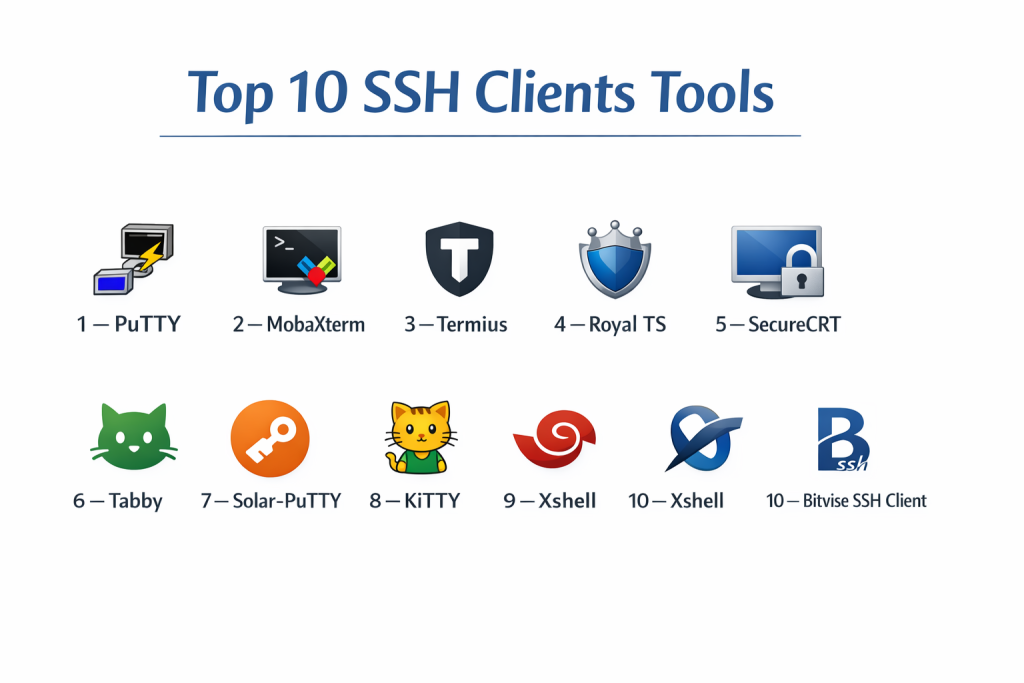
Top 10 SSH Clients Tools
1 — PuTTY
PuTTY is the most iconic, lightweight SSH client for Windows. It is an open-source tool that has been the industry standard for decades due to its simplicity and small footprint. While it lacks a modern tabbed interface, its reliability and “no-frills” approach make it the first choice for quick connections and troubleshooting in legacy environments.
- Key features: Small executable with no installation required, supports multiple protocols (SSH, Telnet, Rlogin), integrated terminal emulator, supports SSH-1 and SSH-2, and separate PuTTYgen tool for key generation.
- Pros: Extremely lightweight and stable; completely free with no hidden costs.
- Cons: Outdated user interface; lacks a tabbed environment and modern session organization.
- Security & compliance: Supports high-level encryption and private keys; widely used in compliant environments due to its transparency.
- Support & community: Massive legacy community, extensive online documentation, and community-driven development.
2 — MobaXterm
MobaXterm is an “all-in-one” workstation for Windows users that goes far beyond basic SSH. It includes an X11 server, an integrated SFTP browser, and a suite of network tools. It is designed for power users who want a single dashboard for every remote task imaginable.
- Key features: Embedded X11 server for graphical apps, tabbed terminal with split panes, automatic SFTP browser follows terminal path, support for macros, and a portable edition.
- Pros: Incredible feature density; the automatic SFTP panel is a massive time-saver.
- Cons: The free version has a limit on the number of saved sessions; the interface can be cluttered.
- Security & compliance: Supports master password for session encryption; Varies / N/A.
- Support & community: Professional enterprise support for paid users and a solid knowledge base.
3 — Termius
Termius is a modern, cross-platform SSH client that focuses on synchronization and mobility. It is unique in its ability to sync sessions, snippets, and keys across desktop (Windows, Mac, Linux) and mobile (iOS, Android) devices, making it the best choice for administrators who are often on the move.
- Key features: Cloud synchronization across all devices, integrated SFTP client, snippet manager for common commands, SSH key agent, and “Team” features for shared server access.
- Pros: Beautiful, modern UI and the best mobile app in the category.
- Cons: Most advanced features require a monthly subscription; some users prefer not to have session data in the cloud.
- Security & compliance: End-to-end encryption for synced data; SOC 2 and GDPR compliant.
- Support & community: 24/7 customer support for paid tiers and a very polished onboarding experience.
4 — Royal TS
Royal TS is an enterprise-grade remote management tool that handles SSH alongside RDP, VNC, and web connections. It is designed for IT professionals in Windows environments who need to manage a diverse array of different remote connection types in a centralized, hierarchical structure.
- Key features: Unified interface for SSH, RDP, and VNC, highly customizable dashboard, team collaboration through shared files, and powerful credential management.
- Pros: Unmatched for managing “mixed” environments with both Windows and Linux servers.
- Cons: Steep learning curve and the pricing model can be expensive for small teams.
- Security & compliance: Secure, encrypted credential vault; enterprise-ready audit logs.
- Support & community: Professional support ticketing system and comprehensive technical manuals.
5 — SecureCRT
SecureCRT is a premium, high-security SSH client from VanDyke Software. It is favored by corporate and government sectors for its extreme stability, powerful scripting capabilities, and strict adherence to security standards. It is a “serious” tool for mission-critical infrastructure.
- Key features: Advanced scripting support (Python, VBScript), session cloning, multi-session “Command Window,” highly secure credential storage, and support for smart cards.
- Pros: Exceptionally reliable for massive, long-term deployments; industry-leading customer support.
- Cons: One of the most expensive options; the interface looks a bit traditional compared to Termius.
- Security & compliance: HIPAA, GDPR, and FIPS 140-2 compliant; advanced audit logs.
- Support & community: Top-tier professional support and a long history of corporate trust.
6 — Tabby
Tabby (formerly Terminus) is a modern, highly customizable terminal emulator and SSH client built on web technologies. It is cross-platform and caters to developers who want a terminal that looks and behaves like a modern code editor (like VS Code).
- Key features: Integrated SSH client with connection manager, serial terminal support, built-in SFTP and Zmodem, multiple color schemes, and extensive plugin system.
- Pros: Highly customizable and visually stunning; works identically on Windows, Mac, and Linux.
- Cons: Based on Electron, meaning it uses more RAM than lightweight clients like PuTTY.
- Security & compliance: Standard SSH security; Varies / N/A.
- Support & community: Very active GitHub community and a modern, plugin-centric ecosystem.
7 — Solar-PuTTY
Solar-PuTTY is a free tool from SolarWinds that takes the original PuTTY engine and wraps it in a modern, tabbed interface. It solves the biggest complaint about PuTTY—the lack of session organization—without losing the speed and compatibility of the original.
- Key features: Tabbed interface for multiple sessions, saved credentials for auto-login, search bar for sessions, and integration with the standard PuTTY tools.
- Pros: Completely free and familiar to PuTTY users; significantly better session management.
- Cons: Windows only; lacks the advanced scripting or X11 features of MobaXterm.
- Security & compliance: Uses the trusted PuTTY core; Varies / N/A.
- Support & community: Supported by the SolarWinds community and online forums.
8 — KiTTY
KiTTY is a “fork” of PuTTY that adds numerous requested features that the original author never implemented. It is designed for users who love the PuTTY simplicity but need modern conveniences like automatic passwords and command-line automation.
- Key features: Portability, “Always on top” mode, automatic password handling, session filters, and an integrated text editor.
- Pros: Adds vital features to the PuTTY experience while remaining a single, lightweight .exe file.
- Cons: Inherits the dated look of PuTTY; documentation is not as organized as commercial tools.
- Security & compliance: Similar to PuTTY; Varies / N/A.
- Support & community: Primarily community forums and specialized developer sites.
9 — Xshell
Xshell is a powerful SSH client popular in Asia and gaining traction globally. It offers a unique “Compose Bar” that allows you to draft multiple lines of commands before sending them to the terminal, reducing the chance of typing errors on live production servers.
- Key features: Tabbed interface with detachable windows, “Compose Bar” for command drafting, VB/JS/Python scripting, and synchronized input to multiple terminals.
- Pros: Excellent for power users who need to send the same command to 20 servers at once.
- Cons: The free version is for home/school use only; licensing can be complex.
- Security & compliance: PKCS#11 support for smart cards and hardware tokens; GDPR compliant.
- Support & community: Professional technical support and a wealth of localized documentation.
10 — Bitvise SSH Client
Bitvise is a sleek, highly functional SSH client that excels in SFTP file transfers and tunneling. It is known for its “Auto-reconnect” feature, which is incredibly robust at keeping sessions alive even when switching between Wi-Fi and mobile data.
- Key features: High-speed SFTP with folder mirroring, powerful terminal emulation, dynamic port forwarding (SOCKS proxy), and remote desktop tunneling.
- Pros: One of the best for background tunneling and moving large amounts of files securely.
- Cons: The terminal interface is slightly less customizable than tools like Tabby or MobaXterm.
- Security & compliance: FIPS 140-2 validated cryptography; very strong focus on protocol standards.
- Support & community: Very responsive developer support and a clear, technical user guide.
Comparison Table
| Tool Name | Best For | Platform(s) Supported | Standout Feature | Rating |
| PuTTY | Legacy/Simple Tasks | Windows | Lightweight, Portable | 4.2 / 5 |
| MobaXterm | Windows Power Users | Windows | Built-in X11 Server | 4.8 / 5 |
| Termius | Mobile/Syncing | Win, Mac, Linux, Mobile | Cross-Device Sync | 4.7 / 5 |
| Royal TS | Mixed Environments | Windows, macOS | Unified Remote Dashboard | 4.4 / 5 |
| SecureCRT | Enterprise/Gov | Win, Mac, Linux | Python Scripting | 4.6 / 5 |
| Tabby | Modern Developers | Win, Mac, Linux | Plugin-based UI | 4.5 / 5 |
| Solar-PuTTY | Easy Migration | Windows | Free Tabbed PuTTY | 4.3 / 5 |
| KiTTY | Portable Automation | Windows | Scriptable Login | N/A |
| Xshell | Mass Management | Windows | Command Compose Bar | 4.5 / 5 |
| Bitvise | Tunneling/SFTP | Windows | Robust Auto-Reconnect | 4.4 / 5 |
Evaluation & Scoring of SSH Clients
| Category | Weight | PuTTY | MobaXterm | Termius | SecureCRT | Tabby |
| Core Features | 25% | 15/25 | 25/25 | 22/25 | 24/25 | 23/25 |
| Ease of Use | 15% | 10/15 | 12/15 | 15/15 | 11/15 | 14/15 |
| Integrations | 15% | 8/15 | 15/15 | 14/15 | 13/15 | 15/15 |
| Security | 10% | 10/10 | 9/10 | 10/10 | 10/10 | 9/10 |
| Performance | 10% | 10/10 | 8/10 | 9/10 | 10/10 | 8/10 |
| Support | 10% | 8/10 | 8/10 | 10/10 | 10/10 | 9/10 |
| Price / Value | 15% | 15/15 | 13/15 | 10/15 | 8/15 | 15/15 |
| Total Score | 100% | 76/100 | 90/100 | 90/100 | 86/100 | 93/100 |
Which SSH Client Tool Is Right for You?
Small to Mid-Market vs. Enterprise
For solo developers and SMBs, a tool that combines speed with visual organization like MobaXterm or Tabby is ideal. These tools allow you to manage a few dozen servers without a high monthly cost. For Enterprise users, the priority shifts to security, auditing, and compliance. SecureCRT and Royal TS are the industry leaders here, as they allow for centralized credential management and scriptable automation that fits into corporate governance workflows.
Budget and Value
If your budget is zero, PuTTY remains a solid choice for basic tasks, while Solar-PuTTY offers a much-needed modern interface for the same price. For users who don’t mind a subscription, Termius provides the best “value-add” in terms of saving time through device synchronization. If you need a one-time purchase with heavy features, MobaXterm Professional is a highly competitive option.
Technical Depth vs. Simplicity
Users who want to “tinker” and automate every part of their workflow will gravitate toward Xshell (for its command drafting) or Tabby (for its JavaScript-based plugins). Conversely, if you just want to log in, run one command, and log out, the simplicity of PuTTY or Bitvise ensures you aren’t distracted by unnecessary UI elements.
Security and Compliance Requirements
If your work falls under government or high-security mandates, SecureCRT is the clear winner due to its FIPS 140-2 compliance and robust smart card support. For teams that need to share server access without sharing actual passwords, Termius for Teams allows for secure credential sharing with end-to-end encryption, ensuring you meet modern data privacy standards.
Frequently Asked Questions (FAQs)
1. Is PuTTY still safe to use?
Yes, PuTTY is regularly updated and remains one of the most audited pieces of open-source software. However, ensure you always download it from its official site to avoid modified, malicious versions.
2. What is the difference between SSH and Telnet?
SSH is encrypted, while Telnet sends all data (including passwords) in plain text. You should never use Telnet over the public internet.
3. Do I need an SSH client on macOS or Linux?
Both macOS and Linux have a built-in SSH client in their terminal. However, many pros still use tools like Termius or SecureCRT for the session management and GUI-based SFTP features they provide.
4. How do SSH keys work?
An SSH key pair consists of a “Public Key” (which you put on the server) and a “Private Key” (which you keep on your client). They allow you to log in securely without a password.
5. Can I run graphical Linux apps through an SSH client?
Yes, using “X11 Forwarding.” Tools like MobaXterm have a built-in X11 server that makes this process extremely easy on Windows.
6. What is “Port Forwarding”?
It allows you to map a local port on your computer to a port on a remote server. This is often used to access a remote database as if it were running on your own machine.
7. Why does my SSH connection keep timing out?
This is often due to a firewall or server setting. Most SSH clients have a “Keep-alive” setting that sends a small packet every few seconds to prevent the connection from dropping.
8. Can I use these clients to connect to my smartphone?
Yes, if you install an SSH server app on your Android or a jailbroken iPhone, you can use any of these clients to manage your phone’s file system and processes.
9. What is a “Jump Host”?
A Jump Host (or Bastion Host) is an intermediate server you log into before you can access a more secure internal server. Many modern clients like Termius can automate this multi-step login.
10. Is it better to use a portable or installed version?
Portable versions are great for IT pros who work on multiple different machines via a USB drive. Installed versions are better for daily work as they integrate better with the OS.
Conclusion
The “best” SSH client is ultimately the one that aligns with your specific technical environment and daily habits. For Windows users who need a powerful all-round tool, MobaXterm is hard to beat. For those who prioritize a modern, cross-device experience, Termius has set a new standard for UI design in the space. Meanwhile, the venerable PuTTY and its various forks continue to provide the lightweight reliability that many admins still swear by.
Regardless of which tool you choose, remember that security is the most critical factor. Prioritize clients that support modern key formats like Ed25519, offer secure credential storage, and provide the multitasking features needed to manage today’s complex server landscapes without errors. By selecting a tool that fits your workflow, you can turn a potentially tedious task into a seamless part of your daily professional routine.