Introduction
Driver update tools are specialized software utilities designed to scan, identify, and update the hardware drivers on your computer. Drivers are essentially the digital translators that allow your operating system to communicate with hardware components such as your graphics card, Wi-Fi adapter, printer, and motherboard chipset. Without the correct and most up-to-date drivers, hardware can become unstable, leading to system crashes, poor performance, or complete hardware failure. Driver update tools automate the tedious and often risky process of manually searching manufacturer websites for the correct file versions, ensuring that your system remains optimized with minimal effort.
The importance of these tools has grown as hardware diversity increases. While Windows Update provides basic drivers, it often lags behind the latest releases from manufacturers like NVIDIA, AMD, or Intel. For gamers, outdated graphics drivers can mean the difference between a smooth experience and constant stuttering. For professionals, it can mean the difference between a reliable workstation and a system that crashes during a critical project. By using a driver update tool, you ensure that security vulnerabilities in hardware firmware are patched, hardware compatibility with new software is maintained, and your system achieves its peak performance potential.
Key Real-World Use Cases
- Gaming Optimization: Ensuring the latest “Game Ready” drivers are installed for the newest titles to prevent graphical glitches and maximize frame rates.
- System Stability: Resolving frequent “Blue Screen of Death” (BSOD) errors caused by corrupted or mismatched peripheral drivers.
- Hardware Troubleshooting: Fixing connectivity issues with Wi-Fi cards, Bluetooth devices, or printers that stop responding after an operating system update.
- IT Asset Management: Streamlining the maintenance of multiple computers in an office or remote work environment to ensure all endpoints are running identical, stable driver versions.
- Legacy Hardware Support: Finding difficult-to-locate drivers for older hardware that is no longer officially supported on the manufacturer’s main landing page.
What to Look For (Evaluation Criteria)
When choosing a driver update tool, consider the following evaluation criteria to ensure you are getting a safe and effective product:
- Database Size and Accuracy: A larger database increases the chance of finding the correct driver, but accuracy is paramount to avoid installing “close-enough” drivers that cause more harm than good.
- Safety Mechanisms: Look for tools that automatically create a System Restore point and offer a driver backup/rollback feature before any installation begins.
- WHQL Certification: The best tools prioritize Windows Hardware Quality Labs (WHQL) certified drivers, which have been tested by Microsoft for compatibility.
- One-Click Automation: The utility should be able to scan, download, and install all necessary updates in a single batch to save time.
- Offline Scanning: Useful for systems with broken network drivers where the tool scans the hardware and allows you to download the driver on a different machine.
Best for:
Individual home users, PC gamers, and small-to-medium-sized business (SMB) IT administrators. It is especially beneficial for users who are not comfortable navigating device managers or technical manufacturer websites but want to keep their hardware in top shape.
Not ideal for:
Enterprise environments with highly restricted security policies where all updates must be vetted by a centralized IT department through tools like Microsoft Intune. It is also unnecessary for users of “walled garden” systems like Chromebooks, which handle all hardware updates natively through the cloud.
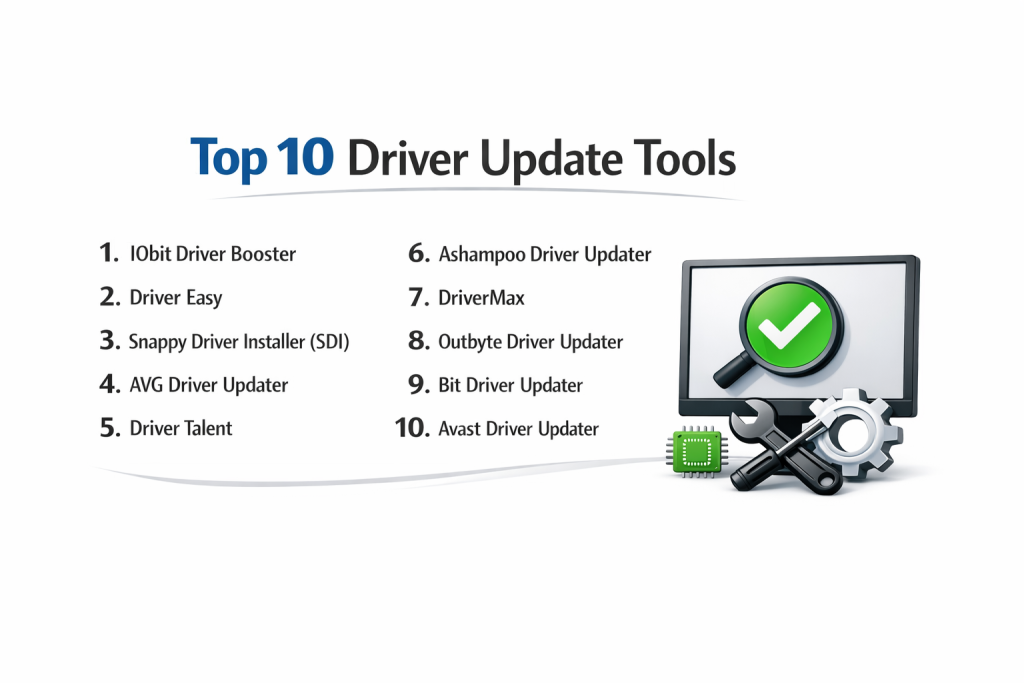
Top 10 Driver Update Tools
1 — IObit Driver Booster
IObit Driver Booster is widely considered the industry leader for consumer-grade driver management. It is designed for users who want a balance between ease of use and high-powered performance features. It excels in gaming optimization by providing specialized drivers and components like DirectX that other tools often overlook.
- Key features: Database of over 12 million drivers, “Game Ready” driver prioritization, offline driver updater, silent mode for uninterrupted work/gaming, and automatic backup.
- Pros: Extremely fast scanning speeds and a robust toolkit for fixing common Windows errors (like no sound or network failure).
- Cons: The free version has a daily download limit and the installer often promotes other IObit products.
- Security & compliance: Uses HTTPS for downloads; WHQL certified drivers prioritized. (Varies / N/A for SOC 2).
- Support & community: 24/7 technical support for Pro users, extensive online FAQs, and a large global user forum.
2 — Driver Easy
Driver Easy is known for its incredible accuracy and simplicity. It is designed for people who want a “no-nonsense” tool that identifies even the most obscure drivers. It uses a clean, modern interface that clearly shows the source of the driver and the version differences before you commit to an update.
- Key features: One-click bulk updates, offline scan for computers without internet, detailed hardware information display, and 30 million+ driver database.
- Pros: Exceptional at finding drivers for older or rare hardware that other tools miss.
- Cons: The free version requires you to manually install each driver via the Windows Device Manager, which can be tedious.
- Security & compliance: Drivers are sourced directly from manufacturers; GDPR compliant data handling.
- Support & community: Professional email support and a very high-quality knowledge base.
3 — Snappy Driver Installer (SDI)
Snappy Driver Installer is a unique, open-source tool preferred by IT technicians. Unlike other entries, it can be downloaded as a massive “Full” version that contains every driver in its database, allowing you to update multiple computers without an internet connection. It is completely free with no ads.
- Key features: Fully portable (run from a USB), open-source and ad-free, advanced ranking logic for driver selection, and support for automated command-line scripts.
- Pros: No installation required and completely free with no “Pro” version gatekeeping.
- Cons: The interface is very technical and “old-school,” which may intimidate beginners.
- Security & compliance: Open-source transparency allows for community auditing. (N/A for enterprise certifications).
- Support & community: Community-driven development on GitHub and active volunteer forums.
4 — AVG Driver Updater
Coming from a household name in cybersecurity, AVG Driver Updater prioritizes safety and system stability. It performs a real-time scan of the system and checks the drivers against a secure cloud database. It is designed for users who are already in the AVG ecosystem and want a trusted, vetted source for their hardware files.
- Key features: Real-time scanning, automatic update scheduling, backup and restore functionality, and a dedicated “system problem solver” module.
- Pros: Very low risk of system instability due to high vetting of the driver database.
- Cons: One of the more expensive subscription options on the market.
- Security & compliance: Backed by AVG’s cybersecurity infrastructure; secure encrypted downloads.
- Support & community: Premium 24/7 phone and chat support for subscribers.
5 — Driver Talent
Driver Talent (formerly DriveTheLife) is a versatile tool that focuses on the entire lifecycle of a driver—installing, repairing, backing up, and uninstalling. It is particularly useful for users planning to reinstall their operating system, as it can pre-download all necessary drivers to a local folder.
- Key features: Pre-download feature for OS migration, peripheral driver detection (USB, printer, etc.), driver repair for corrupted files, and high-speed downloads.
- Pros: Excellent for technical projects like rebuilding a PC or moving to a new version of Windows.
- Cons: The interface feels slightly cluttered compared to modern competitors like Driver Easy.
- Security & compliance: Varies; provides digitally signed drivers where available.
- Support & community: Email-based support and an online troubleshooting guide.
6 — Ashampoo Driver Updater
Ashampoo Driver Updater focuses on providing a stable, high-performance experience with a very modern and sleek UI. It is designed for non-technical users who want the software to handle everything in the background. It emphasizes hardware longevity by ensuring that components aren’t stressed by inefficient, outdated code.
- Key features: Built-in scheduler for automatic checks, support for over 150,000 devices, automatic restore point creation, and easy-to-read summary reports.
- Pros: Very user-friendly and highly compatible with the latest Windows 11 updates.
- Cons: The driver database is smaller than competitors like IObit or Driver Easy.
- Security & compliance: GDPR compliant; uses official manufacturer sources.
- Support & community: Reliable customer service and a well-maintained blog with PC maintenance tips.
7 — DriverMax
DriverMax stands out by offering a unique “Driver Version History” feature. It allows you to see every version of a driver that has been released, which is incredibly helpful if a new update causes issues and you need to roll back to a specific older version rather than just the “last” one.
- Key features: Scheduled scans, driver backup export as a ZIP file, version history tracking, and support for over 2.3 million devices.
- Pros: Very thorough backup options that make it easy to restore a system after a crash.
- Cons: The free version is extremely limited (only two driver downloads per day).
- Security & compliance: Scans all drivers for viruses and malware before providing them to the user.
- Support & community: Ticket-based support and an online help center.
8 — Outbyte Driver Updater
Outbyte is a modern utility that combines driver updates with system performance diagnostics. It doesn’t just look for outdated drivers; it analyzes your system for performance bottlenecks, such as CPU temperature and memory usage, providing a holistic view of your PC’s health.
- Key features: Performance diagnostics, hardware compatibility checks, automatic backups, and a streamlined “one-click” interface.
- Pros: Provides useful context on why an update is needed (e.g., “This update improves GPU cooling”).
- Cons: Subscription-only model; some users find the diagnostic reports to be a bit “alarmist.”
- Security & compliance: High-level encryption for data transmission; GDPR compliant.
- Support & community: Live chat support and an extensive library of articles.
9 — Bit Driver Updater
Bit Driver Updater is a lightweight, efficient tool designed for speed. It is built for users with older or slower computers who don’t want a heavy application hogging system resources. It provides a “traffic light” system to show the urgency of specific driver updates.
- Key features: One-click “Update All,” scan scheduling, backup and restore, and a modern, high-speed scanning engine.
- Pros: Extremely lightweight and won’t slow down your PC while scanning in the background.
- Cons: Lacks the advanced “Game Boosting” or “Hardware Repair” tools found in IObit.
- Security & compliance: Standard data protection protocols; N/A for enterprise certifications.
- Support & community: Email support and a helpful FAQ section.
10 — Avast Driver Updater
Similar to AVG, Avast Driver Updater leverages its parent company’s massive threat intelligence network. It is a premium, high-security tool that checks for driver vulnerabilities as much as it checks for performance. It is an excellent choice for users who prioritize security above all else.
- Key features: Real-time vulnerability scanning, massive database of 130 million+ drivers, safe rollback, and automatic background updates.
- Pros: Backed by one of the world’s largest security companies; very high trust factor.
- Cons: Pricey and lacks some of the technical flexibility found in Snappy Driver Installer.
- Security & compliance: GDPR compliant; uses Avast’s secure infrastructure for all file transfers.
- Support & community: 24/7 technical support and a massive community forum.
Comparison Table
| Tool Name | Best For | Platform(s) Supported | Standout Feature | Rating |
| IObit Driver Booster | Gamers & General Users | Windows | Game Ready Driver Focus | 4.8 / 5 |
| Driver Easy | Hard-to-Find Drivers | Windows | 30M+ Database Accuracy | 4.7 / 5 |
| Snappy Driver (SDI) | IT Professionals | Windows | Fully Offline & Portable | N/A |
| AVG Driver Updater | Stability & Safety | Windows | Cloud-Verified Databases | 4.5 / 5 |
| Driver Talent | Reinstalling Windows | Windows | Pre-download for Migration | 4.3 / 5 |
| Ashampoo | Non-Technical Users | Windows | Cleanest User Experience | 4.4 / 5 |
| DriverMax | Version Control | Windows | ZIP-based Driver Export | 4.2 / 5 |
| Outbyte | System Health Monitoring | Windows | Integrated Performance Diagnostics | 4.3 / 5 |
| Bit Driver Updater | Older/Slow PCs | Windows | Extremely Lightweight Engine | 4.1 / 5 |
| Avast Driver Updater | Security Enthusiasts | Windows | Vulnerability-First Scanning | 4.5 / 5 |
Evaluation & Scoring of Driver Update Tools
| Category | Weight | IObit | Driver Easy | SDI | AVG | Ashampoo |
| Core Features | 25% | 24/25 | 23/25 | 25/25 | 20/25 | 21/25 |
| Ease of Use | 15% | 15/15 | 15/15 | 5/15 | 14/15 | 15/15 |
| Integrations | 15% | 13/15 | 10/15 | 15/15 | 12/15 | 10/15 |
| Security | 10% | 9/10 | 9/10 | 10/10 | 10/10 | 9/10 |
| Performance | 10% | 10/10 | 10/10 | 10/10 | 9/10 | 9/10 |
| Support | 10% | 9/10 | 9/10 | 4/10 | 10/10 | 8/10 |
| Price / Value | 15% | 14/15 | 12/15 | 15/15 | 10/15 | 12/15 |
| Total Score | 100% | 94/100 | 88/100 | 84/100 | 85/100 | 84/100 |
Which Driver Update Tool Is Right for You?
Solo Users vs. SMB vs. Mid-Market vs. Enterprise
For solo users, the primary concern is usually convenience and speed. IObit Driver Booster or Ashampoo provide the easiest path to a healthy system. For SMBs, tools with better bulk management like Driver Easy are superior. Enterprises and Mid-Market organizations should avoid standalone utilities and instead use built-in Windows management tools like Intune or Endpoint Central, which allow administrators to vet and approve every driver before it hits an employee’s machine.
Budget-Conscious vs. Premium Solutions
If you have zero budget, Snappy Driver Installer is the undisputed king. It is more powerful than many paid tools, though you must be willing to learn a slightly complex interface. For those willing to pay for “peace of mind,” AVG or Avast offer premium, cloud-vetted databases that practically eliminate the risk of installing a “bad” driver.
Feature Depth vs. Ease of Use
If you need to move all drivers from an old PC to a new one, Driver Talent has the specific feature depth you need. However, if you just want to “fix my sound,” IObit‘s simple repair toolkit is the easier way to go. Bit Driver Updater is the middle ground—providing deep scans with a very simple interface.
Integration and Scalability Needs
For IT professionals who need to walk into an office and update 50 computers, the portability of Snappy Driver Installer is unmatched. If you need a tool that integrates with your existing antivirus suite, staying within the AVG or Norton/Avast ecosystem ensures that all your maintenance tools “talk” to each other and share a common support platform.
Security and Compliance Requirements
In a setting where data privacy and driver authenticity are regulated (like healthcare or legal), you should stick with tools that explicitly source from WHQL-certified channels. Avast and IObit Pro are very transparent about their driver sources, making them safer for environments where a malicious driver could lead to a massive security breach.
Frequently Asked Questions (FAQs)
1. Is it safe to use third-party driver update tools?
Yes, provided you use reputable tools like those listed here. These tools create backups and restore points. Avoid unknown tools that look like pop-up ads, as they may contain malware.
2. Why shouldn’t I just use Windows Update?
Windows Update is safe, but it often only has “generic” drivers or versions that are months old. Specialized tools get drivers directly from the manufacturer, which improves performance and unlocks new hardware features.
3. Do I need to update my drivers if my computer is working fine?
If it isn’t broken, you don’t have to fix it. However, updating drivers can improve security by patching firmware vulnerabilities and can improve efficiency, which might even extend your laptop’s battery life.
4. Can a driver update cause a Blue Screen of Death (BSOD)?
Yes, if an incompatible driver is installed. This is why you must choose a tool that has an “Automatic Backup” or “Rollback” feature, so you can easily revert to the previous working version.
5. How often should I scan for driver updates?
Once a month is usually sufficient for most users. Gamers might want to scan more frequently, perhaps every time a major new game is released.
6. Do these tools work on Mac or Linux?
Most of these tools are specifically for Windows because Windows has the most complex driver ecosystem. Mac and Linux handle drivers very differently (usually built into the OS or Kernel) and don’t typically need these utilities.
7. Can I use these tools if I don’t have an internet connection?
Yes, tools like Snappy Driver Installer or the offline scan features in Driver Easy and IObit allow you to scan a PC offline, save the data, and download the drivers on another computer.
8. What is a “WHQL” driver?
It stands for Windows Hardware Quality Labs. It means the driver has been tested and “signed” by Microsoft to ensure it won’t crash your computer or cause major stability issues.
9. Why do some tools say I have 30 outdated drivers when Windows Update says zero?
Windows Update only looks for “critical” drivers required for basic operation. Third-party tools look for “optional” and “minor” updates for everything from your USB ports to your motherboard’s thermal sensors.
10. Do I have to pay for a subscription?
Many tools have a free version, but they are often limited in speed or require manual installation. A subscription usually unlocks one-click automation, high-speed downloads, and better technical support.
Conclusion
Managing hardware drivers is one of the most effective ways to ensure your computer remains fast, stable, and secure. While the process can be done manually, it is time-consuming and prone to human error. The tools we’ve explored—from the gamer-focused IObit Driver Booster to the technician’s favorite Snappy Driver Installer—all offer different ways to solve this problem. The “best” tool ultimately depends on your level of technical expertise and how much automation you desire.
When making your final choice, remember that safety should always be your top priority. Ensure that whichever utility you select has a robust rollback system and prioritizes verified, manufacturer-direct drivers. By making driver maintenance a regular part of your digital routine, you aren’t just fixing bugs; you are proactively protecting your hardware investment and ensuring that your PC continues to perform at its absolute best for years to come.