Introduction
Contact Management Software is a digital solution designed to centralize, organize, and track interactions with an organization’s leads, customers, and partners. Far more than a simple digital address book, these tools serve as a single source of truth for all relationship data. They store essential details such as names, phone numbers, and email addresses, but their true power lies in recording the “soft” data—interaction history, meeting notes, social media activity, and professional milestones. By integrating these disparate data points, the software provides a 360-degree view of every individual your business touches.
Managing relationships effectively is the lifeblood of modern business. Without a dedicated system, valuable contact data often remains trapped in fragmented spreadsheets, sticky notes, or individual email inboxes. This fragmentation leads to duplicate entries, missed follow-ups, and a disjointed customer experience. Contact management software eliminates these hurdles by automating data entry and ensuring that every team member has access to the same up-to-date information. When evaluating these tools, users should focus on ease of use, synchronization speed, mobile accessibility, and the ability to segment contacts into targeted groups for more personalized communication.
Key Real-World Use Cases
- Sales Pipeline Tracking: Monitoring a lead’s journey from the first discovery call to a finalized contract, ensuring no prospect falls through the cracks.
- Customer Success & Support: Viewing a client’s entire historical record the moment they reach out, allowing for personalized and efficient problem-solving.
- Network Nurturing: Using automated reminders to stay in touch with professional referrals and industry influencers at regular intervals.
- Event Management: Organizing attendee lists, tracking RSVPs, and managing post-event follow-up campaigns based on specific engagement levels.
Best for:
- Small to Mid-Sized Businesses (SMBs): Who need to move away from messy spreadsheets to a professional, scalable database.
- Sales and Marketing Professionals: Who require deep interaction history and automated follow-up reminders to manage high lead volumes.
- Real Estate and Legal Agencies: Industries where maintaining long-term, detailed client histories is critical for compliance and relationship building.
Not ideal for:
- Solo Users with Basic Needs: Individuals who only need to store a few dozen personal phone numbers can likely rely on standard, free smartphone address books.
- Large-Scale Manufacturers: Who may require heavy-duty ERP (Enterprise Resource Planning) systems focused on inventory rather than relationship management.
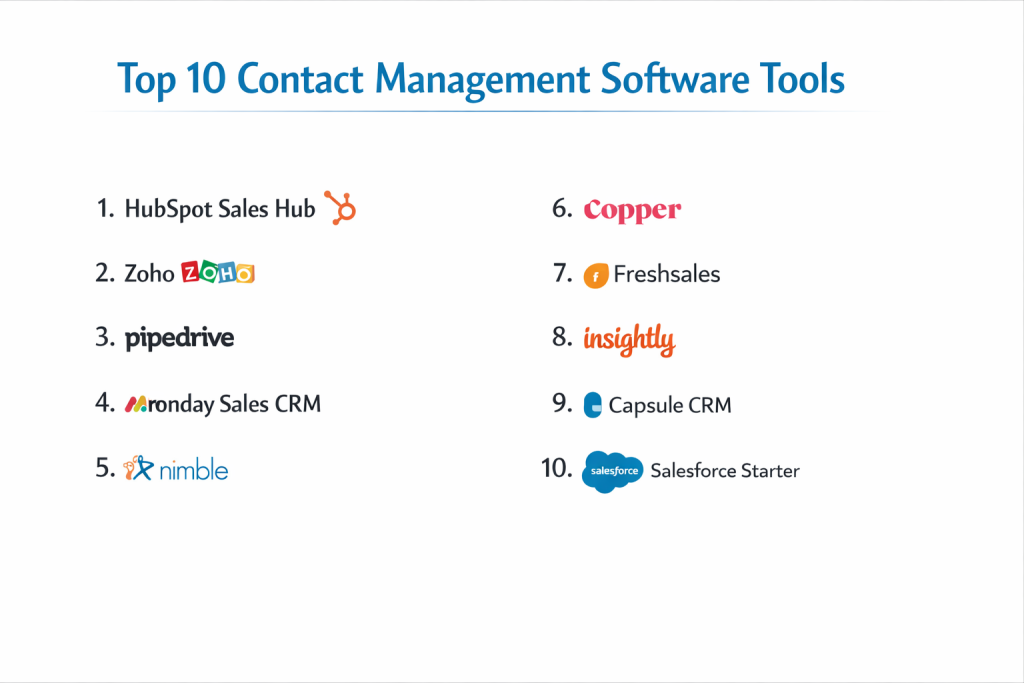
Top 10 Contact Management Software Tools
1 — HubSpot Sales Hub
HubSpot is widely recognized as the gold standard for user-friendly contact management. It offers a powerful “freemium” model that allows businesses to scale their relationship management as they grow.
- Key features:
- Automatic contact enrichment that pulls company data from millions of records.
- Real-time email tracking and notifications for opens and clicks.
- Meeting scheduler that integrates directly with your Google or Outlook calendar.
- Live chat and chatbot integration to capture new leads automatically.
- Call logging and recording directly within the contact’s profile.
- Mobile app with a built-in business card scanner.
- Pros:
- The most intuitive user interface in the industry, requiring almost zero training.
- The “Free” tier is remarkably robust and includes unlimited users.
- Cons:
- Advanced automation features are locked behind high-priced “Professional” tiers.
- Technical support for free users is limited to community forums.
- Security & compliance: SOC 2 Type II, GDPR, HIPAA (with specific tiers), and ISO 27001.
- Support & community: Extensive HubSpot Academy for training, a massive global user community, and 24/7 phone support for paid customers.
2 — Zoho CRM
Zoho CRM provides an incredibly deep feature set at a price point that is accessible for small businesses. It is highly customizable and excels at managing complex contact data across global teams.
- Key features:
- Zia AI: An intelligent assistant that identifies lead patterns and best contact times.
- Canvas Design Studio for creating custom views of contact records.
- Multichannel support for email, social media, and live chat.
- Advanced segmentation tools based on lead scores and behavior.
- Blueprinting to automate standardized sales and follow-up processes.
- Extensive integration with the 40+ other apps in the Zoho ecosystem.
- Pros:
- One of the most affordable options for businesses needing advanced AI and automation.
- Highly flexible; you can rename fields and create custom modules easily.
- Cons:
- The interface can feel cluttered and overwhelming for new users.
- Customer support response times can be inconsistent for lower-tier plans.
- Security & compliance: GDPR, HIPAA, SOC 2, and ISO 27001.
- Support & community: Strong documentation, webinars, and a localized partner network for on-site implementation.
3 — Pipedrive
Pipedrive is a sales-focused contact management tool that uses a visual approach. It is designed around the idea that consistent activity leads to successful relationships.
- Key features:
- Visual sales pipelines with drag-and-drop contact cards.
- Smart Contact Data: Automatically scrapes public info (LinkedIn, etc.) for your contacts.
- Activity-based reminders to ensure you always have a “next step” scheduled.
- Integrated email inbox with two-way sync and template support.
- Custom fields and filters to organize contacts by specific niche data.
- Leadbooster add-on for chatbots and web forms.
- Pros:
- Exceptional at helping teams focus on closing deals rather than just storing data.
- Very fast to set up; most users can be productive within an hour.
- Cons:
- Limited marketing automation compared to HubSpot or Zoho.
- Reporting can feel a bit restricted unless you pay for the higher tiers.
- Security & compliance: SOC 2, SOC 3, GDPR, and ISO 27001.
- Support & community: 24/7 chat support and a high-quality “Pipedrive Academy.”
4 — Monday Sales CRM
Monday.com has evolved from a project management tool into a highly effective Sales CRM. It is best known for its colorful, board-based organization and flexibility.
- Key features:
- Fully customizable contact boards with dozens of column types.
- Automated “recipes” for internal notifications and task creation.
- Centralized communication tracking via email integration.
- Visual dashboards to track contact health and team performance.
- Collaborative document storage directly within contact records.
- Seamless integration with tools like Slack, Zoom, and Gmail.
- Pros:
- Visually engaging and fun to use, which drives high team adoption rates.
- Extremely versatile; it can handle projects and contacts in the same space.
- Cons:
- The “per-user” pricing is sold in seat blocks (e.g., 3, 5, 10), which can be annoying.
- Lacks some deep sales features like native call dialers found in rivals.
- Security & compliance: HIPAA, SOC 2, ISO 27001, and GDPR.
- Support & community: 24/7 customer support and an extensive library of community-created templates.
5 — Nimble
Nimble is a “Social CRM” that automatically populates contact records with social media profiles and interaction history. It is ideal for individuals who live and work in the world of social networking.
- Key features:
- Prospector browser extension that works on any website or social platform.
- Automatic social profile matching for every contact you add.
- Relationship Intelligence that highlights common interests with your contacts.
- Unified inbox for social messages, email, and calendar appointments.
- Group messaging with personalized tags and tracking.
- “Stay in Touch” reminders based on the length of time since last contact.
- Pros:
- Does the manual work of “finding” contact info for you.
- Excellent for networking and building a personal brand.
- Cons:
- Not designed for high-volume call centers or heavy industrial sales.
- The interface can feel a bit “busy” compared to minimalist alternatives.
- Security & compliance: GDPR ready; uses industry-standard encryption.
- Support & community: Daily Q&A sessions, webinars, and responsive email support.
6 — Copper
Copper is built specifically for users who rely on Google Workspace. It lives directly inside Gmail, making it the least intrusive contact management tool on the market.
- Key features:
- Native integration with Gmail, Google Calendar, and Google Drive.
- Chrome extension that allows contact management from your inbox sidebar.
- Automatic logging of emails and calendar events.
- Lead and deal tracking using a familiar Kanban-style board.
- Task automation to suggest follow-ups after meetings.
- Custom reporting that pulls data directly into Google Sheets.
- Pros:
- No learning curve for people who already use Gmail daily.
- Minimal data entry; the system “learns” from your existing Google traffic.
- Cons:
- Entirely dependent on Google; not suitable for Microsoft Outlook users.
- Can be more expensive per user than some of the more feature-rich rivals.
- Security & compliance: SOC 2 Type II, GDPR, and Privacy Shield.
- Support & community: Knowledge base, email support, and dedicated success managers for larger accounts.
7 — Freshsales (by Freshworks)
Freshsales is a high-performance contact management tool that uses AI-based scoring to help teams identify which contacts are most likely to convert.
- Key features:
- Freddy AI for lead scoring and predictive insights.
- Built-in phone and cloud telephony for calling contacts with one click.
- Visual sales pipelines with “Rotting Deal” alerts.
- Event tracking to see how contacts interact with your website.
- Automatic profile enrichment using social and professional data.
- Sophisticated workflow automation for drip campaigns.
- Pros:
- The integrated phone system is a major time-saver for outbound sales teams.
- Modern, “Fresh” interface that is consistent and clean.
- Cons:
- The AI features are only available in the more expensive plans.
- Some integrations require the use of third-party tools like Zapier.
- Security & compliance: ISO 27001, SOC 2, HIPAA, and GDPR.
- Support & community: 24/5 phone and email support, plus a thriving user community.
8 — Insightly
Insightly combines contact management with project management, making it an excellent choice for service-based businesses that need to manage a client from “Lead” to “Finished Project.”
- Key features:
- Relationship linking to show complex connections between contacts.
- Built-in project management with task tracking and milestones.
- Email tracking and templates for standardized outreach.
- Advanced reporting and dashboarding for executive overviews.
- Workflow automation to handle repetitive manual tasks.
- Custom app builder to tailor the software to specific business logic.
- Pros:
- Unique “Relationship Linking” helps map out who knows whom in an organization.
- Excellent for managing the transition from sales to project fulfillment.
- Cons:
- The interface can feel a bit traditional/corporate compared to “SaaS” startups.
- Mobile app functionality is slightly behind the desktop experience.
- Security & compliance: SOC 2 Type II, GDPR, and HIPAA (on Enterprise).
- Support & community: Ticket-based support, help center, and professional service packages.
9 — Capsule CRM
Capsule is designed for simplicity and ease of use. It avoids the “bloat” of many larger CRMs, focusing on the core essentials of relationship management.
- Key features:
- Clean, distraction-free contact dashboard.
- “Track” feature to manage the history of specific opportunities.
- Integration with popular accounting tools like Xero and QuickBooks.
- Calendar and task management with sync for mobile devices.
- Custom tags for easy organization and segmentation.
- Sales pipeline visualization for a quick overview of potential revenue.
- Pros:
- Extremely lightweight and fast; perfect for small agencies and freelancers.
- Very affordable pricing with a straightforward feature set.
- Cons:
- Lacks advanced AI, marketing automation, and built-in calling.
- Reporting is basic compared to the “Big 3” (Salesforce/HubSpot/Zoho).
- Security & compliance: GDPR compliant; SSL encryption throughout.
- Support & community: Responsive email support and a very clear, concise help center.
10 — Salesforce Starter
Salesforce is the undisputed leader of the CRM world. The “Starter” edition is their attempt to provide their enterprise-grade power to smaller businesses in an easy-to-use package.
- Key features:
- Guided onboarding to help small teams get started quickly.
- Best-in-class reporting and forecasting tools.
- Automated email sync and activity capture.
- Customizable sales stages to fit your specific business process.
- Built-in email marketing tools for basic outreach.
- Access to the AppExchange, the world’s largest business app marketplace.
- Pros:
- You will never outgrow it; you can scale from 1 user to 100,000.
- The most powerful and detailed contact data structure in existence.
- Cons:
- Even the “Starter” edition can have a steeper learning curve than HubSpot.
- Pricing becomes very expensive as you move up from the Starter tier.
- Security & compliance: Top-tier; SOC 2, ISO 27001, HIPAA, GDPR, and more.
- Support & community: The legendary “Trailblazer” community and 24/7 global support.
Comparison Table
| Tool Name | Best For | Platform(s) Supported | Standout Feature | Rating |
| HubSpot | Scaling SMBs | Web, iOS, Android | Free CRM & Academy | 4.6/5 |
| Zoho CRM | Customization | Web, iOS, Android | Zia AI Assistant | 4.4/5 |
| Pipedrive | Sales Teams | Web, iOS, Android | Visual Sales Pipeline | 4.5/5 |
| Monday CRM | Collaboration | Web, iOS, Android | Board-based Design | 4.5/5 |
| Nimble | Social Networking | Web, iOS, Android | Social Profile Matching | 4.3/5 |
| Copper | Google Users | Web (Gmail), Mobile | Inside-Gmail Interface | 4.4/5 |
| Freshsales | Outbound Sales | Web, iOS, Android | AI Lead Scoring | 4.5/5 |
| Insightly | Project-Based Work | Web, iOS, Android | Relationship Linking | 4.2/5 |
| Capsule | Minimalism | Web, iOS, Android | Simple UI / Accounting Sync | 4.3/5 |
| Salesforce | Enterprise Power | Web, iOS, Android | Massive Scalability | 4.7/5 |
Evaluation & Scoring of Contact Management Tools
| Criteria | Weight | Average Score (out of 10) | Notes |
| Core Features | 25% | 9.0 | Basic contact storage is perfect across all tools. |
| Ease of Use | 15% | 8.0 | HubSpot and Copper lead; Salesforce has a curve. |
| Integrations | 15% | 9.0 | Most connect seamlessly with Gmail/Outlook. |
| Security & Compliance | 10% | 9.5 | Enterprise tools offer the best certifications. |
| Performance | 10% | 8.5 | Cloud reliability is high across the board. |
| Support & Community | 10% | 8.0 | Salesforce and HubSpot have the best communities. |
| Price / Value | 15% | 8.5 | Zoho and Capsule offer the best budget value. |
Which Contact Management Tool Is Right for You?
Small to Mid-Market vs. Enterprise
For Enterprise organizations, Salesforce is the standard because of its infinite scalability and deep security controls. However, Small to Mid-Market companies often find Salesforce too complex. For these groups, HubSpot or Zoho offer a better balance, providing 90% of the features at a fraction of the setup time and cost.
Budget and Value
If you are Budget-Conscious, look no further than Capsule or Zoho CRM. They offer per-user pricing that is significantly lower than the market average without sacrificing the essentials. If you have a zero-dollar budget, HubSpot’s Free CRM is the only logical choice, as it provides professional-grade tools for free forever.
Technical Depth vs. Simplicity
If your team is non-technical and hates complex software, Copper or Monday CRM are the winners. They are designed to look like tools people already use (Gmail and project boards). If you need Technical Depth—such as AI-driven forecasting and complex API connections—Freshsales or Salesforce are the specialized tools for the job.
Security and Compliance Requirements
Companies in healthcare or finance must prioritize Security and Compliance. In these cases, ensure you choose a provider that explicitly offers HIPAA compliance and SOC 2 reports. Salesforce, Microsoft Dynamics, and Zoho are the strongest performers in this category, providing the audit logs and data encryption required for high-stakes industries.
Frequently Asked Questions (FAQs)
1. Is contact management software the same as a CRM?
Contact management is often a subset of a CRM (Customer Relationship Management) system. While contact management focuses on storing names and interaction history, a CRM also manages sales pipelines, marketing automation, and customer support.
2. Can I import my existing contacts from a spreadsheet?
Yes, almost all modern tools allow you to upload a CSV or Excel file. They usually include a mapping tool to ensure the columns in your spreadsheet match the fields in the software.
3. Does it sync with my phone’s contacts?
Most providers offer a mobile app that can bi-directionally sync with your phone. This means if you add a contact on your phone, it appears in the software, and vice versa.
4. How does contact management help with GDPR?
Professional tools include features for data consent tracking, the “Right to be Forgotten” (permanent deletion), and data export requests, making it much easier to comply with privacy laws than using a spreadsheet.
5. Is my data safe in the cloud?
Top providers use bank-level encryption and multiple data centers. However, you should always check for SOC 2 or ISO 27001 certifications to ensure they follow security best practices.
6. Can I use these tools for personal networking?
Absolutely. Many people use “minimalist” tools like Capsule or Nimble to manage personal relationships, holiday card lists, and professional networking.
7. Do I need to pay for every user in my company?
Most “SaaS” tools charge per user per month. Some, like HubSpot, allow unlimited users for the basic features but charge for “seats” that need advanced sales tools.
8. Can I track social media conversations?
Tools like Nimble and Zoho excel at this. They can pull in public tweets or LinkedIn updates directly into the contact’s activity feed.
9. What happens if I want to switch to a different tool?
You should always be able to export your data into a CSV or SQL file. Before signing up, check the “Export” settings to ensure you aren’t being “locked in.”
10. Do these tools work offline?
Most mobile apps allow you to view and edit contacts while offline, syncing the changes once you get back to a Wi-Fi or cellular connection. The desktop versions generally require an active internet connection.
Conclusion
The “best” Contact Management Software is the one that your team actually uses every day. While Salesforce offers the most power and HubSpot provides the best ease of use, a smaller tool like Capsule might be the perfect fit for a boutique agency.
What matters most is moving your relationships out of isolated silos and into a centralized system where data can grow into insights. When choosing your tool, prioritize the features that solve your current bottlenecks—whether that’s automated data entry, social media tracking, or deep Google integration. By investing in the right relationship engine today, you are building a foundation for consistent, professional, and profitable growth for years to come.