Introduction
A Long-Term Care Management System is a specialized type of software designed to manage the daily operations of facilities that provide ongoing care to seniors and individuals with chronic conditions. Think of it as the central digital brain for nursing homes, assisted living communities, memory care facilities, and home health agencies. It replaces paper charts, clipboards, and scattered spreadsheets with one unified platform that handles everything from medical records to billing.
These systems are important because they directly impact the quality of care and operational efficiency. They help prevent medication errors, ensure care plans are followed, streamline communication between staff and families, and simplify complex billing for different insurance providers. In real-world use, this means a nurse can quickly see all medications for a resident, a manager can track staff schedules across multiple wings, and an accountant can automatically generate bills based on the care provided each day.
When choosing a system, users should look for several key factors: clinical capabilities like electronic health records and medication tracking, ease of use for staff with varying technical skills, compliance features that meet healthcare regulations, billing and financial tools suited to long-term care funding, and communication features that keep families informed. The system should solve more problems than it creates.
Best for: These systems are essential for administrators, directors of nursing, and owners of skilled nursing facilities, assisted living communities, continuing care retirement communities, and home health agencies. They benefit organizations that must coordinate clinical care, daily living activities, staffing, and complex billing on a daily basis.
Not ideal for: A full long-term care system is typically too complex and expensive for independent living apartments without care services, small adult day care centers, or individual family caregivers. These users might find simpler scheduling, medication reminder, or basic care coordination apps more suitable and affordable for their needs.
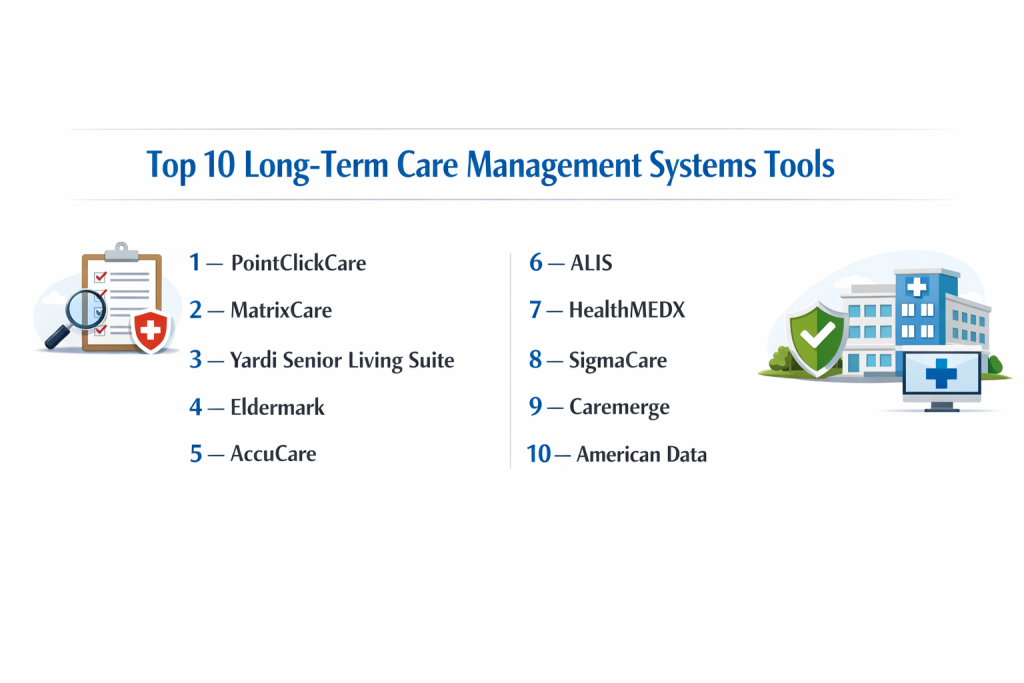
Top 10 Long-Term Care Management Systems Tools
1 — PointClickCare
PointClickCare is a widely-used, cloud-based platform that serves as a complete operating system for senior care. It is designed for skilled nursing facilities and senior living communities that need to manage clinical, financial, and resident experience data in one place.
Key features:
- Comprehensive electronic health records (EHR) with interdisciplinary charting
- Integrated MDS (Minimum Data Set) submission and care planning tools
- Medication management with eMAR (electronic Medication Administration Record)
- Financial suite for billing, claims, and revenue cycle management
- Family and resident engagement portal for communication and updates
- Quality improvement and compliance reporting dashboards
- Interoperability tools to connect with hospitals and pharmacies
Pros:
- Extremely comprehensive, reducing the need for multiple separate software systems
- Strong industry reputation and widespread adoption, making staff training easier
Cons:
- Can be cost-prohibitive for very small or standalone facilities
- Some users report that the system can feel complex and requires dedicated time to master
Security & compliance: HIPAA compliant, SOC 2 Type II certified, with data encryption and detailed audit trails. Supports state and federal regulatory requirements.
Support & community: Offers tiered support plans, extensive online training (PointClickCare University), a large annual user conference, and an active customer community.
2 — MatrixCare
MatrixCare is a post-acute care platform built to support a continuum of care, from long-term care facilities to home health and hospice. It focuses on connecting clinical and financial data to give a complete picture of resident health and business performance.
Key features:
- Unified platform for skilled nursing, assisted living, home health, and hospice
- Predictive analytics and clinical intelligence for proactive care interventions
- Integrated financial management and billing across all service lines
- Life enrichment and dining service management modules
- Family engagement tools and a resident portal
- Interoperability through national health information networks
- Advanced reporting and business intelligence dashboards
Pros:
- Excellent for organizations that offer multiple types of care (like a CCRC)
- Powerful data analytics that can help improve care quality and operational decisions
Cons:
- Implementation can be extensive due to the platform’s breadth and depth
- May offer more features than a single-focus facility actually needs or can use
Security & compliance: HIPAA compliant, HITRUST CSF certified, with robust data security protocols. Meets regulatory standards for various care settings.
Support & community: Provides dedicated customer success managers, 24/7 support, and a resource library with training materials and best practices.
3 — Yardi Senior Living Suite
Yardi Senior Living Suite builds on Yardi’s strong foundation in property management to offer a solution tailored for senior living. It combines operational tools for care with powerful financial and marketing features for the business side.
Key features:
- Core property management tools for occupancy, leasing, and accounting
- Care module for service plans, basic clinical charting, and medication tracking
- Integrated CRM for managing leads, tours, and the move-in process
- Voyager resident and family portal for services and communication
- Mobile tools for maintenance, housekeeping, and staff task management
- Dining and activities management for community life
- Advanced forecasting and budgeting tools
Pros:
- Unmatched strength in the financial, marketing, and operational aspects of running a community
- A stable, scalable platform from a well-established software company
Cons:
- Clinical care features may not be deep enough for high-acuity skilled nursing
- Can be perceived as a property system first, with care as an add-on module
Security & compliance: Enterprise-grade security, data encryption, and compliance standards for financial and healthcare data.
Support & community: Access to Yardi’s large support network, comprehensive documentation, and user groups.
4 — Eldermark
Eldermark is designed to simplify daily operations in senior living with a focus on mobile usability and family communication. It aims to reduce administrative burden so staff can spend more time with residents.
Key features:
- TouchPoint mobile app for real-time charting, tasks, and incident reporting by staff
- Transparent family portal to share care notes, activities, and photos
- Electronic medication and treatment administration records (eMAR/eTAR)
- Tools for managing maintenance requests and housekeeping schedules
- Dining service management with menu planning and preferences
- Business intelligence dashboards for executive oversight
- Streamlined move-in and assessment processes
Pros:
- Intuitive, mobile-first design that staff adopt quickly and find easy to use daily
- Strong emphasis on family engagement, which is a key selling point for communities
Cons:
- Clinical depth may not meet the needs of a complex skilled nursing facility
- Primarily focused on the senior living model, not home-based care
Security & compliance: HIPAA compliant with a Business Associate Agreement (BAA), data encryption, and secure cloud hosting.
Support & community: Known for responsive customer support, offers “Eldermark University” for training, and hosts user group meetings.
5 — AccuCare
AccuCare is an all-in-one software solution for home health, hospice, and private duty care agencies. It manages the entire workflow from the field clinician’s visit to back-office billing and payroll.
Key features:
- Scheduling and visit management for field staff with route optimization
- Mobile point-of-care clinical documentation, including OASIS for home health
- Automated billing and payroll generation based on services delivered
- Electronic visit verification and clock-in/out functionality
- Family portal for care plan viewing and communication
- eLearning management for staff training and compliance
- Reporting for quality measures, financials, and operations
Pros:
- Seamlessly connects the work done in a patient’s home with agency operations and billing
- Built specifically for the unique regulations and workflows of home-based care
Cons:
- Not designed for residential facilities like nursing homes or assisted living
- The complexity of home health regulations can make the system detailed and require thorough training
Security & compliance: HIPAA compliant, with data encryption for information transmitted from the field. Meets CMS requirements for home health and hospice.
Support & community: Provides implementation services, online support, training webinars, and a customer community forum.
6 — ALIS
ALIS is a cloud-based system built specifically for assisted living communities. It focuses on the core needs of assisted living: care planning, medication management, operations, and resident engagement.
Key features:
- Digital service/care plans that link directly to billing for services rendered
- Electronic medication administration record (eMAR) with alerts
- Community operations modules for move-ins, housekeeping, and maintenance
- Resident and family mobile app for updates, activities, and invoices
- Built-in CRM for managing leads, tours, and waitlists
- Activity calendar and dining service management
- Integrated billing that automatically creates invoices
Pros:
- User-friendly and intuitive interface designed specifically for the assisted living workflow
- Effectively ties care delivery to billing, simplifying a complex administrative task
Cons:
- Not suited for skilled nursing facilities with more intensive medical needs
- May lack the deep financial analytics of larger enterprise systems
Security & compliance: HIPAA compliant, SOC 2 audited, with data encryption. Aligns with state assisted living regulations.
Support & community: Offers dedicated support, online training videos, and a customer advisory board.
7 — HealthMEDX
HealthMEDX provides an integrated EHR and enterprise platform for post-acute care, emphasizing a single record that follows the patient across different care settings.
Key features:
- Continuum of Care record shared across skilled nursing, assisted living, and home care
- Clinical documentation with interdisciplinary notes, MDS, and care planning
- Financial management suite for billing, A/R, and cost reporting
- Business intelligence and benchmarking analytics
- Tools for revenue cycle management and claims denial reduction
- Interoperability with hospital EHRs and health information exchanges
Pros:
- Powerful for organizations that manage patients across multiple levels of post-acute care
- Strong data analytics for performance improvement and financial oversight
Cons:
- Can be a significant undertaking to implement and optimize across an organization
- As part of a larger company (Netsmart), some long-time users note changes in focus
Security & compliance: HIPAA compliant with robust security infrastructure. Supports regulatory needs for SNFs and other settings.
Support & community: Supported by the Netsmart network, with access to training, resources, and community events.
8 — SigmaCare
SigmaCare is a long-term care EHR known for its clinical documentation tools, particularly for skilled nursing facilities. It emphasizes efficient, accurate point-of-care charting by nursing staff.
Key features:
- Point-of-care clinical charting designed for use on mobile devices at the bedside
- Integrated MDS 3.0 scheduling, completion, and submission
- Automated, personalized care plan generation from assessment data
- Comprehensive electronic medication administration record (eMAR)
- Quality and compliance dashboards for survey preparedness
- Financial integration to ensure accurate charge capture from clinical services
Pros:
- Clinical workflow is designed to save nurses time and improve accuracy in documentation
- Established reputation for reliable customer support and clinical expertise
Cons:
- User interface can feel less modern compared to newer cloud-native competitors
- May have fewer built-in tools for senior living lifestyle operations
Security & compliance: HIPAA compliant, with data security and backup services. Facilitates MDS compliance.
Support & community: Offers 24/7 support, implementation services, and regional user group meetings.
9 — Caremerge
Caremerge is a communication and engagement platform designed to connect everyone involved in a resident’s care circle: staff, families, and the residents themselves. It often works alongside a core EHR system.
Key features:
- Centralized communication hub for messaging, alerts, and announcements
- Digital activity calendars with sign-ups and attendance tracking
- Family portal and mobile app for updates, photos, and direct communication
- Care coordination tools for task management and daily notes
- Integration capability with core EHR systems like PointClickCare
- Tools to manage and share life enrichment programs
Pros:
- Exceptionally good at breaking down communication silos and keeping families informed
- Easy and intuitive for families to use, increasing adoption and satisfaction
Cons:
- Not a standalone clinical or financial management system; it’s a complementary platform
- Requires integration with an existing EHR to reach its full potential
Security & compliance: HIPAA compliant, with secure portals and data encryption for shared communications.
Support & community: Training and support are provided, often through its partnership with larger EHR vendors.
10 — American Data
American Data provides software solutions with a focus on skilled nursing facilities. It offers a range of products covering clinical, financial, and operational needs for long-term care.
Key features:
- Clinical management modules for MDS, care plans, and assessments
- Financial suite including resident billing, trust accounting, and cost reporting
- Pharmacy integration and electronic medication administration (eMAR)
- Rehabilitation therapy documentation and billing tools
- Reporting for quality measures, compliance, and operations
- Staff scheduling and timekeeping capabilities
Pros:
- Often viewed as a cost-effective solution for skilled nursing facilities needing reliable core features
- Long-standing presence in the market with a deep understanding of SNF operations
Cons:
- Technology and user experience may not feel as modern or streamlined as newer cloud platforms
- May involve more traditional software management models
Security & compliance: HIPAA compliant, with standard data security measures. Meets common regulatory requirements for SNFs.
Support & community: Provides customer support and training, with an established user base.
Comparison Table
| Tool Name | Best For | Platform(s) Supported | Standout Feature | Rating |
|---|---|---|---|---|
| PointClickCare | Large SNFs & senior living chains needing an all-in-one enterprise solution. | Web, iOS, Android | Market-leading comprehensive integration. | N/A |
| MatrixCare | Organizations managing a full continuum of post-acute care (SNF, AL, Home Health). | Web, iOS, Android | Predictive analytics & multi-setting management. | N/A |
| Yardi Senior Living | Assisted & Independent Living where property/financial management is paramount. | Web, iOS, Android | Best-in-class back-office financial & operational tools. | N/A |
| Eldermark | Senior living communities prioritizing mobile ease-of-use and family communication. | Web, iOS, Android | Intuitive mobile staff tools & family engagement portal. | N/A |
| AccuCare | Home Health, Hospice, and Private Duty care agencies. | Web, iOS, Android | End-to-end workflow from field clinician to billing. | N/A |
| ALIS | Assisted Living communities wanting a simple, purpose-built system. | Web, iOS, Android | User-friendly design tailored specifically for AL. | N/A |
| HealthMEDX | Post-acute networks wanting a single patient record across different care settings. | Web | Continuum of Care record across SNF, AL, Home. | N/A |
| SigmaCare | Skilled Nursing Facilities focused on efficient nursing documentation. | Web, Mobile | Strong point-of-care clinical charting for nurses. | N/A |
| Caremerge | Any community needing to improve communication between staff, residents, and families. | Web, iOS, Android | Superior family and resident engagement platform. | N/A |
| American Data | Skilled Nursing Facilities seeking a cost-effective core clinical/financial system. | Web, Windows | Established, cost-effective solution for SNFs. | N/A |
Evaluation & Scoring of Long-Term Care Management Systems
| Evaluation Category | Weight | What to Look For |
|---|---|---|
| Core Features | 25% | Does it have the right clinical, billing, and operational tools for your specific type of facility (SNF, AL, Home Care)? |
| Ease of Use | 15% | Is the interface intuitive for nurses, aides, and office staff? Will it save time or create frustration in daily tasks? |
| Integrations & Ecosystem | 15% | Does it connect to your pharmacy, labs, therapy providers, and other key partners without custom work? |
| Security & Compliance | 10% | Is it fully HIPAA compliant? Does it actively help you meet MDS, state survey, and other critical regulations? |
| Performance & Reliability | 10% | Is it a stable, cloud-based system with minimal downtime? Is it fast when staff need it most? |
| Support & Community | 10% | When you have a problem, is help easy to find and effective? Are there training resources and peer advice available? |
| Price / Value | 15% | Does the total cost (subscription, implementation, training) deliver clear value and return on investment for your facility? |
Which Long-Term Care Management Systems Tool Is Right for You?
- Solo Facility vs. Small Chain vs. Enterprise: A single, standalone assisted living home needs an affordable, easy-to-use system like ALIS or Eldermark. A small regional chain of skilled nursing facilities requires robust clinical tools and standardized reporting like SigmaCare or PointClickCare. A large enterprise or CCRC needs an enterprise-grade system with deep analytics and multi-setting management like MatrixCare or HealthMEDX.
- Budget-Conscious vs. Premium Solutions: If controlling costs is the top priority, explore value-oriented options like American Data or simpler cloud systems. Premium solutions like PointClickCare and MatrixCare offer extensive features, superior interoperability, and high-touch support that can justify their cost through increased efficiency and improved care outcomes.
- Feature Depth vs. Ease of Use: You often must choose between power and simplicity. The most feature-rich systems offer incredible control but require significant training. Systems praised for ease of use get staff up to speed quickly but may lack some advanced customization. Consider your team’s willingness and capacity to learn a complex system.
- Integration and Scalability Needs: Ask: “Can this system grow and connect?” If you plan to add services or locations, ensure the software can scale affordably. If you use specific third-party vendors, confirm the system has proven, working integrations to avoid future headaches.
- Security and Compliance Requirements: HIPAA compliance is non-negotiable. For Skilled Nursing Facilities, seamless MDS submission is critical. For Assisted Living, state-specific regulations guide the needs. The right system should be a tool for compliance, not just a data repository.
Frequently Asked Questions (FAQs)
1. How much does a long-term care management system cost?
Costs vary widely but are typically based on a monthly per-bed or per-resident fee, plus significant one-time costs for implementation, data migration, and training. Prices can range from thousands to tens of thousands of dollars annually.
2. How long does it take to implement a new system?
A full implementation typically takes 3 to 9 months. It involves planning, data transfer, configuring workflows, training staff in phases, and a staggered “go-live” process, often starting with one department.
3. Can we use our existing tablets and computers?
Usually, yes, but you must verify they meet the software’s minimum technical requirements for operating system, memory, and browser. Some vendors sell or recommend specific hardware bundles.
4. How do these systems help with state inspections (surveys)?
They centralize all required documentation—care plans, medication records, incident reports—making it easily accessible for surveyors. Good systems also have reporting tools to proactively identify and address compliance risks.
5. What happens to our data if we switch systems in the future?
Reputable vendors will provide you with a complete export of your data in a usable format when you terminate your contract, though there may be a fee. Always clarify this before signing an agreement.
6. Do these systems include payroll?
Some do, especially those designed for home care (like AccuCare). Most facility-based systems focus on resident billing and may integrate with third-party payroll services like ADP, but do not handle payroll directly.
7. What kind of training is provided?
Training usually includes a mix of live online sessions, on-site training, video libraries, and user manuals. The amount and quality of included training are a key differentiator between vendors.
8. What’s a common mistake when choosing a system?
Selecting a system based only on a sales demo or price without involving frontline nurses, aides, and billing staff in testing. They are the daily users who will determine if the software truly works.
9. Can family members access information through the system?
Yes, most modern systems include a secure family portal or app where, with consent, families can see general care updates, activity calendars, and messages—but not full clinical charts.
10. Do we need separate software for marketing our community?
Not always. Many systems (Yardi, ALIS, MatrixCare) include built-in CRM tools to track inquiries, manage waitlists, and coordinate tours, helping manage the move-in pipeline from first contact.
Conclusion
Choosing the right Long-Term Care Management System is a major decision that affects every aspect of your operation—from the quality of care at the bedside to the financial health of your business. The market offers solutions for every need, from comprehensive enterprise platforms like PointClickCare and MatrixCare to specialized tools for assisted living like ALIS and Eldermark, and focused solutions for home care like AccuCare.
The most important insight is that the “best” system does not exist in a vacuum. The best tool is the one that aligns perfectly with your specific type of facility, size, budget, and care philosophy. A tool that is ideal for a large skilled nursing chain would be overwhelming for a small assisted living home, and a system built for home care won’t work for a residential facility.
Success lies in matching the software’s strengths to your organization’s unique challenges and goals. By carefully considering your needs, involving your staff in the decision, and using the evaluation framework provided, you can select a system that becomes a true partner in delivering exceptional, efficient, and compliant care for years to come.