Introduction
Home Health Care Management Software is a specialized category of health information technology designed to handle the unique clinical, operational, and financial needs of agencies providing care within a patient’s residence. Unlike a traditional hospital-based Electronic Health Record (EHR), home health software is built for mobility. It coordinates a decentralized workforce—including nurses, therapists, and aides—ensuring they have access to patient charts, care plans, and scheduling tools while in the field. At its core, the software synchronizes data between the home and the back office, managing everything from initial intake and Electronic Visit Verification (EVV) to complex insurance billing and regulatory compliance.
The importance of these platforms has grown exponentially as the global healthcare model shifts toward “aging in place.” Managing home care without a dedicated system leads to fragmented communication, missed visits, and significant billing errors. A robust management system ensures that clinical documentation meets strict government standards, such as the Patient-Driven Groupings Model (PDGM), which is critical for reimbursement. By automating scheduling and optimizing routes, the software helps agencies combat high turnover and travel costs, allowing clinicians to focus more on patient recovery and less on administrative paperwork.
Key Real-World Use Cases
- Electronic Visit Verification (EVV): Using GPS and digital signatures to verify that a caregiver was physically present at the patient’s home at the scheduled time, fulfilling legal requirements.
- Remote Clinical Charting: Nurses documenting wound care or vital signs on a tablet during a visit, with data syncing instantly to the agency’s central database.
- OASIS Accuracy Checks: Built-in “scrubbers” that review clinical data to ensure the Outcome and Assessment Information Set (OASIS) is accurate before submission to government payers.
- Route Optimization: Automatically calculating the most efficient driving routes for therapists to maximize the number of patients seen per day.
- Family Portal Communication: Providing a secure log-in for family members to see care schedules and updates on their loved one’s status.
What to Look For (Evaluation Criteria)
Choosing a platform requires a balance between technical power and field-level usability. You should evaluate tools based on:
- Offline Functionality: Can the software function in rural areas where the internet connection is spotty?
- Regulatory Compliance: Does it have native tools for PDGM, OASIS, and local EVV mandates?
- Interoperability: Does the system talk to local hospital networks and physician offices for seamless referrals?
- Reporting and Analytics: Can the agency owner see real-time profitability and quality-of-care metrics?
- Ease of Use: Is the mobile interface intuitive for staff who may not be highly tech-savvy?
Best for:
- Home Health and Hospice Agencies: Organizations managing skilled nursing, physical therapy, and end-of-life care.
- Private Pay Home Care: Businesses providing non-medical personal care and companionship.
- Franchise Networks: Large multi-location enterprises requiring centralized oversight and standardized reporting.
Not ideal for:
- Inpatient Facilities: Skilled Nursing Facilities (SNFs) or hospitals require bed management and pharmacy tools not typically found in home-based software.
- Solo Caregivers: Independent contractors may find the cost and complexity of a full agency management suite unnecessary, often opting for simpler scheduling apps.
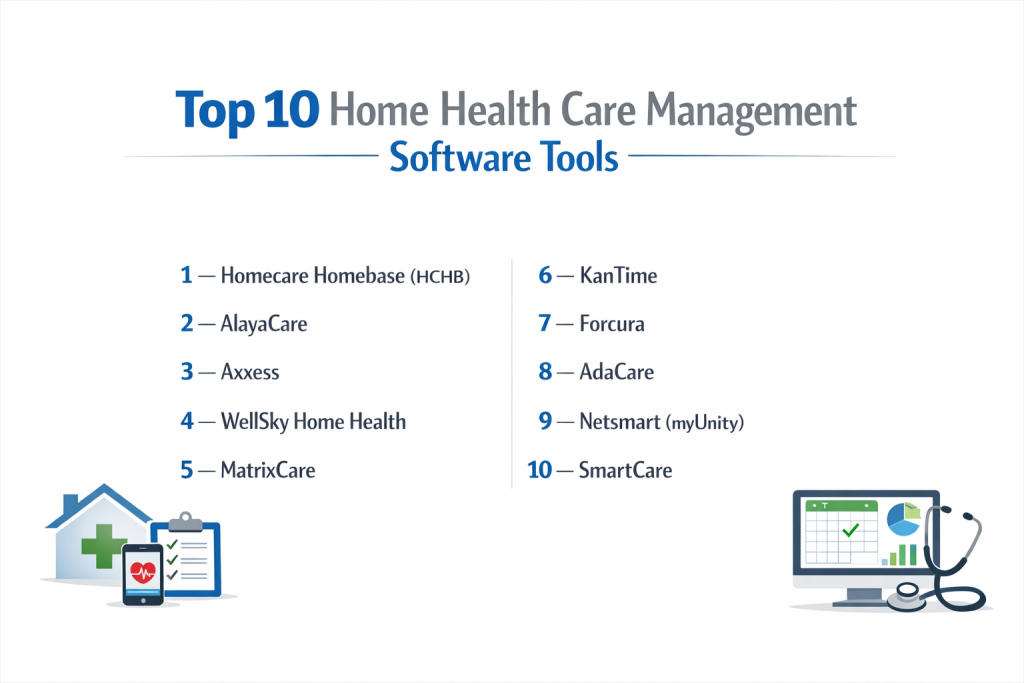
Top 10 Home Health Care Management Software Tools
1 — Homecare Homebase (HCHB)
Homecare Homebase is widely considered the enterprise “gold standard” for large-scale home health and hospice organizations. It is built for massive volume and strict process control.
- Key features:
- Workflow-driven clinical documentation that ensures regulatory compliance.
- Sophisticated RCM (Revenue Cycle Management) for high-volume billing.
- Interoperability with the CommonWell Health Alliance for data exchange.
- Real-time executive dashboards for multi-state operations.
- Smart scheduling with GPS-based travel and route optimization.
- Comprehensive hospice and palliative care modules.
- Point-of-care documentation optimized for tablets.
- Pros:
- Incredible scalability; designed to grow with billion-dollar agencies.
- Known for significantly improving clinical documentation accuracy and “clean” claims.
- Cons:
- The rigid workflow can be frustrating for clinicians who want more flexibility.
- Implementation is a long, expensive, and intensive process.
- Security & compliance: HIPAA compliant, SOC 2 Type 2 certified, and features comprehensive audit trails and SSO.
- Support & community: Dedicated account management, massive annual user conferences, and an extensive online training university.
2 — AlayaCare
AlayaCare is a modern, cloud-native platform that stands out for its sleek user interface and its use of machine learning to predict patient risks and caregiver behavior.
- Key features:
- Next-generation mobile app with robust offline synchronization.
- Artificial intelligence tools to predict caregiver churn and patient hospitalizations.
- Integrated virtual care and remote patient monitoring (RPM).
- Highly customizable forms and clinical assessments.
- Advanced family and client portals for transparent communication.
- Flexible billing for Medicaid, Private Pay, and Long-Term Care Insurance.
- Electronic Visit Verification (EVV) with automated exception handling.
- Pros:
- The UI is significantly more modern and “app-like” than older legacy competitors.
- Great flexibility for agencies that offer a mix of skilled and non-skilled care.
- Cons:
- Smaller agencies might find the extensive feature set overwhelming.
- The pace of updates is fast, requiring ongoing staff training.
- Security & compliance: HIPAA, GDPR, and ISO 27001 compliant; utilizes multi-factor authentication (MFA) and encryption.
- Support & community: Strong online knowledge base, responsive chat support, and a growing community of tech-forward users.
3 — Axxess
Axxess is a versatile, web-based solution that has gained massive market share by offering specialized modules for Home Health, Hospice, and Palliative care within a single ecosystem.
- Key features:
- Axxess CARE: A built-in staffing marketplace to find per-diem clinicians.
- Native EVV integration that works seamlessly via the mobile app.
- Real-time OASIS analysis to maximize reimbursement accuracy.
- Integrated patient engagement and satisfaction tools (CAHPS).
- Automated Medicare billing and real-time eligibility verification.
- Comprehensive documentation for all therapy disciplines (PT, OT, SLP).
- Mobile-first design for all clinical charting tasks.
- Pros:
- Very user-friendly; many agencies report shorter training times for new staff.
- The staffing marketplace is a unique lifesaver during regional labor shortages.
- Cons:
- As the product has expanded, some users report “feature bloat” in the menus.
- Customer support response times can fluctuate during peak periods.
- Security & compliance: HIPAA compliant with end-to-end encryption and regular security audits.
- Support & community: High-quality video tutorials, certification programs, and a very active user forum.
4 — WellSky Home Health (formerly Kinnser)
WellSky is one of the most established names in the industry, particularly popular among mid-to-large agencies that prioritize clinical stability and ease of billing.
- Key features:
- Check-point system for OASIS accuracy and quality review.
- Integrated physician portal for easy digital signatures on orders.
- Comprehensive “Kinnser Link” for offline documentation in remote areas.
- Robust reporting for Home Health Value-Based Purchasing (HHVBP).
- Integrated billing for all major payers and clearinghouses.
- Dedicated hospice and personal care modules within the platform.
- Intelligent scheduling based on clinician skill sets and geography.
- Pros:
- Exceptional reliability; a battle-tested platform used by thousands of agencies.
- The physician portal significantly speeds up the “Plan of Care” sign-off process.
- Cons:
- The interface looks slightly dated compared to “cloud-first” tools like AlayaCare.
- Customization options are more rigid than some newer competitors.
- Security & compliance: HITRUST CSF Certified, HIPAA compliant, and SOC 2 compliant.
- Support & community: Large-scale corporate support, regional training events, and a very deep documentation library.
5 — MatrixCare
MatrixCare (a ResMed company) focuses on “out-of-hospital” care. Their home health solution is part of a massive ecosystem that includes senior living and long-term care tools.
- Key features:
- “MatrixCare Voice” for speech-to-text clinical charting.
- Powerful analytics that help agencies transition to value-based care.
- Native integration with ResMed’s medical device data for sleep/respiratory patients.
- Simplified intake workflows to reduce referral-to-admission time.
- Direct messaging for secure internal team communication.
- Comprehensive clinical scrubbing to ensure documentation is audit-proof.
- Telehealth integration for remote clinical assessments.
- Pros:
- Excellent for agencies that are part of a larger continuum of care.
- The voice-to-text feature is a major time-saver for busy field nurses.
- Cons:
- Can be pricey for small, standalone agencies.
- The implementation requires a significant commitment from the agency’s IT staff.
- Security & compliance: HIPAA, ISO 27001, and SOC 2 compliant; features high-level data redundancy.
- Support & community: Professional-grade support with dedicated implementation consultants and enterprise account management.
6 — KanTime
KanTime is known for its “Enterprise” feel and its ability to handle complex, multi-payer environments with a heavy focus on administrative efficiency.
- Key features:
- Two-stage clinical review process for all documentation to ensure zero errors.
- Comprehensive HR and payroll integration for large workforces.
- Advanced “Two-Factor” EVV to prevent fraud and ensure data integrity.
- Interactive dashboards for tracking KPIs across different branches.
- Integrated physician and patient portals with real-time updates.
- Electronic faxing and order tracking built directly into the workflow.
- Support for multiple lines of business (Pediatric, Geriatric, Private Pay).
- Pros:
- Incredible depth in the billing and financial modules.
- Allows agencies to manage diverse care types in one unified system.
- Cons:
- The software has a steep learning curve due to its high level of detail.
- The user interface is functional but lacks the modern aesthetic of competitors.
- Security & compliance: HIPAA compliant with robust encryption and role-based access control (RBAC).
- Support & community: Strong corporate training and a dedicated support ticket system for enterprise users.
7 — Forcura
Forcura is not a standalone EHR, but it is an essential management tool that sits on top of existing software to handle document management and secure communication.
- Key features:
- Digital document capture (scanning) via mobile devices in the field.
- Secure, HIPAA-compliant messaging for the whole care team.
- Automated tracking of physician orders (sent vs. signed).
- Digital e-signature workflows for patients and staff.
- Video conferencing for telehealth visits integrated with patient records.
- Integration with almost every major home health EHR (HCHB, WellSky, etc.).
- Referral management and tracking dashboard.
- Pros:
- Solves the “paperwork problem” better than almost any full EHR suite.
- Significantly reduces the time it takes to get physician orders back.
- Cons:
- It is an additional cost on top of your primary EHR management software.
- Requires managing two different software environments.
- Security & compliance: HIPAA compliant and SOC 2 Type 2 certified; utilizes secure encryption protocols.
- Support & community: Known for high-touch customer success and quick onboarding for new agencies.
8 — AdaCare
AdaCare is a specialized tool built specifically for non-medical, private-duty home care agencies. It focuses on scheduling, payroll, and client satisfaction.
- Key features:
- Drag-and-drop scheduling calendar with a visual interface.
- Automated “conflict check” to prevent double-booking or overtime issues.
- EVV via GPS or telephony for staff without modern smartphones.
- Integrated payroll and invoicing for private-pay clients.
- Caregiver “matchmaking” based on skills, geography, and preferences.
- Simple mobile app for staff to view tasks and clock in/out.
- Care notes and task tracking for ADLs (Activities of Daily Living).
- Pros:
- Extremely affordable and simple for small businesses.
- Focuses purely on the needs of non-medical care without the clutter of skilled nursing modules.
- Cons:
- Cannot be used for skilled nursing or Medicare-reimbursed care.
- Lacks advanced clinical scrubbing or OASIS tools.
- Security & compliance: HIPAA compliant; data is encrypted and backed up daily.
- Support & community: Friendly, personalized support with a focus on small business owners and startups.
9 — Netsmart (myUnity)
Netsmart’s myUnity platform is designed for the entire “Post-Acute” care spectrum, offering a unified record that follows the patient from home health to senior living.
- Key features:
- Persona-based workflows (nurses see different things than aides or billers).
- Single-sign-on (SSO) access across multiple care settings.
- Integrated population health and deep data analytics.
- Support for specialized pediatric home care and private duty nursing.
- Advanced connectivity with hospital “referral” portals.
- Electronic medication administration records (eMAR).
- Flexible clinical documentation templates.
- Pros:
- Perfect for large organizations with diverse healthcare portfolios.
- Strong focus on interoperability and sharing data with the wider medical community.
- Cons:
- Can be “overkill” for a small, single-location home health agency.
- The setup process is complex due to the interconnected nature of the platform.
- Security & compliance: ISO 27001 and HITRUST certified; fully HIPAA compliant.
- Support & community: Extensive enterprise support and a large network of professional service consultants.
10 — SmartCare
SmartCare is a relative newcomer focusing on high-tech solutions for home care agencies, emphasizing automation and “caregiver engagement” to reduce turnover.
- Key features:
- “SmartConnect” for automated caregiver-to-client matching.
- Built-in retention tools like gamification and caregiver rewards.
- Integrated recruitment and applicant tracking system (ATS).
- Mobile app that works for both staff and family members.
- Automated billing and payroll for Medicaid and Private Pay.
- Real-time reporting on agency growth and caregiver churn.
- Machine learning to optimize staffing schedules.
- Pros:
- One of the only tools with built-in features to address the caregiver shortage.
- The interface is incredibly modern and very easy for staff to navigate.
- Cons:
- Lacks the decades of clinical “edge-case” experience of WellSky or HCHB.
- Primarily focused on non-medical care; less deep on skilled nursing requirements.
- Security & compliance: HIPAA compliant and SOC 2 certified; utilizes cloud-based security.
- Support & community: High-energy support team with a focus on modern agency growth and retention strategies.
Comparison Table
| Tool Name | Best For | Platform(s) Supported | Standout Feature | Rating |
| Homecare Homebase | Large Enterprise | Win, iOS, Android | Rigid Workflow Control | N/A |
| AlayaCare | Tech-Forward Mid-Market | Web, iOS, Android | Machine Learning/AI | N/A |
| Axxess | All-in-One Versatility | Web, iOS, Android | CARE Staffing Marketplace | N/A |
| WellSky | Established Agencies | Web, iOS, Android | Kinnser Link (Offline) | N/A |
| MatrixCare | Integrated Networks | Web, iOS, Android | Voice-to-Text Charting | N/A |
| KanTime | Complex Billing | Web, iOS, Android | Multi-Line Business Sync | N/A |
| Forcura | Doc Management | Web, iOS, Android | Order Tracking Automation | N/A |
| AdaCare | Small Private Pay | Web, Mobile | Matchmaking Algorithms | N/A |
| myUnity | Multi-Specialty Orgs | Web, iOS, Android | Persona-Based UI | N/A |
| SmartCare | Caregiver Retention | Web, iOS, Android | Recruitment Gamification | N/A |
Evaluation & Scoring of Home Health Care Management Software
| Criteria | Weight | Score (1-10) | Explanation |
| Core Features | 25% | 9 | Clinical charting and billing are now very mature in this market. |
| Ease of Use | 15% | 7 | Improving, but clinical documentation is inherently complex. |
| Integrations | 15% | 8 | Many tools now connect with HIEs and hospital referral portals. |
| Security | 10% | 10 | Security is paramount; SOC 2 and HIPAA are industry standard. |
| Performance | 10% | 8 | Cloud reliability is high, though offline modes vary in quality. |
| Support | 10% | 7 | Enterprise support is professional; solo support is improving. |
| Price / Value | 15% | 7 | High-end tools are costly, but the ROI on billing accuracy is high. |
Which Home Health Care Management Software Tool Is Right for You?
Small to Mid-Market vs. Enterprise
If you are a startup or small agency focusing on non-medical care, AdaCare or SmartCare are the clear winners because they don’t over-complicate the UI with skilled nursing requirements. Mid-Market agencies looking to grow should look at Axxess or AlayaCare, which offer the best balance of power and ease of use. For the Enterprise (multi-state agencies), Homecare Homebase or KanTime provide the centralized control and “audit-proofing” necessary for managing thousands of staff members across different regulatory environments.
Budget and Value
Budget-conscious agencies should prioritize Axxess or AdaCare, which often offer more transparent, tiered pricing. However, remember that “cheap” software can be expensive if it leads to billing denials. Premium solutions like WellSky or Netsmart justify their cost through advanced integrations and clinical “safety nets” that prevent errors before they reach the payer.
Technical Depth vs. Simplicity
There is a trade-off here. Homecare Homebase has incredible depth but requires significant staff training and a dedicated administrator. If your workforce has high turnover and you need to get people up and running in one day, AlayaCare or SmartCare are better because they use modern design patterns that younger and older workers alike can understand without a week of training.
Security and Compliance Requirements
In home health, compliance is your product. If you are billing Medicare, you must have a tool that supports OASIS and PDGM natively. Ensure the vendor signs a Business Associate Agreement (BAA) and has a clear plan for data recovery in case of a breach. For agencies in states with strict EVV mandates, check that the vendor is an “Aggregator-Ready” provider to avoid manual reporting.
Frequently Asked Questions (FAQs)
What is the difference between Home Health and Home Care software?
Home Health software is for “skilled” care (nurses, therapists) and includes clinical charting and OASIS. Home Care software is for “non-medical” care (bathing, cooking) and focuses on scheduling and daily living tasks.
Do I need internet access for these tools to work?
Many modern apps (like WellSky and AlayaCare) have an “offline mode.” You can document while in the patient’s house without Wi-Fi, and the data will sync once you reach an internet connection.
How does Electronic Visit Verification (EVV) work?
EVV typically uses the caregiver’s smartphone GPS to log the time and location of the visit. This ensures the caregiver was actually at the patient’s house, which is now a federal requirement for many payers.
What is PDGM and why does my software need to support it?
PDGM (Patient-Driven Groupings Model) is the Medicare payment model for home health. It relies on complex clinical groupings. Without software to calculate these, you risk significantly under-billing or failing audits.
Can I switch from my current software easily?
It is possible but requires careful planning. You have to “export” your patient census and “map” it into the new system. Most top vendors (like Axxess or WellSky) have dedicated migration teams to help.
Is it safe to store patient data in the cloud?
Yes. Modern cloud providers (like AWS or Azure) used by these companies have security protocols that are far superior to what most small business owners can provide on a local office computer.
Can families see the care notes?
Yes, most top platforms offer a “Family Portal.” You can choose exactly what the family sees—usually the schedule, the names of the caregivers, and specific non-clinical updates.
Does the software handle insurance billing?
Yes, most agency management tools have a built-in “Billing” module that generates claims for Medicare, Medicaid, and private insurance companies, often connecting directly to clearinghouses.
What is OASIS?
It stands for Outcome and Assessment Information Set. It is a long, mandatory survey for Medicare patients. Good software “scrubs” your answers to make sure they are consistent and accurate.
How much does home health software cost?
Pricing varies. Some charge “per patient per month,” others “per visit,” and some a flat monthly fee. Expect to pay anywhere from $200/month for a small startup to several thousand for a large enterprise.
Conclusion
In the fast-evolving world of home-based care, your management software is the foundation of your agency’s success. It is no longer enough to be a great clinician; you must be an efficient administrator to survive in a landscape of declining reimbursements and rising labor costs. The “best” software is the one that your staff will actually use. A system with a thousand features is worthless if your nurses find it so difficult that they spend four hours a night on “home-work” charting.
When making your final selection, look beyond the sales demo. Prioritize mobility, compliance automation, and caregiver experience. Whether you choose the enterprise power of Homecare Homebase or the modern flexibility of AlayaCare, the right technology will do more than just store records—it will act as a partner in delivering higher quality care to the people who need it most.Home Health Care Management Software is a specialized category of health information technology designed to handle the unique clinical, operational, and financial needs of agencies providing care within a patient’s residence. Unlike a traditional hospital-based Electronic Health Record (EHR), home health software is built for mobility. It coordinates a decentralized workforce—including nurses, therapists, and aides—ensuring they have access to patient charts, care plans, and scheduling tools while in the field. At its core, the software synchronizes data between the home and the back office, managing everything from initial intake and Electronic Visit Verification (EVV) to complex insurance billing and regulatory compliance.
The importance of these platforms has grown exponentially as the global healthcare model shifts toward “aging in place.” Managing home care without a dedicated system leads to fragmented communication, missed visits, and significant billing errors. A robust management system ensures that clinical documentation meets strict government standards, such as the Patient-Driven Groupings Model (PDGM), which is critical for reimbursement. By automating scheduling and optimizing routes, the software helps agencies combat high turnover and travel costs, allowing clinicians to focus more on patient recovery and less on administrative paperwork.
Key Real-World Use Cases
- Electronic Visit Verification (EVV): Using GPS and digital signatures to verify that a caregiver was physically present at the patient’s home at the scheduled time, fulfilling legal requirements.
- Remote Clinical Charting: Nurses documenting wound care or vital signs on a tablet during a visit, with data syncing instantly to the agency’s central database.
- OASIS Accuracy Checks: Built-in “scrubbers” that review clinical data to ensure the Outcome and Assessment Information Set (OASIS) is accurate before submission to government payers.
- Route Optimization: Automatically calculating the most efficient driving routes for therapists to maximize the number of patients seen per day.
- Family Portal Communication: Providing a secure log-in for family members to see care schedules and updates on their loved one’s status.
What to Look For (Evaluation Criteria)
Choosing a platform requires a balance between technical power and field-level usability. You should evaluate tools based on:
- Offline Functionality: Can the software function in rural areas where the internet connection is spotty?
- Regulatory Compliance: Does it have native tools for PDGM, OASIS, and local EVV mandates?
- Interoperability: Does the system talk to local hospital networks and physician offices for seamless referrals?
- Reporting and Analytics: Can the agency owner see real-time profitability and quality-of-care metrics?
- Ease of Use: Is the mobile interface intuitive for staff who may not be highly tech-savvy?
Best for:
- Home Health and Hospice Agencies: Organizations managing skilled nursing, physical therapy, and end-of-life care.
- Private Pay Home Care: Businesses providing non-medical personal care and companionship.
- Franchise Networks: Large multi-location enterprises requiring centralized oversight and standardized reporting.
Not ideal for:
- Inpatient Facilities: Skilled Nursing Facilities (SNFs) or hospitals require bed management and pharmacy tools not typically found in home-based software.
- Solo Caregivers: Independent contractors may find the cost and complexity of a full agency management suite unnecessary, often opting for simpler scheduling apps.
Top 10 Home Health Care Management Software Tools
#1 — Homecare Homebase (HCHB)
Homecare Homebase is widely considered the enterprise “gold standard” for large-scale home health and hospice organizations. It is built for massive volume and strict process control.
- Key features:
- Workflow-driven clinical documentation that ensures regulatory compliance.
- Sophisticated RCM (Revenue Cycle Management) for high-volume billing.
- Interoperability with the CommonWell Health Alliance for data exchange.
- Real-time executive dashboards for multi-state operations.
- Smart scheduling with GPS-based travel and route optimization.
- Comprehensive hospice and palliative care modules.
- Point-of-care documentation optimized for tablets.
- Pros:
- Incredible scalability; designed to grow with billion-dollar agencies.
- Known for significantly improving clinical documentation accuracy and “clean” claims.
- Cons:
- The rigid workflow can be frustrating for clinicians who want more flexibility.
- Implementation is a long, expensive, and intensive process.
- Security & compliance: HIPAA compliant, SOC 2 Type 2 certified, and features comprehensive audit trails and SSO.
- Support & community: Dedicated account management, massive annual user conferences, and an extensive online training university.
#2 — AlayaCare
AlayaCare is a modern, cloud-native platform that stands out for its sleek user interface and its use of machine learning to predict patient risks and caregiver behavior.
- Key features:
- Next-generation mobile app with robust offline synchronization.
- Artificial intelligence tools to predict caregiver churn and patient hospitalizations.
- Integrated virtual care and remote patient monitoring (RPM).
- Highly customizable forms and clinical assessments.
- Advanced family and client portals for transparent communication.
- Flexible billing for Medicaid, Private Pay, and Long-Term Care Insurance.
- Electronic Visit Verification (EVV) with automated exception handling.
- Pros:
- The UI is significantly more modern and “app-like” than older legacy competitors.
- Great flexibility for agencies that offer a mix of skilled and non-skilled care.
- Cons:
- Smaller agencies might find the extensive feature set overwhelming.
- The pace of updates is fast, requiring ongoing staff training.
- Security & compliance: HIPAA, GDPR, and ISO 27001 compliant; utilizes multi-factor authentication (MFA) and encryption.
- Support & community: Strong online knowledge base, responsive chat support, and a growing community of tech-forward users.
#3 — Axxess
Axxess is a versatile, web-based solution that has gained massive market share by offering specialized modules for Home Health, Hospice, and Palliative care within a single ecosystem.
- Key features:
- Axxess CARE: A built-in staffing marketplace to find per-diem clinicians.
- Native EVV integration that works seamlessly via the mobile app.
- Real-time OASIS analysis to maximize reimbursement accuracy.
- Integrated patient engagement and satisfaction tools (CAHPS).
- Automated Medicare billing and real-time eligibility verification.
- Comprehensive documentation for all therapy disciplines (PT, OT, SLP).
- Mobile-first design for all clinical charting tasks.
- Pros:
- Very user-friendly; many agencies report shorter training times for new staff.
- The staffing marketplace is a unique lifesaver during regional labor shortages.
- Cons:
- As the product has expanded, some users report “feature bloat” in the menus.
- Customer support response times can fluctuate during peak periods.
- Security & compliance: HIPAA compliant with end-to-end encryption and regular security audits.
- Support & community: High-quality video tutorials, certification programs, and a very active user forum.
#4 — WellSky Home Health (formerly Kinnser)
WellSky is one of the most established names in the industry, particularly popular among mid-to-large agencies that prioritize clinical stability and ease of billing.
- Key features:
- Check-point system for OASIS accuracy and quality review.
- Integrated physician portal for easy digital signatures on orders.
- Comprehensive “Kinnser Link” for offline documentation in remote areas.
- Robust reporting for Home Health Value-Based Purchasing (HHVBP).
- Integrated billing for all major payers and clearinghouses.
- Dedicated hospice and personal care modules within the platform.
- Intelligent scheduling based on clinician skill sets and geography.
- Pros:
- Exceptional reliability; a battle-tested platform used by thousands of agencies.
- The physician portal significantly speeds up the “Plan of Care” sign-off process.
- Cons:
- The interface looks slightly dated compared to “cloud-first” tools like AlayaCare.
- Customization options are more rigid than some newer competitors.
- Security & compliance: HITRUST CSF Certified, HIPAA compliant, and SOC 2 compliant.
- Support & community: Large-scale corporate support, regional training events, and a very deep documentation library.
#5 — MatrixCare
MatrixCare (a ResMed company) focuses on “out-of-hospital” care. Their home health solution is part of a massive ecosystem that includes senior living and long-term care tools.
- Key features:
- “MatrixCare Voice” for speech-to-text clinical charting.
- Powerful analytics that help agencies transition to value-based care.
- Native integration with ResMed’s medical device data for sleep/respiratory patients.
- Simplified intake workflows to reduce referral-to-admission time.
- Direct messaging for secure internal team communication.
- Comprehensive clinical scrubbing to ensure documentation is audit-proof.
- Telehealth integration for remote clinical assessments.
- Pros:
- Excellent for agencies that are part of a larger continuum of care.
- The voice-to-text feature is a major time-saver for busy field nurses.
- Cons:
- Can be pricey for small, standalone agencies.
- The implementation requires a significant commitment from the agency’s IT staff.
- Security & compliance: HIPAA, ISO 27001, and SOC 2 compliant; features high-level data redundancy.
- Support & community: Professional-grade support with dedicated implementation consultants and enterprise account management.
#6 — KanTime
KanTime is known for its “Enterprise” feel and its ability to handle complex, multi-payer environments with a heavy focus on administrative efficiency.
- Key features:
- Two-stage clinical review process for all documentation to ensure zero errors.
- Comprehensive HR and payroll integration for large workforces.
- Advanced “Two-Factor” EVV to prevent fraud and ensure data integrity.
- Interactive dashboards for tracking KPIs across different branches.
- Integrated physician and patient portals with real-time updates.
- Electronic faxing and order tracking built directly into the workflow.
- Support for multiple lines of business (Pediatric, Geriatric, Private Pay).
- Pros:
- Incredible depth in the billing and financial modules.
- Allows agencies to manage diverse care types in one unified system.
- Cons:
- The software has a steep learning curve due to its high level of detail.
- The user interface is functional but lacks the modern aesthetic of competitors.
- Security & compliance: HIPAA compliant with robust encryption and role-based access control (RBAC).
- Support & community: Strong corporate training and a dedicated support ticket system for enterprise users.
#7 — Forcura
Forcura is not a standalone EHR, but it is an essential management tool that sits on top of existing software to handle document management and secure communication.
- Key features:
- Digital document capture (scanning) via mobile devices in the field.
- Secure, HIPAA-compliant messaging for the whole care team.
- Automated tracking of physician orders (sent vs. signed).
- Digital e-signature workflows for patients and staff.
- Video conferencing for telehealth visits integrated with patient records.
- Integration with almost every major home health EHR (HCHB, WellSky, etc.).
- Referral management and tracking dashboard.
- Pros:
- Solves the “paperwork problem” better than almost any full EHR suite.
- Significantly reduces the time it takes to get physician orders back.
- Cons:
- It is an additional cost on top of your primary EHR management software.
- Requires managing two different software environments.
- Security & compliance: HIPAA compliant and SOC 2 Type 2 certified; utilizes secure encryption protocols.
- Support & community: Known for high-touch customer success and quick onboarding for new agencies.
#8 — AdaCare
AdaCare is a specialized tool built specifically for non-medical, private-duty home care agencies. It focuses on scheduling, payroll, and client satisfaction.
- Key features:
- Drag-and-drop scheduling calendar with a visual interface.
- Automated “conflict check” to prevent double-booking or overtime issues.
- EVV via GPS or telephony for staff without modern smartphones.
- Integrated payroll and invoicing for private-pay clients.
- Caregiver “matchmaking” based on skills, geography, and preferences.
- Simple mobile app for staff to view tasks and clock in/out.
- Care notes and task tracking for ADLs (Activities of Daily Living).
- Pros:
- Extremely affordable and simple for small businesses.
- Focuses purely on the needs of non-medical care without the clutter of skilled nursing modules.
- Cons:
- Cannot be used for skilled nursing or Medicare-reimbursed care.
- Lacks advanced clinical scrubbing or OASIS tools.
- Security & compliance: HIPAA compliant; data is encrypted and backed up daily.
- Support & community: Friendly, personalized support with a focus on small business owners and startups.
#9 — Netsmart (myUnity)
Netsmart’s myUnity platform is designed for the entire “Post-Acute” care spectrum, offering a unified record that follows the patient from home health to senior living.
- Key features:
- Persona-based workflows (nurses see different things than aides or billers).
- Single-sign-on (SSO) access across multiple care settings.
- Integrated population health and deep data analytics.
- Support for specialized pediatric home care and private duty nursing.
- Advanced connectivity with hospital “referral” portals.
- Electronic medication administration records (eMAR).
- Flexible clinical documentation templates.
- Pros:
- Perfect for large organizations with diverse healthcare portfolios.
- Strong focus on interoperability and sharing data with the wider medical community.
- Cons:
- Can be “overkill” for a small, single-location home health agency.
- The setup process is complex due to the interconnected nature of the platform.
- Security & compliance: ISO 27001 and HITRUST certified; fully HIPAA compliant.
- Support & community: Extensive enterprise support and a large network of professional service consultants.
#10 — SmartCare
SmartCare is a relative newcomer focusing on high-tech solutions for home care agencies, emphasizing automation and “caregiver engagement” to reduce turnover.
- Key features:
- “SmartConnect” for automated caregiver-to-client matching.
- Built-in retention tools like gamification and caregiver rewards.
- Integrated recruitment and applicant tracking system (ATS).
- Mobile app that works for both staff and family members.
- Automated billing and payroll for Medicaid and Private Pay.
- Real-time reporting on agency growth and caregiver churn.
- Machine learning to optimize staffing schedules.
- Pros:
- One of the only tools with built-in features to address the caregiver shortage.
- The interface is incredibly modern and very easy for staff to navigate.
- Cons:
- Lacks the decades of clinical “edge-case” experience of WellSky or HCHB.
- Primarily focused on non-medical care; less deep on skilled nursing requirements.
- Security & compliance: HIPAA compliant and SOC 2 certified; utilizes cloud-based security.
- Support & community: High-energy support team with a focus on modern agency growth and retention strategies.
Comparison Table
| Tool Name | Best For | Platform(s) Supported | Standout Feature | Rating |
| Homecare Homebase | Large Enterprise | Win, iOS, Android | Rigid Workflow Control | N/A |
| AlayaCare | Tech-Forward Mid-Market | Web, iOS, Android | Machine Learning/AI | N/A |
| Axxess | All-in-One Versatility | Web, iOS, Android | CARE Staffing Marketplace | N/A |
| WellSky | Established Agencies | Web, iOS, Android | Kinnser Link (Offline) | N/A |
| MatrixCare | Integrated Networks | Web, iOS, Android | Voice-to-Text Charting | N/A |
| KanTime | Complex Billing | Web, iOS, Android | Multi-Line Business Sync | N/A |
| Forcura | Doc Management | Web, iOS, Android | Order Tracking Automation | N/A |
| AdaCare | Small Private Pay | Web, Mobile | Matchmaking Algorithms | N/A |
| myUnity | Multi-Specialty Orgs | Web, iOS, Android | Persona-Based UI | N/A |
| SmartCare | Caregiver Retention | Web, iOS, Android | Recruitment Gamification | N/A |
Evaluation & Scoring of Home Health Care Management Software
| Criteria | Weight | Score (1-10) | Explanation |
| Core Features | 25% | 9 | Clinical charting and billing are now very mature in this market. |
| Ease of Use | 15% | 7 | Improving, but clinical documentation is inherently complex. |
| Integrations | 15% | 8 | Many tools now connect with HIEs and hospital referral portals. |
| Security | 10% | 10 | Security is paramount; SOC 2 and HIPAA are industry standard. |
| Performance | 10% | 8 | Cloud reliability is high, though offline modes vary in quality. |
| Support | 10% | 7 | Enterprise support is professional; solo support is improving. |
| Price / Value | 15% | 7 | High-end tools are costly, but the ROI on billing accuracy is high. |
Which Home Health Care Management Software Tool Is Right for You?
Small to Mid-Market vs. Enterprise
If you are a startup or small agency focusing on non-medical care, AdaCare or SmartCare are the clear winners because they don’t over-complicate the UI with skilled nursing requirements. Mid-Market agencies looking to grow should look at Axxess or AlayaCare, which offer the best balance of power and ease of use. For the Enterprise (multi-state agencies), Homecare Homebase or KanTime provide the centralized control and “audit-proofing” necessary for managing thousands of staff members across different regulatory environments.
Budget and Value
Budget-conscious agencies should prioritize Axxess or AdaCare, which often offer more transparent, tiered pricing. However, remember that “cheap” software can be expensive if it leads to billing denials. Premium solutions like WellSky or Netsmart justify their cost through advanced integrations and clinical “safety nets” that prevent errors before they reach the payer.
Technical Depth vs. Simplicity
There is a trade-off here. Homecare Homebase has incredible depth but requires significant staff training and a dedicated administrator. If your workforce has high turnover and you need to get people up and running in one day, AlayaCare or SmartCare are better because they use modern design patterns that younger and older workers alike can understand without a week of training.
Security and Compliance Requirements
In home health, compliance is your product. If you are billing Medicare, you must have a tool that supports OASIS and PDGM natively. Ensure the vendor signs a Business Associate Agreement (BAA) and has a clear plan for data recovery in case of a breach. For agencies in states with strict EVV mandates, check that the vendor is an “Aggregator-Ready” provider to avoid manual reporting.
Frequently Asked Questions (FAQs)
What is the difference between Home Health and Home Care software?
Home Health software is for “skilled” care (nurses, therapists) and includes clinical charting and OASIS. Home Care software is for “non-medical” care (bathing, cooking) and focuses on scheduling and daily living tasks.
Do I need internet access for these tools to work?
Many modern apps (like WellSky and AlayaCare) have an “offline mode.” You can document while in the patient’s house without Wi-Fi, and the data will sync once you reach an internet connection.
How does Electronic Visit Verification (EVV) work?
EVV typically uses the caregiver’s smartphone GPS to log the time and location of the visit. This ensures the caregiver was actually at the patient’s house, which is now a federal requirement for many payers.
What is PDGM and why does my software need to support it?
PDGM (Patient-Driven Groupings Model) is the Medicare payment model for home health. It relies on complex clinical groupings. Without software to calculate these, you risk significantly under-billing or failing audits.
Can I switch from my current software easily?
It is possible but requires careful planning. You have to “export” your patient census and “map” it into the new system. Most top vendors (like Axxess or WellSky) have dedicated migration teams to help.
Is it safe to store patient data in the cloud?
Yes. Modern cloud providers (like AWS or Azure) used by these companies have security protocols that are far superior to what most small business owners can provide on a local office computer.
Can families see the care notes?
Yes, most top platforms offer a “Family Portal.” You can choose exactly what the family sees—usually the schedule, the names of the caregivers, and specific non-clinical updates.
Does the software handle insurance billing?
Yes, most agency management tools have a built-in “Billing” module that generates claims for Medicare, Medicaid, and private insurance companies, often connecting directly to clearinghouses.
What is OASIS?
It stands for Outcome and Assessment Information Set. It is a long, mandatory survey for Medicare patients. Good software “scrubs” your answers to make sure they are consistent and accurate.
How much does home health software cost?
Pricing varies. Some charge “per patient per month,” others “per visit,” and some a flat monthly fee. Expect to pay anywhere from $200/month for a small startup to several thousand for a large enterprise.
Conclusion
In the fast-evolving world of home-based care, your management software is the foundation of your agency’s success. It is no longer enough to be a great clinician; you must be an efficient administrator to survive in a landscape of declining reimbursements and rising labor costs. The “best” software is the one that your staff will actually use. A system with a thousand features is worthless if your nurses find it so difficult that they spend four hours a night on “home-work” charting.
When making your final selection, look beyond the sales demo. Prioritize mobility, compliance automation, and caregiver experience. Whether you choose the enterprise power of Homecare Homebase or the modern flexibility of AlayaCare, the right technology will do more than just store records—it will act as a partner in delivering higher quality care to the people who need it most.