Introduction
Nutrition Practice Management Tools are specialized software platforms designed for dietitians, nutritionists, and health coaches. These tools go beyond simple appointment booking—they help manage the entire client journey from initial assessment to meal planning, progress tracking, billing, and communication. Think of it as an all-in-one digital office that organizes your practice, deepens client engagement, and streamlines your professional workflow.
The importance of these tools cannot be overstated. For modern nutrition professionals, manual processes like paper food diaries, emailing PDF meal plans, and tracking payments in spreadsheets are inefficient and error-prone. A dedicated practice management platform saves significant administrative time, ensures consistency in client care, provides valuable data-driven insights, and creates a professional, interactive experience that helps clients achieve better outcomes.
Key real-world uses include a dietitian creating a personalized meal plan with automatic grocery lists, a health coach tracking a client’s biometric data over time, an administrator sending automated reminder emails for upcoming sessions, and a practice owner analyzing revenue trends from an intuitive dashboard.
When choosing a nutrition practice management tool, you should look for robust client management, integrated nutrition assessment and meal planning capabilities, secure client communication channels, billing and invoicing features, and the ability to track client progress. The platform should be intuitive for both you and your clients, compliant with healthcare privacy laws, and scalable as your practice grows.
Best for: These tools are essential for registered dietitians (RDs), nutritionists, health and wellness coaches, private practice owners, and group nutrition practices. They benefit professionals in private practice, corporate wellness, telehealth, clinical settings, and fitness centers.
Not ideal for: Casual fitness influencers or general wellness bloggers who do not provide one-on-one client services may only need basic content creation or email marketing tools. Large medical institutions with complex billing needs may require a full-scale Electronic Health Record (EHR) system.
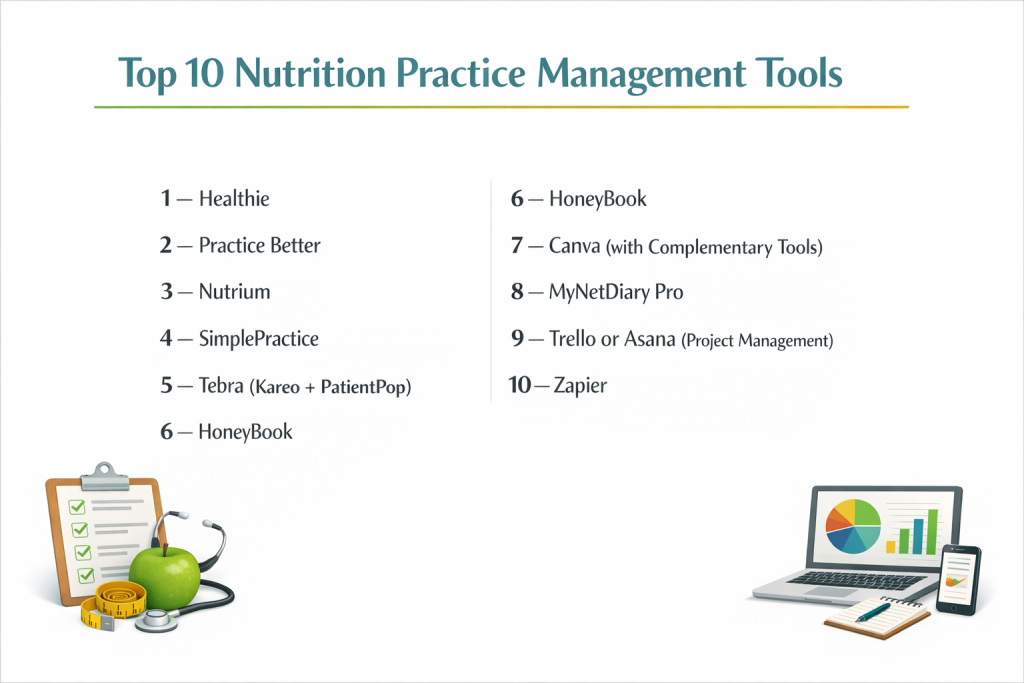
Top 10 Nutrition Practice Management Tools
Here is a detailed analysis of ten leading platforms that cater specifically to the needs of nutrition professionals.
1 — Healthie
Healthie is a comprehensive, all-in-one platform built specifically for nutrition and wellness professionals offering telehealth services. It combines practice management with robust client engagement tools in a HIPAA-compliant environment.
Key features:
- Integrated Telehealth & Scheduling: Built-in, secure video calling with wait rooms and screen sharing, synchronized with a smart scheduling system.
- Client Portal & Mobile App: A branded client experience with a companion mobile app for food logging, messaging, and accessing programs.
- Customizable Programs & Packages: Ability to create and sell multi-week programs, meal plans, and bundled services with automated content drip.
- Advanced Nutrition Tools: Food logging with a large database, meal planning template builder, and ability to create custom recipes and grocery lists.
- HIPAA-Compliant Workflow: Includes secure messaging, file sharing, intake forms, and SOAP note templates designed for compliance.
- Billing & Payments: Integrated Stripe payments for packages, subscriptions, and one-time invoices with automated reminders.
Pros:
- Exceptional for Telehealth: The seamless integration of scheduling, video, and client management is best-in-class for virtual care.
- Strong Client Engagement: The client portal and app are intuitive, keeping clients connected and accountable between sessions.
- All-in-One Efficiency: Eliminates the need for multiple disconnected tools (scheduling, video, messaging, charting).
Cons:
- Cost: Priced at a premium compared to more basic tools, especially for solo practitioners.
- Learning Curve: The extensive feature set requires time to fully learn and implement effectively.
- Customization Limits: While flexible, deep branding or workflow customization may require higher-tier plans.
Security & compliance: Fully HIPAA compliant with BAA, featuring enterprise-grade encryption, audit logs, and secure data hosting. SOC 2 Type II certified.
Support & community: Offers email and chat support, extensive help center, webinars, and a very active community of practitioners on social media and user forums.
2 — Practice Better
Practice Better is a highly customizable platform focused on creating a branded, white-label experience for holistic health practitioners, including dietitians and nutritionists.
Key features:
- White-Label Branding: Complete customization of the client portal, emails, and forms with your logo, colors, and brand name.
- Flexible Client Management: Highly adaptable client profiles, charting (SOAP, DAP), and custom metric tracking (labs, symptoms, habits).
- Automated Client Onboarding: Create automated sequences for intake forms, welcome emails, and program materials upon sign-up.
- Group Program & Course Builder: Robust tools to create and sell digital courses, group challenges, and memberships with community features.
- Integrated Video & Messaging: Secure, HIPAA-compliant video conferencing and direct messaging within the platform.
- Financial Dashboard: Clear insights into revenue, outstanding invoices, and package usage with integrated Stripe/PayPal.
Pros:
- Unmatched Brand Control: Offers the most professional, white-labeled client experience, removing all vendor branding.
- Extreme Flexibility: Can be molded to fit virtually any nutrition coaching style or program model.
- Powerful Automation: Saves immense time on client onboarding and follow-up sequences.
Cons:
- Complex Setup: The high degree of customization means initial setup can be time-intensive.
- Can Feel Overwhelming: The array of options may be excessive for practitioners with very simple, straightforward workflows.
- Pricing: Custom branding and advanced features come at a higher price point.
Security & compliance: HIPAA compliant with BAA. Uses bank-level encryption (AES-256) and secure data centers. Compliant with PIPEDA (Canada) and GDPR.
Support & community: Known for excellent, responsive customer support via chat and email. Provides live onboarding calls, a resource library, and a private user community.
3 — Nutrium
Nutrium is a strong, nutrition-focused platform that excels in clinical nutrition analysis, meal planning, and dietary assessment, popular with dietitians in Europe and expanding globally.
Key features:
- Advanced Nutrition Analysis: In-depth food database with analysis of micro/macronutrients, portion sizing, and dietary reference intakes (DRIs).
- AI-Powered Meal Planning: Suggests meals and recipes based on client goals, preferences, and restrictions, which can then be customized.
- Medical & Anthropometric Data: Tracks detailed client health data (biometrics, lab values, medications) with graphical trends over time.
- Teleconsultation & Scheduling: Built-in video call functionality and a calendar for appointment management.
- Client Mobile App: Dedicated app for clients to log food, water, exercise, and chat with their practitioner.
- Professional Recipe Database: Access to a large, professionally-vetted recipe library that can be added to client plans.
Pros:
- Superior Nutrition Science Backend: Its food database and analysis tools are among the most robust for clinical dietetics.
- Excellent for Meal Planning: The AI suggestions and recipe library make creating personalized plans efficient.
- Strong International Focus: Supports multiple languages and currencies, with a strong user base in Europe and Latin America.
Cons:
- Practice Management Lighter: While growing, its billing and business automation features are not as deep as some competitors.
- Interface Design: Functional but can feel more utilitarian and less modern than platforms like Healthie or Practice Better.
- Branding: Less focus on white-labeling; the Nutrium brand is more present in the client experience.
Security & compliance: HIPAA and GDPR compliant. Data is encrypted and stored on secure servers. Offers a BAA.
Support & community: Provides support via email and chat. Has an extensive help center and blog with nutrition practice tips.
4 — SimplePractice
SimplePractice is a widely-used practice management platform across many therapy disciplines, known for its reliability, excellent billing features, and straightforward design. It’s a strong choice for nutritionists who prioritize administrative simplicity.
Key features:
- Industry-Leading Billing & Insurance: Robust claims management, superbill generation, eligibility checks, and acceptance of credit card/HSA/FSA payments.
- Streamlined Scheduling & Telehealth: Easy-to-use calendar with automated reminders and integrated, HIPAA-compliant video conferencing.
- Client Portal & Documentation: Secure portal for intake forms, file sharing, and messaging. Customizable note templates (SOAP, progress).
- Mobile App for Practitioners: Full-featured app for managing your practice on the go (notes, schedule, billing).
- Solid Reporting: Essential business reports on revenue, appointments, and client demographics.
- Large Ecosystem: Extensive directory of integrations with other software (accounting, texting platforms, etc.).
Pros:
- Unbeatable for Insurance Billing: The top choice for nutritionists who need to bill health insurance efficiently.
- Extremely Reliable & User-Friendly: Known for its intuitive interface and rock-solid uptime with minimal glitches.
- Great for Solo Practitioners: Offers an optimal balance of essential features without overwhelming complexity.
Cons:
- Less Nutrition-Specific: Lacks built-in food logging, meal planning, or nutrient analysis tools. Requires integrations for these.
- Limited Customization: The client portal and communications have limited branding options compared to white-label platforms.
- Group Program Features: Tools for selling digital courses or managing group programs are basic.
Security & compliance: HIPAA compliant with BAA. SOC 2 Type II certified. Data is encrypted at rest and in transit.
Support & community: Offers phone, email, and chat support. Has a comprehensive help site and a large user base, ensuring common questions are well-documented.
5 — Tebra (Kareo + PatientPop)
Tebra combines practice management (Kareo) with patient engagement and marketing (PatientPop) into a unified platform aimed at helping healthcare practices, including nutrition, grow and operate efficiently.
Key features:
- Integrated Growth & Marketing Tools: Includes website management, online reputation monitoring (review requests), and SEO tools to attract new clients.
- Unified Patient Engagement: Combines scheduling, reminders, intake forms, and a patient portal in one system.
- Clinical & Billing Suite: EHR-lite charting with templates and a full medical billing engine for insurance and private pay.
- Telehealth: Integrated video visit capability.
- Analytics Dashboard: Tracks practice performance metrics, marketing ROI, and financial health.
- Designed for Healthcare: Built with the terminology and workflow needs of clinical practices in mind.
Pros:
- Holistic Practice Growth: Uniquely combines operational software with marketing tools to help you attract and retain clients.
- Strong for Insurance-Based Practices: Robust billing features suitable for nutritionists in clinical settings who bill insurance.
- Scalable for Growing Practices: Can support solo practitioners up to larger group practices.
Cons:
- Less Intimate for Wellness Coaching: Can feel more “clinical” and less personalized for pure wellness or coaching practices.
- Complexity & Cost: The combined feature set leads to a more complex system and higher cost than basic tools.
- Nutrition-Specific Gaps: Like SimplePractice, lacks native nutrition assessment and meal planning tools.
Security & compliance: HIPAA compliant with BAA. Data security and privacy are core to the platform.
Support & community: Provides customer support through various channels. As a larger company, support can be more formalized.
6 — HoneyBook
HoneyBook is a clientflow management platform popular with creative entrepreneurs and service providers, including nutrition coaches. It excels at proposals, contracts, and automating the client booking and payment process.
Key features:
- Beautiful Proposals & Contracts: Create visually stunning, customizable service proposals, contracts, and invoices that clients can sign and pay for online.
- Automated Workflows (“Workflows”): Design automated sequences for onboarding, follow-ups, and offboarding using triggers and actions.
- Smart Scheduling: Scheduling tool that integrates with proposals and payments.
- Client Communication Hub: Keeps all client emails, files, and messages organized in one thread.
- Financial Management: Tracks invoices, payments, and expenses with basic reporting.
- Branded Client Experience: Good level of customization in emails and client portal.
Pros:
- Exceptional Sales & Onboarding: Turns inquiries into booked clients faster with professional, automated proposals and contracts.
- Superior Automation for Client Journeys: The workflow automations are intuitive and powerful for managing the client lifecycle.
- Beautiful, Modern Design: The interface and client-facing materials are aesthetically pleasing and user-friendly.
Cons:
- Not Healthcare-Specific: Not inherently HIPAA compliant (requires a BAA and careful configuration). Lacks clinical charting or nutrition tools.
- Limited as a “Record System”: Not designed for detailed progress note-keeping or long-term client health data tracking.
- Telehealth: Requires integration with a third-party video service like Zoom.
Security & compliance: Offers a HIPAA BAA on its premium plan. Data is encrypted. However, users must ensure their use of the platform (e.g., not storing PHI in certain fields) maintains compliance.
Support & community: Strong customer support via chat and email. Large community of creative entrepreneurs with shared templates and tips.
7 — Canva (with Complementary Tools)
Canva is not a practice management tool itself, but it’s included here as the essential creative companion for nutrition professionals. It’s used to design meal plans, handouts, social media content, and marketing materials, often in conjunction with other management tools.
Key features:
- Drag-and-Drop Design: Intuitive editor with thousands of templates for meal plans, recipes, worksheets, infographics, and presentations.
- Extensive Asset Library: Access to millions of photos, icons, illustrations, and fonts (many free, some premium).
- Brand Kit: Save your brand colors, fonts, and logos for consistent application across all designs.
- Collaboration & Sharing: Share designs with team members or clients for feedback; generate shareable links or PDF downloads.
- Print-on-Demand Integration: Connect with services to professionally print booklets, posters, or cards.
- Animation & Video: Basic tools to create animated social media posts or short videos.
Pros:
- Empowers Non-Designers: Makes it easy for anyone to create professional, polished visual materials.
- Massive Time-Saver: Eliminates the need for a graphic designer for most practice materials.
- Extremely Cost-Effective: The free version is powerful; Pro version is low cost for the value.
Cons:
- Not a Management System: Does not handle scheduling, billing, client records, or telehealth. Must be used alongside other tools.
- Generic Templates: Nutrition-specific templates exist but may require customization to stand out.
- Learning for Advanced Features: Mastering advanced design principles still takes time.
Security & compliance: Varies based on usage. For general design work, standard data security applies. Not a HIPAA-compliant platform for storing PHI.
Support & community: Extensive online tutorials, design school, and a massive global user community.
8 — MyNetDiary Pro
MyNetDiary Pro is the practitioner-facing side of the popular MyNetDiary consumer app. It’s a tool specifically for dietitians to prescribe, monitor, and collaborate on food tracking with their clients.
Key features:
- Prescribe Food Tracking: “Prescribe” the MyNetDiary app to clients and access their food and exercise logs in real-time.
- Monitor Client Logs: View detailed client diaries, macronutrient breakdowns, and weight trends from a centralized dashboard.
- Add Comments & Coaching: Provide direct feedback and comments on client entries within their diary.
- Meal Plan Integration: Create and assign meal plans that sync to the client’s app.
- Group Management: Manage a caseload of clients from one dashboard.
- Client Messaging: Secure, in-platform messaging with clients.
Pros:
- Deep Integration with a Popular App: Leverages an app many clients may already know, reducing the learning curve for them.
- Focus on Food Logging & Accountability: Excellent for practices where detailed daily tracking is a cornerstone of the methodology.
- Cost-Effective for Tracking-Centric Coaching: Often more affordable than full-scale practice management suites.
Cons:
- Limited Practice Management: Lacks scheduling, billing, extensive note-taking, or telehealth features. It’s a coaching module, not a full practice OS.
- Dependent on Client App Use: Value is contingent on clients consistently using the consumer app.
- Narrow Scope: Best used as part of a tech stack, not as the sole management tool.
Security & compliance: HIPAA compliant with BAA. Data is encrypted. Designed to protect client health information.
Support & community: Support is available for Pro users. Taps into the large MyNetDiary consumer community.
9 — Trello or Asana (Project Management)
These are generic project management tools adopted by nutritionists to organize client programs, content creation, and internal tasks. They offer flexibility for building custom workflows.
Key features (Trello as example):
- Boards, Lists, and Cards: Visual system to organize anything (e.g., a board per client, lists for “To-Do,” “In Progress,” “Done”).
- Customization: Add due dates, checklists, labels, attachments, and comments to cards.
- Automation (“Butler” in Trello): Create rules to automate repetitive actions (e.g., move a card when a checklist is complete).
- Collaboration: Share boards with team members or even clients (carefully) for collaborative planning.
- Integrations: Connect with hundreds of other apps (Google Calendar, Dropbox, etc.).
- Templates: Use community-created templates for meal planning, program launches, or marketing calendars.
Pros:
- Ultimate Flexibility: Can be adapted to almost any workflow imaginable.
- Visual & Intuitive: The Kanban-style board makes it easy to see the status of everything at a glance.
- Excellent for Program & Content Management: Ideal for planning group challenges, course content, or social media calendars.
Cons:
- Not a Dedicated Nutrition Tool: Requires you to build all processes from scratch. No built-in nutrition databases, charting, or telehealth.
- No Client Management Core: Not designed as a client portal or secure communication hub. Poor choice for storing PHI.
- Can Become Disorganized: Without strict rules, boards can become cluttered and inefficient.
Security & compliance: General business security. NOT HIPAA compliant for storing protected health information. Should not be used for client notes containing PHI.
Support & community: Extensive online knowledge bases and large user communities for tips and templates.
10 — Zapier
Zapier is an automation tool that connects different apps. For nutritionists, it’s the “glue” that can make a custom tech stack (e.g., Calendly + Google Sheets + Stripe + Mailchimp) work together seamlessly.
Key features:
- Multi-App Automations (“Zaps”): Create automated workflows that trigger actions across apps (e.g., “When a Calendly appointment is booked, add client details to a Google Sheet and send a welcome email via Gmail”).
- Vast App Library: Supports connections between thousands of web applications.
- No-Code Builder: Visual editor to build automations without programming knowledge.
- Filters & Logic: Add conditions to your Zaps (e.g., “Only do this if the client signed up for Package A”).
- Task History & Monitoring: Logs all automated tasks for troubleshooting.
Pros:
- Unlives Custom Workflows: Allows you to create the perfect, automated system by connecting your favorite best-in-class tools.
- Saves Massive Manual Time: Eliminates the need to manually copy-paste data between apps.
- Scales with Complexity: Can handle simple or incredibly complex multi-step workflows.
Cons:
- Not a Standalone Solution: It only connects other tools; you must have and manage those core tools first.
- Learning Curve: Building reliable, efficient Zaps requires strategic thinking and testing.
- Cost for Volume: The free tier is limited; heavy automation can require a paid plan.
Security & compliance: Depends entirely on the apps it connects. Zapier itself uses strong security, but you must ensure the underlying apps and the data transferred are compliant.
Support & community: Great help docs, tutorials, and a community where users share pre-built “Zaps.”
Comparison Table
| Tool Name | Best For | Platform(s) Supported | Standout Feature | Rating |
|---|---|---|---|---|
| Healthie | Telehealth-Focused Nutritionists & Dietitians | Web, iOS, Android | Best-in-class integrated telehealth & client engagement | 4.7/5 |
| Practice Better | Holistic Pros wanting white-label branding | Web, iOS, Android | Unmatched customization & branded client experience | 4.6/5 |
| Nutrium | Clinically-focused Dietitians (strong in EU) | Web, iOS, Android | Advanced nutrition analysis & AI meal planning | 4.4/5 |
| SimplePractice | Solo RDs who bill insurance | Web, iOS, Android | Top-tier insurance billing & practice management simplicity | 4.5/5 |
| Tebra | Nutrition practices wanting growth + operations | Web | Integrated marketing & practice management for growth | 4.2/5 |
| HoneyBook | Coaches focusing on sales & client onboarding | Web, iOS, Android | Beautiful proposals, contracts & clientflow automation | 4.3/5 |
| Canva | Every nutritionist (for design/marketing) | Web, iOS, Android | Essential design tool for creating practice materials | 4.8/5 (as a design tool) |
| MyNetDiary Pro | Tracking-centric coaching practices | Web (Dashboard), iOS, Android (Client App) | Deep integration with a consumer food logging app | 4.0/5 |
| Trello/Asana | Organizing programs & internal tasks | Web, iOS, Android | Ultimate flexibility for visual project management | 4.1/5 (as a PM tool) |
| Zapier | Tech-savvy pros building a custom stack | Web | Automation “glue” for connecting other apps | 4.7/5 (as an automation tool) |
Evaluation & Scoring of Nutrition Practice Management Tools
| Evaluation Category | Weight | What to Look For | Top Performer Example |
|---|---|---|---|
| Core Features | 25% | Client management, nutrition tools (logging/planning), scheduling, charting, billing. | Healthie, Practice Better |
| Ease of Use | 15% | Intuitive for you and clients, minimal training, clean interface. | SimplePractice, Healthie |
| Integrations & Ecosystem | 15% | Connects to other tools you use (calendar, email, labs, accounting). | SimplePractice, Zapier |
| Security & Compliance | 10% | HIPAA compliance with BAA, data encryption, secure hosting. | Healthie, SimplePractice, Practice Better |
| Performance & Reliability | 10% | Fast, minimal downtime, handles your client load without lag. | SimplePractice, Healthie |
| Support & Community | 10% | Responsive help, good training resources, active user community. | Practice Better, Healthie |
| Price / Value | 15% | Cost relative to features, ROI in time saved and revenue growth. | Depends on needs; Canva offers immense value. |
Which Nutrition Practice Management Tool Is Right for You?
Solo Practitioner (Just Starting):
- Priority: Simplicity, low cost, core features.
- Consider: SimplePractice (if billing insurance), Healthie’s starter plan, or Nutrium. Use Canva for materials.
Established Solo or Small Partnership:
- Priority: Efficiency, automation, professional client experience.
- Consider: Healthie (for full service), Practice Better (for branding/automation), or HoneyBook (if sales/onboarding is key).
Telehealth-Focused or Online Program Creator:
- Priority: Integrated video, client engagement, digital course delivery.
- Top Choice: Healthie or Practice Better. Their ecosystems are built for this.
Clinical Dietitian (Insurance-Based):
- Priority: Rock-solid insurance billing, clinical charting.
- Top Choice: SimplePractice or Tebra.
Wellness Coach (Package & Program Sales):
- Priority: Beautiful sales materials, automated client journeys, group programs.
- Consider: HoneyBook or Practice Better. Use Canva to enhance visuals.
Tech-Savvy Builder:
- Priority: Best-in-class specific tools, custom workflow.
- Strategy: Pick specialized tools (e.g., Calendly, Stripe, Google Workspace) and connect them with Zapier.
Budget-Conscious vs. Premium:
- Budget: Start with core features in SimplePractice or Nutrium. Use free tools like Canva and Trello.
- Premium: Invest in Healthie, Practice Better, or Tebra for all-in-one power, automation, and growth tools.
Feature Depth vs. Ease of Use:
- Depth/Flexibility: Practice Better and Zapier offer the most control.
- Simplicity: SimplePractice and Healthie offer more curated, easier-to-learn experiences.
Security Needs:
- If you handle Protected Health Information (PHI) in the US, you must use a HIPAA-compliant platform with a BAA. Healthie, SimplePractice, and Practice Better are leading choices.
Frequently Asked Questions (FAQs)
1. Do I really need a specialized tool? Can’t I use Google Calendar and Sheets?
You can start, but you’ll quickly hit limits. Specialized tools save hours per week, reduce errors, provide a professional client experience, and help you scale. They are a business investment.
2. What is the most important feature to look for?
For most, it’s a tie between client management/organization and scheduling/telehealth. If you bill insurance, billing capabilities become #1.
3. Are these tools HIPAA compliant?
The leading ones like Healthie, SimplePractice, and Practice Better are, and they sign a Business Associate Agreement (BAA). Always confirm and sign a BAA if you handle PHI.
4. How much do they typically cost?
Most range from $30-$100+ per month for a solo practitioner. Price scales with features, number of clients, and team members.
5. Can I switch tools later if I outgrow one?
Yes, but it can be a headache. Data migration (client info, notes) can be complex. It’s best to choose a tool that can scale with you for 2-3 years.
6. Should I choose an all-in-one or a “best-of-breed” stack?
- All-in-one (Healthie, Practice Better): Easier to manage, often more cohesive. Good for most.
- Best-of-breed (Zapier-connected stack): More powerful and customizable, but requires more tech skill to build and maintain.
7. How do I handle meal planning and food logging?
Choose a tool with built-in capabilities (Healthie, Nutrium) or use a dedicated app like MyNetDiary Pro or Cronometer and share access with clients.
8. What about client contracts and intake forms?
Most full platforms include these. HoneyBook excels at beautiful proposals/contracts. Practice Better and Healthie have strong, customizable form builders.
9. Can I try before I buy?
Absolutely. Almost every tool offers a 14-30 day free trial. Use it to test with a dummy client and run through your actual workflow.
10. What’s the #1 mistake when choosing?
Picking a tool based on a single cool feature without ensuring it handles your core daily workflow smoothly. Always test the basics: adding a client, booking a session, creating a note, and sending an invoice.
Conclusion
The right nutrition practice management tool is a force multiplier for your business. It can transform administrative chaos into streamlined efficiency, turning time spent on paperwork into time for client care or business growth.
The landscape offers solutions for every style: the clinical precision of Nutrium, the elegant automation of Practice Better, the telehealth mastery of Healthie, the billing proficiency of SimplePractice, and the sales focus of HoneyBook.
Crucially, the “best” tool is not the one with the most features, but the one that best aligns with your specific practice model, clientele, and growth goals. A tool that feels intuitive and removes friction will be adopted and loved by both you and your clients. Invest time in selecting a platform that not only manages your practice today but also supports the professional you aspire to become tomorrow.